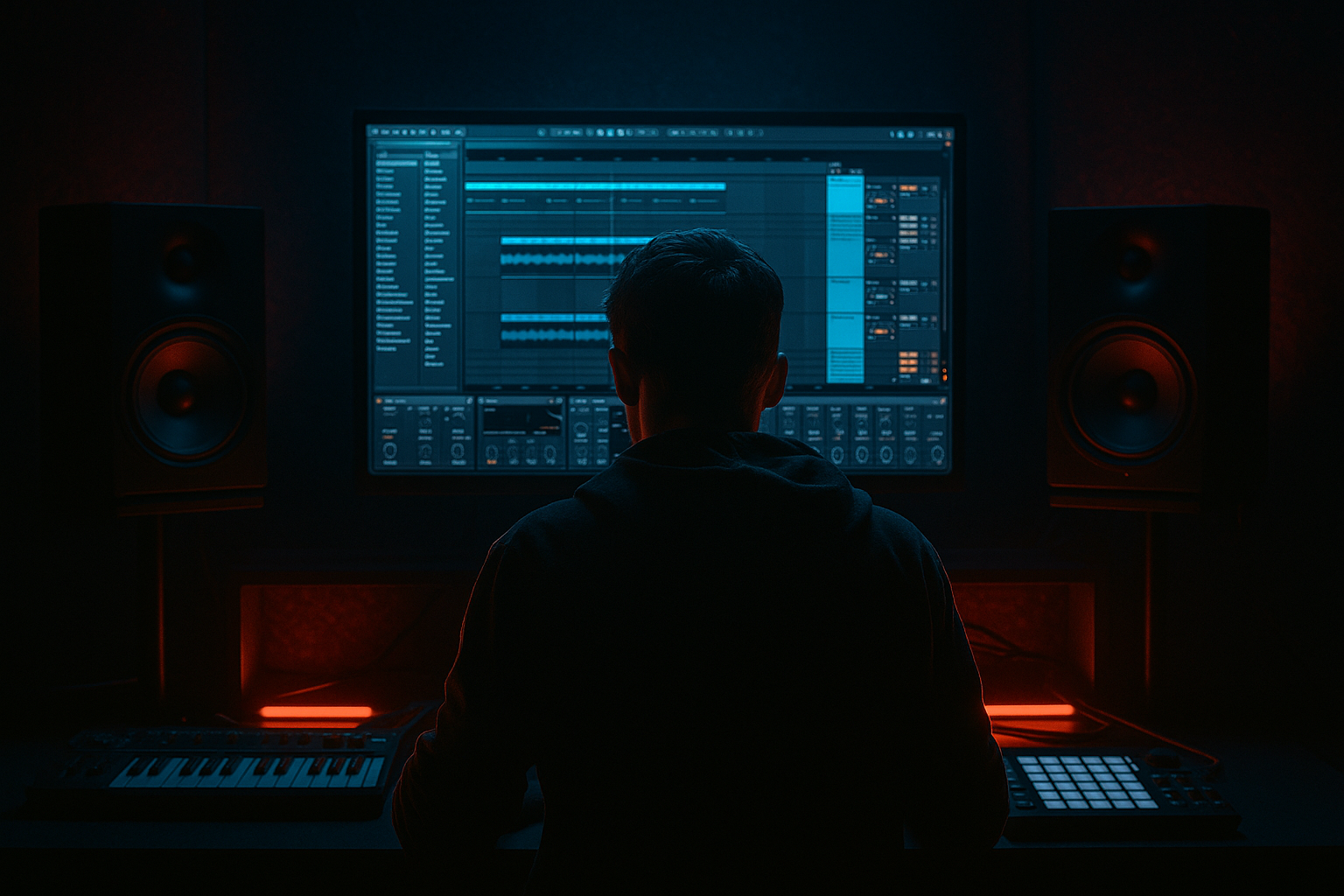
Main tutorial
Lesson Overview
A DJ intro build is the opening runway of a Drum & Bass tune: the part that lets a selector mix in cleanly, gives the crowd a clear pulse, and quietly builds pressure before the drop. In Jungle Warfare terms, this is not a polite ambient intro — it’s a functional, DJ-friendly entrance with enough break energy, atmosphere, and bass tension to set up a serious switch into the first drop.
In Ableton Live 12, this technique matters because you can build the intro from a small set of sampled elements and shape them quickly with stock devices: Simpler, Drum Rack, Auto Filter, Saturator, Utility, Echo, Hybrid Reverb, Gate, Compressor, and Envelope Follower-style automation via clip envelopes and device mappings. For Intermediate producers, the goal is to move beyond “loop plus filter sweep” and start thinking like a DnB arranger: each 4, 8, and 16-bar phrase should add information, while keeping the DJ mixable and the low end under control.
This lesson focuses on a Sampling workflow for a Jungle Warfare-style intro build. You’ll create a scene that feels like it could intro into a dark roller, a half-time junglist drop, or a neuro-jungle hybrid. The key is contrast: broken amen energy, restrained sub, call-and-response texture, and tension that lands hard when the drop arrives.
What You Will Build
You’ll build a 16-bar DJ intro for a Drum & Bass track in Ableton Live 12 with:
- a chopped amen-style break and supporting top percussion
- a filtered bass tease using a sampled reese or sub layer
- atmospheric texture, vinyl dust, or field-recorded grit
- a gradual tension arc using automation and fills
- a clean, DJ-friendly structure that can be mixed into another tune
- Bars 1–4: stripped-down atmosphere, light break fragments, no full sub
- Bars 5–8: break becomes more obvious, ghost hits and fills appear
- Bars 9–12: bass teaser enters, filtered and controlled
- Bars 13–16: tension peaks with snare rolls, riser/downlifter, and a final pre-drop cue
- Too much low end in the intro
- The intro sounds like a loop, not an arrangement
- Overusing reverb and wash
- Bass teaser is too loud or too wide
- Break sounds harsh after processing
- No clear cue for the drop
- Use resampling as an arrangement tool
- Keep sub discipline ruthless
- Use short, ugly saturation before clean EQ
- Let one element carry the tension at a time
- Use negative space
- Reference the DJ mix
- Keep the bass teaser under control and mostly mono.
- Make a change every 2 or 4 bars.
- Export the intro and listen back as if you were DJing into it from another track.
Musically, the intro will feel like this:
By the end, you’ll have an intro that works in a real set: it gives a DJ room to beatmatch, signals the key groove, and sets up the drop with authority.
Step-by-Step Walkthrough
1. Set up your session like a DnB intro scene
Open a fresh Ableton Live 12 set and set the tempo between 170–175 BPM. For this lesson, use 174 BPM, which is a classic sweet spot for modern jungle, rollers, and darker DnB.
Create these tracks:
- 1 Audio track for your main break sample
- 1 Audio or MIDI track for additional drum hits
- 1 MIDI track for bass teaser / reese layer
- 1 Audio track for atmospheres and FX
- 1 Return track for long delay/reverb if you like to keep the mix tidy
If you’re using sampled material, keep your clips organized right away. Name them:
- `Amen_Main`
- `TopLoop`
- `Bass_Teaser`
- `Atmos`
- `FX_Riser`
Why this works in DnB: fast tempos punish messy arrangements. When you’re building a DJ intro, clarity matters more than complexity. A clean template makes it easier to judge groove, low-end separation, and phrase length.
2. Choose or chop your break with intent
Drag in a classic break sample — an amen, think, funky drummer-style source, or another broken loop with strong transient character. Put it into Simpler in Slice mode if you want fast, playable chops.
Recommended Simpler settings:
- Mode: Slice
- Slice by: Transient
- Filter: start around 12 kHz, then automate down if needed
- Glide: 0–20 ms for slight smoothing if slices click
- Warp: use carefully; if the sample already grooves at tempo, keep it simple
Play the slices via MIDI and build a 1- or 2-bar drum pattern with:
- kick/snare backbone
- a few ghost hits
- one or two rearranged break snippets for variation
If you’re using an Audio clip instead, cut the break into sections and duplicate the clip across 4 or 8 bars with small edits. Use Fade handles and Clip Gain to tame harsh hits.
Concrete move: lower the break sample gain by about -6 dB before processing. DnB breaks get loud fast, and you want headroom before bussing and saturation.
3. Create a DJ-friendly pulse without giving away the full drop
Your intro should imply the groove before it fully hits. Use a second percussion layer:
- shaker loop
- closed hats
- rim or ghost snare hits
- tiny ride accents
Put these in a Drum Rack or separate audio track. Use Groove Pool if needed, but keep it subtle. A light swing of 54–58% can add movement, especially for jungle-flavored intros, but don’t over-swing a modern roller unless the track wants that looser feel.
Add Utility to narrow the stereo field slightly if the loop is too wide. Keep the groove centered enough that a DJ can mix it without losing low-end focus.
Practical layering idea:
- break loop: main rhythmic energy
- top loop: high-end motion
- ghost snare: phrase marker every 2 or 4 bars
This lets the intro feel alive even before the bassline arrives.
4. Shape the break bus for punch and grit
Route your drum layers to a Drum Bus or group track. On that group, use stock devices to glue and dirty the loop:
Suggested chain:
- EQ Eight
- Glue Compressor
- Saturator
- optional Drum Buss
Example settings:
- EQ Eight: high-pass gently around 25–35 Hz if sub rumble is unnecessary
- Glue Compressor: 2:1, attack 10–30 ms, release Auto or 0.3–0.6 s, aiming for only 1–3 dB of gain reduction
- Saturator: drive around 2–6 dB, Soft Clip on if the break is spiky
- Drum Buss: keep Boom low or off for intro work; use Drive sparingly
The aim is not to crush the drums. It’s to make the intro feel closer, grainier, and more intentional.
Why this works in DnB: broken drums need transient shape and density, but the intro must still leave space for the drop. A controlled drum bus gives you energy without turning the whole section into a square wave of noise.
5. Build the bass tease using a sampled source
Instead of dropping the full bassline early, use a sampled bass phrase or a resampled reese stab. You can create this from an existing bass note, then resample it into audio so you can slice and arrange it like a break.
Workflow:
- Play a simple reese or sub note sequence into audio
- Freeze/flatten or resample it to an Audio track
- Chop the audio into short teaser hits
- Place them in the last 4–8 bars of the intro
Put the sampled bass into Simpler or keep it as audio and process it with:
- Auto Filter for low-pass movement
- Saturator for harmonics
- Utility to collapse low-end to mono
- EQ Eight to remove unnecessary sub buildup
Suggested bass teaser settings:
- Auto Filter: low-pass start around 200–400 Hz, open to 1–2 kHz by the end of the phrase
- Saturator: Drive 1–4 dB
- Utility: Width 0% below the sub region if you’re using frequency-based separation elsewhere
Keep the bass tease minimal. One or two notes, or a call-and-response with the break, is enough. The point is to hint at the drop, not reveal it.
6. Automate the tension arc across 16 bars
Use clip envelopes or device automation to make the intro feel like it’s moving toward something. The best DJ intros usually have a slow, readable progression.
Automate these elements:
- break filter opening
- atmosphere volume
- delay feedback
- bass cutoff
- reverb decay or send amount
- snare roll intensity in the last 2 bars
Example progression:
- Bars 1–4: Atmosphere at full, drums filtered darker
- Bars 5–8: open the hats and bring in more break detail
- Bars 9–12: introduce bass tease with a tighter filter
- Bars 13–16: raise tension with a snare roll and riser
Good concrete automation ranges:
- Auto Filter cutoff: from about 250 Hz up to 6–8 kHz on a top loop
- Echo feedback: 10–25% for tasteful movement
- Reverb dry/wet: 8–20% on FX moments, not the whole intro
- Track volume: a subtle 1–3 dB rise over 16 bars can help the build breathe
Use Arrangement View so you can see the phrase shape clearly. For DnB, this matters because intros are often judged by how cleanly they lead into a mix point or drop cue.
7. Add atmosphere and texture to sell the jungle warfare vibe
A proper jungle intro often lives or dies on texture. Add a bed of vinyl noise, field ambience, dark room tone, radio static, or a sampled spoken phrase chopped into fragments.
Keep this on a separate track and process it lightly:
- EQ Eight: roll off below 120–200 Hz
- Auto Pan: slow rate, around 0.05–0.15 Hz, with phase adjusted to taste
- Hybrid Reverb: small amount, with a darker tone
- Echo: filtered repeats for ghostly movement
Musical context example: if the tune is heading into a rolling half-step drop, keep the atmosphere sparse and menacing. If it’s more jungle-leaning, a chopped vocal hit or distant stab can reference old-school rave energy without sounding dated.
This layer shouldn’t distract. It should make the intro feel like a location — a warehouse, tunnel, or after-hours pressure chamber.
8. Design the final 4-bar pre-drop lift
The last 4 bars should clearly announce the drop. This is where your intro turns from vibe into function.
Add:
- a snare roll or percussion ramp
- a noise riser
- a downlifter on the last beat
- a final bass rest or stop
- a short silence gap or drum cut before the drop, if the arrangement wants impact
In Ableton, use:
- Simpler with a snare roll sample, then automate pitch or filter
- Auto Filter to open the riser
- Reverb on a snare hit for a tail that leads into the drop
- Echo on a final stab with feedback cut before the downbeat
Strong arrangement move: mute the sub and some low percussion in bar 15, then bring the full drop in with maximum contrast. That one-bar vacuum makes the drop feel heavier.
If you want a more DJ-friendly intro, leave the last bar with a clear drum pickup rather than a full stop. If you want a more dramatic label-style arrangement, do a one-beat gap before the drop.
Common Mistakes
- Fix: high-pass atmosphere and textural layers around 120–200 Hz, and keep the sub teaser minimal until the drop.
- Fix: change something every 2 or 4 bars. Even tiny edits — a ghost hit, reversed slice, snare variation — create forward motion.
- Fix: use shorter ambience on drums and reserve big reverb for selected FX hits. Too much wash blurs the DnB pulse.
- Fix: turn it down, mono the low end with Utility, and use filtering rather than sheer volume for tension.
- Fix: reduce Saturator drive, tame highs with EQ, or soften peaks with Glue Compressor rather than aggressive limiting.
- Fix: make the final 2–4 bars more obviously different. A riser, snare build, or brief silence creates the payoff.
Pro Tips for Darker / Heavier DnB
- Print your filtered break or bass teaser to audio, then re-chop it. This creates more personality and gives the intro a “performed” feel instead of a static loop.
- If the intro has any real bass, keep the lowest region centered and simple. A mono Utility on bass content is your friend.
- A little Saturator or Drum Buss on the drum group can make the intro feel more underground, but follow it with EQ Eight to remove any mud or fizz.
- Don’t push drums, bass, atmospheres, and FX all at once. In darker DnB, the best intros often rotate focus: break, texture, bass hint, then hit.
- A one-beat gap before the drop or a bar with reduced drums can make the impact feel much bigger. Silence is a weapon in heavy DnB.
- Think like a selector. Your intro should give enough stable rhythm for beatmatching while still sounding exciting. If it’s too busy, it becomes hard to mix.
Mini Practice Exercise
Build a 12-bar DJ intro in 15 minutes using only sampled material and stock Ableton devices.
Rules:
1. Use one chopped break in Simpler or as an Audio loop.
2. Add one top percussion layer.
3. Add one sampled bass teaser or resampled bass stab.
4. Use at least two automation moves:
- one filter sweep
- one volume or send rise
5. Add one final 2-bar tension device:
- snare roll
- riser
- reverse hit
- or a short silence before the drop
Constraints:
Goal: by the end, you should be able to hear a clear phrase arc and a believable path into the drop, not just a loop with FX.
Recap
A strong Jungle Warfare DJ intro in Ableton Live 12 is built from sampled break energy, controlled bass hints, texture, and phrase-based automation. Keep the low end disciplined, use stock devices to shape grit and motion, and make the arrangement progress clearly every few bars. The best intros in DnB are not overpacked — they’re tight, mixable, and full of tension that pays off hard when the drop lands.

