DNB COLLEGE

Drum & Bass Ableton Live 12 Tutorials

LESSON DETAIL

Jungle Warfare Ableton Live 12 ghost note masterclass for floor-shaking low end (Advanced)

An AI-generated advanced Ableton lesson focused on Jungle Warfare Ableton Live 12 ghost note masterclass for floor-shaking low end in the Sound Design area of drum and bass production.

Back to lessons
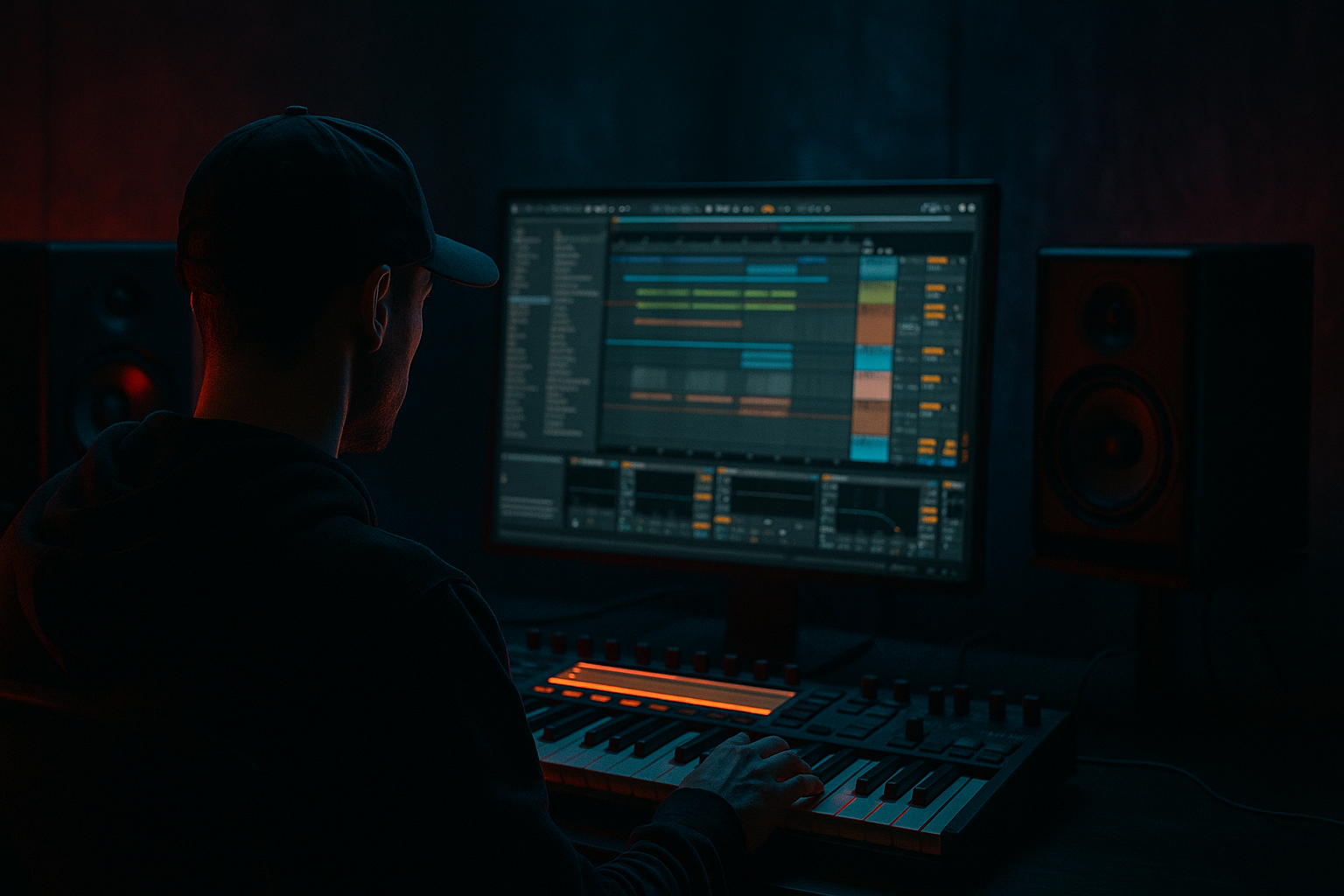
Jungle Warfare Ableton Live 12 ghost note masterclass for floor-shaking low end (Advanced) cover image

Narrated lesson audio

The voice track includes the tutorial plus extra teacher commentary.

Open audio file

Main tutorial

Jungle Warfare: Ableton Live 12 Ghost Note Masterclass for Floor-Shaking Low End 🔥

1. Lesson overview

Ghost notes are the secret glue in elite drum and bass and jungle programming. They’re the tiny, often barely audible notes that make your drums and bass feel alive, human, and physically heavier. In darker DnB, ghost notes help create:

  • Forward motion without clutter
  • Swing and bounce without losing impact
  • Low-end pressure that feels continuous
  • Humanized drum phrasing that sits between rigid grid and full breakbeat chaos
  • In this lesson, we’ll use Ableton Live 12 to build a ghost-note-driven drum and bass pattern with:

  • tight ghost snares
  • subtle kick ghosts
  • rolling bass call-and-response
  • controlled floor-shaking low end
  • arrangement ideas that work in a club-ready DnB track
  • We’ll lean on stock Ableton devices and practical sound design choices you can apply immediately. This is an advanced workflow, so I’ll assume you already know your way around drum racks, MIDI editing, and basic mixing. Let’s get into it. 🥁

    ---

    2. What you will build

    By the end of this lesson, you’ll have a loop and a production method for:

  • A 16-bar jungle/DnB drum groove
  • Ghost snares placed around the main backbeat
  • Subtle kick ghosts for movement and pre-hit tension
  • A reese or sub-bass layer that reacts to the drums
  • A low-end chain that stays powerful but controlled
  • A repeatable workflow for building more complex rolls, fills, and drop sections
  • Target sound

    Think:

  • dark 170 BPM roller
  • jungle-influenced drum language
  • low-end that feels “wide in energy” but mono-safe in the sub
  • ghost notes that are felt more than heard
  • ---

    3. Step-by-step walkthrough

    Step 1: Set the project up for DnB precision

    Tempo

  • Set tempo to 170–174 BPM
  • For a more classic jungle feel, 172 BPM is a great sweet spot
  • Session organization

    Create these tracks:

    1. Drums Main

    2. Drum Ghosts

    3. Bass Sub

    4. Bass Mid/Reese

    5. FX / Atmos

    6. Reference

    Useful Live 12 setup tip

    Enable the detail view and keep the Clip Envelope editor visible when programming drums. Ghost-note editing becomes much easier when you can shape note lengths and velocities quickly.

    ---

    Step 2: Build the main drum backbone first

    Before ghost notes, lock the core groove.

    Program the main drum pattern

    In a 1-bar MIDI clip:

  • Kick on beat 1
  • Snare on beat 2 and 4
  • Add a few syncopated kicks in the gaps, but keep the main pulse obvious
  • A basic DnB starting point:

  • Kick: 1.1, 1.3.3, 2.4.2
  • Snare: 1.2.1, 1.4.1
  • Hats: 16th or 32nd-note motion with velocity variation
  • Sound choice

    Use a tight, punchy kick and a snare with:

  • short transient
  • controlled low-mid body
  • enough crack to carry through a dense mix
  • Stock devices to use

  • Drum Rack for layering and pad organization
  • EQ Eight to carve space
  • Drum Buss for punch and weight
  • Saturator for harmonics
  • Drum Buss starting settings

    On the main drum bus:

  • Drive: 5–15%
  • Crunch: low to moderate
  • Boom: only if the kick needs extra chest; keep it subtle in DnB
  • Transient: +5 to +20 for snap
  • ---

    Step 3: Design ghost notes as a separate layer

    This is where the magic happens. Ghost notes should usually live on a separate MIDI track or at least a separate chain within a Drum Rack so you can process them differently from the main hits.

    Why separate them?

    Because ghost notes need:

  • lower velocity
  • different EQ
  • sometimes more saturation
  • often shorter decay
  • tighter compression control
  • Create a ghost snare layer

    Use either:

  • a softer version of your main snare
  • a rimshot-like snare
  • a filtered break slice
  • a noisy percussion hit with a similar attack
  • Place ghost snares around the backbeat

    Try these positions in a 1-bar loop:

  • 1.1.4 before beat 2
  • 1.2.4
  • 1.3.4 before beat 4
  • 1.4.3
  • Or for a more rolling jungle feel:

  • ghost snare on the last 16th before each main snare
  • occasional double ghosts in the second half of the bar
  • Velocity settings

    Ghost notes should usually sit around:

  • Velocity 15–55
  • Main snares around 90–127
  • A good starting contrast:

  • main snare: 110–120
  • ghost snare: 25–45
  • Humanize the timing

    Don’t grid-lock every ghost note perfectly.

    Try:

  • nudging some ghost snares 5–12 ms early
  • placing others slightly late for laid-back drag
  • In Ableton Live 12, use:

  • Groove Pool with a subtle swing
  • or manually shift note positions in the MIDI editor
  • A little timing asymmetry gives the groove that jungle “breathing” feel.

    ---

    Step 4: Add kick ghosts for hidden propulsion

    Kick ghosts are one of the most underrated tools in DnB. These are tiny kick hits that don’t read as “kick drums” so much as low-end pushes.

    Placement ideas

    Add ghost kicks:

  • right before a snare
  • after a snare to create a rebound
  • in the gaps between main kick hits
  • Try a pattern like:

  • strong kick on 1.1
  • ghost kick on 1.2.4
  • main snare on 1.2.1
  • ghost kick on 1.2.4 can be a quiet pickup if layered carefully
  • Ghost kick design

    Use a kick sample with:

  • short decay
  • minimal click
  • low fundamental if needed, but not too boomy
  • Processing

    On the ghost kick channel:

  • EQ Eight: low-pass slightly if click is too obvious
  • Utility: reduce gain if needed
  • Drum Buss: use sparingly, just a touch of body
  • Saturator: light drive for harmonics
  • Important

    Ghost kicks should not fight the sub-bass. If the arrangement is already bass-heavy, keep kick ghosts more percussive and less subby.

    ---

    Step 5: Build the bass around the drums, not the other way around

    For floor-shaking DnB, the bass must answer the drums. The ghost notes tell the bass where to breathe.

    Build a 2-layer bass

    #### Layer 1: Sub

  • Use Operator or Wavetable
  • Pure sine or near-sine
  • Mono
  • Clean envelope
  • No stereo widening in the sub
  • #### Layer 2: Mid bass / Reese

  • Use Wavetable, Analog, or a resampled synth
  • Detune saws, phase modulation, or filtered unison
  • High-pass to keep out of the sub zone
  • Add movement with filter automation or LFO
  • Sub bass settings

    If using Operator:

  • Oscillator: sine
  • Envelope: short attack, controlled release
  • Mono mode on
  • Glide: subtle, if at all
  • Example bass rhythm

    Let ghost notes influence bass phrasing:

  • bass note lands after the kick
  • short bass pickup answers the ghost snare
  • longer bass notes extend over quieter spaces
  • mute bass briefly on strong snare moments for impact
  • This creates a call-and-response between drums and bass, which is a classic jungle/DnB pressure tactic.

    ---

    Step 6: Sidechain and duck intelligently

    You want the low end to hit hard, not smear.

    Use Compressor or Auto Filter sidechain

    On the bass bus, set up:

  • Compressor with sidechain from the kick
  • optional extra ducking from the snare if the arrangement gets crowded
  • #### Compressor starting point

  • Ratio: 2:1 to 4:1
  • Attack: 1–10 ms
  • Release: 50–120 ms
  • Threshold: set for 2–5 dB gain reduction on main kick hits
  • Alternative: volume shaping

    For more surgical control, use:

  • Utility automation
  • or Envelope Follower mapped to volume/filter parameters
  • In DnB, sometimes a fast, rhythmic volume dip sounds cleaner than heavy compression.

    ---

    Step 7: Sculpt the ghost notes with EQ and saturation

    Ghost notes should feel present, but not dominate.

    Ghost snare chain

    A strong starting chain:

    1. EQ Eight

    2. Drum Buss

    3. Saturator

    4. optional Compressor

    #### EQ Eight

  • High-pass around 120–250 Hz depending on the sample
  • Cut muddy low mids around 250–500 Hz if needed
  • Slight presence boost around 2–5 kHz if the ghost needs definition
  • #### Drum Buss

  • Drive: light
  • Transient: small boost
  • Boom: usually off or very low
  • #### Saturator

  • Soft Clip: on if the note needs density
  • Drive: just enough to hear at low volume
  • Key concept

    The ghost note should be more audible on small speakers but should not compete with the main snare in the club.

    That means:

  • shape harmonics, not volume
  • keep the transient tight
  • avoid too much low-mid buildup
  • ---

    Step 8: Use groove and microtiming to create jungle feel

    Jungle isn’t just about break samples. It’s about timing tension.

    Groove Pool workflow

    Try a subtle groove from:

  • one of Ableton’s swing grooves
  • or extract groove from a breakbeat loop
  • Then:

  • apply it lightly to ghost notes
  • keep the main snare more anchored
  • let hats and percussion carry more shuffle
  • Best practice

    Use different groove strengths:

  • Main drums: 0–15%
  • Ghost notes: 20–45%
  • Hats/percs: 30–60%
  • This creates layered humanization rather than one global shuffle.

    ---

    Step 9: Turn ghost notes into arrangement tools

    Ghost notes are not just for loops. They help shape sections.

    In the intro

    Use ghost snares and filtered kicks very quietly to imply the groove before the drop.

    In the drop

    Increase ghost-note density:

  • more pickups before snares
  • extra kick ghosts during call-and-response gaps
  • occasional 32nd-note ghost flurries
  • In the breakdown

    Strip back the main hits and let ghosts tease the rhythm:

  • ghost snare + filtered bass
  • reversed snare tails
  • sparse sub pulses
  • In fills

    Use ghost notes to lead into:

  • snare rolls
  • break edits
  • halftime switch-ups
  • drop resets
  • A fill feels more professional when the ghost notes are acting like rhythmic punctuation instead of random decorations.

    ---

    Step 10: Resample and commit to movement

    Advanced DnB production gets stronger when you resample.

    Workflow

  • Bounce 4 or 8 bars of drums with ghosts
  • Drag the audio back into a new track
  • Slice it or warp it carefully
  • Rebuild new accents from the resampled loop
  • Why this matters

    Resampling lets you:

  • create unique micro-grooves
  • print saturation and bus glue
  • extract tiny ghost details
  • create break edits from your own programming
  • Ableton tools to use

  • Resampling
  • Simpler
  • Slice to New MIDI Track
  • Warp for timing correction if needed
  • ---

    4. Common mistakes

    1) Making ghost notes too loud

    If you can hear every ghost note clearly, they’re probably not ghosts anymore. They should support the groove, not dominate it.

    2) Using the same sound for main hits and ghosts

    If the ghost snare and main snare are too similar in tone and level, the mix gets muddy and the groove loses contrast.

    3) Forgetting the low end relationship

    Ghost kicks and bass can conflict fast. Always check the sub zone when adding low-end micro-hits.

    4) Over-quantizing everything

    Perfect grid placement kills the organic swing that jungle and DnB rely on.

    5) Overprocessing the ghost layer

    Too much compression, saturation, or reverb can make ghost notes smear into the mix and lose definition.

    6) Ignoring arrangement

    A loop with great ghost notes can still feel static if you never evolve density, timing, or phrase length across the track.

    ---

    5. Pro tips for darker/heavier DnB

    Tip 1: Use ghost notes to imply brutality, not expose it

    In dark DnB, the heaviest moments often come from restraint. A quiet ghost snare before a huge backbeat can hit harder than another full-impact drum.

    Tip 2: Keep the sub mono and the mids moving

    Let the sub be stable. Put the motion in the mid-bass layer and drum ghosts.

    Tip 3: Layer a noisy transient under the ghost snare

    A tiny layer of vinyl crackle, rim noise, or hat debris can make the ghost note read on smaller systems.

    Tip 4: Automate filter cutoff in 8- or 16-bar phrases

    A slowly opening bass filter behind ghost-heavy drum patterns creates serious tension.

    Tip 5: Use negative space

    Sometimes the most brutal ghost-note move is removing a sound where listeners expect it. Drop out a kick or bass note so a ghost snare lands in the vacuum.

    Tip 6: Try Drum Rack chains for variation

    Put multiple ghost sounds in one Drum Rack pad and use chain selection or velocity zones for subtle changes in each repetition.

    Tip 7: Saturate the bus, not just the elements

    A small amount of glue on the drum bus via Drum Buss or Glue Compressor can make ghost notes feel part of one machine.

    ---

    6. Mini practice exercise

    Goal

    Create an 8-bar jungle/DnB loop with ghost notes that makes the groove feel bigger without adding much extra volume.

    Exercise steps

    1. Set tempo to 172 BPM

    2. Build a main drum pattern with kick and snare

    3. Add 4 ghost snare hits per bar, but keep velocities between 20 and 45

    4. Add 1–2 ghost kicks per bar, only in the spaces before snares

    5. Program a bassline that:

    - leaves space for the main snare

    - answers some ghost notes with short bass notes

    - stays mono in the sub

    6. Apply:

    - EQ Eight

    - Drum Buss

    - Compressor sidechain

    7. Bounce 4 bars and compare:

    - version A: no ghost notes

    - version B: ghost notes active

    What to listen for

  • Does the groove feel more urgent?
  • Is the snare placement clearer?
  • Does the bass feel like it’s “dancing” with the drums?
  • Is the low end still clean?
  • If the answer is yes, you’ve done it right.

    ---

    7. Recap

    Ghost notes are one of the most powerful tools in drum and bass and jungle production because they create motion, anticipation, and weight without crowding the mix.

    The core ideas

  • Build a strong main drum groove first
  • Add ghost snares and ghost kicks on separate layers
  • Keep ghost notes low in velocity and carefully timed
  • Shape them with EQ Eight, Drum Buss, and Saturator
  • Let the bass respond to the ghosts
  • Use sidechain and arrangement to keep the low end powerful and clean
  • Resample for extra movement and realism
  • If you use ghost notes with intention, your DnB patterns stop sounding looped and start sounding alive — exactly what you want for floor-shaking jungle warfare. ⚡

    If you want, I can also turn this into:

  • a companion Ableton project template
  • a MIDI note map for a 172 BPM ghost-note pattern
  • or a dark DnB drum rack device chain preset

Ask GPT about this lesson

Chat with the lesson tutor, get follow-up help, or use quick actions.

Bigup 👽 Ask me anything about this lesson and I’ll answer in context.

Narration script

Show spoken script
Today we’re going deep into Jungle Warfare: an advanced Ableton Live 12 ghost note masterclass for floor-shaking low end.

And I want to start with the big idea, because this is where a lot of drum and bass programming either stays okay or becomes seriously elite.

Ghost notes are not just tiny drum hits.

Think of them as micro moments of pressure. Tiny rhythmic events, yes, but also tiny frequency events. They push the groove forward, make the next backbeat feel bigger, and create that illusion of movement where the whole drum pattern feels like it’s breathing.

That’s the jungle magic right there.

So in this lesson, we’re building a dark, club-ready 170 to 174 BPM DnB loop in Ableton Live 12, using ghost snares, subtle kick ghosts, and a bassline that responds to the drums instead of fighting them. We’ll keep the sub clean and mono-safe, let the mids do the movement, and use stock Ableton devices to shape the whole thing into something heavy but controlled.

Let’s get the project set up.

First, set your tempo. A really strong sweet spot for this kind of thing is 172 BPM. It gives you that classic jungle energy without feeling rushed.

Now create a few tracks so the session stays organized. You want your main drums, your ghost layer, your sub bass, your mid or reese bass, a little FX or atmosphere track if you need it, and ideally a reference track as well. In Live 12, keep your detail view open and the MIDI editor visible while you work. That makes ghost-note programming way faster, because you can edit velocities, note lengths, and timing all in one place.

Now, before you even touch the ghost notes, lock in the backbone.

Build a simple, powerful drum pattern first. Kick on the downbeat, snare on beats two and four, and a few syncopated kicks in the gaps. The point here is clarity. You want the listener to always feel where the center of the groove is before you start bending it around with little off-grid details.

A good starting point might be a kick on the first beat, another kick in a syncopated position before the second snare, and a main snare on two and four. Add hats with some 16th-note or 32nd-note motion, but don’t overcomplicate it yet. The groove should already feel like it moves, even before the ghost layer is added.

For sound choice, keep the kick tight and punchy, and make sure the snare has enough crack to cut through a dense mix. A little body is good, but don’t let the low mids get muddy. In drum and bass, especially darker jungle-influenced stuff, clarity is part of the weight.

On the main drum bus, stock devices do a lot of the heavy lifting. Use Drum Buss for punch and density, EQ Eight to carve out space, and Saturator if you want a little more harmonic bite. A good starting point on Drum Buss is a modest amount of Drive, a little Crunch if needed, and just enough Transient to bring the snap forward. Don’t overdo Boom unless the kick really needs extra chest, because the low end is already going to be doing a lot of work.

Now comes the fun part: the ghost layer.

Make ghost notes their own separate layer, either on a separate MIDI track or a separate chain inside a Drum Rack. That separation matters. Ghost notes usually need different EQ, different saturation, different decay, and often different compression behavior than the main hits.

If you treat them like the same thing as your main snare or kick, the mix gets blurry fast.

For ghost snares, use something related to the main snare, but softer. That could be a quieter snare version, a rimshot-style hit, a filtered break slice, or a little noisy percussion tick with the right kind of attack. The important thing is that it should feel like a smaller sibling of the main hit, not a totally random sound.

Now place them around the backbeat.

A classic move is to put a ghost snare just before the main snare, or shortly after it, so the groove has that little lean forward and rebound. For example, in a one-bar loop, you might add a ghost before beat two, another ghost in the space after it, then repeat the idea before beat four. A more rolling jungle phrasing often works best when the last sixteenth before a main snare has a tiny pickup note, because that creates instant anticipation.

And here’s the important part: velocity.

Ghost notes should usually live in a much lower range than the main hits. Think something like 15 to 55 for ghost notes, while the main snares are much higher, maybe around 90 to 127 depending on the sample. A really solid contrast is to keep the main snare around 110 to 120 and the ghost snare around 25 to 45. That difference is what gives the groove depth.

But don’t just think about volume. Think about timing.

A little microtiming goes a long way. Push some ghost snares a few milliseconds early, drag others a touch late. That asymmetry is one of the reasons jungle feels alive. It’s not just the notes themselves. It’s the way they lean against the grid.

Ableton’s Groove Pool is great for this, especially if you want a subtle swing. You can apply a groove lightly to the ghost layer while keeping the main snare more anchored. That way the groove breathes without falling apart.

Now let’s talk about kick ghosts.

This is one of the most underrated weapons in the whole style.

Kick ghosts are tiny low-end pushes. They’re not supposed to read like full kicks. They’re supposed to feel like pressure nudges, little propulsion points that make the groove move without announcing themselves too loudly.

Try placing a ghost kick before a snare, or in the spaces between your main kicks. The idea is to create tension and rebound. Just be careful that the ghost kick doesn’t fight your sub bass. That’s the trap. In a bass-heavy arrangement, ghost kicks should be more percussive than subby.

On the ghost kick channel, use EQ Eight if the click is too obvious, trim the level with Utility if needed, and add just a touch of Drum Buss or Saturator if you want it to read better on small speakers. Keep it restrained. The goal is motion, not a second bassline.

Now we build the bass around the drums.

This is a big one. In serious jungle and DnB, the bass doesn’t lead the drums. The drums and ghost notes tell the bass when to breathe.

Use a two-layer bass approach.

For the sub layer, keep it clean. Operator or Wavetable works great. Use a sine or near-sine waveform, keep it mono, and make sure the envelope is tight and controlled. No stereo widening in the sub. None. That’s a recipe for messy low end.

For the mid or reese layer, go wider and more aggressive. Wavetable, Analog, or a resampled synth all work. Detuned saws, phase movement, filtered unison, that sort of thing. High-pass it so it stays out of the sub zone, then automate the filter or use an LFO to create motion.

Now the rhythm.

Let the bass answer the drums. Maybe the bass note lands after the kick, or a short bass pickup answers a ghost snare, or a longer bass note stretches through a quiet space and then drops out right before a strong backbeat. That call-and-response feel is pure jungle pressure. It keeps the groove from becoming static and gives the whole track that rolling, predatory energy.

Now we control the low end.

Use sidechain intelligently. A Compressor on the bass bus keyed from the kick is a classic move, but don’t just smash it. You want a controlled duck, not obvious pumping unless that’s part of the vibe. Start with a ratio around 2:1 to 4:1, a fast attack, and a release that breathes in time with the groove. Aim for a few dB of gain reduction on the main kick hits.

If compression feels too blunt, you can get more surgical with volume shaping or automation. Sometimes a fast rhythmic dip sounds cleaner than heavy compression, especially in dense DnB arrangements.

Now let’s sculpt the ghost layer so it feels present without taking over.

A really solid ghost snare chain is EQ Eight, then Drum Buss, then Saturator, and maybe a compressor if you need extra control. High-pass the ghost layer so it doesn’t cloud the low end, clean out any muddy low mids, and if the note needs to speak on small speakers, give it a little presence in the upper mids.

The key idea is this: the ghost note should be more audible on small systems, but it should never compete with the main snare in the club. You’re shaping harmonics and attack, not just turning up the volume.

And this is where the more advanced mindset comes in.

Don’t think of the ghosts as tiny drum hits. Think of them as momentary spectral pushes. A short transient that makes the backbeat feel bigger. A small midrange event that helps the rhythm read even when the sub is doing something heavy. Or a micro-drop in energy that creates the illusion of impact when the main hit returns.

That perspective changes how you write the parts.

Also, use negative space aggressively.

If the loop starts feeling too busy, don’t add more notes right away. Remove one ghost before a snare. Remove one extra kick in the second half of the bar. Pull out a hat accent before the bass answer. In jungle and DnB, sometimes the missing hit is what makes the next hit feel huge.

Now, groove.

A good jungle feel is often about layered humanization rather than one global shuffle setting. You can give the main drums a pretty light groove, maybe zero to fifteen percent, while the ghost notes get more swing, maybe twenty to forty-five percent, and hats or percussion can go even looser if the pattern can handle it.

That contrast creates depth. Everything isn’t moving the same way, so the groove feels alive instead of mechanically shuffled.

Now let’s use ghost notes as arrangement tools.

In an intro, keep the ghosts quiet and sparse. They can imply the groove before the drop fully lands.

In the drop, increase ghost density a bit. Add more pickups before snares, more kick ghosts in the gaps, maybe even a few tiny 32nd-note flurries if the rhythm needs extra excitement.

In the breakdown, strip back the main hits and let the ghosts do the teasing. A filtered ghost snare, a sparse sub pulse, maybe some reversed tails, and suddenly the listener is waiting for the impact again.

And in fills, use ghost notes like punctuation. They’re great for leading into snare rolls, break edits, halftime switches, or drop resets. A fill feels more professional when the ghost notes are acting with intention, not just decorating the bar.

Now, here’s a really powerful advanced move: resample.

Bounce out four or eight bars of your drums with the ghost layer active, drag the audio back into a new track, and start chopping or warping it. You can slice it to a new MIDI track, pull out little details, and even rebuild new accents from your own programming.

This is huge because it lets you print the movement you’ve created. It also gives you unique micro-grooves and can make the drums feel more like an actual performance, especially once a little bus saturation has been baked in.

You can even resample the ghost layer by itself. That often gives you a really interesting source for new percussion, since tiny resonant details and room texture can become fresh one-shots.

A couple of extra coach notes here.

Check the groove at two listening levels. First, listen quietly. At low volume, do the ghosts still imply motion? Then listen louder. At club volume, are they still leaving room for the main hits? If the ghosts only work loudly, they’re probably too exposed.

Also, make sure each ghost has a parent sound. The ghost snare should clearly relate to the main snare. The ghost kick should relate to the main kick. The bass pickup should relate to the main bass phrase. If the ghost sound doesn’t feel like a smaller version of something bigger, it starts to read as clutter instead of momentum.

Color-coding in Live 12 helps more than people think. Give the main hits one color family, the ghost layer a lighter muted shade, and the bass answers a contrasting color. On a dense project, that visual separation keeps you from accidentally stacking too much of the same rhythmic idea.

Now, a few pro-level variation ideas.

Instead of keeping all your ghost notes at the same velocity, program a contour. Make the first ghost in a phrase slightly louder, the middle ones softer, and the last one before the main backbeat a little stronger. That tiny ramp makes the phrase feel intentional.

You can also alternate ghost sound sources every couple of bars. Maybe a tight snare ghost in one bar, a rim or click in the next, then a filtered break fragment, then a noisy percussion tick. Same rhythmic shape, different texture. That keeps repetition from feeling copy-pasted.

Another great trick is answer-then-collapse phrasing. Introduce a ghost note in one phrase, then remove it on the next repeat, then bring it back harder. That push and pull creates tension without needing a massive fill.

And if you want the arrangement to feel like it’s evolving without adding a bunch of new parts, use ghost density as your main tension tool. Start sparse, then gradually add pickups over 8 bars. By the time you hit the full drop, it feels like the track has accelerated, even if the core drum identity barely changed.

For homework, build a 16-bar pressure system loop at 172 BPM.

Keep the main backbeat stable. Add at least two different ghost types. Use a sub and mid bass layer that are clearly separated. Include one resampled element somewhere in the loop. And here’s the rule that makes this useful: don’t add more than one new full drum hit every four bars. Let the variation come from ghost timing, density, source changes, and removal of elements.

Then make three versions: sparse, medium, and full-pressure. Listen for whether each one feels like the same track, just more intense. Check whether the groove still makes sense if you mute the bass. Check whether the ghost notes still matter when the full drop is playing. And most importantly, make sure the low end never turns into mud.

So to wrap it up, the big lesson here is simple.

Ghost notes are one of the most powerful tools in jungle and drum and bass because they create motion, anticipation, and weight without crowding the mix. Build the main groove first. Add ghosts on their own layer. Keep them low in velocity and carefully timed. Shape them with EQ, Drum Buss, and Saturator. Let the bass respond to them. Use sidechain and arrangement to keep the low end clean. And resample when you want the whole thing to feel more alive.

If you do that with intention, your loops stop sounding programmed and start sounding dangerous.

That’s the Jungle Warfare approach. Tight, ghosted, pressure-heavy, and ready to shake the floor.

mickeybeam

Go to drumbasscd.com for +100 drum and bass YouTube channels all in one place - tune in!

Generating PDF preview…
