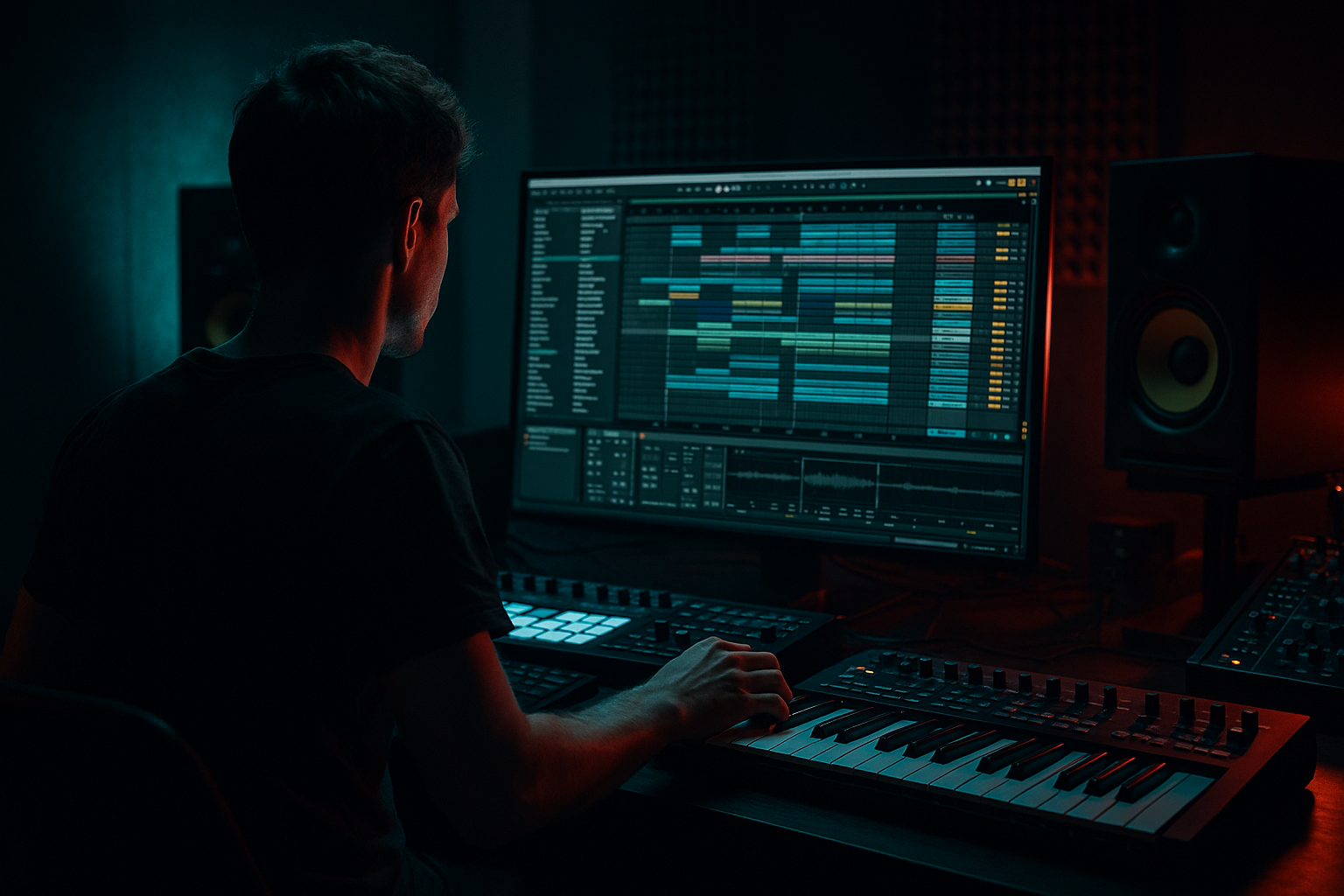
Main tutorial
Lesson Overview
This lesson is about building a jungle arp bounce that sits on top of a deep jungle atmosphere and supports the low-end like a proper DnB record in Ableton Live 12. The goal is not to make a flashy synth lead — it’s to create a fast-moving, hypnotic bassline phrase that feels alive, tense, and musical while still leaving room for the kick, snare, and break edits.
In Drum & Bass, especially jungle and darker rollers, the bassline often does more than “play notes.” It creates motion, call-and-response, and pressure between drum hits. A good arp bounce can make a track feel like it’s constantly rolling forward, even when the arrangement is sparse. That matters because in jungle and deep DnB, the listener should feel momentum from the bassline and drums working together, not fighting each other.
You’ll use Ableton stock devices to build a simple but effective pattern: a sub foundation, a mid-bass arp layer with bounce, and a few movement tricks so the phrase feels like it belongs in a real DnB arrangement. We’ll keep it beginner-friendly, but rooted in authentic studio workflow: solid note choices, controlled low end, mono-safe bass, and enough atmosphere to sound deep rather than busy 🎛️
What You Will Build
By the end of this lesson, you will have:
- A jungle-style bass arp in Ableton Live 12 that bounces in 1/8s or syncopated 1/16s
- A sub layer that supports the arp without muddying the kick and break
- A dark atmospheric bed behind the phrase using stock effects and resampling-style thinking
- A simple call-and-response bassline idea that works in an intro, drop, or switch-up section
- A loop you can use as the backbone of a deep jungle intro, first drop, or 8-bar variation
- Making the arp too bright
- Letting the sub and arp overlap too much
- Programming a busy melody instead of a bass phrase
- Overusing reverb on the bass
- Ignoring note lengths
- Not checking in mono
- Use call-and-response phrasing
- Automate filter movement slowly
- Resample your own arp
- Add dirt to the mid layer only
- Use Drum Buss carefully on the bass bus
- Keep the arrangement DJ-friendly
- Reference dark rollers and jungle cuts
- strong bass rhythm
- short note lengths
- call-and-response phrasing
- controlled saturation
- clean low-end separation
- subtle automation and arrangement changes
Musically, think of it like this: the sub plays a stable root note, while the arp layer dances around it in a way that feels urgent and slightly haunted. The result should sit somewhere between classic jungle movement and modern deep DnB control.
Step-by-Step Walkthrough
1. Set up a clean DnB loop and tempo
Start a new Ableton Live 12 set and set the tempo between 170 and 174 BPM. For a classic jungle feel, 172 BPM is a great middle ground.
Create a 8-bar loop. Add:
- One drum rack or audio break
- One bass MIDI track
- One atmospheric track or return effect if you want space
Keep your session simple. Beginner-friendly DnB works best when the drums and bass are easy to hear clearly. If your project gets cluttered too early, you’ll lose the bounce.
For now, drop a simple kick-snare pattern or use a break loop chopped lightly so you can hear how the bass interacts with the rhythm. In jungle, the bassline should “answer” the break rather than sit on top of it randomly.
2. Build the sub foundation first
On your bass MIDI track, load Operator or Wavetable. For a beginner, Operator is the cleanest way to make a solid sub.
In Operator:
- Use a sine wave for Oscillator A
- Turn off or lower other oscillators
- Keep the amp envelope short and smooth
- Add a gentle Saturator after Operator if you want a little more presence
Suggested settings:
- Envelope attack: 0–5 ms
- Release: 80–150 ms
- Saturator Drive: 1–4 dB
- Saturator Soft Clip: On
Write a simple root-note pattern first. Keep it mostly on the key center of your track. In deep jungle and rollers, the sub often holds the harmonic floor while the arp adds movement above it.
Why this works in DnB: the kick and sub are the most important low-end relationship in the whole track. If the sub is stable, everything else can get more playful without the mix falling apart.
3. Program the arp bounce rhythm
Create a second MIDI track for the arp layer. Load Wavetable, Analog, or even Operator if you want a simple tone. For a beginner, use Wavetable with a saw or square-based patch.
Start with a short MIDI clip and program a repeated pattern using:
- 1/8 notes for a classic bounce
- 1/16 notes with rests for a more nervous jungle feel
- A few syncopated gaps so it doesn’t sound robotic
A simple starting rhythm might be:
- Note on beat 1
- Note after the “and” of 1
- Note on beat 2
- Small rest
- Repeat with slight variation
Keep the note range narrow at first, maybe within one octave. Jungle bass often works best when the rhythm creates the energy, not big melodic jumps.
Tip: Use Ableton’s MIDI note velocity to shape bounce. Try stronger velocities on the first note of a phrase and lighter ones on the follow-up notes. That makes the arp feel like it’s “leaning forward.”
4. Choose a dark, usable synth tone
On the arp track, keep the patch dark and focused. You’re not making a trance pluck — you want a bassline texture that can survive heavy drums.
In Wavetable:
- Pick a saw-based wavetable or basic square/saw blend
- Set the filter to a low-pass or band-pass
- Lower the cutoff until the sound sits in the lower-mid range
- Add a small amount of resonance, but not too much
Suggested settings:
- Filter cutoff: roughly 150 Hz to 1.2 kHz depending on the note range and brightness
- Resonance: 10–25%
- Unison: 2 voices max if needed
- Detune: very small, just enough to widen the tone slightly
If the sound gets too bright, pull it back. Deep jungle atmosphere comes from shadow and movement, not shiny top-end.
Add Auto Filter after the synth if you want more control. Automate the cutoff slightly over 8 bars to create tension. A slow sweep from darker to a little brighter can make the bassline feel like it’s opening up during the phrase.
5. Shape the bounce with envelopes and groove
The “bounce” comes from how the notes start, stop, and breathe. In DnB, this is a huge part of groove.
Try these moves:
- Shorten the amp envelope so notes don’t overlap too much
- Add a tiny bit of release if you want the notes to blur together slightly
- Use note length variations in the MIDI clip
- Apply a groove from Ableton’s Groove Pool if the rhythm feels too stiff
For a beginner, a good start is:
- Attack: 0 ms
- Decay: moderate
- Sustain: medium-low
- Release: 30–100 ms
If you use Groove Pool, try a subtle MPC-style swing or a light shuffle. Don’t overdo it. Jungle already has movement from the breakbeats, so the bass should sit into that pocket rather than sound overly humanized.
This is especially useful when your bassline sits between snare hits. A tight rhythmic pocket leaves space for the snare crack and the break ghost notes.
6. Split the bass into sub and mid layers
To keep the low end clean, separate the sub from the arp character. You can do this in two ways:
- Duplicate the bass and give one track only sub
- Or keep one instrument and use EQ to divide the layers
The easiest beginner method is two tracks:
- Sub track: pure sine from Operator
- Mid-bass arp track: Wavetable or Analog with high-pass filtering
On the mid-bass arp track, add EQ Eight and high-pass around 100–140 Hz. Adjust by ear. The exact cutoff depends on the key and sound, but the goal is to keep the mid layer out of the sub lane.
On the sub track:
- Keep it mono
- Keep it clean
- Avoid wide effects
Use Utility on the sub and set Width to 0% if needed. That’s a simple way to lock the sub in the center.
Why this works in DnB: the kick and sub need a stable mono relationship. If your arp has low-end content too, the mix gets cloudy and the drop loses impact.
7. Add saturation, movement, and controlled dirt
Jungle and darker DnB love character, but the trick is controlled distortion, not chaos. Add Saturator, Overdrive, or Drum Buss to the arp layer, not the sub.
Good starting points:
- Saturator Drive: 2–6 dB
- Drum Buss Drive: very light, around 5–15%
- Transient: keep conservative unless you want a sharper attack
- Dry/Wet on the effect: 20–50% depending on how aggressive you want it
If the arp needs extra motion, automate:
- Filter cutoff
- Saturator drive
- Reverb send
- Delay feedback
A little movement goes a long way. For jungle atmosphere, a subtle change every 2 or 4 bars often feels more authentic than nonstop modulation.
If you want a more “rolled” or nervous feel, try Frequency Shifter very lightly or use Auto Pan with very small depth. Keep it subtle so the bass doesn’t lose center focus.
8. Add atmosphere around the bassline, not on top of it
Deep jungle atmosphere usually comes from space, not from too many sounds. Create a return track with Reverb or Hybrid Reverb and send only the arp or a lightly filtered noise layer to it.
Good reverb starting points:
- Decay: 1.5–4 seconds
- Pre-delay: 10–30 ms
- High cut: fairly low to keep it dark
- Dry/Wet on send: keep it modest
You can also add Echo with low feedback and a filtered top end to create a ghostly tail behind the arp. Set:
- Delay time: sync to 1/8 or 1/8 dotted
- Feedback: 10–25%
- Filter: roll off highs
- Add a touch of modulation if the patch supports it
This works beautifully for intro or switch-up sections where the bassline needs to feel like it’s echoing through a tunnel. It gives the track that deep jungle air without washing out the drums.
9. Arrange the bassline like a real DnB section
Don’t just loop the same 1-bar idea for 16 bars. In DnB, arrangement is part of the groove.
Try this beginner-friendly structure:
- Bars 1–4: filtered intro version of the arp with less low-mid energy
- Bars 5–8: full bounce with sub added
- Bars 9–12: remove one note or add a rest for call-and-response
- Bars 13–16: automate filter or distortion slightly for lift into the next phrase
A musical context example:
- The snare lands on 2 and 4
- The break does ghost-note movement around it
- The bass arp answers the snare with a short phrase after each hit
That is a classic jungle idea: the drums speak, and the bass replies. It gives the listener something to latch onto while still feeling relentless.
If your track is for a DJ-friendly arrangement, keep the intro sparse enough that it can mix with another tune. Then let the full bassline arrive clearly at the drop.
10. Check the mix in mono and make small fixes
After the groove feels good, check the bass in mono. Use Utility on the bass bus or master and hit Mono briefly to hear whether the arp loses too much energy.
Check:
- Is the sub still strong?
- Does the arp remain audible without stereo tricks?
- Are the kick and bass fighting?
- Is the low end clean around 40–120 Hz?
Use EQ Eight to cut unnecessary low-mid mud if needed. A gentle dip around 200–400 Hz can help if the bass feels boxy. If the arp is harsh, tame some upper mids around 2–5 kHz carefully.
A good beginner rule: if you can’t clearly hear the bass phrase in mono, the mix probably relies too much on width or effects. In DnB, the bass needs to work in the center first.
Common Mistakes
- Fix: lower the filter cutoff, reduce unison, or cut highs with EQ Eight. Jungle bass should feel deep and tense, not glossy.
- Fix: high-pass the arp around 100–140 Hz and keep the sub mono.
- Fix: reduce the number of notes. DnB basslines often work better when they repeat a strong rhythmic idea.
- Fix: send only the mid layer or filtered version to reverb. Keep the sub dry.
- Fix: shorten notes to create bounce. Small rests can make the groove feel much more professional.
- Fix: use Utility and listen for phase issues or disappearing low end.
Pro Tips for Darker / Heavier DnB
- Let the arp play a short phrase, then leave a gap. That gap is powerful in jungle and rollers because the drums can “speak back.”
- A small cutoff move over 4 or 8 bars can add tension without sounding cheesy.
- Freeze/flatten or resample the bass phrase to audio, then chop the best bits. This often creates a more authentic jungle feel because you can edit the tail, room, and bounce more precisely.
- Saturation on the arp midrange adds presence. Keep the sub clean so the low end stays heavy.
- A tiny bit of drive or transient shaping can make the bass hit harder, but too much will flatten the groove.
- Leave space in the intro and outro. Jungle and DnB often need clean mix points for transition sets.
- Listen for how often the bassline changes every 2 or 4 bars. The movement is usually subtle but deliberate.
Mini Practice Exercise
Spend 10–20 minutes making one 8-bar jungle arp bounce loop in Ableton Live 12:
1. Set the project to 172 BPM
2. Create a simple kick-snare or break loop
3. Program a sine sub in Operator using 2–4 root notes
4. Build a second mid-bass arp using Wavetable
5. Write a 1-bar rhythmic pattern with at least two rests
6. High-pass the arp at around 120 Hz
7. Add light Saturator or Drum Buss to the arp
8. Automate the filter cutoff over 8 bars
9. Add a touch of Reverb or Echo only to the arp
10. Check the result in mono and make one improvement
Goal: make the bassline feel like it is moving with the break, not just looping over it. If it sounds like it could sit under a dark jungle intro or first drop, you’re on the right track.
Recap
The key idea is simple: build the sub first, then add a dark, rhythmic arp layer above it. Keep the arp tight, controlled, and mono-safe in the low end. Use Ableton stock devices like Operator, Wavetable, EQ Eight, Utility, Saturator, Drum Buss, Auto Filter, Reverb, and Echo to shape movement and atmosphere.
For deep jungle atmosphere, focus on:
If your bassline feels like it is dancing with the drums while still leaving space for the kick and snare, you’ve nailed the jungle arp bounce 🎧

