DNB COLLEGE

Drum & Bass Ableton Live 12 Tutorials

LESSON DETAIL

Hedex field recording texture: carve and arrange in Ableton Live 12 for smoky warehouse vibes (Intermediate · FX · tutorial)

An AI-generated intermediate Ableton lesson focused on Hedex field recording texture: carve and arrange in Ableton Live 12 for smoky warehouse vibes in the FX area of drum and bass production.

Back to lessons
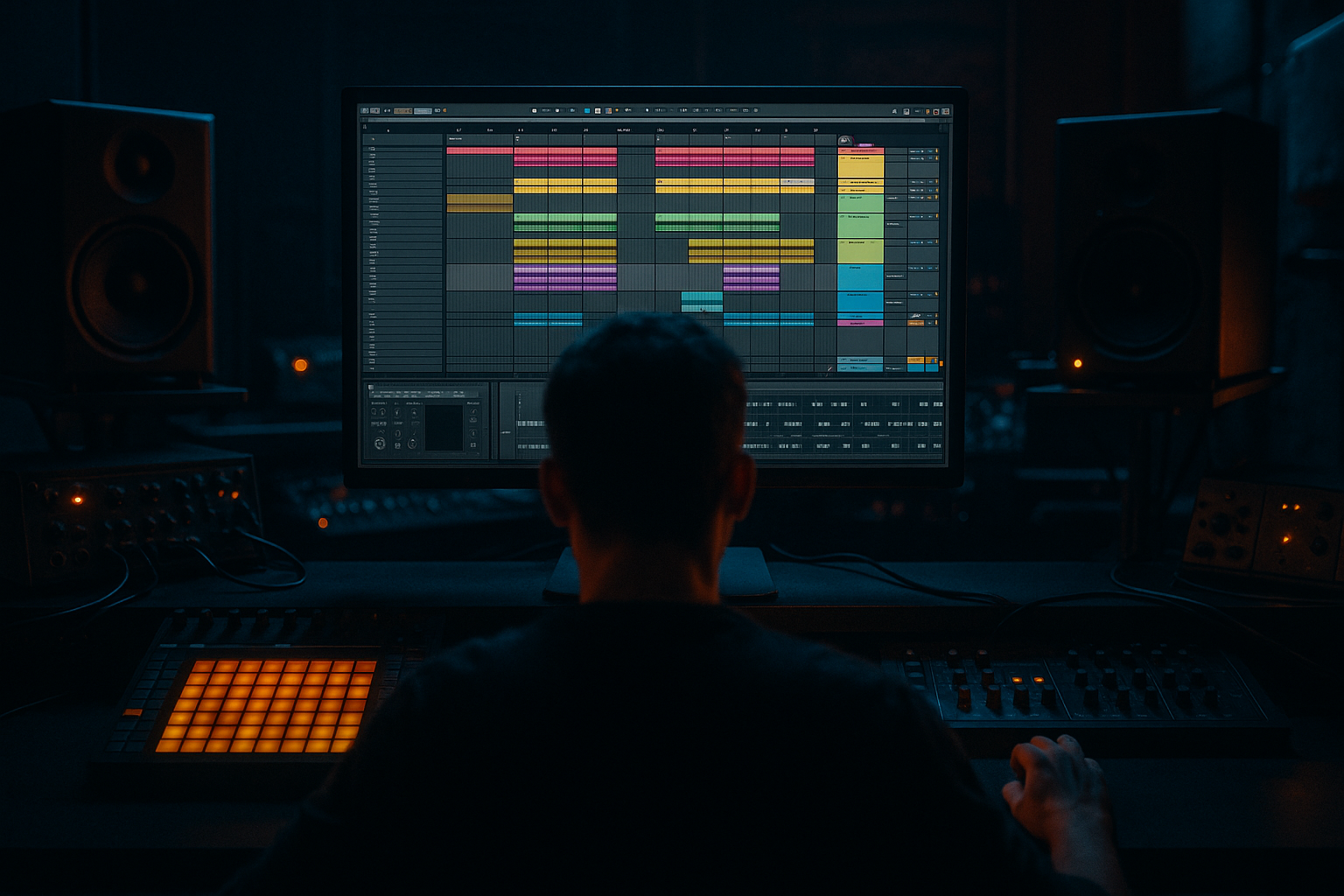
Hedex field recording texture: carve and arrange in Ableton Live 12 for smoky warehouse vibes (Intermediate · FX · tutorial) cover image

Narrated lesson audio

The voice track includes the tutorial plus extra teacher commentary.

Open audio file

Main tutorial

1. Lesson Overview

This intermediate Ableton Live 12 FX lesson walks you through "Hedex field recording texture: carve and arrange in Ableton Live 12 for smoky warehouse vibes." You’ll take a raw Hedex field recording texture, surgically carve frequency and transient content, create layered FX chains with stock Live devices, and arrange it into a breathing, smoky warehouse atmosphere that sits with a Drum & Bass rhythm. The emphasis is practical — warping, slicing, spectral shaping, modulated grain/delay, reverb sends, and arrangement automation — using only Ableton Live 12 stock devices and workflows.

2. What You Will Build

  • A multi-layered atmospheric bed from one Hedex field recording texture sample:
  • - Low rumble sub-layer (resampled & filtered)

    - Main mid-texture (sliced/warped for rhythmic motion)

    - High crackle/air layer (grain/delay + high-pass)

  • Two return FX buses: Hybrid Reverb (distant hall) and Echo/Grain Delay (closer, lo-fi reflections)
  • An Instrument Rack with macros to perform realtime carving (cutoff, send, grit)
  • An arrangement section (intro → build → drop-support) with automated send levels and filter moves to create the “smoky warehouse” vibe that sits under DnB elements
  • 3. Step-by-Step Walkthrough

    Note: Keep the original Hedex field recording texture file in your project folder. This walkthrough assumes Live 12 Suite (Sampler/Simpler/Hybrid Reverb available). I’ll call the sample “Hedex_Texture.wav”.

    A. Import & initial warp / audition

    1. Drag Hedex_Texture.wav into an empty Audio Track. Rename the track “Hedex_TX_MID”.

    2. In Clip View, enable Warp. Set Warp Mode = Complex Pro (best for preserving tonal texture). Set Transient BPM to your project tempo (e.g., 174 BPM for DnB).

    3. Trim start to remove silence; set sample loop off for initial exploration. Play and listen for dominant energy bands (rumbles, metallic hits, breathy highs).

    B. Create three tracks from the same sample (Low / Mid / Air)

    1. Duplicate the original clip two times (Cmd/Ctrl+D) so you have three tracks: Hedex_TX_LOW, Hedex_TX_MID, Hedex_TX_AIR.

    2. Label them accordingly.

    C. Carve the Low Layer (Hedex_TX_LOW)

    1. Warp mode: Complex (or Complex Pro). Set Transients: reduce sensitivity to preserve long low energy.

    2. Insert EQ Eight (high-quality) after the clip: enable High-Pass/Low-Pass band controls. Do a steep high-pass at 30–40 Hz (to protect subs), then use a Low-Pass shelf at ~300–450 Hz to remove mids.

    - Settings suggestion: Low-pass (Bell at 220 Hz) Q around 0.7; gain -inf above target so it’s mainly sub/low-mid.

    3. Add Saturator (Soft Clip) set very subtly Drive 1–2 dB, Dry/Wet 40% to add harmonic warmth.

    4. Add Glue Compressor on the track with Slow Release (200–400 ms) and a light ratio (2:1) to glue the rumble.

    5. Optionally resample: Create a new audio track set to “Resampling”, arm it, solo the low track, hit record to create a compact resampled low file — now you can pitch-shift or time-stretch without hurting the original texture.

    D. Carve the Mid Texture (Hedex_TX_MID)

    1. On the MID track, open Simpler (or Sampler for more control). Drop the clip into Simpler’s Sample slot and switch to Classic mode (or Sampler for loop envelopes).

    - Use Simpler’s start offset to move beginning slightly forward to create a different attack.

    2. Add Auto Filter (LP + Resonant) after Simpler. Use a band-pass-mid approach: set Filter = Bandpass or Low-pass with resonance ~1.2–1.6. Start cutoff around 600–900 Hz.

    3. Add EQ Eight (in M/S mode — click the “Mode” button and choose Mid/Side) to shape stereo content:

    - On the Mid: reduce 200–400 Hz by -2 to -4 dB if muddy.

    - On the Sides: gentle boost +2–3 dB around 3–6 kHz to add air.

    4. Insert Grain Delay (or Echo) after EQ:

    - Grain Delay: Time ~1/8 or 1/16 sync, Pitch small +/- 1–3 st, Spray 30–60, Feedback 10–20%, Dry/Wet ~30–40% for shimmering movement.

    - If using Echo: set Sync to 1/8 dotted, Feedback 20–30%, Hi-cut ~6–8 kHz to darken repeats.

    5. Add Frequency Shifter very subtly (0.1–1 Hz) and enable dry/wet ~10–20% to create a slow detune/motion for “warehouse” eeriness.

    E. Carve the Air / Crackle Layer (Hedex_TX_AIR)

    1. On AIR track: set Warp mode to Beats or Complex with transient emphasis so sharper clicks/crackles hold.

    2. Add EQ Eight: high-pass at 800–1,200 Hz to isolate shimmer and noise. Boost small shelf around 6–12 kHz if needed.

    3. Add Redux (bit reduction) or Saturator with drive pushed for character. For Redux: downsample subtly (e.g., 11–14 kHz) and bit reduction low (10–12 bits) for grit — dry/wet 20–30%.

    4. Add Texture movement with Auto Filter LFO: set Filter = High-pass with LFO rate synced to 1/4 or 1/8 and small depth; this makes the air sweep subtly.

    5. Pan this layer slightly off-center (10–25% L or R) for stereo image.

    F. Create FX Sends (Reverb / Reflection)

    1. Create Return track A: Hybrid Reverb. Preset: Large Room or Plate -> modify:

    - Size 70–90, Decay 2.5–6 s depending on intensity, Diffusion high, Damping low to keep tail dark.

    - Add a High-cut at ~4–6 kHz within Hybrid Reverb (or follow with EQ Eight) to avoid washing out highs.

    - Pre-Delay 40–80 ms to keep source perception and create distance.

    2. Create Return track B: Echo (for tempo-synced reflections) or Grain Delay for lo-fi repeats:

    - Echo: Hi-cut ~6–8 kHz, Feedback 20–35%, Sync 1/8 or 1/16.

    - Option: use a third return with Convolution-style short metallic impulse (create by resampling a metallic hit and using it in Simpler with long decay via reverb) for warehouse metallic reflections.

    3. On Hedex tracks, set send levels:

    - Low layer: Send A (Reverb) low (10–15%), Send B (Echo) 5–10%

    - Mid layer: Send A 20–30%, Send B 20–30%

    - Air layer: Send B higher (30–40%) and Send A medium (15–20%)

    G. Macro Rack & Performance Controls

    1. Group the three Hedex tracks into a Drum Rack-style Rack? Instead, create an Audio Effect Rack on the group bus and map:

    - Macro 1: Main Filter Cutoff (map Auto Filter cutoff on MID and AIR)

    - Macro 2: Reverb Send (map each track’s Send A)

    - Macro 3: Grain/Echo Feedback (map Grain Delay feedback)

    - Macro 4: Saturation/Drive (map Saturator Drive on Low + Mid)

    2. Set macro ranges so small tweaks create expressive movement.

    H. Arrangement: Build smoky warehouse vibe sections

    1. Intro (bars 1–16): Start with Low + Air only. Automate reverb send up gradually (0 → 25%) over 8 bars to create distance.

    2. Build (bars 17–32): Bring in the Mid layer with low-pass cutoff closed; gradually open cutoff and increase Grain Delay feedback to add texture.

    3. Drop/Support (bars 33–64): All layers present. Automate a subtle sidechain on Mid and Air to the kick/snare bus (Glue Compressor or Utility volume envelope) for rhythm breathing with DnB drums.

    4. Add interest: automate Macro 3 (Grain Feedback) in small bursts before transitions. Automate Hybrid Reverb Decay and Pre-Delay slowly across long sections for evolving space.

    5. Use short mutes/automation of Filter Cutoff for “smoke bursts” — e.g., sudden high-pass sweeps to reveal the sub rumble.

    I. Final polish & Bus processing

    1. On the group bus: Add Multiband Dynamics to control excessive energy in mid-band (120–800 Hz) with gentle threshold. This keeps texture sitting underneath bass/low-end.

    2. Add Utility for Stereo Width control: narrow the low band (below 200–250 Hz) with automatic mid/side processing on EQ Eight or M/S width technique, keep the air wide.

    3. Bounce a resampling (Ctrl+Shift+R) of the final bed to a new track for CPU savings and to commit creative decisions.

    4. Common Mistakes

  • Over-reverbing: Too much wet reverb on low content causes mud and masks the bass. Use high-pass on reverb returns and shorten decay or reduce send for low layer.
  • Leaving everything full-band: Not splitting into Low/Mid/Air makes carving difficult and creates frequency masking with drums/bass.
  • Too much bit reduction/saturation: Overdoing Redux on the mid can destroy detail—use subtle dry/wet and automations.
  • Ignoring phase/stereo collapse: Very wide textures with heavy low content can collapse on mono. Keep sub frequencies mono or use Utility to reduce low width.
  • Using improper Warp modes: Using Beats warp for tonal material will create glitches. Use Complex/Complex Pro for preserved texture, Beats for percussive crackles.
  • 5. Pro Tips

  • Use EQ Eight in Mid/Side mode: tighten mids around 200–400 Hz and boost sides around 3–8 kHz to get a smoky yet clear stereo image that won’t fight the kicks.
  • Pre-delay is your distance dial: longer pre-delay (40–80 ms) on reverb makes the texture feel far in a cavernous warehouse.
  • Automate Hybrid Reverb “Size” and “Diffusion” slowly across long sections for evolving space; map them to macros for quick live changes.
  • Use small amounts of frequency shifting (Frequency Shifter device) on the mid layer to emulate the pitch instability of large physical spaces.
  • Create “warehouse metallic hits” by duplicating short transients, pitching them down 1–2 octaves, then applying short gated reverb (Hybrid Reverb with short decay and a sharp envelope).
  • Resample early and often: when you like a combination of effects, resample to a new clip and chop it — this prevents CPU strain and lets you treat processed audio as a fresh instrument.

6. Mini Practice Exercise

Objective: In 30–45 minutes, take a 10–20 second Hedex field recording texture and produce a 16-bar atmospheric loop that could sit under a 174 BPM DnB intro.

Steps:

1. Import the sample; create the three tracks (Low/Mid/Air) and apply the carving steps (EQ + Saturator + Grain/Echo).

2. Set up two return sends (Hybrid Reverb + Echo). Dial send amounts for distance.

3. Group and create 3 macros (Filter Cutoff, Reverb Send, Grain Feedback).

4. Arrange a 16-bar loop:

- Bars 1–8: Low + Air only, reverb slowly rising

- Bars 9–12: Bring Mid in with cutoff closed

- Bars 13–16: Open cutoff, small grain bursts (automated Macro 3)

5. Export a loop (Bounce/Resample) and compare with a reference (e.g., a Hedex-like warehouse texture) to check vibe.

7. Recap

You’ve learned how to take a Hedex field recording texture and carve it into three purposeful layers (low rumble, mid texture, high air), process each with Live 12 stock devices (EQ Eight, Simpler/Sampler, Grain Delay, Hybrid Reverb, Saturator, Echo), and arrange them into a smoky warehouse atmosphere that works under Drum & Bass material. Key actions: split and carve frequency bands, use return reverb/delay with pre-delay, map macros for expressive performance, and automate sends and filter movement to create breathing space. Practice the mini exercise to lock the workflow into your production routine.


Ask GPT about this lesson

Chat with the lesson tutor, get follow-up help, or use quick actions.

Bigup 👽 Ask me anything about this lesson and I’ll answer in context.

Narration script

Show spoken script
Welcome. In this intermediate Ableton Live 12 lesson you’ll learn how to take a single Hedex field recording texture and carve it into a multi-layered atmospheric bed—low rumble, mid texture, and high crackle—then build FX chains, map performance macros, and arrange it into a smoky warehouse vibe that sits under Drum & Bass at 174 BPM. We’ll use only Live 12 stock devices: EQ Eight, Simpler or Sampler, Grain Delay, Echo, Hybrid Reverb, Saturator, and the usual utility tools.

What you’ll build:
- A low rumble sub-layer, resampled and filtered for a solid foundation.
- A main mid-texture, sliced or warped for rhythmic motion.
- A high crackle and air layer with grain and delay for shimmer.
- Two return FX buses: a distant Hybrid Reverb and a closer Echo/Grain Delay.
- An Audio Effect Rack with mapped macros for live carving.
- A short arrangement that moves from intro to build to drop-support with automated sends and filter moves to create that smoky warehouse atmosphere.

Preparation: keep the original file Hedex_Texture.wav in your project folder. This walkthrough assumes Live 12 Suite with Sampler, Simpler, and Hybrid Reverb available.

Step A — Import and audition:
Drag Hedex_Texture.wav into an empty audio track and rename it Hedex_TX_MID. In Clip View enable Warp and choose Complex Pro to preserve tonal texture. Set Transient BPM to your project tempo, for example 174 BPM. Trim the start to remove silence, disable looping for initial exploration, and listen for rumbles, metallic hits, and breathy highs.

Step B — Create three tracks:
Duplicate the original clip twice so you have three tracks and label them Hedex_TX_LOW, Hedex_TX_MID, and Hedex_TX_AIR.

Step C — Carve the Low layer:
On the LOW track keep Warp in Complex or Complex Pro and reduce transient sensitivity to preserve long low energy. Insert EQ Eight and steeply low-pass the content—target roughly 30–40 Hz high-pass to protect subs and a low-pass around 300–450 Hz so you’re mainly left with sub and low-mid energy. Add a subtle Saturator in Soft Clip mode—1 to 2 dB Drive with about 40% Dry/Wet—to add warmth. Follow with Glue Compressor, slow release around 200–400 ms and a light 2:1 ratio to glue the rumble. Optionally resample the result to a new audio track by arming a resampling track, soloing the LOW track, and recording; this gives you a compact low file you can pitch or stretch without harming the original.

Step D — Carve the Mid texture:
On the MID track drop the clip into Simpler (or Sampler). Use Classic mode or Sampler for more detailed loop envelopes and nudge the start offset slightly to alter the attack. Add Auto Filter as a band-pass or resonant low-pass with resonance around 1.2–1.6 and cutoff starting 600–900 Hz. Use EQ Eight in Mid/Side mode to sculpt stereo content: reduce 200–400 Hz in the mid by a few dB if it’s muddy, and gently boost 3–6 kHz on the sides for air. After EQ, insert Grain Delay with a synced time around 1/8 or 1/16, small pitch shifts of plus or minus 1–3 semitones, Spray in the 30–60 range, Feedback 10–20%, and Dry/Wet around 30–40% for shimmering movement. If you prefer Echo, sync it to 1/8 dotted, set Feedback 20–30% and apply a Hi-cut around 6–8 kHz to darken repeats. Add a Frequency Shifter very subtly—0.1 to 1 Hz at 10–20% dry/wet—to create slow detune and warehouse eeriness.

Step E — Carve the Air / Crackle layer:
On AIR use Warp mode set to Beats or Complex with more transient emphasis so clicks and crackles remain sharp. EQ Eight with a high-pass around 800–1,200 Hz isolates shimmer. Add Redux or a stronger Saturator for grit—if you use Redux, downsample modestly (11–14 kHz) and reduce bits slightly (10–12 bits) and keep Dry/Wet around 20–30% so you don’t destroy detail. Add motion with Auto Filter LFO: a high-pass filter with LFO synced to 1/4 or 1/8, small depth, creating subtle sweeps. Pan this layer slightly off-center, 10–25% left or right, to widen the stereo image.

Step F — Create FX sends:
Create Return A with Hybrid Reverb set to a large hall or distant plate. Size around 70–90, decay 2.5 to 6 seconds depending on desired intensity, high diffusion, low damping for a dark tail, and pre-delay between 40–80 ms to create distance. Add a High-cut around 4–6 kHz on the return to keep highs from washing out. Create Return B for Echo or Grain Delay for closer lo-fi reflections: Hi-cut around 6–8 kHz, Feedback 20–35%, and synced time like 1/8 or 1/16. Optionally add a third metallic impulse return for warehouse slaps by resampling a metallic hit and using it in Simpler with short gated reverb. Set send levels so the LOW track sends little to reverb, the MID sends more, and the AIR sends heavily to Echo or Grain.

Suggested send balances:
- Low: Reverb A 10–15%, Echo B 5–10%
- Mid: Reverb A 20–30%, Echo B 20–30%
- Air: Echo B 30–40%, Reverb A 15–20%

Step G — Macro Rack and performance controls:
Group the three Hedex tracks into a bus and place an Audio Effect Rack on that group. Map useful controls to macros: Macro 1 as Main Filter Cutoff (map Auto Filter on MID and AIR), Macro 2 as Reverb Send (map each track’s Send A), Macro 3 as Grain/Echo Feedback, and Macro 4 as Saturation/Drive affecting Low and Mid. Set macro ranges so small knob moves are expressive and musical.

Step H — Arrangement: intro, build, drop-support:
Intro (bars 1–16): start with Low and Air only. Automate the reverb send from zero up to about 25% over eight bars to push the texture back and create distance. Build (bars 17–32): bring the Mid layer in with the low-pass cutoff closed, then gradually open the cutoff and increase Grain Delay feedback for motion. Drop-support (bars 33–64): all layers active. Add subtle sidechain to Mid and Air keyed to your kick and snare using Glue Compressor or volume automation so the texture breathes with the drums. Create interest by automating Grain Feedback in small bursts before transitions, and slowly automate Hybrid Reverb Decay and Pre-Delay for evolving space. Use short high-pass sweeps and quick filter mutes for “smoke bursts” that reveal the sub on impact.

Step I — Final polish and bus processing:
On the group bus use Multiband Dynamics to tame excessive energy around 120–800 Hz with gentle thresholds. Use Utility or EQ Eight in M/S mode to narrow the low band below 200–250 Hz while keeping the air wide. When satisfied, record a resampling of the final bed to a new track to commit your decisions and save CPU.

Common mistakes to avoid:
- Over-reverbing low content: too much wet reverb on the low layer will muddy and mask bass. High-pass your reverb returns and reduce decay or sends for low material.
- Leaving everything full-band: if you don’t split low, mid, and air, you’ll get masking and less control.
- Overdoing bit reduction and saturation: Redux and heavy saturation can destroy detail—use dry/wet and automation.
- Ignoring phase and stereo collapse: keep sub frequencies mono or use Utility to reduce low width; check phase when summing to mono.
- Using the wrong Warp mode: avoid Beats for tonal material; use Complex or Complex Pro to preserve texture.

Pro tips:
- Use EQ Eight in Mid/Side mode to tighten mids around 200–400 Hz and brighten sides around 3–8 kHz for a smoky yet clear stereo image.
- Pre-delay is your distance dial—40 to 80 ms pushes textures back into a cavernous warehouse.
- Map Hybrid Reverb Size and Diffusion to macros for evolving space. Automate slowly.
- Small amounts of Frequency Shifter on the mid layer emulate pitch instability of large spaces.
- Create metallic warehouse hits by duplicating transients, pitching them down an octave or two, and applying gated Hybrid Reverb.
- Resample whenever you like a processing combination—this saves CPU and lets you treat the processed result as a new instrument.

Mini practice exercise — 30 to 45 minutes:
Objective: turn a 10 to 20 second Hedex texture into a 16-bar atmospheric loop at 174 BPM.
Steps:
1. Import the sample and create three tracks: Low, Mid, Air. Apply the carving steps: EQ, Saturator, Grain or Echo.
2. Set up two returns: Hybrid Reverb and Echo, and dial send amounts for distance.
3. Group and create three macros: Filter Cutoff, Reverb Send, Grain Feedback.
4. Arrange a 16-bar loop:
   - Bars 1–8: Low and Air only, reverb slowly rising.
   - Bars 9–12: Bring Mid in with cutoff closed.
   - Bars 13–16: Open cutoff and trigger small grain bursts using Macro 3.
5. Bounce or resample the loop and compare with a reference to check the vibe.

Recap:
You’ve learned to split a Hedex field recording texture into three purposeful layers—low rumble, mid movement, and high air—then processed each with Live 12 stock devices including EQ Eight, Simpler or Sampler, Grain Delay, Hybrid Reverb, Saturator, and Echo. Key workflows: surgical frequency carving, return FX with pre-delay, mapping macros for real-time carving, and arranging with automated sends and filters to create a breathing smoky warehouse bed that sits under Drum & Bass elements. Practice the mini exercise to lock the workflow in.

Final notes:
Before heavy edits, save a working copy of your sample. Use Spectrum early to spot dominant bands. Shift+Tab often between Clip View and Device View to toggle between clip-level edits and device carving. Commit by resampling when you find a sound you love, and keep both the resample and the original in the project so you can iterate.

That’s it—grab Hedex_Texture.wav, follow the steps, and start carving your smoky warehouse bed.

mickeybeam

Go to drumbasscd.com for +100 drum and bass YouTube channels all in one place - tune in!

Generating PDF preview…