DNB COLLEGE

Drum & Bass Ableton Live 12 Tutorials

LESSON DETAIL

Headroom for mastering from scratch for smoky late-night moods (Beginner)

An AI-generated beginner Ableton lesson focused on Headroom for mastering from scratch for smoky late-night moods in the Mixing area of drum and bass production.

Back to lessons
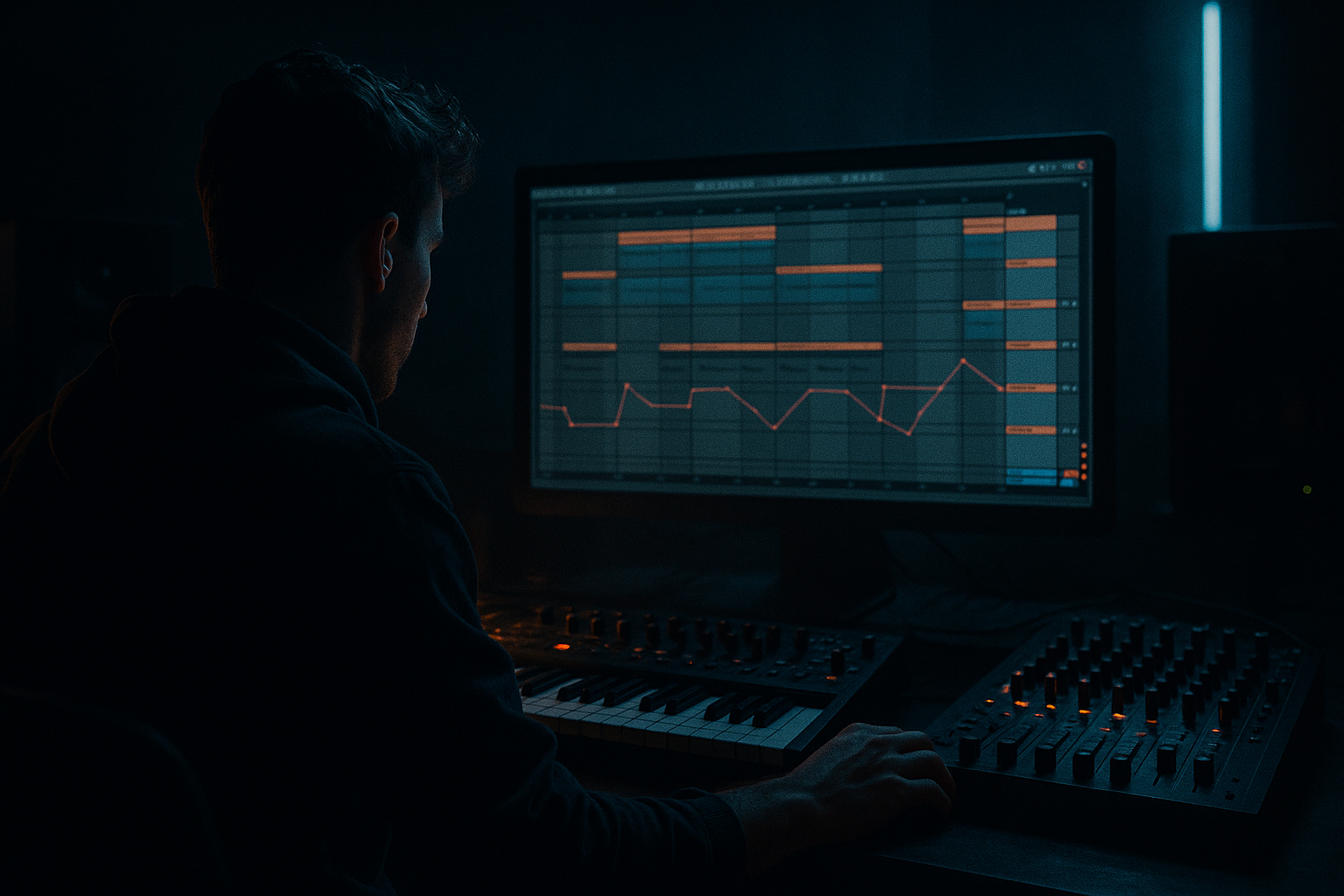
Headroom for mastering from scratch for smoky late-night moods (Beginner) cover image

Narrated lesson audio

The voice track includes the tutorial plus extra teacher commentary.

Open audio file

Main tutorial

```markdown

Headroom for Mastering (From Scratch) — Smoky Late‑Night DnB in Ableton Live 🌙

1) Lesson overview

Headroom is the “space” between your mix level and 0 dBFS (digital clipping). In drum & bass—especially smoky, late-night rollers—headroom is everything because you’re stacking heavy subs, sharp drums, and dense atmospheres. If you mix too hot, the master chain will distort, your limiter will work too hard, and your groove will collapse.

In this lesson you’ll learn a repeatable Ableton Live workflow to:

  • Gain-stage from the first sound onward
  • Keep your master peaking around -6 dB (clean, mastering-friendly)
  • Preserve sub weight and drum punch
  • Build a dark, cinematic “after-hours” vibe without crushing your mix
  • ---

    2) What you will build

    A short 16–32 bar DnB loop/arrangement with:

  • Rolling drum groove (kick + snare + hats + ghost hits)
  • Sub + reese (or moody mid-bass)
  • Smoky pads/atmospheres + a minimal hook
  • A clean mix that peaks at roughly -6 dB on the master with no clipping, ready for mastering
  • ---

    3) Step-by-step walkthrough

    Step 0 — Session setup (make headroom easy)

    1. Tempo: 172–176 BPM (try 174 BPM).

    2. Create groups early:

    - `DRUMS` group

    - `BASS` group

    - `MUSIC/ATMOS` group

    - `FX` group

    3. Master channel:

    - No limiter yet.

    - Add Spectrum (Ableton stock) to visualize sub and low-mid buildup.

    - Optional: add Meter (if you have it) or rely on master peak readout.

    Goal: Build your mix without “master bandaids.”

    ---

    Step 1 — Set a target: master peak around -6 dB 🎯

    Why -6 dB?

  • Leaves space for mastering EQ, glue, and limiting
  • Prevents the kick/snare transient from smacking into 0 dB
  • Keeps low-end clean (subs get ugly when clipped)
  • Rule of thumb:

    During your loudest drop section, master should peak around -6 dB (give/take a couple dB). Early on, you might sit at -10 to -8 while building—totally fine.

    ---

    Step 2 — Gain staging: start quiet, stay controlled

    #### A. Use Clip Gain before devices

    For audio samples:

  • Click the clip → Clip Gain (bottom-left) and set levels before plugins.
  • For instruments/synths:

  • Set the instrument output (or its device volume) conservatively.
  • If needed, add Utility at the end of the chain to trim.
  • ✅ Practical starting points (not sacred, but reliable):

  • Kick track peak: around -10 to -8 dB
  • Snare peak: around -10 to -8 dB
  • Drum bus peak: around -8 to -6 dB
  • Bass bus peak: around -10 to -6 dB depending on style
  • (rollers often feel bass-forward, but keep it controlled)

    #### B. Put Utility on every Group

    On each group (`DRUMS`, `BASS`, `MUSIC/ATMOS`, `FX`):

  • Add Utility last
  • Use it as a clean “fader before the fader” to maintain headroom
  • This lets you mix into a stable level without constantly rebalancing individual channels.

    ---

    Step 3 — Build the drums with headroom (DnB priorities) 🥁

    #### Suggested drum chain (per drum channel)

    Kick / Snare track:

    1. EQ Eight

    - Kick: High-pass at 20–30 Hz (gentle, 12 dB/oct)

    - Snare: High-pass at 80–120 Hz (depends on body)

    2. Drum Buss (very light!)

    - Drive: 2–5%

    - Boom: 0–10% (careful—can inflate low-end)

    - Transients: +5 to +15 (if you want more snap)

    3. Utility

    - Trim output so peaks sit where you want

    Hats / tops track:

  • EQ Eight: high-pass around 200–400 Hz
  • Optional: Auto Filter with slight movement (very subtle)
  • Keep tops quieter than you think—late-night DnB is often dark up top.
  • #### Drum group bus chain (clean + controlled)

    On the `DRUMS` group:

    1. EQ Eight

    - If muddy: small cut around 250–400 Hz (1–3 dB)

    2. Glue Compressor (gentle glue, not smash)

    - Attack: 10 ms

    - Release: Auto

    - Ratio: 2:1

    - Aim for 1–2 dB gain reduction on peaks

    3. Utility

    - Use to set overall drum bus level and preserve headroom

    ✅ Tip: If the drums feel weak, don’t crank the master. Increase transient clarity (Drum Buss Transients, or slightly less compression), then rebalance.

    ---

    Step 4 — Bass: keep sub clean, mids smokey 🖤

    For smoky late-night moods, bass often has:

  • A clean, stable sub
  • A textured mid layer (reese, growl, filtered movement) that feels wide and hazy but not harsh
  • #### Split bass into two tracks (recommended)

    Track 1: SUB (mono)

  • Instrument: Operator or Wavetable
  • Sound: Sine or triangle (Operator: Sine)
  • Add Utility:
  • - Width = 0% (mono)

  • Add EQ Eight:
  • - Low-pass around 80–120 Hz (keep it pure)

  • Keep sub level conservative. You want weight, not overload.
  • Track 2: MID BASS (character)

  • Reese option (Wavetable):
  • - 2 oscillators slightly detuned

    - Filter: low-pass with mild resonance

  • Device chain:
  • 1. Saturator

    - Drive: 2–6 dB (watch output)

    - Soft Clip: On

    2. EQ Eight

    - High-pass at 80–120 Hz (make room for the sub)

    - Tame harshness around 2–5 kHz if needed

    3. Auto Filter (movement)

    - Rate: 1/4 or 1/8 (very subtle)

    - Envelope: light modulation for “breathing”

    4. Utility

    - Width: 120–160% (only if it still feels stable)

    - Trim output

    #### Bass group bus (`BASS`) chain

    1. EQ Eight

    - Check low-mid buildup (often 120–300 Hz)

    2. Glue Compressor (optional)

    - Only 1–2 dB GR if needed to steady the bass

    3. Utility

    - Set final bass bus level

    ✅ Key headroom habit: If bass feels loud enough but master is too hot, turn down the BASS Utility, not the master fader.

    ---

    Step 5 — Atmospheres and “smoke”: depth without eating headroom 🌫️

    Atmos layers can quietly destroy headroom via low mids and reverb tails.

    On `MUSIC/ATMOS` group:

  • Add EQ Eight
  • - High-pass around 120–250 Hz

    - Cut a bit around 200–500 Hz if it clouds the snare and bass

  • Use reverb smartly:
  • - Hybrid Reverb on a Return track (recommended)

    - Return A “SmokeVerb”:

    - Decay: 2.5–5 s

    - Pre-delay: 15–30 ms

    - High-cut: 6–10 kHz (darker vibe)

    - Low-cut: 200–400 Hz (stop low-mid wash)

  • Send pads/vox hits sparingly.
  • Late-night vibes come from space, not volume.

    ---

    Step 6 — Arrangement idea (keeps levels sane)

    A simple roller arrangement that naturally supports headroom:

    16 bars intro

  • Atmos + filtered break + sparse tops
  • (keep energy low, master might peak -12 to -10)

    16 bars build

  • Introduce kick/snare pattern + bass tease
  • (peak -10 to -8)

    32 bars drop

  • Full drums + sub + mid bass + minimal hook
  • (peak around -8 to -6)

    Micro-dynamics for mood

  • Remove the sub for 1 bar before the drop returns
  • Use a short tape-stop or filtered bar (Auto Filter + reverb throw)
  • This creates impact without needing “loudness hacks.”

    ---

    Step 7 — Master channel: what to do (and what NOT to do)

    Do:

  • Keep the master clean and unclipped.
  • Use Spectrum to confirm:
  • - Sub is strong but not exploding

    - Low-mids aren’t a constant wall

    Don’t (yet):

  • Don’t put a limiter early and mix into it at beginner stage.
  • Don’t use heavy compression on the master to “glue” problems.
  • If you need a safety net while learning:

  • Add Limiter at the end of the master
  • - Ceiling: -1.0 dB

    - But aim for 0–1 dB gain reduction max

    If it’s doing more, your mix is too hot—turn things down at the sources/groups.

    ---

    4) Common mistakes

    1. Mixing into a limiter from bar 1

    You’ll chase loudness instead of balance, and your drop will flatten.

    2. Overloading the low end (sub + kick + reverb)

    Reverb on bass/sub or low-cut missing on returns = instant headroom loss.

    3. Turning down the master fader instead of the mix

    If the master is clipping, fix levels upstream (groups/tracks), not the master.

    4. Too much saturation without output trimming

    Saturation adds harmonics and level—always compensate with output gain/Utility.

    5. Wide sub

    Stereo sub eats headroom and collapses in mono systems. Keep it mono.

    ---

    5) Pro tips for darker/heavier DnB 🖤

  • Make the drums feel loud without raising peak level:
  • - Increase transient snap (Drum Buss Transients)

    - Tighten tails (shorter samples, gates, or editing)

  • Use parallel dirt on mid-bass, not on sub:
  • - Create a return “Bass Dirt”:

    - Saturator (Drive 6–12 dB, Soft Clip on)

    - EQ Eight (HP at 150 Hz, LP at 6–8 kHz)

    - Send only the mid bass, keep the sub clean.

  • Darkness is often less top end, not more low end:
  • - Gently roll off some highs on atmos/tops

    - Let the snare crack live around 2–5 kHz, but keep overall brightness controlled

  • Use Utility for fast A/B:
  • - Map Utility Gain on groups to Macros (if using an Audio Effect Rack)

    - Quick level moves = better decisions, more headroom.

    ---

    6) Mini practice exercise (15 minutes) ⏱️

    1. Load:

    - 1 kick, 1 snare, hats, a short break slice (optional)

    - 1 sub (Operator sine)

    - 1 mid-bass (Wavetable reese)

    - 1 pad/atmos loop

    2. Set all track faders to -inf, then bring them up in this order:

    1) Kick to peak ~-9 dB

    2) Snare to match (peak ~-9 dB)

    3) Hats until groove feels alive (don’t chase loudness)

    4) Sub until it feels solid (watch master)

    5) Mid-bass until it speaks on small speakers

    6) Atmos very low, then add reverb send

    3. Check your master at the drop:

    - If above -6 dB peaks, reduce group Utility gains (start with MUSIC/ATMOS, then BASS).

    4. Export a quick bounce:

    - 24-bit WAV, no normalization, no limiter (or limiter doing <1 dB GR)

    ---

    7) Recap

  • Build headroom from the first sound: conservative levels + Utility on groups.
  • Aim for master peaks around -6 dB in the loudest section.
  • Keep the sub mono and clean, high-pass your atmos and reverbs.
  • Use Ableton stock tools smartly: Utility, EQ Eight, Glue Compressor, Drum Buss, Saturator, Hybrid Reverb, Spectrum.
  • Loud, dark DnB comes from balance + transients + arrangement, not a slammed master. 🌙

If you want, tell me your sub style (pure sine vs. distorted sub) and whether your drums are modern rollers or more jungle/break-led—I’ll give you a matching gain-staging template and example device rack.

```

Ask GPT about this lesson

Chat with the lesson tutor, get follow-up help, or use quick actions.

Bigup 👽 Ask me anything about this lesson and I’ll answer in context.

Narration script

Show spoken script
Welcome back. In this lesson we’re building smoky, late-night drum and bass in Ableton Live, and the real focus is headroom for mastering from scratch. Beginner-friendly, super repeatable, and honestly one of those skills that makes everything else you do sound more expensive.

Here’s the big idea: headroom is the space between your mix and 0 dBFS, the clipping point in digital audio. In DnB, you’ve got hard drum transients, heavy sub, and a lot of atmosphere. If you mix too hot, your master chain will distort, your limiter will start fighting the groove, and that clean roller swing turns into a flat, stressed-out brick. We’re not doing that. We’re going to stay in control and still make it hit.

By the end, you’ll have a 16 to 32 bar loop that’s ready for mastering: rolling drums, sub plus a mid bass layer, smoky pads and atmos, maybe a tiny hook… and your master will peak around minus six dB with no clipping. That’s the target.

Step zero: session setup, so headroom is easy.

Set your tempo to the DnB pocket: 172 to 176. Pick 174 if you want a default. Now group early. Don’t wait until you’re drowning in tracks. Make a DRUMS group, a BASS group, a MUSIC or ATMOS group, and an FX group. This matters because later, when you need to reclaim headroom, you’ll do it with two or three clean moves instead of a hundred tiny fader nudges.

On the master channel, don’t add a limiter yet. I know that’s tempting. We’re not doing master band-aids while we’re learning balance. Add Ableton’s Spectrum so you can see what’s happening in the subs and low-mids. If you have a meter plugin, cool, but you can also rely on Ableton’s master peak readout.

One extra coach tip right now: go to Options and enable Pre-Fader Metering. This is huge. It means when you move a fader for balance, the meter still shows you what level is hitting the channel devices and the busses. Without this, your faders can “lie” to you and you’ll think you solved headroom when you just changed the post-fader level.

Step one: set a target.

We’re aiming for the loudest section, your drop, to peak around minus six dB on the master. Give or take a couple dB. Early on while you’re building, you might be around minus ten or minus eight, and that is totally fine. Minus six is not a magic number; it’s a practical mastering-friendly cushion. It leaves room for mastering EQ, glue, and limiting later. It also stops kick and snare transients from smacking into the ceiling, and it keeps subs clean. Subs get ugly fast when clipped.

Step two: gain staging. Start quiet, stay controlled.

For samples, use clip gain before devices. Click the clip, find clip gain, and pull it down so you’re not slamming your plugins. For instruments and synths, set the instrument output conservatively. And if you need a clean trim at the end of the chain, add Utility.

Here are solid starting points. Not sacred rules, just reliable training wheels.
Kick track peak around minus ten to minus eight dB.
Snare peak around minus ten to minus eight dB.
Drum bus peak around minus eight to minus six.
Bass bus somewhere around minus ten to minus six depending on the style. Smoky rollers can feel bass-forward, but we keep it controlled.

Now do this: put a Utility at the end of every group. DRUMS, BASS, MUSIC/ATMOS, FX. Think of it as a fader before the fader. It’s your clean gain trim. It means you can keep your internal balances intact while adjusting the whole group to protect headroom. This is one of the most “Ableton practical” habits you can build.

Also, start thinking in bus budgets. During the drop, you can roughly aim for:
DRUMS peaking around minus eight to minus six,
BASS around minus ten to minus seven,
MUSIC/ATMOS around minus fourteen to minus ten,
FX around minus eighteen to minus twelve.
If the master is too hot, you’ll immediately know who’s overspending.

Step three: build the drums with headroom. DnB priorities.

Let’s talk individual drum channels first. On kick and snare, start with EQ Eight.
For the kick, do a gentle high-pass around 20 to 30 Hz. You’re not removing bass; you’re removing useless rumble that steals headroom.
For the snare, high-pass around 80 to 120 Hz depending on the sample. If it loses body, back off. If it’s muddy, push it up a bit.

Then add Drum Buss, but very lightly. Think “polish,” not “destruction.”
Drive around 2 to 5 percent.
Boom 0 to 10 percent, and be careful here because it can inflate low end.
Transients plus 5 to plus 15 if you want more snap.

Then Utility at the end. Trim so peaks land where you want.

For hats and tops: EQ Eight high-pass around 200 to 400 Hz. And keep tops quieter than you think. Late-night DnB is often dark up top. If your hats are too loud, the track stops feeling smoky and starts feeling like daylight.

On the DRUMS group, do a clean bus chain.
First EQ Eight: if it’s muddy, do a small cut around 250 to 400 Hz, like 1 to 3 dB.
Then Glue Compressor. Gentle glue, not smash.
Attack 10 milliseconds, Release Auto, Ratio 2:1. Aim for 1 to 2 dB gain reduction on peaks.
Then Utility to set the group level.

Teacher note: if drums feel weak, don’t crank the master. That’s a classic beginner trap. Instead, increase transient clarity, shorten tails, or reduce how much compression is dulling the punch. Loudness is often an illusion created by transients and arrangement, not raw level.

Step four: bass. Keep sub clean, mids smoky.

For this vibe, we’re usually doing a clean, stable sub, and then a textured mid layer that feels wide and hazy but not harsh. The clean split is your best friend, so do two tracks: SUB and MID BASS.

On the SUB track, use Operator or Wavetable. Pick a sine or triangle. Add Utility and set width to 0 percent. Mono sub. Always.
Then EQ Eight: low-pass around 80 to 120 Hz to keep it pure and stop it from fighting your mid layer.

Keep the sub level conservative. You want weight, not overload. If your sub feels good but your master peak jumps like crazy, one of the most powerful fixes is note length. Shorten the sub MIDI so it ends just before the next kick. Even a tiny gap can reduce peak build-up and make later mastering way easier.

On the MID BASS track, you can do a reese in Wavetable: two oscillators slightly detuned, low-pass filter with mild resonance. Then a device chain:
Saturator with drive around 2 to 6 dB, Soft Clip on. But watch the output, because saturation adds level.
Then EQ Eight: high-pass at 80 to 120 Hz so the sub has space. And if it’s harsh, tame 2 to 5 kHz a bit.
Then Auto Filter for subtle movement. Rate around 1/4 or 1/8, super subtle. Just enough “breathing.”
Then Utility to trim output. If you widen this layer, do it carefully, maybe 120 to 160 percent, and always do a mono check later. Wide mid bass is fine; wide sub is not.

On the BASS group, add EQ Eight to watch low-mid build-up around 120 to 300 Hz. Optionally add Glue Compressor only if you need to steady it, and keep gain reduction around 1 to 2 dB. Then Utility to set the group level.

Key headroom habit: if bass feels loud enough but the master is too hot, turn down the BASS Utility, not the master fader. Turning down the master fader is like turning down the TV because the movie is distorted. It doesn’t fix the distortion. Fix it upstream.

Step five: atmospheres and smoke. Depth without eating headroom.

Atmos layers can quietly destroy headroom, mainly through low-mids and reverb tails. On the MUSIC/ATMOS group, add EQ Eight and high-pass around 120 to 250 Hz. If it’s clouding the snare and bass, cut a bit around 200 to 500 Hz. That range is where “fog” lives.

Use reverb smartly. Put Hybrid Reverb on a return track. Make a return called SmokeVerb.
Set decay around 2.5 to 5 seconds, pre-delay 15 to 30 ms, high-cut around 6 to 10 kHz for darkness, low-cut around 200 to 400 Hz so you’re not washing the low-mids.

Then send pads and little vocal hits sparingly. Late-night vibes come from space, not volume. If you want a trick: instead of constant reverb, automate reverb throws. One hit blooms into smoke, then clears out. You keep mood and you keep headroom.

Quick hidden headroom killer check: solo the reverb return for a few seconds. If you hear low-mid fog or rumble, fix the return EQ before touching any channel faders. Most beginners try to solve this by turning things down, but the real issue is the reverb is eating your mix.

Step six: arrangement that naturally supports headroom.

Make it simple and effective.
Start with 16 bars intro: atmos, filtered break, sparse tops. Energy low. Your master might peak minus twelve to minus ten here.
Then 16 bars build: introduce the kick and snare pattern, tease the bass. Peaks minus ten to minus eight.
Then 32 bars drop: full drums, sub, mid bass, minimal hook. Peaks around minus eight to minus six.

Use micro-dynamics for mood and impact. Remove the sub for one bar before the drop returns. Do a tape-stop or a filtered bar. Or do a tiny low-end negative space moment, like cutting the sub for an eighth note at a phrase edge. That “absence then return” feels massive without turning anything up.

Step seven: master channel. What to do, and what not to do.

Do keep the master clean and unclipped. Use Spectrum to confirm the sub is strong but not exploding, and the low-mids aren’t a constant wall.

Don’t put a limiter on early and mix into it as a beginner. That will train you to chase loudness instead of balance, and it will flatten your drop.

If you truly need a safety net while learning, you can put a Limiter at the end of the master with a ceiling at minus 1 dB. But aim for zero to one dB of gain reduction maximum. If it’s doing more, your mix is too hot. Turn things down at the sources or group Utilities.

Extra coach tip: calibrate your monitoring so you stop chasing loudness. Put on a reference track and turn your interface down until it’s late-night comfortable. Then keep it there. When monitoring is too quiet, people push faders too hard. When monitoring is consistent, headroom decisions get way easier.

Now, common mistakes to avoid as you work.

One: mixing into a limiter from bar one. It feels exciting, but it makes you balance wrong.
Two: overloading the low end with sub plus kick plus reverb. Especially reverb. Never let reverbs keep low end.
Three: turning down the master fader instead of fixing the mix upstream.
Four: too much saturation without trimming output. Always compensate.
Five: wide sub. Keep sub mono.

Let’s do a quick 15-minute practice build so you can lock this in.

Load one kick, one snare, hats, maybe a short break slice. Add a sub in Operator sine. Add a mid-bass reese in Wavetable. Add one pad or atmos loop.

Now set all track faders all the way down. Bring them up in this order:
First, kick to peak around minus nine.
Second, snare to match, also around minus nine peak.
Third, hats until the groove feels alive, but don’t chase loudness.
Fourth, sub until it feels solid, and watch the master.
Fifth, mid-bass until it speaks on small speakers. If it disappears on laptops, you might need more character around 200 to 800 Hz, not more sub.
Sixth, atmos very low, then add a little reverb send.

Then check your master during the drop. If you’re above minus six peaks, reduce group Utility gains. Start with MUSIC/ATMOS, then BASS. Drums usually need to stay confident in DnB, but you still keep them within budget.

Before you bounce, do a quick translation check.
Temporarily put a Utility on the master and set width to zero percent. Listen in mono. If the groove collapses, your smoke layers are masking the snare, or your mid bass is too wide or too loud.
Then do a quiet check: turn your monitoring down. Can you still follow kick, snare, and bass? If not, you’re probably relying on sheer volume instead of clear balance.

Export a quick bounce: 24-bit WAV, no normalization, no limiter. Or if you used the safety limiter, keep it under 1 dB gain reduction.

One optional upgrade, if you want to hear how it might sound mastered without ruining your mix decisions: do a two-stage workflow. Duplicate your project. In the duplicate, make a “premaster preview” chain: EQ Eight with tiny tonal nudges, Glue doing half a dB to one dB, and a limiter doing one to two dB max. That way your main mix stays honest and headroom-friendly.

Let’s recap the core mindset.

Build headroom from the first sound: conservative levels and Utility on groups.
Aim for master peaks around minus six dB in the loudest section.
Keep the sub mono and clean, and high-pass atmos and reverb returns.
Use stock tools intelligently: Utility, EQ Eight, Glue Compressor, Drum Buss, Saturator, Hybrid Reverb, Spectrum.
And remember: loud, dark, smoky DnB comes from balance, transients, and arrangement… not a slammed master.

If you want to keep going after this, decide what kind of sub you’re using, pure sine or distorted sub, and whether your drums are modern rollers or more break-led jungle. That choice affects your gain staging targets and where your headroom usually gets spent.

mickeybeam

Go to drumbasscd.com for +100 drum and bass YouTube channels all in one place - tune in!

Generating PDF preview…
