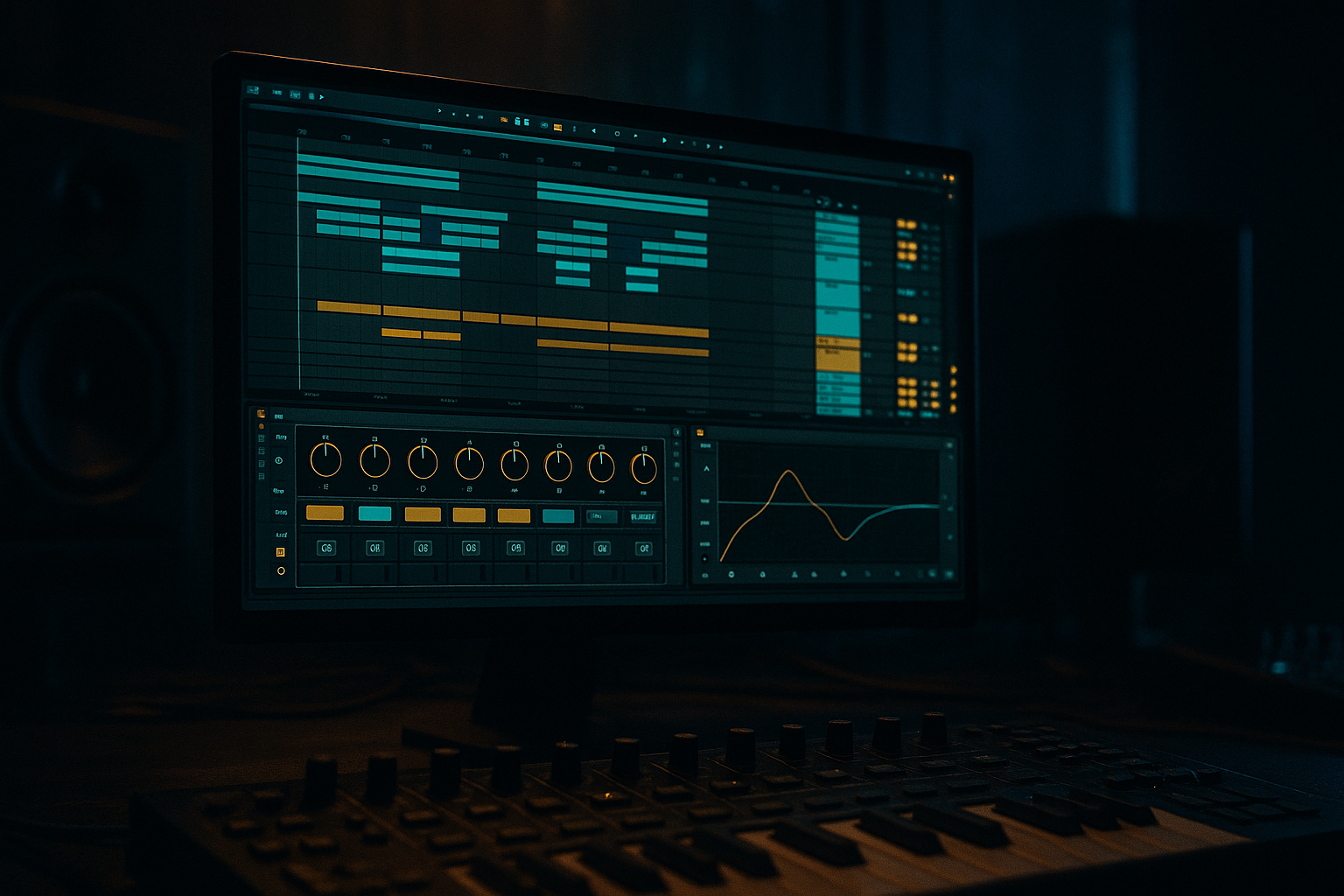
Main tutorial
Lesson Overview
This lesson is about building a Future Jungle-style bass wobble in Ableton Live 12 that feels like a real DnB record element, not a random synth loop. The goal is to create a bass phrase that has sub discipline, midrange movement, and enough rhythmic swing to sit with jungle breaks while still sounding modern and intentional.
This technique lives mostly in the drop and pre-drop tension zones of a track, but it can also work in a second-drop variation, a call-and-response bass phrase, or a filtered intro reveal. In Future Jungle, the bass often needs to feel alive and rough-edged without losing the momentum of the drums. That means your wobble should support the break, not bulldoze it.
Why it matters: a lot of Future Jungle ideas sound exciting in isolation, but fall apart when the sub smears, the wobble fights the snare, or the movement becomes too wide and soft for club playback. This lesson shows you how to build a wobble that has character in the mids, stability in the low end, and phrasing that works against a jungle groove.
By the end, you should be able to hear a bass line that feels:
- gritty but controlled
- rhythmically locked to the drums
- weighty in mono
- expressive without overmodulating
- ready to drop into a real arrangement and survive a DJ set
- pulse in a half-time or syncopated DnB phrase
- leave room for the snare and break accents
- have audible motion in the mids without turning cloudy
- feel mix-ready enough to place under a break, vocal chop, or atmosphere
- work as a loop that could survive both a DJ intro and a full-drop section
- Let the first hit be cleaner than the following hits. A slightly more open first note gives the drop impact. Then darker, dirtier follow-up notes make the groove feel heavier.
- Use octave movement sparingly. One octave jump at the end of a 2-bar phrase can feel massive. Too many octave jumps remove the menace and make the bass sound busy.
- Resample with a touch of saturation already on. A clean resample can be useful, but a slightly driven print often gives you a more usable “finished” texture for darker material.
- Keep the sub simple and let the mids misbehave. That contrast is where a lot of modern jungle weight lives. The low end is the foundation; the upper bass is where the personality breaks loose.
- Try a filtered tail into negative space. A bass note that ducks out just before the snare can make the snare hit harder and make the drop feel more intelligent.
- Use two different wobble rates across sections. For example, a slower 1/4 wobble in the first eight bars, then a tighter 1/8 or 1/8T feel in the next section. That creates progression without changing the entire sound.
- Check the bass under the hook, not just alone. Future Jungle often combines bass, atmospheres, and break energy. If the bass steals the emotional focus from your atmosphere or vocal chop, it may be too saturated in the wrong band.
- Keep a little roughness above the sub. A tiny bit of crackle, fold, or harmonic edge helps the bass stay audible when the arrangement gets busy, especially on smaller systems.
- Use only Ableton stock devices
- Build the phrase in 2 bars
- Keep the sub mono
- Use no more than two layers
- Include one automation move and one resampled audio print
- 1 MIDI or audio bass phrase
- 1 processed variation for a second 2-bar pass
- 1 quick loop with drums so you can test the groove
- Does the bass still feel strong in mono?
- Can you hear the snare clearly?
- Does the wobble have movement without flooding the whole mix?
- Does the phrase feel like it belongs in a real drop, not just a sound-design loop?
What You Will Build
You will build a Future Jungle bass wobble with a clean sub foundation, a moving midrange “wobble” layer, and optional resampled texture for extra bite. The finished sound should feel like a dark, elastic, slightly haunted bass phrase that answers the drums rather than sitting on top of them.
Musically, it should:
A successful result should sound like a bassline that is heavy, moody, and rhythmic, with the low end staying centered and the movement feeling deliberate rather than wobbly for the sake of wobble.
Step-by-Step Walkthrough
1. Start with a short bass phrase, not a long loop
Create a MIDI track and program a 2-bar phrase first. For Future Jungle, the phrasing matters as much as the tone. Use a simple note center, then add movement through timing and note length rather than constant pitch chaos.
A good starting point:
- one root note or pedal note for the sub
- one or two short movement notes above it
- rests that leave space for the snare and break hits
- slightly off-grid placement on the mid bass notes for human swing
Keep the first draft sparse. If you write too many notes early, the wobble will feel like a static loop instead of a phrase. Think in 2-bar call-and-response: bar 1 sets up, bar 2 answers or twists.
What to listen for: does the phrase leave the snare breathing room, or is it constantly masking the backbeat?
2. Build the bass in one instrument chain, then split roles inside the sound
Use a stock synth like Wavetable or Operator as your core source. For a Future Jungle wobble, Wavetable is often the faster starting point because it gives you movement that can be shaped into a reese-like mid layer or a more vocal wobble texture.
A practical stock chain:
- Wavetable: main tone
- Saturator: grit
- Auto Filter: movement shaping
- EQ Eight: clean-up
- Utility: mono control on the low end
Set the synth to a strong, simple waveform foundation. You want the patch to hold up when it is later processed, resampled, and rebalanced against drums.
Helpful starting settings:
- Oscillator wavetable position near a basic shape or saw-based tone
- Unison modest, not huge
- Detune kept subtle so the bass doesn’t blur in mono
- Filter cutoff open enough to hear the movement before shaping
Why this works in DnB: a clear core tone gives you a bass that can be made aggressive later without losing punch. In DnB, the bass often has to survive heavy processing and still stay intelligible over fast drums.
3. Separate sub weight from mid wobble immediately
This is the most important structural decision. If your bass sound is doing everything in one layer, the sub will usually get smeared when you add movement.
In Ableton Live, use either:
- a single instrument track with clean low-end management, or
- two layers: one dedicated sub, one dedicated wobble layer
For the two-layer approach:
- Sub layer: Operator or Wavetable with a sine/clean waveform
- Mid layer: Wavetable or Analog for movement and grit
Sub layer targets:
- low-pass it so it stays below roughly 100–120 Hz
- keep it mono with Utility
- use a simple envelope so note lengths are tight and readable
Mid layer targets:
- high-pass around 90–140 Hz depending on the key and arrangement
- shape the movement with a filter, distortion, or wavetable motion
- allow more stereo only above the low end
Decision point — A versus B:
- A: Single-layer bass if you want a tighter, more old-school jungle feel and faster workflow.
- B: Two-layer bass if you want more control, heavier modern impact, and safer low-end management.
If your track is already busy, choose B. If the arrangement is sparse and you want rawness, A can be the better flavour.
4. Program the wobble movement with filter and envelope discipline
The “wobble” should feel musical, not like a random LFO demo. Use Auto Filter or Wavetable’s filter section to give the bass motion. Start with a low-pass filter and automate or modulate the cutoff in a rhythmic way.
Useful starting points:
- Filter cutoff: move roughly in the 200 Hz to 2.5 kHz range depending on how dark or bright you want it
- Resonance: keep moderate; too much resonance can make the bass whistle and lose weight
- Envelope attack: very short, around 0–20 ms
- Release: short to moderate, around 80–250 ms depending on the phrase
- LFO rate: try musical subdivisions like 1/8, 1/8T, or 1/4 for the main wobble movement
If you want a more authentic Future Jungle character, avoid constant identical movement. Introduce variation:
- one bar with slower wobble
- the next bar with a quicker pulse
- a closing note that filters down into the snare
What to listen for: does the movement feel like it breathes with the break, or does it flatten the groove into a generic EDM wobble?
5. Shape the midrange with saturation before you over-EQ
The character of this style usually lives in the mids: that slightly cracked, snarling, alive band that reads on club systems and headphones. Use Saturator or Soft Clip behavior from the Saturator device to bring that out.
Good starting values:
- Drive: around 2 to 8 dB
- Soft Clip: on if you want more density and less sharpness
- Output level trimmed so you do not trick yourself with louder = better
If the bass is too clean, it will feel thin against jungle drums. If it is too distorted, the wobble turns into a flat noise bed. The sweet spot is where the movement still has shape but the harmonics are strong enough to read on small speakers.
A useful chain order for the mid layer:
- Auto Filter
- Saturator
- EQ Eight
- Utility
That order lets you shape the movement first, then add harmonics, then carve space.
6. Check the bass against a break early, not after you “finish” the sound
Drag in a jungle break or your drum loop and listen immediately with the bass. This is where the idea either works or gets exposed. The bass should lock to the groove instead of sitting like a separate synth loop pasted over the drums.
Check:
- Does the bass clash with the kick accents?
- Is the snare still dominant on 2 and 4?
- Does the bass phrase leave enough space for break ghosts and top-end chatter?
If the bass feels too long, shorten note lengths by a small amount. In many DnB bass parts, the difference between tight and messy is often just a few milliseconds of note length and release time.
Workflow efficiency tip: loop 1 bar of drums + 2 bars of bass while you design. If the loop works in that tight zone, it usually scales into the full drop more reliably.
7. Use resampling to create a second-generation texture
Once the core wobble is working, commit this to audio if the movement is promising. Resampling is where Future Jungle often gets its identity. You print the bass, then chop, reverse, re-pitch, or reprocess it into something more distinctive.
In Ableton:
- record the bass to audio on a new track
- consolidate the best 1–2 bar phrases
- create edits from the audio, not from endless device tweaking
Two strong resampling routes:
- Route 1: Clean print — resample the bass as-is, then use fades and clip envelopes to create controlled variation.
- Route 2: Dirty print — resample with heavier saturation and then chop the transient or tail for more aggression.
This is often the point where the idea becomes a record element instead of just a patch.
Stop here if the bass already has the right attitude. Do not keep stacking modulation just because you can. Future Jungle often benefits from a firm, readable shape more than constant redesign.
8. Add rhythmic editing so the wobble sits like part of the break
The bass should feel related to the drum programming. Nudge note starts slightly off the grid if needed, but do not wreck the pocket. In jungle-derived DnB, tiny timing choices can make the bass feel like it is “leaning” with the break.
Try this:
- shift certain mid-bass notes a few milliseconds late for a laid-back pull
- place a shorter pickup note just before the snare
- leave a tiny gap before a bass hit if the snare needs authority
A useful arrangement idea:
- bar 1: bass answers the break
- bar 2: bass leaves more space and ends with a filtered tail
- bar 3–4: repeat with one altered note or one octave drop
- second drop: introduce a different wobble rate or a more damaged resample
That kind of phrasing keeps the listener engaged without overcomplicating the groove.
What to listen for: can you still “read” the break pattern when the bass is on? If not, the bass is probably too sustained, too wide, or too harmonically dense.
9. Tighten the low end with mono discipline and simple EQ decisions
Future Jungle bass can easily become messy below 120 Hz. Use Utility on the low end and EQ Eight with restraint.
Practical checks:
- keep the sub mono
- high-pass the mid layer if needed, often around 90–140 Hz
- if the bass clouds the kick, try a small dip around the kick’s fundamental area rather than a massive scoop
- if the midrange is harsh, tame the most aggressive band instead of killing the entire layer
A reasonable mix-ready target is not “perfectly flat.” It is a bass that is clearly audible, powerful, and stable when the arrangement gets dense.
Mono compatibility note: if your wobble disappears or gets hollow in mono, the stereo width is living too low. Keep width above the low end, not inside it.
10. Automate the reveal so the section has a clear payoff
In Future Jungle, the bass often feels stronger when it is not fully open from the start. Use automation to make the drop evolve.
Good automation moves:
- filter opening over 4 or 8 bars
- saturation increase into a drop
- wet/dry movement on a subtle effect
- wider midrange only after the first two bars of the drop
Example arrangement:
- Intro: filtered bass texture, no full sub
- Drop 1: full sub + restrained wobble
- Drop 1B: open the filter more, add a variation note
- Second drop: swap in a more damaged or re-sampled wobble phrase
This gives the DJ usable phrasing and makes the track feel like it is evolving, not just looping.
Common Mistakes
1. Making the wobble too wide too early
- Why it hurts: the low end becomes vague and the bass loses punch in club playback.
- Fix: keep anything below roughly 100–120 Hz mono with Utility, and widen only the mid/high movement layer.
2. Overmodulating the filter
- Why it hurts: the bass starts sounding gimmicky and stops supporting the break.
- Fix: reduce LFO depth or automate smaller cutoff moves. Aim for controlled motion, not constant extreme sweeps.
3. Leaving the note lengths too long
- Why it hurts: the bass overlaps the snare and muddies the groove.
- Fix: shorten MIDI note lengths and trim release time. In DnB, a few milliseconds can restore the pocket.
4. Distorting the sub instead of the mids
- Why it hurts: the low end becomes unstable and loses translation on larger systems.
- Fix: split the layers. Keep the sub clean; add saturation to the mid layer or use parallel style density by resampling.
5. Designing the bass without the drums
- Why it hurts: the patch may sound good solo but fail when the break enters.
- Fix: keep a drum loop running while designing and constantly check kick/snare interaction.
6. Making the wobble feel too “straight EDM”
- Why it hurts: the bass locks to a generic pulse and loses jungle character.
- Fix: introduce phrasing irregularity, small timing nudges, and call-and-response gaps.
7. Not committing to audio soon enough
- Why it hurts: endless tweaking prevents the sound from becoming a musical asset.
- Fix: once the bass has a good movement and attitude, print it, chop it, and arrange it.
Pro Tips for Darker / Heavier DnB
Mini Practice Exercise
Goal: Build one usable Future Jungle bass wobble phrase that works with a break and can be dropped into a 16-bar section.
Time box: 15 minutes
Constraints:
Deliverable:
Quick self-check:
Recap
A strong Future Jungle wobble in Ableton is built from clean sub control, midrange movement, and drum-aware phrasing. Keep the low end stable, let the mids carry the attitude, and shape the bass so it answers the break instead of fighting it. Design it with the track context on, commit to audio when the character is there, and evolve the phrase across sections so the drop feels like a real record moment.

