DNB COLLEGE

Drum & Bass Ableton Live 12 Tutorials

LESSON DETAIL

Funky Drummer Ableton Live 12 percussion layer blueprint with breakbeat surgery (Beginner)

An AI-generated beginner Ableton lesson focused on Funky Drummer Ableton Live 12 percussion layer blueprint with breakbeat surgery in the DJ Tools area of drum and bass production.

Back to lessons
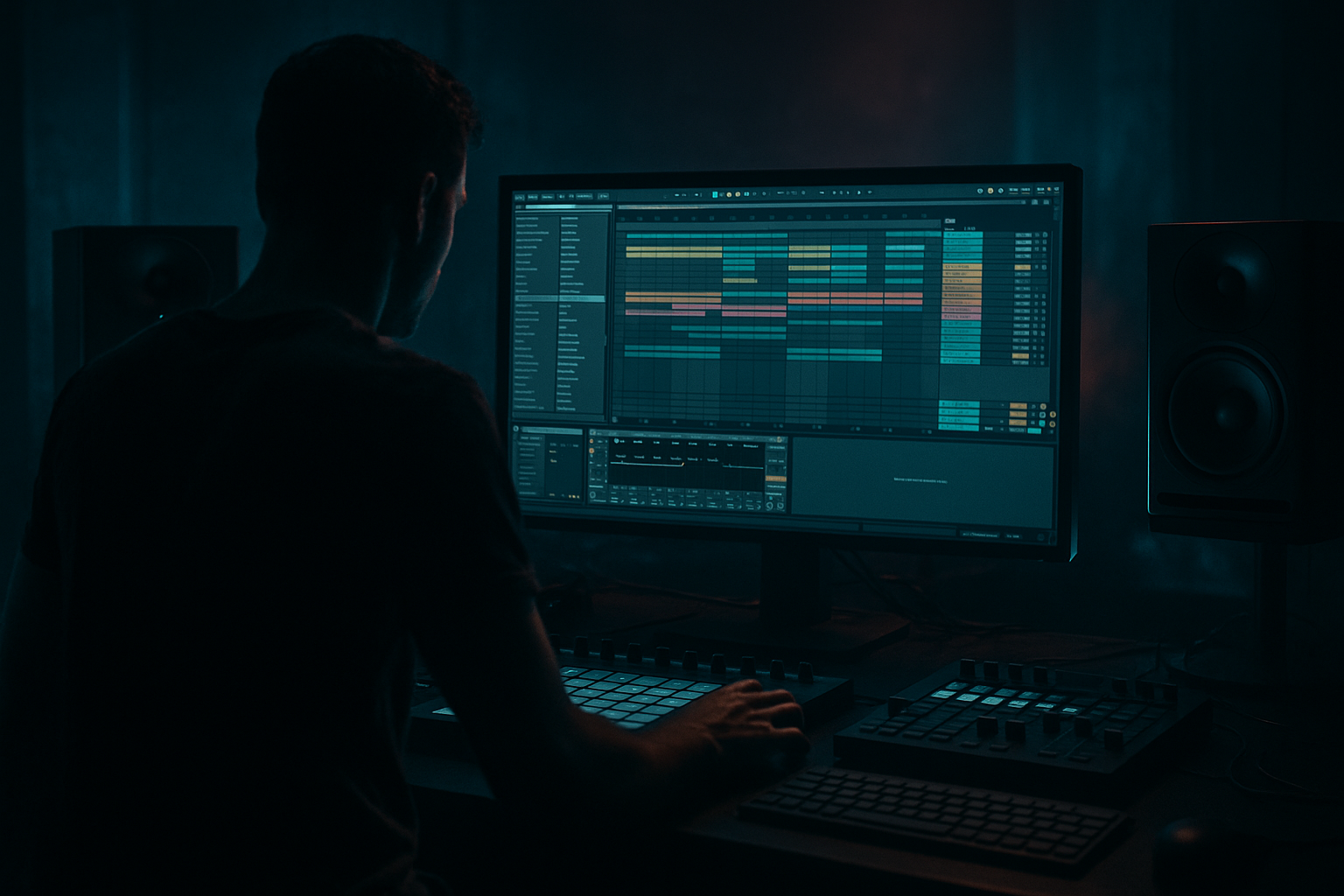
Funky Drummer Ableton Live 12 percussion layer blueprint with breakbeat surgery (Beginner) cover image

Narrated lesson audio

The voice track includes the tutorial plus extra teacher commentary.

Open audio file

Main tutorial

Funky Drummer Ableton Live 12 Percussion Layer Blueprint (Breakbeat Surgery) 🥁⚡

Beginner • DJ Tools • Drum & Bass / Jungle / Rolling Music

---

1) Lesson overview 🎛️

In this lesson you’ll learn a practical, repeatable blueprint to turn the Funky Drummer-style break into a tight, modern DnB percussion layer inside Ableton Live 12—using classic breakbeat surgery techniques: slicing, re-sequencing, layering, tightening transients, and building a DJ-friendly groove that rolls.

You’ll leave with:

  • A clean sliced break rack you can reuse
  • A percussion layer that sits under modern kick/snare
  • A 16–32 bar arrangement that works in DnB intros/drops
  • ---

    2) What you will build ✅

    You’ll build a two-lane drum system:

    1) Main Drum Hits (Modern Punch)

  • Kick + snare (your modern DnB one-shots or a drum rack)
  • 2) Funky Drummer Perc Layer (Groove + Ghosts + Swing)

  • The break sliced and re-sequenced into a tight “ghost/texture” layer
  • Controlled with EQ, transient shaping, saturation, and sidechain so it glues without muddying
  • End result: That recognizable jungle funk, but clean enough for rolling neuro/techy DnB.

    ---

    3) Step-by-step walkthrough 🧠🔥

    Step 0 — Session setup (DnB defaults)

    1. Set tempo to 174 BPM (or 172–176).

    2. Turn on the metronome, set 1 bar count-in.

    3. Create 2 MIDI tracks:

    - DRUMS – MAIN

    - DRUMS – BREAK LAYER

    ---

    Step 1 — Import the break and prep it (tight timing first)

    1. Drag your Funky Drummer break audio into an Audio Track (temporary).

    2. In the Clip View:

    - Warp: ON

    - Warp mode: Beats

    - Preserve: Transients

    - Set 1/16 as a starting point

    - Turn Loop on and set loop to 1 bar (or 2 bars if the break is longer)

    3. Right-click the clip → Warp From Here (Straight) on the first clear downbeat transient.

    4. Adjust Start Marker so the first kick lands exactly on 1.1.1.

    Goal: The break should loop clean at 174 without flammy drift.

    ---

    Step 2 — Slice to Drum Rack (the surgery starts 🔪)

    1. Right-click the warped audio clip → Slice to New MIDI Track.

    2. Settings:

    - Slice By: Transients

    - Create one slice per: Transient

    - Slicing Preset: Built-in (default is fine)

    Ableton creates:

  • A Drum Rack with slices on pads
  • A MIDI clip reflecting the original break timing
  • Rename the new track: BREAK – SLICED.

    ---

    Step 3 — Clean the sliced break into a percussion layer (not your main drums)

    We want the break to provide ghost notes, hats, room, shuffle, not compete with your kick/snare.

    #### A) Filter the lows (stop break kick clutter)

    On the BREAK – SLICED track, add:

  • EQ Eight
  • - High-pass (HP) around 140–220 Hz

    - 24 dB/oct slope if it’s still boomy

    - Optional: small dip around 300–500 Hz if boxy

    #### B) Shape transients (make it snappy but controlled)

    Add Drum Buss:

  • Drive: 5–15% (adjust by ear)
  • Boom: OFF (you filtered lows—Boom will reintroduce mud)
  • Transients: +10 to +30
  • Damp: adjust to reduce harshness
  • #### C) Glue it

    Add Glue Compressor (subtle):

  • Attack: 3 ms
  • Release: Auto
  • Ratio: 2:1
  • Threshold: aim for 1–3 dB gain reduction
  • Makeup: as needed (don’t chase loudness)
  • ---

    Step 4 — Breakbeat surgery: reduce to “useful” slices only

    Open the Drum Rack chain list. You’ll likely have many slices—some are noise, some are gold.

    Workflow tip: Use Pad Solo and audition quickly.

    You’re listening for:

  • tight hats
  • ghost snares
  • little rim ticks
  • shuffles
  • room texture
  • Then:

    1. Mute or delete slices that are mostly kick/sub energy.

    2. Keep a handful of “character slices” (often 8–14 pads).

    Optional but super useful:

  • Put all hat-like slices into a Choke Group (in Drum Rack pad settings) so the break hats don’t smear into each other.
  • ---

    Step 5 — Build a modern DnB backbone (kick + snare)

    On DRUMS – MAIN, create a Drum Rack and load:

  • 1 Kick (short, punchy)
  • 1 Snare (DnB snare with body + crack)
  • Optional: clean closed hat
  • Simple 2-step pattern (1 bar at 174):

  • Kick: 1.1.1 and 1.3.1
  • Snare: 1.2.1 and 1.4.1
  • That’s your modern anchor.

    ---

    Step 6 — Re-sequence the break as a layer (the “rolling” part)

    Now we turn Funky Drummer into a DJ-tool percussion engine.

    1. Copy the MIDI clip from BREAK – SLICED into a new clip (duplicate it).

    2. Open the MIDI notes:

    - Keep the busiest hat/ghost lanes

    - Reduce notes that clash with your main snare on 2 and 4

    Practical method (beginner-friendly):

  • Delete the slice hits that land exactly on 1.2.1 and 1.4.1 (where your main snare hits).
  • Keep the ghost hits just before 2 and 4 (the “push”).
  • Keep 1/16 hats but thin them: delete every 2nd hit if it’s too dense.
  • DnB feel trick:

  • Nudge a few ghost hits slightly late (1–6 ms) for swing, but keep main hits on-grid.
  • - In Live: select notes → use Track Delay or Note Nudge (in the MIDI editor) gently.

    ---

    Step 7 — Tighten timing with Groove Pool (swing that still hits hard)

    1. Open Groove Pool.

    2. Try a groove like:

    - MPC 16 Swing (start around 55–58%)

    3. Drag the groove onto the BREAK – SLICED MIDI clip only.

    4. Groove settings:

    - Timing: 20–40%

    - Velocity: 10–25% (adds life)

    - Random: 0–5% (optional)

    Keep your MAIN drums mostly straight so the track stays punchy and DJ-friendly.

    ---

    Step 8 — Sidechain the break layer under the main snare/kick (clean layering)

    We want the break to duck slightly when the main hits land.

    On BREAK – SLICED, add Compressor:

  • Sidechain: ON
  • Audio From: DRUMS – MAIN
  • Attack: 1–5 ms
  • Release: 50–120 ms
  • Ratio: 3:1
  • Threshold: aim for 2–5 dB gain reduction on kick/snare hits
  • This keeps the funk but preserves modern punch.

    ---

    Step 9 — Make it a DJ Tool: macro blueprint (fast performance control)

    Group your break processing into an Audio Effect Rack on the BREAK track. Create macros:

    Macro ideas (practical + DJ-friendly):

    1. HP Filter (map EQ Eight frequency: 80 → 500 Hz)

    2. Crunch (map Drum Buss Drive: 0 → 25%)

    3. Tightness (map Drum Buss Transients: 0 → +40)

    4. Room Cut (map EQ dip around 300–600 Hz)

    5. Air (small high shelf on EQ Eight around 8–12 kHz)

    6. Duck Amount (map Compressor threshold)

    Now you can “DJ” your break layer during transitions.

    ---

    Step 10 — Arrangement idea (16–32 bars that screams DnB)

    Here’s a beginner-safe structure using your new percussion layer:

    16-bar intro (DJ-friendly)

  • Bars 1–8: Break layer only (HP filter slowly opening)
  • Bars 9–16: Add MAIN kick/snare quietly + bass tease
  • Drop (16 bars)

  • Bars 17–24: Full MAIN + Break layer (sidechained)
  • Bars 25–32: Add variation (see below)
  • Easy variation techniques (every 8 bars):

  • Remove break for 1 bar (clean “air” moment)
  • Add a 1/8 snare fill using break slices
  • Reverse a single break slice at bar end (freeze/print then reverse)
  • ---

    4) Common mistakes 🚫

    1. Leaving break low-end in → kick gets weak, mix gets muddy.

    Fix: HP at 140–220 Hz and keep Drum Buss Boom off.

    2. Break fighting your snare (flammy/cluttered 2 and 4).

    Fix: remove break hits on 2 and 4, keep ghosts around them.

    3. Over-swinging everything → groove becomes drunk, not rolling.

    Fix: groove the break layer lightly; keep main drums tight.

    4. Too much saturation → harsh hats, crunchy top end.

    Fix: EQ before/after distortion, tame 8–12 kHz if needed.

    5. Not gain-staging → processing lies to you.

    Fix: keep break layer peaking lower than main (often -8 to -12 dB peak range before bus processing).

    ---

    5) Pro tips for darker/heavier DnB 🖤

  • Make the break “mid-only”:
  • Use EQ Eight to reduce extreme highs (above 14–16 kHz) and keep it gritty, not fizzy.

  • Parallel destruction:
  • Create a return track with Roar (or Saturator) + Auto Filter band-pass (e.g. 300 Hz–6 kHz). Send a little break into it for dark character.

  • Noise control for heavy mixes:
  • Use Gate after saturation (gentle) so the break texture doesn’t hiss through quiet moments.

  • Reinforce ghosts with tuned layers:
  • Duplicate the break track, filter it 300–2k, distort it, and blend low. This adds “chew” under the main snare without adding low-end.

  • Mono discipline:
  • Keep break layer mostly mono or narrow it using Utility (Width 60–90%) so your bass owns the stereo space.

    ---

    6) Mini practice exercise 📝

    Goal: Make a 4-bar rolling loop that evolves like a real DnB tool.

    1. Build a 1-bar loop with:

    - MAIN: 2-step kick/snare

    - BREAK: sliced groove with removed 2/4 hits

    2. Duplicate it to 4 bars.

    3. Add one change per bar:

    - Bar 2: remove 2 hat hits

    - Bar 3: add a ghost snare slice just before beat 4

    - Bar 4: 1-beat break “stutter” (repeat a hat slice 1/32 for one beat)

    4. Record yourself tweaking Macro 1 (HP) and Macro 2 (Crunch) for 8 bars.

    Export a 16-bar loop. Congrats—you’ve made a usable DJ tool layer.

    ---

    7) Recap ✅

  • You warped Funky Drummer to 174 BPM and sliced to Drum Rack.
  • You performed breakbeat surgery: kept the gold (ghosts/hats), removed the clutter (lows + 2/4 clashes).
  • You layered it under modern DnB drums using EQ Eight, Drum Buss, Glue Compressor, and sidechain compression.
  • You turned it into a performance-ready DJ tool with macros and a clean arrangement approach.

If you want, tell me what kind of DnB you’re aiming for (jungle, liquid, rollers, neuro) and I’ll suggest a specific break-layer macro set + a matching kick/snare tuning approach.


Ask GPT about this lesson

Chat with the lesson tutor, get follow-up help, or use quick actions.

Bigup 👽 Ask me anything about this lesson and I’ll answer in context.

Narration script

Show spoken script
Welcome in. Today we’re doing a beginner-friendly, super practical Ableton Live 12 workflow: turning a Funky Drummer style break into a tight, modern drum and bass percussion layer using breakbeat surgery.

The goal is not to make the break your main drums. The goal is to steal the groove. We want the ghost notes, the shuffle, the little hat ticks, the room texture… and we want it sitting underneath modern punchy kick and snare, like a proper DJ-tool layer that rolls.

By the end, you’ll have a reusable sliced break rack, a clean percussion layer that doesn’t muddy your mix, and a simple 16 to 32 bar layout you can drop into intros and drops.

Alright, let’s build it.

First, set up your session like a DnB default.
Set your tempo to 174 BPM. Anywhere from 172 to 176 is totally fine, but we’ll live at 174.
Turn on the metronome and give yourself a one bar count-in. It’s a small thing, but it keeps you sane.

Now create two MIDI tracks.
Name the first one DRUMS – MAIN.
Name the second one DRUMS – BREAK LAYER.

Quick mindset check: your MAIN track is the modern anchor. Your BREAK track is the funk glue.

Now step one: import the break and prep it. Tight timing first, always.
Drag your Funky Drummer break onto an audio track for now. Temporary audio track, just to get it warped and sliced.

Click the clip, go down to Clip View.
Turn Warp on.
Set Warp Mode to Beats.
Set Preserve to Transients.
And set the transient grid starting point to 1/16.

Turn Loop on, and set the loop to one bar. If your break is a two bar phrase and it feels better that way, go two bars. But one bar makes this super repeatable.

Now find the first clear downbeat transient. The first real “one.”
Right-click and choose Warp From Here, Straight.

Then adjust your start marker so that first kick lands exactly on 1.1.1.

Here’s the target: it should loop clean at 174 without that flammy, drifting feel. If it feels like it’s dragging or rushing by the end of the bar, fix that now.

Extra coach note: don’t go warp-marker crazy. After “Warp From Here Straight,” only correct the big obvious drifts, usually snare on 2 and snare on 4. Too many warp markers can add little time-stretch artifacts that turn hats into zipper noises at 174. So keep it clean and minimal.

Also, quick tip before slicing: if you have multiple Funky Drummer versions, pick the one with the cleanest hats and the least nasty tape hiss. Dirty is fine. You just want controllable dirty. A fast test is: temporarily high-pass it, loop one bar, and listen to just the hats. If they already feel brittle, you’re going to fight them later.

Cool. Now step two: slice to Drum Rack. This is where the surgery begins.
Right-click your warped audio clip and choose Slice to New MIDI Track.

In the slicing options:
Slice By Transients.
One slice per transient.
Slicing preset: the default built-in is fine.

Hit OK.

Ableton creates a new MIDI track with a Drum Rack full of slices and a MIDI clip that recreates the original break timing.

Rename that new track BREAK – SLICED.

Now step three: turn that sliced break into a percussion layer, not your main drums.
We’re going to clean it like a professional layer.

First, stop the low-end from messing up your kick.
On BREAK – SLICED, add EQ Eight.
Turn on a high-pass filter around 140 to 220 Hz. Start around 180 and adjust.
If it’s still boomy, use a steeper slope, like 24 dB per octave.
If it feels boxy, add a small dip around 300 to 500 Hz.

Teacher tip: don’t overthink the exact number. The correct frequency is the one where the break stops implying a kick drum.

Next, shape the transients.
Add Drum Buss.
Drive around 5 to 15 percent. Use your ears, not your eyes.
Turn Boom off. You already filtered the lows, and Boom will sneak mud back in.
Turn Transients up, somewhere between plus 10 and plus 30.
Adjust Damp if the top end gets pokey.

Then glue it a little.
Add Glue Compressor, subtle.
Attack 3 milliseconds.
Release on Auto.
Ratio 2 to 1.
Lower the threshold until you see about 1 to 3 dB of gain reduction.
And use makeup gain only if you need it. Don’t chase loudness. We’re building control.

Now step four: the real breakbeat surgery. We reduce the rack to useful slices only.
Open the Drum Rack chain list, and start auditioning slices. Use pad solo to go fast.

You’re listening for the gold:
tight hats
ghost snares
rim ticks
little shuffles
room texture

And you’re avoiding slices that are basically kick or sub energy, because that’s going to fight your modern kick.

So mute or delete the slices that are mostly low-end impact.
Keep a handful of character slices, often somewhere between eight and fourteen pads.

Here’s a workflow move that saves you a ton of time: create a keeper pads row.
Once you find the good slices, move them so they sit next to each other on adjacent pads, like starting at C1 and going upward. Leave the junk scattered somewhere else.
Now when you edit MIDI, all your usable notes live in one octave. It’s faster and you stay creative.

Another slicing tweak: go into Simpler on your hat and ghost slices, and set them to Trigger mode instead of Gate. That way even short MIDI notes fire consistently.
For longer room slices, keep Gate so note length can control the tail.

Optional but extremely helpful: put hat-like slices into a choke group. That stops hats from smearing into each other and turning into a wash.

Now step five: build your modern DnB backbone.
Go to DRUMS – MAIN. Create a Drum Rack.
Load a punchy kick, short and tight.
Load a snare that has body and crack, classic DnB snare energy.
Optionally add a clean closed hat, but don’t overbuild this.

Program a simple two-step pattern, one bar:
Kick on 1.1.1 and 1.3.1
Snare on 1.2.1 and 1.4.1

That’s your anchor. That is the grid the DJ can trust.

Now step six: re-sequence the break as a layer, the rolling part.
Take the MIDI clip from BREAK – SLICED and duplicate it so you can experiment without losing the original.

Open the MIDI notes. Now you’re going to simplify on purpose.
Keep the busiest hat and ghost lanes.
Reduce anything that clashes with your main snare on 2 and 4.

Beginner-friendly method:
Delete the slice hits that land exactly on 1.2.1 and 1.4.1, because your main snare is there.
Keep the ghost hits just before 2 and 4. Those pickups create that forward push.
If the hats are too dense, thin them. A quick move is deleting every second 1/16 hit until it breathes.

Now let’s make it feel human without getting messy.
DnB feel trick: nudge a few ghost hits slightly late, like 1 to 6 milliseconds, for swing. Keep the main kick and snare on-grid.
In Live you can do this with note nudge in the MIDI editor, or with track delay. And keep it subtle. If you can obviously hear the timing shift, you probably overdid it.

And here’s a realism knob most beginners ignore: velocity.
If your break layer feels loud but flat, don’t reach for more compression first.
Try setting ghosts around 15 to 45 velocity.
Main hat ticks around 50 to 85.
And occasional accents around 95 to 110.
That alone can make the layer feel like a drummer again, even when it’s filtered.

Now step seven: tighten timing with Groove Pool, swing that still hits hard.
Open the Groove Pool.
Grab something like MPC 16 Swing.
Start around 55 to 58 percent swing.

Drag that groove onto the BREAK – SLICED MIDI clip only.
Not on your MAIN drums. Keep the MAIN mostly straight so it stays punchy and DJ-friendly.

In the groove settings, try:
Timing 20 to 40 percent.
Velocity 10 to 25 percent, for life.
Random 0 to 5 percent if you want a tiny bit of imperfection, but don’t overdo it.

Now step eight: sidechain the break layer under the main kick and snare.
This is how you get clean layering without constant EQ battles.

On BREAK – SLICED, add a Compressor.
Turn Sidechain on.
Set Audio From to DRUMS – MAIN.
Attack 1 to 5 milliseconds.
Release 50 to 120 milliseconds.
Ratio 3 to 1.
Lower the threshold until you see about 2 to 5 dB of gain reduction when the kick and snare hit.

Now the break ducks politely when the main hits land, and it fills the gaps with groove. That’s the whole game.

Quick truth check: temporarily mute your MAIN drums and listen to only the break layer at low volume.
If the break alone still feels like it’s delivering a strong kick and snare, you haven’t removed enough impact. Go back, high-pass a bit more, and remove more 2 and 4 collisions.

Now step nine: make it a DJ tool with macros.
Group your break processing into an Audio Effect Rack on the BREAK track, and create macros.

Map a high-pass filter macro so you can sweep from about 80 up to 500 Hz.
Map a Crunch macro to Drum Buss Drive, like 0 up to 25 percent.
Map a Tightness macro to Drum Buss Transients, like 0 up to plus 40.
Map a Room Cut macro to an EQ dip around 300 to 600.
Map an Air macro to a gentle high shelf around 8 to 12 kHz.
And map Duck Amount to the sidechain compressor threshold.

Now you can perform the break layer like a DJ: filter it up for intros, crunch it for energy, tighten it for drops, duck it harder when things get busy.

If you want it darker and heavier, here are a few quick upgrades.
You can make the break mid-only by rolling off extreme highs above 14 to 16 kHz, so it’s gritty not fizzy.
You can narrow the stereo with Utility, width around 60 to 90 percent, so your bass owns the wide space.
And if the hats get sharp after saturation, yes, you can de-ess drums. Use Multiband Dynamics gently on the high band so it only tames spikes.

Now step ten: arrangement. Let’s make a 16 to 32 bar structure that screams drum and bass but stays mix-friendly.

Try a 16-bar intro:
Bars 1 to 8: break layer only, and slowly open the high-pass filter macro like a narrative.
Bars 9 to 16: bring in the MAIN kick and snare quietly, maybe tease the bass.

Then the drop, 16 bars:
Bars 17 to 24: full MAIN plus break layer, sidechained.
Bars 25 to 32: add one variation so it evolves.

Easy variations every 8 bars:
One-bar mute of the break layer. Silence equals impact.
A quick 1/8 snare fill using break slices.
Or reverse a single tail slice right before a snare, so it sucks into the hit without needing big FX.

If you want to get fancy later, you can create two groove banks: A as a steady roller, B as a more syncopated version. Then you can swap every 8 bars for movement without changing the whole kit.

Before we wrap, common mistakes to avoid.
Number one: leaving low-end in the break. That makes your kick weak and your mix muddy. High-pass it, and keep Drum Buss Boom off.
Number two: the break fighting your snare on 2 and 4. Remove those hits and keep the ghosts around them.
Number three: over-swinging everything. Groove the break lightly; keep main drums tight.
Number four: too much saturation and suddenly your hats are sandpaper. EQ before or after distortion, and tame that 8 to 12k area if needed.
And number five: not gain staging. Keep the break layer quieter than the main. A good ballpark is the break peaking around minus 8 to minus 12 dB before bus processing, depending on your samples.

Now a quick mini practice exercise to lock this in.
Make a one-bar loop: MAIN two-step, BREAK with 2 and 4 removed.
Duplicate to four bars.
Bar two, remove a couple hat hits.
Bar three, add a ghost snare slice just before beat four.
Bar four, do a one-beat stutter with a hat slice at 1/32, but keep it inside the bar so you don’t wreck the DJ grid.
Then record yourself tweaking the HP filter macro and Crunch macro for eight bars.

Export a 16 bar loop and you’ve basically made a real, usable percussion DJ tool.

Recap.
You warped Funky Drummer to 174 and sliced it to a Drum Rack.
You did breakbeat surgery: kept the gold, removed the clutter, especially low end and snare clashes.
You layered it under modern drums with EQ Eight, Drum Buss, Glue Compressor, and sidechain compression.
And you built performance macros so it’s playable and mix-friendly.

If you tell me what lane you’re aiming for, like jungle, liquid, rollers, or neuro, I can suggest exactly which slices to prioritize and give you macro ranges that match that subgenre.

mickeybeam

Go to drumbasscd.com for +100 drum and bass YouTube channels all in one place - tune in!

Generating PDF preview…