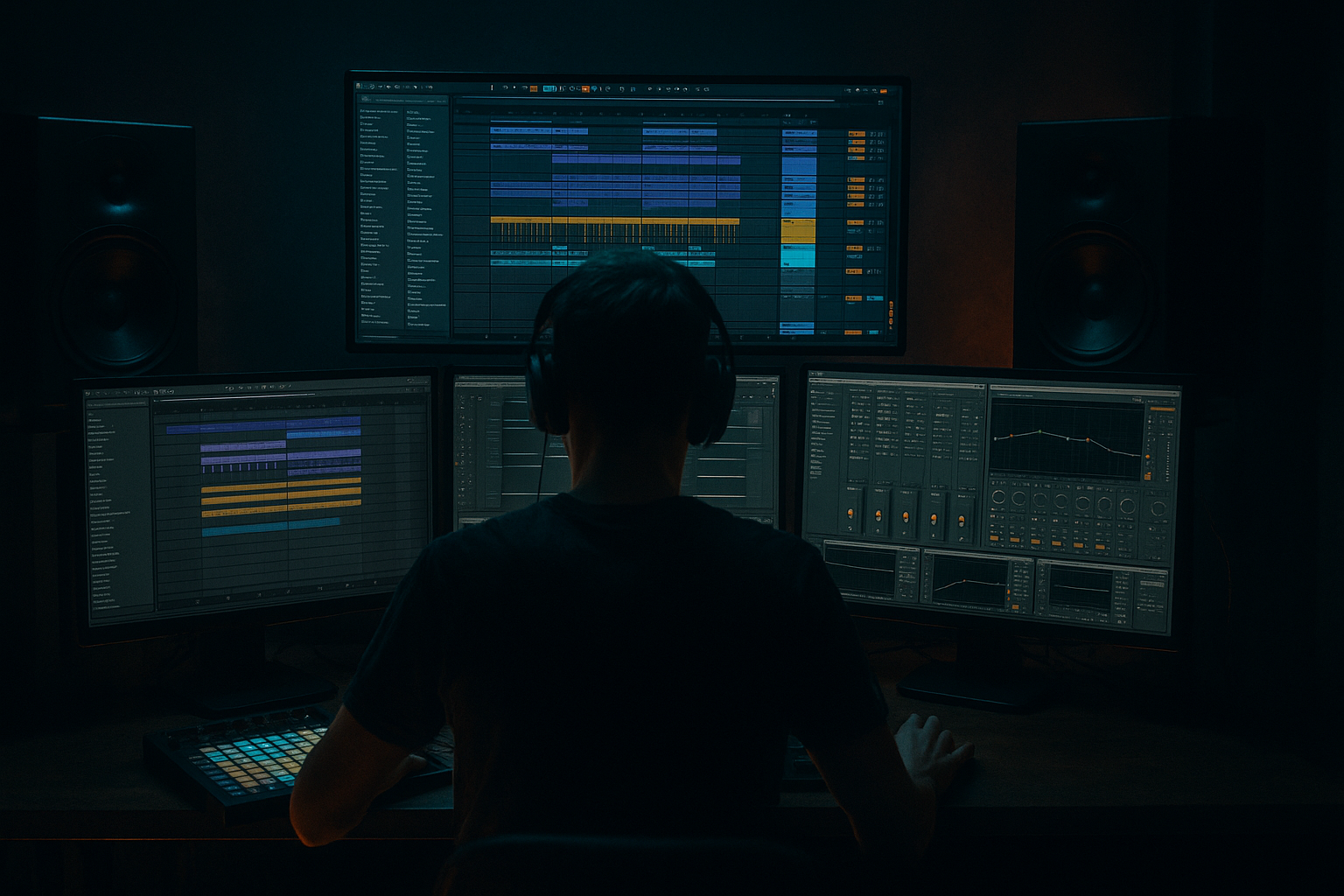
Main tutorial
Lesson Overview
This lesson is about building a Funky Drummer impact lab inside Ableton Live 12, then using it to create oldskool rave pressure for Drum & Bass. The point is not just to “use a break” — it’s to turn a classic drum source into a modular performance system for drops, switch-ups, fills, tension hits, and dirty transitional moments that feel rooted in jungle history but still hit in a modern DnB arrangement.
In real DnB workflow, this matters because the Funky Drummer is not just a loop; it’s a rhythmic character source. You can chop it into ghosts, accents, fills, and impact layers, then combine that with modern sub control, reese movement, and drum bus shaping. That gives you the best of both worlds: human swing and break energy on top, tight engineered low-end underneath.
We’ll build a reusable Ableton Live 12 setup that you can drag into future projects: a break-slicing rack, a drum impact chain, and a routing approach that lets you quickly generate rave pressure moments without breaking your mix. This is especially useful for:
- jungle-style drop intros
- roller switch-ups
- neuro-inflected midsection tension
- oldskool stab-and-break call response
- breakdown-to-drop impact design
- a Funky Drummer-derived impact layer with sliced hits, ghosted fills, and reversed textures
- a drum rack with kick, snare, break accents, and transient shaping
- a parallel grime bus for saturation, compression, and filtered low-mid pressure
- a rave transition chain with risers, downlifters, and impact automation
- a DJ-friendly drop intro/outro structure you can slot into a DnB track
- a 2-step-to-breakbeat hybrid with oldskool swing
- a snare that lands with rave authority but retains crack and room tone
- a break layer that can go from tight ghost groove to full-pressure fill
- a transition hit that slices through a wall of reese bass and sub
- an arrangement that can work in a 174 BPM roller, jungle, or darker rave tune
- Overloading the break with low end
- Using the Funky Drummer as a static loop
- Too much saturation on the drum bus
- Bass and snare fighting in the same midrange
- Ignoring mono compatibility
- Reverb washing out the drop
- Not resampling enough
- Use the Funky Drummer’s roomy fragments as texture, not just rhythm. Darker DnB loves grain and ambience when it’s controlled.
- Try a high-pass filtered reverb return on snare ghosts. It adds size without muddying the kick/sub zone.
- Layer one short, hard snare with one longer break snare. Short one for cut, long one for vibe.
- Use Auto Filter automation on the break return to simulate a DJ-style tension build before the drop.
- If the track is neuro-leaning, resample a short break section, then process it with Redux or subtle Frequency Shifter movement for metallic urgency.
- Keep the bassline in a call-and-response with the break. Let the bass leave gaps where the snare and fills hit.
- For darker rollers, use fewer fills but stronger phrase-ending impacts. Silence before the hit is part of the weight.
- If your drop feels too clean, add a second break layer with slightly degraded top end and more aggressive transient shaping. Just don’t let it smear the mix.
- Use Return tracks for reverb and echo so your impact space can be automated globally without rewriting clips.
- Save the entire drum-impact setup as an Ableton template. Speed matters in DnB — ideas die when routing takes too long.
- The Funky Drummer becomes powerful in DnB when you turn it into a sliced impact system, not a static loop.
- Use Drum Rack, Drum Buss, Saturator, Glue Compressor, Auto Filter, and Utility to control character, punch, and space.
- Keep the break’s feel, but let the sub and bassline stay disciplined.
- Build tension with ghost notes, automation, reverse hits, and parallel processing.
- The best oldskool rave pressure comes from contrast: organic break movement against tight modern low-end control.
Why this works in DnB: the genre thrives on contrast. A break with gritty midrange and chopped dynamics creates motion, while a disciplined sub and controlled drum bus keep the drop powerful. The Funky Drummer gives you organic push-pull; Ableton gives you precision.
What You Will Build
By the end, you’ll have a Live 12 session tool that produces:
Musically, the result should feel like:
Step-by-Step Walkthrough
1. Set the project up like a DnB finishing environment
Start at 174 BPM and build your session around a clean template mindset. Create these groups:
- DRUMS
- BREAK LAB
- BASS
- FX
- REFERENCE
On the master, leave headroom. Keep your master peaking around -6 dB while building. That gives you room for the impact layers and bass weight later.
On the BREAK LAB group, place:
- Simpler for break slicing
- Drum Buss
- Saturator
- EQ Eight
- optional Glue Compressor if the loop needs cohesive punch
This is a workflow move, not just an audio chain. The goal is to make your Funky Drummer source repeatable and editable across multiple tracks. Save the group as a template or drag it into your User Library.
2. Slice Funky Drummer into performance-ready parts
Import the break into an audio track and use Slice to New MIDI Track. For Advanced workflow, choose slicing by:
- Transient
- or 1/16 if the break already has strong timing and you want a consistent grid
Once sliced, map the break to a Drum Rack so you can build a hybrid performance grid. Keep these pad categories:
- pad 1: kick body
- pad 2: main snare
- pad 3: snare ghost
- pad 4: hat tick
- pad 5: tom or rim accent
- pad 6: fill hit / crash-like fragment
- pad 7: reverse texture
- pad 8: room tail or break noise
Useful edit move: duplicate the best snare slice and tune one copy slightly down by -2 to -4 semitones for weight, then layer it under the original. This gives you a more imposing hit without sounding fake.
Why this works in DnB: drum identity in drum and bass is often a blend of source character + surgical control. Slicing gives you the character; tuning and pad-level layering give you the control.
3. Build the impact chain on the snare and key break hits
On the main snare pad, build a focused chain:
- Drum Buss
- Saturator
- Transient shaping via Drum Buss Transients
- EQ Eight
Suggested starting settings:
- Drum Buss Drive: 8–20%
- Transients: +10 to +30
- Boom: usually 0 to 10% on the break layer; keep it subtle if your sub is already strong
- Saturator: Soft Clip ON, Drive 2–6 dB
- EQ Eight: high-pass around 90–140 Hz on the break/snare layer if sub is handled elsewhere
If the snare needs more “rave pressure,” duplicate the snare to a parallel pad and process that copy harder:
- Glue Compressor with 4:1
- attack 3–10 ms
- release Auto or 0.1–0.3 s
- 2–4 dB gain reduction
- then a bit of Redux very lightly, or Saturator with higher Drive
Blend this back in quietly. The original gives crack; the parallel gives density. That’s the oldschool technique updated for modern DnB.
4. Create ghost-note motion and break swing with velocity and timing
In the MIDI clip, program the sliced pads to create a responsive groove instead of a static loop. Use a bar-length clip and think in phrasing cells:
- ghost snare before the backbeat
- small kick pickup into the one
- hat/tick offbeats to push forward
- occasional 1/32 or 1/24 fill bursts before a phrase change
Work in the MIDI Note Editor and adjust:
- velocities from roughly 20–45 for ghosts
- 70–110 for accented hits
- nudge selected notes slightly late by a few milliseconds if the break needs to feel lazier
- push the main snare slightly ahead if the track needs more urgency
Use Ableton’s Groove Pool if the break is too rigid. Try a swung break groove and keep groove amount around 10–30% to preserve precision. For darker rollers, less swing often works better; for jungle pressure, a little more shuffle can make the break breathe.
This is essential workflow: you’re not just quantizing — you’re designing micro-tension between human feel and machine precision.
5. Layer a modern drum spine under the Funky Drummer
The break alone may be too loose for the low-end architecture of modern DnB, so build a drum spine underneath it. Add:
- a clean kick sample with strong click and controlled sub
- a separate snare clap layer if needed
- a thin hat loop or shaker for top-end movement
Keep the kick simple. On the kick track:
- EQ Eight to remove low-mid mud if the break already covers body
- Saturator for 1–3 dB of extra density
- transient attack should remain punchy but not clicky
In many advanced DnB arrangements, the break supplies the feel and the kick/snare spine supplies mix translation. That’s especially useful if your bassline is busy or neuro-inspired.
If you’re building a roller, keep the drum spine minimal and let the break breathe. If you’re building an oldskool rave drop, lean more heavily into the spine so the drop lands with authority.
6. Design the bass interaction before the drop
Create a bass track with a Reese-style source using Ableton stock tools. A good starting point:
- Wavetable or Operator
- two detuned oscillators or saws
- low-pass filter automation for movement
- subtle unison or phase modulation only if it stays mono-compatible down low
Suggested bass workflow:
- Keep everything below about 120 Hz mono
- Use Utility on the bass to check mono
- Split sub and mids if needed:
- sub layer: clean sine or triangle via Operator
- mid layer: reese or distorted harmonic layer
Bass processing ideas:
- Saturator for harmonic audibility
- Auto Filter to create call-and-response with the drums
- Compressor sidechain from the kick/snare if the groove needs space
- EQ Eight to carve the break’s harsh zone, often around 2.5–5 kHz if collisions happen
The important workflow decision: build the bass around the break, not the other way around. In DnB, the bass has to leave room for the snare’s attack and the break’s motion, otherwise the whole track turns into grey pressure.
7. Build a dedicated impact and transition rack
Now create an FX return or separate audio track called IMPACT LAB. Feed it:
- reversed break fragments
- resampled snare tails
- noise swells
- filtered crash-like hits from the break
Processing chain suggestion:
- Auto Filter with slow automation
- Reverb with long decay, but low mix or on a return
- Echo for pre-drop movement
- Saturator for density
- Limiter only if needed to catch peaks
For a pre-drop impact, automate:
- Auto Filter cutoff from 200 Hz up to 10–14 kHz
- Reverb dry/wet from 5% to 20%
- Echo feedback from 0% to 25% on the last bar only
- a final snare hit with a velocity ramp leading into the drop
Add a reverse version of the Funky Drummer snare or room hit and place it one bar before the drop. This creates an authentic jungle-style inhale before the impact.
Arrangement example: use 4 bars of stripped drums, 4 bars with bass entry, then a 1-bar break fill that leads into a full drop. That gives you tension/release without making the arrangement too busy.
8. Shape the drum bus for pressure, not mush
Route all drum elements to a DRUMS group and process them as a bus. Keep the chain controlled:
- Glue Compressor
- Drum Buss
- EQ Eight
- optional Utility for gain staging
Suggested bus settings:
- Glue Compressor ratio 2:1 or 4:1
- attack 10–30 ms
- release Auto
- aim for 1–3 dB of gain reduction
- Drum Buss Drive 5–15%
- keep Boom very modest unless the kick is thin
If the drums are losing punch, back off the bus compression and use parallel drum crush instead. Put a heavily compressed version on a return:
- Glue Compressor with faster attack
- Drum Buss Drive higher
- EQ to filter the low end if needed
Blend that in quietly. This keeps the main drum image sharp while still creating the “pressure wall” that oldskool rave DnB needs.
Common Mistakes
- Fix: high-pass break layers around 90–140 Hz and leave sub duties to a dedicated bass layer.
- Fix: chop it into ghosts, fills, and accents. Make the break respond to arrangement changes.
- Fix: use parallel distortion or lighter Drive. If the snare loses transient definition, you’ve gone too far.
- Fix: carve space around the snare crack zone, usually 2.5–5 kHz, and keep the bass mids moving in a different rhythm.
- Fix: check the bass and low drum elements with Utility in mono. Oldskool pressure dies fast if the sub gets wide.
- Fix: automate reverb to open only in the transition, then cut it hard on the downbeat.
- Fix: print the best fills and impacts. In advanced DnB workflow, resampling turns a good idea into a reusable weapon.
Pro Tips for Darker / Heavier DnB
Mini Practice Exercise
Spend 10–20 minutes building a one-drop impact scene:
1. Load Funky Drummer and slice it into a Drum Rack.
2. Program a 2-bar loop with:
- one main snare on the backbeat
- 2–4 ghost notes
- one fill at the end of bar 2
3. Add a parallel snare crush chain and blend it lightly.
4. Build a simple sub + reese bass pattern that leaves space for the snare.
5. Create one transition bar using reverse break fragments and an automated filter sweep.
6. Render the best 4 bars to audio and listen back for:
- punch
- swing
- low-end clarity
- whether the drop feels more “rave pressure” than just “busy”
If you finish early, duplicate the section and make one version more jungle, one more roller, and one more neuro-leaning.

