DNB COLLEGE

Drum & Bass Ableton Live 12 Tutorials

LESSON DETAIL

Flip a amen variation for sunrise set emotion in Ableton Live 12 (Beginner)

An AI-generated beginner Ableton lesson focused on Flip a amen variation for sunrise set emotion in Ableton Live 12 in the Basslines area of drum and bass production.

Back to lessons
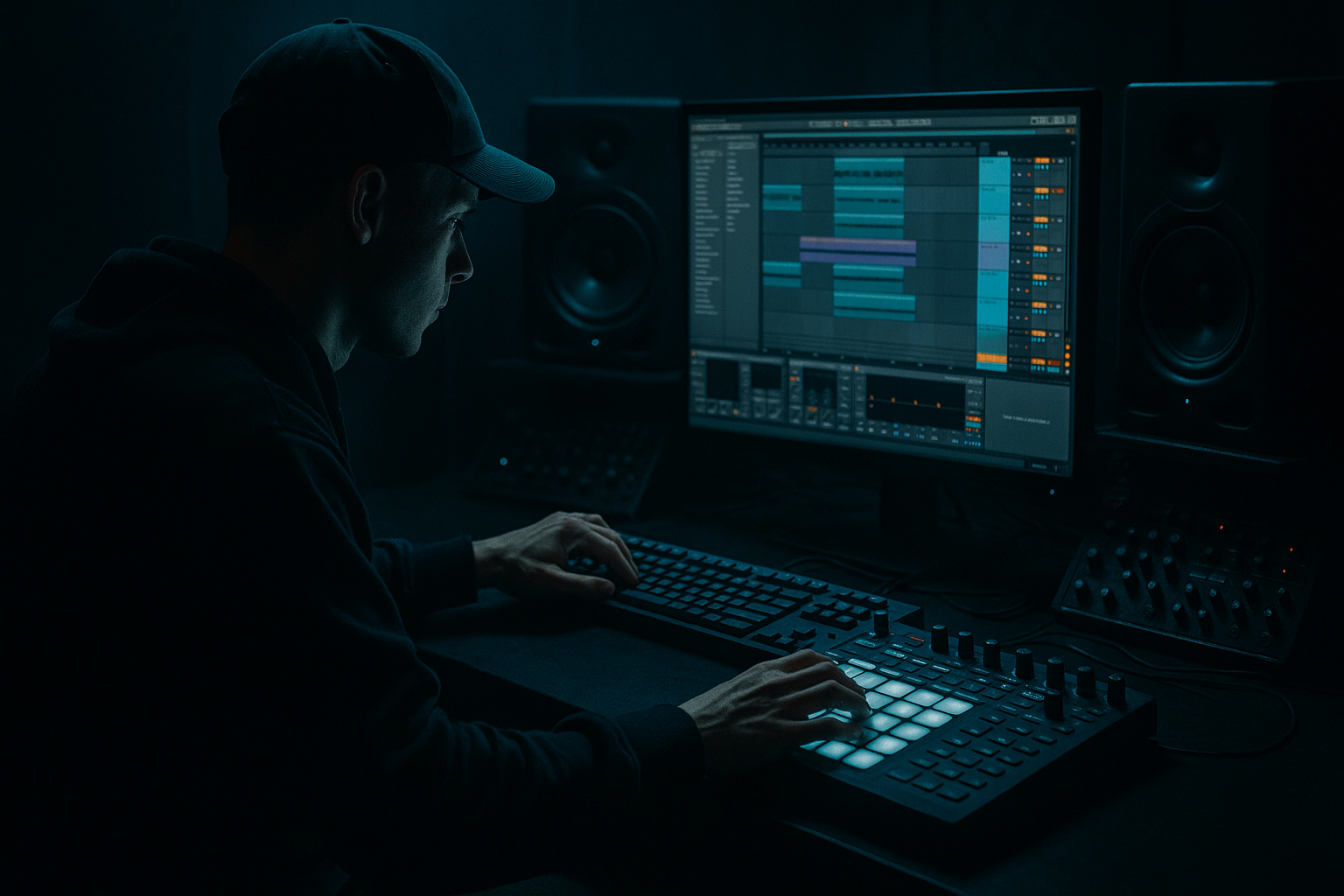
Flip a amen variation for sunrise set emotion in Ableton Live 12 (Beginner) cover image

Narrated lesson audio

The voice track includes the tutorial plus extra teacher commentary.

Open audio file

Main tutorial

Flip an Amen Variation for Sunrise Set Emotion in Ableton Live 12 ☀️🥁

1. Lesson overview

In this lesson, you’ll learn how to take an Amen-style drum break variation and turn it into an emotional sunrise-set DnB groove inside Ableton Live 12.

We’re not just making a break sound “busy.” We’re shaping it so it feels:

  • lifted
  • hopeful
  • rolling
  • human
  • ready for a dawn crowd
  • This approach is ideal for liquid, rolling, jungle-influenced, and melodic drum & bass.

    You’ll use stock Ableton devices to:

  • slice and reshape the break
  • control swing and ghost notes
  • add warmth and weight
  • create space for a bassline to breathe
  • arrange the loop so it feels like a real sunrise moment 🌅
  • ---

    2. What you will build

    By the end, you’ll have:

  • a 2-bar Amen variation
  • subtle ghost-note movement
  • a sunrise-style drum groove
  • a bassline-friendly pocket
  • a simple 8-bar intro-to-drop arrangement idea
  • Target vibe

    Think:

  • early morning dancefloor energy
  • emotional but still driven
  • breakbeat detail with clean low-end
  • “the crowd is tired, but the tune is lifting them up”
  • Core elements

  • Amen break or Amen-style loop
  • Drum Rack
  • Simpler or Slice to New MIDI Track
  • EQ Eight
  • Drum Buss
  • Glue Compressor
  • Utility
  • optional Delay / Reverb for atmosphere
  • ---

    3. Step-by-step walkthrough

    Step 1: Load an Amen break into Ableton Live 12

    1. Drag your Amen break sample into an audio track.

    2. Set the project tempo to around:

    - 172–174 BPM for classic DnB

    - 170 BPM if you want a slightly looser sunrise feel

    3. Warp the sample:

    - turn Warp on

    - set mode to Complex Pro if needed for a full loop

    - if the break is short and percussive, Beats mode can work well

    Goal

    You want the break to feel tight enough to program from, but still a little organic.

    ---

    Step 2: Slice the break for control

    You have two good beginner-friendly options in Live 12:

    #### Option A: Slice to New MIDI Track

    Best if you want total control over each hit.

    1. Right-click the break clip.

    2. Choose Slice to New MIDI Track.

    3. In the slicing menu, use:

    - Transient for detailed break slicing

    - or 1/16 if the break is messy and you want predictable chunks

    Ableton creates a Drum Rack with each slice on pads. Perfect.

    #### Option B: Use Simpler in Slice Mode

    Best if you want a cleaner, more contained workflow.

    1. Create a MIDI track.

    2. Drag the break into Simpler.

    3. Switch Simpler to Slice mode.

    4. Set slicing by Transient.

    Recommendation

    For beginners, I’d start with Slice to New MIDI Track because it gives you a visual drum pad workflow that feels very DnB-friendly.

    ---

    Step 3: Build a 2-bar Amen variation

    Open the MIDI clip and place notes manually.

    #### Basic drum pattern idea

    Use the slices to place:

  • kick/snare backbone
  • ghost snare flicks
  • small hat or shuffly percussion hits
  • one or two surprise break fills
  • Practical pattern approach

    Try this mindset:

  • Bar 1: establish the groove
  • Bar 2: add variation and emotional lift
  • #### Example structure

  • Snare on 2 and 4
  • kick just before the snare for drive
  • small ghost hits between the main backbeats
  • one extra break chop at the end of bar 2 to signal movement
  • How to program it

    1. In the MIDI clip, place the main snare slices first.

    2. Add a kick slice slightly before the snare to create momentum.

    3. Fill in with:

    - quiet ghost hits

    - tiny rolls

    - offbeat hats

    4. Make sure the groove is still easy to follow.

    Important

    Sunrise emotion usually comes from space and phrasing, not from overfilling the break.

    ---

    Step 4: Add swing and human feel

    This is where the groove starts to breathe.

    #### Use Groove Pool

    1. Open the Groove Pool.

    2. Try a groove like:

    - MPC 16 Swing

    - a subtle MPC 16 groove preset

    3. Apply it lightly:

    - Timing: around 15–30%

    - Random: very low, around 0–10%

    - Velocity: small amount if needed

    Why this works

    A sunrise DnB groove should feel human and buoyant, not too rigid.

    A touch of swing gives the break that late-night-to-morning lilt.

    ---

    Step 5: Shape the break with velocity

    Ghost notes matter a lot in jungle and DnB.

    1. Open the MIDI note velocity lane.

    2. Set your main hits higher:

    - snare backbeats: 100–127

    3. Set ghost notes much lower:

    - ghost snare / hat flicks: 20–70

    4. Add velocity variation across repeated hits.

    Rule of thumb

  • strong hits = emotional anchors
  • quiet hits = motion and realism
  • This contrast is what makes a break feel alive.

    ---

    Step 6: Clean the drums with a practical device chain

    Put this chain on your Drum Rack or on the break group:

    #### Suggested stock Ableton chain

    1. EQ Eight

    2. Drum Buss

    3. Glue Compressor

    4. Utility

    #### EQ Eight settings

    Use EQ Eight to clean mud and shape brightness.

  • High-pass around 25–35 Hz if needed
  • Cut muddy low-mids around 200–400 Hz if the break sounds boxy
  • Add a gentle shelf around 7–10 kHz if you want more air and snap
  • Keep it subtle. You’re cleaning, not redesigning.

    #### Drum Buss settings

    Great for punch and glue.

  • Drive: 5–15%
  • Crunch: low or off for sunrise vibes
  • Boom: use carefully; if needed, keep it subtle and tune it to the track key
  • Transients: slightly up for bite
  • #### Glue Compressor settings

    Good for making the break feel like one unit.

  • Ratio: 2:1 or 4:1
  • Attack: 10–30 ms
  • Release: Auto or around 0.3–0.6 s
  • Aim for just a few dB of gain reduction
  • #### Utility

    Use Utility for:

  • reducing width if the break feels too messy
  • checking mono compatibility
  • controlling gain before the bass enters
  • ---

    Step 7: Make it feel like sunrise emotion

    A sunrise set usually needs less aggression and more lift.

    Try these techniques:

    #### A. Leave space in the break

    Do not fill every gap.

    Let the tail of the snare breathe.

    #### B. Use brighter percussion, but softly

    Add:

  • a shaker
  • a soft ride
  • a filtered top loop
  • Keep them low in the mix, just enough to create sparkle.

    #### C. Add a gentle reverb send

    Use Reverb or Hybrid Reverb on a return track.

    Suggested settings:

  • Decay: 1.2–2.5 s
  • Pre-delay: 10–25 ms
  • Low cut: around 200–400 Hz
  • Dry/Wet on return: 100%
  • send only a little from snare accents or atmospheric chops
  • This gives the break a misty, early-morning halo 🌫️

    ---

    Step 8: Build the bassline around the break

    Because this lesson is in the Basslines category, the break needs to support a bassline that feels emotional and rolling.

    For sunrise DnB, a bassline often works best when it is:

  • simple
  • warm
  • sub-focused
  • call-and-response with the drums
  • not overactive
  • Easy bass approach in Ableton Live 12

    Use Wavetable, Operator, or Analog.

    #### Simple Operator bass chain

    1. Create a MIDI track with Operator

    2. Use a sine or sine-like waveform for the sub

    3. Add a second oscillator or a layer for mid presence if needed

    4. Keep the MIDI pattern minimal

    #### Bass processing chain

  • EQ Eight: low-pass or cut unnecessary highs
  • Saturator: very gentle drive for audibility
  • Utility: mono the low end
  • optional Compressor with sidechain from the kick/snare if needed
  • Bassline writing tip

    For sunrise emotion, use longer notes and fewer note changes than in a neuro or tearout tune.

    Try:

  • root notes
  • octave shifts
  • one or two passing notes
  • notes that answer the break, not fight it
  • ---

    Step 9: Use sidechain to make the groove breathe

    Sidechain helps the drums and bass cooperate.

    #### On the bass:

    1. Add Compressor

    2. Activate Sidechain

    3. Choose the kick or a ghost kick layer as input

    4. Set:

    - Attack: 1–5 ms

    - Release: 80–150 ms

    - Ratio: 2:1 to 4:1

    - lower threshold until the bass ducks naturally

    Result

    The bass lets the break shine and the groove feels open and emotional.

    ---

    Step 10: Arrange it like a sunrise moment

    Here’s a simple 8-bar arrangement idea:

    #### Bars 1–2: Intro

  • filtered break loop
  • light ambience
  • no bass yet
  • #### Bars 3–4: First lift

  • bring in the full Amen variation
  • introduce sub bass quietly
  • keep percussion minimal
  • #### Bars 5–6: Emotional push

  • open the filter on a top loop or bass layer
  • add a short fill at the end of bar 6
  • #### Bars 7–8: Arrival

  • full break energy
  • bassline established
  • a small reverb throw or snare delay for lift
  • Useful arrangement trick

    Automate a high-pass filter or Auto Filter on your drum bus during the intro, then open it gradually.

    That creates the feeling of the sun coming up.

    ---

    4. Common mistakes

    1. Overediting the break

    Too much quantizing or chopping can kill the Amen feel.

    Fix: Leave tiny timing imperfections. Let the break groove naturally.

    2. Too many hits

    Beginners often add every possible chop.

    Fix: Prioritize the backbone first. Add detail only where it supports the groove.

    3. Weak velocity contrast

    If all hits are similar in volume, the break feels flat.

    Fix: Make the main hits strong and ghost notes quiet.

    4. Over-heavy bass

    A sunrise set usually needs bass that supports emotion, not dominates it.

    Fix: Keep the sub clean and the mids controlled.

    5. Too much reverb on drums

    This can smear the break and remove punch.

    Fix: Use sends lightly and high-pass your reverb return.

    6. Ignoring mono

    DnB low end must stay solid in mono.

    Fix: Use Utility to mono the bass below about 120 Hz.

    ---

    5. Pro tips for darker/heavier DnB

    If you want to take this same Amen variation into a darker direction, here’s how to flip the energy.

    A. Use more aggressive transient shaping

  • Increase Drum Buss Transients
  • Add a little Drive
  • Shorten break tails if you want a tighter, harder impact
  • B. Push the low mids

    Dark DnB often benefits from more body in the break.

  • boost subtly around 150–300 Hz
  • emphasize tom-like chops or snare weight
  • avoid making it muddy
  • C. Replace sunrise reverb with short space

    Instead of dreamy long reverb, use:

  • short room reverb
  • gated ambience
  • minimal delay throws
  • D. Make the bass more threatening

    In Wavetable, Operator, or Analog:

  • add distortion
  • use FM movement
  • layer a mid-bass growl above the sub
  • automate filter movement for tension
  • E. Darker arrangement trick

    Use less harmonic lift and more negative space:

  • drop elements out before the next phrase
  • use a snare fill that feels like a warning
  • keep the break sharper and more relentless
  • In short

    Sunrise version = open, warm, floating

    Dark/heavy version = dense, tense, driving

    ---

    6. Mini practice exercise

    Try this in your next session:

    Exercise: Build two versions of the same Amen variation

    Make:

    #### Version A: Sunrise set version

  • soft swing
  • ghost notes
  • clean sub bass
  • gentle reverb
  • bright but restrained top end
  • #### Version B: Darker club version

  • tighter quantization
  • stronger transient punch
  • more saturated break
  • aggressive bass
  • less reverb, more impact
  • Task

    Use the same Amen slices, but change:

  • velocity
  • swing amount
  • bassline note length
  • drum bus processing
  • atmosphere
  • Goal

    Learn how the same raw break can tell two completely different emotional stories.

    ---

    7. Recap

    You’ve now got a practical workflow for turning an Amen variation into a sunrise-ready DnB groove in Ableton Live 12.

    Key takeaways

  • Slice the break for control
  • Program a 2-bar variation with space and movement
  • Use swing lightly
  • Shape ghost notes with velocity
  • Clean the break with EQ Eight, Drum Buss, Glue Compressor, and Utility
  • Build a bassline that leaves room for the drums
  • Arrange the track so it feels like a gradual dawn lift ☀️
  • Final mindset

    For sunrise DnB, the goal is not just “hard drums.”

    It’s emotion + motion + clarity.

    If you want, I can also turn this into:

  • a step-by-step Ableton session template
  • a MIDI drum pattern example
  • or a bassline tutorial that matches this Amen groove

Ask GPT about this lesson

Chat with the lesson tutor, get follow-up help, or use quick actions.

Bigup 👽 Ask me anything about this lesson and I’ll answer in context.

Narration script

Show spoken script
Welcome back. In this lesson, we’re going to take an Amen-style drum break variation and flip it into something that feels like sunrise over the dancefloor. So this is still drum and bass, still rolling, still alive and detailed, but the emotion is different. We want it to feel lifted, hopeful, human, and ready for that early morning crowd.

This is a beginner-friendly workflow in Ableton Live 12, and we’re going to use stock tools only. So if you’ve got an Amen break, Ableton’s slicing tools, and a few basic effects, you’re good to go.

First, load your Amen break into an audio track. Set the tempo somewhere around 172 to 174 BPM for a classic DnB feel, or around 170 if you want it a little looser and more sunrise-friendly. Turn Warp on, and choose a warp mode that suits the audio. If it’s a full loop and you need it to stay natural, Complex Pro can help. If it’s a tighter, punchier break, Beats mode can also work really well.

Now, before we start chopping anything up, listen to the break a few times. Don’t rush this part. The whole point is not just to make it busy. We’re listening for the character of the break, where the snare lands, where the tiny gaps live, and where the groove already has emotion. That’s what we’re going to shape.

Next, slice the break so you can control each hit. For beginners, I’d recommend right-clicking the clip and choosing Slice to New MIDI Track. That gives you a Drum Rack, which is super easy to work with. In the slicing menu, choose Transient if you want Ableton to detect the hits in detail. If the break is messy or hard to read, 1/16 slicing can be a more predictable starting point.

You could also drag the sample into Simpler and switch it to Slice mode, but for this lesson, the Drum Rack workflow is probably the clearest. It feels very hands-on, and that’s great when you’re learning how to reshape a break into a proper groove.

Now let’s build the actual 2-bar Amen variation. This is where the vibe starts to come together. Think in phrases, not just loops. Bar 1 should establish the groove. Bar 2 should answer it, lift it, or change it slightly. That little conversation between the two bars is a huge part of what makes a DnB break feel musical.

Start with the backbone. Put in your main snare hits first, and make sure the backbeat is clear. Then add your kick slices, usually just before a snare to create momentum. After that, bring in some ghost notes, tiny hat flicks, and little break chops that fill the space without crowding it. The idea is to keep the break moving, but not overloaded.

A really useful mindset here is this: the sunrise feeling comes from space, not from stuffing every gap. If you leave room for the tail of a snare to breathe, the whole groove feels more emotional. If you fill every tiny slot, it starts to feel frantic instead of uplifting.

Once the pattern is in place, let’s give it some human feel with swing. Open the Groove Pool and try a subtle MPC 16 Swing or a similar groove preset. Apply it lightly. You don’t need a huge swing amount. Just enough to loosen the timing a little. A good range to start with is around 15 to 30 percent timing, with very little random movement. If you push the randomness too far, the groove can lose its shape.

Swing is a big part of that sunrise energy because it stops the break from feeling too rigid. It gives the beat that late-night-to-morning lilt, like the crowd is still moving, but there’s a softer emotional edge to it now.

After that, focus on velocity. This is one of the easiest ways to make your break feel alive. Open the velocity lane and make your main hits stronger. Your snare backbeats should really stand out. Then make your ghost notes much quieter. That contrast is what creates depth and realism. If every hit is the same volume, the groove flattens out. But if the loud hits anchor the phrase and the quiet hits create motion around them, suddenly the break starts to breathe.

Now let’s clean up and shape the sound with a simple stock chain. A really practical starting point is EQ Eight, then Drum Buss, then Glue Compressor, and finally Utility.

With EQ Eight, clean out anything you don’t need. If there’s rumble down low, high-pass it gently around 25 to 35 Hz. If the break sounds boxy or muddy, dip a little in the 200 to 400 Hz range. If you want a touch more air, a gentle high shelf around 7 to 10 kHz can help. Just keep it subtle. We’re polishing the break, not redesigning it.

Drum Buss is great for punch and glue. A little Drive can add body, but don’t go overboard if you want that sunrise softness. You can also add a touch of Transients to make the break pop. Boom can be useful, but use it carefully. If the break already has enough low-end thump, you may not need much at all.

Then Glue Compressor helps the whole break feel like one unit. A ratio of 2 to 1 or 4 to 1 is a good starting point. Use a moderate attack so you don’t kill the punch, and set the release to Auto or somewhere in a medium range. You’re looking for just a few dB of gain reduction, not heavy pumping.

Utility is the final utility tool, no surprise there. Use it to keep an eye on your width and mono compatibility, and to control the level before the bass comes in. That low-end discipline matters a lot in drum and bass.

Now let’s make it feel like sunrise emotion, because that’s the whole point of this lesson. One of the biggest tricks is simply not to overdo it. Let the groove have air. Use brighter percussion if you want, but keep it soft. A shaker, a filtered top loop, or a gentle ride can add sparkle without taking over.

You can also add a light reverb send. A nice starting point is a decay around 1.2 to 2.5 seconds, a little pre-delay, and a high-pass on the reverb return so it doesn’t cloud up the low end. Use the reverb sparingly on snare accents or a few atmospheric chops. That gives the break a misty, early-morning halo without washing out the punch.

Because this lesson sits in the basslines area, we also need to make sure the break supports the bass properly. Sunrise drum and bass usually works best with a bassline that’s simple, warm, and sub-focused. It should feel like it’s having a conversation with the drums, not trying to fight them.

A really easy approach is to use Operator. Start with a sine or sine-like waveform for the sub. Keep the pattern minimal. Use longer notes, fewer changes, and maybe one or two passing notes if you need movement. The idea is to let the bass breathe and answer the drums. If the break is busy, keep the bass simple. If the bass is a little more melodic, then simplify the break. One element should lead while the other supports.

To make the bass sit properly, use EQ Eight to cut any unnecessary highs, maybe a little Saturator for gentle harmonic presence, and Utility to keep the low end mono. If you need extra control, add a Compressor with sidechain from the kick or a kick layer. Set a fast attack, a moderate release, and duck just enough so the bass opens space for the groove.

That sidechain breathing is important. It helps the drums and bass work together in a way that feels open and emotional instead of crowded.

Now let’s talk arrangement. Even if you’re only building an 8-bar sketch, you can make it feel like a real sunrise moment. In bars 1 and 2, start with a filtered version of the break and some light ambience. No bass yet, or just a tiny hint of it. Then in bars 3 and 4, bring in the full Amen variation and introduce the sub quietly. Keep the percussion minimal. In bars 5 and 6, open things up a little. Let the bass bloom more, maybe open a filter or add a small fill at the end of bar 6. Then in bars 7 and 8, you want the arrival. Full break energy, bassline established, and maybe a small reverb throw or a snare delay to push the emotion forward.

A great arrangement trick here is to automate a high-pass filter or Auto Filter on the drum bus in the intro, then slowly open it. That creates a very natural feeling of the sun coming up. It’s a simple move, but it works incredibly well.

Let’s pause for a couple of common beginner mistakes, because these come up a lot. First, don’t overedit the break. Too much quantizing or chopping can kill the Amen feel. Tiny timing imperfections are part of the groove. Second, don’t add too many hits. It’s tempting to fill every gap, but that usually weakens the rhythm. Third, don’t ignore velocity contrast. Strong hits and quiet ghost notes are what make the pattern feel alive. And finally, be careful with reverb. Too much can smear the drums and remove their punch.

If you want to push this same idea in a darker direction later, the recipe changes a little. You’d use more aggressive transient shaping, more low-mid body, shorter space instead of dreamy reverb, and a bass sound with more distortion or FM movement. But for this lesson, we’re staying in that open, warm, sunrise lane.

Here’s a really useful practice exercise. Build two versions of the same Amen variation. In version one, make the sunrise version: soft swing, ghost notes, clean sub, gentle reverb, and restrained brightness. In version two, make a darker club version: tighter timing, more saturation, stronger transient punch, and less ambience. Use the same source break and the same tempo, and just change velocity, note length, processing, and arrangement density. That’s one of the best ways to train your ear.

So to recap: slice the Amen break, build a 2-bar variation, add light swing, shape the velocities, clean it with EQ Eight, Drum Buss, Glue Compressor, and Utility, then build a simple bassline around it that leaves space. Finally, arrange it so it feels like a gradual dawn lift.

The big mindset here is this: sunrise DnB is not just about hard drums. It’s emotion, motion, and clarity all working together. If you keep that in mind, your groove will start to feel way more intentional and way more alive.

If you want, the next step could be a matching MIDI drum pattern, a simple Operator bassline, or a full Ableton session template built around this exact vibe.

mickeybeam

Go to drumbasscd.com for +100 drum and bass YouTube channels all in one place - tune in!

Generating PDF preview…
