Main tutorial
Lesson Overview
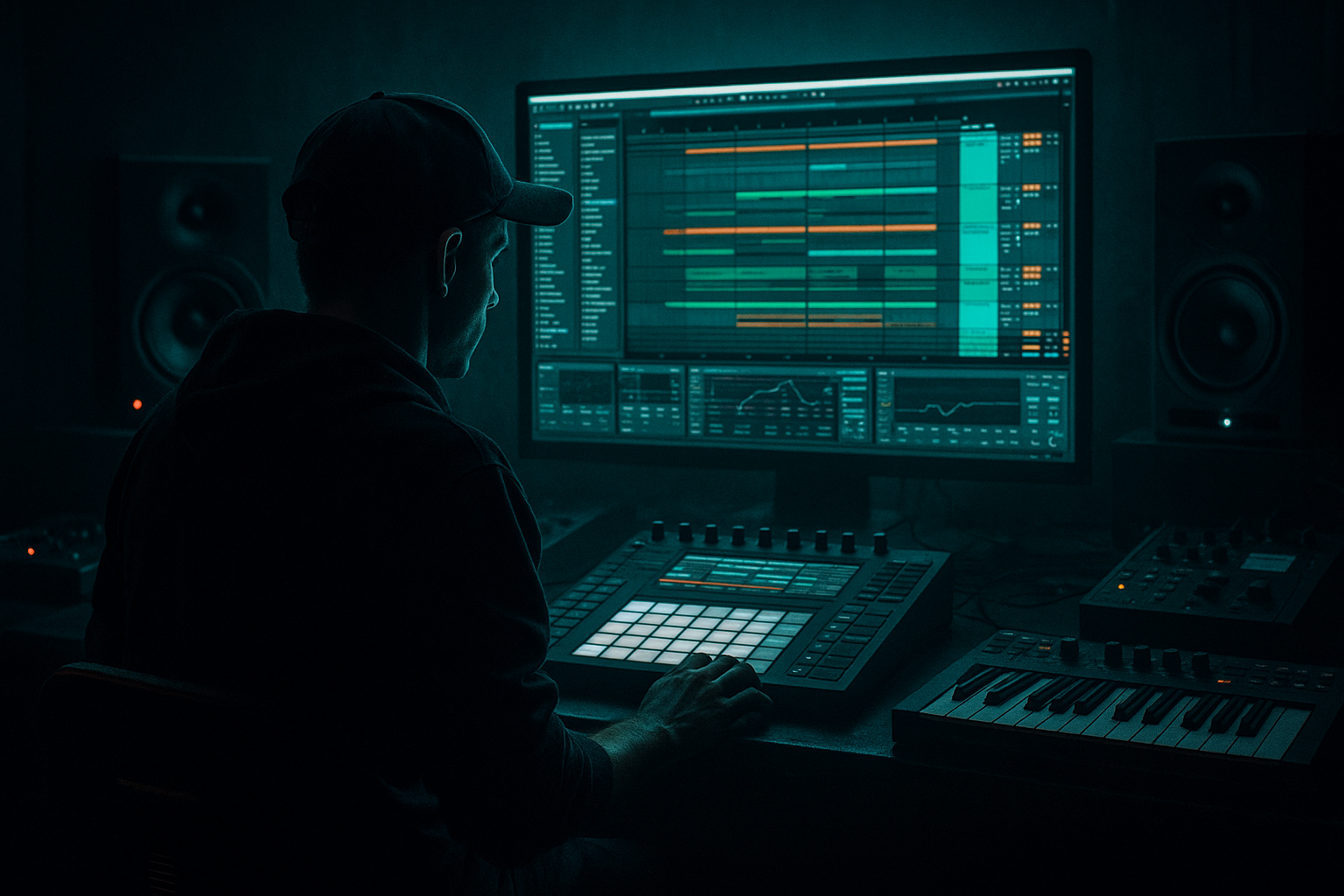
This lesson is about turning a small fill or drum phrase into a crunchy sampler-driven texture that sits inside an oldskool jungle / DnB arrangement without sounding like random distortion. In practice, you’ll take a short fill, route it through Ableton Live 12’s stock devices, resample it, and re-build it as a layered accent that can work in a drop transition, 8-bar switch-up, or pre-drop tension moment.
Why this matters in DnB: fills in jungle and oldskool DnB aren’t just decorative. They’re often part of the groove architecture. A well-placed crunchy fill can:
- inject momentum before a bass phrase change,
- bridge a break edit into a heavier drop,
- create a “cassette-worn” sampler texture that feels authentic,
- and make a loop feel like it was performed, not copy-pasted.
- rollers that need controlled variation every 8 bars,
- dark halftime or neuro-influenced sections where the fill must hit hard but stay tight,
- jungle passages where breakbeat grit and sampler artifacts are part of the identity.
- a 2-beat or 1-bar jungle-style fill with chopped transient grit,
- subtle pitch instability and filter movement,
- a compressed, dusty sampler tone,
- and enough rhythmic identity to work as a call-and-response answer to your bassline.
- the last half of bar 7 into bar 8,
- the turnaround before the second drop,
- or a 16-bar section where the bass line leaves space for a fill response.
- a chopped Amen, Think, or break-derived loop fragment, or
- a custom programmed fill using your kick, snare, closed hat, and ghost notes.
- Put the fill on its own audio track or drum rack chain.
- If it’s MIDI, render it to audio later, but start with the raw groove already in context.
- Make sure the fill is rhythmically aligned to your main drum groove. If your track has swung hats or broken-grid timing, this fill should inherit that feel, not fight it.
- Global resample: capture the whole post-processing result for a more “finished” printed texture.
- Drum bus resample: route just the drum group for cleaner, more controlled grit.
- Drum Buss
- Saturator
- EQ Eight
- Redux for sampler grit
- one with the drums alone,
- one with the drums plus bass bed,
- one with the full drop context if the fill is meant to live in a dense section.
- transient character,
- tail length,
- low-mid boxiness,
- and whether the fill already contains a usable “rhythmic fingerprint.”
- Transient for break-derived material
- 1/16 if you want grid-based control for a tight roller fill
- Warp markers manually placed if the timing needs correction without losing swing
- place the strongest transient on the last 1/8 or 1/16 before the drop,
- use a chopped tail as a pickup into the next phrase,
- and leave one or two slices slightly delayed to create that uneven sampler bounce jungle is famous for.
- switch to Slice mode,
- set filter slightly low-pass around 8–12 kHz if you want it less digital,
- add a touch of glide only if you’re building a pitched fill response.
- Compressor with fast attack and medium release to pin the slices
- Drum Buss with stronger Crunch
- Erosion for subtle high-end nastiness
- Auto Filter with automation on cutoff for tension movement
- Compressor ratio around 4:1 to 8:1
- Attack 1–10 ms
- Release 50–120 ms
- Drum Buss Crunch 15–35%
- Erosion Frequency around 4–10 kHz with Amount low enough that it adds edge, not hiss
- Filter cutoff on Auto Filter to open during the last half-beat
- Delay return send for a short throw on the final hit
- Reverb size or dry/wet very subtly on the tail only
- Saturator drive rising into the last hit for a “tape-lift” effect
- Utility gain for a quick dip before the downbeat, making the drop feel bigger
- automate the fill to get slightly brighter and more crushed over the last 1/2 bar,
- then cut it sharply right before the drop hit,
- and let the bass and kick re-enter with full contrast.
- Bar 8 or bar 16 turnaround
- 2 bars before a drop
- last 1 bar of an 8-bar drum phrase
- call-and-response with the bassline in a stripped-back section
- Bars 1–8: main break and bass loop
- Bar 8 last half: filtered fill texture enters, bass leaves a gap
- Bar 9: full drop returns with a stronger snare and reese
- Bar 16: repeat the idea, but swap the fill slice order or pitch one slice down for variation
- reverse one slice,
- remove the first hit in the second repetition,
- or shift the fill by a few milliseconds to create drag.
- the processing,
- the timing feel,
- and the textural identity.
- trim the clip tightly,
- fade the edges to avoid clicks,
- and keep the printed version on a separate track for quick arrangement edits.
- Over-processing the source before resampling
- Letting the fill steal sub energy
- Making every slice equally loud
- Ignoring groove alignment
- Using too much reverb on the fill tail
- Printing only one take
- Use very short filter automation on the final fill hit to create a throatier, more menacing lead-in.
- Layer a pitched-down resample one octave lower at very low volume for extra grime, but keep it below the bass energy.
- Put Utility on the fill bus and check mono. If the fill loses attitude in mono, simplify the stereo effects.
- Add subtle frequency-specific dirt with Erosion or Redux in the upper mids rather than broad full-band destruction.
- For neuro-leaning darker DnB, use the fill as a rhythmic gap-filler between bass stabs instead of a long transition wash.
- If the track is heavy and sparse, let the fill answer the bass with a 1/2-bar call-and-response: bass phrase, fill phrase, bass phrase.
- For rollers, keep the fill short and repeatable. One signature texture across the tune can become part of the record’s identity.
- place each version at a different arrangement point,
- compare how they interact with the bass and snare,
- and choose the one that best supports the drop energy.
- keep the source rhythmic and genre-authentic,
- use Drum Buss, Saturator, EQ Eight, Redux, and Simpler creatively,
- resample more than once,
- and place the fill as a structural tool for tension, contrast, and drop impact.
We’re not just “adding FX.” We’re using resampling as a design tool: print, chop, reprocess, and route the fill so it becomes a playable texture. This is especially useful in:
The key idea: make the fill feel like it came out of a crunchy sampler chain rather than a clean audio editor.
What You Will Build
You’ll build a short, aggressive drum fill texture derived from a break or fill phrase, routed through Ableton Live 12 stock devices, then resampled into a new audio layer that you can trigger under a drop transition.
The final result should sound like:
Musically, this texture should be able to slot into:
You’ll end up with a resampled audio clip that feels like a mangled Akai-style drum texture, but made entirely with Ableton stock devices. 🎛️
Step-by-Step Walkthrough
1. Set up a source fill that already belongs to the track
Start with a fill phrase that comes from the actual drum world of the tune. For oldskool/jungle vibes, use either:
Keep it short: 1/2 bar to 1 bar max. The goal is not a full drum loop, but a fill that has space for transformation.
In Ableton:
Advanced move: audition the fill against the bass phrase. If your bass answer lands on beat 1 of the next bar, shape the fill so its tail funnels toward that downbeat rather than cluttering it.
2. Build a resampling return path inside the session
Create a dedicated audio track named something like RESAMPLE FILL. Set its input to Resampling so it captures the full master output, or if you want tighter control, route from a group/bus containing only drums and fill material.
Two useful routing approaches:
For this lesson, I recommend routing from a Drum Bus group if you want precision, then later printing a second “full mix” pass for extra dirt.
Arm the track and set monitoring so it captures your chosen source. Once you play the phrase, you’ll print the output and turn it into a new audio file for slicing.
Why this works in DnB: resampling lets you commit to a texture. Jungle and oldskool DnB are full of printed artifacts, not endless clean refinement. That “baked-in” quality adds realism and urgency.
3. Shape the fill with a sampler-style distortion chain before printing
Before you resample, place a processing chain on the source fill that simulates hardware degradation. Use Ableton stock devices in this order:
- Drive: around 10–25%
- Crunch: 5–20%
- Boom: use sparingly; often 0–10%
- Transients: slightly positive if the fill needs attack, or slightly negative if it should smear
- Soft Clip: on
- Drive: 2–8 dB
- Analog Clip or Warmth-style shaping via the curve, if needed
- High-pass the sub junk if your fill is stealing low-end energy: around 120–180 Hz
- If it’s too brittle, trim a small band around 4–7 kHz
- If it needs more bite, gently lift around 1.5–3 kHz
Optional but effective:
- Downsample lightly, not to extreme lo-fi unless you want that crushed jungle artifact
- Try a subtle reduction until the texture becomes grainy rather than alias-heavy
Do not overdo it. The goal is “crunchy sampler texture,” not broken speaker simulation. You want the fill to feel like it was sampled from a dusty groove box, not flattened into noise.
4. Print the fill and capture several passes
Now record the processed fill into your resample track. Do at least 3 passes:
Why multiple passes? Because the texture changes depending on what’s happening around it. A fill that sounds too bright in solo can be perfect when it’s fighting a reese and a sub. A fill that sounds huge in solo may disappear in the full arrangement.
Record a take, then stop and listen. You’re listening for:
If the result feels too clean, increase pre-print saturation slightly and re-record. If it feels too smashed, reduce Crunch/Drive or shorten the source phrase.
5. Slice the resampled audio into playable hits and micro-phrases
Take the printed audio and drag it into a new audio track or onto Simpler if you want to trigger slices from MIDI. For advanced workflow, use Slice to New MIDI Track and choose a slicing mode that follows transients.
Suggested slice modes:
Now build a playable pattern from the slices:
If you use Simpler:
This is where the fill stops being “a clip” and becomes a performance element.
6. Reprocess the sliced fill through a parallel crush layer
Make a duplicate of the resampled slice track and turn it into a parallel dirt layer. Keep the original as your clean(ish) anchor and use the duplicate for weight and aggression.
On the parallel track, try:
Good settings to start:
Blend the parallel track underneath until the texture feels alive but not overcooked. In DnB, parallel crush is excellent when you want the fill to feel larger than life without destroying the transient shape needed for the mix.
7. Automate movement so the fill breathes into the drop
A static crunchy fill can sound like a looped effect. A moving one sounds like a real transition.
Automate one or more of the following:
A strong oldskool DnB move:
This contrast is crucial. The fill should not just be loud. It should set up impact through subtraction.
8. Place it in the arrangement as a phrase tool, not a decoration
Use the fill in specific structural moments:
A practical arrangement example:
For jungle and rollers, variation matters. Even a tiny change in the final two hits can make the whole section feel alive. Consider:
9. Print the final version again for commitment and mix control
Once the fill is functioning musically, do one final resample pass. This locks in:
This second print is useful because it turns a multi-device chain into a single audio asset. That makes the project faster, easier to mix, and easier to arrange.
After the final print:
You can now duplicate, reverse, repitch, or time-stretch this fill like a proper DnB arrangement ingredient.
Common Mistakes
Fix: keep the source musical and let the printed layer do the heavy lifting. If the pre-print chain sounds like noise in solo, it’ll usually be worse in context.
Fix: high-pass the fill around 120–180 Hz unless it truly needs low-end. Your sub should stay clean and mono.
Fix: keep dynamic contrast. Jungle fills often feel good because some hits are exaggerated while others are tucked back.
Fix: make sure the fill respects the swing and microtiming of the track. A rigid fill over a loose break sounds pasted on.
Fix: keep space for the bass and snare. Use short, dark ambience instead of washing out the drop.
Fix: capture multiple resamples. Different pass contexts often reveal the best version.
Pro Tips for Darker / Heavier DnB
Mini Practice Exercise
Spend 10–20 minutes making three versions of the same fill texture:
1. Clean print
Resample the source fill with only mild Drum Buss and EQ shaping.
2. Crunch print
Add Saturator and Redux, then resample again. Aim for a more obvious sampler bite.
3. Dark print
Filter the fill down, remove top-end aggression, and resample a version meant for a more shadowy breakdown or intro turnaround.
Then:
Bonus challenge: make one version answer the bassline rhythmically by leaving a gap on the first hit and landing harder on the final hit.
Recap
The core idea is simple: take a short DnB fill, process it like a sampler would, resample it, then turn it into a playable texture. In Ableton Live 12, this means routing smartly, using stock devices for grit and control, and printing multiple passes so you can choose the version that best fits the arrangement.
Remember:
Done right, this technique gives your jungle and oldskool DnB sections that crunchy, lived-in, sampler-made character that instantly feels more record-ready.

