Main tutorial
1. Lesson Overview
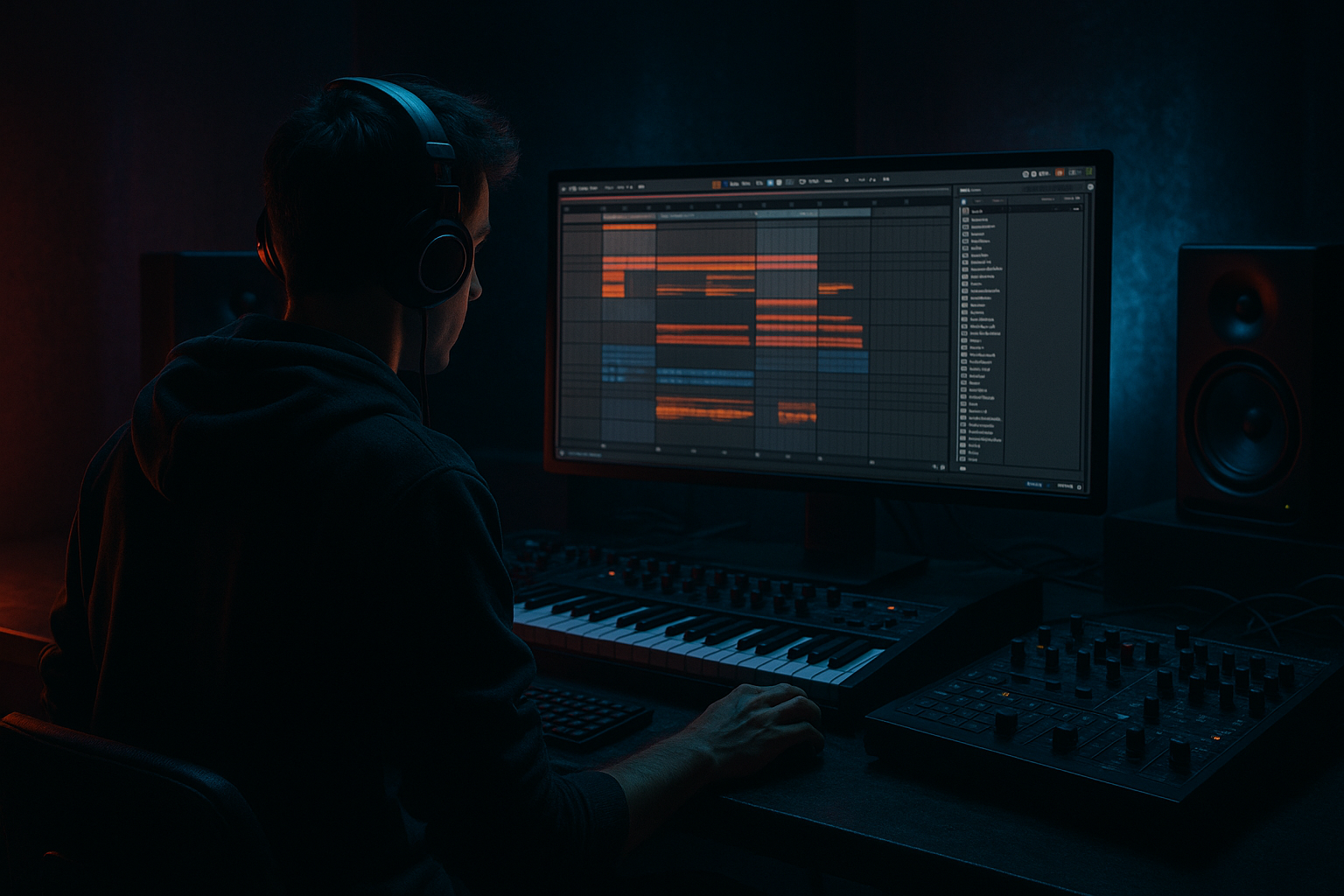
Ed Rush masterclass: design the VHS-rave stab in Ableton Live 12 using macro controls creatively — a beginner-friendly automation lesson showing how to build a short Drum & Bass-style rave stab with that nostalgic VHS tape warble, gritty lo‑fi, and rave chorus movement, and how to control and automate it with Rack Macros and Arrangement automation. We’ll use only Ableton Live 12 stock devices (Wavetable/Simpler, Audio/Instrument Racks, Auto Filter, Frequency Shifter, Redux, Saturator, Chorus/Ensemble, Delay, Reverb, EQ Eight) and show precise macro mapping and automation recording so you can perform and automate the stab across an arrangement.
2. What You Will Build
- A tight, 1–2 bar VHS-rave stab patch suitable for Drum & Bass (short decay, bright top, strong mid punch).
- An Audio/Instrument Rack setup with 4–5 Macros that simultaneously control pitch wobble (VHS warble), lo‑fi bit/sample reduction, tone, spatial/delay amount, and a chain morph between “clean / VHS / rave” textures.
- Automation lanes in Arrangement to automate macros for dynamic movement: tape flutter, gated morphs, sudden lo‑fi drops — all usable in a DnB context.
- Bar 1, stab hits: Macro 5 = 0 (Clean), Macro 3 (Tone) = 80% (bright), Macro 1 = 10% (no wobble).
- Bar 2, start morph: on the downbeat, automate Macro 5 to 50 over 1/8 note to select VHS chain; simultaneously draw a 1/16 triplet wobble on Macro 1 from 10 → 40 → 10.
- Bar 3, big lo‑fi break: Macro 2 jumps to 100% for 1 bar (Redux bits and downsample engage), Macro 4 (Space) reduces to 0% to keep it dry and punchy.
- Bar 4, rave sweep: Macro 5 jumps to 100% (Rave), Macro 4 rises to 60% (delay + reverb bloom), and Macro 1 adds subtle automated movement (10 → 25 → 10) to simulate chorus warble.
- Mapping full ranges: Mapping a parameter from extreme to extreme often makes macros unusable. Set conservative min/max so automation remains musical.
- Mapping too many parameters to one macro blindly: If every mapped parameter reacts the same way, you’ll lose control. Map complementary parameters and set opposing ranges (inversion) when necessary.
- Forgetting to set Chain Selector ranges: If chains overlap incorrectly, morphing jumps unpredictably — use exact numeric ranges (0–42, 43–84, 85–127) and test.
- Automating device parameters instead of macros: Device automation is fine, but macros let you group movements and recall snapshots. For live performance always automate macros for portability.
- Excessive bit reduction in Redux: Too low bits makes the stab inaudible in the mix. Start with 8–12 bits and tweak with context.
- Overuse of stereo chorus + reverb: Causes phasey, washed results in club systems. Keep unison/stereo width conservative and use delay sends for width control.
- Use small pitch ranges for VHS wobble: 5–15 cents is usually enough. Larger values start sounding like pitch bends, not tape flutter.
- Invert ranges for musical movement: e.g., when Lo‑Fi macro increases, you may want Tone macro to cut highs automatically; invert the Tone mapping so it reduces highs as Lo‑Fi rises.
- Macro Snapshots: Save a few snapshot states (Clean / VHS / Rave) inside the Rack so you can instantly recall entire macro configurations.
- Clip modulation for rhythmic LFOs: Use a MIDI clip’s envelope to create perfectly synced LFO patterns for any Macro (perfect for gated stabs).
- Keep a parallel clean chain: Layer the original stab (clean) under heavy VHS processing at low level so you retain transient clarity when Lo‑Fi engages.
- Test in mono: Many club systems sum to mono; check there’s no destructive phase cancellation in the chorus/wobble stage.
- Bar 1: Clean stab (Macro 5 = Clean), Tone bright.
- Bar 2: Introduce VHS flutter using a 1/8-note saw-like Macro 1 automation pattern.
- Bar 3: Slam Lo‑Fi (Macro 2 = 100) for one bar, cut Space (Macro 4 = 0).
- Bar 4: Jump to Rave chain (Macro 5 = Rave), increase Space and add a short delay ping (Macro 4 = 60). Record one live pass of Macro moves while the loop plays; save the Rack as “VHS-Rave Stab – Exercise”.
3. Step-by-Step Walkthrough
Prerequisites: Ableton Live 12 (stock devices). Start with a new Live Set, 1 MIDI track.
A. Create the basic stab sound (Wavetable)
1. Load Wavetable on a new MIDI track.
2. Init a basic stab:
- Oscillator A: Saw-ish wavetable (choose a bright band), Unison = 2, Detune = 0.06.
- Oscillator B: turn on with sub or a square wave one octave lower, mix ~20% for body.
- Filter: Low‑pass (MG Low 24 or LP24), Cutoff ~1.2 kHz, Drive 1.2.
- Amp Envelope: Attack 0–5 ms, Decay 200–350 ms, Sustain 0, Release 30–60 ms (short stab).
- Filter Envelope: Decay ~150–300 ms, Amount ~40–60% to give transient brightness then close.
3. Tweak voicing: Reduce polyphony to 1–2 for classic stab feel; set Glide/Portamento off.
B. Turn it into an Instrument Rack with Macros
1. Group Wavetable into an Instrument Rack (select device, Cmd/Ctrl+G).
2. Open the Rack’s Macro view (click the rack title bar). Rename Rack to “VHS-Rave Stab Rack”.
3. Plan your macros:
- Macro 1: VHS Wobble (small pitch/frequency modulation + Frequency Shifter wet)
- Macro 2: Lo‑Fi (Redux bit depth & sample rate)
- Macro 3: Tone (Filter cutoff / EQ highs)
- Macro 4: Space (Delay dry/wet + Reverb dry/wet)
- Macro 5: Morph (Chain Selector for Clean/VHS/Rave chains)
C. Create effect chains (inside an Audio Effect Rack) for texture morphing
1. After the Instrument Rack, create an Audio Effect Rack (select the device area after the instrument and Cmd/Ctrl+G).
2. Open the Rack’s Chain List (click the chain icon).
3. Create 3 chains: “Clean”, “VHS”, “Rave”.
- Clean: minimal processing (EQ Eight -> slight Saturator Drive 1.5 -> send to Space macro).
- VHS: place Frequency Shifter (Device) + Redux + Vinyl/Wobble effects:
* Frequency Shifter: Fine shift ±0.2–0.4 (set default 0); dry/wet 0–60% mapped later
* Redux: Bits 8–14, Downsample 8–12 kHz
* Optional: Chorus/Ensemble lightly for vintage color
- Rave: Chorus-Ensemble (Rate small, Amount moderate) -> Auto Filter (Envelope/Peak resonance) -> Delay (Ping-Pong or Simple Delay) -> Saturator.
4. Map Chain Selector to the Instrument Rack Macro:
- Show the Rack’s Macro Map (click “Map”).
- Select the Chain Selector control in the Chain List, then click “Map” → it appears as a mappable parameter.
- Map it to Macro 5 (Morph). In the Macro Map view set ranges:
* Clean chain range 0–33
* VHS chain range 34–66
* Rave chain range 67–127
This lets you sweep a single Macro to select between chains.
D. Map individual parameters to macros (Macro Map Mode)
1. Open Macro Map Mode and map these parameters (exact right‑click > Map or use Map Mode):
- Macro 1 (VHS Wobble):
* Wavetable Global -> Pitch (or transpose) small range: -12 cents to +12 cents (so macro moves create tiny pitch wobble)
* Frequency Shifter -> Fine Shift dry/wet 0% -> 60%
* (Optional) Map an LFO amount in Wavetable’s Global pitch if you want automated vibrato amount (small range)
- Macro 2 (Lo‑Fi):
* Redux -> Bits: 16 → 8 (map so turning macro right reduces bits)
* Redux -> Sample Rate (Downsample): 44100 → 11025 (map accordingly)
- Macro 3 (Tone):
* Wavetable Filter Cutoff: 400 Hz → 5 kHz (map with inverted or normal range to taste)
* EQ Eight High Shelf Gain: -6 dB → +3 dB (for brightening)
- Macro 4 (Space):
* Simple Delay -> Dry/Wet: 0% → 40%
* Reverb -> Dry/Wet: 0% → 35%
* Delay -> Feedback: 10% → 35% (map softly)
2. Set sensible min/max values in Macro Map area (click parameter mapped and type numbers or drag range sliders). This is crucial: macros should not produce extreme values when automated.
E. Create the “VHS flutter” effect (tape wobble) without external LFOs
1. Use Frequency Shifter modulation: map Frequency Shifter Fine to Macro 1 with a small range of ±0.3 Hz (or cents) so when Macro 1 moves you get detune wobble.
2. Additionally, map Wavetable wavetable position (or oscillator pitch) to Macro 1 with small ±range so Macro 1 nudges oscillator tone.
3. If you want periodic wobble, you can:
- Option A (Arrangement Automation): Draw fast automation of Macro 1 in Arrangement with small random curves (use Pencil with 1/64 grid) or record manual knob movements.
- Option B (Clip Envelope modulation): In a MIDI clip, choose Device → the Rack → Macro 1 as the envelope source and draw an LFO-style curve (works in Session AND Arrangement view). This avoids external LFO devices and stays stock.
F. Automating Macros in Arrangement
1. Enter Arrangement view (press A). Place your stab MIDI clip where you want movement.
2. Show automation lanes: click the track’s drop-down and choose “VHS-Rave Stab Rack” → choose Macro 1 (VHS Wobble).
3. Draw automation curves:
- For subtle flutter: small fast up/down wiggles on Macro 1 across 1/8 or 1/16 notes.
- For big drops: a step automation that pops Macro 2 (Lo‑Fi) to max for 1 bar then returns.
- For morphs: automate Macro 5 (Morph) as stepped values to switch between Clean → VHS → Rave on the downbeat.
4. Recording automation live: enable Automation Arm (Global), press record and move macros to record expressive performances.
G. Final shaping
1. Use EQ Eight after the Rack to notch out build-up frequencies (e.g., 200–300 Hz muddy) and add a high-shelf around 6–12 kHz for clarity if needed.
2. Use Saturator lightly for analog warmth; map Saturator Drive to Macro 2 so lo‑fi increases saturation.
3. Save the Rack as a preset: click the disk/save icon on the Rack to use across projects.
Walkthrough example (apply the exact topic phrase): Ed Rush masterclass: design the VHS-rave stab in Ableton Live 12 using macro controls creatively — here’s a concrete automation pass you can do now:
4. Common Mistakes
5. Pro Tips
6. Mini Practice Exercise
Create a 4-bar loop using the Stab Rack you just made:
Challenge: make the Macro 1 wobble pattern sync to 1/16 triplets using clip envelope. Try different bit depths in Redux and hear how that changes the stab’s presence.
7. Recap
You built a short Drum & Bass VHS-rave stab in Ableton Live 12, grouped it into an Instrument + Audio Effect Rack, and mapped multiple creative parameters to Macros (wobble, lo‑fi, tone, space, and morph). You learned to set sensible macro ranges, create chain-based morphing between texture variants, and automate macros in Arrangement and clip envelopes for precise, performable results. Use the Macro Map to link and invert parameters, save snapshots, and experiment with small pitch ranges and conservative Redux settings to get that Ed Rush-style, tape-warped rave stab without losing mix clarity.
If you want, I can export a step-by-step Rack preset checklist or give exact values for each mapped min/max to paste into a notes file.

