DNB COLLEGE

Drum & Bass Ableton Live 12 Tutorials

LESSON DETAIL

Dubwise: vocal texture stack for heavyweight sub impact in Ableton Live 12 for jungle oldskool DnB vibes (Intermediate)

An AI-generated intermediate Ableton lesson focused on Dubwise: vocal texture stack for heavyweight sub impact in Ableton Live 12 for jungle oldskool DnB vibes in the Composition area of drum and bass production.

Back to lessons
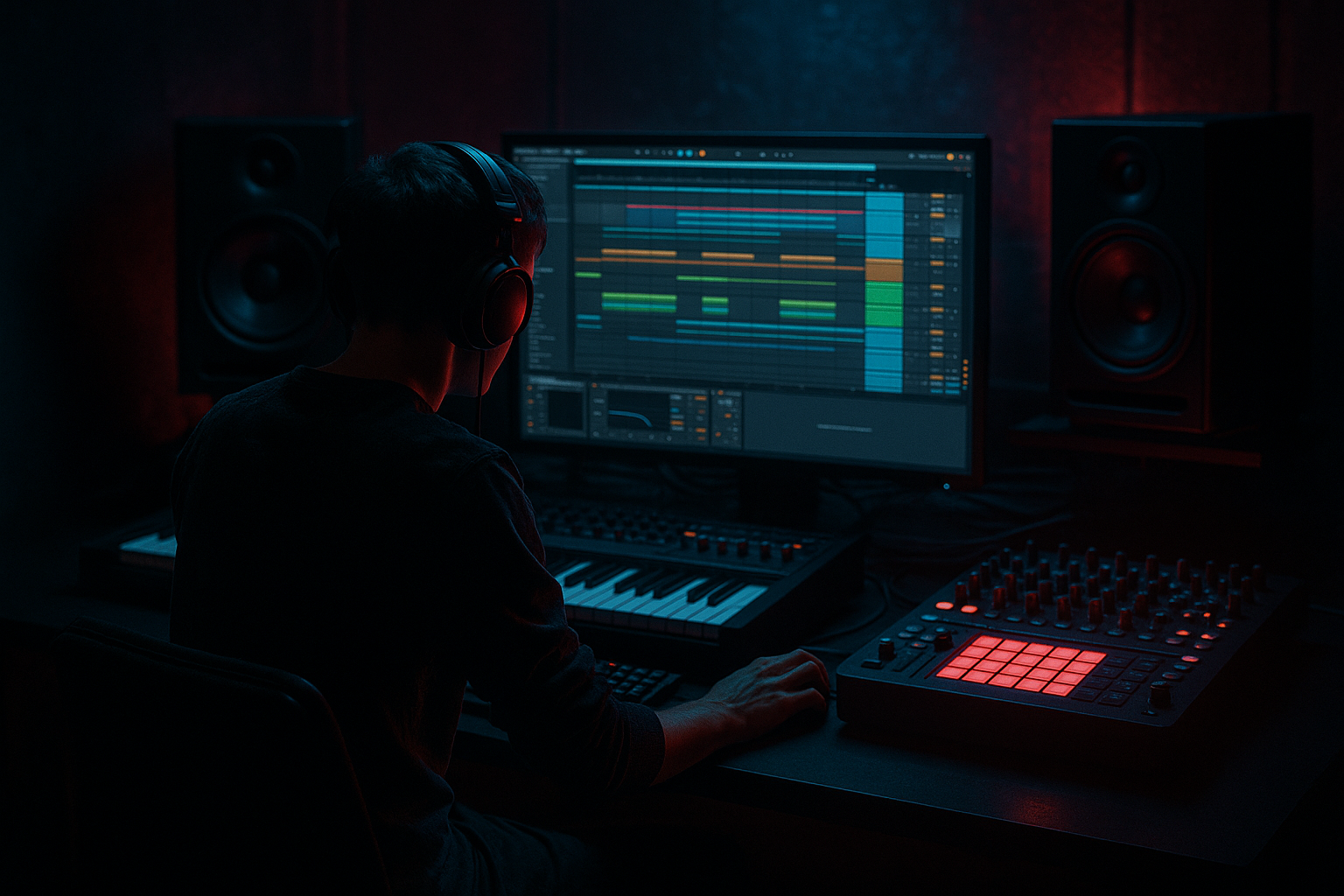
Dubwise: vocal texture stack for heavyweight sub impact in Ableton Live 12 for jungle oldskool DnB vibes (Intermediate) cover image

Narrated lesson audio

The voice track includes the tutorial plus extra teacher commentary.

Open audio file

Main tutorial

Dubwise: Vocal Texture Stack for Heavyweight Sub Impact in Ableton Live 12

Intermediate DnB / jungle composition tutorial 🎛️🥁

---

1. Lesson overview

In classic jungle, oldskool DnB, and dubwise rollers, the vocal isn’t just a hook — it’s part of the low-end illusion. A short vocal phrase, chopped texture, or murky chant can make the sub feel bigger, more physical, and more dangerous by giving the ear something to lock onto above the bass.

In this lesson, you’ll build a vocal texture stack in Ableton Live 12 that:

  • adds weight and menace to your sub
  • works as a call-and-response with the drum groove
  • stays dark, gritty, and spaced out
  • fits oldskool DnB / jungle / dubwise rollers
  • We’ll use stock Ableton tools to create:

  • a main vocal layer
  • a texture layer
  • a low-dub ghost layer
  • rhythmic chops and FX throws
  • a mix that supports the sub instead of fighting it
  • This is not about making a pop vocal. It’s about building a dubwise atmosphere with impact 🔥

    ---

    2. What you will build

    By the end, you’ll have a 3-layer vocal stack designed for a 160–174 BPM DnB arrangement:

    Layer 1: Main vocal phrase

    A short phrase like:

  • “Come forward”
  • “Run the bassline”
  • “Hear the warning”
  • “No escape”
  • “Dubwise”
  • This is the recognizable anchor.

    Layer 2: Texture layer

    A degraded, filtered, widened version of the same vocal:

  • pitched down or up
  • smeared with delay/reverb
  • crushed and band-limited
  • used under the main phrase for grit and movement
  • Layer 3: Sub-impact ghost layer

    A chopped, low-mid-only version of the vocal:

  • used sparingly
  • sidechained to the kick and sub
  • triggered on key hits or transitions
  • gives a “body” sensation without stealing bass space
  • Bonus: FX throws

    Dub echoes, reverse tails, and scattered chops that help the arrangement breathe.

    ---

    3. Step-by-step walkthrough

    Step 1: Choose the right source vocal

    Start with a phrase that is:

  • short
  • rhythmic
  • emotionally clear
  • easy to chop
  • Good sources:

  • your own recorded voice
  • royalty-free vocal one-shots
  • spoken word phrases
  • reggae/dub-style chants you have clearance to use
  • Recording tip

    If you record your own voice:

  • use a dry mic
  • speak close and confidently
  • record 3–5 takes with different energy levels
  • include one whispered take and one projected take
  • In DnB, a vocal phrase often works best when it is tight and characterful, not overly polished.

    ---

    Step 2: Build a clean vocal edit

    Create a new audio track and drop your vocal on the grid.

    Edit for punch

    Use Ableton Live 12 tools:

  • Warp: turn on if needed
  • Transient markers: keep the phrase tight
  • Clip Gain: even out loud/quiet syllables
  • Fade handles: remove clicks and harsh cuts
  • Keep it compact

    For dubwise DnB, a phrase of 1 to 2 bars is usually enough.

    Try this structure:

  • Bar 1: “Come forward”
  • Bar 2: “Feel the pressure”
  • Or:

  • Bar 1: “Dubwise”
  • Bar 2: silence / tail / echo
  • The pause matters. DnB loves space.

    ---

    Step 3: Create the main vocal chain

    On your main vocal track, build a practical stock-device chain like this:

    Suggested chain

    1. EQ Eight

    2. Compressor or Glue Compressor

    3. Saturator

    4. Echo

    5. Reverb

    6. Utility

    EQ Eight settings

    Use EQ first to clean the vocal:

  • High-pass around 90–140 Hz
  • Cut mud around 200–400 Hz if needed
  • Slight presence boost around 2–5 kHz if the phrase needs clarity
  • If it sounds harsh, tame 6–9 kHz
  • For heavy DnB, don’t let the vocal compete with the sub region.

    Compressor / Glue Compressor

    Use gentle control:

  • Ratio: 2:1 to 3:1
  • Attack: 10–30 ms
  • Release: 50–120 ms
  • Gain reduction: about 2–4 dB
  • This keeps the vocal upfront without flattening the vibe.

    Saturator

    Use for a bit of edge:

  • Drive: 2–6 dB
  • Soft Clip: On
  • Use carefully — just enough to thicken the voice
  • This helps the vocal cut through dense breaks and subs.

    Echo

    Use dub-style delay:

  • Time: 1/4, 3/16, or dotted 1/8
  • Feedback: 20–45%
  • Filter: roll off lows and highs
  • Turn on Ping Pong if it suits the arrangement
  • A darker echo often sounds more authentic in jungle and dubwise material.

    Reverb

    Keep it controlled:

  • Decay: 1.5–3.5 s
  • Pre-delay: 15–35 ms
  • High-cut: fairly dark
  • Low-cut: raise it so the sub stays clean
  • Utility

  • Reduce width on the main vocal if the mix feels too wide
  • Keep it centered unless the vibe demands otherwise
  • ---

    Step 4: Build the texture layer with resampling or duplication

    Duplicate the vocal onto a second track. This layer is not for clarity — it’s for character.

    Make it dirty and atmospheric

    On the texture layer, try this chain:

    1. Auto Filter

    2. Saturator

    3. Redux

    4. Echo

    5. Hybrid Reverb or Reverb

    6. Compressor

    Auto Filter

  • Low-pass around 4–8 kHz
  • Or band-pass if you want a more radio/dub effect
  • Add a little resonance for movement
  • Saturator

  • Drive higher than the main vocal: 4–10 dB
  • Soft Clip on
  • Redux

    This is excellent for oldskool grime:

  • Reduce bit depth slightly
  • Lower sample rate a touch
  • Don’t overdo it unless you want obvious lo-fi destruction
  • Echo / Reverb

    Use more extreme ambience than the main vocal:

  • longer decay
  • more feedback
  • darker tone
  • maybe a tempo-synced wash that trails into the next bar
  • Compression

    Use to keep the texture audible under drums:

  • fast attack, medium release
  • enough gain reduction to hold the layer in place
  • Optional trick: pitch down

    Use Transpose in the clip or a Shifter device:

  • Pitch down 3 to 7 semitones for deeper dub weight
  • Or drop it an octave for a ghostly undertone, then filter aggressively
  • This layer should feel like a shadow of the original phrase.

    ---

    Step 5: Create the sub-impact ghost layer

    This is where the trick becomes powerful. Make a third layer from the vocal phrase and turn it into a low-mid body element that sits near the sub without fighting it.

    How to build it

  • Duplicate the vocal again
  • Chop it into single syllables or short fragments
  • Place only the hits that land with your kick/snare pattern
  • Keep it sparse
  • Suggested chain

    1. EQ Eight

    2. Saturator

    3. Auto Filter

    4. Compressor with sidechain

    5. Utility

    EQ Eight

    Focus the body:

  • High-pass lower than the main vocal, around 70–100 Hz
  • Boost slightly around 150–300 Hz if it needs chest
  • Cut harshness above 4–6 kHz
  • This layer should not sound like a full vocal.

    Saturator

    Push it a little harder than the main vocal:

  • Drive: 4–8 dB
  • Soft Clip on
  • This gives the fragment density so it reads on smaller speakers too.

    Auto Filter

  • Low-pass to keep it dark
  • Try a band-pass if you want a more “radio transmission” flavor
  • Sidechain compression

    Sidechain this layer to the kick or kick+sub bus:

  • Attack: 1–10 ms
  • Release: 80–180 ms
  • Aim for 2–6 dB gain reduction on kick hits
  • This prevents low-mid build-up and lets the sub remain dominant.

    Utility

    If needed:

  • narrow stereo width
  • keep this almost mono
  • The result is a ghostly vocal body that adds perceived weight when the drop hits.

    ---

    Step 6: Build a vocal stack rack for easy control

    For efficient workflow in Ableton Live 12, group the vocal layers.

    Group the three tracks

    Select:

  • main vocal
  • texture layer
  • ghost layer
  • Then press Cmd/Ctrl + G to group them.

    Inside the group, you can add a Rack-like control approach with:

  • Auto Filter
  • Glue Compressor
  • Saturator
  • Utility
  • optional Drum Buss for extra bite on the texture only
  • Use return tracks for dub effects

    Instead of putting huge delay/reverb on each layer, create Returns:

  • Return A: Dub Delay
  • Return B: Dark Verb
  • Return C: Broken Radio FX
  • This keeps your mix cleaner and lets you automate sends for arrangement movement.

    ---

    Step 7: Make the vocal interact with the drums

    This is where DnB arrangement comes alive.

    Put vocal phrases on the off-beats and turnaround points

    Try placing vocal hits:

  • before the snare
  • after the snare
  • at the end of 2-bar phrases
  • right before a bass drop
  • during break edits
  • In jungle and oldskool DnB, the vocal often acts like a DJ cue or toasting command rather than a constant lead.

    Use call-and-response

    Example:

  • Bar 1: vocal phrase
  • Bar 2: silence + echo tail
  • Bar 3: break fills and bass response
  • Bar 4: vocal chop throw
  • That space makes the drop feel bigger.

    Use automation for tension

    Automate:

  • send to delay up on the last word
  • filter cutoff lower at the start of the phrase, then open slightly
  • reverb wetness only at phrase ends
  • pitch for one-off accents
  • This creates motion without overcrowding the groove.

    ---

    Step 8: Lock the stack to the sub

    The key to “heavyweight sub impact” is making sure the vocal stack enhances the low end rather than masking it.

    Mix strategy

  • Keep the sub and kick central
  • Remove unnecessary low end from every vocal layer
  • Let the vocal emphasize rhythm and emotion, not bass energy
  • Use sidechain wisely

    Sidechain the vocal group lightly to the kick or sub bus if the arrangement is dense.

    This is especially useful when:

  • the bassline is busy
  • the drum break is full of ghost notes
  • the vocal tail overlaps the downbeat
  • Check the low-mids

    The problem area is usually 120–400 Hz.

    If the vocal stack is too thick there, it will blur the bassline.

    Use:

  • EQ Eight
  • Utility
  • Multiband Dynamics if needed
  • But keep it musical — don’t over-polish the grit out of the stack.

    ---

    Step 9: Add jungle-style FX embellishments

    To make the arrangement feel more authentic, add a few classic touches:

    Reverse vocal swell

  • Render or freeze a phrase
  • Reverse it
  • Put it before a drop or snare fill
  • Dub echo throw

    Automate delay feedback to spike on the final word, then cut it back.

    Stutter chop

    Use Slice to New MIDI Track or manual chopping to create rapid fragments:

  • 1/16
  • 1/32
  • occasional triplet bursts
  • Great for tension before a drop.

    Filtered whisper layer

    A whispered duplicate can be:

  • high-passed heavily
  • widened slightly
  • drowned in reverb
  • tucked behind the main line
  • This gives eerie depth in darker rollers.

    ---

    4. Common mistakes

    1. Too much low end in the vocal layers

    If your vocal stack sounds thick on solo but weak in the mix, it’s probably fighting the sub. High-pass more aggressively.

    2. Overusing reverb

    Big reverb can sound nice alone, but in DnB it often muddies the groove. Keep tails dark and controlled.

    3. Making the vocal too loud

    Dubwise vocals should feel like part of the system, not a pop lead on top of the track.

    4. Too many layers all speaking at once

    If every layer is active every bar, the impact disappears. Use space and contrast.

    5. Not filtering the delays

    Unfiltered echoes can clutter the mix fast. Always roll off low end from delay returns.

    6. Ignoring the drums

    The vocal should work with the break rhythm. If it clashes with the snare pattern, rearrange the phrasing.

    ---

    5. Pro tips for darker/heavier DnB

    Use contrast between dry and crushed

    Keep the main vocal relatively clear, then make the texture layer filthy. That contrast sounds bigger.

    Let the vocal hit before the bass drop

    A short phrase 1/2 bar before the drop can create serious anticipation.

    Try mono center + stereo ghost

    Keep the main phrase centered, but let the texture layer spread wider and darker.

    Use spoken phrases, not sung hooks

    Dubwise DnB often benefits from commanding, ritualistic spoken lines:

  • “Move carefully”
  • “No turning back”
  • “Feel the pressure”
  • “Submerge”
  • Resample your stack

    Once the chain feels good:

  • freeze/flatten or resample
  • chop the result
  • rearrange it into new rhythmic shapes
  • This is a classic jungle workflow and often sounds more “produced” than endlessly tweaking.

    Match the vocal rhythm to the break

    If your break is syncopated, place vocal hits where they complement the snare ghost notes and kick accents.

    Use tape-style degradation

    A little saturation, filtering, and bit reduction can help the vocal feel period-correct for oldskool and dubwise aesthetics.

    ---

    6. Mini practice exercise

    Exercise: build a 16-bar dubwise vocal impact section

    In Ableton Live 12, create a simple 16-bar arrangement at 170 BPM:

    #### Bars 1–4

  • drums + sub only
  • no vocal
  • #### Bars 5–8

  • introduce the main vocal phrase once every 2 bars
  • add a short delay throw at the end of each phrase
  • #### Bars 9–12

  • add the texture layer under the main vocal
  • automate the filter slightly darker each bar
  • #### Bars 13–16

  • bring in the ghost layer on key snare hits
  • add one reverse vocal swell into bar 16
  • finish with a delay tail into the next section
  • Goal

    By the end, your vocal stack should:

  • support the groove
  • feel dubby and haunted
  • make the drop feel heavier
  • leave space for the sub to dominate
  • ---

    7. Recap

    You’ve built a dubwise vocal texture stack in Ableton Live 12 designed for jungle and oldskool DnB impact.

    Core idea:

  • Main vocal = identity
  • Texture layer = grit and atmosphere
  • Ghost layer = body and low-mid pressure
  • Delay/reverb throws = movement and tension
  • Key techniques:

  • filter out unnecessary low end
  • use saturation for density
  • keep delays dark and tempo-locked
  • use space strategically
  • arrange vocals like percussion, not constant lead lines

If you do this well, the vocal stack won’t sit on top of your track — it will feel like it’s driving the sub from inside the system 😈🔊

If you want, I can also turn this into:

1. a rack preset blueprint for Ableton Live 12, or

2. a 16-bar MIDI/audio arrangement template for a jungle roller.

Ask GPT about this lesson

Chat with the lesson tutor, get follow-up help, or use quick actions.

Bigup 👽 Ask me anything about this lesson and I’ll answer in context.

Narration script

Show spoken script
Welcome to the session. Today we’re diving into a really tasty jungle and oldskool DnB technique: building a dubwise vocal texture stack that makes your sub feel heavier, deeper, and way more physical inside Ableton Live 12.

Now this is not about writing a big pop chorus vocal. This is about using a short vocal phrase, a chopped chant, a murky spoken line, or even your own voice as part of the low-end illusion. In this style, the vocal is not just the hook. It’s part of the pressure. It gives the ear something to grab onto above the bass, and that makes the sub feel bigger by comparison. That’s the secret.

So the goal here is simple: we’re going to build a three-layer vocal stack. One layer will be the main phrase, clean and readable. One layer will be the dirty texture, darker and more atmospheric. And one layer will be the ghost body, a chopped low-mid fragment that adds weight without stepping on the kick and sub.

We’ll use stock Ableton tools the whole way through, and we’ll keep the sound dark, spacious, and nicely dubby. Think call and response, think system music, think tension, space, and weight.

First up, choose a source vocal that’s short and characterful. The best phrases here are simple. Things like “come forward,” “hear the warning,” “no escape,” “dubwise,” or “run the bassline.” You want something you can chop easily, something with a clear rhythm, and something that feels like a command or a warning. That vibe works really well in jungle and dubwise rollers.

If you’re recording your own voice, keep it dry and close. Speak with confidence, and record a few takes with different energy. A whispered take is useful, a projected take is useful, and a more neutral take is useful. You don’t need perfection here. In fact, a bit of grit is often better. This style likes personality.

Once you’ve got the source, drop it onto an audio track and clean it up. Turn on Warp if you need it, line it up with the grid, and use clip gain or clip volume to even out the phrase. If any cuts are clicking, use the fade handles. This stage is about making the vocal tight and usable, not polished and glossy. For this kind of DnB, a phrase that’s about one or two bars long is usually enough. In fact, less is often more.

Now build the main vocal chain. A solid starting point is EQ Eight, then Compressor or Glue Compressor, then Saturator, then Echo, then Reverb, and finally Utility.

Start with EQ Eight. High-pass the vocal so it’s not fighting your sub. Usually somewhere around 90 to 140 hertz is a good starting zone, but use your ears. If there’s mud in the 200 to 400 range, carve some of that out. If the phrase needs more clarity, a gentle boost around 2 to 5 kHz can help. And if it gets sharp or spitty, ease back around 6 to 9 kHz.

Then add a compressor with just a little control. You don’t want to crush the life out of it. Aim for a couple of dB of gain reduction, enough to keep it steady and upfront without flattening the vibe. Attack a little slower so the consonants can speak, and release fairly quickly so it breathes with the phrase.

Next, add a touch of Saturator. This is where the vocal starts to get a little bit of edge and density. Just a few dB of drive is often enough. Turn on Soft Clip if needed. The idea is to help the vocal cut through dense breaks and bass, not to turn it into fuzz.

Then go to Echo. This is where the dub character starts showing up. Use a tempo-related delay like a quarter note, dotted eighth, or three sixteenth feel. Keep the feedback moderate. Roll off the low end and tame the highs inside the delay so it sits dark and clean. A ping-pong setting can be cool if the arrangement has room for it, but don’t force width if it doesn’t suit the tune.

After that, add Reverb, but keep it controlled. You want space, not a wash that smears the groove. A decay somewhere in the one and a half to three and a half second range can work well. Use a bit of pre-delay so the vocal stays present before the room comes in. And again, filter the reverb so the low end stays clear. In this style, dark reverb often sounds more convincing than bright shiny space.

Finally, use Utility to keep the vocal centered and under control. If the vocal feels too wide, tighten it up. The sub and kick should own the center of the mix. The vocal supports the energy, it doesn’t steal the spot.

Now for layer two, the texture layer. Duplicate the vocal onto a second track. This layer is not about clarity. It’s about shadow, grit, and movement. Think of it like the ghost of the main phrase.

On this track, start with an Auto Filter. You can low-pass it to darken the sound, or band-pass it if you want a more radio or dispatch style effect. Then add Saturator again, but push it harder than the main vocal. This layer can take more dirt. After that, use Redux if you want that oldskool degraded flavor. A little bit of reduced sample rate or bit depth can give you that crunchy, worn-out texture without destroying the intelligibility completely.

Then add Echo and Reverb again, but make them more extreme than the main layer. Longer tails, darker tone, more feedback if needed. This is the layer that can smear across the bar line and add atmosphere behind the drums. Use compression here too, so the texture stays audible under the break.

A really nice trick on this layer is to pitch it down by three to seven semitones. That gives you a deeper, murkier undercurrent. You can even push it an octave down and filter it heavily if you want a true ghost feel. The point is to create a shadow of the original vocal, not a second lead. If the main vocal is the message, this one is the smoke.

Now let’s build the third layer, the sub-impact ghost layer. This is the sneaky one, and it can make a huge difference when you get it right.

Duplicate the vocal again, then chop it into short fragments or individual syllables. You don’t want the whole phrase here. You want the hits that sit best with the kick and snare pattern. Place them sparingly. Let them land on important accents, transitions, or turnaround moments. The key is restraint. If this layer fires too often, the effect disappears.

Put EQ Eight on it first. Focus on the body range. You can high-pass lower than the main vocal, somewhere around 70 to 100 hertz, then gently shape the chest area if needed around 150 to 300 hertz. Cut off the harsh upper range so it stays dark and doesn’t sound like a full vocal.

Then add Saturator again. This layer can take a bit more drive, because you want it to read on smaller speakers and add density. After that, use Auto Filter to keep it dark and compact, maybe even band-limited for that murky transmission feel. And then add compression with sidechain from the kick, or from the kick and sub bus if needed. This is important. The whole point is to let the ghost layer contribute pressure without clouding the bass space. A bit of gain reduction on each kick hit will keep it out of the way.

Finish with Utility if you need to narrow it down or keep it mono. This layer should feel like a low-mid body pulse. It should not announce itself like a lead vocal. It should be felt more than heard.

Once the three layers are built, group them together. In Ableton Live 12, select the tracks and group them. That makes it much easier to control the stack as one musical object. Inside that group, you can add more glue with a compressor, a touch of saturation, maybe a utility, or even some subtle filtering. But don’t overdo it. This is about keeping the stack unified, not turning it into a giant processed blob.

It’s also smart to use return tracks for your dub effects instead of loading huge delays and reverbs on every single layer. Set up a return for dub delay, another for a dark reverb, and maybe one for a broken radio or special FX send. That keeps the mix cleaner and gives you more control when you automate the sends.

Now let’s talk arrangement, because this is where the vocal stack really starts to feel like jungle instead of just an audio exercise.

In oldskool DnB and dubwise material, the vocal often behaves like a percussion part. It’s a cue, a warning, a command, or a call-and-response moment. Put vocal phrases before the snare, after the snare, at the end of a two-bar phrase, or just before a bass drop. Leave gaps between phrases. Silence is part of the groove. If the vocal is constantly talking, it stops being powerful.

A strong move is to make the vocal breathe in 2-bar or 4-bar blocks. Maybe the main phrase appears, then the delay tail carries into the next bar, then the drums and bass answer, then the vocal comes back with a slightly different shape. That back-and-forth is classic dub energy. It makes the track feel like it’s communicating with itself.

Automation is your friend here. Try automating the delay send upward on the last word of a phrase. Automate the filter to open or close a little over time. Bring the reverb up only at the end of a line. Even a tiny pitch shift on one word can create a memorable accent. These little moves create motion without cluttering the arrangement.

Now, the big mix principle: keep the vocal stack from fighting the sub. The sub and kick should own the center and the real weight of the track. If the vocal stack is making the low end feel smaller, it’s too thick. That’s usually happening in the 120 to 400 hertz range, so keep checking that area. High-pass where needed, and don’t let the delays or reverbs spill low-frequency junk into the mix.

Sidechaining can help too, especially on the ghost layer and sometimes lightly on the whole vocal group if the arrangement gets crowded. The goal is not pumping for its own sake. The goal is space. When the kick lands, the vocal stack should get out of the way just enough for the bass to hit harder.

A great creative trick is to add a reverse vocal swell before a drop or fill. Freeze or render a phrase, reverse it, and place it into the lead-in. That gives you a classic jungle-style sweep into the impact. Another great move is a dub echo throw on the last word of a phrase, where the feedback blooms for a moment and then gets cut back. That kind of controlled chaos is pure vibe.

You can also chop the vocal into stutters, especially with 1/16 or 1/32 notes, or even triplet bursts. Use these sparingly before a drop or during a break edit. And if you want a more eerie layer, add a whispered duplicate that’s heavily filtered and drowned in reverb behind the main line. That can make the whole thing feel haunted in a really good way.

A useful coaching note here: treat the vocal stack like part of the drum arrangement. If you mute the breaks for a second, the vocal should still feel like it grooves on its own. That’s a good sign. It means the phrase is functioning rhythmically, not just melodically. Also, once you find a treatment you like, print it. Resample it. Commit to the sound. Oldskool DnB often gets stronger when you make a decision and move on, instead of endlessly tweaking.

Let’s touch on a simple practice structure you can use right away. Try building a 16-bar section at around 170 BPM. In the first four bars, let it be drums and sub only. Then bring in the main vocal phrase once every two bars. In the next section, add the texture layer under the main line and slowly darken it with filter movement. Then in the last section, bring in the ghost layer on key snare hits, add one reverse swell into the final bar, and let a delay tail carry into the next part. That’s a really solid way to hear how the stack changes the energy of the drop.

If you want to push it further, vary the phrase by section. In the intro, keep it distant and filtered. In the first drop, make it clean and direct. In the breakdown, stretch it and drown it in echo. In the second drop, chop it, pitch it, or rearrange the rhythm. Same identity, different treatment. That keeps the track moving without needing a bunch of new vocal content.

One more pro move: check the vocal stack in mono early. If the widened texture turns phasey or disappears, simplify it. Keep the core mono-compatible, then let the atmospheric layer do the wider work. The main message should still read when summed down. If not, the effect might be too clever for its own good.

So to recap, the idea is to build a vocal stack that works like a dub system inside your jungle track. The main vocal gives you identity. The texture layer gives you grit and atmosphere. The ghost layer gives you low-mid body and impact. Delay and reverb throws give you motion and tension. And the arrangement uses space, repetition, and contrast to make the whole thing hit harder.

If you get this right, the vocal doesn’t sit on top of the track. It feels like it’s driving the sub from inside the system. That’s the sound. Heavy, haunted, dubwise, and ready to rattle the room.

Now go build your stack, print the parts that work, and let the sub do the real talking.

mickeybeam

Go to drumbasscd.com for +100 drum and bass YouTube channels all in one place - tune in!

Generating PDF preview…
