Main tutorial
Lesson Overview
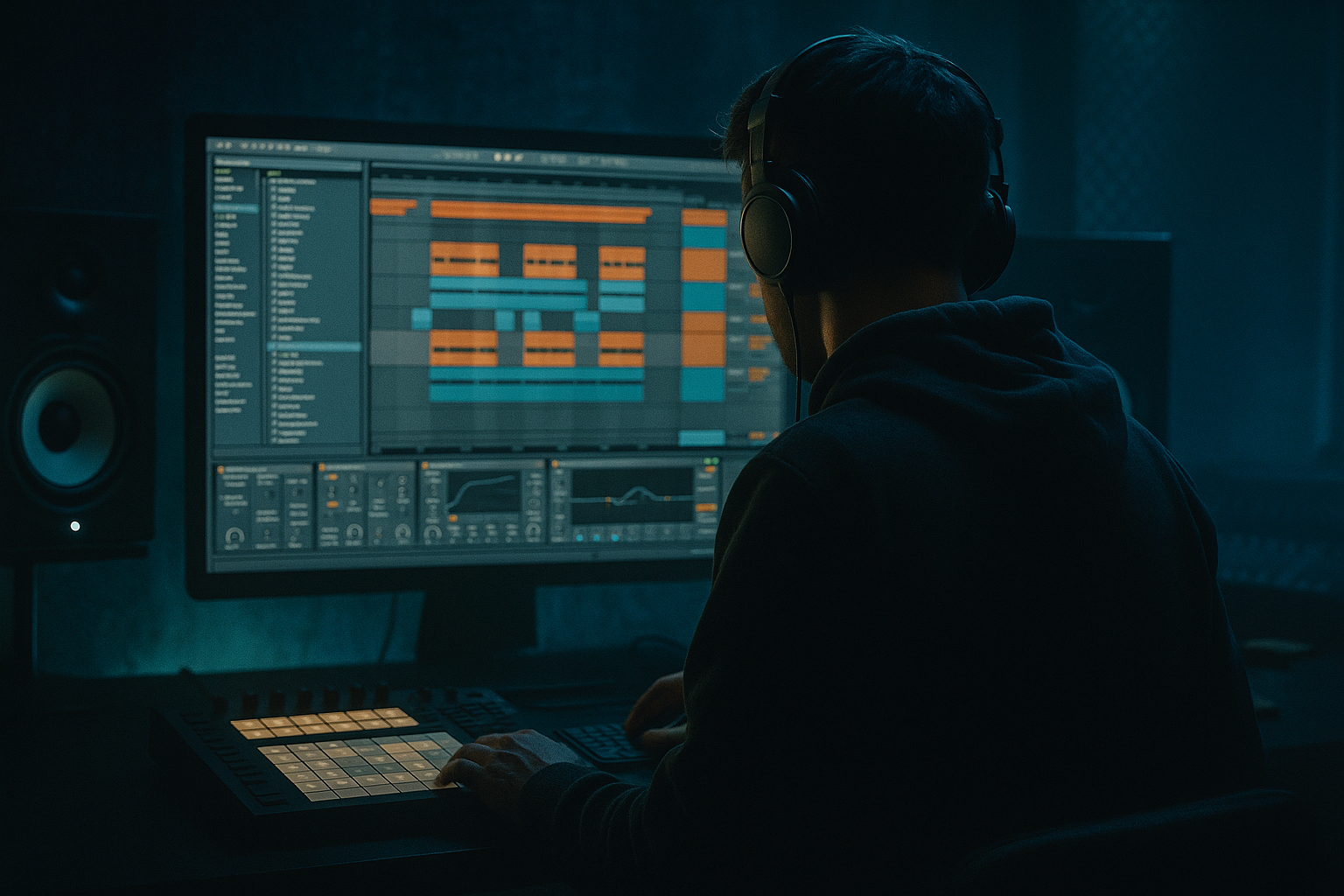
This lesson is about building a dubwise percussion layer in Ableton Live 12 that adds warm tape-style grit, swing, and oldskool jungle character to your breakbeats without muddying the mix. The goal is not to replace your main drum break — it’s to create a supporting percussion system that makes the loop feel alive, smoked-out, and handmade.
In real DnB production, this kind of layer often sits between the break and the bass: it fills gaps, reinforces groove, and gives your track that worn cassette / tape dub / warehouse pressure feeling. Think of it as the difference between a clean drum loop and a loop that feels like it’s been bounced through a dub desk at 3am. 🔥
This matters in DnB because breakbeats alone can feel too static if they’re just chopped and repeated. A dubwise percussion layer adds:
- micro-groove and movement
- ghost accents that glue the beat together
- tape-style saturation and harmonic dust
- space for bass call-and-response
- more authentic jungle / oldskool / rollers energy
- a chopped break-derived percussion lane,
- a filtered hat/shaker pulse,
- a rim/click layer for offbeat push,
- and a tape-grit resample bus to make everything feel aged and glued.
- a warm, dusty top layer sitting above your main amen or hardcore break,
- subtle ghost hits and syncopated fills that imply motion even when the drums are sparse,
- a lo-fi dub texture with controlled saturation and softened transients,
- and a percussion bed that works in a 16-bar intro, 8-bar build, or drop section without fighting the sub or reese.
- oldskool jungle breaks
- rollers with swung percussion
- darker bass music / neuro-adjacent tension layers
- call-and-response with sub weight and reese movement
- Overloading the loop with too many hits
- Letting the percussion fight the snare crack
- Using too much high-frequency brightness
- Over-distorting the layer
- Ignoring velocity variation
- Stereo widening the wrong elements
- Leaving the layer static for the full arrangement
- Use resampled grit as a transition tool: bounce 1 bar of percussion, reverse a tail, and use it before a drop or switch-up.
- Layer a very low-volume metal or wood click under the rim for more “industrial” presence without adding bulk.
- Drive the percussion bus before EQ if you want harmonics to emerge, then shape the tone after.
- Use short delay throws on only the last hit of a phrase to keep the dub aesthetic without smearing the groove.
- Sidechain the percussion bus lightly to the kick or sub if the layer is masking impact.
- Let one element be slightly lo-fi and another cleaner so the mix has contrast. For example, keep hats crunchy but rims more natural.
- Automate a high-pass filter upward into the breakdown to make the percussion thin out like it’s being pulled into a tunnel.
- For neuro-leaning darkness, pair the percussion layer with tight bass call-and-response so the percussion answers the bass stabs instead of competing with them.
- percussion alone
- percussion with bass and full drums
- Build your dubwise percussion layer to support the main break, not replace it.
- Use small chopped hits, hats, and rims with velocity variation and swing.
- Shape tone with Simpler, Saturator, Drum Buss, EQ Eight, and subtle Echo/Reverb.
- Resample the groove to get that aged, tactile jungle feel.
- Automate filter, send, and density changes so the layer evolves across the arrangement.
- Keep sub and snare clear, and make sure the percussion adds smoke, motion, and tension without clutter.
We’ll build this entirely in Ableton Live using stock devices and practical drum programming choices. You’ll finish with a percussion layer you can drop into a 174 BPM jungle or dark roller arrangement, then automate for tension and release across the track.
What You Will Build
You’ll create a layered percussion rack made from:
The final result should sound like:
Musically, it should support:
Step-by-Step Walkthrough
1. Start with a breakbeat foundation and define the role of the layer
Load your main break into an Audio track or Drum Rack and make sure it already carries the core groove. For this lesson, choose a classic-style break shape: amen, funky drummer, or a chopped 2-step hybrid that already has movement in the mids and highs.
Now create a second percussion layer track whose job is not to compete with the main break, but to fill the “air” between hits. In DnB, this is the zone where the groove feels alive. The layer should mainly live in the upper mids and highs, with only light low-mid body.
Practical target:
- keep this layer roughly 150 Hz and above
- if it has any body below that, keep it very controlled
- make sure your main kick/snare and sub remain the focus
Why this works in DnB: breaks in jungle and rollers often gain power from layer interaction, not from one giant drum loop. A supporting percussion bed lets the main break stay punchy while the track still feels busy and organic.
2. Build a percussion rack from 3 simple sources
Create a Drum Rack and populate it with three pads:
- Pad 1: chopped break percussion hit
- Use a small slice from your break: a hat, rim, stick, snare tail, or noisy transient.
- Pad 2: shaker/hat pulse
- Use a short closed hat or shaker sample with a tight envelope.
- Pad 3: rim/click accent
- Use a dry rim, woodblock, or tiny click to add dubby offbeat punctuation.
In the Clip View, program a 1- or 2-bar loop with a few sparse hits first. Don’t overfill yet. Try this as a starting point at 174 BPM:
- hats on off-16ths
- rim/clicks on occasional upbeats
- chopped break hits placed as ghost syncopations before snare moments
Use velocity variation heavily:
- main accent hits around 90–110 velocity
- ghost hits around 35–70 velocity
- don’t quantize everything hard; leave a little human looseness
If your samples are too bright, use the Clip Envelope or Simpler filter later instead of swapping samples immediately. Sometimes the right sample with the right processing is better than hunting endlessly.
3. Shape each sound in Simpler or Sampler with tape-friendly tone
For each Drum Rack pad, use Simpler in Classic or One-Shot mode.
Suggested settings:
- Attack: 0–2 ms
- Decay: 80–300 ms depending on the sound
- Sustain: 0 dB for one-shots
- Release: 20–80 ms to avoid clicks and create a soft tail
Use the built-in filter to remove modern harshness:
- on hats/shakers, set a low-pass around 8–12 kHz if they’re too sharp
- on rims/clicks, try a high-pass around 180–300 Hz
- on chopped break percussion, use a gentle band or low-pass to focus the grit in the midrange
For tape-style character, don’t make everything ultra-clean. Slightly duller percs can feel more authentic in oldskool DnB because they leave room for the snare crack, sub, and atmosphere.
If you want more movement, map the filter cutoff in each Simpler to Macro controls later. That will let you automate “open” and “closed” percussion sections across the arrangement.
4. Create groove with swing, micro-timing, and note placement
Open the Groove Pool and audition a few swing templates, or use MPC-style swing if you have a groove extracted from a break you like. Apply groove lightly to the percussion layer only, not necessarily the main kick/snare.
A strong starting point:
- Swing amount: 55–62%
- Timing: keep subtle, not exaggerated
- Velocity influence: 10–25% if the groove supports it
Then manually nudge a few notes:
- push some hat ghosts slightly late
- keep key rim accents just ahead for urgency
- leave occasional gaps so the groove breathes
In jungle and rollers, tiny timing shifts create the “skid” that makes the beat feel human. If everything lands too perfectly, the dubwise vibe disappears.
Musical context example: if your main drum break is driving a 2-bar drop at 174 BPM, place the percussion layer so it subtly answers the snare on beat 2 and 4, then adds smaller off-grid hats before the snare hits. That creates tension without cluttering the backbeat.
5. Add tape-style grit with Ableton stock effects
Now place processing on the percussion layer track or on a group bus.
Good stock chain to start with:
- Saturator
- Drum Buss
- Echo or Delay very subtly if needed
- EQ Eight
- optional Redux for extra bite if you want a rougher edge
Suggested starting settings:
- Saturator
- Drive: 2–6 dB
- Soft Clip: On
- Output: trim to match level
- Drum Buss
- Drive: 5–15%
- Crunch: 5–20%
- Damp: set to tame harsh highs
- Boom: usually very low or off on percussion
- EQ Eight
- High-pass around 150–250 Hz
- Gentle dip around 3–6 kHz if hats bite too hard
- Redux
- Reduce bit depth only slightly if you want roughness, not destruction
- Use very lightly; too much will kill the groove
This is where the “warm tape-style grit” comes alive. The trick is not distortion for its own sake — it’s controlled harmonic thickening that makes the percussion feel glued and aged.
6. Resample the layer for dubwise texture and control
Once the groove feels right, route the percussion track to a new Audio track and resample a few bars. This is a classic DnB workflow because it turns active MIDI into editable audio texture.
Why resample:
- it captures the exact feel of your swing and effects
- it lets you chop the layer into new fills
- it gives you audio you can reverse, slice, or process more aggressively
- it makes the sound feel more “dubbed out” and less sterile
After recording, cut the resampled audio into phrases:
- isolate a 1-bar groove
- make a 2-beat fill
- grab a single ghost hit for transitions
Then use Clip Warp or transient edits if needed, but keep it minimal. The point is to preserve the organic feel. In oldskool jungle, this sort of resampling workflow often leads to those unpredictable little texture moments that make a drop memorable.
7. Use a return bus for space, not wash
Create a Return track with Echo or Reverb for dub flavor. The goal is not huge ambient wash — it’s controlled depth.
Suggested settings:
- Echo
- Time: dotted 1/8 or 1/16 for rhythmic tails
- Feedback: 10–25%
- Filter: roll off low end and extreme highs
- Dry/Wet on return: 100%
- Reverb
- Decay: 0.8–2.0 s
- Predelay: 10–25 ms
- Low Cut: high enough to protect the mix
- High Cut: soften the top if needed
Send only specific percussion hits, like rim accents or chopped break ghosts. A tiny amount goes a long way. Dubwise movement works best when the space feels like it is being “played” rather than smeared across everything.
For darker DnB, automate send amounts so reverb or echo blooms only at the end of 4-bar phrases or on transition fills.
8. Automate for arrangement impact
This layer should evolve across the arrangement, not loop forever unchanged. In Ableton Live, automate:
- filter cutoff on hats or the whole percussion bus
- saturator drive for drop intensity
- delay send amount on fills
- track volume for intro/build/drop contrast
Practical arrangement idea:
- Intro: filtered percussion, sparse hits, lots of atmosphere
- Build: open the hat filter gradually and add more ghost notes
- Drop 1: full groove, but keep one or two gaps to let the bass breathe
- Breakdown: strip back to only the resampled dub texture and a few rim echoes
- Drop 2: reintroduce a modified version with extra syncopation or a different fill at bar 8 or 16
A classic DnB move is to use the percussion layer to signal the listener that the next section is coming. Even a tiny increase in noise, swing, or echo tails can create huge anticipation.
9. Group and shape the bus like a real drum section
Route the percussion elements into a Percussion Group and process the group lightly. This gives you shared glue and lets the layer behave like one instrument.
Good group-bus tools:
- Glue Compressor
- Aim for just 1–2 dB gain reduction
- Slow-ish attack, medium release
- EQ Eight
- trim unnecessary low mids if the layer feels boxy
- Drum Buss
- light drive for cohesion
Keep an eye on transient control. If the layer starts punching harder than the snare, reduce the attack or lower the clip gain before reaching for more compression.
In DnB mixing, the snare and kick must stay authoritative. This percussion layer should sit around them like smoke around a fire — present, alive, but not stealing the frame.
10. Check the layer against sub and bass, then finalize with mono discipline
Put your sub and bass back in while the percussion layer plays. Then do a quick mono check on the percussion bus and low end.
Make sure:
- sub stays centered and strong
- the percussion layer doesn’t create low-mid fog
- any stereo widening only affects the top texture
- the groove still feels tight in mono
If the percussion feels too wide or phasey, narrow it with Utility or reduce stereo effects. If the top end is harsh, use EQ Eight to tame 4–8 kHz, or soften the sample filter. In darker rollers, clarity is often more powerful than raw loudness.
Final test:
- mute the percussion layer and then bring it back
- if the track suddenly feels less hypnotic and less dimensional, you’ve built it correctly
Common Mistakes
Fix: remove 20–30% of the notes. In DnB, space is groove.
Fix: high-pass more aggressively, soften transients, or move accents away from the main snare peak.
Fix: low-pass hats slightly, or use EQ Eight to tame sharpness around 6–10 kHz.
Fix: back off Saturator/Redux and use parallel grit instead of full destruction.
Fix: program ghost notes at lower velocities and vary accents so the loop breathes.
Fix: keep low end mono and widen only the texture, if at all.
Fix: automate filter, sends, and density across 8- or 16-bar phrases.
Pro Tips for Darker / Heavier DnB
Mini Practice Exercise
Spend 10–20 minutes building a dubwise percussion layer from scratch:
1. Pick an 8-bar loop at 170–174 BPM with a main break and sub/bass already playing.
2. Build a Drum Rack with three elements: chopped break percussion, hat/shaker, and rim/click.
3. Program a sparse 2-bar pattern with at least 5 ghost notes and 3 stronger accents.
4. Apply groove or manually nudge a few hits off-grid.
5. Add Saturator and EQ Eight, then set a high-pass around 180–220 Hz.
6. Resample 4 bars to audio.
7. Slice the resample into one fill and one texture shot.
8. Automate the filter opening slightly over the last 4 bars.
When you’re done, listen in two states:
If it feels like the groove gets deeper rather than busier, you nailed it.

