DNB COLLEGE

Drum & Bass Ableton Live 12 Tutorials

LESSON DETAIL

DJ SS chopped-vinyl texture: stack and arrange in Ableton Live 12 for modern punch and vintage soul (Beginner · Edits · tutorial)

An AI-generated beginner Ableton lesson focused on DJ SS chopped-vinyl texture: stack and arrange in Ableton Live 12 for modern punch and vintage soul in the Edits area of drum and bass production.

Back to lessons
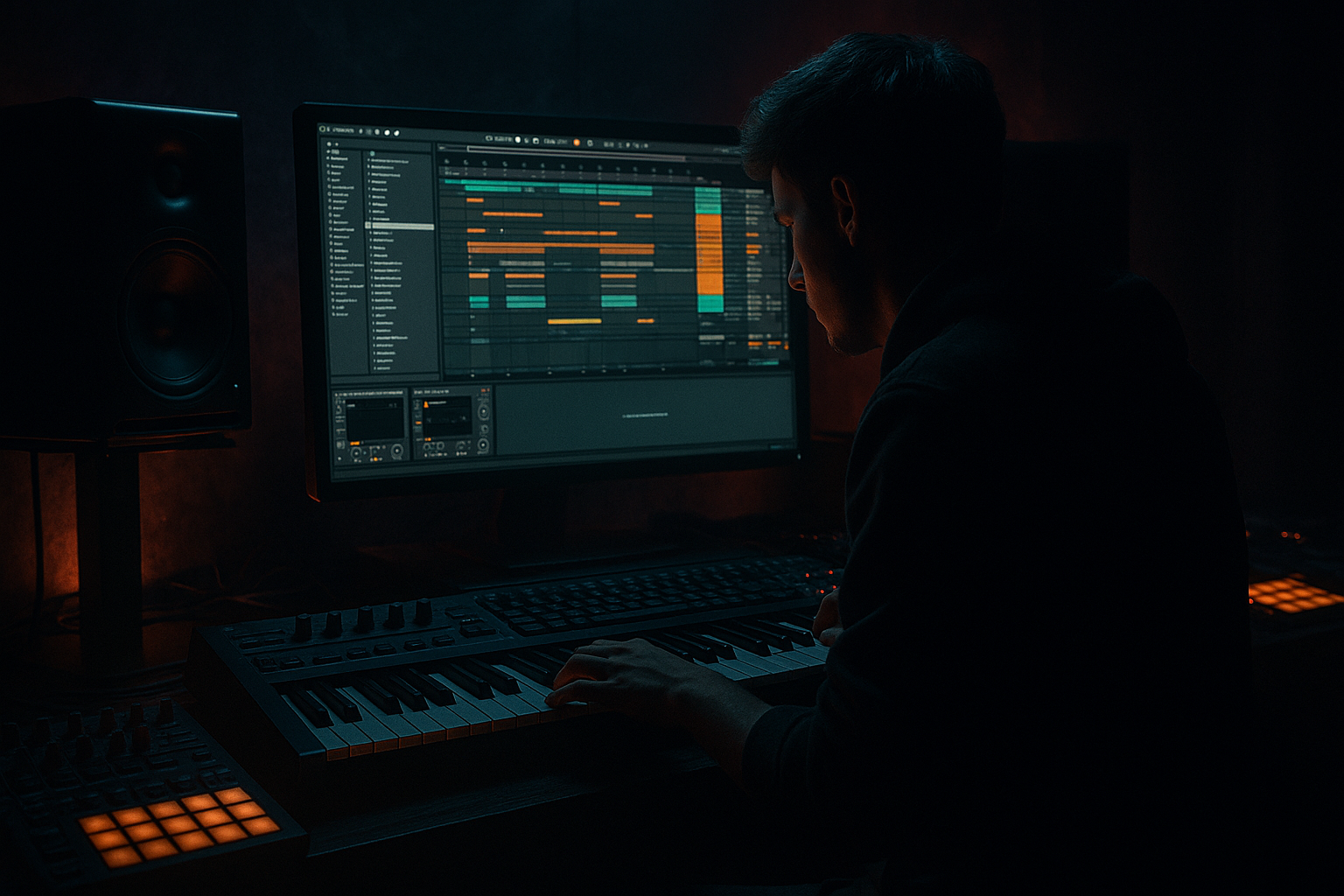
DJ SS chopped-vinyl texture: stack and arrange in Ableton Live 12 for modern punch and vintage soul (Beginner · Edits · tutorial) cover image

Narrated lesson audio

The voice track includes the tutorial plus extra teacher commentary.

Open audio file

Main tutorial

1. Lesson Overview

This beginner lesson shows exactly how to create a DJ SS chopped-vinyl texture: stack and arrange in Ableton Live 12 for modern punch and vintage soul. You will learn a practical, stock-device workflow to slice a soulful vinyl sample, build three layered processing tracks (punch, soul, texture), and arrange them into a tight Drum & Bass edit that sits punchy in the low end while keeping that warm, vintage vibe.

2. What You Will Build

  • A 4–8 bar chopped-vinyl loop built from a sampled soul record.
  • Three stacked layers:
  • - Punch layer: tight, transient-forward chops for rhythm and presence.

    - Soul layer: warm, pitch/space treatment for vintage character.

    - Texture layer: vinyl hiss/crackle and lo-fi grain for atmosphere.

  • A grouped, mix-ready stack with simple automation and arrangement ideas for drop/build sections.
  • All processing uses Ableton Live 12 stock devices (Simpler/Sampler, Drum Rack, EQ Eight, Saturator, Drum Buss, Glue Compressor, Compressor, Grain Delay, Auto Filter, Utility, Reverb/Echo).

    3. Step-by-Step Walkthrough

    A. Prep and slice the sample

    1. Import a clean soulful vinyl sample (4–8 bars) to an audio track.

    2. Turn off heavy warping — set Clip Warp to “Beats” or disable warp if you want natural timing. Play the clip and set the 1.1.1 warp marker if you want to align start.

    3. Right‑click the clip → Slice to New MIDI Track. Use:

    - Slicing preset: Transient or 1/16 (choose depending on how chopped you want it)

    - Slicing by: Transient (for per-hit chops) or 1/16 (for rhythmic grid chops)

    - Result: Ableton creates a Drum Rack with a MIDI clip containing your slices.

    4. Rename this track “Chops – Base”. Delete any created MIDI clip you won’t use — you’ll program new patterns.

    B. Create three stacked tracks

    1. Duplicate the Drum Rack track twice (Cmd/Ctrl+D) so you have three identical Drum Rack instruments:

    - Chops – Punch

    - Chops – Soul

    - Chops – Texture

    C. Punch layer (tight, in-your-face)

    1. Open Chops – Punch chains in the Drum Rack:

    - For each important slice, click its Simpler. Set Simpler to Classic mode, set Loop off (or very small loop), shorten Decay/Release for tightness.

    - Set Filter off or a gentle lowpass ~14k to keep attack.

    2. Insert devices on the Chops – Punch track (device chain, after Drum Rack):

    - EQ Eight: High-pass at 50–80 Hz to clear kick space; slight boost at 1.5–3 kHz for presence (+1–2 dB).

    - Drum Buss: Increase “Drive” lightly, raise “Transient” to taste (adds punch).

    - Compressor (Glue or Compressor): Fast attack ~3–10 ms, medium release; small gain reduction (2–4 dB) to glue transients.

    - Saturator: Soft overdrive, Drive around 1–2 dB, Shape “Analog Clip” if available.

    - Utility: Mono width for <200 Hz (set left/right to mono) — use Spectrum if needed but Utility suffices.

    3. Program or draw a MIDI pattern that emphasizes slice attack positions, with varied velocities (low-velocity hits for background, high for accents). Keep the pattern tight to pocket with the drums.

    D. Soul layer (warm, vintage)

    1. On Chops – Soul:

    - For each Simpler, set Classic mode with rounded envelopes: slower release than punch.

    - Transpose some slices down -1 to -4 semitones for warmth and sub motion — small amounts preserve musicality.

    2. Chain effects:

    - EQ Eight: Lowpass around 8–10 kHz, small boost around 200–400 Hz for body.

    - Saturator: Warmth setting, gentle drive.

    - Reverb (Reverb or Hybrid Reverb): Pre-delay ~20–40 ms, decay 1.2–2s, wet around 10–20% to sit in the back.

    - Auto Filter: Low-pass with LFO enabled, slow rate (0.05–0.2 Hz) and slight depth to create subtle movement (gives vintage wow).

    - Grain Delay (optional): Very low wet/dry, small grain time 10–30 ms, slight spray for shimmer — keep subtle.

    3. Programming:

    - Use longer-held MIDI notes for sustained soulful parts and lower velocities for texture.

    - Automate clip transpose or track transpose to introduce tiny pitch drops or rises at phrase boundaries (mimics tape speed).

    E. Texture layer (crackle, hiss, luv)

    1. Two ways to create texture with stock devices:

    - Option 1 (preferred if you have a crackle sample): Drag a small vinyl crackle/hiss audio loop into a Simpler inside Drum Rack chains for the slices you want textured. Set loop and shorten to tiny bursts, map to velocity or separate MIDI hits.

    - Option 2 (synthesis): Create a new MIDI track with Operator:

    - Set oscillator to Noise, lowpass filter ~6–8 kHz, short amplitude envelope.

    - Play short, random MIDI notes or use a MIDI pattern with varying velocities.

    2. Process texture:

    - EQ Eight: Remove low end below 400–600 Hz so it doesn’t muddy.

    - Saturator: Light for analog grit.

    - Grain Delay or Redux: For lo-fi crunch, add tiny amounts. Grain Delay with tiny grain time and short feedback creates a vintage tape-like smear.

    - Compressor (sidechain): Use Compressor with sidechain input from your Drum Kick (or Kick bus) to duck texture under drums for clarity.

    3. Place texture hits behind major chops (use lower velocity). Keep ambient wet/dry low so it supports, not competes.

    F. Grouping and final glue

    1. Group the three chop tracks: select them → Cmd/Ctrl+G → name “Chopped Vinyl Stack”.

    2. On the Group channel:

    - EQ Eight: Wide cut around 300–500 Hz if stack is muddy; high-pass at 40 Hz.

    - Glue Compressor: 2:1–4:1, slow attack ~10–30 ms so transients remain; release set to musical feel (auto if available).

    - Saturator or Drum Buss: Add bus-level character (gentle).

    3. Use Utility on the group to control stereo width: keep <300 Hz mono, widen mid/high slightly.

    G. Arrange for modern punch + vintage soul

    1. Build an 8–bar loop: keep Punch active full time; bring Soul in on the second half of the bar to create call-and-response; sprinkle Texture on off-beats or on transitions.

    2. Use automation:

    - Filter cutoffs on Soul to open on drops.

    - Reverb send levels for Soul to create space at breakdowns.

    - Mute or lower the Texture in busy sections; bring up for more vintage feel in breakdowns.

    3. Use Groove Pool: apply a subtle groove (swing 10–30%) to the chop MIDI clips to humanize timing in a DJ SS-style shuffle.

    4. Final mix notes: carve space for kick/snare — high-pass chop layers below 50 Hz, use complementary EQ boosts.

    4. Common Mistakes

  • Over-saturating every layer: leads to a muddy ball of distortion. Saturate subtly per layer and bus-process lightly.
  • Making the texture too loud: hiss/crackle should act under the chop; if it competes, sidechain or lower level.
  • Identical processing on all duplicates: stacking only works when layers have different character (transient vs body vs air).
  • Too much pitch shifting: big transpositions sound unnatural unless intentional; small detunes (-1 to -4 semitones) add warmth.
  • Not mono-ing the low end: wide low frequencies will chew up the kick and bass.
  • Forgetting to automate: static stacks sound repetitive — movement keeps vintage soul alive.
  • 5. Pro Tips

  • Use small, musical pitch detunes between the Punch and Soul layers to create natural phasing and richness.
  • Use the Drum Rack’s Chain Volume/Pad Velocity to map dynamics quickly — vary velocity to make chops breathe.
  • For wow/flutter, modulate small pitch automations on the Soul layer at phrase boundaries rather than constant LFO; it feels more tape-like.
  • When slicing, try different slice granularity (transient vs 1/16) and compare; DJ SS-style edits often mix both quick stabs and longer phrase chops.
  • Save your Drum Rack as a preset once you’ve dialed a combination you like (presets are reusable across projects).
  • Use Clip Consolidate (Cmd/Ctrl+J) after fine-tuning MIDI patterns to keep the loop tidy.
  • 6. Mini Practice Exercise

  • Take a 4-bar soul vocal/instrument sample.
  • Slice to new MIDI track using Transient slicing.
  • Duplicate the resulting Drum Rack twice (3 total).
  • Configure:
  • - Punch: quick envelopes, Drum Buss transient up, HP at 60 Hz.

    - Soul: -2 semitones transpose, Reverb wet 15%, Auto Filter slow LFO.

    - Texture: Operator Noise with Grain Delay wet 10%, EQ to remove <500 Hz.

  • Create an 8-bar MIDI arrangement:
  • - Bars 1–2: Punch only.

    - Bars 3–4: Punch + Soul.

    - Bars 5–6: Punch + Soul + Texture.

    - Bars 7–8: Drop Soul, bring Texture to front for a break.

  • Export a 16-bit stereo stem of the group and compare it to your original sample — aim for clearer transients and retained warmth.

7. Recap

You now have a repeatable Ableton Live 12 workflow to create a DJ SS chopped-vinyl texture: stack and arrange in Ableton Live 12 for modern punch and vintage soul. The key steps are: slice the sample with Slice to New MIDI Track, duplicate and process three distinct layers (punch, soul, texture) using stock devices (EQ Eight, Drum Buss, Saturator, Reverb, Grain Delay, Compressor, Utility), group and glue them, then arrange with automation and groove to taste. Start small, keep layers complementary, and use subtle modulation and automation to turn static chops into a living, vintage-sounding Drum & Bass edit.


Ask GPT about this lesson

Chat with the lesson tutor, get follow-up help, or use quick actions.

Bigup 👽 Ask me anything about this lesson and I’ll answer in context.

Narration script

Show spoken script
[Intro]
This lesson shows you exactly how to create a DJ SS chopped‑vinyl texture in Ableton Live 12 — how to slice a soulful vinyl sample, stack three distinct layers for punch, soul and texture, and arrange them into a tight Drum & Bass edit that keeps low‑end punch while retaining vintage warmth. I’ll walk you through a stock‑device workflow using Simpler, Drum Rack, EQ Eight, Saturator, Drum Buss, Glue Compressor, Compressor, Grain Delay, Auto Filter, Utility, Reverb and Echo.

[What you’ll build]
By the end of this lesson you’ll have:
- A 4–8 bar chopped‑vinyl loop made from a sampled soul record.
- Three stacked layers: Punch for tight transients, Soul for warmth and pitch/space treatment, and Texture for hiss, crackle and lo‑fi grain.
- A grouped, mix‑ready stack with simple automation ideas to use in drops and builds.

[Step 1 — Prep and slice the sample]
Start by importing a clean soulful vinyl sample, four to eight bars long, onto an audio track. Turn off heavy warping — set Clip Warp to “Beats” or disable warp if you want the original timing. Play the clip and set the 1.1.1 warp marker if you want the start aligned to project grid.

Right‑click the clip and choose Slice to New MIDI Track. Pick a slicing preset and method that suits how chopped you want it: Transient or 1/16, slicing by Transient for per‑hit chops or 1/16 for rhythmic grid chops. Ableton will create a Drum Rack and a MIDI clip with your slices. Rename the track “Chops – Base” and delete any MIDI clip you won’t use — we’ll program new patterns.

[Step 2 — Create three stacked tracks]
Duplicate the Drum Rack track twice so you have three identical Drum Rack instruments. Rename them:
- Chops – Punch
- Chops – Soul
- Chops – Texture

This gives you the same source material on three separate processing chains.

[Step 3 — Punch layer: tight and forward]
Open Chops – Punch and select the important slices. In each pad’s Simpler, set Classic mode, turn loop off or use a very small loop, and shorten decay and release so hits are tight. Keep filters off or a gentle lowpass around 14 kilohertz so the attack comes through.

After the Drum Rack, insert these devices:
- EQ Eight: high‑pass at 50–80 Hz, small boost at 1.5–3 kHz for presence.
- Drum Buss: light Drive, raise Transient to taste for punch.
- Compressor or Glue Compressor: fast attack around 3–10 ms, medium release, small gain reduction — 2–4 dB.
- Saturator: soft overdrive, small Drive.
- Utility: mono the low end under about 200 Hz.

Program a MIDI pattern that emphasizes slice attacks. Use varied velocities — low for background, high for accents — and keep the pattern tight in the pocket with the drums.

[Step 4 — Soul layer: warm and vintage]
On Chops – Soul, set each Simpler to Classic mode with slower, rounded envelopes than the Punch layer. Transpose some slices down by about one to four semitones for added warmth and low‑end motion.

Insert:
- EQ Eight: lowpass around 8–10 kHz, small boost around 200–400 Hz for body.
- Saturator: gentle warmth.
- Reverb or Hybrid Reverb: pre‑delay 20–40 ms, decay 1.2–2 seconds, wet roughly 10–20% so the layer sits behind Punch.
- Auto Filter: low‑pass with a slow LFO (0.05–0.2 Hz) and small depth for subtle movement.
- Optional Grain Delay: very low wet/dry, short grain time and slight spray for shimmer.

Program longer‑held MIDI notes and lower velocities for sustained, soulful parts. Automate small clip or track transpose moves at phrase boundaries to mimic tape‑speed drops and rises.

[Step 5 — Texture layer: crackle, hiss and grain]
For texture you have two paths:
- If you have a crackle sample, drop a small vinyl crackle or hiss loop into a Simpler in the Drum Rack and set it to tiny bursts, mapping to velocity or separate pads.
- Or create a new MIDI track with Operator set to Noise, lowpass the noise around 6–8 kHz, and use short envelopes with random or varied MIDI notes.

Process the texture with:
- EQ Eight: remove low end below 400–600 Hz so it won’t muddy the mix.
- Light Saturator for grit.
- Grain Delay or Redux in small amounts for lo‑fi character.
- Compressor with sidechain from your Kick to duck the texture under drums.

Place texture hits behind major chops at low velocity. Keep wet/dry low so texture supports rather than competes.

[Step 6 — Grouping and final glue]
Select the three chop tracks and group them — name the group “Chopped Vinyl Stack.” On the group channel use:
- EQ Eight: high‑pass at 40 Hz, and if the stack is muddy, carve a wide cut around 300–500 Hz.
- Glue Compressor: gentle settings, 2:1–4:1 ratio, slow attack 10–30 ms so transients remain, musical release or Auto, 1–3 dB of gain reduction.
- Optional Drum Buss or Saturator for tasteful bus character.

Use Utility on the group to mono the low frequencies under about 300 Hz and slightly widen the mid and high as needed.

[Step 7 — Arrange for modern punch and vintage soul]
Build an eight‑bar loop using the three layers:
- Keep Punch active full time.
- Bring in Soul on the second half of bars to create call‑and‑response.
- Sprinkle Texture on off‑beats or transitions.

Use automation to create movement:
- Automate filter cutoffs on Soul to open into drops.
- Automate reverb send levels for more space in breakdowns.
- Mute or lower Texture in busy sections and raise it for vintage feel in breakdowns.

Apply a subtle groove from the Groove Pool — 10 to 30 percent swing — to humanize timing. Always carve space for kick and snare: high‑pass chop layers below 50 Hz and use complementary EQ boosts so the mix breathes.

[Common mistakes to avoid]
- Don’t over‑saturate every layer — that leads to a muddy wall of distortion. Be subtle per layer and light on bus processing.
- Don’t let texture be too loud. If it competes, sidechain it or drop the level.
- Avoid identical processing on all duplicates. Layers should have distinct characters.
- Don’t pitch‑shift excessively. Small detunes of −1 to −4 semitones add warmth; large shifts can sound unnatural.
- Keep low end mono — wide lows will clash with kick and bass.
- Automate. Static stacks sound repetitive; motion keeps the vibe alive.

[Pro tips and workflow shortcuts]
- Small pitch offsets between Punch and Soul create natural phasing and richness.
- Map velocity to Simpler volume and filter cutoff so dynamics change tone as well as level.
- For tape wow, use small pitch automations at phrase boundaries rather than constant LFOs.
- Try both transient and grid slicing — DJ SS edits often mix quick stabs with longer chops.
- Save your Drum Rack once you like it — presets are reusable.
- Consolidate clips after fine‑tuning MIDI to keep the loop tidy.

[Mini practice exercise]
Take a four‑bar soul sample and slice it by Transient into a Drum Rack. Duplicate the Rack so you have Punch, Soul and Texture.

Configure quickly:
- Punch: short envelopes, Drum Buss transient up, HP at 60 Hz.
- Soul: transpose −2 semitones, Reverb wet 15%, Auto Filter with slow LFO.
- Texture: Operator Noise or crackle sample, Grain Delay wet 10%, EQ to remove under 500 Hz.

Make an eight‑bar arrangement:
- Bars 1–2: Punch only.
- Bars 3–4: Punch + Soul.
- Bars 5–6: Punch + Soul + Texture.
- Bars 7–8: Drop Soul, bring Texture forward for a break.

Export an eight‑bar stem of the group and compare it to the original sample. Aim for clearer transients and retained warmth.

[Recap]
You now have a repeatable Ableton Live 12 workflow: slice a sample with Slice to New MIDI Track, duplicate into three layers — Punch, Soul and Texture — process each with stock devices, group and gently glue them, and arrange with automation and groove. Keep layers complementary, use subtle modulation and automation, and remember that tasteful subtraction is as important as what you add.

[Extra coach notes — quick reminders]
- Set up a tidy template with a Chop Stack group, a Kick bus for sidechain, and two return tracks for Reverb and Delay.
- Choose clean vinyl samples with clear transients; trim leading silence and adjust start markers for instant hits.
- Use Simpler Classic for quick chops; move to Sampler only if you need more advanced routing or envelopes.
- Use small random timing and velocity variations, or apply a subtle groove to humanize the pattern.
- If CPU becomes an issue, freeze and flatten Chains or resample textured beds to audio, and use shared returns for reverb and delay.

Keep iterations small, save presets, and A/B against references. The DJ SS aesthetic is about balance: modern low‑end control, analog warmth, and tasteful movement. Good discipline with levels, automation and subtle variation turns static chops into a living, punchy, soulful Drum & Bass edit.

mickeybeam

Go to drumbasscd.com for +100 drum and bass YouTube channels all in one place - tune in!

Generating PDF preview…