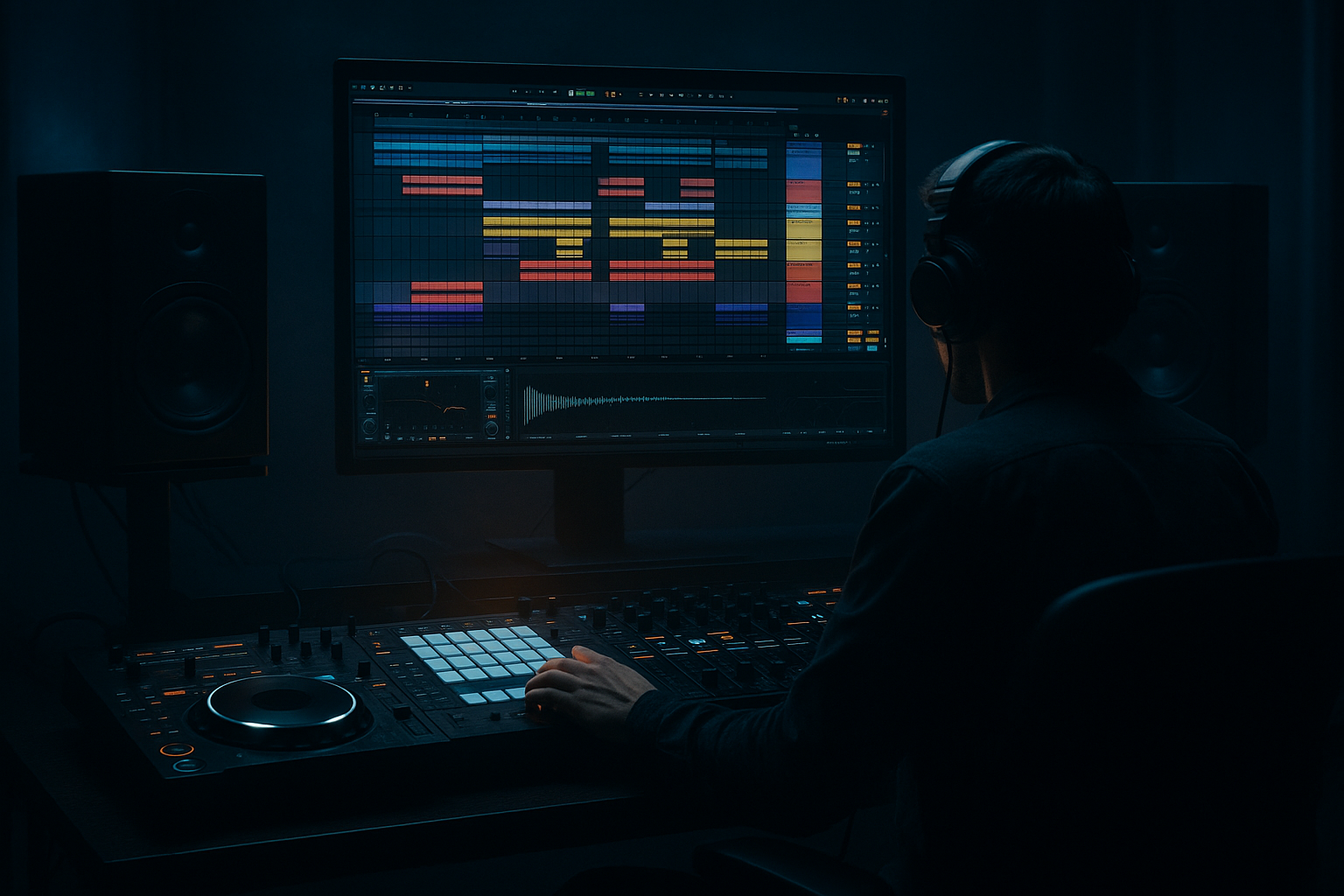
Main tutorial
Lesson Overview
A DJ intro in Drum & Bass is not just “the first 16 bars.” In jungle, oldskool DnB, rollers, and darker bass music, the intro is a tool for mixing, identity, and tension. The goal of this lesson is to build a DJ-friendly intro in Ableton Live 12 that feels like it could sit in a proper set: functional for mixing, but still full of character.
The specific technique here is to offset the intro with warm tape-style grit. That means the intro should feel slightly unstable, slightly aged, and a little off-centre in the right way — not sloppy, but alive. Think: chopped breakbeat loop, a bass hint that arrives late or early against the grid, dusty top-end, subtle wow/flutter-style movement, and just enough saturation to evoke old tape, dubplates, or worn vinyl energy.
Why this matters in DnB:
A lot of modern DnB intros are too clean, too static, or too “producer perfect.” That can work for polished rollers or neuro, but if you want jungle weight or oldskool grit, the intro needs to feel like it has history. A slight offset between drums, atmospheres, and bass can create that feeling immediately. It also makes the transition into the drop hit harder because the drop lands from a controlled wobble instead of a sterile build-up.
You’ll use Ableton Live 12 stock tools to shape timing, texture, and tone:
- Breakbeat chopping with Simpler or Drum Rack
- Warmth and grit with Saturator, Drum Buss, Auto Filter, Echo, Redux, and EQ Eight
- Subtle tape-style drift using sample offsets, clip start nudges, and automation
- Arrangement phrasing that feels DJ-mixable and underground
- A chopped breakbeat loop with slightly offset timing for human, tape-like feel
- Dusty, warm top-end that sounds aged rather than harsh
- A sub hint or low bass pulse that enters late or moves against the drums
- A layered atmosphere or vinyl/tape-style texture for depth
- Small fills, reverses, and automation moves that make the intro mixable
- A clear handoff into the main drop, with enough tension that the drop feels earned
- jungle intros that need that chopped, dusty swing
- rollers that want a more organic opening
- darker DnB tracks that need tension without a cinematic overbuild
- DJ-friendly arrangements where the intro must mix cleanly but still sound like a record, not a loop
- Making the intro too clean
- Over-quantizing the break
- Letting the low end clutter the intro
- Using too much reverb on drums
- Adding too many elements too fast
- Harsh saturation on the break
- Ignoring arrangement phrasing
- Keep the sub mono, always
- Use contrast between dusty drums and clean bass impact
- Resample your break
- Accent the snare like a DJ cue point
- Use micro-dropouts
- Dark ambience should move, not just sit
- Don’t overdo tape wobble
- Does the intro mix cleanly?
- Does it feel gritty, warm, and slightly aged?
- Is the bass hint too obvious, or just enough?
- Does the final 4 bars create proper drop tension?
- A strong DnB DJ intro is functional first, but it should still feel like a record with character.
- Slight timing offsets on breaks, bass hints, and atmospheres create warm tape-style grit.
- Use Ableton stock tools like Simpler, Drum Buss, Saturator, EQ Eight, Auto Filter, Echo, and Utility to shape tone, movement, and low-end discipline.
- Keep the intro DJ-friendly: clear phrasing, controlled sub, gradual automation, and a clean handoff into the drop.
- In jungle and oldskool DnB, the magic is in the groove feeling played, worn-in, and alive.
This is an intermediate workflow: you should already know how to load samples, edit clips, and automate parameters. Now we’re focusing on taste, timing, and control.
What You Will Build
By the end, you’ll have a 16- or 32-bar DnB DJ intro that includes:
Musically, the result should feel like this:
bars 1–8: stripped intro with break texture and atmosphere
bars 9–16: more groove, added bass hints, subtle filter movement
bars 17–32: stronger drum presence, a hint of the drop rhythm, DJ-ready transition
This is especially useful for:
Step-by-Step Walkthrough
1. Set up a DJ-friendly intro framework first
Start with a new Ableton set at your project tempo, typically somewhere in the DnB range:
- 170–174 BPM for classic jungle / oldskool / rollers
- 174–176 BPM if you want a more modern, urgent feel
Create three core tracks:
- Breakbeat track
- Bass or sub hint track
- Atmosphere / texture track
Put an 8-bar or 16-bar loop on the arrangement timeline first. For DJ intros, 16 bars is the safer starting point because it gives enough room for a mix-in and enough time for the groove to develop.
Keep the intro sparse at first. A strong DnB intro usually works because it gives the DJ space to blend. That means:
- no full drop bass immediately
- no busy lead hook too early
- clear low-end management
Use a reference mindset: the intro should feel like the listener is being pulled into a system of rhythm, not instantly hit with the full arrangement.
2. Build the breakbeat with character, not perfection
Drag in a classic break or jungle-style break into Simpler or directly into the Arrangement View. If you’re using Simpler:
- switch to Slice mode for break chopping, or
- use Classic mode if you want manual start-point control
For a more authentic oldskool feel, chop the break into a few key slices:
- kick/snare anchor
- ghost snare or ghost hat
- top loop or ride texture
- one or two fill hits
Then create a simple pattern in MIDI. Don’t quantize everything hard. Instead:
- leave some hits slightly late
- nudge a ghost note a few milliseconds ahead or behind the grid
- avoid over-editing every transient
If the break feels too rigid, try Groove Pool with a subtle swing or extracted groove from a classic break. Keep it light:
- 10–25% groove amount is often enough
- preserve the main snare/kick alignment
Why this works in DnB:
Jungle and oldskool DnB depend on the feeling that the break is “playing,” not just triggering. Tiny timing offsets create forward motion and swing without destroying the break’s identity.
3. Offset the intro for tape-style grit using clip timing and sample start
This is the core of the lesson: make the intro feel like it’s slightly off the rails in a musical way.
In Ableton Live 12, you can do this with:
- clip start markers
- slight note timing offsets in MIDI
- sample start adjustments in Simpler
- automation on filters or saturation
Try these moves:
- Shift the breakbeat clip a few milliseconds later than the grid for a lazy, worn-in feel
- Start the atmosphere slightly earlier than the drums, like a tape tail leading into the groove
- Delay one ghost snare or hat slice by a tiny amount so the groove feels less symmetrical
For the bass hint, don’t have it sit exactly with the kick every time. Instead:
- let it answer the break by entering on the “and” of the bar
- or make it arrive one 16th late for a slight push-pull effect
Two useful starting settings:
- Break clip shift: 5–15 ms late on selected slices or clip position
- Bass note placement: 1/16 late or off-beat call-and-response
This is not about sloppy timing. It’s about making the intro breathe like old tape or a dubbed-out room recording.
4. Add warmth and grime with stock Ableton devices
Put your breakbeat through a simple but intentional chain. A strong starting chain is:
- EQ Eight
- Drum Buss
- Saturator
- optional Redux for texture
Suggested settings:
- EQ Eight: high-pass very gently around 25–35 Hz if needed; cut a little mud around 200–350 Hz if the break gets boxy
- Drum Buss: Drive around 5–15%, Crunch low to moderate, Boom very subtle or off if the low-end gets messy
- Saturator: Drive around 2–6 dB, Soft Clip on if the transient edge is too sharp
- Redux: very light use, maybe slightly reducing sample rate or bit depth for dust, but don’t turn the break into obvious lo-fi mush
For tape-style grit, keep the saturation broad and warm rather than fizzy. The aim is:
- softened transients
- thicker midrange
- slightly rounded top-end
- controlled harmonic density
If the break gets harsh, use Auto Filter with a slow-moving low-pass or high-pass sweep. A tiny bit of movement in the intro helps sell the “record in motion” feeling.
5. Shape the bass hint like a shadow, not a full statement
In the intro, bass should often function as a tease rather than the main event. Use a sub or reese fragment that supports the drums without taking over.
If you’re using a reese or bass layer:
- keep it filtered low in the intro
- automate the cutoff so it opens later
- use Utility to keep the low end mono
- if needed, reduce stereo width on the bass to 0% in the sub region
A strong intro bass technique:
- play a 1- or 2-note motif
- let one note answer the snare
- put the bass slightly behind the beat for tension
- keep it quieter than the drums until the transition
Two concrete starting points:
- Auto Filter cutoff: start around 120–300 Hz for a filtered bass tease, then open toward the drop
- Utility width: keep the bass or sub at 0–50% width, with the true sub staying mono
If your track uses call-and-response, make the intro bass respond to the break rather than compete with it. That’s very effective in jungle and darker DnB because it preserves clarity while increasing momentum.
6. Use atmosphere and texture to glue the offset together
A warm, gritty intro needs more than drums and bass. Add a texture layer that explains the offset feel.
Good stock options:
- a long ambience sample
- vinyl noise
- field recording texture
- a reverb return
- a resampled break wash
Process it with:
- Auto Filter to remove low-end clutter
- Echo for dub-style space
- Reverb for distance
- light Saturator for glue
Try sending a small amount of break or snare hits into a return track with:
- Echo at a very subtle feedback level
- Reverb decay around 1.5–3.5 seconds
- filter the return so it doesn’t cloud the sub
Musical context example:
Imagine a 16-bar intro in a jungle track. Bars 1–4 feature only the break, dust, and a filtered pad. Bars 5–8 introduce a low bass pulse every second bar. Bars 9–12 add a snare variation and a short reverse hit. Bars 13–16 open the filter and let the pre-drop tension build before the full rhythm section crashes in.
7. Automate movement so the intro evolves like a record being mixed
A DJ intro should change enough to stay alive, but not so much that it loses mixability. This is where automation matters.
Automate these elements over 16 bars:
- filter cutoff slowly opening
- saturation drive nudging up slightly in the second half
- reverb send reducing before the drop so the main section hits drier
- bass filter opening in stages
- break layer volume rising subtly
Good automation targets:
- break saturation increase: +1 to +2 dB drive by the end of the intro
- filter movement: slow and gradual, not obvious
- echo feedback: brief rises before fills, then back down
Keep the automation purposeful. In DnB, the intro needs to work for the DJ booth. That means it should be readable in a mix: intro texture first, groove later, drop ready at the end.
8. Add fills, reverses, and small edits for transition energy
Once the foundation works, add micro-arrangement details:
- one reversed break hit before bar 8 or 16
- a snare fill in the last 1–2 bars
- a short stop or half-bar drop-out before the drop
- a pitch-down or filter-close move to signal the transition
Use Simpler or arrangement audio edits for reverses and hits. Short fills are especially effective in oldskool/jungle because they keep the drummer-like feel of the track.
For a heavier modern twist:
- mute the kick for half a bar before the drop
- let a ghost snare and atmosphere carry the tension
- then slam into the full low-end
A very effective arrangement choice is to make the intro feel like a DJ is “finding the pocket” while the track is already in motion. That’s the sweet spot for mix-friendly DnB.
Common Mistakes
- Fix: add subtle saturation, break offset, and top-end softening with EQ Eight or Drum Buss.
- Fix: leave some ghost hits slightly late or early. Keep the groove human.
- Fix: filter the bass hint, keep sub mono, and avoid full-range bass too early.
- Fix: send only selected hits to a return track and filter the reverb return.
- Fix: build in stages. A DJ intro needs space to mix and room for tension.
- Fix: back off Drive, use Soft Clip gently, and EQ the top if the hats get splashy.
- Fix: think in 8- or 16-bar phrases so the DJ can blend cleanly and the drop lands with intent.
Pro Tips for Darker / Heavier DnB
- Use Utility to maintain mono low-end. In darker DnB, a wide sub can quickly smear the intro and weaken the drop.
- A gritty break intro followed by a cleaner, more focused drop bass makes the drop feel much heavier.
- Once you’ve got a good saturated break pattern, resample it to audio and re-edit the transients. This can create a more authentic “recorded” feel.
- A strong snare on bar 1, 5, 9, or 13 helps anchor the intro for mixing and gives the listener a clear pulse.
- Brief moments where the drums thin out for a beat or half a beat create huge tension in rollers and darker tunes.
- Automate filter cutoff or pan slightly on an atmosphere layer so it feels alive. Movement = depth.
- A little drift is enough. If everything sways too much, the groove loses power and the mix gets blurry.
Mini Practice Exercise
Spend 10–20 minutes building a 16-bar intro from scratch:
1. Load a breakbeat into Simpler and make a basic 2-bar loop.
2. Duplicate it to 16 bars and create one or two small timing offsets on ghost hits.
3. Add Saturator and Drum Buss to warm it up gently.
4. Create a filtered bass tease that only appears in bars 5–16.
5. Add one atmosphere layer and automate a slow filter opening.
6. Put a small reverse hit or snare fill in bar 15.
7. Export or bounce the intro and listen back as if you were DJing it into another track.
Then answer these questions:
If one of those answers is “no,” adjust only that problem and re-bounce.

