DNB COLLEGE

Drum & Bass Ableton Live 12 Tutorials

LESSON DETAIL

Digital sub bassline: tighten and arrange in Ableton Live 12 for pirate-radio energy (Intermediate · Workflow · tutorial)

An AI-generated intermediate Ableton lesson focused on Digital sub bassline: tighten and arrange in Ableton Live 12 for pirate-radio energy in the Workflow area of drum and bass production.

Back to lessons
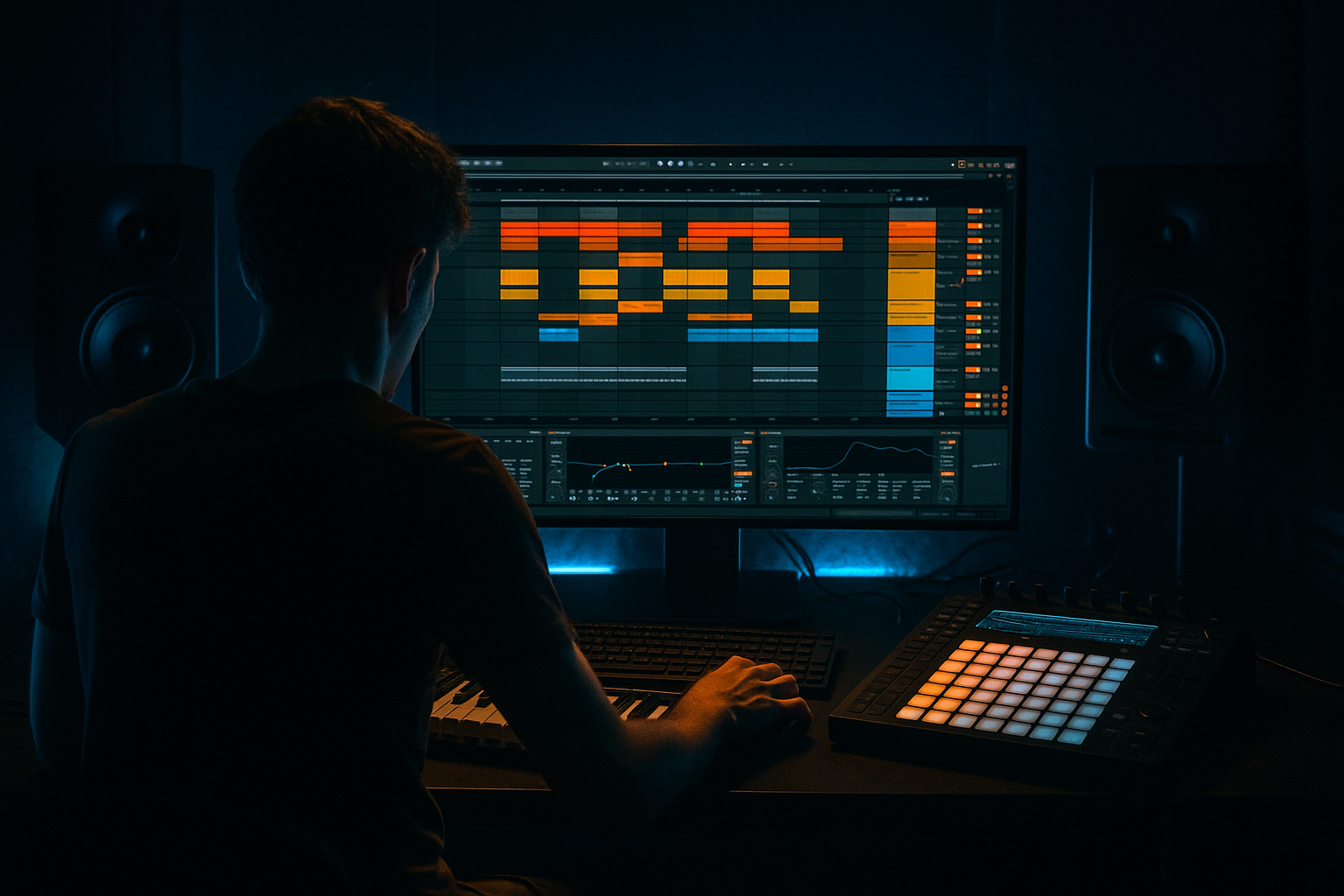
Digital sub bassline: tighten and arrange in Ableton Live 12 for pirate-radio energy (Intermediate · Workflow · tutorial) cover image

Narrated lesson audio

The voice track includes the tutorial plus extra teacher commentary.

Open audio file

Main tutorial

1. Lesson Overview

This lesson teaches an intermediate Ableton Live 12 workflow focused on the exact topic: "Digital sub bassline: tighten and arrange in Ableton Live 12 for pirate-radio energy". You will turn a digital low-end patch into a razor-tight, DJ‑style subline that punches through a Drum & Bass mix, then arrange looped stabs, cutouts and lo‑fi moments to evoke pirate‑radio grit. The walkthrough uses Live stock devices (Wavetable/Operator, EQ Eight, Utility, Compressor/Glue, Saturator, Multiband Dynamics, Beat Repeat, Aut Filter, Gate, Limiter) and practical routing tricks so you can reproduce it in your sessions.

2. What You Will Build

  • A two-part digital sub bassline (clean mono sub + distorted tonal layer) that sits solidly on the kick.
  • Tightening chain to remove muddiness, lock phase and add punch without killing low-end purity.
  • An arrangement sketch (16–32 bars) with pirate‑radio energy: tight loops, sudden cutouts, gating, filtered stabs and a short lo‑fi grit transition.
  • Template-ready routing: grouped bass with sidechain and macro controls for quick DJ-style automation.
  • 3. Step-by-Step Walkthrough

    Note: keep the exact topic phrase in mind as you follow: "Digital sub bassline: tighten and arrange in Ableton Live 12 for pirate-radio energy".

    A. Setup and sound selection (MIDI track)

    1. Create a MIDI track called "Bass - Wavetable" and load Wavetable (or Operator if you prefer pure sine).

    - For a digital sub: start with a pure sine (Operator sine or Wavetable with Sine/Morph wavetable) on oscillator 1.

    - Set MIDI note range to C1–C2 for sub pitches. Use 32 or 48 sample rate-safe wavetable settings.

    2. Add a second MIDI track called "Bass - Tone" and load Wavetable with a slightly brighter waveform (square/triangle/metal wavetable) at low volume for harmonic content. Detune slightly and use single-voice or 2-voice unison but keep stereo spread off.

    B. Basic voicing & envelope (tightness)

    3. In both instruments, tighten the amplitude envelope:

    - Attack: 0–6 ms (near zero for immediate feel).

    - Decay: minimal — let MIDI note length handle sustain.

    - Sustain: full for continuous sublines but lower for plucked sublines.

    - Release: very short (10–30 ms) to prevent bleed after note-offs.

    4. Tune oscillator phase for consistency (Operator has Phase knobs). For sub, set consistent start phase or zero to avoid phase jitter against kick.

    C. Routing and splitting sub/mid (separation = control)

    5. Route both tracks into a Group called "BASS GROUP". Duplicate the Wavetable track (or create return routing) to split low and high content if not using separate tone track.

    6. On a return inside the group: set up two chains using Group’s Chain Selector (or simpler: keep two tracks):

    - "Sub Chain": Use EQ Eight low-pass (24 dB/oct slope) at ~200 Hz to remove harmonics. Insert Utility and set Width to 0% for mono below.

    - "Tone Chain": Use EQ Eight high-pass at ~120 Hz to remove sub energy, then saturate.

    D. Tightening chain (stock devices)

    7. Sub Chain processing (order matters):

    - EQ Eight: low-pass 200 Hz (adjust per patch). Add small bell cut at any boom frequency (e.g., 60–80 Hz) if needed.

    - Multiband Dynamics (optional): compress mid/high bands only; keep low band uncompressed or lightly compressed.

    - Compressor (for transient control): Ratio 2:1, Attack 0–5 ms, Release ~50–120 ms. Use a slow attack only if you want more transient.

    - Utility: Width 0%, make sure phase invert is off.

    - Limiter at the end to prevent overs.

    8. Tone Chain processing:

    - EQ Eight: HP at 120 Hz.

    - Saturator: Drive 2–6 dB, choose "Analog Clip" or "Soft Sine" for pleasant harmonics.

    - Glue Compressor (or Compressor): Fast attack ~1–5 ms, release 50–150 ms, 2–4 dB gain reduction to glue tone with sub.

    - Auto Filter on low resonance with LFO/clip automation for movement. You’ll automate cutoff during arrangement for pirate-radio sweeps.

    E. Sidechain & Kick interaction (punch)

    9. Create a Kick reference: route the main kick audio to a dedicated track or use the kick sample track as Compressor sidechain source.

    10. On the Sub Chain, insert a Compressor with Sidechain enabled:

    - Ratio 3:1–6:1, Attack 0–10 ms, Release 80–200 ms. Adjust threshold so the sub ducks clearly on each kick.

    - Use the Tone Chain compressor sidechain less aggressively (lower ratio) so tonal harmonics breathe but still yield space.

    11. Consider a two-stage ducking: fast compressor on the sub and a slower, gentler duck on the combined group to preserve groove.

    F. Tighten with timing and quantization

    12. MIDI/Timing:

    - Quantize the MIDI sub notes to grid (1/16 or 1/32) to tighten timing — but keep a little human micro-timing if desired.

    - Use Groove Pool: apply a DnB swing/groove with small timing strength (10–25%) to match drums.

    13. Ghosting & micro-shifts:

    - Duplicate the sub MIDI track, nudge the duplicate by 10–20 ms earlier with very low volume to add attack (experiment cautiously to avoid phase issues) or use a sample-based transient.

    G. Creative pirate-radio arrangement moves

    14. Create a 16-bar loop structure in Arrangement View:

    - Bars 1–8: Lead loop — sub + tone full, sidechained to kick.

    - Bar 9: Half-bar cutout — automate Group Track Volume to -inf with Instant automation (simulate pirate-radio drop).

    - Bars 9–12: Introduce a Filtered stutter: duplicate the tone chain and place Beat Repeat on it (Interval 1/16, Grid 1/64, Repeat chance 30–50%) to create lo-fi fragments.

    - Bar 13: Tape stop effect via automating Pitch on a resampled clip or use Frequency Shifter and Utility for a pitch-modulated stop (short, 1–2 bars).

    - Bars 14–16: Return full bass with an aggressive high-cut bypass (open Auto Filter cutoff) and heavy saturation for energy.

    15. Use automation lanes:

    - Map Group Macro 1 to Auto Filter cutoff (tone), Macro 2 to Saturator drive (tone), Macro 3 to Sub level (utility gain). Automate macros in arrangement for quick DJ-style moves.

    16. Pirate‑radio grit:

    - Occasionally apply Redux or subtle Bit Reduction on the tone chain during a four-bar phrase only — keep sub pure.

    - Use a low‑pass on the master for a brief period and then snap back to create raggedness.

    - Add vinyl noise/short AM‑style EQ wobble (Auto Filter LFO or clip automation) for authenticity.

    H. Bounce & finalize

    17. Freeze/Flatten group if CPU-heavy; resample a few candidate sections to audio for manual edit/warping.

    18. Final low-end check: set Master Limiter to -0.3 dB; use Spectrum and Utility to ensure mono below 120 Hz. Compare with a reference DnB track.

    4. Common Mistakes

  • Over-saturating the sub oscillator: applying full Saturator on the sub chain will create unpredictable resonances and phase issues. Keep saturation on the tone chain only.
  • Leaving low frequencies stereo: not using Utility mono below ~120 Hz causes phase cancellation on club systems.
  • Excessive sidechain depth: too aggressive ducking kills energy; aim for 3–6 dB gain reduction on sub compressor.
  • Using bitcrush on sub: Redux or bit reduction should be on the tone/harmonic layers, never on the clean sub sine.
  • Forgetting phase alignment: stacking oscillators without phase control creates inconsistent low-end. Lock phase or use single-voice.
  • Not resampling before destructive edits: once you automate destructive effects (heavy Beat Repeat, resampling), keep a clean backup track.
  • 5. Pro Tips

  • Mono below 120 Hz: map a Utility Macro to cut stereo width, and automate it to 0% width for club moments.
  • Two-track low-end routing: keep the pure sub as audio-only and the tone as an instrument; this makes final mastering and resampling safer.
  • Fast transient shaping without plugins: use Compressor with very fast attack and short release to tighten initial sub transient, then parallel blend back more natural sustain.
  • Use Group Macros as performance controls: assign Sub Volume, Tone Cutoff, and Tone Distortion to 3 macros for quick pirate‑radio stabs.
  • Resample and chop: resample your final bass loop then edit audio to create micro-gated stabs and one-shot edits that are more "radio-scrappy".
  • Reference club playback: test on earbuds, small monitors and a sub or car system. Pirate radio energy often fails without a real sub check.
  • 6. Mini Practice Exercise

    Goal: Build a 16-bar sketch that demonstrates a tightened digital subline and a pirate‑radio cut at bar 9.

    Steps:

    1. Create MIDI Bass - Wavetable. Program a 1-bar loop of C1–F#1 (two-note DnB motif).

    2. Duplicate to Bass - Tone (Wavetable with square-ish wavetable). High-pass tone at 120 Hz.

    3. On Sub track: EQ Eight LP @200 Hz -> Compressor (sidechain to a kick track) with Ratio 4:1, Attack 3 ms, Release 120 ms -> Utility width 0%.

    4. On Tone track: Saturator Drive 3 dB -> Glue Compressor 2 dB gain reduction -> Auto Filter with cutoff macro-mapped.

    5. Group them. Map Macro 1 = Sub Volume, Macro 2 = Tone Cutoff, Macro 3 = Tone Drive.

    6. Arrange bars 1–8 normal. At bar 9, automate Macro 1 to -inf for an instant cut. Bars 9–12: enable Beat Repeat on Tone (short interval). Bars 13–16: snap macros back and increase Saturator for extra energy.

    7. Bounce the 16-bar loop to audio and compare with a reference breakbeat loop. Listen on headphones and a monitor with sub if possible.

    7. Recap

    You’ve followed a focused Ableton Live 12 workflow addressing "Digital sub bassline: tighten and arrange in Ableton Live 12 for pirate-radio energy". The key takeaways:

  • Split sub (clean mono) and tone (harmonic) for precise control.
  • Tighten via envelopes, phase control, fast compression and careful timing/quantization.
  • Use sidechain ducking that respects groove (3–6 dB typical on sub).
  • Preserve sub purity: saturate harmonics, not the sine.
  • Arrange pirate‑radio energy through abrupt cuts, beat-repeat stutters, filter automation and macros for hands-on control.
  • Always check mono low end and resample problematic CPU-heavy sections.

Apply the mini exercise until you can produce a tight 16-bar sketch quickly; map three macros and you’ll be able to perform pirate‑radio style drops live or automate them across your arrangement.


Ask GPT about this lesson

Chat with the lesson tutor, get follow-up help, or use quick actions.

Bigup 👽 Ask me anything about this lesson and I’ll answer in context.

Narration script

Show spoken script
Today we’re going to focus on one clear goal: Digital sub bassline: tighten and arrange in Ableton Live 12 for pirate-radio energy. I’ll walk you through a practical, intermediate Ableton workflow so you can build a razor‑tight, DJ‑style subline, then arrange looped stabs, cutouts and lo‑fi moments that sound like a rogue transmitter on the air.

Lesson overview
Start by thinking of two roles: a pure, mono low-end foundation, and a second, harmonic layer you can abuse for grit and performance. We’ll keep the sub clean and consistent, and use the tone layer for distortion, stutters and radio-style effects. All devices used are Live stock devices: Wavetable or Operator, EQ Eight, Utility, Compressor or Glue, Saturator, Multiband Dynamics, Beat Repeat, Auto Filter, Gate and Limiter.

What you will build
By the end you’ll have:
- A two‑part digital sub bassline: a clean mono sub and a distorted tonal layer.
- A tightening chain to remove muddiness, lock phase and add punch while preserving low-end purity.
- A short 16–32 bar arrangement that uses abrupt cuts, gated stabs, Beat Repeat and a lo‑fi transition to give pirate‑radio energy.
- A group routing and macro setup so you can perform DJ-style drops and automations.

Step-by-step walkthrough
Remember the full lesson title as you follow along: Digital sub bassline: tighten and arrange in Ableton Live 12 for pirate-radio energy.

A. Setup and sound selection
Create a MIDI track called “Bass – Wavetable.” Load Wavetable, or Operator if you prefer a pure sine. For the sub, start with a pure sine on oscillator one. Keep your MIDI range around C1–C2 and use safe wavetable settings for stability.

Create a second MIDI track called “Bass – Tone.” Load Wavetable with a brighter wavetable — square, triangle or a metallic wavetable works well. Keep this low in level, detuned slightly if you want width, but keep stereo spread off for the sub-relevant parts.

B. Basic voicing and envelopes
Tighten amplitude envelopes on both instruments. Set attack very short — between 0 and 6 milliseconds — so notes feel immediate. Keep decay minimal; let the MIDI note length control sustain. Release should be short, around 10 to 30 milliseconds, to prevent bleed after note‑offs.

Tune oscillator phase for consistency. In Operator set phase knobs or in Wavetable enable retrigger so each note starts the same way. This removes micro‑phase jitter against the kick.

C. Routing and splitting sub and tone
Route both tracks into a Group called “BASS GROUP.” If you didn’t already have separate sub and tone tracks, duplicate your Wavetable track and use Group chains or separate tracks to split low and high content.

Create a Sub Chain and a Tone Chain. On the Sub Chain use EQ Eight with a low‑pass around 200 Hz to remove harmonics, then Utility set to 0% width so the sub is mono. On the Tone Chain use a high‑pass around 120 Hz to remove sub energy, then add your saturation and movement devices.

D. Tightening chain — stock devices and order
Sub Chain processing should be ordered and conservative. Start with EQ Eight low‑pass at roughly 200 Hz and add small bell cuts at problem frequencies — for example a narrow dip around 60–80 Hz if there’s a boom. Optionally use Multiband Dynamics to compress mid and high bands only; leave the low band mostly untouched.

Add a Compressor for transient control. Try a 2:1 ratio, attack between 0 and 5 ms, release 50 to 120 ms. Finish with Utility set to mono below 120 Hz and a Limiter at the end to prevent overs.

On the Tone Chain, high‑pass at about 120 Hz, then add Saturator — drive in the 2 to 6 dB range and choose a pleasant mode like Analog Clip or Soft Sine. Use Glue Compressor to glue the tone to the sub — fast attack around 1 to 5 ms and a release of 50 to 150 ms, aiming for 2–4 dB gain reduction. Add an Auto Filter with low resonance and map cutoff to a macro for performance movement.

E. Sidechain and kick interaction
Create a clear kick reference — either a dedicated kick track or a routed main kick bus. On the Sub Chain insert a Compressor with Sidechain enabled and use the kick as the source. Start with a ratio between 3:1 and 6:1, attack 0–10 ms, release 80–200 ms, and set threshold so the sub ducks cleanly on every kick—about 3–6 dB of reduction is a solid starting point.

Use gentler sidechain settings on the Tone Chain so harmonics breathe while leaving room for the kick. For a natural groove, consider two‑stage ducking: a fast compressor on the sub and a slower, softer duck across the whole bass group.

F. Tighten with timing and quantization
Quantize your sub MIDI to the grid — 1/16 or 1/32 — to tighten timing, but keep a touch of human micro‑timing if you prefer. Use the Groove Pool to apply a DnB groove at low strength, somewhere between 10 and 25 percent, so drums and bass lock together.

Experiment with ghosting and micro-shifts: duplicate the sub MIDI, nudge the duplicate 10–20 ms earlier at a very low volume to add attack. Use this cautiously to avoid phase cancellation.

G. Creative pirate‑radio arrangement moves
Build a 16-bar structure in Arrangement View for the pirate vibe. Example sketch:
- Bars 1–8: full sub + tone, sidechained to the kick.
- Bar 9: instant half-bar cutout — automate the group volume to -inf for a sudden drop.
- Bars 9–12: filtered stutter on the tone chain. Put Beat Repeat on the tone with short intervals (1/16), fine grid (1/64), and a 30–50 percent repeat chance.
- Bar 13: a short tape‑stop or pitch stop via clip transpose or automating wavetable pitch on the tone chain for 1–2 bars.
- Bars 14–16: return with the bass full, Auto Filter open and heavier saturation for impact.

Map three macros for live control: Macro 1 for Auto Filter cutoff on the tone, Macro 2 for Saturator drive, Macro 3 for Sub level via Utility. Automate those macros for quick DJ-style moves.

Add pirate‑radio grit sparingly: apply Redux or mild bit reduction only on the tone chain during brief phrases; keep the sub pure. Use brief low‑pass sweeps on the master and fast Auto Filter LFO wobble or vinyl noise clips to sell authenticity.

H. Bounce and finalize
If CPU becomes a problem, freeze and flatten the group or resample candidate sections to audio so you can edit destructively without losing your original MIDI. Set a master limiter to -0.3 dB and check the low end in mono below 120 Hz with Utility and Spectrum. Compare against a reference Drum & Bass track on multiple playback systems.

Common mistakes to avoid
- Don’t saturate the sub oscillator. Excessive saturation creates unpredictable resonances and phase issues. Saturate the tone layer only.
- Don’t leave low frequencies stereo. Make sure mono below about 120 Hz.
- Don’t sidechain too hard. Over‑ducking kills energy; aim for around 3–6 dB on the sub compressor.
- Avoid bitcrushing the sub. Redux belongs on the tone, never on the sine sub.
- Watch phase alignment when stacking oscillators. Use single‑voice or lock phases to avoid jitter.
- Always keep a backup before destructive edits like heavy Beat Repeat or resampling.

Pro tips
- Map a Utility width macro and automate it to 0% width for club moments.
- Keep the pure sub as audio-only and the tone as an instrument for safer resampling and mastering.
- For fast transient shaping, use a fast compressor with short release and then blend the natural sustain back in parallel.
- Build an Effect Rack with macros: Sub Volume, Tone Cutoff, Tone Distortion — these are your performance controls.
- Resample your final bass loop and chop it into stabs; audio edits make more interesting radio‑scrap variations.
- Always check on headphones, small monitors and a subwoofer or car system — pirate energy translates differently on each.

Mini practice exercise — 16-bar sketch
Follow these steps:
1. Create Bass – Wavetable and program a 1-bar loop of C1–F#1 as a simple DnB motif.
2. Duplicate to Bass – Tone with a square-ish wavetable. High‑pass the tone at 120 Hz.
3. On the Sub track: EQ Eight low‑pass at 200 Hz → Compressor sidechained to kick, Ratio 4:1, Attack 3 ms, Release 120 ms → Utility width 0%.
4. On the Tone track: Saturator drive ~3 dB → Glue Compressor for ~2 dB reduction → Auto Filter with a mapped cutoff macro.
5. Group them and map Macro 1 = Sub Volume, Macro 2 = Tone Cutoff, Macro 3 = Tone Drive.
6. Arrange bars 1–8 normally. At bar 9 automate Macro 1 to -inf for an instant cut. Bars 9–12 add Beat Repeat on the tone. Bars 13–16 bring everything back with increased Saturator for energy.
7. Bounce the 16-bar loop and compare it to a reference breakbeat. Test on headphones and a system with low-end.

Recap and takeaways
You’ve now followed a focused Ableton Live 12 workflow: Digital sub bassline: tighten and arrange in Ableton Live 12 for pirate-radio energy. The core lessons are:
- Split sub and tone so you can protect the clean mono low end while abusing harmonics.
- Tighten with envelopes, phase discipline, fast compression and conservative timing tweaks.
- Use sidechain ducking that respects the groove — about 3–6 dB on the sub is typical.
- Keep the sine sub pure and push harmonics on the tone.
- Build arrangement energy with abrupt drops, beat-repeat stutters, filter automation and mapped macros for hands-on performance.
- Resample CPU‑heavy sections, check mono below 120 Hz and always reference on multiple systems.

Final advice
Work in quick snapshots: when an 8-bar phrase sounds good, resample it. Save three states — Clean, Dirty and Performance — and map your three core macros to a controller for instant pirate‑radio moves. Practice the mini exercise until you can sketch a tight 16‑bar loop quickly, then use the macros to perform live cuts and stutters with confidence.

That’s the full walkthrough. Now open Ableton, map those three macros, and make the sub hold while the tone wreaks glorious pirate‑radio havoc.

mickeybeam

Go to drumbasscd.com for +100 drum and bass YouTube channels all in one place - tune in!

Generating PDF preview…