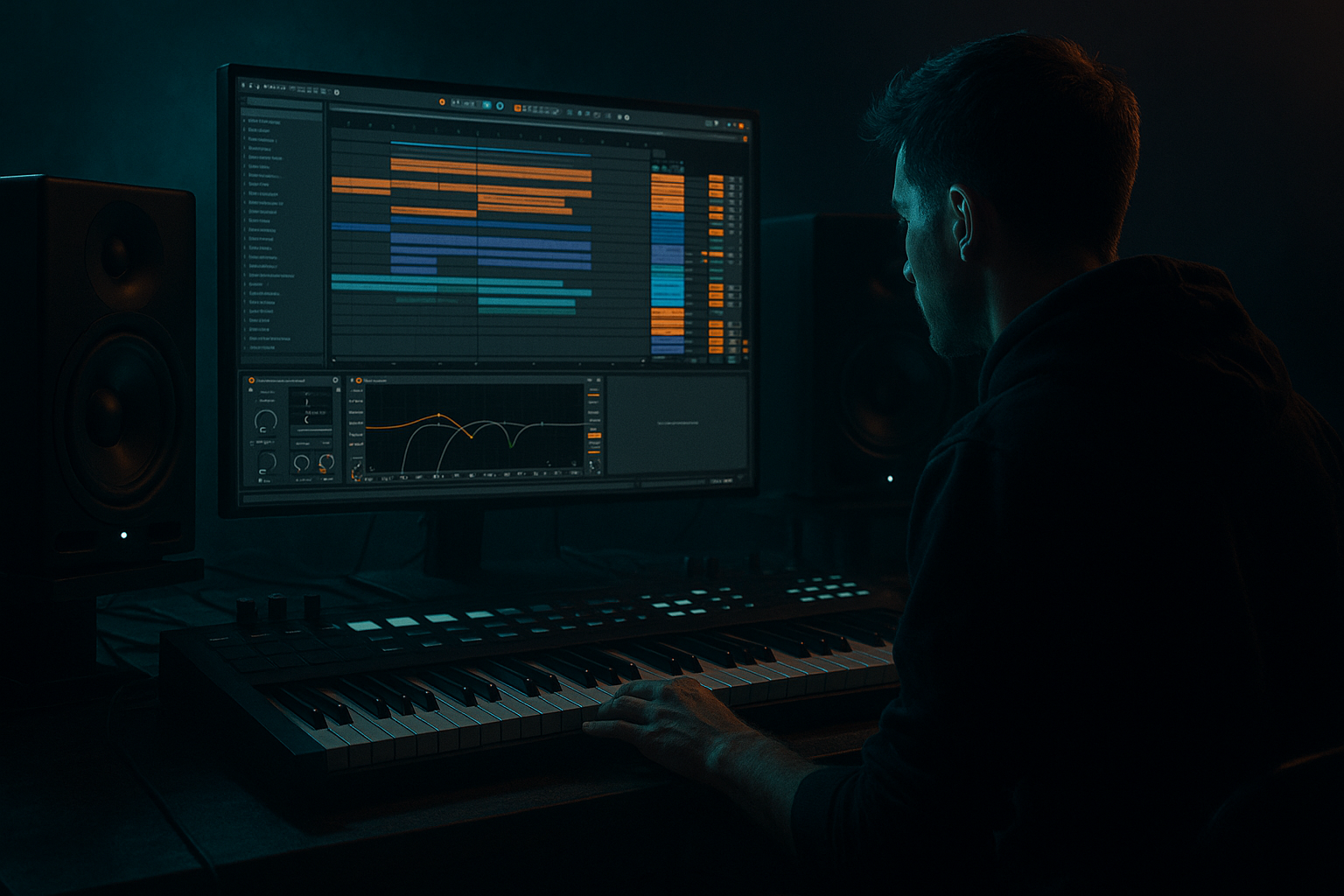
Main tutorial
Lesson Overview
This lesson is about building a Darkside Ableton Live 12 sampler rack workflow that lets you perform and shape jungle / oldskool DnB / dark rollers ideas fast, using Macro controls creatively for tone, movement, tension, and DJ-friendly transitions. The goal is not just “make a bass patch” — it’s to build a performance-ready rack that can live inside a DnB session, switch between sub weight, reese grit, break edits, and FX hits, and stay quick to mix, resample, and arrange.
This matters because in DnB, especially darker and oldskool-inspired styles, the best ideas often come from one flexible instrument rather than ten separate devices. A good sampler rack gives you:
- fast sound swaps without breaking the groove
- macro control over drop energy and breakdown tension
- a repeatable way to create call-and-response bass phrasing
- DJ-tool style intros, outros, stabs, and fills that make your track mixable
- a sub layer for clean low-end
- a mid bass / reese sampler for movement and aggression
- a break-layer sampler for chopped oldskool drum texture
- a noise / atmosphere layer for tension and transitions
- macro controls for:
- a rolling bassline with subtle reese motion
- a jungle-flavoured drop with break ghosting
- DJ-tool style intro and outro versions that are easy to mix
- automation-ready changes for builds, switch-ups, and 2nd drops
- subby one-note pressure
- syncopated bass call-and-response
- breakbeat fragments tucked under the groove
- short FX bursts that help the tune breathe between phrases
- Making the bass layer too wide
- Overprocessing the sub
- Using break textures too loud
- Mapping macros to extreme ranges
- Ignoring note phrasing
- Letting the reese mask the snare
- Not checking mono compatibility
- Use subtractive automation: pull elements out before a drop, then slam them back in for impact.
- Map one macro to several subtle destinations instead of making each macro do only one thing. For example, “Tone” can move filter cutoff, EQ tilt, and tiny reverb send together.
- Add ghost movement with very quiet break slices or atmospheres underneath the bass. This keeps the groove alive without crowding the mix.
- Use Saturator before EQ Eight on bass layers when you want harmonics that translate on smaller speakers.
- For extra dark pressure, automate the reese to become more filtered and more distorted at the end of 8-bar phrases, then reset it on the downbeat.
- Try a call-and-response arrangement: sub hits alone, then reese answers, then break fills respond. That’s classic jungle energy in a modern darkside frame.
- If the drop needs more menace, use Frequency Shifter very subtly on the mid layer only. Tiny amounts can add movement without sounding obviously effect-heavy.
- Keep your FX short and intentional. In dark DnB, a clean hit with a sharp tail often works better than a huge wash.
- Build a single Ableton Instrument Rack with separate chains for sub, reese, break texture, and FX.
- Use Macros creatively to control tone, drive, width, chop, and space.
- Keep the sub mono and clean, and let the mid bass and breaks provide movement.
- Write rhythmically smart bass phrases with space, response, and drop-ready energy.
- Shape the rack for DJ-friendly intros, outros, and switch-ups so it works in real DnB arrangements.
- Resample the best moments to move faster and turn ideas into finished sections.
In practical terms, this workflow fits anywhere from the intro tension build to the main drop, and it’s especially useful for 8- or 16-bar DJ sections where you want movement without clutter. The rack you build here should help you sketch a tune that feels like classic jungle attitude with modern Ableton control 🔥
What You Will Build
You’ll build a single Instrument Rack in Ableton Live 12 that combines:
- Sub Level
- Bass Drive
- Reese Width
- Break Chop
- Tone
- Filter Sweep
- Rattle / Grit
- FX Send / Space
The end result is a rack you can play with MIDI notes to create:
Musically, think of it as a flexible “darkside command center” for:
Step-by-Step Walkthrough
1. Set up a clean DnB base and choose your source sounds
Start a new MIDI track and load Instrument Rack. Inside that rack, create 3–4 chains using Simpler or Sampler as your sound sources.
Use these sources:
- Chain 1: a clean sine or triangle sub in Simpler
- Chain 2: a detuned saw/reese sample or resampled bass tone in Simpler
- Chain 3: a break snippet from a classic-style drum loop, chopped short
- Chain 4: a noise hit / vinyl texture / atmospheric stab for transitions
For the sub chain:
- keep the sample mono if possible
- set Voices to 1
- use Filter in Simpler to tame high end if needed
- keep it simple: this layer should mostly do weight, not character
For the reese chain:
- start with a short looped sample or a sustained bass hit
- add Unison-style width via Chorus-Ensemble or small detune in a resampled source
- if using Simpler, consider Warp off for cleaner playback and better low-end consistency
Why this works in DnB: the low end needs to stay solid while the upper bass can move aggressively. Separating the sub from the mid bass gives you more control over punch, clarity, and stereo discipline in a fast genre where the kick and break already occupy a lot of space.
2. Build the rack so each layer has a job
Inside the rack, use Chain Select Zones or simple chain volume balancing so you can blend parts rather than fighting one giant patch.
Suggested baseline balance:
- Sub: highest priority, set around -6 to -10 dB below peak-heavy layers
- Reese / mid bass: enough level to be heard on small speakers, but not overpower the sub
- Break texture: just enough to imply rhythm and oldskool grit
- Atmosphere / noise: very low, almost felt more than heard
Put these stock devices on individual chains where needed:
- EQ Eight to carve unnecessary lows from non-sub layers
- Saturator for bass harmonics
- Drum Buss on break texture for snap and glue
- Utility for mono control and gain staging
Practical settings:
- On non-sub bass layers, high-pass around 80–120 Hz with EQ Eight
- On the sub chain, avoid unnecessary processing; if you do process it, keep it subtle
- On the reese layer, try Saturator Drive 2–6 dB
- On break texture, try Drum Buss Drive 5–15% and Transient +5 to +20
Keep the rack responsive. If a chain is not serving the groove, mute it rather than letting it cloud the drop.
3. Map the most important macros first: sub, drive, width, chop
Open Macro Mapping Mode and map the controls that will shape the rack most often.
Recommended first four macros:
- Macro 1: Sub Level → sub chain volume
- Macro 2: Bass Drive → Saturator drive on bass layers
- Macro 3: Reese Width → Chorus-Ensemble amount, or a subtle Utility width control on the mid layer only
- Macro 4: Break Chop → Simpler start position, filter cutoff, or transient shape on the break chain
Useful macro ranges:
- Sub Level: map from roughly -inf to 0 dB, but use a musical range like -12 dB to -3 dB
- Bass Drive: map to 0 to 6 dB drive on Saturator
- Reese Width: map to a subtle range, not full stereo madness; aim for 0 to 40% perceived increase
- Break Chop: map to a range that can go from tight, almost muted slices to slightly more open chops
Keep the macro labels clear and use color coding if you like. In a DnB project, speed matters — especially when you’re bouncing between bass edits, drum edits, and arrangement decisions.
4. Shape the bassline so it behaves like a DnB instrument, not a static loop
Add a MIDI clip and write a simple 1- or 2-bar bass pattern. For dark rollers, less is often more: use syncopation, rests, and repeated notes rather than constant movement.
A strong starting point:
- root note on beat 1 or the “and” of 1
- a short answer note later in the bar
- one or two ghost-style notes placed off-grid or on lighter subdivisions
- keep note lengths short enough for punch, but not so short that the bass loses body
Try these note ideas:
- 1-bar rolling pattern: hit on 1, then a stutter on the “a” of 1, then a late answer on 3
- 2-bar call-and-response: bar 1 is sparse; bar 2 has a stronger reply with more drive or movement
- use velocity changes to imitate oldskool energy and humanized break phrasing
If you’re in a darker neuro-adjacent space, use the reese layer to answer the sub rather than duplicating it. The sub holds the floor; the reese adds pressure and motion.
Why this works in DnB: DnB basslines often feel powerful because they leave space for the kick/snare and break accents. A rhythmically intelligent bass phrase hits harder than constant 16th-note density.
5. Add modulation that changes the feel across phrases
Now make the rack perform over time. Use a few macros to create movement that feels deliberate rather than random.
Map:
- Macro 5: Tone → filter cutoff on the reese layer, maybe also a gentle EQ Eight tilt
- Macro 6: Filter Sweep → Auto Filter cutoff and resonance
- Macro 7: Rattle / Grit → Redux amount, Saturator, or a subtle Frequency Shifter on the mid layer only
- Macro 8: Space / FX Send → send amount to reverb/delay return, or chain volume on a noise layer
Suggested settings:
- Auto Filter on reese layer: Low-pass with cutoff around 200 Hz to 3 kHz mapped to the macro
- Resonance: keep moderate, around 0.30 to 0.60, unless you want a sharper sweeup
- Redux: use lightly, around 6 to 12 bits or a subtle downsample amount
- Reverb on noise layer or return: short-to-medium decay, around 1.2 to 2.5 seconds for tension, not wash
Automate the macros in a 16-bar phrase:
- bars 1–4: low tone, more filtered, intro-friendly
- bars 5–8: open the cutoff slightly
- bars 9–12: add drive and width
- bars 13–16: increase chop or grit for a switch-up
This gives you classic DnB phrasing: tension, lift, impact, release.
6. Turn the break texture into a DJ-friendly rhythm layer
The oldskool feel comes alive when the break texture behaves like a second drummer, not background noise. Use the break chain with Simpler in Slice mode or by manually chopping audio into MIDI notes.
Inside Simpler:
- switch to Slice mode if the break is loop-based
- or use Classic mode with a short sample and set a fast envelope
- use filter + envelope to shape transient bite
- add Drum Buss for more smack
Practical approach:
- keep the break layer tucked low in the mix
- use it for ghost hats, snare tails, or shuffled percussion details
- map Break Chop to shorten the chop for breakdowns and open it up slightly in the drop
Good break processing chain:
- EQ Eight: high-pass around 120–200 Hz
- Drum Buss: Drive 5–15%, Crunch low to moderate
- Auto Pan: very subtle, slow movement if you want shuffle
- Utility: mono or narrow if the break is getting wide and messy
In a jungle-style arrangement, this layer can carry the energy between snare hits while the main bassline stays focused.
7. Design the rack for performance and arrangement changes
Now think like an arrangement producer and a DJ tool builder. Create two versions of the same rack behavior:
- Drop mode
- DJ intro/outro mode
For drop mode:
- full sub
- stronger drive
- wider reese
- more break texture
- more automation on tone and grit
For DJ intro/outro mode:
- reduce sub level
- filter the bass heavily
- leave drums or perc textures more exposed
- add atmosphere and noise tails
- keep the groove mixable and not too busy
A strong arrangement example:
- 8 bars intro: filtered break texture + atmosphere + teased bass stabs
- 16-bar drop: full rack with call-and-response bassline
- 8-bar switch-up: mute sub for 1 bar, increase break chop, then slam back in
- 8-bar outro: remove reese width, keep drums and a reduced bass hint for DJ mixing
This is exactly where the “DJ Tools” category mindset helps: your rack becomes something you can use to create mix-friendly, loopable sections that work in a set, not only in a full arrangement.
8. Finish with routing, headroom, and resampling discipline
Once the rack feels musical, make it production-ready.
On the track or rack output:
- keep peak headroom around -6 dB before mastering processing
- check your low end in mono using Utility
- make sure the sub and kick aren’t fighting
- if the bass feels loud but weak, reduce stereo width in the mid layer rather than pushing the sub harder
Suggested mix checks:
- mono the low end below roughly 120 Hz
- use EQ Eight to cut harshness around 2.5–5 kHz if the reese gets brittle
- if the break gets spiky, soften it with Drum Buss transient or a small high shelf cut
Finally, resample the best rack moves:
- record 8 bars of macro automation
- bounce key moments into audio
- chop the best fills into a new audio track for arrangement
- keep “drop A,” “drop B,” and “DJ intro” clips organized
This is a big workflow win in DnB: once you commit exciting macro gestures to audio, you can arrange faster and stop endlessly tweaking.
Common Mistakes
- Fix: keep the sub mono and widen only the mid layer slightly.
- Fix: use minimal processing on the sub. If it loses focus, remove effects before adding more.
- Fix: tuck them in and let the kick/snare lead. The break should add attitude, not clutter.
- Fix: use controlled ranges. DnB needs musical changes, not chaotic jumps.
- Fix: if the bassline is flat, rewrite the MIDI before adding more plugins/devices.
- Fix: reduce midrange on snare hits, or automate bass filter/volume around backbeats.
- Fix: mono the low end and test whether the groove still hits.
Pro Tips for Darker / Heavier DnB
Mini Practice Exercise
Spend 10–20 minutes making a one-rack DnB drop tool:
1. Build the rack with sub, reese, break, and atmosphere chains.
2. Map 8 macros with the core controls from the lesson.
3. Write a 2-bar bass MIDI phrase with rests and one answer note.
4. Draw automation on 3 macros only:
- Sub Level
- Bass Drive
- Filter Sweep
5. Create a second version of the same clip for a DJ intro:
- lower sub
- heavier filtering
- less break activity
6. Resample 8 bars of the result and chop one fill or transition into a new audio clip.
Goal: by the end, you should have a rack that can do intro, drop, and switch-up without rebuilding it from scratch.

