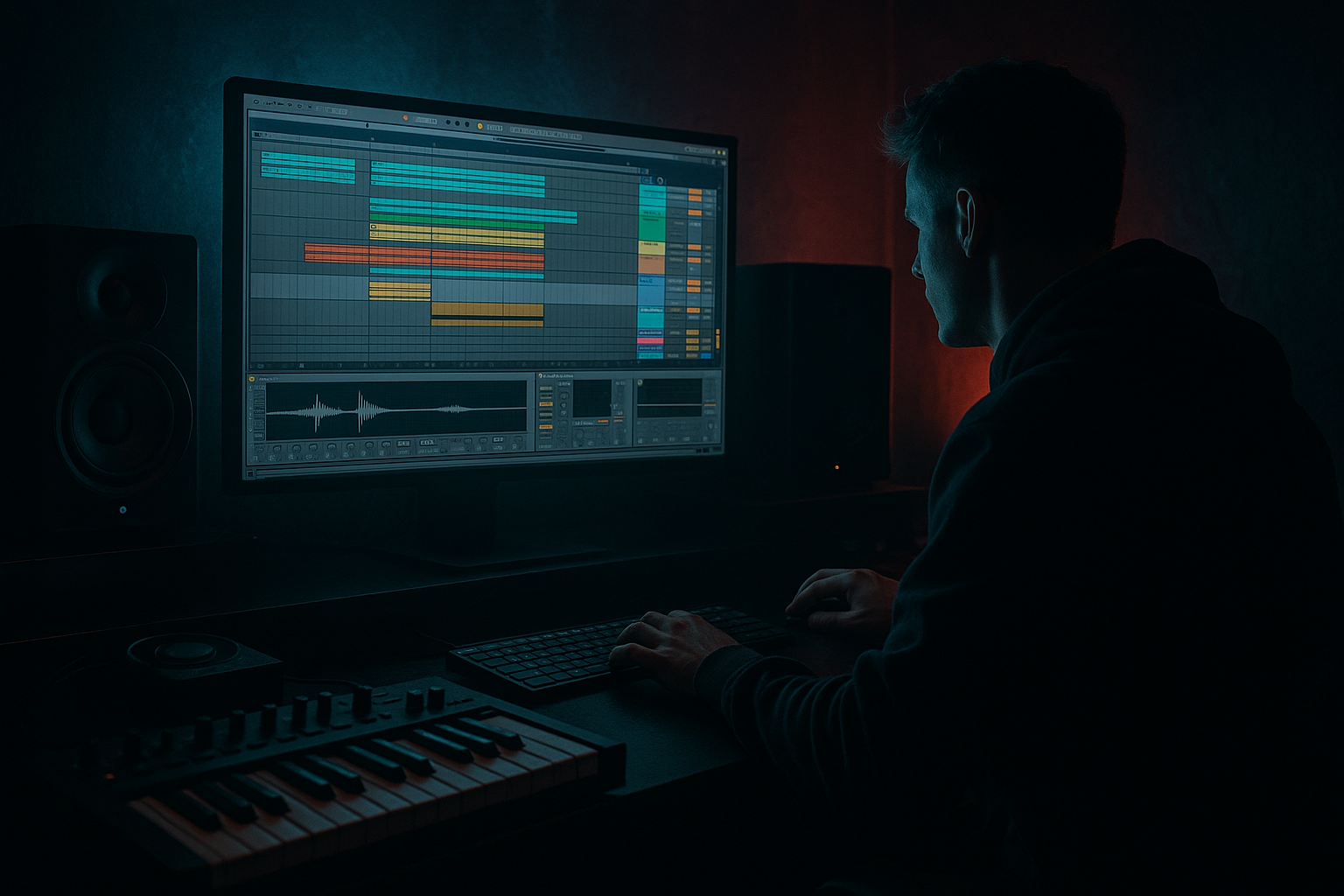
Main tutorial
Lesson Overview
This lesson is about building a darkside think-break switchup in Ableton Live 12: a section where your main breakbeat suddenly re-frames the groove so the track feels like it has dropped into a deeper, more haunted lane without losing dancefloor pressure.
In a DnB track, this kind of switchup usually lives:
- after the first drop has established the groove
- at the end of an 8, 16, or 32-bar phrase
- as a contrast section before the main groove returns, or before the second drop
- inside a breakdown-to-drop transition when you want tension without going ambient
- Musically, it gives the listener a new rhythm narrative instead of repeating the same loop.
- Technically, it lets you re-cut your drums and vocal fragments so the arrangement keeps moving without needing a brand-new sound palette.
- In darker jungle and oldskool-leaning DnB, this is one of the best ways to create that “the break is thinking for itself” feeling: chopped, eerie, hypnotic, and alive.
- dark jungle
- oldskool DnB
- rollers with a broken-beat section
- tough vocal-led tracks with menace
- break-driven club music where the vocal becomes rhythm as much as message
- a dusty, haunted vocal phrase being re-timed into the drums
- a breakbeat that feels edited, not looped
- a rhythmic vocal call-and-response with the snare and ghost notes
- a tight, gritty, mix-ready transition that could drop into a proper DnB arrangement
- It can function as a mid-track switchup, an 8-bar pre-drop tension section, or a second-drop evolution
- It should keep enough low-end discipline that the sub still feels in control
- It should feel polished enough to leave in the arrangement, not just as a sketch
- Keep one anchor hit unchanged. In a think-break section, one consistent snare or vocal stab can hold the whole phrase together while everything else mutates around it. That gives darkness without confusion.
- Use grit in layers, not everywhere. Put a bit of Saturator or Drum Buss on the break or vocal, but not both at maximum. If every element is dirty, nothing sounds special.
- Let the vocal behave like percussion first. If the phrase is too intelligible, it can fight the groove. Slice it so consonants and transients reinforce the drum pattern. The lyric doesn’t need to be fully understood for the vibe to hit.
- Use a low-pass move before the return. A quick filter close-down on the vocal or break in the last bar creates a stronger re-entry when the full mix comes back. This is classic tension architecture for dark DnB.
- Protect the sub at all costs. If the switchup sounds great solo but weak in the full track, check whether the vocal or break is cluttering 40–120 Hz. High-pass the vocal harder than you think you need to.
- Make the second repeat slightly nastier. On the second pass of the switchup, add one extra chop, a slightly harder saturation setting, or one reversed hit. Small evolution keeps the arrangement alive.
- Use call-and-response with the snare. A vocal stab before the snare and a break ghost note after it can feel more ominous than a big obvious fill. Darkness often comes from restraint, not size.
- Use only one vocal phrase and one break
- Use only stock Ableton devices: EQ Eight, Saturator, Auto Filter, Reverb, Echo, Utility
- Keep the bass either muted or reduced so you can focus on the drum-vocal relationship
- Make the vocal mostly rhythmic, not lyrical
- A 4-bar arrangement section with at least 3 distinct vocal chop placements
- One automation move on the vocal or break
- One transition hit or fill into the next bar
- Can you still hear the snare clearly?
- Does the vocal feel embedded in the rhythm?
- Does the section feel darker and more interesting than the loop before it?
- 8-bar phrasing
- one strong break
- one focused vocal idea
- controlled saturation and filtering
- clear contrast before the return
Why it matters:
This works especially well for:
By the end, you should be able to hear a clean switchup that feels intentional, DJ-friendly, and heavy, with the vocal chopped into the rhythm so it adds character instead of sitting on top like an afterthought.
What You Will Build
You’re going to build a vocal-driven darkside think-break switchup in Ableton Live 12 that sits over a chopped drum break and creates a tense, oldskool-jungle-style phrase change.
The finished section should sound like:
Role in the track:
Success sounds like this: the listener still knows it’s the same tune, but the groove suddenly feels darker, more unstable, and more compelling — as if the vocal and break have started answering each other inside the pocket.
Step-by-Step Walkthrough
1. Set up a clean 8-bar switchup lane
In Arrangement View, find a section where your first drop has already played for at least 16 bars. Create a new 8-bar region for the switchup. Keep your drums, bass, and vocal material inside that zone so you can hear the idea in real context, not just as a solo loop.
For beginner workflow: duplicate the bars before the switchup so your timing is already aligned. In DnB, this saves time because you’re working with a grid-based phrase structure. Think in 8s and 16s, not random lengths.
Why this works in DnB: switchups need to feel like a designed phrase event. If you place them against a clear bar boundary, the listener feels the intentional reset immediately.
What to listen for:
- Does the groove still feel like it belongs to the same track?
- Does the switchup create contrast without sounding like a different song?
2. Choose a break that can carry a talking vocal
Pick a break with clear transients and enough midrange space for a vocal chop to cut through. Classic amen-style material works well, but any break with a strong snare and busy ghost notes can work.
Put the break into a Drum Rack or directly onto an audio track. If it’s an audio loop, use Ableton’s warp markers carefully so the pocket stays tight. Keep the break playing straight first, then later create the “think-break” effect by editing around it.
A useful stock-device chain for the break:
- EQ Eight: high-pass around 30–40 Hz to clear rumble
- Drum Buss: small amount of Drive, usually modest rather than extreme
- Saturator: Soft Clip on, Drive around 1–4 dB if the break needs edge
- Utility: mono the low end if the break is too wide or messy
What to listen for:
- The snare should stay clear even when the vocal enters.
- The break should still feel like a drum performance, not a foggy loop.
3. Find or create a vocal phrase that can be chopped rhythmically
Use a short vocal line with attitude, darkness, or tension. For this lesson, you want something that can behave like a percussion phrase: single words, half-sentences, gritty breaths, or a spoken phrase with strong consonants.
In Ableton, drag the vocal into a Simpler or directly onto an audio track and make a few quick slices. Aim for 3–6 useful fragments:
- one strong attack
- one mid-word body
- one tail or reverb-friendly ending
- one short grab for response hits
Keep the slices short enough to sit between kick and snare hits. In darkside DnB, the vocal often works best when it feels half-spoken, half-percussive.
Decision point — A versus B:
- A: Rhythmic vocal chop
Use tight slices, short decay, and repeatable hits. This gives you a more hypnotic, club-forward think-break feel.
- B: Haunted vocal tail
Let phrases ring longer, filter them, and place them as tension swells. This gives you more eerie, cinematic darkness.
If you want oldskool jungle energy, start with A. If you want more menace and space, start with B.
4. Map the vocal to the break rhythm
Now place the vocal fragments so they answer the break instead of floating above it. A simple way to think about it is:
- vocal hit on the offbeat before the snare
- another vocal hit after the snare tail
- a short pickup into the next bar
Use the Arrangement grid and nudge slices until the vocal feels like part of the break’s conversation. Don’t overcrowd the bar. In DnB, negative space is part of the groove.
A practical phrasing example:
- Bar 1–2: vocal fragment answers the snare every other bar
- Bar 3–4: add one extra chop per bar for tension
- Bar 5–6: remove one chop so the groove breathes
- Bar 7–8: build toward the next section with a repeated vocal stab
Why this works in DnB: the listener locks onto repeatable rhythmic memory, and then your switchup feels like it evolves rather than just mutates.
What to listen for:
- If the vocal is masking the snare, move it earlier or shorter.
- If it feels too random, reduce to one repeated motif and build from that.
5. Shape the vocal with stock devices, not overprocessing
Put the vocal chops through a simple chain so they cut through the break without stealing low-end focus.
Good stock-device chain for the vocal:
- EQ Eight: high-pass around 120–180 Hz to remove low clutter
- Auto Filter: low-pass or band-pass movement for darkside motion
- Saturator: light Drive, around 1–3 dB, for grit and presence
- Echo: short, filtered delay throws on selected words
- optional Reverb: short decay, dark tone, kept subtle
Keep the reverb short. If the vocal becomes too wide or wet, the break loses attack and the whole section turns into soup.
Useful automation ranges:
- Auto Filter cutoff sweeping from roughly 500 Hz up to 4–6 kHz depending on how dark or open you want the phrase
- Echo feedback kept low for background throws, higher only on the last phrase before the transition
- Reverb decay around 1–2.5 seconds for a haunted room feel without washing out the snare
Mix-clarity note: if the vocal has stereo effects, check it in mono with Utility. Any important consonant or phrase center should still be audible in mono, especially if this section leads into a drop.
6. Add “think-break” movement with slice editing and timing
This is where the break stops behaving like a loop and starts sounding like it’s thinking. Use tiny edits in the audio clip or Drum Rack pattern:
- remove one kick before a snare
- repeat one ghost note
- swap a break hit for a vocal stab
- truncate the tail of one chop so the next hit feels more abrupt
Small timing nudges matter here. Try moving a vocal chop a little earlier so it lands just ahead of the snare, or just behind it for drag. Don’t overdo it: think in tiny pocket changes, not sloppy timing.
If the section is too rigid, add:
- a 1/16 or 1/8 vocal repeat
- a tiny reverse vocal swell before the first hit
- a ghost snare or break fill into the next bar
Stop here if the groove already feels dangerous. If the vocal and break are working together, don’t keep adding parts just because the arrangement feels empty.
7. Put the vocal and break in context with bass
Turn the bass back on. This is the real check.
In DnB, the switchup has to survive the relationship with the sub and mid bass. If the bassline is a sustained reese, the vocal chops need to be shorter and more percussive. If the bassline is more syncopated, you can leave a little more vocal space.
Two valid options:
- Option 1: Bass stays locked, vocal moves around it
Best for clarity and club pressure. Keep the sub stable and let the vocal provide the motion.
- Option 2: Bass momentarily thins out, vocal and break take the lead
Best for a real switchup. Drop some bass notes or filter the bass down for 2–4 bars so the break and vocal feel exposed.
What to listen for:
- Is the sub still readable?
- Does the snare still hit hard, or is it being buried by vocal tail and bass harmonics?
If the low-end collapses, reduce vocal reverb, shorten bass notes, or thin the midrange of the bass with EQ Eight around the area the vocal is dominating.
8. Automate the transition so the switchup feels designed
Use automation to make the section open up or close down over 4, 8, or 16 bars. This is where the switchup becomes arrangement, not just editing.
Strong automation moves:
- Auto Filter on the vocal opening over the final 2 bars
- Reverb return send increasing slightly on the last chop
- Low-pass filter on the break closing down before the next drop, then snapping open
- Bass cut or filter dip for the first half of the switchup, then full energy on the return
Keep the automation simple and readable. A classic jungle move is to darken the whole section, then release that darkness right before the impact.
Arrangement idea:
- Bars 1–4: chopped vocal + break, bass reduced
- Bars 5–6: more vocal repeats, break gets denser
- Bar 7: quick fill or reverse
- Bar 8: drop back into the main groove or into a heavier second drop
Why this works in DnB: the listener tracks momentum through density changes, not just new sounds.
9. Commit the best version to audio
If the vocal/break interaction is strong, print it. In Ableton, bounce or resample the switchup to audio so you can commit to the edit and move faster.
This is especially useful if:
- the chopped vocal has become a rhythmic instrument
- you want to edit around tiny micro-gaps
- you need a cleaner arrangement for the second drop
When you commit, you can:
- consolidate the best phrase into one clean clip
- cut out weak syllables
- reverse individual bits for fills
- automate simpler clip-level edits instead of juggling many devices
Workflow efficiency tip: once the switchup feels good, freeze the pressure of choice. Print it and move on. DnB arrangement often improves when you stop endlessly revising the same 4 bars.
10. Finish with a DJ-friendly exit or return
A darkside switchup should still make sense in a set. If it’s going into another section, give the listener a clean pointer:
- a snare fill
- a short vocal re-trigger
- a filtered break climb
- a one-bar drop-out before the next section
If it’s going into the second drop, make the second drop feel like a development, not a reset:
- bring the bass back fuller
- keep one vocal chop from the switchup as a hook
- extend the break tension with one extra fill bar
A successful result should feel like the track has gained a darker second personality without losing dancefloor grip.
Common Mistakes
1. Making the vocal too long
- Why it hurts: long phrases smear over the snare and make the break feel less punchy.
- Fix: shorten the clips, keep only the strongest syllables, and use EQ Eight high-pass plus a little Auto Filter to keep the vocal compact.
2. Putting the vocal on top of the break instead of inside it
- Why it hurts: the switchup sounds pasted on, not integrated.
- Fix: align vocal hits to the break’s snare, ghost notes, or offbeats. Move phrases by small amounts until they answer the drums.
3. Too much reverb on the vocal
- Why it hurts: the low-mid wash masks kick, snare, and bass definition.
- Fix: use a shorter Reverb decay, darker tone, and lower send amount. If needed, keep the reverb only on the final phrase.
4. Ignoring mono compatibility
- Why it hurts: wide vocal tricks can disappear or hollow out in club systems.
- Fix: use Utility to check mono. Keep the important vocal attack centered, and avoid wide widening on anything that carries the hook.
5. Leaving the bassline fully active through the switchup
- Why it hurts: the arrangement has no contrast, so the switchup loses impact.
- Fix: filter or reduce the bass for 2–4 bars, then return it with more force after the vocal/break moment.
6. Over-editing the break until it loses identity
- Why it hurts: the track stops sounding like jungle/DnB and becomes random sliced percussion.
- Fix: keep the snare and key ghost hits recognizable. Preserve one repeating break gesture so the listener can lock onto the groove.
7. Using too many different vocal snippets
- Why it hurts: the section loses its hook and becomes noisy.
- Fix: pick one main phrase and one supporting chop. Repeat them with small variations instead of adding new material every bar.
Pro Tips for Darker / Heavier DnB
Mini Practice Exercise
Goal: Build a 4-bar darkside think-break vocal switchup that fits a DnB drop.
Time box: 15 minutes.
Constraints:
Deliverable:
Quick self-check:
Recap
A strong darkside think-break switchup in Ableton Live 12 is built by making the vocal behave like part of the break, not a layer sitting above it. Keep the phrase short, cut it rhythmically, protect the sub, and use automation sparingly to shape tension.
Remember the core formula:
If it sounds like the drums and vocal are having a tense conversation inside the groove, you’re in the right zone.

