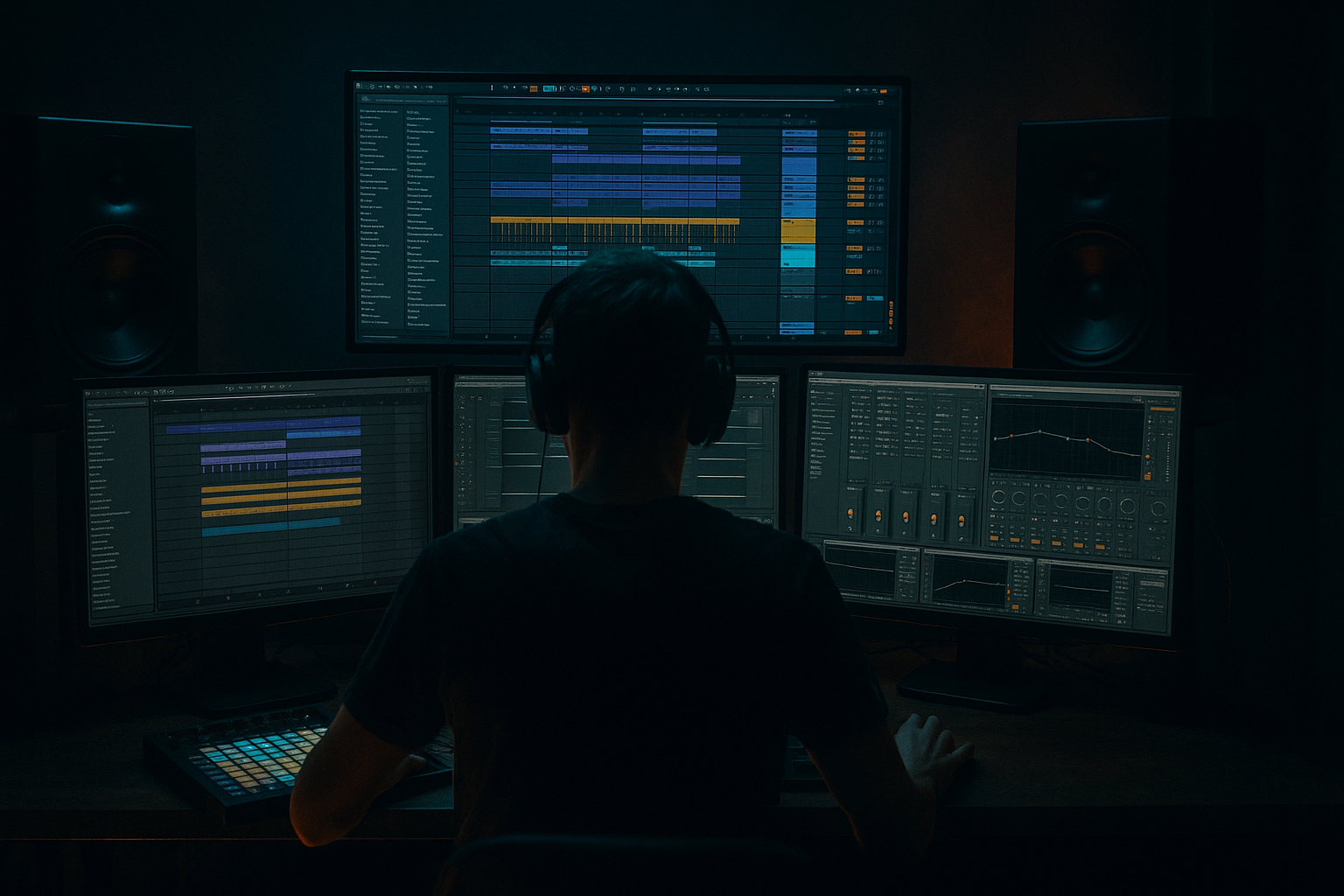
Main tutorial
Lesson Overview
“Concrete Echo” is a break-roll carve technique for building a rewind-worthy rise into a drop in Ableton Live 12, using oldskool jungle/DnB energy with a modern, darker edge. The goal is simple: take a chopped breakbeat, shape it into a rising roll, then “carve” it with silence, filter motion, and echo throws so the drop feels like it snaps back into the mix instead of just arriving.
In DnB, risers are not only about whooshes and noise. Often the most exciting rise is rhythmic: a break gradually tightens, filters up, and gets more intense right before the drop. That works especially well in jungle, rollers, and darker bass music because the listener still feels the groove, even while tension is building. You’re not just adding FX — you’re making the drums themselves carry the build.
Why this matters:
- It gives your transitions a more authentic DnB feel than generic EDM-style risers
- It makes your drop hit harder because the break “loads the room” first
- It keeps the energy rooted in drums, which is a core part of jungle and oldskool DnB
- It’s very beginner-friendly inside Ableton because you can do most of it with stock tools
- A chopped jungle break or amen-style loop
- A rising drum roll that gets denser over the final bars
- Filtered echo tails that widen the tension without washing out the mix
- A carved silence or near-silence right before the drop for impact
- A clean transition that can lead into a heavy bass drop, roller drop, or oldskool jungle switch-up
- Bars 1–2: the break is open and groovy
- Bars 3–4: the loop becomes more filtered and slightly more frantic
- Bars 5–6: the roll gets tighter, with echo throws and less low-end
- Final 1 beat or 1/2 beat: a carve-down moment, then drop
- Making the build too bright too early
- Using too much echo
- Leaving sub bass active under the whole rise
- Over-editing the break so it loses its feel
- Not carving a final pause
- Ignoring gain staging
- Use a tighter, more restrained filter opening
- Add subtle distortion before the echo
- Keep the low end mono and simple
- Let the snare lead the rise
- Automate a short reverse feel
- Use call-and-response
- Design the drop to answer the riser
- one for an oldskool jungle break drop
- one for a darker roller with a reese bass return
- Build your riser from the drums, not just FX
- Use a chopped break to create a rising roll
- Filter the break upward with EQ Eight and Auto Filter
- Add Echo for tension, but keep it controlled
- Carve a tiny gap before the drop for impact
- Keep the bass out or reduced during the final build
- Check the transition in context and simplify if it gets messy
We’ll build a short rise using a chopped break, automate filters and echo, and carve space so the drop lands cleanly. This technique works brilliantly in a 16-bar or 8-bar pre-drop section, especially if your track has an introspective breakdown, a halftime pull, or a DJ-friendly tension section before the main drop. 🔥
What You Will Build
You will make a compact “break roll carve” riser made from:
Musically, it should feel like this:
The result is not a giant glossy riser. It’s a drum-led tension builder that sounds believable in a DnB arrangement — like the system is pulling back before the impact.
Step-by-Step Walkthrough
1. Choose a break that already has attitude
Start with a classic breakbeat loop in the 160–175 BPM zone, or warp a break you’ve already chopped for your track. Good choices are:
- Amen-style breaks
- Think-style breaks
- Funky oldskool drum loops
- Any break with a strong snare and busy ghost notes
In Ableton Live, drag the break into an Audio Track and set Warp on. If it’s not already close to your project tempo, use Complex or Beats mode depending on the source:
- Beats mode for punchy, drum-heavy material
- Complex/Complex Pro if the break is more musical or messy
Beginner tip: don’t over-perfect the timing. A little looseness helps the oldskool feel. The “human” swing is part of the vibe.
Why this works in DnB: jungle and DnB breaks are rhythmic tension machines. A rising drum pattern feels more authentic than a smooth synth sweep because the genre is built on percussion energy.
2. Turn the break into a repeatable roll section
Duplicate a 1-bar or 2-bar chunk of your break across 4, 8, or 16 bars. For a beginner-friendly build, start with 4 bars first.
Make a simple roll pattern by:
- Copying the break slice several times in the last half of the build
- Shortening some hits so they feel more urgent
- Leaving small gaps so the roll breathes
If you use MIDI Drum Rack instead of audio, load break hits into Simpler or Drum Rack pads and sequence the pattern manually. This is easier to edit if you want precise control.
In Ableton, keep the first bar relatively open, then increase density as you approach the drop. A simple structure:
- Bar 1: full break groove
- Bar 2: more frequent kick/snare movement
- Bar 3: add extra ghost hits or shorter repeats
- Bar 4: full roll into the drop
If you want a more oldskool feel, leave the snare on 2 and 4 strong, then fill the spaces with sliced hats and ghost hits. That preserves the “breakbeat conversation” instead of turning everything into a straight machine roll.
3. Shape the break with EQ and a high-pass filter
Add EQ Eight after the break. This is where the “carve” part begins.
Start with:
- High-pass filter around 90–140 Hz
- Gentle dip if the break is too boxy around 250–500 Hz
- Slight high shelf only if the break needs extra fizz, usually +1 to +3 dB above 8–10 kHz
For the riser section, automate the high-pass filter so it gradually rises:
- Start around 80–100 Hz
- End around 160–220 Hz just before the drop
Keep the change smooth. You’re removing low-end weight so the transition feels like pressure is building rather than the mix getting muddy.
If the break is too sharp, use the EQ Eight to soften the top end slightly until the snare sits naturally. Beginner rule: if the break starts fighting your bassline, filter it earlier and more aggressively.
4. Add Auto Filter for a classic DnB rise
Put Auto Filter after EQ Eight. Choose:
- Low-pass mode for a closing/opening sweep
- Band-pass mode if you want the break to sound thinner and more “radio/telephone” as tension rises
Automate the cutoff so it opens into the build:
- Start cutoff around 300–800 Hz if using low-pass
- End cutoff around 8–14 kHz depending on how bright you want the build
- Resonance: keep it moderate, around 10–25%, so it doesn’t whistle too much
For a darker DnB build, don’t fully open the filter. Let it stay a little constrained. That keeps the energy gritty instead of shiny.
You can also automate Drive slightly on Auto Filter for extra aggression. Even a small amount can make the roll feel more urgent.
5. Create the echo throws with Echo or Delay
Add Ableton Echo after the filter. This is the “Concrete Echo” part — the tail that makes the rise feel like it’s bouncing off walls.
A practical starting point:
- Sync time: 1/8 or 1/16
- Feedback: 15–35%
- Dry/Wet: 10–25% on the whole build, then automate higher for the final moments
- Add a light high-pass inside Echo if the low end gets messy
Use Echo modulation subtly:
- Modulation amount low
- Wobble minimal unless you want a more dubby jungle feel
Automate Echo feedback up in the last bar to create a little tail swell, then cut it sharply right before the drop. That sudden stop helps the drop feel bigger.
If Echo feels too wide or cloudy, use Delay instead and keep it tighter. A short ping-pong delay on the final snare or ghost fill can give you movement without washing out the groove.
6. Carve the last bar with silence, gaps, or stutter edits
This is where the “rewind-worthy” feel happens. A drop feels more powerful if the build doesn’t just continue smoothly — it breaks shape for a moment.
Try one of these in the final bar:
- Cut the break for the last 1/4 beat before the drop
- Leave a tiny gap after a snare hit
- Repeat a final 1/16 slice 2–4 times, then stop
- Mute the bass and let only the top break ticks stay for a beat
In Arrangement View, make these cuts directly on the audio clips. In Clip View, you can also duplicate small slices and nudge them if needed.
For beginner workflow, keep it simple:
- Final 2 beats: increase roll density
- Final 1 beat: filter and echo
- Final 1/4 beat: near silence or a sharp cut
- Drop: full drums and bass slam in
This works because DnB drops often feel strongest when there is a micro-dropout before the impact. The ear notices the absence, so the return feels heavier.
7. Layer a noise riser quietly under the break roll
To make the transition clearer, add a subtle noise layer underneath. Use Operator, Wavetable, or even a rendered audio noise sample if you have one.
Easy stock method:
- Create a new MIDI track with Operator
- Use a simple noise or sine-based texture
- Use Auto Filter to sweep it upward
- Keep it quiet, just enough to support the build
Suggested settings:
- Volume low, around -18 to -24 dB relative to the break
- Auto Filter cutoff opening from 200 Hz to 10 kHz
- Add Utility to keep the stereo image controlled if needed
Don’t let the noise compete with the break. It should feel like atmosphere around the drums, not the main event.
8. Shape the build with Drum Buss or Saturator
Add Drum Buss or Saturator on the break group for a bit of bite. This is especially useful for jungle and darker rollers because it helps the break stay forward as it gets more filtered.
Use subtle settings:
- Drum Buss Drive: low to moderate
- Boom: very careful, often off for a riser if you already have sub elsewhere
- Saturator Drive: around 1–4 dB as a starting point
- Soft Clip on if the roll gets peaky
The goal is not huge distortion. It’s to thicken the break enough that the roll feels more aggressive as it climbs.
If the break starts sounding harsh, back off the drive and tame the 3–6 kHz area with EQ Eight.
9. Automate the bassline out, then back in
A DnB riser is stronger when the bassline is not fighting it. Mute or filter the bassline during the last 2–4 bars of the build.
Good beginner-friendly moves:
- Automate Utility volume down on the bass bus
- Use Auto Filter on the bass to roll off the top while the break takes focus
- Remove sub entirely in the final bar if the drop needs more contrast
If your bass is a reese or neuro-style layer, you can leave a very faint filtered version in the background, but keep the low end controlled. A clean sub return on the drop is what makes the impact obvious.
A useful arrangement example:
- 8-bar build before drop
- Bars 1–4: break roll starts, bass reduced
- Bars 5–7: riser gets brighter and tighter
- Bar 8: bass out, break chopped, echo tail, then full drop at bar 9
10. Check the transition in context and adjust only the essentials
Loop the 2 bars before the drop and the first 2 bars of the drop. This is where the real decision-making happens.
Ask yourself:
- Does the roll feel like it’s pushing forward?
- Is the low end disappearing enough before the drop?
- Is the echo helping the transition or cluttering it?
- Does the drop feel bigger after the carve?
If the build feels weak:
- Increase filter motion
- Add a little more break density in the last bar
- Make the final cut more sudden
- Increase echo feedback slightly in the final beat
If it feels messy:
- Reduce echo wetness
- High-pass earlier
- Remove some ghost hits
- Shorten the final tail so the drop has room
Save the whole setup as a rack or template chain so you can reuse it in future DnB tracks. This is one of those techniques you’ll want to repeat often.
Common Mistakes
Fix: keep the first half of the riser darker and only open the filter near the end.
Fix: lower Dry/Wet and feedback. In DnB, too much wash can blur the groove and reduce punch.
Fix: automate the bass down or filter it out before the drop. The low-end contrast is a huge part of the impact.
Fix: preserve the main snare placement and some ghost-note movement. Jungle energy comes from the break’s natural phrasing.
Fix: create at least a tiny gap, cut, or stutter before the drop. Even a 1/16 or 1/8 rest can make a huge difference.
Fix: keep the build comfortably below clipping. Leave headroom so the drop can hit harder.
Pro Tips for Darker / Heavier DnB
A darker build often sounds better when the cutoff never fully opens. Let the tension stay slightly closed-in.
Put Saturator or Drum Buss before Echo so the delay repeats grit instead of clean audio. This adds underground character fast.
If you layer anything under the break, avoid wide sub content. Use Utility to control width and keep the foundation centered.
In heavier DnB, the snare is often the anchor. Build around it with ghost hits, hats, and slices rather than constant full-spectrum noise.
A tiny reversed break slice or reversed cymbal tucked under the last hit can make the drop feel like it’s being sucked inward.
Alternate between open break hits and filtered echo hits. That conversation keeps the build musical instead of random.
If the build becomes thin and filtered, let the drop reintroduce the full kick, snare, sub, and reese together. Contrast is everything.
Mini Practice Exercise
Spend 10–20 minutes building a “Concrete Echo” riser from scratch:
1. Load a breakbeat loop into an audio track.
2. Duplicate 4 bars of it in Arrangement View.
3. Add EQ Eight and high-pass the break.
4. Add Auto Filter and automate the cutoff upward over the final 4 bars.
5. Add Echo with low feedback and a small wet amount.
6. Cut or mute the last 1/4 beat before the drop.
7. Add a very quiet noise layer underneath if needed.
8. Bounce the result mentally by looping the transition and making only three changes:
- one change to the filter
- one change to the echo
- one change to the final carve
Goal: make the build feel like it tightens, rises, and then vanishes just enough to make the drop slam.
Bonus challenge: try the same technique in two versions:
Recap
If you remember one thing: in DnB, a great riser often feels like the groove itself is getting pulled into the drop. That’s the “Concrete Echo” effect — rhythmic tension, carved space, and a heavy return.

