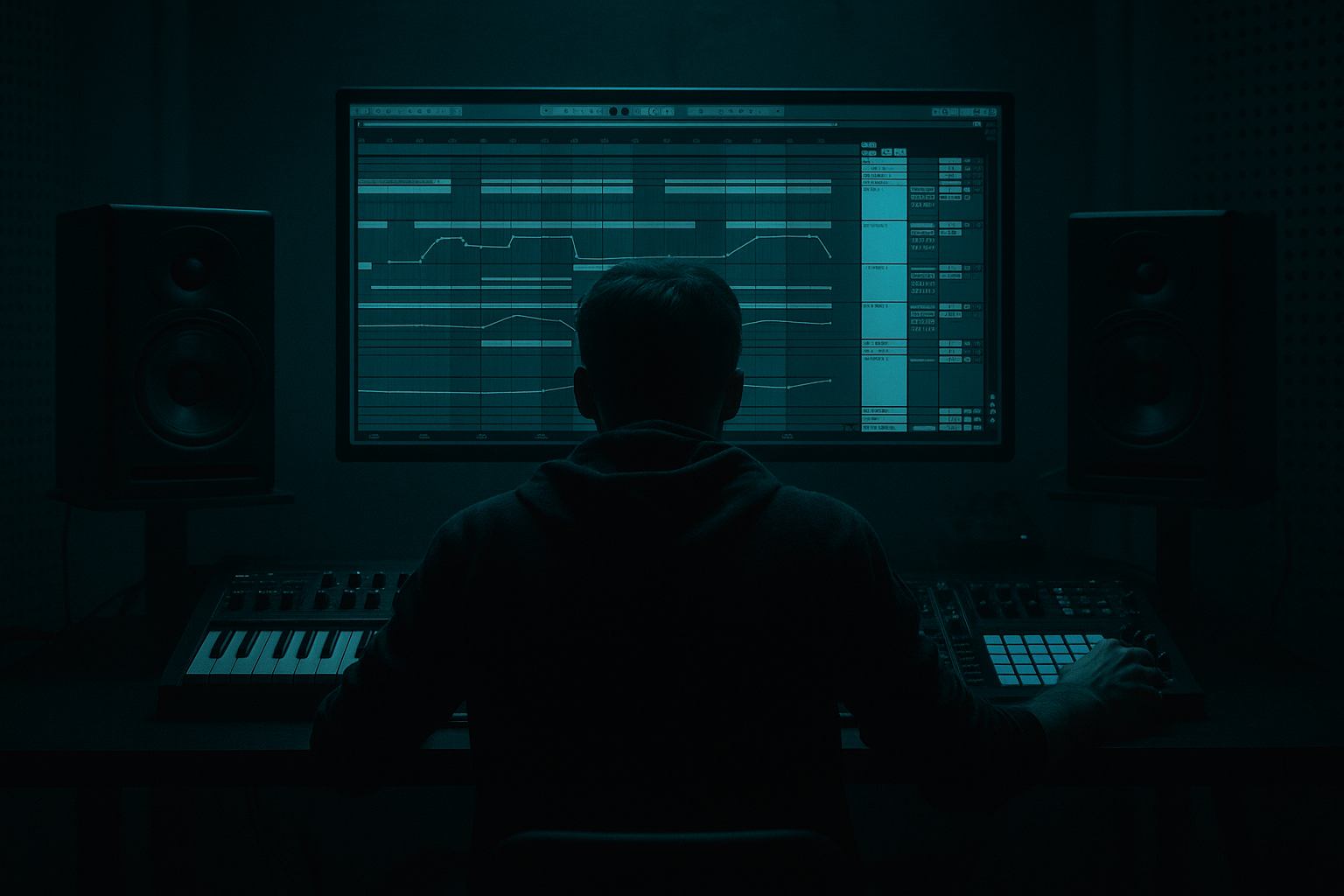
Main tutorial
Lesson Overview
This lesson is about building a chopped-vinyl texture that feels like a ghosted pirate-radio loop sitting inside an oldskool jungle / DnB tune — not as a cheesy effect, but as a musical layer that reinforces bassline character, groove, and attitude. In a proper DnB context, this kind of texture works like a second drum layer: it can sit under the drop, answer the bassline, fill dead space between breaks, and create the feeling that the track is being broadcast from a battered tape deck in a locked-off warehouse rave 📻
For advanced producers, the key isn’t just “make it lo-fi.” It’s about designing a chopped-vinyl element that:
- locks to your break’s swing,
- stays out of the sub region,
- has enough grime and movement to feel alive,
- and can be arranged like a real part of the bassline ecosystem.
- a degraded spoken-word or vinyl bite,
- sliced into syncopated stabs,
- treated with band-limited saturation and filtering,
- moving in and out of the groove like a ghost instrument,
- and arranged to work under an oldskool jungle drop or a darker rollers section.
- a call-and-response layer with your reese or sub,
- a midrange rhythmic texture that reinforces the drum break,
- and a DJ-friendly atmosphere that reads as pirate-radio / dubplate energy.
- intro atmospheres,
- drop reinforcement,
- switch-up fills,
- breakdown tension,
- and noisy bassline punctuation.
- Letting the texture hit the sub range
- Over-processing the sample until it sounds synthetic
- Using too many chops at full volume
- Ignoring the groove of the break
- Stereo widening the low-mid layer too much
- Making it read as FX instead of a musical layer
- Layer two versions of the same chopped texture
- Drive the mids, not the subs
- Automate aggression only in transitions
- Use subtle pitch variation for dread
- Treat the texture like a drum bus companion
- Resample after processing
- Use mono checks constantly
- Build the chopped-vinyl texture from a source with real character.
- Convert it into a playable, rhythmically controlled part.
- Phrase it like a bassline: call-and-response, rests, ghost hits, and offbeat tension.
- Keep the low end clean and the midrange gritty.
- Use automation, resampling, and arrangement spacing to make it feel like authentic jungle / pirate-radio energy.
- In DnB, the best textures don’t just decorate the track — they move the drop forward.
We’ll build this in Ableton Live 12 using stock devices, with a workflow rooted in jungle, oldskool roller energy, and darker DnB arrangement logic. The texture will feel like a sample pulled from a worn dubplate or pirate-radio recording, chopped rhythmically and processed so it sits alongside your drums and bass without muddying the low end.
Why this technique matters: in DnB, especially jungle and darker rollers, identity often comes from the space between the kick, snare, break, and bassline. A chopped-vinyl texture can make a simple 2-step pattern feel like a full arrangement moment, and it can add “story” to a loop without needing more notes or more drums.
What You Will Build
You’ll create a rhythmic chopped-vinyl bassline texture that sounds like:
Musically, the result should function as:
By the end, you’ll have a device chain and arrangement method you can reuse for:
Step-by-Step Walkthrough
1. Choose the right source material: short, characterful, and rhythmically flexible
Start with a sample that already has attitude: a vinyl crackle phrase, a short vocal snippet, a radio-style spoken phrase, or even a single chord hit recorded with noise. In jungle and oldskool DnB, the source matters because the texture needs to feel like it came from a physical medium, not a pristine synth.
In Ableton Live 12:
- Drag the source into an audio track.
- If it’s a longer phrase, trim it down to a 1–2 bar fragment with distinct transients or syllables.
- Warp it in Complex Pro if it has tonal content, or Beats if it’s more percussive.
- Set the clip start so the first strong transient lands clearly on-grid, but don’t over-tighten every detail yet.
Advanced move: duplicate the clip and make one version slightly under-warped. That subtle instability can help sell the pirate-radio feel when layered quietly beneath the main chopped version.
2. Turn it into an instrument with Simpler or Slice to New MIDI Track
For a proper chopped-vinyl bassline texture, you want the source to become playable. The easiest advanced workflow is to convert the audio into slices.
Use one of these:
- Right-click the clip and choose Slice to New MIDI Track
- Or load it into Simpler in Slice mode
Recommended slicing settings:
- Slicing preset: Transient
- Fade time: around 5–15 ms to avoid clicks
- Trigger mode: Gate for tighter stabs, Trigger if you want more smear and sustain
If you use Slice to MIDI, you can reprogram the rhythm against your break. This is where the bassline logic starts: you’re no longer just playing a sample, you’re phrasing it like a bass instrument. Try placing slices on offbeats, pickup notes, or gaps between snare hits.
Why this works in DnB: jungle and rollers often rely on micro-rhythmic interplay. A chopped sample can reinforce the swing of a break while adding a distinct midrange voice that behaves like a bassline answer.
3. Build a bassline-style MIDI phrase, not a random loop
Don’t treat the chopped texture as decoration. Write it like part of the tune’s low-end conversation.
In the MIDI clip, program a phrase with:
- sparse hits on the “and” of the beat,
- occasional clustered repetitions before the snare,
- and one or two longer notes or held slices to create tension.
Good starting phrasing:
- Bar 1: sparse stabs around beat 2.5 and 4.5
- Bar 2: answer with a busier rhythmic burst before the 3rd beat
- Bar 4: leave space to let the drums breathe
For oldskool jungle energy, use call-and-response:
- Your sub or reese hits the downbeat,
- the chopped vinyl answers on the offbeat,
- then the break fills the gap.
Keep the MIDI velocity varied. Try:
- strong accents at 90–110
- ghost hits around 45–70
- occasional very low hits around 20–35 for texture flickers
This makes the layer feel performed instead of looped.
4. Shape the tone with filtering and resampling-friendly processing
Now sculpt the texture so it lives in the right frequency zone.
Insert Auto Filter first:
- High-pass around 120–220 Hz to keep it out of the sub
- Low-pass anywhere from 4–9 kHz depending on how much hiss and edge you want
- Use a subtle resonance of 10–20% if you want the filter sweep to emphasize pirate-radio grime
Then add Saturator:
- Drive: 3–8 dB
- Soft Clip: On
- Output adjusted so you’re not just getting louder, but denser
If the source is too polite, try Drum Buss after Saturator:
- Drive: 5–15%
- Crunch: low to moderate
- Boom: usually off for this layer, unless you’re carefully tuning it above the sub
Optional but very effective: Redux very lightly
- Downsample just enough to roughen the top end
- Keep the reduction subtle; you want texture, not digital collapse
Advanced note: resampling this chain to audio can help you commit to the sound and then chop it again for more rhythmic control.
5. Create movement with clip envelopes and sample modulation
A chopped-vinyl texture becomes much more convincing when the playback isn’t static. Add motion at the source, not just in post.
In Simpler or Sampler-style workflows, move:
- Filter cutoff over time
- Start position slightly per slice
- Volume across repeated chops
- Pitch subtly for tension or reverse-style accents
If you’re using Simpler:
- Put Filter Frequency automation in the clip envelope or in an Instrument Rack Macro
- Use Velocity → Volume so harder MIDI hits are brighter or louder
- Modulate Glide or start offset very gently for a warbly, unstable feel
Useful ranges:
- Pitch movement: ±1 to ±3 semitones on select chops
- Start offset variation: tiny moves only, enough to change the attack
- Filter cutoff automation: sweep from 1.5 kHz to 6 kHz across a build or breakdown
This kind of movement is especially powerful in a dark roller because it keeps the loop evolving without adding new notes.
6. Place it in the bass ecosystem with routing and mix discipline
The chopped texture should feel like it belongs with the bassline, not fight it.
Route it through a group bus with other midrange bass elements if needed. On the group:
- Use EQ Eight to carve a little space around the fundamental of the sub
- High-pass the texture if necessary to avoid buildup below 150 Hz
- Use a small dip around 200–400 Hz if it competes with snare body or break meat
On the texture track, consider:
- Utility: set Width narrower or even mono if the sample gets phasey
- EQ Eight: cut harsh peaks around 2.5–5 kHz if it bites too hard
- Compressor with sidechain from the kick or main drum bus, very subtle, so the texture ducks slightly when the kick punches
If your bassline has a reese, the chopped vinyl should occupy a slightly different lane:
- reese = sustained movement and weight
- chopped vinyl = rhythmic top-mid punctuation
That separation is what keeps the mix readable while still feeling dense.
7. Use arrangement logic: intro, drop, switch, and DJ-friendly space
This texture works best when arranged like a real element in the tune, not always on.
Practical arrangement examples:
- Intro: low-pass filtered chopped vinyl with crackle and radio hiss, building tension before the first drop
- Drop 1: use only a few carefully placed stabs to reinforce the main bassline
- Switch-up: bring in a denser chop pattern for 4 or 8 bars after the main phrase
- Breakdown: strip it back to a lonely vocal fragment with vinyl noise and filter automation
A strong jungle arrangement trick:
- Let the first 8 bars of the drop establish the break and sub
- Introduce the chopped-vinyl texture in bars 9–16 as a “second conversation”
- Then remove it for 4 bars before the next transition so it feels intentional
In pirate-radio style arrangements, the texture can also act as a DJ cue layer between sections: short, gritty, and emotionally loaded without taking over the track.
8. Finish with automation and resampling for realism
The final 10% of realism usually comes from automation. Don’t keep the texture static across an entire section.
Automate:
- Auto Filter cutoff for call-and-response with the bassline
- Reverb send only on selected chops, not the whole loop
- Echo feedback low and filtered for a few dramatic tails
- Gain or Utility volume to create sudden fades and tape-like dropouts
Strong stock-device choices:
- Reverb with small/medium space, decay around 0.8–1.8 s, filtered low and high
- Echo with low feedback, filtered repeats, and a touch of modulation
- Frequency Shifter at subtle settings for unstable radio edges, if used carefully
Advanced finishing move:
- Resample the processed chops to audio
- Re-edit them into new 1/2-bar or 1-bar phrases
- Reverse a few tails
- Offset a slice late by a few milliseconds for humanized swing
This gives you a more authentic “found sound” result and makes the part easier to arrange like a proper bassline motif.
Common Mistakes
- Fix: high-pass more aggressively, often 120–220 Hz, and check with the sub muted.
- Fix: keep one or two obvious imperfections. Pirate-radio energy comes from character, not total destruction.
- Fix: reduce density. In DnB, fewer hits with better placement often feel heavier than constant chatter.
- Fix: align the chop pattern to the break’s swing and ghost notes. If the break is heavily shuffled, your texture should breathe with it.
- Fix: keep the texture mostly centered or moderately narrow. Wide low mids can blur the kick/snare/bass relationship.
- Fix: phrase it like a bassline. Give it recurring motifs, answers, and rests.
Pro Tips for Darker / Heavier DnB
- One clean-ish midrange layer, one dirtier, band-limited layer tucked underneath. Keep the dirty layer lower in level and narrower in stereo.
- A good chopped-vinyl bass texture often lives around 250 Hz–3 kHz. That’s where the attitude lives. Let the sub separate and stay clean.
- Push saturation, filter resonance, or echo feedback in 1-bar lift moments, then pull it back for the drop. This creates tension without losing mix control.
- A few slices pitched down 1–2 semitones can make the texture feel like it’s sagging under pressure. Great for darker neuro-jungle crossovers.
- If your breaks are busy, make the chopped vinyl sparser. If the drums are sparse, let the texture answer more often. Balance is arrangement-based, not just mix-based.
- This lets you commit to the grit and then re-chop the result into more deliberate shapes. Very oldskool, very effective.
- The layer should survive mono without losing identity. If it collapses badly, reduce widening and simplify the stereo effects.
Mini Practice Exercise
Spend 15 minutes building a pirate-radio chopped-vinyl layer for a 174 BPM jungle loop:
1. Pick a short vocal or vinyl sample and slice it in Ableton.
2. Write a 2-bar MIDI phrase with at least 6 chops, including 2 ghost hits.
3. Process it with Auto Filter, Saturator, and EQ Eight.
4. Add a subtle Echo send only on the final chop of bar 2.
5. Bounce the result to audio, then re-chop one 1-bar fragment.
6. Place it against a break and sub bass loop, then mute the layer for 4 bars and bring it back as a switch-up.
Goal: make the layer feel like it is part of the bassline conversation, not just a background effect. Listen for whether it adds menace, motion, and personality without stepping on the kick or sub.

