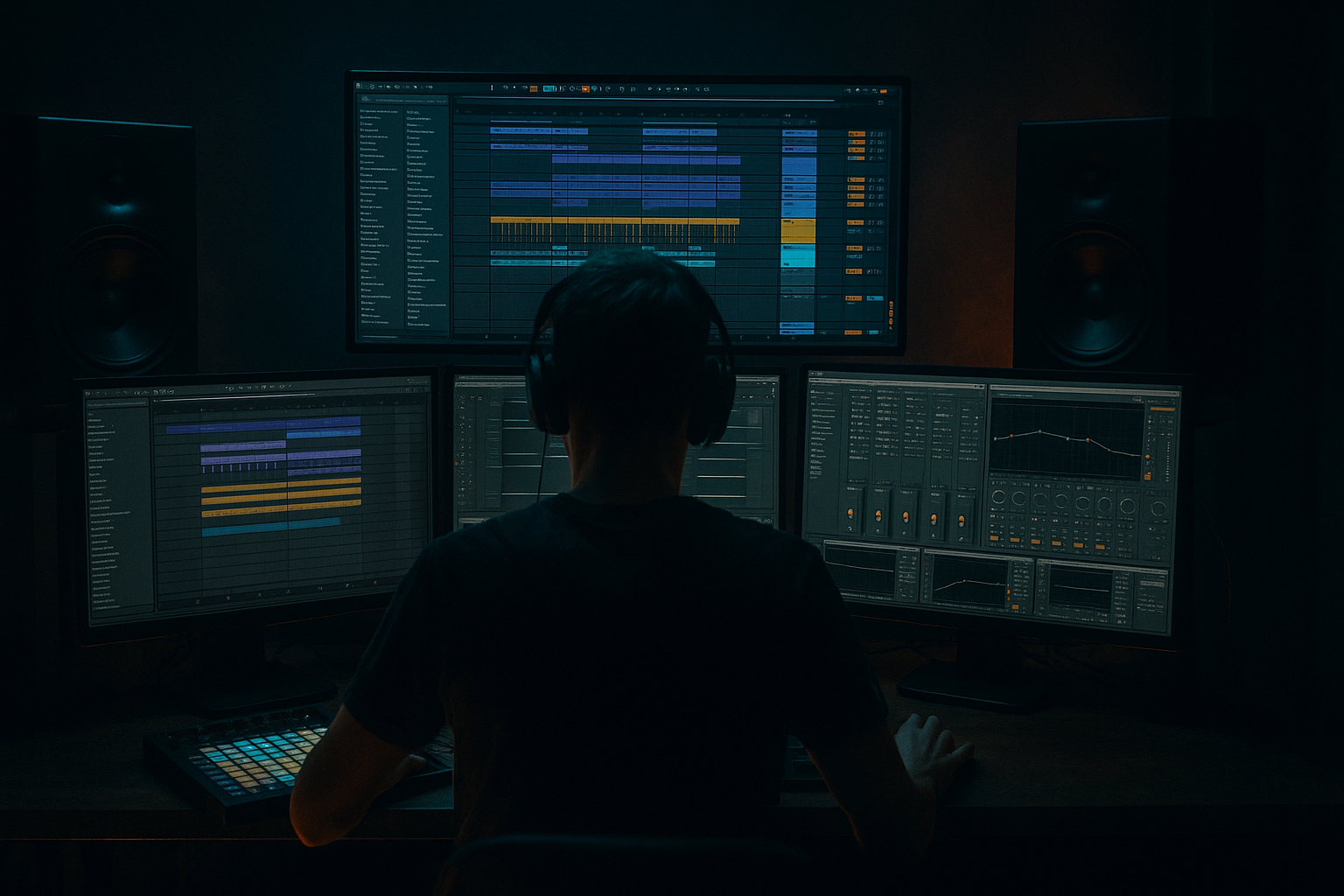
Main tutorial
Lesson Overview
This lesson is about building a clean oldskool DnB atmosphere that feels like deep jungle energy rather than a washed-out ambient bed. In a Drum & Bass track, atmosphere is not just “background.” It fills the space between drums, supports the sub, frames the break, and gives the tune identity before the drop even lands.
For deep jungle / oldskool DnB, the atmosphere usually does three jobs:
1. Creates a believable space around chopped breaks and sub bass.
2. Adds grit and history through sampled texture, vinyl noise, tape-style degradation, and filtered ambience.
3. Supports groove by leaving rhythmic gaps, reacting to the drums, and moving in musical phrases.
In Ableton Live 12, the goal is to make a system that feels organic but controlled: lush pads, broken textures, dub-style echoes, and sampled environmental layers that sit behind the beat without clouding the mix. We’ll keep it authentic to DnB by using stock devices, drum-break-friendly routing, and arrangement decisions that work in a club context. 🎛️
Why this matters: in jungle and oldskool-inspired DnB, atmosphere is part of the groove. If the top-end ambience fights the break, or the reverb fills every gap, the track loses punch. But if it’s shaped properly, the atmosphere makes the drums feel bigger, the bass feel darker, and the whole tune feel more expensive.
What You Will Build
By the end of this lesson, you’ll have a clean deep jungle atmosphere rack in Ableton Live 12 with:
- A filtered noise/vinyl bed for continuous texture
- A dark evolving pad layer that stays out of the sub range
- A dubby delay/echo throw system for selective moments
- A break-reactive atmosphere bus that ducks around the drums
- A DJ-friendly intro/outro atmosphere section you can drop into a roller, jungle, or darker atmospheric tune
- A cold, misty intro with oldskool character
- A half-ghostly pad wash behind the break
- A subtle stereo motion layer that gives width without ruining mono compatibility
- A drop transition atmosphere that can lift the energy before a bass switch or drum edit
- Too much reverb low end
- Atmosphere louder than the break
- Wide pad causing phase issues
- Using full chords everywhere
- Overusing movement
- Leaving atmospheric FX on throughout the whole tune
- Ignoring the break
- Resample your own atmosphere
- Use filtered distortion, not full-band distortion
- Create call-and-response with the bassline
- Automate the filter on the atmosphere bus
- Add subtle instability
- Use return tracks for shared space
- Keep the top end dusty, not fizzy
- Automate the atmosphere out before the drop
- Build texture from noise, pads, and resampled break fragments
- Keep the low end clear with EQ and width discipline
- Make the atmosphere breathe with the drums
- Use automation and phrases instead of endless looping
- Favor subtle grit, dubby throws, and sampled character over huge washed-out ambience
Musically, this will feel like:
Think: moody, clean, and controlled — not dreamy for its own sake, but ready to support a proper DnB arrangement.
Step-by-Step Walkthrough
1. Set up a dedicated atmosphere group and keep it disciplined
Start by creating a Group Track called `ATMOS`. Inside it, make three return-style audio/MIDI lanes or separate tracks:
- `Noise Bed`
- `Pad Texture`
- `FX Throws`
Keep all atmospheric elements in one place so you can mix them as a unit. Route them through an Atmosphere Bus group so you can compress, EQ, and automate them together later.
On the group, place:
- EQ Eight
- Glue Compressor
- Utility
Suggested bus starting point:
- EQ Eight: high-pass around 120–180 Hz
- Glue Compressor: 1.5:1 to 2:1, slow attack, medium release
- Utility: keep width moderate, around 80–110%, depending on the arrangement
Why this works in DnB: the low end belongs to the kick, break, and sub. A clean atmosphere bus makes it easier to keep the groove tight while still sounding wide and immersive.
2. Build the noise bed with a sampled texture or synthesized hiss
For oldskool jungle atmosphere, a subtle continuous noise bed adds glue. You can use a sampled room tone, vinyl noise, tape hiss, rain, crowd ambience, or even synth noise.
Stock Ableton options:
- Operator with a simple noise oscillator
- Analog with noise and filter movement
- A sample dragged into an Audio Track
If using Operator:
- Set OSC A to noise or use a noise source if available in your setup
- Add a low-pass filter in Operator or a separate Auto Filter
- Use a slow LFO to gently move the cutoff
Good starting settings:
- Auto Filter cutoff: around 2–6 kHz
- Resonance: low to medium; avoid whistling
- Envelope amount: subtle, just enough to animate
- Volume: keep it very low; you should miss it when muted, not notice it loudly
Add Saturator after the filter for slight density:
- Drive: 1–4 dB
- Soft Clip: on if needed
If it feels too clean, add a touch of Redux:
- Downsample lightly
- Bit reduction very subtle
- Use sparingly so it stays atmospheric, not crushed
Aim: the noise bed should feel like air in the room, not a special effect.
3. Create a dark pad that avoids clashing with the break
Use Wavetable, Analog, or Operator for a long pad. The trick is not to make a huge ambient chord; it’s to make a controlled harmonic shadow.
Suggested pad approach in Ableton:
- Wavetable with a smooth wavetable
- Filter: low-pass
- Amp envelope: slow attack, long release
- Add subtle pitch instability or unison spread
- Keep the note range away from the sub and low-mid mud
Chord suggestions for deep jungle / darker DnB:
- Minor 7th voicings
- Suspended minor shapes
- Rootless voicings if the bassline is busy
- One or two-note drones with movement instead of full chords
Example musical context:
- In a C minor track, use a pad voicing like Eb–Bb–D or a suspended color tone around G–Bb–D
- Let the bass own the root note while the pad emphasizes the mood, not the harmonic weight
Useful device chain:
- EQ Eight: high-pass at 150–250 Hz
- Chorus-Ensemble: very subtle width and motion
- Auto Filter: automate cutoff during transitions
- Reverb: low dry/wet, long decay, pre-delay for separation
Recommended reverb starting points:
- Decay: 2.5–6 seconds
- Pre-delay: 15–35 ms
- Low cut inside the reverb or after it: important to stop fogging the low mids
This keeps the pad cinematic but clean enough for heavy drums.
4. Resample a break or atmospheric fragment and turn it into texture
One of the most authentic jungle moves is to resample your own material. Instead of relying only on synths, bounce part of a break, a reversed cymbal, or a filtered drum tail into audio and process it into texture.
In Ableton:
- Solo a short section of your break or percussion
- Freeze/Flatten or resample to a new audio track
- Warp it if needed, but keep it natural
- Reverse small sections for transition tension
Then process that audio with:
- Auto Filter
- Echo
- Reverb
- Delay
- Utility for width control
Sound-shaping idea:
- High-pass at 200–400 Hz
- Low-pass around 6–10 kHz
- Add a subtle echo with feedback around 15–30%
- Send it to reverb, but keep the dry signal low
This works especially well between phrases. A chopped break fragment turned into texture gives the atmosphere a rhythmic DNA, which is exactly what makes jungle feel alive.
5. Make the atmosphere breathe with sidechain-style ducking
A clean oldskool atmosphere should respond to the drums instead of sitting on top of them. Use gentle ducking so the kick, snare, and break transients stay punchy.
In Live, the easiest method is Compressor sidechained from the drum bus or kick/snare bus.
Suggested starting points:
- Ratio: 2:1 to 4:1
- Attack: 5–20 ms
- Release: 80–250 ms
- Threshold: set for only a few dB of gain reduction
If you want a smoother pump, use Volume automation or Utility gain automation instead of heavy compression.
Practical DnB approach:
- Duck the pad and noise bed lightly on each snare
- Let the reverb tail bloom after the hit
- If the break is dense, duck less and use EQ instead
Why this works in DnB: fast drum programming needs transient space. Controlled ducking keeps the atmosphere large without blurring the groove.
6. Shape width carefully: wide in the top, stable in the low mids
Oldskool atmosphere often sounds huge because of stereo spread, but in DnB you need discipline.
Use Utility to manage width:
- Keep sub and low atmosphere elements centered
- Use wider settings only on filtered pads, noise, and delay tails
A solid workflow:
- On the pad track, use Utility set to 110–130% width if the mix needs it
- On the atmosphere bus, check Mono occasionally to catch phase problems
- Use EQ Eight to cut muddy low mids around 250–500 Hz if the atmosphere masks snare body or break punch
If the atmosphere feels too static, use:
- Auto Pan with slow rate and low amount
- Or LFO-style movement via Filter/Instrument modulation
Keep motion subtle. In jungle, movement should feel like haze drifting, not a chorus effect screaming for attention.
7. Use Echo and Delay as selective “throws,” not constant wash
Atmospheric throws are perfect for oldskool-inspired DnB transitions. Instead of leaving delay on all the time, automate it only on selected notes, hits, or edit points.
In Ableton Echo:
- Sync to 1/8, 1/4, or dotted values depending on tempo
- Feedback: 20–45%
- Modulation: low to moderate
- Filter the repeats so they sit behind the drums
Good practice:
- Automate Echo send only at the end of a 4- or 8-bar phrase
- Throw a filtered snare hit, vocal stab, or pad note into delay
- Fade the throw back down before the next drop section hits
For a darker tune, filter the echoes:
- High-pass the delay return around 300–500 Hz
- Low-pass around 4–8 kHz
This gives you that dubby jungle tail without turning the track into a smeared ambient wash.
8. Arrange atmosphere in phrases, not as a loop
A big reason atmospheric DnB sounds amateur is that it loops endlessly without musical intention. Instead, arrange atmosphere like a DJ and a percussionist would: in phrases.
Suggested arrangement map:
- Intro (8–16 bars): noise bed + filtered pad + sparse FX
- Build (8 bars): open the filter gradually, add a break fragment, introduce delay throws
- Drop: strip back the atmosphere slightly so the drums and bass hit
- Post-drop variation: bring back a pad swell or reversed texture
- Outro: reintroduce the wider atmosphere for DJ mix-out
A strong oldskool move:
- Let the atmosphere hint at the drop tone early
- Then pull it back right before the main drums return
This creates tension and release without needing a huge riser. In jungle, subtle arrangement changes are often more powerful than obvious EDM-style transitions.
9. Mix the atmosphere against the drums and sub, not in isolation
Before you print the section, check the atmosphere against the actual beat and bassline.
Mix checklist:
- Sub and kick stay mono and dominant
- Snare remains forward and crisp
- Atmosphere should be audible when muted, but not obviously loud when active
- No harsh build-up around 2–5 kHz
Useful stock devices:
- EQ Eight for surgical cuts
- Spectrum to see low-mid clutter and top-end build-up
- Glue Compressor for light bus cohesion
- Utility for mono checks and gain staging
Start with the atmosphere low and raise it only until it supports the groove. In DnB, atmosphere should make the drums feel deeper, not smaller.
Common Mistakes
- Fix: high-pass the reverb return or put EQ Eight after it. Cut below 150–250 Hz.
- Fix: lower the atmospheric bus and duck it lightly from the drum bus.
- Fix: mono-check with Utility and reduce width if the low mids disappear.
- Fix: simplify to smaller voicings, drones, or partial chords so the bassline has room.
- Fix: one or two motion sources is enough. Too many LFOs, delays, and pans make the groove feel vague.
- Fix: automate them in phrases. Oldskool DnB works because tension changes are intentional.
- Fix: the atmosphere should complement the drums, not mask the ghost notes, hat swing, or snare punch.
Pro Tips for Darker / Heavier DnB
- Bounce the pad plus noise bed to audio, then reprocess it with EQ Eight, Saturator, and Echo. This often sounds more “finished” than endless live tweaking.
- Put Auto Filter before Saturator or Overdrive so only the midrange gets grit. This keeps the low end clean.
- Let the atmosphere swell on gaps in the bass phrase, then duck hard when the bassline answers. Great for rollers and darker jungle.
- Small cutoff moves around 200 Hz to 6 kHz over 8 bars can make a section feel alive without adding more layers.
- Tiny pitch drift, light chorus, or modulation on one layer can make the atmosphere feel sampled and human.
- Put a dedicated reverb return and delay return on the project so multiple atmosphere elements feel like they live in the same world.
- A touch of Redux or gentle EQ shelving can evoke oldschool character, but avoid harsh aliasing. You want age, not digital pain.
- Pull the pad and long FX down in the last bar before the drop. The contrast makes the drums and sub feel more violent when they return.
Mini Practice Exercise
Spend 10–20 minutes building a mini atmosphere scene in Ableton Live 12:
1. Create a Group called `ATMOS`.
2. Add three tracks: noise bed, pad texture, FX throw.
3. Write a 4-bar minor or suspended chord movement, or just one drone note.
4. Add EQ Eight and high-pass everything below 150–250 Hz.
5. Add Echo or Delay to one element and automate it only on the last beat of bar 4.
6. Sidechain-duck the atmosphere lightly from your kick/snare bus.
7. Render 8 bars of the atmosphere and reimport it as audio.
8. Compare the original version to the resampled version and choose the cleaner one.
9. Check mono compatibility with Utility.
10. Loop it against a basic break and subline for 2 minutes.
Goal: make it feel like a real intro or breakdown from a deep jungle tune, not just a pad loop.
Recap
The key to a clean oldskool DnB atmosphere is control:
If the drums hit harder and the tune feels darker without sounding cluttered, you’ve done it right.

