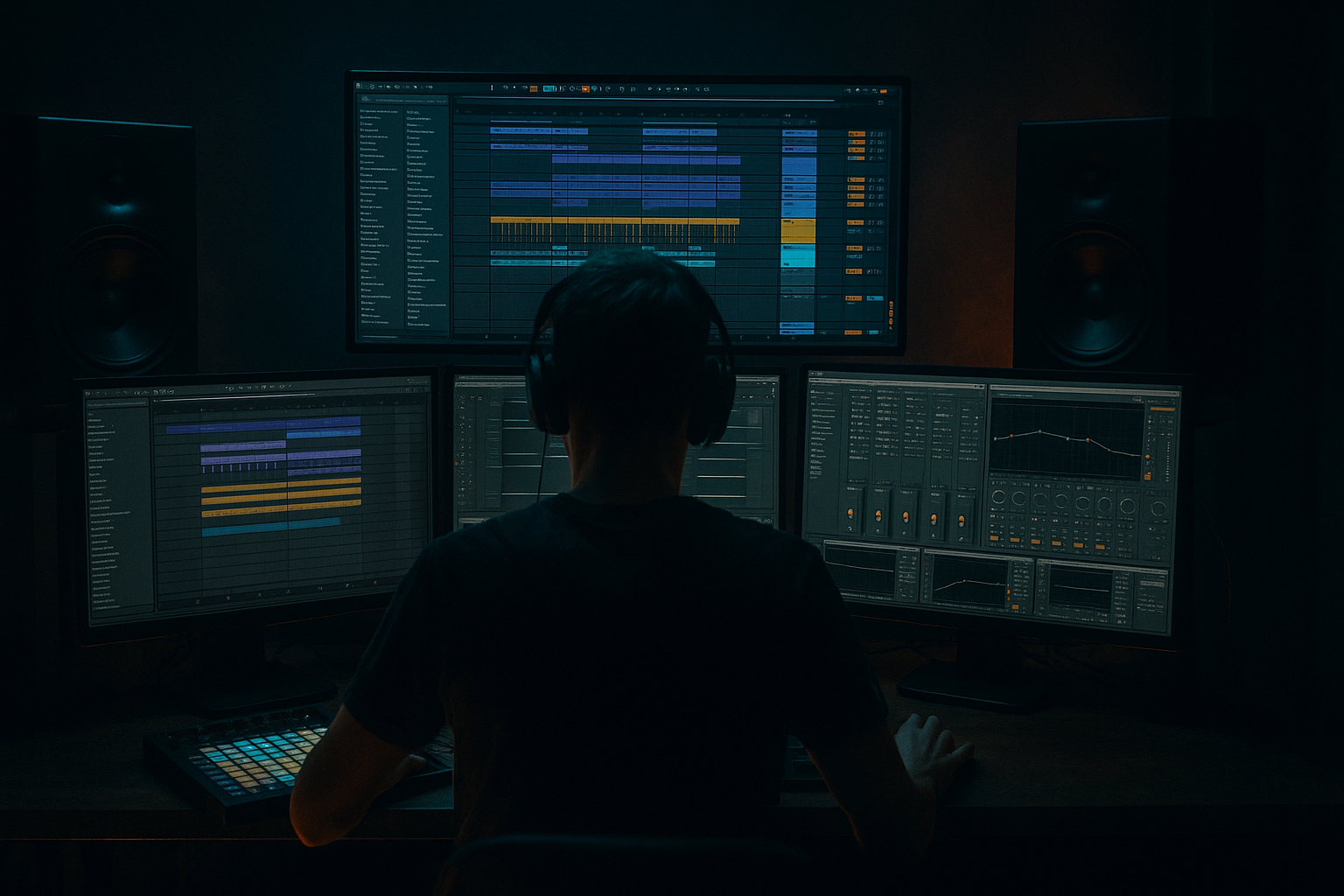
Main tutorial
Lesson Overview
This lesson is about building a clean Amen-style call-and-response riff from scratch in Ableton Live 12 that feels like it belongs in a proper jungle / oldskool DnB record, not just a looped drum edit. The goal is to create a short, memorable riff where the Amen break answers itself across two phrases: one phrase sets up tension, the next phrase replies with a slightly different drum gesture, filter move, or fill. That call-and-response shape is a huge part of jungle language, because it keeps the groove moving while leaving space for the bassline, FX, and arrangement to breathe.
Musically, this lives in the breakdown-to-drop transition, intro teasing, mid-drop variation, or second-drop evolution. Technically, it matters because a clean Amen riff has to stay readable even when it’s chopped, saturated, layered, and pushed hard. If the drum conversation is unclear, the track just sounds busy. If it’s too clean, it loses grit and jungle identity. The sweet spot is controlled chaos: enough swing, cuts, ghost hits, and texture to feel human, but tight enough to support a club system and not fight the sub.
This works especially well for oldskool jungle, dark roller-inflected jungle, atmospheric DnB, and rawer 170 BPM club tunes where the drums need character without destroying the low end. By the end, you should be able to hear a riff that feels like a proper DJ-ready phrase: one bar or two bars of question, one bar or two bars of answer, with a clear pocket, strong transient contrast, and enough polish to sit against bass without turning to mush.
What You Will Build
You will build a clean Amen-style call-and-response drum riff in Ableton Live 12 using stock tools only. The finished result should sound like a compact jungle statement: chopped Amen slices, a strong snare backbeat, a ghost-note-heavy response, subtle pitch or filter movement, and a sense that the drums are “talking” to themselves.
Sonically, expect:
- gritty but controlled break texture
- a strong snare identity
- audible kick / snare / hat hierarchy
- enough room around the sub for a bassline
- a slightly raw, sampled feel rather than over-processed modern drum bus polish
- lock around a 170-ish DnB grid
- use 1-bar or 2-bar phrasing
- feature a clear “statement” bar and a “reply” bar
- keep enough swing and offset to avoid sounding like rigid MIDI drums
- intro tease
- drop opener
- mid-drop variation
- breakdown lift before bass re-entry
- second-drop switch-up
- Use contrast in density, not just distortion. A darker riff gets heavier when the call is sparse and the response is busier. That negative space creates menace. If both bars are equally dense, the groove loses drama.
- Keep the snare dry enough to lead. For a harder jungle feel, let the snare stay relatively upfront while the texture lives behind it. If the room or echo overtakes the snare attack, the whole riff sounds further away and less dangerous.
- Resample a slightly degraded version for the response. Print a second pass of the break with a bit more Saturator or Drum Buss crunch, then use that only for selected hits in the response bar. This gives you movement without wrecking the full loop.
- Automate filter movement on the duplicate, not the core. The main break should stay stable. Put the instability on a texture layer so your riff can evolve without the essential groove shifting around.
- Use ghost notes as “threat,” not decoration. In darker DnB, a low-velocity snare drag or tiny kick pickup before the main hit can create tension without clutter. Think of them as pressure points.
- If the break is too bright, darken the top rather than killing the life. A gentle high shelf pull or selective reduction around 8–12 kHz can make the riff feel more underground while preserving snap.
- Push the second-drop version harder. The first drop version can stay cleaner; on the second drop, increase saturation slightly, add one extra slice in the response, or shorten the turnaround gap. That evolution keeps DJs and dancers engaged.
- Use only Ableton stock devices.
- Keep the main snare centered and clearly audible.
- Make bar 2 different from bar 1 by at least one rhythmic change, not just level.
- Do not add more than one texture layer.
- a 2-bar loop with a clear call in bar 1 and response in bar 2
- a simple processing chain on the break
- one arrangement note showing where the riff would appear in a real track
Rhythmically, it should:
Role in the track:
Success criteria: when you loop it with a subby bass and a simple hat pattern, it should feel like a real jungle section with momentum, not a chopped sample exercise. You should be able to mute the bass and still hear the drums tell a story.
Step-by-Step Walkthrough
1. Set the tempo, create the phrase length, and put the Amen in a musical lane
Start at a DnB tempo between 168 and 174 BPM. For oldskool jungle vibes, 170 BPM is a very safe working point. Create a 2-bar MIDI clip on a Drum Rack or an audio track if you’re using an Amen slice collection you’ve already prepared. The important part is not the source yet — it’s the phrasing.
For the first pass, lay out the riff as:
- Bar 1 = call
- Bar 2 = response
If you’re using the full break, don’t just loop it straight. Place the break so the snare lands with purpose on the main backbeat, then carve out a few hits to create a question mark in bar 1 and a more resolved answer in bar 2.
Why this works in DnB: jungle works when the listener can anticipate a return, but not predict every detail. The call-and-response structure gives the brain something to latch onto while the bass and arrangement keep the tension alive.
What to listen for: the riff should already feel like a phrase, not just a drum loop. If you can’t hear a question and an answer, the edit is too even.
2. Build the core from an Amen break and keep the hierarchy obvious
Drag in an Amen break and slice it into a Drum Rack or work directly with the break audio if you’re more comfortable editing on the timeline. In a Drum Rack, keep the slices logical:
- kick-ish hits on separate pads
- snare on a strong, dedicated pad
- ghost notes and hats on their own slices where possible
Your first goal is a clean hierarchy:
- main snare should be the loudest drum element
- kick should support momentum, not overpower the snare
- ghost notes should add chatter, not turn into noise
A useful starting move is to duplicate the break onto two lanes or two clips: one for the main statement and one for the answer. In the answer clip, remove one obvious hit and replace it with a ghost hit, reverse slice, or tiny snare flourish. That contrast is the call-and-response.
If you’re in Drum Rack, use velocity to shape the phrase:
- main snare: high velocity
- ghost notes: roughly 20–60% lower
- accent hits at the end of the bar: slightly higher than the surrounding notes
What to listen for: the snare should cut through even when played quietly. If the snare disappears when you lower the whole break, the break is being over-layered or over-compressed later.
3. Shape the first stock-device chain: EQ Eight → Saturator → Drum Buss
On the break group or audio track, build a practical chain:
- EQ Eight
- Saturator
- Drum Buss
Start with EQ Eight:
- high-pass gently around 25–35 Hz to clear useless rumble
- if the break is boxy, reduce a little around 250–500 Hz
- if the hats sting too hard, tame a narrow area around 7–10 kHz rather than blanketing the top
Then Saturator:
- try Drive around 2–6 dB
- keep Soft Clip on if the break is peaking too sharply
- don’t crush it into fuzz yet; this is about density
Then Drum Buss:
- Drive modestly, enough to thicken the break
- Crunch only a little if you want older sample grit
- use Transient carefully; too much can make the break spiky and fake
- keep Boom conservative unless you are intentionally rebuilding the low end
Why this works: Amen-style drums need harmonics to stay audible on smaller systems and through bass distortion. Saturation helps the break survive the mix without turning into harsh top-end.
Decision point — A vs B:
- A: Cleaner oldskool
- lighter Saturator drive
- less Drum Buss crunch
- more transient detail
- better if the bassline is already busy
- B: Grubbier jungle weight
- more Saturator drive
- more Drum Buss crunch
- slightly less top-end polish
- better if the track needs raw attitude and you want the drums to feel sampled
4. Create the call phrase by leaving space on purpose
In bar 1, resist the urge to fill every gap. A convincing call phrase usually has one dominant statement and one or two small interruptions. Try this pattern:
- strong opening kick/snare movement
- one ghost note or dragged slice after the snare
- a short gap before the bar turns over
- a tiny pickup into bar 2
In MIDI terms, that often means deleting one obvious hit from the second half of the bar so the listener feels tension. If you’re editing audio, cut a slice just before a strong hit and leave a brief gap or insert a quieter ghost slice.
Put bar 1 in context with a simple sub note or bass drone. If the break is too crowded, the bassline and drums will fight each other and the groove will collapse into noise. If the bassline can breathe under the call, you’re in the right zone.
Stop here if the first bar already sounds like a complete phrase. A lot of people over-edit this stage and destroy the identity of the break.
5. Write the response by changing rhythm, not just volume
Bar 2 should answer bar 1 with a different motion, not simply a louder version of the same idea. Good options:
- add a ghost snare before the main snare
- shift one kick earlier or later by a small amount
- insert a tiny fill at the end of the bar
- use a reversed slice into the downbeat
- let the hats chatter more in the reply bar
A useful rule: the response should feel more resolved or more aggressive than the call, but not both at once. If bar 1 asks a question, bar 2 can either:
- answer cleanly and confidently, or
- answer with more menace and leave the next bar hanging
For timing, keep the main snare anchored, but nudge small ghost slices a few milliseconds ahead or behind to humanize the swing. Don’t overdo manual quantize looseness; jungle groove comes from selective looseness, not sloppy placement.
What to listen for: the change between bar 1 and bar 2 should be obvious with the drums alone. If you barely notice a difference, the response needs more rhythmic contrast.
6. Use a second stock-device chain for texture and movement: Auto Filter → Echo or Reverb
For atmosphere and oldskool character, send the break lightly to a return track or process a duplicate with:
- Auto Filter
- Echo or Reverb
Keep it subtle and functional:
- Auto Filter low-pass around 8–12 kHz on the texture layer
- automate the cutoff slightly between the call and response
- Echo with short, messy feedback for a degraded tail, or Reverb for a tiny space if you want the break to feel sampled in a room
The key is not to wash out the drums. You’re creating a background shadow that makes the riff feel wider and more haunted, not a big ambient drum effect.
A good workflow tip: duplicate the break, mute the duplicate’s dry path, and process only the texture copy. This lets you blend character underneath the main hit pattern without losing impact. It’s much faster than endlessly tweaking one chain and wondering why the groove turned soft.
7. Lock the riff against the bass and check mono compatibility
Now bring in a bassline or even a placeholder sub. In jungle and oldskool DnB, the drum riff has to coexist with the bass on a very practical level. Check:
- does the snare still punch through?
- does the kick feel swallowed by sub?
- does the break’s low end clash with the bass note envelope?
Use EQ Eight on the break if needed:
- reduce low clutter around 80–180 Hz if the bass owns that area
- keep the break’s low weight controlled and let the bass handle true sub
- if the bass is strong, your break may only need the audible body and transient, not deep low-end
Mono check matters here. If you’ve widened any texture layer, collapse it to mono or keep it narrow enough that the core groove still works. The main break should remain solid in mono, because club systems and DJ transitions will punish over-wide drum edits.
What to listen for: in mono, the call-and-response should still be legible. If the groove becomes hollow or the snare loses authority, too much of the identity is living in stereo width or phasey FX.
8. Add a small arrangement move so the riff behaves like a real track element
A loop alone isn’t enough. Make the riff useful in arrangement by giving it one of these roles:
- 2-bar intro tease with filtered drums only
- 4-bar drop phrase where bars 1–2 are the call and bars 3–4 are the response repeated with variation
- 8-bar section where the second half adds extra ghost notes or a fill before the next transition
Example arrangement:
- Bars 1–2: filtered call-and-response, no bass
- Bars 3–4: bass enters, response bar gets more weight
- Bars 5–8: add one extra hat slice and a fill on the last half-bar
- Bars 9–12: strip back one element, then bring it back for the second drop
This matters because DJs and dancers respond to phrasing. A jungle riff that evolves every 4 or 8 bars feels alive and mixable; a static loop feels like a demo.
If you want a strong transition, automate Auto Filter opening over 4 bars, then drop it back to full range on the downbeat. That creates a proper “release” moment without needing a giant riser.
9. Commit the best version and edit from audio if the groove is working
Once the core loop feels right, commit this to audio. In Ableton terms, that means printing the break so you can edit it like a finished drum performance rather than endlessly toggling individual slices.
Why commit:
- easier to see the groove visually
- easier to create tiny edits, reverses, and fills
- you avoid overbuilding the MIDI and losing the original feel
After printing, make one or two small audio edits:
- cut a tiny gap before the response snare
- reverse one slice into the bar line
- duplicate a ghost note for a quick fill
- automate a short filter dip into the last hit of the bar
This is where the riff becomes recognisably “yours” rather than a stock Amen loop. Keep the edits disciplined. One strong audio gesture is better than five random ones.
10. Finish with a mix pass that preserves punch and DJ usability
On the final pass, keep the overall drum group under control:
- leave headroom; don’t chase loudness at this stage
- if the snare is losing edge, back off group compression before you add more brightness
- if the top end feels brittle, reduce harshness around 7–12 kHz instead of dulling the entire break
- if the kick and bass are stepping on each other, decide who owns the 50–120 Hz region and support that choice consistently
A useful finishing check is to mute the bass and verify the break still feels like a full phrase, then mute the drums and bring the bass back to hear whether the low end has room to move. If both elements are only exciting in isolation, the arrangement isn’t locked yet.
Successful result should sound like: a tight, gritty Amen conversation where each bar has intent, the snare speaks clearly, the ghosts give motion, and the whole riff can survive under a sub without turning into a blurred wash.
Common Mistakes
1. Making both bars too similar
- Why it hurts: the riff stops sounding like call-and-response and becomes a loop with no tension arc.
- Fix: remove one hit, add one ghost note, or change one fill in the response bar so the second bar clearly answers the first.
2. Over-compressing the break until the snare flattens
- Why it hurts: Amen energy comes from contrast; flattening the transient makes the phrase feel lifeless.
- Fix: reduce Drum Buss or compression amount, then restore perceived weight with modest Saturator drive instead of more gain reduction.
3. Letting the break and bass both occupy the same low-mid zone
- Why it hurts: the groove gets cloudy and the bassline loses authority.
- Fix: trim the break around 80–180 Hz or thin some 250–500 Hz body so the bass can own the low-end lane.
4. Using too much stereo widening on the main drum layer
- Why it hurts: the riff may sound exciting in headphones but collapses in mono and weakens on club systems.
- Fix: keep the main break centered; put width only on subtle texture layers or returns, then mono-check the core groove.
5. Filling every gap with hats and ghost notes
- Why it hurts: jungle tension depends on negative space as much as motion.
- Fix: leave one or two strategically empty slots in the call bar, then reserve the denser chatter for the response.
6. Choosing an Amen slice set with mismatched tone
- Why it hurts: if the slices come from different sources or wildly different processing, the riff sounds pasted together.
- Fix: keep the main break family consistent, then create variety through edits, saturation, filtering, and selective layering.
7. Ignoring phrase length and arrangement context
- Why it hurts: a riff that sounds good for one loop may not function in a real intro, drop, or transition.
- Fix: test the riff over at least 4–8 bars with bass and a simple hat or atmosphere layer, then decide where the call and response actually land in the track.
Pro Tips for Darker / Heavier DnB
Mini Practice Exercise
Goal: Build a 2-bar Amen-style call-and-response riff that works with a bass placeholder.
Time box: 15 minutes.
Constraints:
Deliverable:
Quick self-check:
Loop it with a sub bass drone. If the drum phrase still feels like it has a question and an answer, and the snare remains the anchor in mono, the exercise is working. If it sounds crowded or the bass disappears, simplify bar 2 and reduce low-mid break energy.
Recap
A strong Amen-style call-and-response riff is about phrase shape, contrast, and control. Build a clear 2-bar conversation, keep the snare dominant, give the response bar a real rhythmic change, and process the break just enough to make it gritty and present without destroying punch. Check it with bass, check it in mono, and commit to audio once the groove feels alive. The best result sounds like the drums are talking back to each other while still leaving space for the track to hit hard on a proper system.

