Show spoken script
Title: Chopping Reggae Vocals Masterclass using Session View (Intermediate)

Alright, let’s do a proper drum and bass vocal chop session, the way you’d actually build it fast and musical in Ableton Live, using Session View.

The goal today is simple: take a reggae or dancehall acapella, warp it cleanly at DnB tempo, slice it into playable pieces, then perform call-and-response hooks like the vocal is part of the drums. By the end, you’ll have a vocal-chop instrument you can jam in Session View, plus a recorded take in Arrangement that’s basically ready to become a full track.

Before we touch vocals, set the environment so your edits make sense at speed.

Step zero: prep the project for DnB.
Set your tempo somewhere in the 172 to 175 BPM zone. I’ll mentally aim at 174. Now build a tiny context loop, because chopping in silence is how you make chops that don’t actually groove.

Create a Drum Rack with a basic DnB pattern. Doesn’t need to be perfect. Even kick, snare, hats is enough. Then add a placeholder sub or bass. Operator, Wavetable, whatever you like. Just a simple one-bar riff. Now loop eight bars at the top. Eight bars is long enough to feel momentum, short enough to stay focused.

Quick mindset: right now you are not producing the full mix. You’re building rhythmic vocabulary. The vocal rhythm matters more than fancy drums at this stage.

Now Step one: import and warp the reggae vocal cleanly.
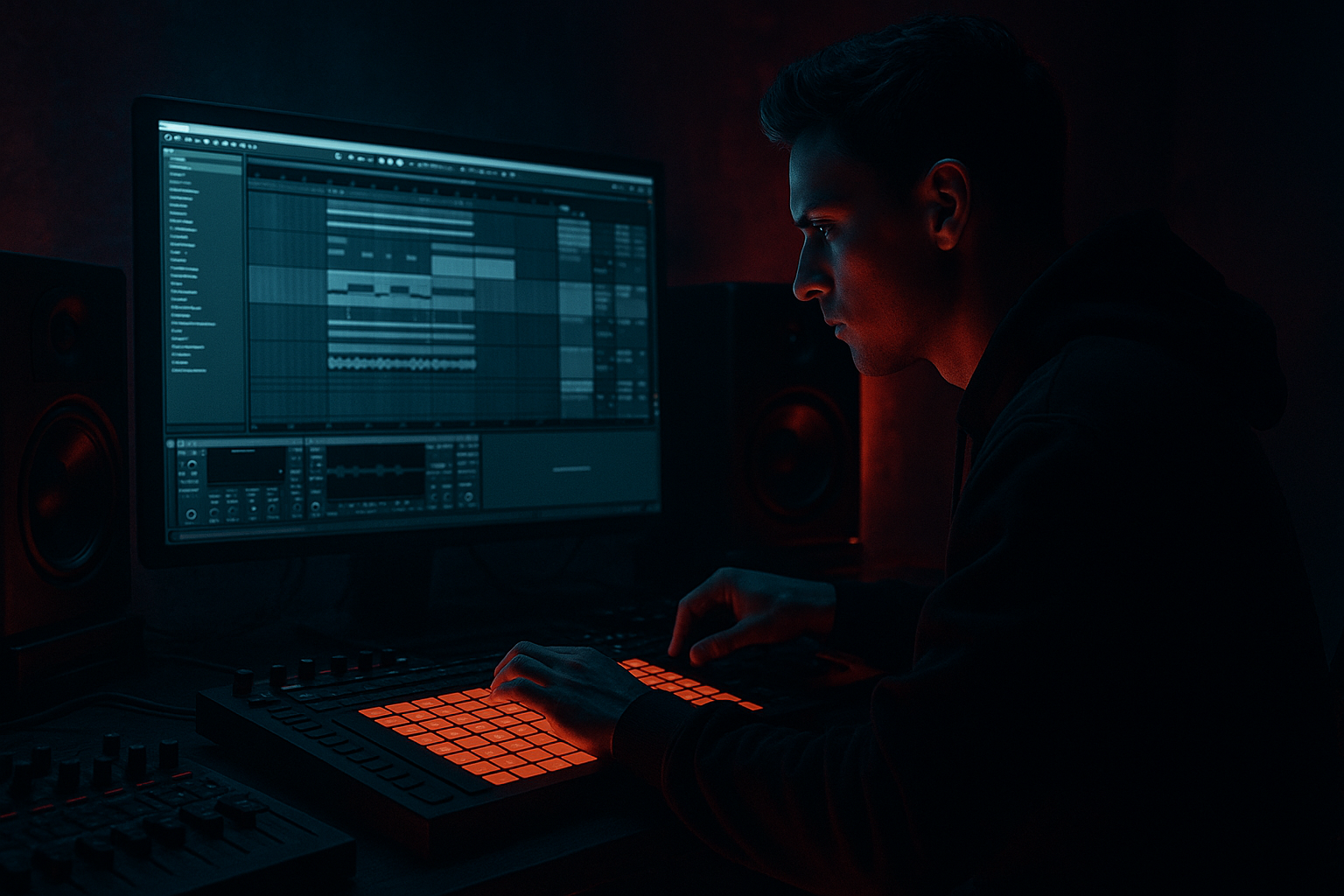
Drag your vocal onto an audio track in Session View. Double-click the clip so Clip View opens. Turn Warp on.

For warp mode, start with Complex Pro if you’re dealing with actual phrases and you want it to sound natural. Set Formants around zero to start, and Envelope around 128. That’s a solid baseline.

If it’s a full acapella, find the true first downbeat, right-click and choose Warp From Here, straight. Then listen for drift. Don’t go warp-marker crazy. Drop warp markers every one or two bars, and place them on strong consonants and clear syllable starts. You’re trying to get it sitting on the grid enough to chop rhythmically without sounding like rubber.

This is important: over-warping is one of the fastest ways to make vocals sound phasey and artificial. Intermediate move is knowing when to stop.

Now Step two: find DnB-useful moments. And I mean useful. Don’t slice everything.
Listen through and hunt for words and sounds that behave like percussion. Stuff like “selecta,” “rewind,” “rudeboy,” “pull up.” Also grab breaths and intakes, because those create tension, especially before snares or drops.

Pay attention to the end consonants too. The “t,” “k,” “p” endings can become little rimshots if you chop them tight. And also flag any sustained vowels. Those can become atmospheric tails, pitched drones, or transition textures.

Teacher note here: you’re curating. You’re not archiving. The best chop racks are selective.

Step three: the Session View power move. Slice to a Drum Rack.
Right-click the vocal clip in Session View and choose Slice to New MIDI Track.

For Slice By, start with Warp Markers. That gives you control and it respects your musical decisions. If the vocal is super percussive, Transients can work, but Warp Markers is the “I meant to do that” method.

Ableton will create a new MIDI track with a Drum Rack, and each slice is mapped across pads. Now your vocal is an instrument.

Step four: tighten slices. This is where your chops go from “kinda cool” to “why does this hit so hard at 174.”
Click a pad, and you’ll see that slice loaded into Simpler.

First thing: start points matter more than quantize at this tempo. I want you to focus on the Start knob like it’s your groove control. Trim the start so the consonant hits immediately. Not late. Not mushy.

Here’s a practical check: loop your drums, then tap the pad repeatedly. If it feels inconsistent, it’s usually the start point, not your timing.

Add tiny fades if you get clicks. In Simpler, a micro Fade In is often enough.

Then choose playback behavior. One-Shot is great for shouts and single words. If you want more envelope shaping, Classic mode gives you more traditional control.

Quick envelope starting points:
Attack basically zero, maybe up to 3 milliseconds.
Decay somewhere around 200 to 600 milliseconds depending on the length.
Sustain either all the way down if you want it short, or keep it up if you want the tail.
Release around 50 to 150 milliseconds so it ends clean without chopping too abruptly.

DnB timing trick: if a slice feels late, don’t always move the MIDI note. Try trimming a few milliseconds off the start so the transient lands earlier. That’s often the difference between “on-grid” and “feels right.”

Now, let’s add some organization that will make you faster.

Inside the Drum Rack, think in groups.
Put one-shots like shouts and tags on the bottom row.
Put short phrases in the middle.
Put longer textures and breaths on the top.
This becomes muscle memory. You’ll perform better immediately because your hand knows where “punctuation” lives versus “phrases.”

And definitely use choke groups.
In the Drum Rack, set your shouts to choke each other so you don’t get messy overlaps. It’s like a DJ cutting between phrases. Crisp, controlled, intentional.

Step five: make it groove with MIDI in Session View.
Create a one-bar MIDI clip on the sliced MIDI track. Start simple. You’re building a hook, not writing a spoken-word essay.

A classic approach is placing chops on the “and” of two or the “and” of four. Or do little stabs leading into the snare for that jungle energy.

Quantize to 1/16 to get the idea in place. Then add feel with Groove. Try MPC 16 Swing around 57 to 63, lightly. Or, even better, extract groove from a breakbeat clip. Right-click the break, extract groove, then apply it to your vocal MIDI clip.

One key concept: in drum and bass, vocals often work best as syncopated percussion. If you let a long phrase sit on top of your snare and bass, it fights the groove. Short, punchy, rhythmic chops win the drop.

Now let’s talk dynamics, because velocity is your dub engineer.
In Simpler, make sure velocity affects volume, then actually perform dynamics. Ghost chops tucked behind hats at low velocity, accents before snares at high velocity. A pattern that breathes always feels more pro than a perfectly edited but flat performance.

Next, Step six: build a vocal performance FX chain that feels “record-ready.”
On the vocal chop track, add a clean, solid chain:

Start with EQ Eight. High-pass around 120 to 250 Hz to get rid of rumble and mud. Then listen for harshness around 2.5 to 5 kHz, and dip if it’s biting.

Add Glue Compressor. Ratio 2 to 1, attack 3 to 10 milliseconds, release on Auto. You’re not crushing; you’re seating. Aim for one to three dB of gain reduction.

Add Saturator. Drive maybe 2 to 6 dB, soft clip on. This helps the vocal chop read through a dense DnB mix.

Then add delay. Echo is perfect. Try one-eighth or one-quarter ping-pong. Filter it so the delay is mostly above 300 Hz and below 8 kHz. That keeps it from muddying your sub and frying your top end.

Then reverb. For the drop, keep it short. A plate or room with decay under two seconds. Save the long dark wash for intros, breakdowns, and transitions.

Now, because this is Session View, we want performance control.
Put these effects in an Audio Effect Rack and map key controls to macros.
Have a macro for Dub Delay Send, a macro for Reverb Wash, a macro for a telephone-style filter, and a macro for stutter.

That’s your performance surface.

Step seven: classic jungle and dub performance moves.
First: Beat Repeat stutters. Put Beat Repeat after EQ.
Start with interval one bar, grid one-eighth or one-sixteenth. Set Chance to zero percent so it doesn’t trigger randomly. Gate around 70 percent. Then map the Mix to a macro. Keep it at zero and slam it up to 30 or 60 percent for fills and pull-up energy.

Second: dub throws, done properly.
Put Echo on a Return track dedicated to throws. Dark filter it. High-pass around 300 Hz, low-pass around 6 to 8 kHz. Moderate feedback.

Even better coach move: add a compressor on that return, sidechained from your snare, ducking two to four dB. That way the echoes stay audible but step out of the way of the backbeat. This is how you keep throws exciting without turning your mix to soup.

Then automate or perform send amount on single words only. Like you hit “selecta!” and you throw just that word into the delay. That’s the classic move.

Third: pitch drops for emphasis.
You can do this per slice in Simpler, or with a device like Shifter. A quick drop of minus three to minus twelve semitones on the last word of a phrase can sound menacing, especially in darker DnB. Use it like punctuation, not constant effect.

Also, a subtle character trick: in Complex Pro, automate formants just a little, like plus or minus 10 to 30, during fills. It reads as “yard flavor” and attitude without becoming chipmunk territory.

Now Step eight: organize Session View into scenes like a DJ set.
This is where Session View becomes an arrangement engine.

Create an Intro scene: sparse chops, long reverb, filtered tone.
Then a Drop Hook scene: your main one-bar hook, tighter EQ, less reverb.
Then a Variation scene: stutters before snare, a couple delay throws.
Then a Breakdown scene: half-time feel, dub echoes, more space.
Then Second Drop: swap two or three key slices and build a new call-and-response.

Name clips clearly. Vox hook, vox fill, vox throw. When you’re performing, you don’t want to decode mysteries.

Advanced performance tip: for longer call phrases, enable Legato on clip launch. That way when you switch between variations, the phrase doesn’t restart from the beginning every time. It keeps the MC flow natural, like you’re cutting between sections rather than retriggering the entire vocal.

Another advanced idea: question and answer clip pairs.
Make one clip that asks a question and leaves space at the end. Make a second clip that answers in that space. Alternate them every two or four bars and you get structure instantly.

And if you want that “played, not programmed” vibe, do the push-pull trick.
Duplicate a MIDI clip. In version A, nudge the first chop slightly early, like one to five milliseconds. In version B, nudge the last chop slightly late. Launch A then B across eight bars and it creates tension and release without changing the pattern.

Now Step nine: record your performance into Arrangement.
Hit Global Record. Then perform. Two to four minutes is plenty.

Rule of thumb: change something every eight bars. That something can be launching a new clip, or it can be a macro move like a throw, a stutter, or a filter sweep. You don’t need to do everything at once. Controlled variation is the whole game.

When you’re done, switch to Arrangement View. Clean it up. Consolidate the best sections. Automate your key FX moments, especially send boosts for throws. And build hook moments at 16 or 32 bar points like a real DnB arrangement.

One arrangement upgrade I love: the vocal mute bar.
Right before the drop, remove almost all chops. Leave one signature word plus a throw. That contrast makes the first bar of the drop feel enormous without adding any new sounds.

Now quick common mistakes to avoid as you work.
Don’t over-warp. Warp just enough.
Don’t leave chops too long. Long phrases fight snare and bass.
Always high-pass, because reggae vocals can carry low rumble that steals space from your sub.
Don’t drown the drop in reverb. Save the big space for intros and breakdowns.
And don’t put everything perfectly on-grid. Micro-swing and slight off-beat placement is where life comes from.

Before we wrap, here’s your mini practice exercise.
Build a 16-bar drop hook with three variations in Session View.

Slice a reggae vocal into eight to twelve usable pads.
Create three one-bar MIDI clips:
Clip A is the main hook, simple and repeatable.
Clip B is a variation with a fast rattle or triplet-ish fill before the snare in the last half-bar.
Clip C is the sparse version that leaves space for bass.

Add one echo throw on a single word at the end of bar four.
Add one Beat Repeat stutter leading into bar nine.
Then perform A for eight bars, B for four bars, C for four bars, and record it into Arrangement. After that, find your best two-bar moments and build structure by repeating them with tiny changes every eight bars.

Recap.
You warped the vocal to DnB tempo without destroying it.
You sliced to a new MIDI track and turned phrases into a playable Drum Rack.
You tightened start points and envelopes for punch at 174.
You built performance-ready scenes and macros for throws and stutters.
And you recorded a live Session View performance into Arrangement, which is the fastest way to get real structure.

If you tell me what style you’re aiming for, rollers, jump-up, jungle, techstep, and whether your vocalist is more sung or more toasted and sharp, I can suggest a pad layout, choke group plan, and a macro set that matches that exact vibe.