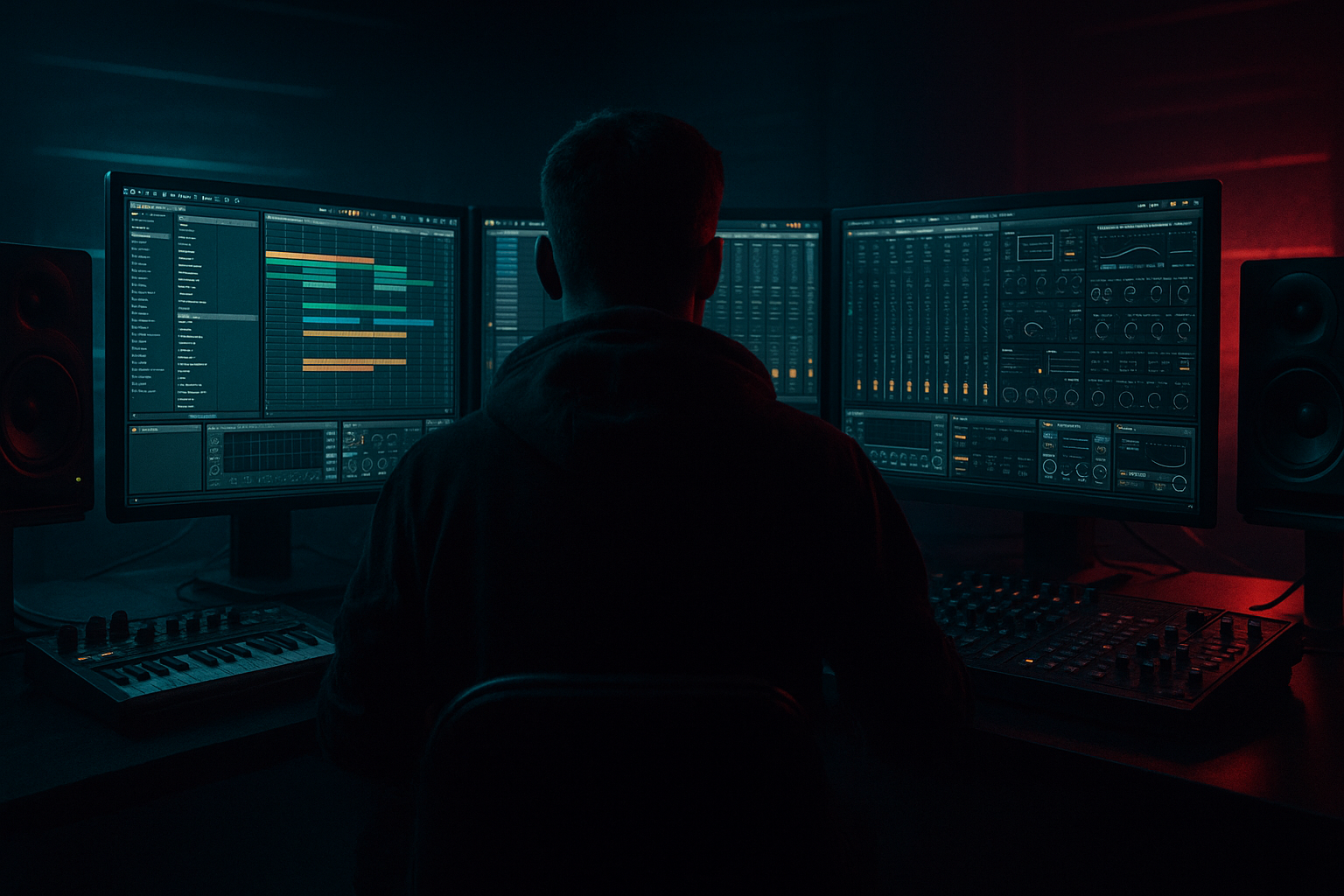
Main tutorial
Lesson Overview
This lesson is about building a chopped, modulated vocal hook from scratch in Ableton Live 12 and turning it into a proper oldskool jungle / DnB phrase that can sit in a drop, a switch-up, or a tension-building intro.
In Drum & Bass, vocals are rarely just “lead singing.” They become rhythmic material: chopped like breaks, pitched like instruments, filtered like synths, and automated like FX. That’s especially true in jungle, rollers, darker DnB, and neuro-adjacent cuts, where a vocal can do three jobs at once:
- add human character,
- create call-and-response with drums or bass,
- and drive energy through motion, edits, and modulation.
- a slice-based vocal instrument in Ableton Live 12,
- a modulated, filtered lead chop with movement,
- optional call-and-response echoes that answer the break or bassline,
- a dark, gritty layer with subtle saturation and resampling character,
- and a version that can work in:
- a vocal phrase chopped into 1/8 and 1/16 rhythmic hits,
- one or two longer sustained chops for tension,
- a pitch-shifted response chop an octave down or up,
- and automation that evolves the phrase over 4 or 8 bars so it doesn’t loop flat.
- Over-chopping the vocal until it loses identity
- Too much reverb washing out the groove
- Using full-range vocal tone without EQ
- Ignoring timing against the drums
- Too many pitch changes in one phrase
- Not resampling the good moments
- Layer a whispered or lower-octave copy under the main chop at very low level for menace. Keep it mono and filtered.
- Use a narrow band-pass filter on a section of the vocal for an eerie “telephone” style call, then open it up at the drop.
- Push Saturator before EQ if you want more aggressive harmonics, then clean the result after.
- Automate short delay throws only on the last chop of each 4-bar phrase — that creates movement without clutter.
- Duplicate one chop, reverse it, and place it before the original for a classic oldskool pickup.
- Keep the vocal mostly mono in the drop. If you widen the top too much, it can feel disconnected from the drums.
- Use a subtle sidechain-style ducking feel with volume automation if the vocal clashes with the snare or bass reese.
- If the track leans neuro/dark rollers, make the vocal more textural: less lyrical, more chopped syllables, more rhythmic processing, less full phrasing.
- Treat vocals as rhythmic DnB material, not just lead lines.
- Warp carefully, then slice into a playable instrument.
- Build a chop rhythm that locks to the drums and leaves space.
- Use EQ Eight, Auto Filter, Saturator, Delay, and Reverb to shape tone and motion.
- Resample the best results so you can edit like a jungle producer.
- Automate the phrase across 4 or 8 bars so it evolves like a real arrangement.
- Keep it tight, gritty, and memorable — that’s the DnB vocal sweet spot.
The goal here is to take a short vocal phrase, slice it into playable pieces, and shape it into something that feels nostalgic, gritty, and intentionally musical — not just slapped on top. You’ll use Ableton stock tools like Simpler, Warp modes, Auto Filter, Saturator, Reverb, Delay, and automation lanes to create a vocal chop that behaves like part of the arrangement.
Why this matters in DnB:
DnB arrangements are fast, so vocals must be instantly readable and rhythmically locked. A strong chopped vocal can help a drop feel bigger without crowding the low end, and it can reinforce the break’s swing by sitting in the same groove pocket as the drums. In oldskool jungle especially, a chopped vocal can feel like another percussion instrument — raw, human, and hypnotic 🎛️
What You Will Build
By the end of this lesson, you’ll have a 4- or 8-bar vocal chop hook that sounds like a classic jungle/DnB phrase with modern control.
Specifically, you’ll build:
- a 30–45 second intro,
- a drop switch-up,
- or a breakdown-to-drop transition.
Musically, expect something like:
Think: “classic ragga/jungle attitude with modern Ableton precision.”
Step-by-Step Walkthrough
1. Choose or record a vocal phrase with clear rhythm and attitude
Start with a phrase that has strong consonants, vowels, or a memorable cadence. In DnB, short phrases work best: one line, one shout, one repeated word, or even half a sentence. You want material that can survive chopping.
Good source types:
- a dry vocal line from a vocal pack,
- a recorded spoken line,
- a rap ad-lib,
- a sung phrase with clear transients,
- or even your own voice recorded into Ableton.
In the Arrangement View, drop the vocal onto an audio track and make sure it’s cleanly trimmed. If it’s tempo-flexible, set Warp on and choose a sensible warp mode:
- Complex Pro for full vocal phrases,
- Beats only if the source is very percussive and you want chopped stutter character.
Keep the source short. For this style, 1–4 bars of usable vocal is often enough. The less cluttered the source, the easier it is to turn it into a memorable hook.
2. Warp and align the vocal to the grid without killing its natural feel
Set the project tempo to your DnB target, usually 170–174 BPM for oldskool/jungle energy or 172–176 BPM for a sharper modern pace. Warp the vocal so the first strong syllable lands musically.
Practical workflow:
- Find the first clean transient or strong word.
- Place Warp Marker 1 there.
- Align the phrase to bar 1.
- Add a second warp marker near the end if the timing drifts.
Don’t over-tighten every syllable. In DnB, a vocal chop often feels better with a little human push/pull, especially if it’s going over a swinging break. The rhythm should be locked enough to groove, but loose enough to breathe.
If the vocal sounds too unnatural after warping, try:
- shifting to Complex or Complex Pro and adjusting Formants gently,
- or leaving the phrase slightly imperfect and letting the chop edits create the rhythm instead.
3. Convert the vocal into slices using Simpler or Slice to New MIDI Track
This is where the “chop” becomes playable. Right-click the vocal clip and use Slice to New MIDI Track if you want the fastest route to a chop pad instrument. Choose:
- Slice by Transient
- or Slice by Beat if the phrase is already steady and you want predictable divisions.
Ableton creates a Drum Rack with Simpler slices. This is ideal for DnB because it turns the vocal into a performance instrument. Now you can program chops like drum hits.
If you prefer more control, load the vocal into Simpler manually and use it in Slice mode. That’s excellent for:
- assigning slices across a MIDI keyboard,
- retriggering a single slice with different note lengths,
- and building custom call-and-response patterns.
Helpful settings:
- Start/End: trim each slice tightly so the chop attacks cleanly.
- Fade: keep small fades to avoid clicks, but don’t soften the transient too much.
- Snap: use transient-based slices first, then manually move a couple if one lands awkwardly.
At this stage, think like a breakbeat editor: the vocal is now another rhythmic component.
4. Program a 4-bar chop rhythm that complements the break
Create a MIDI clip and build a pattern that feels like it’s interacting with the drums, not sitting on top of them. For jungle/oldskool DnB, try a phrase that answers the snare or kick accents.
A strong starting structure:
- Bar 1: one short chop on beat 1, one mid-length chop on the “and” of 2
- Bar 2: repeat the idea with a different ending chop
- Bar 3: introduce a gap for tension
- Bar 4: a quicker run or a pitch-shifted response
Use 1/8 and 1/16 note placements sparingly. The trick is not to fill every slot — it’s to make the vocal feel like a riff.
Good DnB phrasing idea:
- short phrase on beat 1,
- silence,
- another chop around beat 2.5,
- then a last stutter leading into the next bar.
This works because DnB momentum often comes from negative space. The drum break and bassline already occupy a lot of energy, so the vocal becomes powerful when it punctuates rather than constantly speaks.
5. Shape the tone with EQ, filtering, and pitch movement
Insert EQ Eight first to clean the chop. Typical starting points:
- high-pass around 120–200 Hz to keep the sub clear,
- reduce mud around 250–500 Hz if the vocal sounds boxy,
- tame harshness around 2.5–5 kHz if the chop feels sharp.
Then use Auto Filter for movement:
- Set a low-pass filter with moderate resonance.
- Automate the cutoff over 4 or 8 bars.
- Try opening from around 400–900 Hz up to 3–6 kHz for a build.
For pitch modulation, use Simpler’s transpose or clip pitch envelope carefully:
- one response chop at -12 semitones for weight,
- a call chop at +7 or +12 semitones for tension,
- or small shifts of ±2 to ±5 semitones for a more musical variation.
Avoid overdoing pitch-shifting across every chop. In oldskool jungle, the magic often comes from a single iconic pitch jump repeated with intent.
6. Add grit, presence, and controlled movement with stock Ableton effects
Now make it feel like DnB instead of a clean vocal edit. Chain the vocal through:
- Saturator
- Redux very lightly if you want edge
- Echo or Delay for rhythmic throws
- Reverb for depth, but only in controlled amounts
Start with Saturator:
- Drive around 2–6 dB
- Turn on Soft Clip if needed
- Keep output matched so you don’t fool yourself with loudness
Then add Delay or Echo:
- set a timed delay to 1/8, 1/8 dotted, or 1/4 depending on groove
- filter the delay so it doesn’t crowd the low mids
- automate send amounts only on phrase ends
For Reverb, keep it dark and short if the vocal sits in a dense drop:
- decay around 0.8–1.6 s
- pre-delay around 10–25 ms
- high-pass the return heavily if possible
Why this works in DnB:
The genre depends on tight transient focus. Saturation helps the vocal cut through break-heavy arrangements, while filtered delay/reverb creates space without washing out the drums or bass. You’re adding atmosphere, not fog.
7. Resample the processed vocal into a new audio track for character control
Once the chop pattern feels good, record the output to a new audio track using resampling. This is a classic DnB workflow because it helps you commit to a vibe and makes further edits easier.
Create a new audio track, set its input to Resampling, and record the vocal chop performance. Then use the recorded audio to:
- slice individual hits further,
- reverse one phrase for a transition,
- or duplicate a single juicy chop into a fill.
This is especially useful for jungle-style edits because you can create:
- a reverse vocal pickup before a drop,
- a stutter burst at the end of bar 8,
- or a one-shot hit to support a snare fill.
Once resampled, you can also use Warp markers to stretch a particular chop into a more dramatic shape without affecting the original MIDI performance.
8. Automate the arrangement so the vocal evolves over time
A looped vocal chop gets stale fast unless the arrangement changes. Plan the phrase like a DJ-friendly DnB section:
- Intro: filtered, distant vocal fragments
- Build: opening filter and increasing delay throws
- Drop: chopped main motif with short, aggressive responses
- Switch-up: one bar of altered rhythm or pitch
- Outro: reduce density and let echoes trail off
A practical 8-bar progression:
- Bars 1–2: low-pass filtered vocal, minimal slices
- Bars 3–4: add one extra response chop
- Bars 5–6: open filter, introduce saturation or a higher pitch chop
- Bars 7–8: automate delay send for a lead-in fill, then strip back before the next section
Use volume automation to make the phrase breathe with the drums. Small gain rides can be more effective than extra processing. If a phrase lands on top of a snare, duck it slightly; if it answers a break gap, let it speak louder.
In a real arrangement context, this could sit over:
- a ghosted break intro,
- a deep rolling bass drop,
- or a half-time breakdown before the second drop.
Common Mistakes
Fix: keep one or two recognizable phrase shapes. The listener should still catch the hook.
Fix: shorten decay, high-pass the return, and automate reverb only on transitions.
Fix: high-pass aggressively and carve low-mids so the vocal doesn’t fight the bass or break.
Fix: place key chops around kick/snare accents or in the gaps between break hits.
Fix: use one main pitch idea and one contrasting response. Keep it memorable.
Fix: commit the best performance to audio so you can edit it like a sampled jungle record.
Pro Tips for Darker / Heavier DnB
Mini Practice Exercise
Spend 10–20 minutes making one usable vocal chop idea.
1. Find a 1–2 bar vocal phrase.
2. Warp it to your project tempo at 172–174 BPM.
3. Slice it into a Drum Rack using Slice to New MIDI Track.
4. Program a 4-bar pattern with at least:
- 3 short chops,
- 1 longer held chop,
- 1 silence/gap,
- 1 response chop at the end.
5. Add EQ Eight, Auto Filter, and Saturator.
6. Automate the filter cutoff across the 4 bars.
7. Resample the result.
8. Reverse one chop or move one chop an octave up/down.
9. Compare the original and the resampled version.
10. Keep the version that feels most like a real DnB hook.
Goal: make something that could sit over a break and bassline without needing extra explanation.

