DNB COLLEGE

Drum & Bass Ableton Live 12 Tutorials

LESSON DETAIL

Charlie Tee dubplate-style intro in Ableton Live 12 for pirate-radio energy (Beginner · Edits · tutorial)

An AI-generated beginner Ableton lesson focused on Charlie Tee dubplate-style intro in Ableton Live 12 for pirate-radio energy in the Edits area of drum and bass production.

Back to lessons
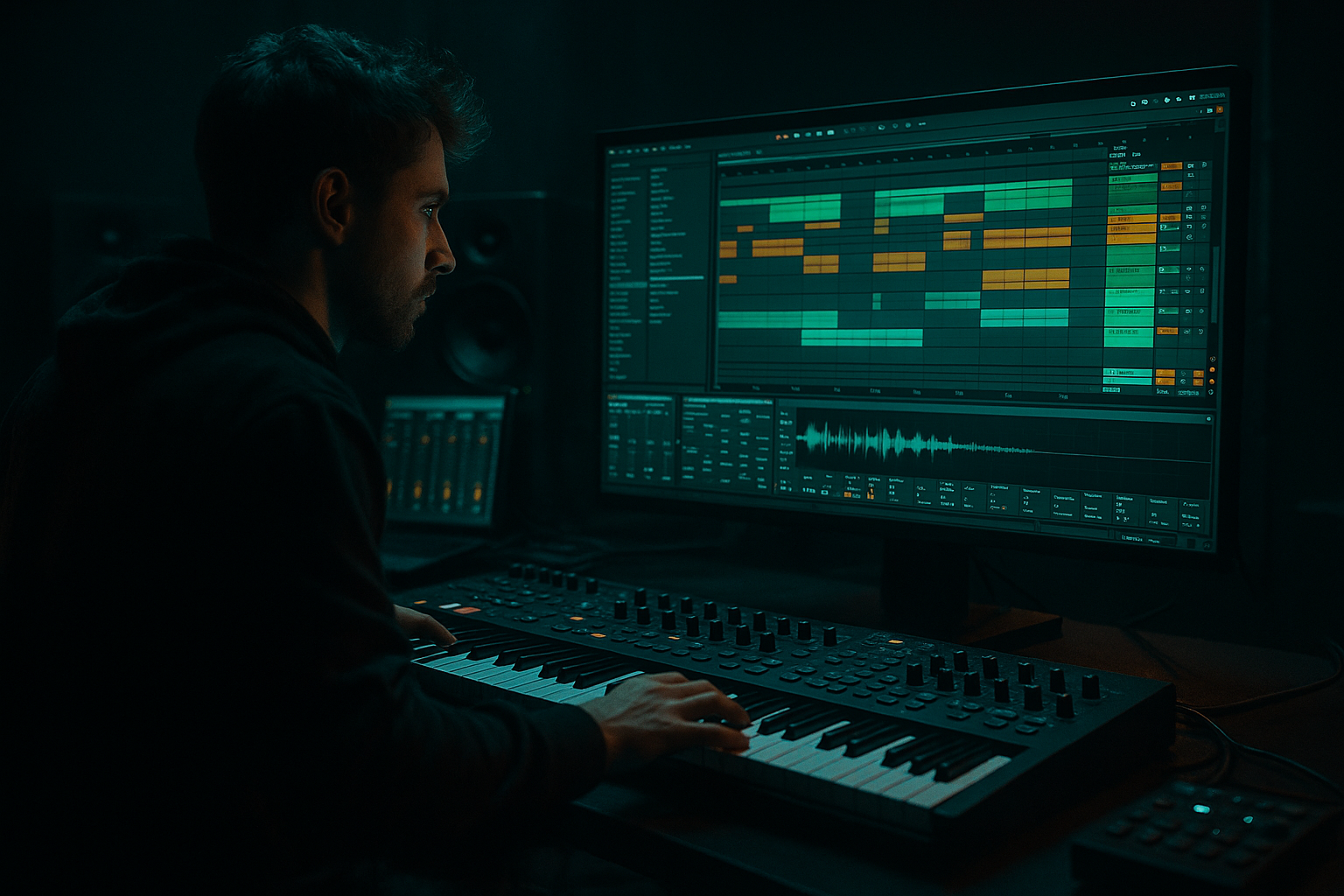
Charlie Tee dubplate-style intro in Ableton Live 12 for pirate-radio energy (Beginner · Edits · tutorial) cover image

Narrated lesson audio

The voice track includes the tutorial plus extra teacher commentary.

Open audio file

Main tutorial

1. Lesson Overview

This lesson teaches how to create a Charlie Tee dubplate-style intro in Ableton Live 12 for pirate-radio energy. You’ll build an 8–16 bar, high-impact intro that sounds like a dubplate cut: chopped MC phrases, gritty lo-fi texture, heavy echo throws, tape-style saturation and stutter edits that pop on pirate radio. The workflow uses Ableton Live 12 stock devices and beginner-friendly techniques so you can make a usable intro quickly and resample it as a one-shot opener for sets or releases.

2. What You Will Build

  • An 8–16 bar dubplate-style intro at 174 BPM
  • Chopped MC/acapella phrase(s) sliced and pitched for vibe
  • Pirate-radio FX: tape/analog saturation, vinyl/bit-crush grit, and long dub echoes
  • Punchy low-frequency swells and a mono low-end to cut through small radios
  • A resampled one-shot audio file ready to drop into a mix or set
  • 3. Step-by-Step Walkthrough

    Preparations

  • Set Ableton Live 12 tempo to 174 BPM (typical DnB/pirate energy).
  • Create a new Live Set. Make 1 audio track for the vocal, 1 audio track for a sub swell, 1 return track for Echo, 1 return for Reverb. Add a Return/Send labeled ECHO and REV.
  • A. Source & Warp (5–10 min)

    1. Import an acapella or recorded MC shout (a short phrase — 1–6 seconds).

    2. Double-click the clip, enable Warp. Choose Warp Mode: Complex (or Complex Pro) for full phrases — it preserves timbre on big pitch moves. Set Seg. BPM to project (174).

    3. Trim to the best phrase(s). Use clip start/end to isolate words you want to reuse as “dubplate hits.”

    B. Chop & Create a Dubplate Rack (10–15 min)

    4. Drag the clip to a new MIDI track to create a Simpler (or right-click -> Slice to New MIDI Track if you prefer slice-based chops). In Simpler use One-Shot or Slice mode:

    - If using Simpler (Slice): choose Slicing by Transient or 1/16 grid to get chops.

    - If using Simpler (One-Shot): duplicate Simpler instances for each phrase/pitch.

    5. Create a Drum Rack or Instrument Rack with your slices mapped across keys. This lets you play stabs, pitch-down hits and sequence them on a MIDI clip.

    6. Make a 2-bar MIDI clip with a basic pattern: start with a long hit on bar 1, a pitch-down double on the “and” of bar 2, and a delayed echo stab on bar 2. Repeat or vary to 8 bars.

    C. Make It Pirate: Saturation, Mono Low-End & Grit (5–8 min)

    7. On the vocal track/rack chain add:

    - EQ Eight: High-pass at ~60 Hz (remove unnecessary rumble), gentle dip around 300–600 Hz if muddy.

    - Saturator: Drive +3 to +6 dB with Soft Clip enabled. Set the Analog Clip or Tube mode for warmth.

    - Utility: set Width to 100% (or slightly wider for top end) then use Utility on a duplicated low-pass chain set to Mono and - keep sub energy centered (see step 9).

    8. For vinyl/lo-fi character, add Redux (bit reduction) lightly (e.g., 8-bit -> 16), or use Vinyl Distortion (if present) with dust ~1–4%. Keep effect subtle—we want grit without unreadability.

    D. Echo/Rhythm: Delay and Beat Repeat (8–12 min)

    9. Use a Return track with Echo (stock device) configured:

    - Echo Time: set to 1/4 + dotted or 1/8 depending on taste. Use Sync on.

    - Feedback: 30–55% (higher for long tails)

    - Filter: lowpass around 1–2 kHz to let echoes darken like tape.

    - Diffusion/Modulation: small amounts for analog wobble.

    - Set the Return Send from vocal track initially to ~15–30% (0.15–0.30).

    10. Automate the send (or create dummy clip) for delay throws: set send low on first bar, jump to high on the last 1/4 bar for a big echo throw.

    11. Add Beat Repeat on a separate chain (or an effect chain in the rack) for stutter edits:

    - Interval: 1/16

    - Grid: 1/32 or 1/16

    - Gate: 1/4 or shorter

    - Filter to tame highs if necessary

    - Use Beat Repeat sparingly: trigger on the last bar before the drop to create pirate-style chop fills.

    E. Sub Swell & Low-End Focus (5–8 min)

    12. Make a Sub Swell track: create an Operator or Wavetable patch with a sine wave at the root (C1) and a short pitch sweep up or a slow low-pass automation:

    - Envelope: Attack slow-ish (80–200 ms) for a swell, release small.

    - Sidechain this sub to a ghost kick or to a compressor keyed by a short transient so it ducks slightly to sit well.

    13. Use Utility to Mono the sub (Width = 0%) so the low end is centered for pirate radio playback.

    F. Automation & Structure (8–12 min)

    14. Arrange 8–16 bars: intro starts sparse with vinyl/lo-fi crackle, then bring in vocal chops. Use track volume and filter automation to build energy:

    - Automate an Auto Filter (LP) cutoff from 1 kHz up to 6–8 kHz as you approach the drop.

    - Automate Echo Return Send to create large dub echoes on the final vocal chop(s).

    15. Add short tape-stop/slowdown on final bar: duplicate the vocal clip, use Clip Transpose automation down -4 to -12 semitones over 1/2 bar and add EQ for a tail. Or use Utility Gain automation to fade into silence then bring echoes back.

    G. Glue & Resample (5–10 min)

    16. Create a Master chain for the intro only:

    - EQ Eight gentle master cut at -1 dB above 16 kHz if needed

    - Glue Compressor: Threshold -6 to -12 dB, Ratio 2:1–4:1, Attack 30–40 ms, Release 200 ms

    - Saturator (parallel): duplicate the vocal track, heavy saturation on duplicate, blend to taste for punch.

    17. Resample: Create a new audio track set to Resampling, arm it, and record the 8–16 bar intro to one stereo audio file. This gives you a single dubplate-style intro one-shot you can use in a DJ set or drop into another project.

    4. Common Mistakes

  • Over-warping vocals in Beats mode: causes choppy artifacts. Use Complex/Complex Pro for full phrases.
  • Too much delay feedback: causes pounding clutter. Automate sends for controlled throws.
  • Leaving sub stereo: low frequencies must be mono for small pirate-radio speakers—use Utility width = 0% on subs.
  • Over-saturating the vocal so words become unintelligible. Keep intelligibility: use EQ to boost 2–4 kHz slightly if loss occurs.
  • Using Beat Repeat constantly: skittering should be a spice, not the whole dish—use it in short bursts.
  • Resampling without rendering returns: check that return sends are active when you resample, or you’ll lose your echo tails.
  • 5. Pro Tips

  • Record a short, raw MC shout (phone mic) and layer it with a cleaner take — the cheap mic gives pirate authenticity, the clean layer retains clarity.
  • Create a “delay throw” MIDI clip on a dummy track that automates the Send knob for ECHO; you can reuse it to quickly make consistent throws.
  • Use a short, filtered white-noise hit or vinyl crackle sample under the first hit to anchor the intro on pirate radio.
  • For extra dub authenticity, bounce your intro and run it through a hardware emulation (or an external tape plugin if available), then re-import.
  • Make a backup resample with and without master saturation so you have a clean and a gritty version.
  • Export at 24-bit WAV even if delivery is to low-bandwidth radio; you can later convert without additional processing.
  • 6. Mini Practice Exercise

    Timebox: 45 minutes

  • Step 1 (10 min): Select a one-line acapella phrase and warp it in Complex mode. Isolate 3 distinct words/sounds.
  • Step 2 (15 min): Chop the phrase into a Drum Rack (or Simpler) and program a 4-bar MIDI pattern that places one stab per bar with one 1/16 stutter on bar 4.
  • Step 3 (10 min): Add Saturator (+4 dB), EQ Eight (HP at 60 Hz), and a small Redux or Vinyl Distortion. Send to Echo with feedback ~40% and lowpass ~1.5 kHz. Automate the send to produce one big echo on the last bar.
  • Step 4 (10 min): Create a 2-bar sub swell, mono it, glue the final buses, and resample the 8-bar loop to a single audio file. Listen back on headphones and on phone speakers — adjust low-end or intelligibility if needed.

Goal: finish with a single 8-bar WAV that sounds like a Charlie Tee dubplate-style intro in Ableton Live 12 for pirate-radio energy.

7. Recap

You’ve built a Charlie Tee dubplate-style intro in Ableton Live 12 for pirate-radio energy: warped and chopped vocal material, placed into a playable rack, treated with Saturator/Redux and Echo returns for long dub echoes, reinforced with a mono sub swell, and polished into a single resampled audio intro. Key moves: use Complex warp mode for full phrases, automate Echo sends for controlled throws, mono the sub for small speakers, and resample the finished intro for easy use. Practice the mini exercise to lock this technique into your workflow.


Ask GPT about this lesson

Chat with the lesson tutor, get follow-up help, or use quick actions.

Bigup 👽 Ask me anything about this lesson and I’ll answer in context.

Narration script

Show spoken script
Welcome. In this lesson I’ll show you how to make a Charlie Tee dubplate-style intro in Ableton Live 12 — an 8 to 16 bar, high-impact opener with pirate-radio energy. We’re building chopped MC phrases, gritty lo-fi texture, tape-style saturation, long dub echoes and stutter edits that pop on small speakers. All with stock Live devices and beginner-friendly workflow so you can resample the result as a one-shot opener for sets or releases.

First, what you’ll end up with. A dubplate-style intro at 174 BPM with:
- chopped and pitched MC hits you can play or sequence,
- pirate-radio FX — saturator, vinyl/bit-crush grit and long echoes,
- a punchy mono low-end swell that cuts through small radios,
- and a resampled stereo WAV you can drop into a mix.

Let’s walk through it step by step.

Preparations
Set Live’s tempo to 174 BPM and open a new set. Make one audio track for your vocal, one audio track for a sub swell, and add two return tracks: one for Echo and one for Reverb. Label them ECHO and REV so you can send parts quickly.

A. Source and Warp (5–10 minutes)
Import a short acapella or a recorded MC shout, something between one and six seconds. Double-click the clip and enable Warp. For full phrases choose Complex or Complex Pro — they preserve timbre when you pitch or stretch. Set the clip BPM to 174 and trim the clip to the best phrase. Use the clip start and end to isolate the words you want to reuse as dubplate hits.

B. Chop and Create a Dubplate Rack (10–15 minutes)
Drag the clip to a new MIDI track to create a Simpler, or right-click and Slice to New MIDI Track if you prefer slice-based chopping. In Simpler, either use Slice by transient or grid slicing, or use One-Shot mode and duplicate instances for different hits. Map your slices across keys by using a Drum Rack or an Instrument Rack so you can play stabs, pitch them down, and sequence them with MIDI.

Program a 2-bar MIDI clip to start: a long hit on bar one, a pitched-down double on the “and” of bar two, and a delayed echo stab on bar two. Repeat and vary this to four, eight, or sixteen bars as you build the intro.

C. Make It Pirate: Saturation, Mono Low-End and Grit (5–8 minutes)
On your vocal rack add EQ Eight and high-pass at around 60 Hz to remove rumble. Gently dip any muddiness around 300 to 600 Hz. Add Saturator with +3 to +6 dB drive, enable Soft Clip and try Analog Clip or Tube modes for warmth. Use a Utility to control stereo width — keep the top a little wider if you like, but duplicate a low-pass chain and set that chain to mono so the sub energy stays centered.

For vinyl and lo-fi character, add Redux or Vinyl Distortion subtly. Try hopping Redux between 8 and 16 bits or dust values of 1 to 4 percent. The idea is grit without making the vocal unintelligible.

D. Echo, Rhythm and Stutter Edits (8–12 minutes)
Use a Return track with Live’s Echo device. Set the Echo time to a musical division — 1/4 dotted or 1/8 — and sync it. Set Feedback between 30 and 55 percent for long tails. Use the device filter to lowpass the repeats around 1 to 2 kHz and add a touch of diffusion or modulation for analog wobble. Send the vocal to Echo at about 15 to 30 percent to start.

Automate the send for the classic delay throw: keep the send low, then spike it up for the last quarter bar of a phrase to create a big echo tail. For stutter edits use Beat Repeat on a separate effect chain or an effect chain inside your rack. Set Interval to 1/16, Grid to 1/32 or 1/16, and Gate short. Use Beat Repeat sparingly — trigger it on the bar before the drop for short, pirate-style fills.

E. Sub Swell and Low-End Focus (5–8 minutes)
Create a Sub Swell track with Operator or Wavetable. Use a sine at the root and shape a swell with the amp envelope — a slightly slow attack, maybe 80 to 200 milliseconds, and a short release. Sidechain the swell to a ghost kick or a short transient so it ducks slightly and sits well in a busy mix. Use Utility to mono the sub — set Width to 0% so the low end is centered for small pirate-radio speakers.

F. Automation and Structure (8–12 minutes)
Arrange your intro across 8 to 16 bars. Start sparse with vinyl crackle and bring in vocal chops as you build. Use Auto Filter on the vocal rack or master to sweep a lowpass cutoff from around 1 kHz up toward 6 to 8 kHz as you approach the drop. Automate the Echo return send to create large dub echoes on final chops.

For a tape-stop or slowdown on the final bar, duplicate the vocal clip and automate Clip Transpose down by -4 to -12 semitones over half a bar, or use Utility gain automation for a quick fade with a pitchy tail.

G. Glue and Resample (5–10 minutes)
Prepare a master chain for the intro: a gentle high-frequency cut if needed, Glue Compressor with a threshold around -6 to -12 dB, ratio between 2:1 and 4:1, attack 30 to 40 ms and a release around 200 ms. For parallel punch, duplicate the vocal and smash it with heavy saturation, then blend that duplicate back in to taste.

When you’re happy, create a new audio track set to Resampling, arm it, and record the full 8 to 16 bar intro to a single stereo file. Make sure your record length extends past the performance so Echo and Reverb tails aren’t cut off.

Common mistakes to avoid
- Don’t warp full phrases in Beats mode — it makes choppy artifacts. Use Complex or Complex Pro.
- Avoid excessive delay feedback; it will clutter the intro. Automate sends for controlled throws.
- Keep subs mono. Stereo low end will disappear or phase on small radios.
- Don’t over-saturate so the vocal becomes unintelligible. If clarity drops, boost a small bell at 2 to 4 kHz.
- Don’t use Beat Repeat constantly. Use it as a spice in short bursts.
- When resampling, make sure return sends are active and record long enough for tails.

Pro tips and workflow shortcuts
- Record a cheap phone mic shout and layer it under a cleaner take. The cheap layer gives pirate authenticity while the clean layer keeps clarity.
- Create a dummy MIDI clip or macro to automate Echo send values — this makes delay throws reusable across projects.
- Layer a filtered white-noise transient or vinyl crackle under the first hit so the intro pops on compressed radio codecs.
- Save a Dubplate Intro Rack with macros mapped to Pitch, Filter Cutoff, Beat Repeat wet/dry, Echo Send and Saturation amount. Save it as a preset so you can jam and resample quickly.
- Freeze and flatten or consolidate tracks once you lock an arrangement to save CPU and to make resampling reliable.
- Export at 24-bit WAV, and make both gritty and clean resamples so you have flexible options in a set.

Mini practice exercise — 45 minutes
- Step 1, 10 minutes: choose a short one-line acapella, warp in Complex mode and isolate three distinct words or sounds.
- Step 2, 15 minutes: chop the phrase into a Drum Rack or Simpler and program a 4-bar MIDI pattern with one stab per bar and a 1/16 stutter on bar four.
- Step 3, 10 minutes: add Saturator around +4 dB, EQ Eight high-pass at 60 Hz, and a light Redux or Vinyl Distortion. Send to Echo with ~40% feedback and a lowpass around 1.5 kHz. Automate one big echo on the last bar.
- Step 4, 10 minutes: create a mono sub swell, glue the buses and resample the eight-bar loop to a single audio file. Test on headphones and phone speakers and tweak low-end or intelligibility if needed.

Recap
You’ve warped and chopped vocal material into a playable rack, treated it with Saturator and Redux for grit, routed to an Echo return for long dub echoes, reinforced the intro with a mono sub swell, automated sends and filters for drama, and resampled everything to a single one-shot intro. Key points: use Complex warp for phrases, automate Echo sends for controlled throws, mono the sub, and resample with tails in mind.

Final mindset and performance notes
Think of this intro as a weapon for radio sets — clarity and impact over studio polish. Map macros for quick live tweaks and save your Dubplate Intro Template with Echo and Reverb returns pre-configured. Test the resample on phones and cheap speakers, and keep versions short and long, clean and dirty. That way you’ll always have the right opener for the moment.

Okay — load your acapella, set tempo to 174, and let’s make a dubplate intro that cuts through the airwaves.

mickeybeam

Go to drumbasscd.com for +100 drum and bass YouTube channels all in one place - tune in!

Generating PDF preview…