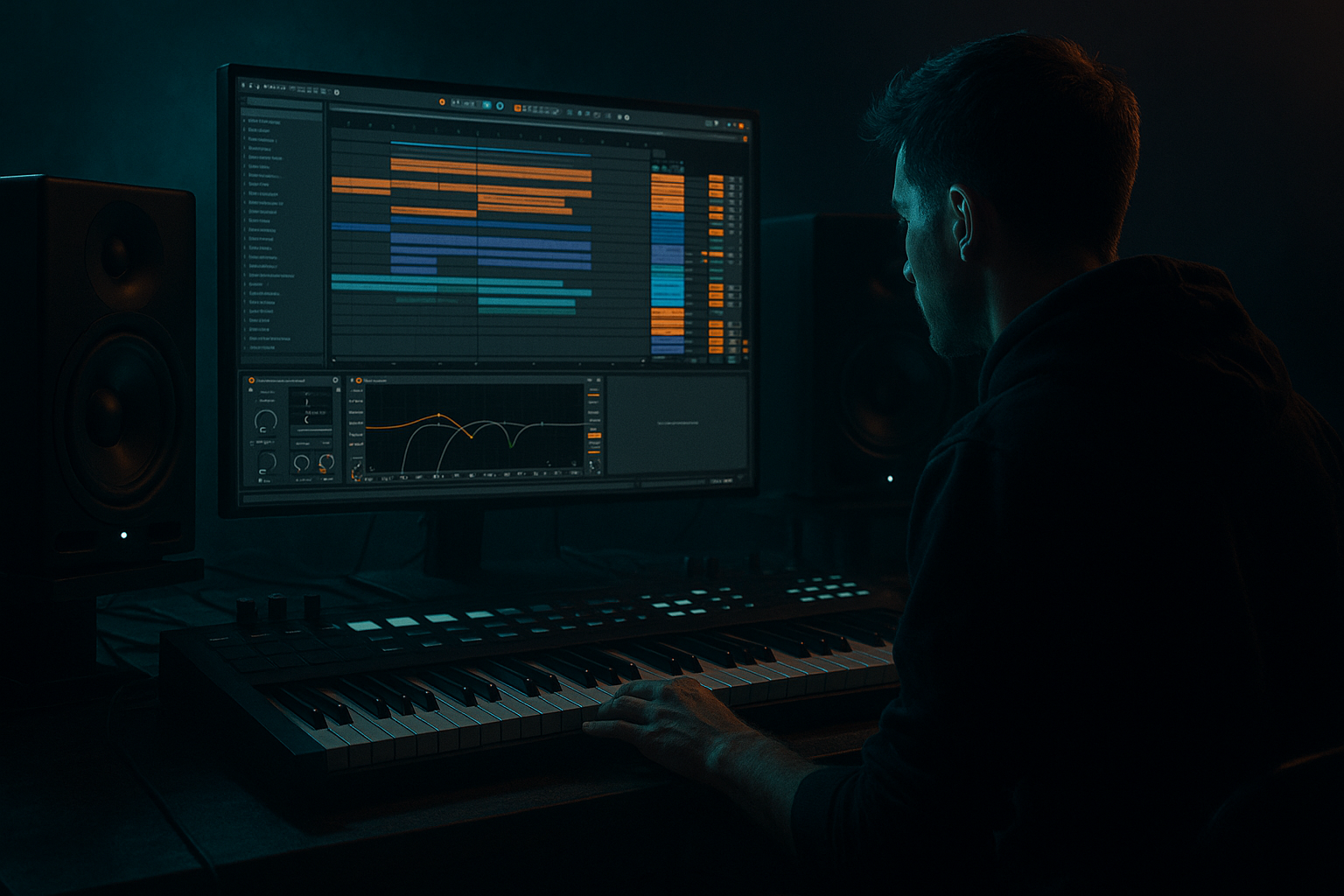
Main tutorial
Lesson Overview
In this lesson, you’ll build a warehouse-style intro for an oldskool jungle / DnB tune using an automation-first workflow in Ableton Live 12. The goal is to make the intro feel like a proper club tension ramp: dusty, spacious, weighty, and ready to slam into a drop without sounding overdesigned.
This sits in the opening 16–32 bars of a DnB arrangement, where you’re not trying to reveal everything at once. You’re selling atmosphere, groove DNA, and bassline intent. For jungle and oldskool-inspired DnB, that means:
- break fragments with character
- filtered subs and reese hints
- space for DJ-friendly mix-in
- automation that creates motion before full drums arrive
- subtle grit and tension that feels “warehouse” rather than “festival”
- a filtered jungle break intro with ghosted transients and swing
- a sub pulse or reese “shadow” entering before the full bass
- atmospheres and noise textures moving in and out with automation
- a tension build using EQ, reverb, delay, and filter automation
- a DJ-friendly structure that leaves headroom for transition into the drop
- a groove that hints at the main rhythm without fully exposing it
- bars 1–4: distant room tone, break fragments, filtered top-end
- bars 5–8: more drum definition, bass hint, wider atmosphere
- bars 9–12: automation lifts, riser energy, more break presence
- bars 13–16: pre-drop pressure, final filter opening, impact cue
- Adding too many layers too early
- Overexposing the bass before the drop
- Letting the break dominate the mix
- Using huge reverb on everything
- No groove variation
- Automation that ramps but never resolves
- Ignoring mono compatibility in the low end
- Parallel drum crunch: duplicate the drum group or use a return with Saturator and a bit of Compressor to add density without flattening the main transients.
- Darken the room, not the drums: if the intro feels too bright, automate the atmosphere darker first before touching the break attack.
- Use reverb as a transition tool: a short reverb throw on the final snare can make the drop feel larger than adding another impact.
- Shape bass movement with filter + saturation together: opening the filter while increasing saturation can make a bass feel like it “wakes up” naturally.
- Resample small moments: bounce a 1-bar break fill or bass phrase and re-import it for a more coherent, tape-like feel.
- Keep stereo energy above the low end: widen textures, not subs. Underground weight comes from disciplined low-end placement.
- Let silence do work: one beat of near-silence before the drop can hit harder than a giant riser.
- Use subtle automation on Drum Buss Boom carefully: a tiny increase can add chest, but too much will blur the break and bass relationship.
- once with your eyes closed to judge tension and groove
- once in mono to check low-end focus
- Build the intro around automation first, not extra layers.
- Use a chopped jungle break, filtered bass hints, and dark atmospheres.
- Automate filter, reverb, width, and gain to create tension across 16 bars.
- Keep the low end disciplined and mono-compatible.
- Let groove come from swing, ghost notes, and small edits.
- Finish with a clear, DJ-friendly transition that makes the drop hit harder.
Why this technique matters: in DnB, intros often do the heavy lifting for identity. A great intro can imply the whole tune’s energy before the drop lands. Automation-first workflow keeps your arrangement alive early, while giving you control over tension, groove, and low-end reveal in a way that feels deliberate and mix-ready.
What You Will Build
You’ll create a 16-bar intro that feels like a dark warehouse tape reel warming up before the drop. It will include:
By the end, you’ll have a section that feels like:
Think: dark warehouse, oldskool tension, modern mix discipline.
Step-by-Step Walkthrough
1. Set up the intro as an automation canvas first
Start by creating a clean arrangement section of at least 16 bars and label it clearly, e.g. `INTRO_WAREHOUSE_16`. In Ableton Live 12, work in Arrangement View so your automation decisions shape the whole section from the start.
Before adding sound design, place:
- one drum/break group
- one bass group
- one atmosphere/FX group
- one return track for reverb and one for delay
Keep your master headroom healthy from the beginning. Aim for peaks around -6 dBFS on the master while sketching. That gives you room for later bass and drum impact.
For an advanced workflow, commit to this rule: every main event in the intro should be introduced, removed, or transformed by automation. That means you’re not just adding clips—you’re sculpting transitions.
2. Build the foundation with a chopped jungle break
Drag in a classic break or a break-like loop and put it in Simpler or Slice to New MIDI Track if you want more detailed control. For oldskool/jungle authenticity, work with a break that has natural transient variation and room character.
On the break channel, use:
- EQ Eight: high-pass very gently around 30–40 Hz to remove unnecessary sub rumble
- Drum Buss: drive around 5–12%, Boom very restrained or off for now
- Auto Filter: start with a low-pass around 2.5–5 kHz and automate it open later
- optional Transient shaping via Drum Buss to sharpen attack if the sample is too soft
Groove matters here. If the break is too rigid, apply Ableton’s groove engine:
- choose a swing groove from the Groove Pool
- start around 54–58% timing swing
- keep velocity timing human, not exaggerated
For oldskool tension, slice the break into a few key fragments:
- kick/snare hits
- ghost hats
- a little fill or reverse tail
- one or two “signature” hits you can repeat
Why this works in DnB: the intro doesn’t need a full drum performance, but it does need rhythmic credibility. A chopped break with controlled swing instantly places the listener in jungle territory.
3. Design the warehouse atmosphere with one macro-controlled texture layer
Create an atmospheric layer using a long sample, noise bed, or resampled ambience. This could be vinyl hiss, room tone, a distant industrial field recording, or a rendered pad-like texture from a synth. Keep it dark and narrow at the start.
Process it with stock Ableton devices:
- Auto Filter: low-pass at 500 Hz–2 kHz to begin, automate the cutoff slowly upward
- Reverb: decay around 4–8 seconds, pre-delay 10–25 ms, low cut on the reverb return
- Utility: narrow width to 0–60% at the start, then widen subtly later
- Echo or Delay return for movement, with filtered repeats
Advanced move: group your atmosphere tracks and map the key controls to Macro knobs in an Instrument Rack or Audio Effect Rack:
- Macro 1: filter cutoff
- Macro 2: reverb send
- Macro 3: stereo width
- Macro 4: noise level
This lets you automate one macro lane instead of four separate lanes, which is faster and cleaner when arranging.
Keep the texture under the drums. The job is not to distract; it’s to suggest a physical space. A warehouse intro should feel like sound bouncing off concrete.
4. Introduce bass as a hint, not a full statement
For an advanced jungle/DnB intro, the bass should often enter as a shadow before the drop. Use a reese, sub pulse, or filtered bass stab pattern that implies the main groove.
On the bass channel, use:
- Wavetable or Operator for a clean source
- Saturator set to Soft Clip or subtle drive to thicken harmonics
- Auto Filter to automate low-pass opening
- Utility for mono discipline below the crossover
- EQ Eight to carve low mids if the bass clouds the break
Suggested starting points:
- sub layer below 90–120 Hz kept mono
- reese layer rolled off below 80–120 Hz so it doesn’t fight the sub
- saturation drive around 2–6 dB depending on source
- low-pass opening from roughly 200–500 Hz up to 1–3 kHz as the intro progresses
Phrase the bass sparsely. Try leaving long gaps so the groove breathes. In oldskool-inspired DnB, the bassline often feels more powerful because it isn’t constant.
A strong approach:
- bars 1–4: no bass, or only a filtered low pulse
- bars 5–8: introduce a single note or octave hit every 2 bars
- bars 9–12: more consistent bass rhythm, still filtered
- bars 13–16: open the filter and hint at the drop pattern
This gives you a call-and-response relationship between drums and bass before the full arrangement lands.
5. Shape the intro through automation, not extra layers
This is the core of the lesson. Instead of stacking more parts, use automation to make your existing elements evolve.
Automate these parameters across the 16 bars:
- break low-pass cutoff
- bass filter cutoff
- reverb send level
- delay feedback on selected hits
- drum bus drive
- atmosphere stereo width
- track volume on ghost percussion
- return track wet/dry balance
Practical automation ideas:
- automate the break’s Auto Filter from 2.5 kHz to 9–12 kHz over 16 bars
- bring reverb send up only on snare ghosts or fill hits, not the whole break
- use a short burst of Echo feedback on the final 1–2 bars before the drop
- automate drum bus drive slightly higher in the last 4 bars for pressure
- narrow the atmosphere in the first half, then widen it before the drop to create a sense of space opening
Use Clip Envelopes for repeating MIDI clips if the bass pattern changes only slightly, and Arrangement Automation for larger structural changes. Advanced workflow tip: if a movement repeats in multiple sections, consider grouping it and automating on the group rather than every track individually.
Why this works in DnB: the genre thrives on momentum. Automation lets you imply an “arrival” without using too many new notes, which keeps the intro tense and mixable.
6. Add ghost percussion and micro-edits for groove
A warehouse intro gets much stronger when the groove feels inhabited. Add a few ghost hits, reversed edits, or tiny percussion details that only show up because the automation reveals them.
Good candidates:
- low-level rim clicks
- shuffled hats
- reversed snare tails
- tape-stop style micro moments
- one-bar fill fragments from the break
Process these with:
- Drum Buss for transient density
- EQ Eight to keep them above the sub area
- Auto Pan at very subtle depth for movement
- Redux very lightly if you want lo-fi edge on select hits
Keep these elements quiet enough that they feel like they’re emerging from the room, not sitting on top of it. In jungle, ghost notes are part of the personality. They make the groove feel alive and dangerous.
If the intro still feels empty, don’t add a full percussion loop. Instead, automate the return send on a single hat or rim shot so the tail blooms at certain moments. That gives you movement without clutter.
7. Create tension with controlled pre-drop spectral motion
The final 4 bars should feel like the room is loading pressure. Use spectral and dynamic automation to build tension without resorting to generic risers.
Practical moves in Ableton Live 12:
- use EQ Eight to gradually reduce low-end on the break, then restore it right before the drop
- automate a high-pass on atmospheres so they thin out near the end
- add a short noise swell filtered through Auto Filter
- increase reverb decay or return level briefly on the final hits, then cut it for impact
- use Utility to slightly collapse width in the last bar, then reopen on the drop
Example arrangement context:
- Bar 13: bass filtered but more active
- Bar 14: hats and break lift in energy
- Bar 15: short fill, filter opening, extra delay throw
- Bar 16: quick pre-drop silence or near-silence, then impact
That “negative space” is often more effective than another layer. In DnB, especially darker styles, a brief drop in density before the kick-in makes the arrival feel heavier.
8. Balance the mix like a DJ intro, not a full drop
A warehouse intro should be playable in a mix. That means the low end must be disciplined and the top end should not dominate too early.
Mix checks to do in the intro:
- keep sub under control, especially before the drop
- check mono compatibility on bass and kick
- avoid too much 6–10 kHz harshness from hats or break noise
- use Utility to test mono on bass group
- use EQ Eight to carve a small dip around 200–400 Hz if the break and bass smear together
If your break is too bright, tame it rather than turning it down. If your bass feels weak, don’t just raise volume—add harmonics with Saturator or a parallel drum bus. The groove should feel dense, not loud.
For a professional warehouse intro, the listener should sense the mix is already “running hot” but still controlled. That’s a huge part of DnB credibility.
9. Finish with a clean, DJ-friendly transition into the drop
The last bar should be intentional. Use a final automation pass to set up the drop with either a tight cut, a stutter, or a quick atmospheric collapse.
Strong options:
- a one-beat silence before the drop
- a reverse cymbal or reverse bass tail
- a short tape-style delay throw
- a final snare flam or break roll
- a filter snap open on the downbeat of the drop
If you want an oldskool feel, keep the transition functional rather than cinematic. A DJ-friendly intro works because it leaves room for mixing and then lands with authority.
Final check:
- intro ends with tension
- no unnecessary frequencies are masking the drop
- automation values feel expressive, not random
- the first downbeat of the drop is larger because the intro stayed disciplined
Common Mistakes
Fix: start with break, atmosphere, bass hint, and one FX lane. Build through automation before adding more material.
Fix: filter the bass harder, reduce note density, and keep the sub mostly implied until the final bars.
Fix: use EQ Eight and Drum Buss to shape tone, not just volume. A good intro has grit, not clutter.
Fix: send selectively. Put ambience on specific hits or returns, not the whole mix.
Fix: use swing, ghost notes, and subtle break edits. Static timing kills jungle character fast.
Fix: every build needs a payoff point. Make sure the final bar changes something meaningful before the drop.
Fix: keep bass and sub mono below the crossover range and test regularly in Utility.
Pro Tips for Darker / Heavier DnB
Mini Practice Exercise
Set a timer for 15 minutes and build a 16-bar warehouse intro from scratch.
1. Load a jungle break and chop it into 3–5 useful fragments.
2. Add one atmosphere track and one bass hint track.
3. Put Auto Filter on both the break and bass.
4. Automate the break filter from dark to slightly open over 16 bars.
5. Introduce the bass only after bar 4, and keep it filtered until bar 12.
6. Add one ghost hat or rim hit every 2 bars with a short reverb throw.
7. Use one final pre-drop automation move: reverb cut, filter open, or one-bar silence.
When you’re done, listen twice:
If the intro feels too busy, remove one layer and improve the automation instead.

