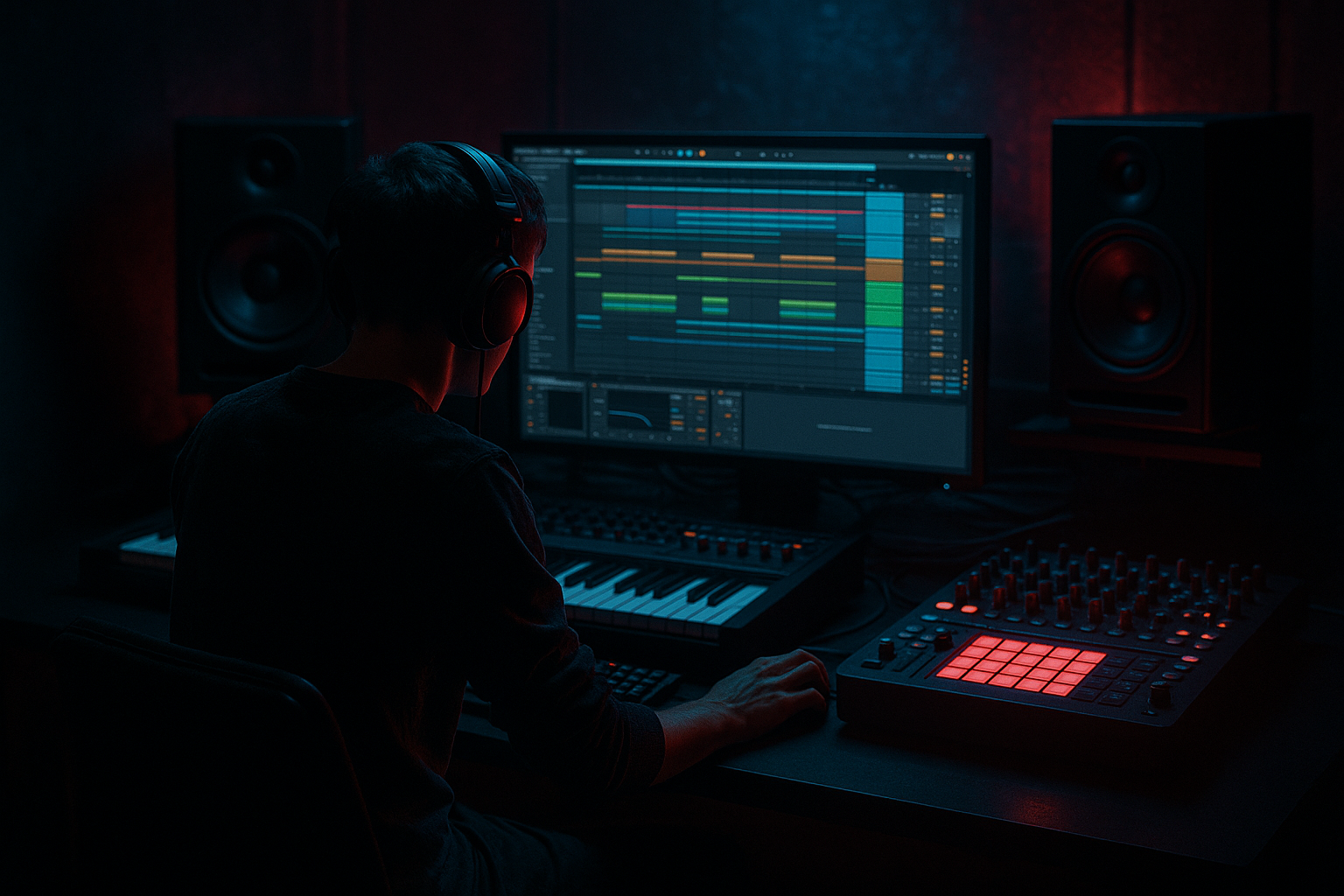
Main tutorial
Lesson Overview
This lesson is about building a subsine workflow from Session View into Arrangement View so your idea doesn’t stay trapped as an 8-bar loop. In practice, that means you’ll create a simple, powerful low-end foundation in Ableton Live 12, sketch the groove in Session View, then record that energy into Arrangement View and shape it into a proper jungle / oldskool DnB section with movement, contrast, and DJ-friendly phrasing.
This technique lives right at the heart of drums-first DnB writing: the break drives the track, the sub supports the break, and the arrangement gives the drop a sense of progression instead of repeating the same bar forever. It matters musically because jungle and oldskool DnB rely on rhythmic identity—the break and the sub often feel like one machine. It matters technically because a clean sub workflow keeps your low end mono-safe, readable, and easy to balance when you later add breaks, bass hits, and transitions.
This works best for:
- Jungle / oldskool DnB
- Rollers with break edits
- Dark, minimal, club-focused DnB
- Any track where the low end needs to feel simple, deep, and locked, not overdesigned
- a pure or nearly pure sine-based sub tone
- a rhythmic phrase that leaves space for the break
- a slight envelope shape so notes don’t smear together
- a controlled transition from Session View to Arrangement View
- enough polish to sit under drums without needing a full bass design yet
- Use note-length contrast to create menace. A short sub note under a chopped break feels sharper and more threatening than a long note that sits everywhere. In darker DnB, space can feel heavier than constant sustain.
- Let the sub answer the snare, not just the kick. A subtle note after the snare can create a push-pull effect that feels very jungle. It makes the groove feel like it is reacting to the break rather than dragging behind it.
- Print a clean sub and a dirty sub separately. Keep one version pure for the low fundamental and one version with saturation or harmonics for audibility. Blend carefully if needed, but protect the sub layer’s mono integrity.
- Automate tiny filter moves instead of rewriting the whole line. A gentle low-pass change or a brief drop in level before a transition can make the drop feel larger without changing the core phrase.
- For second-drop evolution, change one thing only. Swap the rhythm, move one note up an octave briefly, or add one extra pickup. Don’t rebuild the whole bass concept unless the track needs a full reset.
- If the break is dense, make the sub simpler. This is a real underground move: darker and heavier often comes from restraint, not density. A sparse sub under a detailed break can feel much more expensive than an overcrowded low end.
- Keep the fundamental clean, add dirt above it. If you want menace, create it with a parallel audio print or a lightly saturated duplicate higher up, not by crushing the sub itself.
- Use only one sub instrument and one drum break
- Keep the sub to no more than 4 different MIDI notes
- Use one saturation device max
- Make the arrangement at least 16 bars long
- An 8-bar Session View loop
- A recorded 16-bar Arrangement View section
- One variation for a second phrase
- A printed audio version of the final sub line if time allows
- Can you still hear the snare clearly when the sub plays?
- Does the groove feel tighter in Arrangement View than in the loop?
- Does the low end stay solid when you listen quietly?
By the end, you should be able to hear a tight sub phrase that follows the drum pocket, and you’ll know how to move it from sketch mode into an arrangement that feels like a real drop. A successful result should feel weighty, controlled, and alive, with the sub doing exactly enough work to support the break without masking the kick, snare, or ghost notes.
What You Will Build
You’re going to build a subsine pattern that works like a disciplined backbone under a jungle drum loop. It will have:
Sonically, the result should be deep, round, and understated, not huge in a flashy way. Rhythmically, it should feel like it is answering the drums rather than competing with them. In the track, it will act as the low-end anchor for your drop or groove section, especially useful for a first drop, a breakdown return, or a stripped-back second section.
This should end up mix-ready enough to write around, meaning it should already behave well in context with a break, kick, and snare. Success sounds like: the drums keep their punch, the sub feels present but never bloated, and the groove feels purposeful even before extra bass layers arrive.
Step-by-Step Walkthrough
1. Set up a clean Session View sketch with one drum lane and one sub lane
Start in Session View with two focused tracks:
- one track for your break or drum edit
- one track for your sub sine
Keep it simple. For the drum lane, use a break or a chopped loop that already feels like jungle. For the sub lane, use Operator or Wavetable set to a basic sine-like tone. If you want the cleanest starting point, Operator is ideal because it gives you a straightforward sine without extra baggage.
Why this matters: you’re separating the job of drums and sub so you can hear their interaction clearly before the arrangement gets busy.
Good starting settings for the sub:
- oscillator: sine
- envelope attack: 0–5 ms
- decay/release: short enough to stop note overlap
- output level: start low; leave headroom for the break
If you already have an 8-bar drum loop, loop it in Session View and write the sub against that. Don’t start by building the whole arrangement. Start with the pocket.
2. Program a short sub phrase that respects the break’s holes
Open a MIDI clip on the sub lane and write a phrase of 1 to 2 notes per bar at first. In jungle and oldskool DnB, the sub doesn’t need constant movement to feel heavy. It needs precision. Try placing sub notes on the strong anchors of the groove, then leave gaps where the break has busy ghost notes or snare lead-ins.
A good beginner phrasing shape:
- note on beat 1
- a follow-up note before or after the snare hit
- occasional pickup note at the end of bar 2 or 4
Keep the line in a low register, usually around C1 to C2 territory depending on your sample rate and tuning. If the sub is too low, it can vanish on smaller systems; too high, and it stops feeling like sub.
What to listen for:
- Does the sub phrase support the snare impact instead of stepping on it?
- Does it create a sense of forward motion without turning into a bassline that fights the drums?
If the break is busy, use fewer notes. If the break is sparse, the sub can be slightly more active.
3. Shape the sub so it behaves like one controlled note, not a blurry bass cloud
On Operator, keep the waveform simple and use the amplitude envelope to stop the sub from ringing too long into the next note. A practical starting point:
- attack: 0–5 ms
- decay: 120–250 ms
- sustain: down around 0 dB or lower if notes are too long
- release: 40–120 ms
On Wavetable, stay equally restrained: use a sine-type wave, avoid wide unison for the actual sub, and keep modulation minimal.
Add EQ Eight after the instrument if needed:
- low cut only if there is unwanted sub-rumble below your usable range
- if the sub feels cloudy, try a gentle reduction around 120–250 Hz only if the instrument is adding harmonic mud
- do not boost the subs aggressively; in DnB, clean is usually stronger than louder
Why this works in DnB: the low end must stay rhythmically legible even when drums are fast. A sub that rings too long makes the groove feel slower and messier than it really is.
4. Add a little controlled grit so the sub translates on more systems
Pure sine is clean, but in jungle and darker DnB you often want just enough edge for the sub to be readable on smaller speakers. Use Saturator after the sub instrument and keep it subtle.
Starting points:
- Saturator drive: 1–4 dB
- soft clip: on if needed, but don’t flatten the note
- output trimmed back to keep level honest
Optional second device chain:
- Saturator → EQ Eight
- use the saturator for harmonics
- use EQ Eight to remove any unwanted upper-mid harshness introduced by the distortion
What to listen for:
- the sub should feel a little more audible without sounding like a bass synth
- the note should still read as deep and stable, not fuzzy or broken
Decision point:
A. Cleaner sub if you want a more classic, spacious jungle feel where the break remains the star.
B. Slightly dirtier sub if you want a darker, grittier, more underground roller energy.
Both are valid. Choose based on the drum character and how aggressive the track needs to feel.
5. Test the sub against the break in Session View before you commit to arrangement
This is the crucial context check. Let the loop play and focus on the relationship between kick, snare, break ghosts, and sub. In jungle, the sub often works best when it seems to dance around the break instead of sitting rigidly on every beat.
What to listen for:
- Do the snare hits still crack through?
- Does the kick lose shape when the sub lands?
- Do ghost notes remain audible, or does the low end swallow them?
If the low end feels crowded, shorten the sub notes or move them so they leave more room around the snare. If the groove feels empty, add one well-placed pickup note rather than filling every gap.
Stop here if the drums already feel heavy and the sub is making the loop breathe. Don’t over-write it. In DnB, a simple low-end phrase that locks is more valuable than a busy one that blurs.
6. Use clip launching to try two valid groove options before choosing one
Duplicate your sub clip and create two versions:
- Version A: straight, functional sub hits
- Version B: slightly more syncopated sub pickups
Version A gives you a more oldskool, direct foundation. Version B gives you more bounce and tension.
Try them against the same break and decide which supports the intended tune:
- For a warmer, deeper, more classic vibe, keep the sub more regular.
- For a tighter, more restless roller feel, use the syncopated version.
This is a real Session View strength: you can audition both ideas quickly without committing to the arrangement yet. The goal is not perfection; it’s choosing the version that makes the drums feel strongest.
7. Record the Session View performance into Arrangement View
Once the loop feels right, hit record and perform the scene changes into Arrangement View. This is where the workflow becomes powerful: you’re not just exporting a loop, you’re capturing a musical decision process.
Record at least:
- the main break + sub section
- a simple variation for the next 8 bars
- one transition moment if you have a fill or break edit
A useful arrangement shape for this style:
- 8 bars intro feel
- 16 bars first drop groove
- 8 bars variation
- 4 bars tension or strip-back
- then a second phrase with a slight evolution
If your Session View launch timing is sloppy, don’t panic. Commit the pass and clean the timing in Arrangement View afterward. The point is to get the musical arc down first.
Workflow efficiency tip: once your sub and break are working, freeze or consolidate the parts you know you want to keep so you stop tweaking the same 8-bar loop forever.
8. Edit the Arrangement so the sub phrases support the drop structure
In Arrangement View, shape the sub across sections rather than keeping it identical.
Use these simple arrangement moves:
- bars 1–8: keep the sub basic and grounded
- bars 9–16: add one extra note or pickup
- bar 17 or 18: remove the sub briefly for a tension breath
- next 8 bars: bring it back with a variation or octave touch
For jungle / oldskool DnB, the arrangement should feel like it has phrasing, not just looping. Even one note removed for a bar can make the next return feel much heavier.
A useful phrasing example:
- first 8 bars: sparse sub, straightforward groove
- next 8 bars: add a syncopated answer note before the snare
- next 4 bars: strip the sub for a fill or break chop
- return: reintroduce the sub with a slightly stronger attack or altered rhythm
This creates a clear DJ-friendly contour and stops the drop from flattening out.
9. Check mono compatibility and low-end balance in context
Sub bass should be effectively mono. If you widen the sub or let stereo effects touch the low end too much, the groove can disappear or shift unpredictably on different systems.
Keep the actual sub centered. If you want width, put it on higher layers later, not on the fundamental low end.
Context check:
- listen with drums
- listen with bass
- listen at lower volume
- if possible, compare in mono by using Utility on the track or checking with a mono-compatible listening setup
What to listen for:
- does the sub stay present when the mix gets quieter?
- does the kick still define the front edge of the beat?
- does the snare keep its snap and body?
If the sub vanishes in mono, simplify it. Remove stereo processing, reduce extra harmonic layers, and keep the actual fundamental clean.
10. Print the best version to audio once the groove is locked
When the sub phrase feels right in the arrangement, commit it. Resampling or consolidating your sub line into audio gives you a tighter editing workflow and prevents endless micro-tweaks.
This is especially useful if you want to:
- cut the tail of one note cleanly
- reverse a section for a transition
- automate a filtered sub moment before the drop
- bounce a variation for the second drop
In a jungle context, printing to audio also makes it easier to work with break edits and transient decisions because you can see exactly where the low end lands relative to the drums.
Once printed, keep the audio clean and avoid piling on unnecessary effects. The point of the print is control, not destruction.
Common Mistakes
1. Letting the sub overlap too much between notes
Why it hurts: the low end becomes smeared, and the break loses rhythmic clarity.
Fix: shorten the amp envelope, reduce note lengths in the MIDI clip, or move notes so the snare has breathing room.
2. Making the sub too loud too early
Why it hurts: you end up mixing around a low-end problem instead of writing the groove.
Fix: pull the sub down until the drums feel clear, then raise it only enough to feel the support.
3. Adding too much distortion to “make it heard”
Why it hurts: you turn sub into midrange fuzz and lose the weight that makes DnB hit.
Fix: use Saturator lightly, then check whether the note still feels like a sine-based foundation.
4. Putting stereo effects on the actual sub
Why it hurts: mono compatibility collapses and the low end becomes inconsistent across systems.
Fix: keep the sub centered and use width only on higher bass layers or atmosphere.
5. Writing a busy bassline before the drum pocket is settled
Why it hurts: the bass starts fighting the break instead of supporting it.
Fix: strip the line back to a simple sine phrase and get the kick/snare relationship right first.
6. Ignoring arrangement while perfecting the loop
Why it hurts: the track sounds good for 8 bars and then goes nowhere.
Fix: move into Arrangement View early enough to shape an actual 16- or 32-bar arc.
7. Not checking the sub against the drums in context
Why it hurts: the sub may sound fine solo but mask ghost notes, kicks, or snare weight when combined.
Fix: always audition the sub with the full drum loop before deciding it’s done.
Pro Tips for Darker / Heavier DnB
Mini Practice Exercise
Goal: Build and arrange a one-minute jungle-style sub workflow that supports a break without muddying it.
Time box: 15 minutes
Constraints:
Deliverable:
Quick self-check:
Recap
Build the sub in Session View first, because that’s where you can quickly test how it locks with the break. Keep the sound simple, mono, and controlled. Use short note lengths, subtle saturation, and careful spacing so the sub supports the drums instead of blurring them. Then record into Arrangement View and shape the phrase across sections so the track feels like a real DnB arrangement, not a loop.
If it works, the result should feel deep, disciplined, and alive: the drums hit clean, the sub carries weight, and the arrangement has enough movement to keep a dancefloor engaged.

