Show spoken script
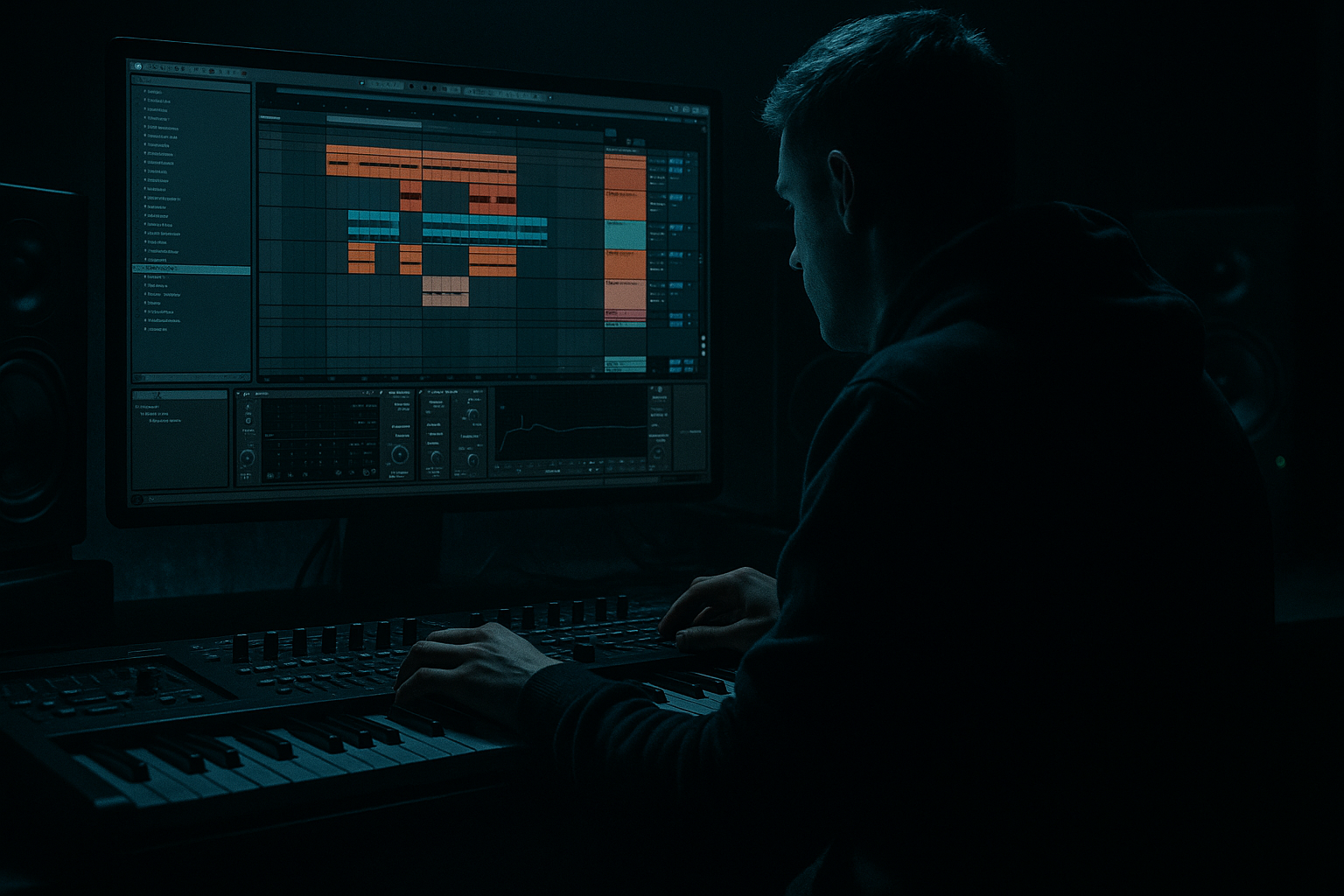
Welcome back. This is an advanced composition lesson for drum and bass in Ableton Live, and we’re going to build call-and-response melodies using only stock devices.

Here’s the mindset: call-and-response is not “two random lead lines.” It’s a conversation with roles. One voice is the call: stable, hooky, and easy to recognize. The other is the response: tighter, grittier, more rhythmic, and it lives in the gaps. When this is done right in DnB, your track instantly feels like it’s reacting to itself, like it has personality.

By the end, you’ll have a 16-bar loop where the call and response evolve every 8 bars, they stay out of the bass and drums, and they feel glued together like a real world, not two separate synths fighting.

Before we touch any synths, set your session up for success.

Set tempo to 174 BPM, give or take a couple BPM depending on the vibe. Pick a key that suits DnB moodiness: F minor, G minor, E-flat minor… anything that makes darker tones feel natural.

Now build a quick groove scaffold. You want a basic 2-step or rolling drum pattern: kick on one, snare on two and four, and a little hat movement or break topping if that’s your vibe. Then add a bass line, even if it’s just a simple one-note rhythm. The reason is important: we are not writing melodies in a vacuum. Call-and-response only makes sense when it’s speaking against real drum and bass motion.

Now let’s write the call.

Create a MIDI track and load Wavetable. The call should sound clean but present. Think “liquid-techy,” not overly aggressive. You want something that reads clearly as the main speaker.

For a reliable patch: on Oscillator 1, choose Basic Shapes and lean toward sine or triangle, not fully pure, but around 10 to 25 percent on the position so it has a hint of harmonics. On Oscillator 2, also Basic Shapes but go saw-ish, like 70 to 90 percent position, set it down an octave, and keep its volume low, around 10 to 20 percent. That gives you body without turning it into a buzzy mess.

Add a little unison, two to four voices, but keep the amount controlled. You’re not making a supersaw anthem here. Then use the filter: LP24, cutoff somewhere around 2 to 5 kHz depending on brightness, and add a bit of drive, like 2 to 5 dB. The goal is to make it speak with focus.

Now the envelope: short attack, like 3 to 10 milliseconds, then decay around 250 to 600 milliseconds, low sustain, and a modest release. This is crucial. In DnB, if your lead tails are too long, they smear into the snare and the bass, and suddenly your mix sounds crowded even if the notes are good.

Now write the MIDI.

Work in two-bar phrases first. That’s the sweet spot: long enough to feel like a sentence, short enough to loop and refine. Your call should land clearly on bar starts. It needs a strong identity rhythmically, not just melodically.

Here’s a practical approach: make the first bar have a few confident hits that anchor the phrase, then let bar two simplify and leave a gap. You’re literally composing space for the response to speak.

Pitch-wise, keep the call in a tight set so it sounds like one character: root, minor third, fifth, flat seventh. That’s classic DnB minor flavor, and it avoids sounding like you’re accidentally modulating every two beats. Also keep it mostly in one register, like C4 to G4-ish. Consistency makes it recognizable.

Now process the call with stock effects, but do it with discipline.

Put EQ Eight after Wavetable. High-pass around 150 to 250 Hz. The bass owns the low end and most of the low-mid weight. Your lead is a guest down there, not the landlord. If it’s harsh, do a small dip somewhere around 2 to 4 kHz, but only if needed.

Then add Saturator. Analog Clip mode is a great default. Drive maybe 2 to 6 dB, Soft Clip on. You’re not trying to destroy it, you’re trying to make it sit forward and feel finished.

Then add Echo. This is your “rhythm glue” and stereo vibe, but keep it subtle. Choose either one-eighth dotted or one-quarter timing. Feedback around 15 to 30 percent. Filter the delay so it doesn’t cloud the mix: high-pass around 300 Hz and low-pass around 6 to 9 kHz. The call should not turn into a wash. It should be a statement.

Finally, Utility. You can widen slightly, maybe 120 to 160 percent, but only if it stays mono-safe. If you’re not sure, keep it closer to 100 and let the Echo create the sense of width instead.

And yes: sidechain the call. In DnB, sidechain isn’t just for pumping. It’s for clarity and groove. Put a Compressor on the call track, enable sidechain, feed it from your kick and snare group or a ghost trigger. Ratio 2:1 to 4:1, fast attack, release around 60 to 140 milliseconds. Aim for 2 to 5 dB of gain reduction on hits. The call should feel like it’s dancing around the drums.

Now we build the response.

Create a second MIDI track and load Operator. The response should contrast: sharper, more percussive, more mid-focused, and generally tighter in stereo. It’s the hype ad-lib, not the main chant.

In Operator, choose a simple FM setup like A into B. Oscillator A is sine at full level. Oscillator B is sine too but turned down, like minus 12 to minus 24 dB, and set its frequency ratio around 2 to 4. That little bit of FM adds edge without turning into sci-fi noise.

Set the amplitude envelope on A: super fast attack, decay around 120 to 250 milliseconds, no sustain, and a short release. You want it to speak like a percussive synth, almost like a tonal drum.

Enable Operator’s filter. LP12 works well. Cutoff somewhere around 1.5 to 4 kHz, with a bit of resonance. And here’s a trick: add a touch of pitch envelope if you want that “yip” or “chirp.” Keep it small, decay fast. It reads clearly in busy mixes.

Now the MIDI for the response is where the real DnB intelligence happens.

Copy your call clip over to the response track. Now delete notes that land on the main downbeats. The response should not compete for the same rhythmic throne. Instead, keep and place notes after the snare. Those classic pockets are around 2.3 to 2.4 and 4.3 to 4.4 in each bar. That’s where the groove breathes, and that’s where replies feel natural.

Make the response notes shorter and more syncopated. Use sixteenth notes and, occasionally, a tiny thirty-second flam if you want some nervous energy, but be careful. Too many micro-notes and it turns into clutter.

Pitch-wise, this is your tension tool. The response can use neighbor tones like a minor second or a perfect fourth to create bite, but it should resolve back to chord tones by the end of the two-bar phrase. You want it to feel like commentary, not like you changed the key by accident.

Now process the response for grit and control.

Start with EQ Eight. High-pass higher than the call, around 200 to 400 Hz. Then, if you need bite, add a narrow boost somewhere like 1.2 to 2.5 kHz. That’s often where the response “speaks” through the mix.

Add Auto Filter for movement. Bandpass or high-pass can work great here. Add a subtle LFO at one-eighth or one-sixteenth, but keep the amount small. You want motion, not wobble that distracts from the rhythm.

Then distortion. Use Saturator with more drive than the call, maybe 4 to 10 dB, Soft Clip on. Or use Pedal in OD mode with low gain and shape tone to taste.

And here’s the spicy stock move: Drum Buss on the response. Yes, on a melodic part. A little drive, a bit of crunch, maybe damp it if it gets fizzy. This makes the response feel percussive, like it belongs in a drum-forward genre.

Sidechain the response too, often more than the call. Aim for 3 to 7 dB of ducking so it pops between the drums instead of stepping on them.

Now we arrange the conversation, because call-and-response isn’t real until it evolves over time.

Build a 16-bar loop with an 8-bar logic inside it.

Bars 1 to 4: call is prominent, response is minimal. Maybe one or two replies total. Make the listener learn the main voice first.

Bars 5 to 8: response gets more active. Add extra notes, push distortion a bit, make it more talkative.

Bars 9 to 12: call returns with a variation. That could be a rhythm tweak, a small pitch change, or a different ending. The idea is: recognizable, but not copy-paste.

Bars 13 to 16: both interlock. This is the climax of the conversation. But you must automate space so it doesn’t smear.

Let’s do the pro automation moves.

On the call, automate brightness over 8 bars. That can be an Auto Filter opening from around 2 kHz up toward 6 kHz. Also automate the Echo send or Echo mix to rise slightly at the end of phrases, like at bar 4 and bar 8. Phrase-end effects are punctuation. They tell the listener where the sentence ends.

On the response, automate Saturator drive up in bars 5 to 8, and again in 13 to 16 if you want a final push. Keep its stereo tighter with Utility, like 80 to 110 percent. A narrow response feels pointed and aggressive. A wide response often just feels messy in DnB.

And enforce hierarchy with gain. Don’t just “hope” the listener hears the call as the leader. Make it true. In A sections, call louder. In B sections, response louder. This is arrangement, not mixing trivia. It’s storytelling.

Now we glue them together like a serious workflow.

Group both tracks into a Leads Group. On that group, add EQ Eight and do a small cut where the bass dominates, often somewhere around 200 to 400 Hz, but sweep and find the actual conflict.

Add Glue Compressor, gentle settings: attack around 10 milliseconds, release on auto, ratio 2:1. Only 1 to 2 dB of gain reduction on peaks. You’re not flattening it, you’re making them breathe together.

Then add Hybrid Reverb, but keep it controlled: a short plate or room, around 0.6 to 1.2 seconds, with pre-delay around 10 to 25 milliseconds so the transients stay clear. High-pass around 400 Hz and low-pass around 7 to 10 kHz. The goal is “same world,” not “big cathedral.”

Now I want to give you a few extra coach rules that will keep your advanced sessions from turning into chaos.

First: treat call versus response as roles, not instruments. You can swap roles for four bars. Maybe the call becomes rhythmic and the response holds a longer tone for a moment. That’s how you keep a hook recognizable but not predictable.

Second: define no-go zones before you write. For example, leads do not play on the snare transient. Give it a little buffer. Also: only one voice owns the 1 to 2.5 kHz “foreground” at a time. If both are screaming there, nobody understands the language. And only one voice is allowed to be wide at any moment. Stereo discipline is arrangement.

Third: negative space can be a motif. A consistent silence, like always leaving beat three of bar two empty, becomes memorable at 174 BPM. Don’t fill every gap just because you can.

Fourth: velocity is your groove engine. Make a deliberate velocity pattern: stronger hits after the snare, softer ghost notes to imply motion. Then map velocity to something you actually hear, like filter cutoff, FM amount, or wavetable position. If your velocities don’t change the tone, you’re missing a huge part of “talking” phrasing.

Fifth: phase relationships matter. If both voices are similar in register or waveform, tiny timing differences can create comb filtering. Use Track Delay and nudge one part forward by 5 to 15 milliseconds. It can separate them without changing the groove.

If you want some advanced variations, try these.

For a harmony-like effect without chords: let the call outline stable tones like root, fifth, flat seventh. Let the response drop in a quick color note like a ninth, flat second, or sharp four, late and short, and then resolve. It sounds sophisticated but still anchored.

For a metric illusion: keep everything on-grid, but write the response in repeating three-sixteenth groupings. The drums stay straight, but the response feels like it’s turning over itself.

For fast evolution: do register trading. Bars 1 to 4, call higher and response mid. Bars 5 to 8, swap octaves. It will feel like development even if the notes are similar.

And one of my favorites: a one-bar overtalk moment. In bar 8 or bar 16, let both speak at once, but enforce hierarchy. Make the call simpler and longer, make the response ultra-short ticks, and automate a tiny 1 to 2 dB dip on the less important voice just for that bar. It’ll feel like a deliberate “everyone shout” moment, not a mistake.

Quick practice drill, 15 minutes.

Pick one note, the root, and write a two-bar call rhythm using only that pitch. Duplicate it and turn it into a response by removing downbeats and pushing notes after the snare pockets. Add one pitch variation note to each: the call gets a minor third or fifth; the response gets a brief flat second that resolves.

Add only two automations: call Echo send up at the end of bar 4, response Saturator drive up in bars 5 to 8. Then bounce a quick 16 bars and listen at low volume. If you can still perceive the conversation without straining, you’ve won. If it turns into a blur, you need more contrast, more space, or clearer hierarchy.

Before we wrap, here are the classic mistakes to avoid.

If there’s no real contrast, it’s not a conversation, it’s just two people talking over each other. If you’re fighting the bass, high-pass your leads and watch that 200 to 500 Hz zone. If you’re overwriting, reduce notes and let drums and bass remain dominant. If you ignore the snare pocket, it will sound amateur fast. And if everything is wide and wet, expect mono collapse. Keep one voice tighter, and make width come from controlled ambience when possible.

Homework challenge if you want to level up: write a 16-bar call-and-response where the notes never change after bar one. You are only allowed to create development with velocity edits, one macro automation per voice, timing shifts, and note length changes. Then print both voices to audio, slice them to a Drum Rack, and build a new response-only variation using only the slices. Finally, enforce a mixing constraint with meters: call peaks at least 2 dB louder than response in bars 1 to 4, and response peaks at least 1 dB louder than call in bars 5 to 8. That’s how you train arrangement control like an adult, not just sound selection.

Recap: call-and-response is contrast in tone, stereo, rhythm, and placement. In DnB, the response often lives between snare hits and feels percussive. Stock devices are more than enough: Wavetable and controlled width for the call, Operator FM edge plus saturation and Drum Buss for the response. Arrange in 8- and 16-bar arcs, automate like you’re guiding a DJ through sections, and you’ll get a hook that feels alive.

If you tell me what bass style you’re building around—roller, foghorn, reese, jungle—I can suggest exact note ranges for the call and response and which frequency zones to protect so they don’t clash with your bass and snare.