DNB COLLEGE

AI Drum & Bass Ableton Tutorials

LESSON DETAIL

Building a full 32 bar drop (Intermediate)

An AI-generated intermediate Ableton lesson focused on Building a full 32 bar drop in the Arrangement area of drum and bass production.

Free plan: 0 of 1 lesson views left today. Premium unlocks unlimited access.

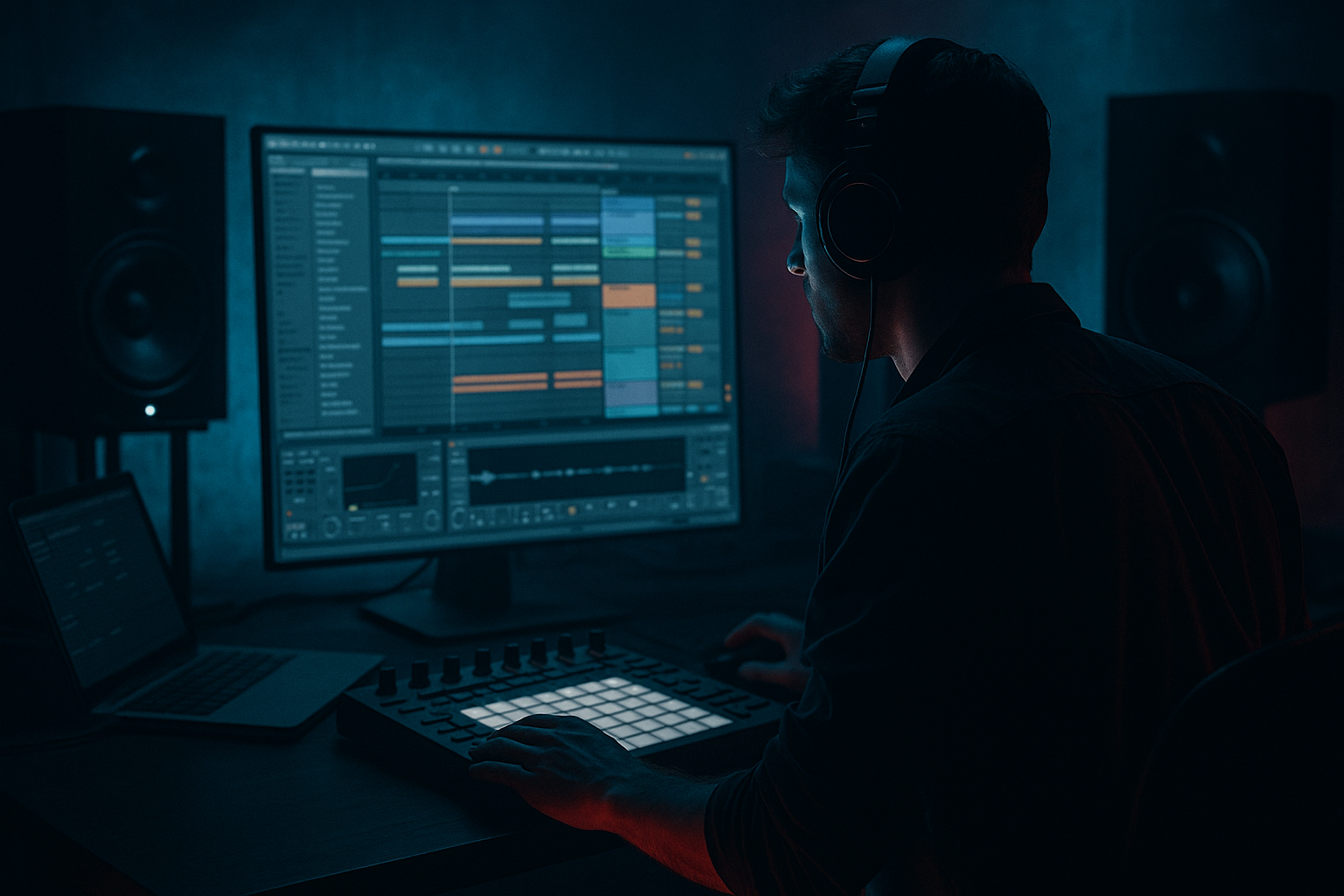
Building a full 32 bar drop (Intermediate) cover image

Narrated lesson audio

The voice track includes the tutorial plus extra teacher commentary.

Open audio file

Main tutorial

1. Lesson overview

Energetic, rolling, and long — a 32-bar drop needs movement, variation and tight low-end control so the energy doesn’t flatten out. In this lesson you’ll build a full 32-bar Drum & Bass drop in Ableton Live (174 BPM) with practical Ableton device chains, arrangement strategies, automation lanes, and mix-ready settings. This is an intermediate-level, hands-on walkthrough that assumes you already know basic clip editing, grouping, and warping in Ableton.

Expect to finish with:

  • A solid 32-bar drop arranged in Arrangement View.
  • A drum/drum-bus workflow, layered bass (sub + mid growl), FX and automation to keep 32 bars interesting.
  • Stock-Ableton device chains and practical settings you can drop into any DnB project. ⚡️
  • 2. What you will build

    A 32-bar rolling DnB drop at 174 BPM with:

  • Punchy break/drum arrangement with variations and fills.
  • Layered bass: clean mono sub + distorted mid growl modulated across the drop.
  • FX, risers, and impact transitions that maintain forward momentum.
  • Mix-aware routing (drum bus, bass bus, FX returns) and sidechain that keeps the low-end tight.
  • Dynamic automation and micro-variations so the 32 bars never feel static.
  • You’ll use Ableton stock devices such as Drum Rack, Simpler/Sampler, Wavetable/Operator, EQ Eight, Compressor (for sidechain), Glue Compressor, Saturator, Overdrive, Utility, Auto Filter, Echo/Delay and Reverb (Return tracks), Beat Repeat, Redux and Drum Buss.

    3. Step-by-step walkthrough

    Prereqs: Ableton Live (10+), basic knowledge of clips/groups. Set tempo to 174 BPM and work in Arrangement View.

    A. Project template & routing (5–10 minutes)

    1. Create tracks:

    - Drum Rack (Audio or MIDI track)

    - Bass Sub (MIDI track, Simpler/Operator)

    - Bass Growl (MIDI track, Wavetable or Sampler)

    - FX/Atmos (Audio tracks for samples)

    - Vocals/Chops (Audio)

    - Master return tracks: Reverb (Return A), Delay (Return B), Filter/Auto-Filter Return (Return C)

    2. Create Bus Groups:

    - Group drums into “Drum Bus”

    - Group bass tracks into “Bass Bus”

    - Send drums/bass to the Returns for ambience.

    3. Utility and mono management:

    - Add Utility on Bass Sub with Width = 0 (sub mono).

    - Place Utility first in the chain for gain staging.

    B. Foundations: drums (20–30 minutes)

    1. Pick an amen-style break or layered one-shots.

    - Use Drum Rack: top layer for transient snaps (close hats, top-snares), one chain for kick, one for snare, and one for sliced break material (Simpler slices or audio clip).

    2. Drum Rack chain ideas:

    - Kick chain → transient-enhancer: Drum Buss (drive 2–4), EQ Eight (HP 30–40 Hz), Glue Compressor (fast attack 1–3 ms, release 0.1–0.3 s).

    - Snare chain → add Saturator (Warmth: Drive 2–4 dB, Type: Analog Clip), parallel reverb send only.

    3. Process the break:

    - Chop a break into a Simpler (Slice mode) or use audio warp and consolidate 4-bar pattern.

    - Edit variations every bar: e.g., drop hat on beat 3 every second bar, ghost notes on snare.

    - For fills use Beat Repeat (Interval: 1/16, Chance: 50–80%, Gate: 1/8) automating On/Off during fill bars.

    4. Drum Bus chain:

    - EQ Eight: HP at 40 Hz for clarity; slight bell boost at 150–200 Hz for thump (+1.5–3 dB); cut 300–600 Hz if muddy.

    - Drum Buss: Crush 1–2, Boom 2–4 (taste).

    - Glue Compressor: Ratio 4:1, Attack 1–3 ms, Release 0.1–0.3 s — glue the kit.

    - Parallel chain: Duplicate Drum Bus group; heavy compression and distortion to blend for attitude.

    C. Sub + mid-bass assembly (25–35 minutes)

    1. Sub (Mono, Simpler/Operator):

    - Use Operator with Sine on oscillator A; set octave to -2 or -3 according to key.

    - LP filter off or very low-cut; no stereo width. Utility width = 0.

    - Add EQ Eight: cut above 180–220 Hz (low-pass), slight boost 40–70 Hz if needed.

    - Compression: minimal; keep sub clean.

    2. Mid / growl (Wavetable or Sampler):

    - Initialize Wavetable: choose a noisy, wavetabled oscillator; add FM or wavetable position modulation for movement.

    - Filter: Lowpass with drive. Set cutoff around 600–1500 Hz and modulate with an LFO or envelope.

    - Distortion chain: Saturator -> Overdrive -> EQ Eight (shelf cut <80–120Hz to avoid destroying the sub).

    - Parallel distortion: Create an Audio Effect Rack with 2 chains — Dry clean + Distorted (Saturator + Glue). Macro to control Distort amount.

    3. Routing:

    - Sidechain the growl to the kick/snare group via Compressor sidechain: Compressor on Growl, sidechain input = Drum Bus (or a ghost kick). Settings: Ratio 3–6:1, Attack 1–5ms, Release 70–150 ms, Threshold until you get ~3–6 dB duck during transients.

    - Send both Sub + Growl to Bass Bus for group processing (EQ, Multiband Dynamics).

    D. Arrangement: breaking the 32 bars into zones (30–40 minutes)

    Strategy: treat 32 bars as four 8-bar sections: A (1–8), B (9–16), C (17–24), D (25–32). Introduce, vary, intensify, climax.

    1. Bars 1–8 (A — core theme)

    - Drop start: kick+snare chop + sub hit + growl stab on 1. Keep elements minimal but strong.

    - Keep main drum loop locked in. Bass groove pattern repeats every 2 bars; modulate growl LFO slowly.

    - Automation: slight rise on reverb send (0 → low) for hats, small cutoff movement on growl (Macro).

    2. Bars 9–16 (B — variation)

    - Add percussion layers (rolling hats, shuffled toms).

    - Introduce a mid-range texture (metallic hit) using Corpus on a noise sample. Put that on off-beats and automate panning.

    - Drum fills: at bar 16, create a 1-bar fill with Beat Repeat and increase snare reverb send automated to higher value. Add a white-noise riser (automate filter cut-off up) ending with a short reverse cymbal to transition.

    3. Bars 17–24 (C — intensify)

    - Add a second growl voice or automate more aggressive distortion macro.

    - Introduce rhythmic gating on a pad or atmosphere using Auto Filter set to Band Pass and LFO (sync to 1/4 or 1/8) to add motion.

    - Reduce low-mid clashes: automate EQ Eight on Drum Bus to notch 300–500Hz slightly when the second growl hits.

    - Add micro-variations: remove kick for 1 beat at bar 20, then slam it back to create push/pull energy.

    4. Bars 25–32 (D — climax + release)

    - This is the peak. Increase Drive on Distortion Macro gradually from bar 24–28.

    - Automate send to Delay (Return B) to increase in presence on certain snare accents (try send values 0.05 → 0.25).

    - Add a dual-hit impact (low-frequency sub-hit + wide short impact) at bar 32; sidechain all pads and long tails to stop them abruptly.

    - End the 32 bars with either a half-bar cut (silence) or an 8-bar extension depending whether you’re going to a breakdown or play out.

    E. FX, transitions and interest tricks (10–20 minutes)

    1. Risers: create a long white-noise riser on an audio track. Use EQ Eight automation to open cutoff slowly across 4–8 bars. Add Glue Compressor for punch when it hits.

    2. Reverse hits: reverse cymbals, vocal chops, or snare tails placed before bar transitions.

    3. Drum micro-fills: program snare rolls with decreasing groove values (1/32 → 1/64) and add pitch automation with Sampler transpose for rising tension.

    4. Use Echo and Ping Pong delays on the Return with feedback 30–50% and lowpass around 5kHz — automate Send up during the climax for lush tails.

    F. Automation & arrangement housekeeping (10–15 minutes)

    1. Group automation and macros:

    - Create macros in an Effect Rack for growl Drive, growl Cutoff, Drum bus Glue Gain, Reverb send level.

    - Automate macros rather than many small device knobs for faster recall.

    2. Clip automation:

    - On repeating clips, use clip envelope to adjust pitch and filter LFO for subtle per-loop variation (e.g., detune 1–2 cents on alternate bars).

    3. Final checks:

    - Listen in mono (Utility Width = 0 on Master) to check phase issues.

    - Use Spectrum to monitor sub energy; avoid peaks above -6 dBFS on master while arranging (leave headroom).

    G. Quick mix notes during arrangement

  • High-pass everything except the sub/bass under 40–60 Hz with EQ Eight.
  • Keep the sub track clean and mono; all distortion/width applied to midlayer only.
  • Use Multiband Dynamics lightly on the overall bass bus: compress mids/heavies to glue the growl to the sub.
  • Use a brickwall limiter only at final bounce — keep master no more than -6 to -3 dBFS during arrangement.
  • 4. Common mistakes

  • Letting the drop sit static for 32 bars: a true “long” DnB drop needs micro-variation every 1–4 bars (hat rolls, velocity changes, filter nudges).
  • Distorting the sub: adding saturation/distortion before low-pass will ruin clean sub content — always high-pass or use side-chain EQ on distortion chains to protect sub (cut below 100–120 Hz).
  • Overusing reverb on low-end elements — sends to reverb should be high-passed.
  • Not checking mono/phase: wide mids with low subs can cancel in club PA systems.
  • Using the same drum loop without resynthesis: relying only on static break samples without slicing and reprocessing leads to repetitive drops.
  • Over-compressing the entire mix while arranging — kills dynamics and the “breathing” feel.
  • 5. Pro tips for darker/heavier DnB

  • Use aggressive midrange saturation: employ a parallel chain with Saturator driving into Overdrive. Then compress that chain heavily and blend via macro. This keeps the low-end clean while the mids bite.
  • Notch & resonance: for darker tones, use narrow band EQ boosts at 800–1200 Hz with a slightly resonant filter to create vocal/formant-like character on growls.
  • Gated reverb tails: automate reverb sends or gate returns to keep tails from smearing; use transient gating (Gate Max for Live or Sampler AMPL envelope).
  • Make silence powerful: occasional 1/16 or 1/8 rests in drums reset energy and make returns heavier.
  • Make the last 8 bars unpredictable: slight off-grid hat rolls, increased shuffle on hats, or a tempo-synced LFO on growl cutoff for wobble.
  • Use subharmonic trick: a sine sub an octave below your main note, ducked by the main sub to create subterranean weight.
  • Film-scoring percussion: layer metallic hits (Corpus or Resonator) to give industrial, angry tones that cut through the mix.
  • Sidechain band-compression: compress the mids (200–1kHz) harder than lows: Multiband Dynamics can duck muddy mids more than sub.
  • 6. Mini practice exercise (30–60 minutes)

    Goal: Create a minimal, effective 32-bar drop skeleton you can expand.

    Steps:

    1. Set Ableton to 174 BPM. Create a 32-bar MIDI Arrangement view loop region.

    2. Drums:

    - Drag an Amen break (or favorite beat) to an audio track, warp to 174 and create a 4-bar loop. Chop into Simpler slices and build a 4-bar drum clip; duplicate to fill 32 bars.

    - Program two fills: a 1/8 fill at bar 8 and a 1/16 roll at bar 24 using Beat Repeat.

    3. Bass:

    - Create Sub with Operator: sine octave -3. Place a sustained sub hit on each downbeat.

    - Create Growl with Wavetable: add LFO to filter cutoff (sync 1/8), set lower cutoff 700 Hz. Add Saturator (drive 3), then EQ Eight cutting below 100 Hz.

    - Sidechain growl to the drum bus with Compressor (set release 80–120ms).

    4. Dynamics & automation:

    - Automate growl filter cutoff: start 20% closed in bar 1, slightly open by bar 9, more open by bar 17, and maxed for 2 bars in 25–26 then tightened after.

    - Automate a Distort Macro: 0% in bars 1–8, ~25% bars 9–16, ~45% 17–24, ~70% 25–32.

    5. FX:

    - Add a white noise riser: highpass at 1k, automate cutoff up over 4 bars ending at bar 24, reverse cymbal at bar 24. Add a small reverb send increase in bars 25–28.

    6. Play back and adjust ducking, filter movements, and fill placements. Aim to make each 8-bar block feel distinct.

    If you finish the skeleton quickly, iterate: change velocity patterns, alternate drum loop slices every 4 bars, automate a small pitch detune (1–2 cents) on alternating growl notes.

    7. Recap

  • Break down the 32 bars into manageable zones (four 8-bar sections) and plan escalation.
  • Keep sub clean and mono; apply distortion and width to mid-bass only.
  • Use Drum Rack + Drum Bus with Glue/Drum Buss to get punch; protect mix with HP filters on non-bass tracks.
  • Maintain interest with micro-variations: fills, automation, filter modulation, FX sends.
  • Use sidechain compression and multiband control to keep the low-end tight and powerful.
  • Practice the mini exercise to internalize the workflow and then expand the arrangement with extra layers and transitions.

Go build it — make those 32 bars breathe, twist and hit like a rolling DnB freight train. If you want, send a project export or screenshots of your arrangement and I’ll give concrete tweaks to levels, automation, or device settings. 🔥🥁


Ask GPT about this lesson

Chat with the lesson tutor, get follow-up help, or use quick actions.

Bigup 👽 Ask me anything about this lesson and I’ll answer in context.

Narration script

Show spoken script
Hey — welcome to this intermediate Ableton lesson: Building a full 32-bar drop. I’m excited — this one’s all about making a long, rolling Drum & Bass drop that actually breathes and keeps the energy moving for the whole 32 bars. We’re working at 174 BPM in Arrangement View. I’ll walk you through a practical Ableton workflow, device chains you can copy, arrangement strategies for four 8-bar zones, automation ideas, and quick mix checks so your low end stays tight. This assumes you already know basic clip editing, grouping and warping. Let’s get into it.

First, what you’ll finish with. You’ll have a full 32-bar drop arranged in Arrangement View. You’ll use a drum/drum-bus workflow, layered bass consisting of a mono sub and a distorted mid growl, returns for ambience, and automation to keep things interesting across the four 8-bar sections. We’ll rely on stock Ableton devices: Drum Rack, Simpler or Sampler, Wavetable or Operator, EQ Eight, Compressor for sidechain, Glue Compressor, Saturator, Overdrive, Utility, Auto Filter, Echo and Reverb on returns, Beat Repeat, Redux, and Drum Buss. All doable inside Live without third-party plugins.

Start by building a quick project template. Set tempo to 174 BPM and switch to Arrangement View. Create these tracks: a Drum Rack for your kit and sliced breaks, a Bass Sub MIDI track using Simpler or Operator, a Bass Growl MIDI track using Wavetable or Sampler, a couple of audio tracks for FX and atmospheres, and an audio track for vocal chops if you want them. Create three return tracks: Reverb on Return A, Delay on Return B, and a Filter or Auto-Filter return on Return C for risers or movement. Group your drums into a Drum Bus and your bass tracks into a Bass Bus. Send drums and bass to your returns for ambience. On the Bass Sub, add Utility first in the chain and set Width to zero so your sub is strictly mono — that’s critical. Utility first also helps with gain staging.

Now the drums. Pick an amen-style break or a layered set of one-shots and put them into Drum Rack. Use one chain for kick, one for snare, one for top-layer transient snaps and hats, and one for sliced break material in Simpler slice mode or as audio. For the kick chain, consider a small Drum Buss drive of 2 to 4, then EQ Eight with a high-pass around 30–40 Hz to clean extreme rumble, and Glue Compressor with a fast attack of about 1 to 3 milliseconds and a short release around 0.1 to 0.3 seconds. For the snare chain, add a Saturator for warmth — drive of 2 to 4 dB and an Analog Clip type is musical — and send the snare to parallel reverb only via the return.

Process your break: chop it into a Simpler in Slice mode or warp the audio and consolidate a 4-bar pattern. Edit small variations every bar to avoid repetition — drop a hat on beat three every other bar, add ghost snare notes, and vary velocities. For fills, use Beat Repeat with Interval set to 1/16, Chance at 50 to 80 percent, and Gate at 1/8, then automate Beat Repeat On/Off for fill bars. On the Drum Bus, apply an EQ Eight high-pass at around 40 Hz for clarity, a slight bell boost around 150 to 200 Hz for thump if needed, and a cut around 300 to 600 Hz if things get muddy. Add Drum Buss for punch and Glue Compressor after it to glue the kit — try Ratio 4:1, attack 1 to 3 ms, release 0.1 to 0.3 s. A parallel drum bus is great: duplicate the Drum Bus group, compress and distort that duplicate heavily and blend it under the original for attitude.

Next, the low end: sub and mid-bass assembly. For the sub, use Operator or a basic Simpler sine. Set oscillator A to a sine, drop it down one or two octaves so it sits cleanly under the mix, and keep width at zero with Utility. On the sub, a gentle EQ Eight low-pass around 180 to 220 Hz will protect it from midrange energy; avoid distortion on the sub. For the growl layer, use Wavetable or Sampler. Start with a noisy wavetable and add some wavetable position or FM modulation for movement. Put a lowpass filter with drive, set somewhere between 600 and 1,500 Hz, and modulate the cutoff with an LFO or envelope to get that breathing growl. Run the growl through a distortion chain: Saturator into Overdrive, then EQ Eight to shelf-cut everything below 80 to 120 Hz to protect your sub. Build a parallel distortion chain with an Audio Effect Rack: one clean chain and one distorted chain, add a macro to control distortion amount so you can morph textures quickly.

Sidechain the growl to the drums so the transients jump through. Put a Compressor on the growl, set the sidechain input to the Drum Bus or a ghost kick. Try Ratio 3 to 6:1, attack 1 to 5 ms, release 70 to 150 ms, and lower the threshold until you see 3 to 6 dB of duck on transients. Route the Sub and Growl to the Bass Bus for group processing — use a light Multiband Dynamics to glue mids and highs while keeping the sub intact.

Now the arrangement. Treat the 32 bars as four 8-bar zones: A is bars 1 to 8, B is 9 to 16, C is 17 to 24, and D is 25 to 32. Plan escalation through these zones.

For Bars 1 to 8 — the core theme — keep things strong but focused. Start the drop with a tight kick and snare chop, a clean sub hit on the downbeats, and growl stabs that lock with the drums. Keep the main drum loop locked in and repeat your bass groove every two bars. Automate a slow growl LFO and a small reverb send increase on hats so the groove breathes.

Bars 9 to 16 are where you introduce variation. Add rolling hats or shuffled percussion and a mid-range metallic texture on off-beats — try running a noise or sample through Corpus for an industrial hit and automate panning for motion. At bar 16, make a one-bar fill: use Beat Repeat, increase chance and gate for excitement, and automate the snare reverb send up. Throw in a white-noise riser with an Auto Filter opening up before the fill and finish the transition with a short reverse cymbal.

Bars 17 to 24 are your intensify section. Add a second growl voice or push your distortion macro further. Consider rhythmic gating on an atmospheric pad using Auto Filter in band-pass with LFO synced to 1/4 or 1/8. Automate a subtle notch in the Drum Bus EQ around 300 to 500 Hz to avoid clashes when the second growl hits. Small micro-variations like dropping the kick for one beat at bar 20 and then bringing it back hard will create push and drama.

Bars 25 to 32 is the climax and release. This is peak energy. Ramp up the distortion macro across bars 24 to 28, increase delay sends on selected snare accents, and add a dual-impact at bar 32 — a sub-hit under a wide short impact — then sidechain pads and tails to stop them cleanly so you don’t have overlapping reverb mud. End the 32 bars with either a half-bar cut to create space or extend into another section depending on your song arrangement.

For FX and interest tricks: build long white noise risers on audio tracks and automate EQ Eight to open the cutoff over 4 to 8 bars. Use reverse cymbals and reversed vocal chops before transitions. Program snare ratchet fills by drawing tight repeated notes in MIDI and automate pitch for rising tension. Put Echo and Ping Pong delays on a return with feedback around 30 to 50 percent and a low-pass so you don’t wash high frequencies. Automate send levels during climaxes for lush tails.

Automation hygiene will save you hours. Group related controls into macros: one macro might be Growl Drive, Growl Cutoff, Drum Bus Glue gain and Reverb send; automating that single macro will create a coherent energy curve. Use clip envelopes for small per-loop variations like a 1 to 2 cent detune on alternate bars or filter nudges. Always check your mix in mono with Utility Width at zero on the master to catch phase problems. Use Spectrum to monitor sub energy and avoid peaks above roughly -6 dBFS while arranging to leave headroom.

A few common mistakes to watch for: don’t let the drop sit static — introduce micro-variations every one to four bars. Don’t distort the sub — if you apply saturation, use a high-pass or send path for distortion so the sub remains clean. Avoid heavy reverb on low-end elements; always high-pass your reverb returns. And don’t over-compress while arranging — preserve dynamics so the drop still breathes.

Pro tips for darker, heavier DnB: use aggressive midrange saturation on a parallel chain, then heavily compress that chain and blend it in. For a darker tone, make narrow, slightly resonant EQ boosts around 800 to 1,200 Hz to create formant-like character on growls. Gated reverb tails can give punch without smearing. Make silence powerful: use tiny rests in your drums to reset energy. For the last eight bars, introduce off-grid hat rolls, extra shuffle, or a tempo-synced LFO on the growl cutoff for a wobble. If you want subterranean weight, add a sine sub an octave below the main note and duck it under the main sub with a gate so it only hits on the strongest beats.

Some coach notes from the expansion material: catch phase problems early by soloing sub and growl in mono and flipping phase on the growl Utility while listening. If flipping improves level, instead of leaving it inverted, try narrow EQ shifts to move the growl energy and preserve timbre. For quick masking fixes, automate a narrow EQ cut in the 300 to 800 Hz range on the Bass Bus when the growl hits. For gain staging, aim for the sub peak around -12 to -9 dBFS, Drum Bus around -6 to -3 dBFS, and keep master headroom near -6 dB. If the kick needs more poke, try a subtle transient shaper before compression.

Advanced variation ideas to try after you’ve built the skeleton: polyrhythmic percussion patterns like a three against two metallic hit, ratchet fills in MIDI with pitch automation, micro-groove humanization using the Groove Pool, layer swapping between two alternate growls using chain crossfade, and momentary silence tricks like removing a snare on a downbeat to accentuate the return. You can also automate tempo by plus or minus one or two BPM for a subtle push effect — use this sparingly.

A practical exercise to internalize this lesson: set Ableton to 174 BPM, create a 32-bar loop in Arrangement, and do a minimal skeleton in 30 to 60 minutes. Use one Amen break warped into a 4-bar loop, chop into Simpler, duplicate for 32 bars, program two fills at bar 8 and bar 24 with Beat Repeat. Build a sub in Operator with a sine at about -3 octaves and a growl in Wavetable with an LFO on cutoff set to sync 1/8. Sidechain the growl, automate the growl cutoff to slowly open across sections, and automate a Distortion Macro moving from 0 percent to about 70 percent by the end. Add a simple white noise riser and a reverse cymbal at bar 24. If you finish early, iterate: change velocity patterns, swap slices every four bars, add a tiny detune on alternating notes.

Homework if you want to push it: produce three different 32-bar drops under time limits. First, a skeleton with only three tracks — drums, sub and growl — focused on clear low end. Second, a textural version with two resampled layers and an automated macro. Third, a performance-ready climax drop with a growl morph, gated reverb return and a short tempo micro-shift. Export stems and mixdowns and compare them in mono and stereo. If you send one of these exports, I’ll give timed, actionable, device-by-device notes, plus two specific mix moves to make it club-ready.

Finally, a quick recap: break your 32 bars into four 8-bar zones and plan escalation. Keep the sub clean and mono and push distortion only on mid-bass. Use Drum Rack plus Drum Bus processing for punch and clarity. Maintain interest with micro-variations, automation and FX sends. Sidechain the mid-bass for low-end clarity and use multiband control to glue things without killing dynamics. Practice the mini exercise to lock in the workflow and then expand the arrangement with transitions and texture layers.

Go build it — make those 32 bars breathe, twist and hit like a rolling DnB freight train. If you want, export a project or two or drop screenshots of your Arrangement and device chains and I’ll give concrete, timed feedback on levels, automation moves and device settings to get it club-ready. Let’s hear it.

Mickeybeam

Go to drumbasscd.com for +100 drum and bass YouTube channels all in one place - tune in!

Any 1 Tutorial FREE Everyday
Tutorial Explain
Generating PDF preview…