DNB COLLEGE

Drum & Bass Ableton Live 12 Tutorials

LESSON DETAIL

Build a drum bus for 90s-inspired darkness in Ableton Live 12 for jungle oldskool DnB vibes (Advanced)

An AI-generated advanced Ableton lesson focused on Build a drum bus for 90s-inspired darkness in Ableton Live 12 for jungle oldskool DnB vibes in the Arrangement area of drum and bass production.

Back to lessons
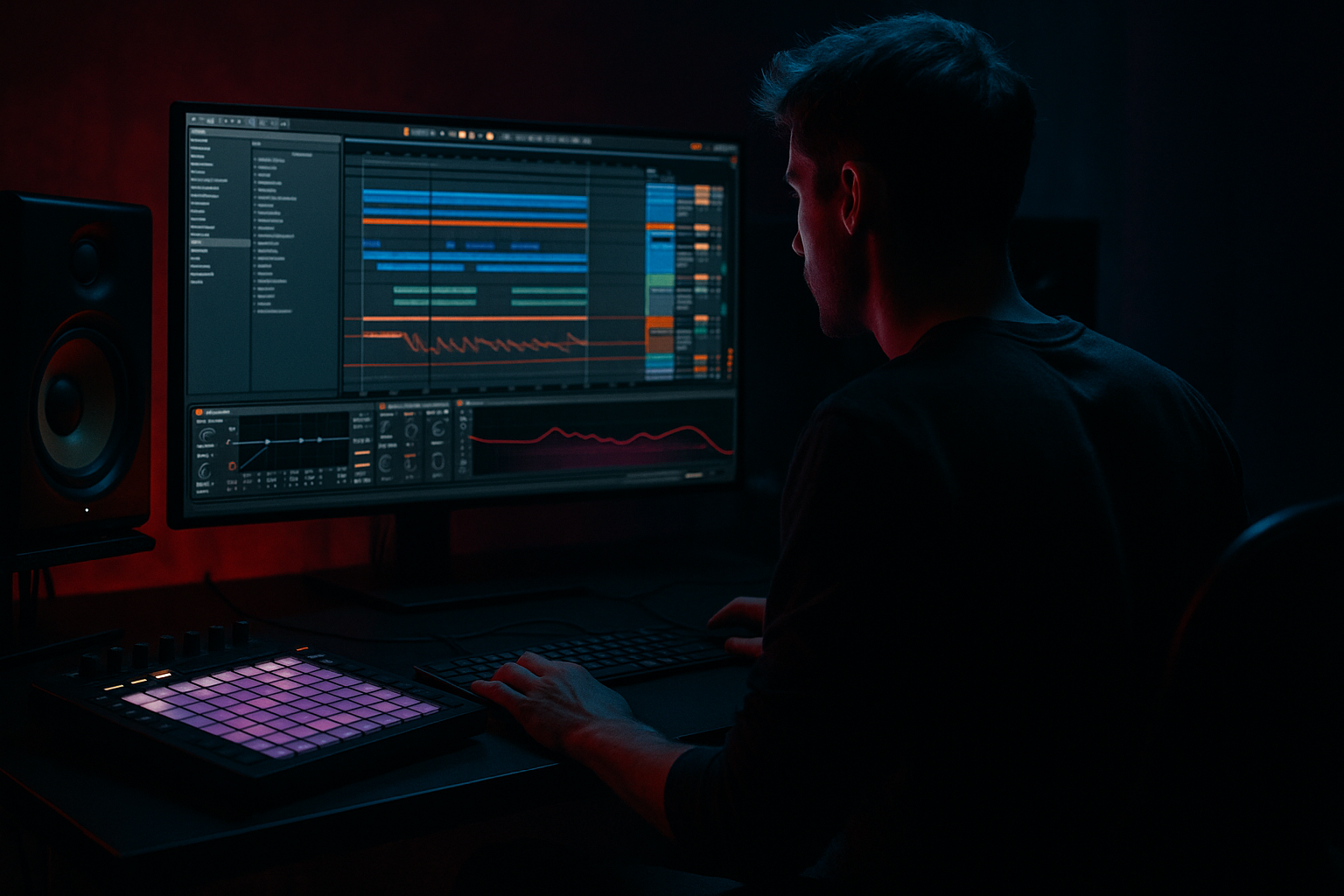
Build a drum bus for 90s-inspired darkness in Ableton Live 12 for jungle oldskool DnB vibes (Advanced) cover image

Narrated lesson audio

The voice track includes the tutorial plus extra teacher commentary.

Open audio file

Main tutorial

Build a Drum Bus for 90s-Inspired Darkness (Ableton Live 12) 🥁🌑

Advanced | Arrangement (with heavy bus-processing workflow)

---

1. Lesson overview

You’re going to build a purpose-built drum bus that screams 90s jungle / oldskool DnB darkness: gritty breaks, weighty kick/snares, crunchy room tone, and that “the drums are alive” movement—without destroying punch.

This is not a generic “put Saturator on the bus” lesson. We’ll design:

  • A main drum bus (clean-ish, punch-first)
  • A parallel dirt bus (overdriven, filtered, vibe)
  • A parallel room bus (short, gritty ambience)
  • Arrangement moves that make the loop evolve like classic jungle (fills, drop behavior, “dub-style” send throws)
  • All using Ableton Live 12 stock devices (with optional extras).

    ---

    2. What you will build

    A drum group like this:

    DRUMS (Group)

  • Breaks (Amen/Think/Hot Pants chopped, etc.)
  • Kick
  • Snare/Clap
  • Hats/Shakers
  • Perc
  • Returns / Parallel chains

  • A: Dirt Parallel (distort → filter → compress)
  • B: Room Parallel (short verb → gate-ish → EQ)
  • C: Smash Parallel (optional) (hard compression for impact moments)
  • On the DRUMS Group

  • Utility (gain staging)
  • EQ Eight (cleanup + dark tilt)
  • Glue Compressor (light glue)
  • Drum Buss (tone + transient)
  • Saturator (controlled harmonics)
  • Limiter (safety, not loudness)
  • Result: tight low-end + nasty mid character + believable room + arrangement-ready modulation.

    ---

    3. Step-by-step walkthrough

    Step 0 — Session prep (the “don’t fight the mix” part)

    1. Tempo: 160–170 BPM (classic jungle zone: 165–170).

    2. Gain staging target (important for saturation behavior):

    - Individual drum channels peaking around -10 to -6 dBFS

    - Drum Group peaking around -6 to -4 dBFS before the final limiter.

    3. Group your drums: Select drum tracks → Cmd/Ctrl + G → rename DRUMS.

    ---

    Step 1 — Core drum loop arrangement (so the bus has something real to chew on)

    90s darkness is as much arrangement as sound. Build a loop with movement:

  • Bars 1–2: Full loop (break + kick + snare)
  • Bar 3: Remove kick on beat 1, add ghost hats
  • Bar 4: Fill (snare rush / reversed hit / tiny stop)
  • Practical tip:

    Take your break and duplicate it, then:

  • On copy A: keep the “main” hits
  • On copy B: high-pass and push ghost notes / shuffle
  • This gives you the “break speaks” feel while still controlling weight.

    ---

    Step 2 — Drum Group: clean control first (EQ + glue)

    On DRUMS Group, add:

    #### 2.1 Utility (gain + width sanity)

  • Utility
  • - Gain: adjust so the group peaks ~-6 dBFS

    - Width: 100% (keep it normal for now)

    - Optional: Bass Mono On, Frequency 120 Hz (helps club translation)

    #### 2.2 EQ Eight (darkness without mud)

  • EQ Eight
  • - HP filter: 24 dB/oct @ 25–35 Hz (you don’t need sub-rumble on drums)

    - Gentle dip: -2 to -4 dB @ 250–400 Hz, Q ~1.2 (reduces box)

    - Presence control: -1 to -3 dB @ 4–7 kHz (darkens cymbal hash)

    - Optional tiny lift: +1 dB @ 1.5–2.5 kHz (snare “talk”)

    Keep this subtle. The dirt will come from parallels.

    #### 2.3 Glue Compressor (real glue, not flattening)

  • Glue Compressor
  • - Attack: 3 ms

    - Release: Auto or 0.3 s

    - Ratio: 2:1

    - Threshold: aim for 1–2 dB gain reduction on loud hits

    - Soft Clip: On (very Ableton, very useful)

    This mimics that cohesive bus feel while preserving transient snap.

    ---

    Step 3 — Drum Group: tone and bite (Drum Buss + Saturator)

    Now we sculpt that oldskool grit.

    #### 3.1 Drum Buss (the “recorded through something” vibe)

  • Drum Buss
  • - Drive: 5–15% (start 8%)

    - Crunch: 0–10% (a little goes far)

    - Boom: 0–10%, Frequency 45–65 Hz (only if kick needs weight; don’t overdo)

    - Damp: 10–30% (tames fizzy highs)

    - Transients: +5 to +15 (bring attack back after glue)

    Goal: punch + density, not “demo loud.”

    #### 3.2 Saturator (controlled harmonic dirt)

  • Saturator
  • - Mode: Analog Clip or Soft Sine

    - Drive: 2–6 dB

    - Soft Clip: On

    - Output: trim back to match bypass level

    Advanced move: Map Saturator Drive to a Macro later so you can “heat up” drops/fills.

    ---

    Step 4 — Parallel Dirt Return (your “darkness generator”) 🧨

    Create Return A: name it DIRT.

    Send your Break and Snare to it more than your kick (classic).

    On Return A (DIRT):

    1. Saturator

    - Mode: Waveshaper (or Analog Clip if you want smoother)

    - Drive: 8–14 dB

    - Soft Clip: On

    2. Auto Filter

    - Type: Band-Pass (12 dB)

    - Freq: 600–2.5kHz (sweet zone for bite)

    - Resonance: 0.7–1.2

    - Drive: 2–4

    - Envelope: Amount 10–25, so hits open the filter slightly (movement!)

    3. Compressor (to hold the dirt in place)

    - Ratio: 4:1

    - Attack: 10–30 ms

    - Release: 80–150 ms

    - Threshold: 3–6 dB gain reduction

    4. EQ Eight (stop it ruining the mix)

    - HP @ 200–300 Hz

    - LP @ 7–10 kHz

    - Optional notch if honky: -3 dB @ ~1 kHz

    Send amounts (starting point):

  • Break: -12 to -6 dB
  • Snare: -15 to -9 dB
  • Hats: -inf to -18 dB
  • Kick: -inf to -18 dB (often none)
  • You want “midrange nastiness behind the clean drums.”

    ---

    Step 5 — Parallel Room Return (short, dirty space) 🏚️

    Create Return B: name it ROOM.

    On Return B (ROOM):

    1. Hybrid Reverb

    - Algorithm: Room or Ambience

    - Decay: 0.25–0.6 s

    - Pre-delay: 0–10 ms

    - Size: small-medium

    - Low Cut: 200–400 Hz

    - High Cut: 5–8 kHz

    - Early Reflections up a bit (for realism)

    2. Gate (or “poor man’s gated room”)

    - Threshold: set so it clamps after the hit

    - Return: 80–150 ms

    - Floor: -inf (tight cutoff)

    3. Saturator (make the room sound sampled/printed)

    - Drive: 3–8 dB

    - Soft Clip: On

    4. EQ Eight

    - HP: 250–450 Hz

    - Gentle dip: 2–4 kHz if it gets harsh

    Send amounts:

  • Snare: -12 to -6 dB (snare loves room)
  • Break: -18 to -9 dB
  • Hats: -20 to -12 dB
  • Kick: usually minimal (or none)
  • This is where “dark” becomes “physical.” Keep it short and gritty.

    ---

    Step 6 — Optional Smash Parallel (for drop emphasis) 💥

    Create Return C: name it SMASH.

    Chain:

    1. Glue Compressor

    - Ratio: 10:1

    - Attack: 0.3 ms

    - Release: 0.1 s

    - Threshold: drive it hard (10 dB GR is fine here)

    - Soft Clip: On

    2. EQ Eight

    - HP @ 120–200 Hz (leave sub to main bus)

    - Small lift @ 2–3 kHz for attack

    3. Drum Buss

    - Drive 5–10%

    - Transients +10–20

    Use automation on the send: bring SMASH up on:

  • The first 4 bars of the drop
  • The last bar before a fill
  • The final 8 bars of a section to build intensity
  • ---

    Step 7 — Arrangement automation (this is where it becomes “90s alive”) 🎛️

    Make your drum bus perform.

    #### 7.1 “Dark opening” filter automation (classic intro technique)

  • On the Break track (not the whole group), add Auto Filter:
  • - Low-pass 12 dB, start around 2–4 kHz

  • Automate cutoff to open into the drop over 8–16 bars.
  • #### 7.2 Dub-style send throws

    In fills (last 1/2 bar of every 4 or 8 bars):

  • Spike DIRT send briefly on a snare flam
  • Spike ROOM send on a single snare hit at bar end
  • This creates that “printed to tape / desk send” vibe.

    #### 7.3 Drop contrast: “clean hit, dirty tail”

    At the exact drop moment:

  • Pull DIRT return down 1–2 dB for the first 1–2 beats
  • Then bring it back up
  • That micro-contrast makes the drop punch harder.

    #### 7.4 Break variation every 8 bars (minimum)

    Every 8 bars do one:

  • Remove kick for 1 beat
  • Reverse a snare
  • Add a 1/16 snare rush
  • Micro-stutter the break (slice and repeat 1/16 or 1/32)
  • Mute hats for half a bar, let room carry
  • 90s jungle is repetition with constant tiny edits.

    ---

    Step 8 — Final safety + print mindset

    At the end of the DRUMS Group, add:

  • Limiter
  • - Ceiling: -0.8 dB

    - Only catching peaks (1–2 dB max GR)

    You’re not mastering. You’re preventing overs while arranging.

    ---

    4. Common mistakes

  • Over-saturating the main drum bus: you lose transient shape and it becomes papery. Keep heavy dirt on parallels.
  • Letting the dirt/room returns carry low end: always high-pass returns. Low end should be intentional and mostly dry.
  • Too much reverb decay: jungle room is usually short and “gated-feeling,” not cinematic.
  • No arrangement movement: if the loop doesn’t evolve, no bus chain will make it feel like 90s.
  • Smash compression on everything all the time: use SMASH like a performance tool, not a constant state.
  • ---

    5. Pro tips for darker/heavier DnB 🕶️

  • Midrange is the darkness: aim your DIRT bus at 600 Hz–3 kHz. That’s where “evil” lives.
  • Make cymbals darker, not quieter: use gentle LP around 8–12 kHz or a small dip 6–8 kHz instead of just turning hats down.
  • Transient recovery after glue: Drum Buss Transients (or a touch of Roar if you use it) can bring back snap without raising peaks too much.
  • Stereo discipline: keep low end mono; let room/dirt create width above ~200 Hz.
  • Print your drum bus (resample): commit to a version, then do micro-edits like old sampling workflows. You’ll arrange faster and bolder.
  • ---

    6. Mini practice exercise (20–30 minutes) 🧪

    1. Grab a classic break (Amen/Think) and make a 4-bar loop with:

    - Kick reinforcement

    - Snare layer

    2. Build the DRUMS Group chain exactly as above (Utility → EQ → Glue → Drum Buss → Saturator → Limiter).

    3. Create DIRT + ROOM returns and set sends:

    - Break → DIRT at -9 dB

    - Snare → ROOM at -8 dB

    4. Arrange 16 bars:

    - Bars 1–8: intro (low-pass break opening)

    - Bars 9–16: drop (automation: DIRT return up + SMASH send on first 2 bars)

    5. Bounce/export a quick version and A/B:

    - Bypass all returns (dry)

    - Returns on (vibe)

    - Then bypass Drum Buss/Saturator (is the parallel doing enough?)

    Goal: hear what each stage contributes.

    ---

    7. Recap

  • Build punch and control on the main DRUMS bus (EQ → Glue → Drum Buss → light saturation).
  • Generate 90s darkness with parallel DIRT focused on midrange grit.
  • Create believable “sampled” depth with a short, gated-feeling ROOM return.
  • Treat the drum bus like an instrument: automate sends, filter opens, and drop contrast.
  • Arrange like jungle: tiny edits every 4–8 bars keep energy alive.

If you want, tell me what break you’re using (Amen/Think/others) and your BPM, and I’ll suggest exact send levels + a 32-bar arrangement template for that specific vibe.


Ask GPT about this lesson

Chat with the lesson tutor, get follow-up help, or use quick actions.

Bigup 👽 Ask me anything about this lesson and I’ll answer in context.

Narration script

Show spoken script
Title: Build a drum bus for 90s-inspired darkness in Ableton Live 12 for jungle oldskool DnB vibes (Advanced)

Alright, let’s build a drum bus that feels like proper 90s jungle darkness. Not just “slap a saturator on the group and call it gritty,” but a full system: a clean main drum bus for punch, plus parallel returns that generate the nasty midrange and the short, grimy room. And then we’re going to actually arrange it so it moves like classic jungle, because that’s the real secret.

We’re staying in Ableton Live 12, stock devices. Work in Arrangement View, because this style lives and dies by edits, fills, and automation.

First, set the session up so you’re not fighting your own gain staging. Tempo in the 160 to 170 range, and if you want the most “classic” zone, sit around 165 to 170. Now, level targets: on individual drum tracks, aim for peaks around minus ten to minus six dBFS. On the drum group, we want to see peaks around minus six to minus four before any final safety limiter. This matters because saturation and compression don’t behave the same when you hit them too hot.

Now select all your drum tracks and group them. Command or Control G, rename the group DRUMS. Inside, you’ll typically have Breaks, Kick, Snare or Clap, Hats and Shakers, and Perc. Nothing fancy yet.

Before we process anything, give the bus something real to chew on. Build a four-bar phrase that has movement. Here’s a simple template that already feels authentic when you loop it.

Bars one and two: full loop. Break plus kick reinforcement plus snare layer if you’re doing that.
Bar three: remove the kick on beat one, and add a couple ghost hats or little shuffles.
Bar four: do a fill. A quick snare rush, a reversed hit, a tiny stop, something that makes the loop breathe.

A practical trick that helps you get that “break speaks” feeling without losing control: duplicate your break track. On copy A, keep it as your main break, the one that carries the weight and the recognisable hits. On copy B, high-pass it and use it for ghost notes and shuffle energy. That way, the bus responds like a real break, but you still have a steering wheel.

Now we build the main DRUMS group chain. The philosophy is: clean control first, then tone, and we keep the really ugly stuff in parallel.

First device on the DRUMS group: Utility. Set your group level so you’re peaking around minus six dBFS. Keep width at 100 for now. Optional but recommended: turn Bass Mono on, around 120 Hz. That’s your club-translation insurance, and it stops low end width from smearing your kick and snare relationship.

Next, EQ Eight. We’re going for darkness without mud. Start with a high-pass, 24 dB per octave, somewhere around 25 to 35 Hz. That sub-rumble is not “weight,” it’s just wasted headroom and distortion triggers.

Then a gentle dip in the boxy zone: minus two to minus four dB around 250 to 400 Hz, Q around 1.2. Don’t carve the life out of it; just make space.

Then control the harshness: a small dip, minus one to minus three dB, around 4 to 7 kHz. This is where cymbal hash and brittle break top can get annoying, especially once you start saturating returns.

Optional, but useful: a tiny lift, like plus one dB around 1.5 to 2.5 kHz. That’s where the snare “talks.” If your snare starts feeling like cardboard after you darken things, this is a good place to restore articulation.

Now Glue Compressor. This is glue, not flattening. Set attack to 3 milliseconds, release on Auto or around 0.3 seconds, ratio 2 to 1. Pull the threshold down until you’re getting one to two dB of gain reduction on the loud hits. And turn Soft Clip on. Soft Clip is one of the most “Ableton jungle” moves because it gives you that cohesive edge without smashing transients into dust.

At this point, if your groove feels smaller, you’re compressing too hard or your EQ is too aggressive. The main bus should still punch.

Now we add tone and bite on the main group, but controlled.

Add Drum Buss. Start with Drive around 8 percent, somewhere in the 5 to 15 range depending on the source. Crunch at zero to ten percent, very gently. If you need low weight, use Boom, but don’t get seduced. Keep Boom low, zero to ten percent, and set the frequency around 45 to 65 Hz. If your kick is already solid, skip Boom entirely.

Use Damp around 10 to 30 percent to tame fizzy highs, and then, crucially, use Transients plus five to plus fifteen to bring attack back after the glue. That transient control is how you stay punchy while building density.

Then Saturator. Mode: Analog Clip if you want smoother, or Soft Sine if you want a different kind of thickness. Drive around two to six dB, Soft Clip on, and then trim the output so bypass and engaged are roughly the same loudness. Teacher tip: if you don’t level-match, you’ll always think the louder one is better, and you’ll end up with a bus that’s “impressive” and unmixable.

Finally, at the end of the group, we’ll add a limiter later as a safety. But we’re not using it to get loud. We’re using it so the bus doesn’t randomly clip while you arrange.

Now the real darkness: parallel returns.

Create Return A and name it DIRT. The DIRT return is your “midrange nastiness behind clean drums.” Send breaks and snare to it more than kick. That’s classic. The kick usually stays cleaner so the low end stays stable.

On Return A, first device: Saturator. Try Waveshaper for more aggression, or Analog Clip if you want it rounder. Drive eight to fourteen dB. Yes, that’s a lot, because it’s parallel. Soft Clip on.

Next, Auto Filter. Set it to band-pass, 12 dB. This is a key idea: darkness in jungle isn’t just “less treble.” It’s controlled midrange pressure. Set the frequency somewhere between 600 Hz and 2.5 kHz. Resonance around 0.7 to 1.2. Add a little filter drive, like 2 to 4.

Now make it move: turn on the envelope follower in Auto Filter, and set envelope amount around 10 to 25. So the hits open the filter a little. This creates that alive, breathing aggression, like the drums are being pushed through a desk and reacting.

Then add a Compressor to hold the dirt in place. Ratio 4 to 1. Attack 10 to 30 milliseconds so you don’t kill all transient definition. Release 80 to 150 milliseconds. Set threshold so you’re getting three to six dB of gain reduction. You’re not trying to make it punch; you’re trying to make it consistent, like a printed texture layer.

Then EQ Eight, because we do not let the dirt return ruin the mix. High-pass it at 200 to 300 Hz. Low-pass at 7 to 10 kHz. And if it’s honky, notch around 1 kHz by a few dB.

Starting send amounts: break to DIRT around minus twelve to minus six dB, snare around minus fifteen to minus nine. Hats, maybe tiny or none, like minus infinity to minus eighteen. Kick, often none at all, or extremely low.

Now Return B, name it ROOM. This is not cinematic reverb. This is short, grimy, gated-feeling space, like you sampled a break with room tone baked in.

On ROOM: Hybrid Reverb. Choose Room or Ambience. Decay around 0.25 to 0.6 seconds. Pre-delay 0 to 10 milliseconds. Keep size small to medium. Low cut around 200 to 400 Hz, high cut around 5 to 8 kHz. Push early reflections a bit because that’s what makes it feel “physical” rather than “pretty.”

Then add a Gate. Set it so the reverb clamps down after the hit. Return, or hold timing, around 80 to 150 milliseconds as a starting range. Floor to minus infinity so it actually cuts off. You’re going for that tight, sampled room that doesn’t wash into the next bar.

Then add Saturator on the ROOM return, drive three to eight dB, Soft Clip on. This is a sneaky move: it makes the room sound printed, like it came from a sampler or got bounced through something crunchy.

Then EQ Eight: high-pass 250 to 450 Hz. If it’s harsh, dip a little around 2 to 4 kHz.

Send starting points: snare to ROOM around minus twelve to minus six dB, break around minus eighteen to minus nine. Hats can get a little, minus twenty to minus twelve. Kick usually minimal or none.

Now an optional Return C: SMASH. This is a performance tool for impact moments, not a permanent state.

On SMASH: Glue Compressor, ratio 10 to 1, attack 0.3 milliseconds, release 0.1 seconds, threshold down until it’s doing something ridiculous, like 10 dB of gain reduction. Soft Clip on.

Then EQ Eight: high-pass 120 to 200 Hz so it doesn’t fight your low end. Maybe a small lift around 2 to 3 kHz for attack.

Then Drum Buss: Drive 5 to 10 percent, Transients plus ten to plus twenty.

And you automate the send into SMASH. Bring it up for the first couple bars of a drop, or the last bar before a fill, or the final eight bars of a section to build intensity. If you leave it on, your drums stop feeling like jungle and start feeling like a crushed demo loop.

Now, arrangement moves. This is where the whole system becomes 90s.

Classic intro technique: on the break track, not the whole group, put Auto Filter with a low-pass, 12 dB slope. Start cutoff around 2 to 4 kHz, and automate it opening over 8 to 16 bars into the drop. That’s your “dark opening.” It’s like pulling a record sleeve off the speakers.

Dub-style send throws: pick moments, usually the last half bar of every 4 or 8 bars. Spike the DIRT send briefly on a snare flam, or spike the ROOM send on the final snare hit of the bar. The goal is to make it feel like someone is riding sends on a desk. Quick, intentional, and then back.

Drop contrast trick: on the exact drop, pull the DIRT return down one to two dB for the first beat or two, then bring it back. That micro-clean moment makes the drop punch harder than adding more distortion ever will.

And every 8 bars, minimum, do one break variation. Remove kick for one beat. Reverse a snare. Add a 1/16 snare rush. Micro-stutter a slice for a 1/16 or 1/32. Mute hats for half a bar and let the room carry. Jungle is repetition with constant tiny edits. That’s the grammar.

Now let’s add the final safety limiter on the DRUMS group. Limiter, ceiling at minus 0.8 dB. It should only catch peaks, maybe one to two dB max, occasionally. If it’s working all the time, fix the chain upstream. Usually it means your returns are too loud, your room decay or gate is too long, or your smash parallel is living on the whole time.

Here are a few coach checks that make a massive difference.

Think of your returns as printable stems, not just vibe knobs. Solo the DIRT return. It should sound like a complete midrange texture that could be sampled, but it should not be full range. Same with ROOM: it should sound like believable short ambience, not “the drums again but worse.” If it’s just a degraded copy, specialize it more with filtering and dynamics.

Set key sends to pre-fader if you want true desk behavior. This is huge for jungle. For example, set the snare’s ROOM send to Pre. Now you can mute or duck the dry snare for a moment, and the room keeps talking. That’s the dub desk trick: source disappears, space remains.

Do an old-school phase and impact check. Put a Utility on the DRUMS group and temporarily set width to 0, mono. Toggle your returns on and off. If your snare gets smaller in mono, your room is probably too wide or has too much low-mid. Fix it on the return: high-pass higher, reduce early reflections, or put a Utility after the reverb and narrow the width.

And one extra dark trick: make the room slightly late. On the ROOM return, add track delay of plus five to plus fifteen milliseconds. Keep decay short. That tiny lateness creates the illusion of sampled ambience sitting behind the hit, which reads as depth without wash.

If you want to go even deeper, here’s an advanced variation you can try once the basics are working. Inside the DRUMS group, make a Breaks Group with two chains: a Punch chain that’s minimal and transient-forward, and a Wash chain that’s high-passed, saturated, short-roomed, and gently compressed. Then automate the chain volumes so some sections lean tight and others lean humid and smeared. That “two-speed” feeling is all over older tunes.

Another advanced move: sidechain your DIRT and ROOM returns from the dry snare track. Put a compressor on each return, set sidechain input to the dry snare, and duck the return one to three dB on each snare hit. Now the snare transient stays authoritative, while the dirt and room bloom around it. Big, but not blurry.

Now a quick practice structure so you actually finish something today.

Grab a classic break, Amen or Think, and make a four-bar loop with kick reinforcement and a snare layer if needed. Build the DRUMS group chain in this order: Utility, EQ Eight, Glue, Drum Buss, Saturator, then Limiter.

Create DIRT and ROOM returns. Set break to DIRT around minus nine dB send, snare to ROOM around minus eight.

Arrange 16 bars: bars one to eight as an intro with the break low-pass opening. Bars nine to sixteen as the drop. On bar nine, keep DIRT reduced for the first beat, then bring it back. If you made SMASH, automate SMASH send for the first two bars of the drop only.

Then do the most important A and B check. First, mute returns: dry only. Then turn returns on: vibe. Then bypass Drum Buss and Saturator on the main group: is the parallel doing enough of the character work? Ideally, yes. The main bus should be punch and control; the returns should be the darkness and the space.

Final recap to lock it in. Main DRUMS bus stays punch-first: clean EQ, light glue, Drum Buss for tone and transient recovery, light saturation for cohesion, limiter as safety only. Darkness comes from the DIRT parallel focused on 600 Hz to 3 kHz. Space comes from a short, gated-feeling ROOM that’s filtered and slightly dirty. And the whole thing comes alive from arrangement: filter opens, send throws, drop contrast, and tiny edits every 4 to 8 bars.

If you tell me which break you’re using and your BPM, I can suggest exact starting send levels and give you a 32-bar “Amen grammar” arrangement map with a signature bar 16 edit that fits your source.

mickeybeam

Go to drumbasscd.com for +100 drum and bass YouTube channels all in one place - tune in!

Generating PDF preview…