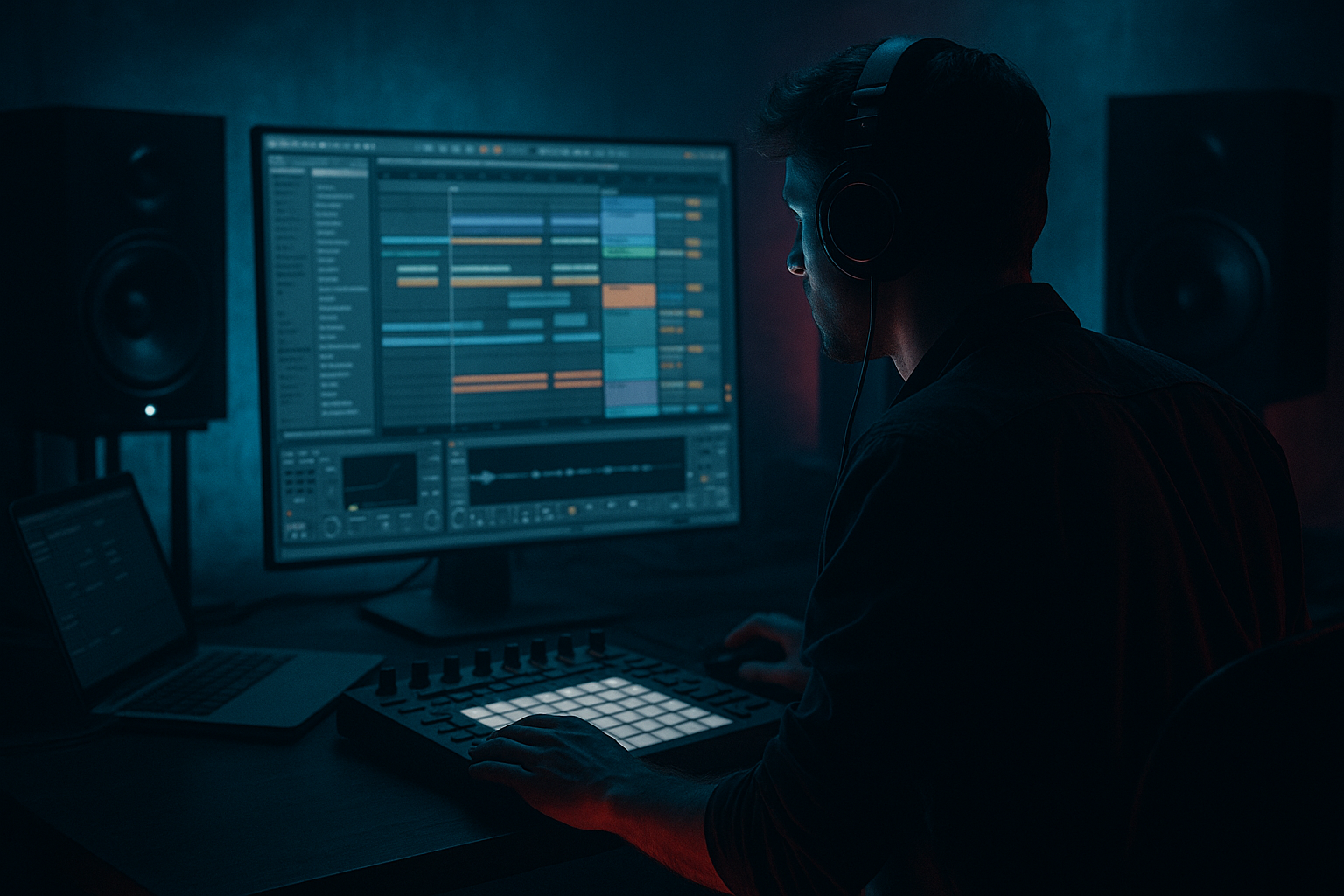
Main tutorial
Break Roll Stretch Deep Dive from Scratch in Ableton Live 12 for Jungle / Oldskool DnB Vibes 🥁⚡
1. Lesson overview
In this lesson, you’ll learn how to take a breakbeat, slice it, stretch it into a rolling break roll, and turn it into that classic jungle / oldskool drum and bass energy inside Ableton Live 12.
This is not just about making a break loop longer. It’s about:
- keeping the punch and shuffle of a classic break
- creating a controlled “stretch” across the bar
- adding movement and intensity without losing groove
- making the break feel ready for basslines, drops, and arrangement
- a 1-bar breakbeat loop
- a stretch/roll variation that feels like it’s pulling forward
- a 4-bar drum phrase with increasing tension
- a version that works with:
- Drum Rack
- Simpler
- Warp
- Auto Filter
- Saturator
- EQ Eight
- Glue Compressor
- optional Reverb / Delay
- MIDI editing for roll programming
- a clean Amen-style break
- a Funky Drummer / Think-style break
- any well-recorded drum loop with clear snare and hats
- strong kick and snare transients
- some natural room sound
- enough dynamics that it feels alive
- ideally a break with ghost notes and hat detail
- taking a normal drum pattern
- increasing note density or rhythmic tension
- making it feel like it’s “opening up” or “spreading out”
- then landing back into the main groove
- before the drop
- at the end of an 8-bar phrase
- as a fill leading into the next section
- first: a solid break
- then: a push forward
- then: a controlled explosion into the drop
- you can rearrange the break freely
- you can duplicate hits
- you can create rolls by repeating certain slices
- you can stretch the groove without destroying the original audio
- kick on the downbeat
- snare on 2 and 4
- hats and ghost hits around them
- 1.1: kick slice
- 1.2: snare slice
- 1.3: kick or ghost kick
- 1.4: snare slice
- fill the gaps with hats or small percussion hits
- keep the core groove
- duplicate key slices
- shorten or mute less useful hits
- Bars 1–3: normal break pattern
- Bar 4: more frequent snare, hat, or ghost-note activity
- duplicate a snare hit at:
- push
- wind-up
- tension
- release
- open the MIDI clip
- use Cmd/Ctrl + D to duplicate notes
- use grid settings to switch between:
- nudge notes slightly late or early for groove
- main snares: 100–127
- supporting ghost notes: 40–80
- fast fill notes: vary them rather than keeping them identical
- impact on the important hits
- movement in the details
- more realistic drum phrasing
- MIDI groove pool swing
- manual nudging
- clip groove from a break sample
- original break slice layer
- clean kick layer
- snare layer
- hat layer
- optional noise/percussion layer
- Put a Drum Rack on one track
- Add a second track with a sampled kick or snare
- Keep layers subtle
- Kick layer:
- Snare layer:
- Hat layer:
- intro fills
- buildup into a drop
- breakdown tension
- cutoff starts around 300 Hz to 1.2 kHz
- rises toward 8 kHz to full open
- resonance around 5–15%
- darker start
- brighter finish
- more dramatic impact when the drop lands
- cut low rumble below 25–35 Hz
- gently reduce mud around 200–400 Hz if needed
- boost presence carefully if the snare needs more crack
- use Soft Clip if needed
- drive subtly:
- keep an eye on transients
- ratio: 2:1 or 4:1
- attack: 10–30 ms
- release: Auto or 0.1–0.3 s
- aim for light gain reduction, not heavy squash
- thicker
- more cohesive
- louder without losing energy
- Bar 1: main break groove
- Bar 2: slight variation
- Bar 3: extra ghost notes or hat movement
- Bar 4: break roll stretch / fill / tension builder
- bar 1: establish
- bar 2: add a small variation
- bar 3: push the energy
- bar 4: do the roll
- snare drag
- kick-snare-kick burst
- tom hit
- reversed cymbal
- final snare flam
- 1/16 snare hits rising into a last hard snare
- then drop everything out for a split second
- then let the bassline hit
- Is the kick fighting the bass?
- Is the snare too long?
- Are the hats masking the top end of the synth or bass noise?
- use EQ Eight to clear low mids
- shorten unnecessary drum tails
- sidechain bass lightly to the kick/snare if needed
- don’t overfill every bar
- short decay
- dark tone
- low wet amount
- Saturator
- Drum Buss
- Redux very subtly for grit
- start with a strong break
- slice it into Drum Rack
- build a groove with kick/snare anchors
- create tension by increasing note density
- use velocity and micro-timing for feel
- add filter automation, saturation, and light compression
- arrange the roll across 4 bars for proper impact
By the end, you’ll be able to build a break roll from scratch using only Ableton stock tools, then shape it into something that sounds authentic for DnB, jungle, and rolling bass music.
---
2. What you will build
You will create:
- oldskool jungle
- dark rolling DnB
- half-time intro or breakdown moments
We’ll use:
---
3. Step-by-step walkthrough
Step 1: Choose or import a strong break
Start with a classic break sample. Good sources:
#### What to look for:
#### In Ableton:
1. Drag the break into an audio track.
2. Turn on Warp if it isn’t already.
3. Set the clip’s warp mode:
- Beats for punchy drum loops
- start with Preserve: `Transients`
- adjust `Transient Loop Mode` if needed
4. Set the clip tempo to match your project.
#### Tip:
If the break loses punch, don’t over-warp it yet. A lot of jungle energy comes from keeping transients sharp.
---
Step 2: Decide your break roll goal
A break roll stretch usually means:
For oldskool DnB, this often happens:
Think of it like a drummer:
---
Step 3: Slice the break into Drum Rack
This is one of the cleanest beginner workflows in Live.
#### Method:
1. Right-click the audio break.
2. Choose Slice to New MIDI Track.
3. Use:
- Transient slicing for most breaks
- `1/8` or `1/16` if you want a stricter grid-based slice set
Ableton will create a Drum Rack with each slice mapped to pads.
#### Why this is useful:
---
Step 4: Build a basic 1-bar jungle-style pattern
Open the MIDI clip in the Drum Rack track.
Start with a simple structure:
#### A classic beginner-friendly starting point:
If your break already contains a full rhythm, don’t over-edit at first. Just:
#### Good editing mindset:
You are not “writing drums from nothing.”
You are reshaping a break into a more intentional DnB phrase.
---
Step 5: Create the stretch effect with note density
Now we make the roll feel like it stretches.
#### The easiest way:
1. Duplicate the MIDI clip across 2 or 4 bars.
2. In the last bar, increase the number of hits.
For example:
#### Try this:
- 1/8 notes
- then 1/16 notes
- then quick 1/32 bursts near the end
This creates that classic:
#### How to do it in Ableton:
- 1/8
- 1/16
- 1/32
---
Step 6: Use velocity to make the roll feel human
A break roll should not sound like a machine gun unless that’s your exact style.
#### In Ableton:
1. Open the velocity lane in the MIDI editor.
2. Keep the main snare hits louder.
3. Make ghost hits and fast rolls lower in velocity.
#### Suggested velocity approach:
This creates:
---
Step 7: Add swing and micro-timing
Oldskool jungle and DnB often feel better when they’re not perfectly rigid.
#### Use one of these approaches:
#### Beginner-friendly workflow:
1. Keep the main kick/snare hits mostly on-grid.
2. Push some ghost notes slightly late.
3. Pull some fills slightly ahead for urgency.
#### Important:
Do not randomize everything. The groove works because the core anchor points stay stable.
---
Step 8: Layer the break for weight
A stretch roll often needs more than one sound to feel powerful.
#### Layer ideas:
#### Stock Ableton approach:
#### Processing the layers:
- EQ Eight to remove mud
- slight Saturator
- Transient shaping with short volume envelope or clip gain
- Glue Compressor lightly
- high-pass with EQ Eight
- tiny Auto Filter movement if needed
---
Step 9: Shape the roll with audio or MIDI editing
There are two common ways to make the roll “stretch.”
#### Option A: Increase note density
This is the MIDI method we already used.
#### Option B: Stretch the clip itself
This works well if you want a more audio-based jungle feel.
##### How:
1. Duplicate the break clip.
2. Extend the end slightly.
3. Use warp markers to tighten or elongate the feel.
4. Create a rising sense of speed by placing tighter slices near the end.
#### Good use case:
#### Be careful:
If you stretch too much, you can flatten the groove. The classic sound comes from controlled instability.
---
Step 10: Add a filter rise for tension
A break roll becomes more effective when the tonal energy rises.
#### Use Auto Filter:
1. Add Auto Filter to your break track.
2. Set filter type:
- Low-pass for a classic buildup
3. Automate cutoff upward across the roll.
4. Add a little resonance if you want extra bite.
#### Suggested starting points:
This gives you a classic:
---
Step 11: Add dirt and glue
Jungle and oldskool DnB love texture.
#### Useful stock device chain:
EQ Eight → Saturator → Glue Compressor
##### EQ Eight:
##### Saturator:
- around 2–6 dB depending on sample
##### Glue Compressor:
This helps the break feel:
---
Step 12: Build a 4-bar phrase
Now arrange it like an actual DnB section.
#### Example structure:
#### What to change each bar:
This is the key to making the idea musical instead of repetitive.
---
Step 13: Add a drum fill at the end
At the end of your roll, land with a clean fill.
#### Common DnB fill options:
#### Simple oldskool fill idea:
That brief empty space is powerful in jungle and DnB. Silence can hit harder than more drums.
---
Step 14: Check the bass relationship
A break roll only works if it leaves room for the bass.
#### Ask:
#### Quick fixes:
DnB arrangement is about energy management.
---
4. Common mistakes
1. Over-warping the break
Too much warp can kill the natural swing and transients.
Fix: keep warping minimal and preserve the groove.
2. Making every hit the same velocity
This makes the roll sound robotic.
Fix: vary velocity, especially in the ghost notes.
3. Overloading the pattern
Too many notes can blur the rhythm.
Fix: leave space so the accents hit harder.
4. No contrast before the roll
If everything is busy all the time, the roll won’t feel special.
Fix: keep earlier bars simpler, then build tension.
5. Too much compression
Heavy compression can flatten the break and remove excitement.
Fix: use light glue, not a brick wall.
6. Ignoring the low end
A break roll with messy low frequencies will clash with the bass.
Fix: high-pass non-essential elements and clean up with EQ.
---
5. Pro tips for darker/heavier DnB
Tip 1: Darker filter automation
Use a low-pass filter that opens slowly, but keep the roll slightly constrained until the drop. This gives a more ominous build.
Tip 2: Add short reverb on snares only
Use a Return track with Reverb:
This can make the roll feel larger without washing it out.
Tip 3: Use saturation on a send
Instead of saturating the whole break, send selected hits to a dirty bus.
Try:
Tip 4: Emphasize ghost notes before the drop
Dark DnB loves tension in the details. Quiet ghost notes can feel more menacing than loud fills.
Tip 5: Leave room for the bass hit
If the bass drop is the star, let the roll lead into it and then get out of the way.
Tip 6: Use clip gain to shape impact
Sometimes clip gain is better than compression for drum dynamics. Pull certain hits down or up to control the phrase.
---
6. Mini practice exercise
Try this in Ableton Live 12:
Exercise goal:
Create a 4-bar jungle break phrase with a stretch roll in bar 4.
#### Steps:
1. Import an Amen-style or similar break.
2. Slice it to a Drum Rack.
3. Program a 4-bar loop:
- bars 1–2: basic groove
- bar 3: small variation
- bar 4: 1/16 and 1/32 roll build
4. Add velocity variation.
5. Automate Auto Filter cutoff upward in bar 4.
6. Add Saturator and light Glue Compressor.
7. Bounce the result and listen with bass and pads.
#### Challenge:
Make the roll feel exciting without adding too many extra sounds.
---
7. Recap
You now know how to build a break roll stretch from scratch in Ableton Live 12 for jungle and oldskool DnB.
Main takeaways:
If you keep the groove musical and the tension controlled, your break rolls will start sounding like real DnB phrases instead of random fills. That’s the difference between a loop and a proper jungle arrangement 🔥
If you want, I can also turn this into:
1. a bar-by-bar MIDI example,
2. an Ableton device chain preset, or
3. a video lesson script with teacher voiceover.

