DNB COLLEGE

Drum & Bass Ableton Live 12 Tutorials

LESSON DETAIL

Break roll shape framework with automation-first workflow in Ableton Live 12 for jungle oldskool DnB vibes (Beginner)

An AI-generated beginner Ableton lesson focused on Break roll shape framework with automation-first workflow in Ableton Live 12 for jungle oldskool DnB vibes in the FX area of drum and bass production.

Back to lessons
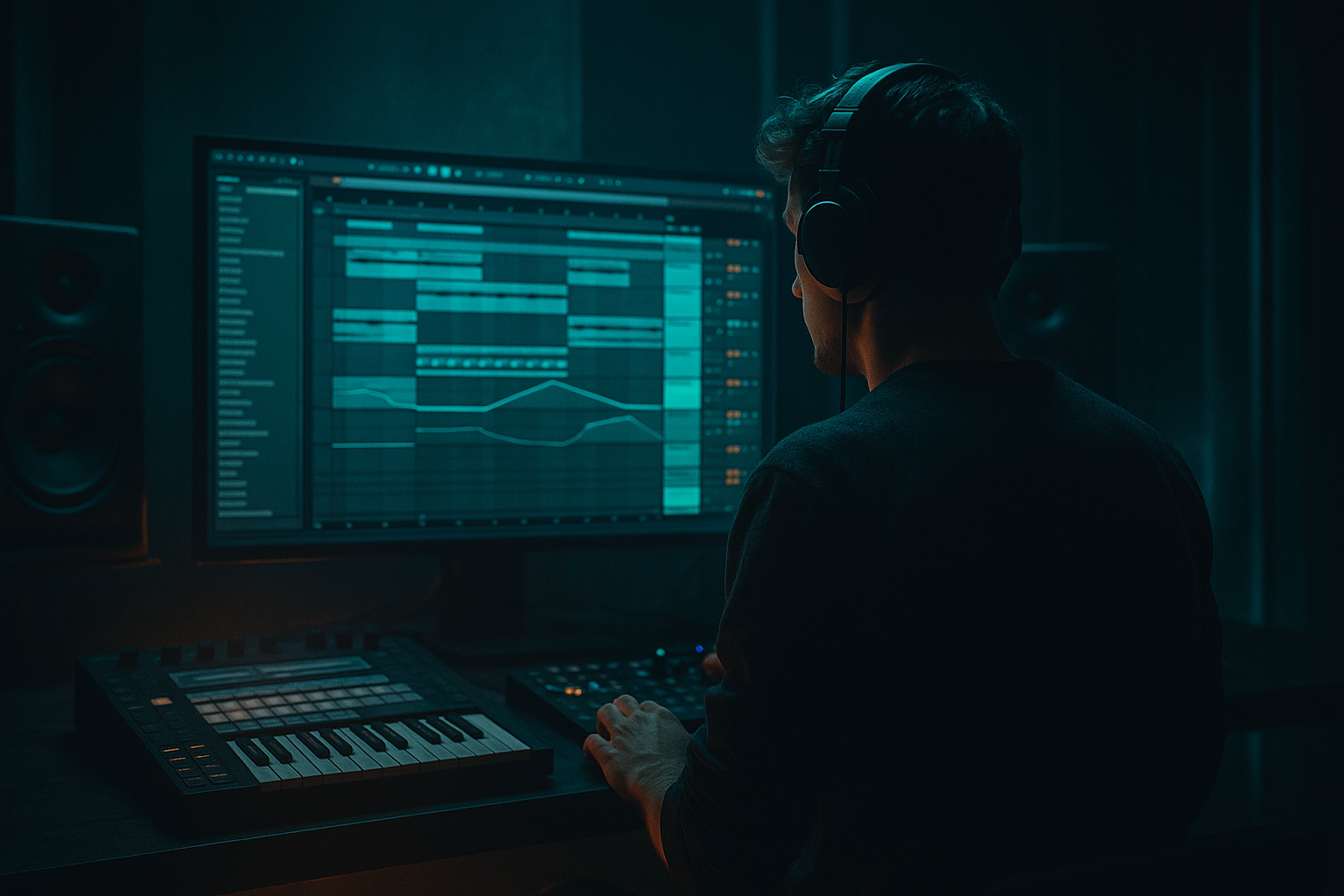
Break roll shape framework with automation-first workflow in Ableton Live 12 for jungle oldskool DnB vibes (Beginner) cover image

Narrated lesson audio

The voice track includes the tutorial plus extra teacher commentary.

Open audio file

Main tutorial

Break Roll Shape Framework (Automation‑First) in Ableton Live 12

Jungle / oldskool DnB vibes — Beginner FX lesson 🎛️🥁

---

1. Lesson overview

This lesson teaches a repeatable framework to create those classic jungle break rolls (fast “rrr‑rrr‑rrr” moments) using an automation‑first workflow in Ableton Live 12.

Instead of chopping 50 slices by hand, you’ll build a roll rack and shape it with macro automation—so you can drop rolls anywhere in your arrangement, control intensity, and keep it musical.

You’ll use mostly stock devices: Drum Rack, Simpler, Auto Filter, Redux, Saturator, Reverb, Delay, Utility, Gate, Compressor.

---

2. What you will build

A “Break Roll Shaper” you can apply to any break (Amen, Think, Hot Pants, etc.):

  • A main break track (your normal groove)
  • A roll layer that can be automated in for fills
  • A set of macros (or automation lanes) to control:
  • - Roll rate (1/8 → 1/32-ish feel)

    - Roll length (how long the fill lasts)

    - Filter sweep (oldskool high-pass into slap)

    - Distortion crunch (Redux/Saturator)

    - Space (short verb/delay tail)

    - Duck / drop (make room for the roll to pop)

    End result: quick, classic DnB/jungle roll fills that feel intentional and arrangement-ready 🔥

    ---

    3. Step-by-step walkthrough

    Step 0 — Setup: tempo + break choice

    1. Set tempo to 165–174 BPM (start at 170).

    2. Drag a break sample (Amen/Think) into an audio track.

    3. Warp settings:

    - Warp: On

    - Mode: Beats

    - Preserve: Transients

    - If it’s crunchy old vinyl, try 1/16 transient loop with a little Transient Envelope (turn down a touch if it clicks).

    Goal: Your break loops cleanly for 1–2 bars.

    ---

    Step 1 — Duplicate your break into “Main” and “Roll” tracks

    1. Duplicate the break track.

    2. Name them:

    - BREAK MAIN

    - BREAK ROLL

    On BREAK MAIN: keep it as your normal groove.

    On BREAK ROLL: we’ll build the rolling fill processor.

    Why: The roll layer can be automated in without destroying your main groove.

    ---

    Step 2 — Create the roll engine (automation-first)

    On BREAK ROLL, add this device chain (in order):

    1. Auto Filter

    2. Saturator

    3. Redux

    4. Gate (optional but very useful)

    5. Reverb (small)

    6. Delay (Echo or Simple Delay)

    7. Utility

    Now the key: we’ll make the roll happen by gating + repetition feel.

    #### Option A (Beginner-friendly): Simpler loop roll

    This is the most controllable way to get “roll rate” quickly.

    1. Right-click the BREAK ROLL clip → Slice to New MIDI Track…

    - Slicing preset: Transient

    - Create: Drum Rack

    2. In the new Drum Rack, pick one punchy slice (snare hit or ghosty hit).

    3. Drag that slice into a Simpler (or use the pad’s Simpler).

    4. In Simpler:

    - Mode: Classic

    - Warp: On (if available depending on sample type)

    - Turn Loop: On

    - Set Loop length tiny (start around 20–60 ms depending on content)

    - Adjust Start to find a crunchy transient

    Now you can create roll notes in MIDI: 1/16, 1/32 bursts.

    ✅ But we want automation-first, so…

    ---

    Step 3 — Build a “Roll Clip” you can reuse

    1. Create a 1-bar MIDI clip on the roll instrument.

    2. Put notes on one key (the chosen slice), and draw:

    - Bar 1 beat 4: 1/16 notes (classic pre-drop roll)

    3. Duplicate that pattern for different intensities:

    - Clip A: 1/16

    - Clip B: 1/24-ish swing feel (use groove)

    - Clip C: 1/32 (for “panic roll”)

    DnB arrangement tip: Rolls often happen in the last 1/2 beat or 1 beat before a change—don’t roll constantly.

    ---

    Step 4 — Make the roll “shape” with automation lanes (the framework)

    This is the core: you’ll automate 4–6 parameters together to create a satisfying roll contour.

    #### 4.1 Filter contour (classic jungle sweep)

    On Auto Filter (BREAK ROLL chain):

  • Type: High‑Pass (HP) 24 dB
  • Resonance: ~ 0.70
  • Drive: small, +2 to +5 dB if you like
  • Automation idea (1 bar fill):

  • Start HP around 200–400 Hz
  • Sweep up to 1.5–3 kHz near the peak of the roll
  • Then quickly drop HP down (or mute roll) at the transition
  • This creates that “tightening coil” sound 🌀

    #### 4.2 Crunch contour (oldskool grit)

    On Saturator:

  • Mode: Analog Clip
  • Drive: start +3 dB, max +10 dB
  • Soft Clip: On
  • On Redux:

  • Bit Reduction: 8 → 5 bits (automate downward for more dirt)
  • Sample Rate: 22 kHz → 8 kHz (optional; goes very “rave tape”)
  • Automation: increase crunch as roll speeds up, then cut it abruptly.

    #### 4.3 Space contour (short + controlled)

    On Reverb:

  • Size: 10–25%
  • Decay Time: 0.4–0.9 s
  • High Cut: 4–7 kHz
  • Dry/Wet: 5–12% (keep it subtle)
  • On Echo (or Simple Delay):

  • Time: 1/8 or 1/16
  • Feedback: 10–25%
  • Dry/Wet: 3–10%
  • Filter inside Echo: roll off lows under 200 Hz
  • Automation: add a touch more space at the end of the roll only.

    #### 4.4 Loudness contour (make it feel like a “moment”)

    On Utility (end of chain):

  • Automate Gain:
  • - Start: -inf (or very low like -24 dB)

    - Rise to: -6 to -3 dB during roll

    - Snap back down right after

    This is your simplest “roll on/off” control.

    ---

    Step 5 — Glue the roll with your main break (ducking + contrast)

    To make the roll feel like it replaces the groove for a moment:

    1. On BREAK MAIN, add Utility at the end.

    2. Automate its Gain down slightly during the roll:

    - Dip by -2 to -6 dB depending on how aggressive the roll is

    Alternative (cleaner): Use Compressor sidechain on BREAK MAIN keyed from BREAK ROLL.

  • Compressor on BREAK MAIN:
  • - Sidechain: From BREAK ROLL

    - Ratio: 3:1

    - Attack: 5–15 ms

    - Release: 60–140 ms

    - Threshold: adjust until it dips 2–4 dB during roll

    This makes rolls “pop” without just making everything louder.

    ---

    Step 6 — Add groove like real jungle (swing + tiny timing)

    Rolls can feel robotic if perfectly straight.

    1. Open Groove Pool.

    2. Try grooves like:

    - MPC 16 Swing 55–60

    - Or any subtle swing groove

    3. Apply groove to the roll MIDI clip:

    - Timing: 20–40%

    - Velocity: 10–20% (if you want dynamics)

    Also: slightly vary note velocities (even 5–15 points) so it breathes.

    ---

    Step 7 — Arrangement placements (where rolls actually go)

    Try these classic DnB placements:

  • End of 8 bars: 1 beat roll into the next phrase
  • End of 16 bars: longer roll + filter + tape crunch into drop
  • Before a breakdown: roll then hard stop (mute tail)
  • Call/response: a tiny 1/16 roll answering a snare hit every 4 bars
  • Oldskool jungle loves quick fills that don’t overstay.

    ---

    4. Common mistakes

    1. Rolling too long

    If the roll lasts 2 full bars, it stops being a fill and becomes clutter.

    2. Too much low end in the roll

    Rolls + subs = mud. High-pass your roll layer.

    3. Over-reverb

    Big reverb smears transients—jungle rolls need snap. Keep decay short.

    4. No contrast with the main break

    If the main break doesn’t duck or change, the roll won’t feel like an event.

    5. All rolls sound identical

    Change one thing each time: rate, filter peak, or crunch amount.

    ---

    5. Pro tips for darker/heavier DnB 🖤

  • Multiband punch (stock):
  • Add Multiband Dynamics on BREAK ROLL, gently lift highs:

    - Slight upward compression on high band only (tiny moves).

  • Aggressive transient control:
  • Use Drum Buss after Saturator:

    - Drive: 5–15

    - Crunch: 10–30%

    - Boom: Off (usually) for rolls

    - Damp: adjust to avoid harshness

  • Dark tone shaping:
  • Put Auto Filter (LP 12) after Redux to tame fizz:

    - Low-pass around 8–12 kHz if it gets brittle.

  • “Fog” without washing out:
  • Use Reverb with High Cut low (4–6 kHz) and very low Dry/Wet. Dark DnB likes space, but controlled.

  • Stop trick (classic impact):
  • Right after the roll peak, cut everything for 1/8 beat (silence), then slam the next section.

    ---

    6. Mini practice exercise (15 minutes)

    1. Pick an Amen loop and make a 2-minute arrangement: intro → groove → small drop → groove.

    2. Add 3 roll fills:

    - Fill 1 (bar 8): 1/16 roll, gentle filter sweep

    - Fill 2 (bar 16): 1/32 roll, more Redux + short reverb tail

    - Fill 3 (before drop): roll + hard stop for 1/8 beat

    3. For each fill, automate:

    - Auto Filter cutoff

    - Utility gain (roll up/down)

    - Saturator drive (optional)

    4. Bounce/export and listen on headphones: do the rolls feel like transitions?

    ---

    7. Recap

  • You built a Break Roll Shape Framework by separating MAIN and ROLL layers.
  • You used an automation-first approach: filter + crunch + space + gain, all shaped over time.
  • You made rolls feel like jungle/DnB by controlling:

- Rate + length

- High-pass sweep

- Dirty texture (Redux/Saturator)

- Contrast (ducking the main break)

If you want, tell me what break you’re using (Amen/Think/etc.) and your tempo, and I’ll suggest a specific roll automation curve (exact cutoff values + timing) for your next 16 bars.


Ask GPT about this lesson

Chat with the lesson tutor, get follow-up help, or use quick actions.

Bigup 👽 Ask me anything about this lesson and I’ll answer in context.

Narration script

Show spoken script
Welcome in. Today we’re doing a super practical, beginner-friendly Ableton Live 12 lesson for jungle and oldskool drum and bass: how to make those classic break rolls, the fast “rrr-rrr-rrr” fill moments, but with an automation-first workflow.

The whole point is: instead of spending forever chopping fifty tiny slices every time you want a fill, you build one reusable roll shaper, then you perform the fill with automation. You can drop it anywhere in your arrangement, control the intensity, and keep your main groove intact.

By the end, you’ll have two layers: a main break that stays doing its job, and a roll layer that you fade in, shape, and then kill right on the transition. That contrast is what makes it feel like real jungle phrasing.

Alright, let’s set up.

First, set your tempo somewhere between 165 and 174 BPM. If you don’t know where to start, pick 170. That’s a nice middle ground where rolls feel exciting but not ridiculous.

Now drag in a breakbeat. Amen, Think, Hot Pants, anything with character. Put it on an audio track and get the warp right, because if the loop isn’t solid, your rolls won’t land right.

Turn Warp on. Set Warp mode to Beats. For Preserve, go with Transients. If your break is crunchy or vinyl-ish, you can try a 1/16 transient setting and slightly reduce the transient envelope if you’re hearing clicks. The goal is simple: make it loop clean for one or two bars, no weird drift.

Now duplicate that break track. Name the original BREAK MAIN, and the duplicate BREAK ROLL.

This is the core mindset shift: BREAK MAIN is your groove that stays consistent. BREAK ROLL is your “special effects layer” that you automate in for fills. You’re not destroying the beat to create a roll. You’re adding a controlled moment on top.

Now let’s build the roll layer.

On BREAK ROLL, we’re going to create a processing chain that can do the classic jungle tightening, crunch, and space. Add these devices in this order:

Auto Filter, then Saturator, then Redux, then optionally Gate, then Reverb, then Delay, then Utility at the end.

And I’ll tell you why Utility goes at the end: because that becomes your simplest on and off, and also your intensity control. If you can only automate one thing, automate the Utility gain.

Now, how do we actually create the roll rhythm?

There are a few ways, but for beginners, the most controllable is: use a single slice in Simpler, loop it, and then trigger it with MIDI. That gives you instant control over roll rate and roll length without getting lost.

So here’s what you do.

Right-click your BREAK ROLL clip and choose Slice to New MIDI Track. Use Transient slicing, and create a Drum Rack.

Now you have a Drum Rack full of slices. Pick one punchy slice. Usually a snare hit works great, or a ghost hit if you want something more subtle and rattly. You’re basically choosing the “character” of the roll. A snare-based slice will sound like a classic pre-drop snare rush. A hatty slice can sound like a shaker roll. A grimy ghost note can sound super oldschool.

Open that slice’s Simpler. Set Simpler to Classic mode. Turn Loop on. Now make the loop length tiny. Think like 20 to 60 milliseconds as a starting point. Then adjust the Start position until you get a crunchy transient that repeats nicely.

Teacher note: if you get clicks or pops at the start of the sound, don’t panic. Add a tiny Fade In in Simpler, just a few milliseconds, or slightly increase Attack. Another really clean trick is to put a Utility before the whole chain and ramp the gain up over about 10 to 30 milliseconds when the roll starts. That micro fade makes everything feel professional.

Now create your roll clip.

Make a one-bar MIDI clip for that roll instrument. Keep it simple: put notes on one key, and put your roll on beat four, like the classic “right before the change” fill. Start with 1/16 notes on beat four.

Then duplicate that clip a couple times and make intensity versions. One clip that’s 1/16, one that’s faster like 1/32 for the panic roll, and if you want that not-quite-straight jungle feel, you can keep the notes straight but apply groove later to get that triplet-ish push and pull without changing your whole grid.

Now we get to the most important part: the roll shape framework. This is where the automation-first workflow becomes the whole game.

Instead of thinking “I need a roll,” think “I need an energy curve.”

Pick one of three energy curves before you draw automation.

One: a riser. It steadily gets more intense and tight, then hits the next section.

Two: a stab. It’s a sudden burst, then it backs off quickly.

Three: a fakeout. It builds like it’s about to explode, then you remove the roll right before the hit so the drop feels even bigger.

Once you know the curve, the automation becomes obvious.

Let’s shape the roll with four main contours: filter, crunch, space, and loudness.

Start with filter contour. On Auto Filter, choose a high-pass filter, 24 dB slope. Set resonance around 0.70. If you like, add a little drive, maybe plus two to plus five dB.

Now automate the cutoff. A classic jungle roll move is: start the cutoff fairly low, like 200 to 400 Hz, then sweep it up over the fill so it tightens into midrange, like 1.5 to 3 kHz near the peak. Then either snap it back down or just mute the roll right at the transition.

That sweep creates the “tightening coil” feeling. It’s oldschool, and it works because it clears the low end while the energy goes up.

Next, crunch contour.

On Saturator, choose Analog Clip mode. Turn Soft Clip on. Start drive around plus three dB and push it up to maybe plus ten dB at the peak, depending on how nasty you want it.

Then Redux for that rave tape bite. You can automate bit reduction from around eight bits down to five for more dirt. And if you want it extra wonky, automate the sample rate down too, like from 22 kHz down toward 8 kHz, but be careful because it can get harsh fast.

A good general rule: increase crunch as the roll speeds up, and then cut it abruptly after the transition. That sudden “clean again” moment is part of the impact.

Now space contour, but we keep it controlled because jungle rolls need snap.

On Reverb, keep it small. Size around 10 to 25 percent. Decay around 0.4 to 0.9 seconds. High cut somewhere like 4 to 7 kHz so it stays dark and doesn’t splash everywhere. Dry/wet very low, like 5 to 12 percent.

On Delay, you can use Echo or Simple Delay. Set time to 1/8 or 1/16, keep feedback around 10 to 25 percent, dry/wet like 3 to 10 percent. Inside Echo, filter out the low end under about 200 Hz. That keeps the roll from making low-frequency fog.

Automation idea: add a touch more reverb or delay right at the end of the roll, not the whole time. Think of it like a tiny tail that points into the next section, not a wash that ruins your transients.

Now loudness contour, the simplest and most important.

On the Utility at the end of the roll chain, automate gain. Start super low, even minus infinity if you want it completely off. Then rise up during the fill to maybe minus six to minus three dB. Then snap it back down immediately after the roll.

That gain automation is your roll “appearance” and “disappearance.” It’s also the easiest way to make sure you’re not accidentally rolling all the time.

Quick Ableton Live 12 tip: use Automation Shapes to stay musical. For filter sweeps, try an S-curve so it feels less linear. For drive and crunch, exponential up often feels more natural because perceived loudness ramps in a way that sounds human. For on and off moments, step shapes are perfect, like muting the roll or doing a hard stop.

Now let’s make the roll sit correctly with the main break, because if there’s no contrast, it won’t feel like an event.

Two ways.

The quick way: put a Utility at the end of BREAK MAIN and automate its gain down slightly during the roll. Dip it by two to six dB depending on how aggressive your roll is. This makes room so the roll feels like it steps forward.

The cleaner way: sidechain ducking.

Put a Compressor on BREAK MAIN. Turn on sidechain and choose BREAK ROLL as the input. Ratio around three to one. Attack about five to fifteen milliseconds. Release around 60 to 140 milliseconds. Lower the threshold until you see two to four dB of gain reduction during the roll.

This is a classic trick: you’re not just making the roll louder. You’re making space for it. That’s the difference between “noisy” and “intentional.”

Now, groove. This is the thing that makes it feel like jungle instead of a drum machine exercise.

Open the Groove Pool. Try something like MPC 16 Swing at 55 to 60. Apply it to your roll MIDI clip. Keep timing around 20 to 40 percent. If you want dynamics, add a little velocity amount too, like 10 to 20 percent.

And also, manually vary MIDI note velocities a tiny bit, even five to fifteen points. A roll that slightly breathes sounds played. A roll that’s perfectly identical sounds like a laser printer.

Now let’s talk arrangement, because this is where beginners often overdo it.

Rolls are punctuation. They’re not the whole paragraph.

Put them in classic spots: end of 8 bars, do a half-beat or one-beat roll into the next phrase. End of 16 bars, do a longer roll with more filter and crunch into the drop. Before a breakdown, do a roll then a hard stop. Or a call-and-response: a tiny roll answering a snare hit every four bars.

And one of the most oldschool tricks ever: right after the roll peak, cut everything for an eighth note of silence, then slam the next downbeat. That micro-stop is pure impact.

Common mistakes to avoid while you’re practicing.

If you roll too long, like two full bars, it stops being a fill and becomes clutter. Keep it short.

If your roll has too much low end, it will fight your bass and your kick. High-pass earlier than you think. Fast stuff should mostly live in the mid and high energy.

Too much reverb smears the transient. Short decay, subtle wet.

If your main break doesn’t change at all, the roll won’t feel special. Duck the main break or darken it briefly right before the roll, then let the roll be brighter. That contrast costs nothing and sounds like arrangement.

And if all your rolls sound identical, change one thing each time: rate, filter peak, or crunch amount. Small changes keep it alive.

Now a quick mini practice you can do in about 15 minutes.

Pick an Amen loop and build a simple two-minute arrangement: intro, groove, small drop, groove.

Add three roll fills.

First fill at bar 8: a 1/16 roll with a gentle filter sweep.

Second fill at bar 16: a 1/32 roll, more Redux and a short reverb tail.

Third fill right before the drop: roll plus a hard stop for an eighth note.

For each fill, automate at minimum the Auto Filter cutoff and the Utility gain on the roll layer. If you’re feeling it, automate Saturator drive too.

Then export and listen on headphones. The question is not “is the roll cool.” The question is “does the roll clearly signal a transition, and does the groove feel bigger and cleaner after the roll ends.”

Before we wrap up, here’s a workflow upgrade that will make you faster immediately: commit to a Roll Master control early.

In Ableton, you can put your roll chain in an Audio Effect Rack, map the key parameters to a single macro, and then draw one automation lane to perform the fill. Great beginner mapping is: Utility gain on the roll layer, Auto Filter cutoff, Saturator drive, and Redux bits or sample rate. Then you do one performance curve, and you fine-tune after.

That’s automation-first: perform first, edit second.

Let’s recap.

You separated your beat into MAIN and ROLL layers. You built a roll engine with stock devices. You created a reusable roll MIDI clip using a looped slice in Simpler. And you shaped the roll with a small set of automation contours: filter, crunch, space, and gain, plus contrast from ducking the main break.

If you tell me your tempo and which break you’re using, like Amen at 170 or Think at 165, I can suggest three specific roll “character recipes” with exact automation timing and cutoff ranges for your next 16 or 32 bars.

mickeybeam

Go to drumbasscd.com for +100 drum and bass YouTube channels all in one place - tune in!

Generating PDF preview…