DNB COLLEGE

Drum & Bass Ableton Live 12 Tutorials

LESSON DETAIL

Break Lab swing stack course for VHS-rave color in Ableton Live 12 for jungle oldskool DnB vibes (Intermediate)

An AI-generated intermediate Ableton lesson focused on Break Lab swing stack course for VHS-rave color in Ableton Live 12 for jungle oldskool DnB vibes in the Ragga Elements area of drum and bass production.

Back to lessons
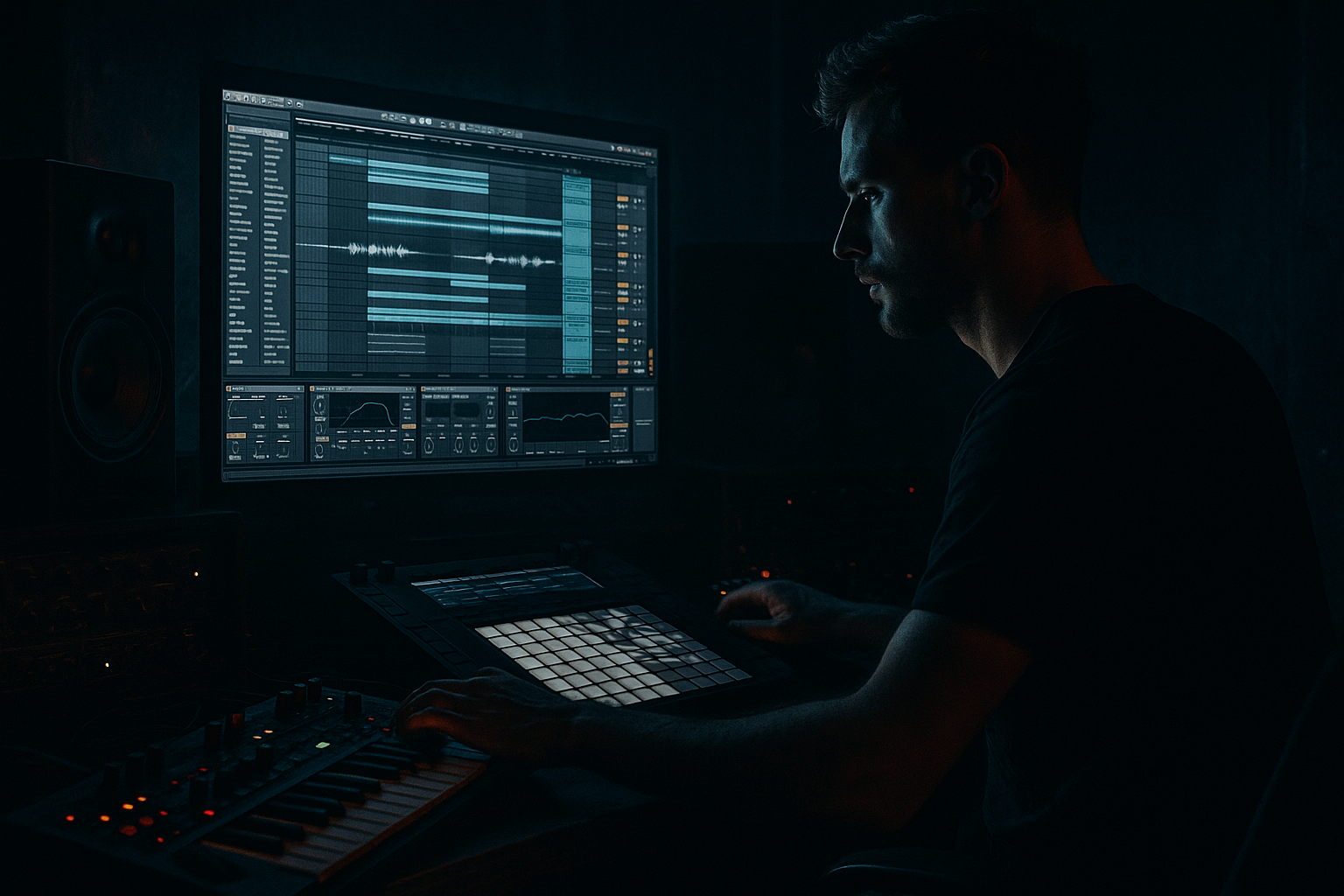
Break Lab swing stack course for VHS-rave color in Ableton Live 12 for jungle oldskool DnB vibes (Intermediate) cover image

Narrated lesson audio

The voice track includes the tutorial plus extra teacher commentary.

Open audio file

Main tutorial

Break Lab Swing Stack: VHS-Rave Color in Ableton Live 12 for Jungle / Oldskool DnB

Category: Ragga Elements | Skill Level: Intermediate 🥁📼

1. Lesson overview

In this lesson, you’ll build a swing-stacked breakbeat groove that feels like jungle pressure with VHS-rave color: dusty, hypnotic, slightly destabilized, but still tight enough to drive a bassline hard.

The core idea is simple:

  • start with a classic break
  • layer it with a second “ghost” break or percussion layer
  • offset the groove with controlled swing
  • add ragga-style accents, chop energy, and lo-fi modulation
  • make the whole thing feel like it came off a warped tape deck in 1994 🎛️
  • We’re doing this in Ableton Live 12, using stock devices and a workflow that fits real DnB production.

    You’ll learn how to:

  • build a swing stack from multiple break layers
  • create oldskool jungle feel without losing punch
  • add VHS-rave texture using Ableton stock effects
  • arrange the groove so it supports ragga vocals, bass stabs, and rolling subs
  • avoid the common trap of making breaks sound too quantized or too messy
  • ---

    2. What you will build

    By the end, you’ll have a loop and arrangement skeleton with:

  • Primary break: the main rhythmic anchor
  • Secondary break layer: sliced or processed for swing and ghosting
  • Ragga percussion accents: shakers, rimshots, toms, or vocal cuts
  • VHS color bus: tape-like tone, wobble, grit, and stereo movement
  • Basic 16-bar arrangement with tension changes for a drop section
  • Target vibe

    Think:

  • jungle rollers
  • oldskool DnB
  • ragga MC energy
  • warped cassette textures
  • warehouse haze with neon edges
  • ---

    3. Step-by-step walkthrough

    Step 1: Set the project foundation

    Tempo

    Set Ableton Live to:

  • 170 BPM for a classic jungle / oldskool DnB pocket
  • If you want a slightly looser ragga feel, try 168 BPM
  • For a harder modern edge, 172–174 BPM
  • Grid

    Keep the default grid visible, but don’t rely on it too much. This style needs micro-timing, not full robotic quantization.

    Create tracks

    Set up:

    1. Break Main

    2. Break Ghost

    3. Ragga Perc

    4. VHS FX Bus (group all drum layers here or send to a return)

    5. Bass (for later arrangement context)

    ---

    Step 2: Choose your break source

    Use a classic break such as:

  • Amen-style break
  • Think break
  • Funky drummer type loop
  • Loose soul break with lots of snare chatter
  • If you’re working from loops, choose one with:

  • a solid kick
  • a present snare
  • some hat movement
  • enough bleed/room tone to feel alive
  • In Ableton:

    Drag the break into an audio track and set it to Warp.

    #### Warp mode

    For breaks, try:

  • Beats mode for punchy loop preservation
  • Start with Transient Loop Mode = On
  • Preserve transient timing as much as possible
  • If the break is more textured and less percussive, experiment with:

  • Complex for atmosphere
  • Complex Pro if you need formant-safe stretching, though it can soften transients
  • For this lesson, use Beats first.

    Practical setting

  • Warp marker at the first downbeat
  • Make sure the loop starts cleanly
  • Trim silence from the start and end
  • Loop a 1-bar or 2-bar section to begin with
  • ---

    Step 3: Build the primary break layer

    The main break should carry the groove and remain recognizably “drum and bass.”

    Process it lightly

    On Break Main, add these stock devices in order:

    1. EQ Eight

    2. Drum Buss

    3. Glue Compressor

    4. Saturator

    #### EQ Eight

  • High-pass around 25–35 Hz
  • Cut any nasty low-mid buildup around 250–450 Hz if needed
  • If the snare needs bite, try a gentle boost at 2.5–5 kHz
  • #### Drum Buss

    Use it subtly:

  • Drive: 5–15%
  • Boom: low, around 0–15%
  • Transients: +5 to +20 for snap
  • This helps the break hit with that compressed jungle authority without flattening it.

    #### Glue Compressor

  • Ratio: 2:1 or 4:1
  • Attack: 10 ms
  • Release: Auto
  • Gain reduction: aim for 1–3 dB
  • You want cohesion, not a crushed loop.

    #### Saturator

  • Soft Clip: On
  • Drive: 2–6 dB
  • Use it to thicken the break and help it translate on smaller speakers
  • ---

    Step 4: Create the swing stack concept

    This is the heart of the lesson.

    A swing stack means you’re layering rhythmic elements that each carry slightly different timing and texture. Instead of one loop doing everything, you create interlocking motion.

    Layer 1: Main break

    This is your anchor.

    Layer 2: Ghost break

    Duplicate the break onto Break Ghost and process it differently:

  • turn the volume down significantly
  • filter out low end
  • offset timing slightly
  • use it to add “air swing” and top-end chatter
  • #### Suggested processing for Ghost Break

    Add:

    1. Auto Filter

    2. Redux or Erosion

    3. Utility

    4. optional Echo

    ##### Auto Filter

  • High-pass around 180–300 Hz
  • Add a slight resonance if you want a sharper character
  • ##### Redux

    Use lightly:

  • Bit reduction just enough to roughen the top end
  • Downsample modestly, not to the point of collapse
  • ##### Utility

  • Reduce gain to sit it behind the main break
  • Try width 80–100% depending on how stereo your source is
  • ##### Echo

  • Very short delay time
  • Low feedback
  • Filtered repeats for dubby jungle haze
  • Timing offset

    Now the key move:

  • slide the Ghost Break a few milliseconds late
  • or set its start point a touch after the main break
  • if the break feels too stiff, nudge it later by 5–15 ms
  • This creates a subtle dragging swing that feels human and smoked-out.

    ---

    Step 5: Use Ableton’s Groove Pool properly

    Ableton Live is excellent for swing shaping if you use the Groove Pool intelligently.

    Groove source ideas

    Try grooves like:

  • MPC-style swing
  • 16th swing grooves
  • extracted groove from a classic break
  • How to do it

    1. Drag your break or a MIDI drum pattern into the Groove Pool.

    2. Extract groove from the break if needed.

    3. Apply the groove lightly to your percussion layer.

    Recommended groove settings

    For jungle, keep it subtle:

  • Timing: 10–30%
  • Random: 0–8%
  • Velocity: 10–20%
  • Base: use carefully so the groove doesn’t over-shift everything
  • Too much groove makes the drums lazy. You want push-pull, not mush.

    ---

    Step 6: Add ragga percussion accents

    Now bring in the ragga element. This is where the groove gets attitude.

    Use any combination of:

  • rimshots
  • wooden clicks
  • congas
  • tom hits
  • tambourines
  • shaker loops
  • vocal one-shots or “chat” snippets
  • Build a percussion layer

    Create a MIDI track or audio track and program:

  • a rimshot on the offbeats
  • a shaker pattern with slight swing
  • tom fills at the end of 4 or 8 bars
  • short vocal chops or crowd-style shouts
  • Processing chain for ragga perc

    Try:

    1. EQ Eight

    2. Saturator

    3. Reverb

    4. Delay or Echo

    #### EQ Eight

  • High-pass most perc elements around 150–250 Hz
  • Cut harshness around 4–7 kHz if needed
  • #### Saturator

  • Add a little harmonics so the perc cuts through dense breaks
  • #### Reverb

  • Keep it small or medium
  • Use a short decay if you want tight ragga room feel
  • For distant oldskool flavor, use a slightly longer, darker reverb
  • #### Echo

  • Sync to 1/8 or 1/4 dotted for reggae-like bounce
  • Filter the delay so it doesn’t clutter the mix
  • Rhythm tip

    Ragga percussion works best when it answers the break rather than competes with it. Place your accents in the gaps between snare hits and break fills.

    ---

    Step 7: Create VHS-rave color with a texture bus

    This is where we add the tape / VHS / rave memory aesthetic 📼

    Create a Return track or group bus called VHS FX and send your break layers and perc into it lightly.

    Suggested device chain for VHS color

    1. EQ Eight

    2. Saturator

    3. Chorus-Ensemble

    4. Vinyl Distortion or Redux

    5. Auto Filter

    6. Utility

    #### EQ Eight

  • Roll off unnecessary sub
  • Slightly tame harsh highs if the top end is too clean
  • #### Saturator

  • Gentle drive for warmth
  • #### Chorus-Ensemble

  • Very subtle modulation
  • Great for widening dusty percussion
  • Keep the mix low so it doesn’t smear the groove
  • #### Vinyl Distortion / Redux

    Use very carefully:

  • just enough grit and sample-rate haze
  • don’t destroy transient definition
  • #### Auto Filter

  • Automate filter movement over 8 or 16 bars
  • Slight lofi motion makes the loop feel alive
  • #### Utility

  • Use to rein in stereo width if the bus gets too wide
  • Automation ideas

    Automate one or more of these over 8 bars:

  • filter cutoff slowly opening
  • dry/wet on saturation increasing slightly into fills
  • reverb send rising at the end of each 4 bars
  • chorus depth changing subtly for “wobble tape” feel
  • ---

    Step 8: Program fill variations and drop energy

    Oldskool jungle thrives on movement every 2, 4, or 8 bars.

    Build variations

    In your loop, create:

  • Bar 1–2: main groove
  • Bar 3: add a ghost snare or extra hat
  • Bar 4: drop in a fill or a reverse hit
  • Bar 5–6: remove one layer for contrast
  • Bar 7: introduce a chopped break fragment
  • Bar 8: fill and reset
  • Useful Ableton tools for fills

  • Slice to New MIDI Track
  • Simpler
  • Beat Repeat
  • Looper for live-style resampling
  • Reverse on selected hits
  • Fill strategy

    Keep fills short. Jungle fills should hint at chaos without breaking the dancefloor pulse.

    Good fill ingredients:

  • snare drag
  • tom roll
  • chopped break stutter
  • reverse cymbal
  • vocal shout into reverb tail
  • ---

    Step 9: Glue it together in the arrangement

    Now turn the loop into a working arrangement idea.

    16-bar structure example

    #### Bars 1–4: Intro groove

  • Main break filtered
  • Ghost break low in the mix
  • Ragga perc teased in
  • VHS bus automation very subtle
  • #### Bars 5–8: Groove thickens

  • Full break opens up
  • Add a vocal chop or ragga stab
  • Increase top-end shimmer slightly
  • #### Bars 9–12: Drop or main section

  • Bassline enters strongly
  • Break stack is full
  • Add fills at bar 12
  • #### Bars 13–16: Variation / turnaround

  • Remove one break layer
  • Use a tape-stop style effect or filter sweep
  • Prepare next section with a fill
  • Arrangement trick

    Keep one element changing every 4 bars:

  • ghost break level
  • perc pattern
  • filter cutoff
  • bass mutation
  • vocal stab placement
  • That’s what makes oldskool DnB feel alive instead of looped.

    ---

    4. Common mistakes

    1. Over-quantizing everything

    If every drum lands perfectly on grid, the swing stack loses its character.

    Fix:

    Leave micro-timing imperfections. Nudge ghost layers slightly late or early.

    2. Too much swing on every layer

    If everything swings hard, the groove can feel drunk instead of driving.

    Fix:

    Let the main break stay relatively stable. Apply stronger swing to secondary layers.

    3. Crushing the break too early

    Heavy compression or distortion before the groove is established can kill transients.

    Fix:

    Shape the break first, then add color gently.

    4. Muddy low mids

    Multiple break layers can pile up around 200–500 Hz.

    Fix:

    Use EQ Eight on each layer. Be ruthless with unnecessary low-mid energy.

    5. VHS effects destroying punch

    Too much chorus, redux, or reverb can blur the break.

    Fix:

    Put lo-fi texture on a return or parallel bus, not necessarily on the full dry path.

    6. Ragga elements fighting the snare

    Busy vocal chops or percussion can mask the backbeat.

    Fix:

    Carve space around the snare and place accents around it, not on top of it.

    ---

    5. Pro tips for darker/heavier DnB

    Use darker filter movement

    Automate a low-pass filter on the VHS bus or break ghost to create tension before the drop.

    Layer a sub ghost of the kick

    If your break kick feels weak, reinforce it with a subtle sine or 808-style sub hit from Operator or Wavetable.

    Resample your break stack

    Once the groove is working, resample 4 or 8 bars to audio. Then:

  • chop the best hits
  • reverse selected fragments
  • create new fills from the resample
  • This is a classic jungle move and often gives the track more personality.

    Keep bass space sacred

    If you’re planning a big reese or roller bass, leave room around:

  • 50–120 Hz for sub/body
  • 150–300 Hz for break weight if needed
  • carefully manage clash with the kick
  • Use transient contrast

    A dark heavy DnB groove works because some hits are dry and punchy, while others are washed and haunted. Contrast creates impact.

    Add controlled stereo movement

    Try Chorus-Ensemble or subtle Auto Pan on top percussion only. Keep kick, snare, and sub centered.

    ---

    6. Mini practice exercise

    Exercise: Build a 4-bar swing stack loop

    Do this in Ableton Live 12:

    1. Load a 1-bar break loop at 170 BPM

    2. Duplicate it to a second track

    3. On the second track:

    - high-pass at 250 Hz

    - reduce volume by 8–12 dB

    - nudge timing late by 10 ms

    4. Add a shaker or rimshot pattern with light swing

    5. Process the main break with:

    - EQ Eight

    - Drum Buss

    - mild Saturator

    6. Send both break layers lightly to a VHS return with:

    - EQ Eight

    - Chorus-Ensemble

    - Redux

    7. Create a 4-bar loop where:

    - bar 1 is clean

    - bar 2 adds perc

    - bar 3 adds a fill

    - bar 4 strips back and resets

    Goal

    Make the loop feel:

  • rhythmic
  • dusty
  • forward-moving
  • suitable for a ragga vocal or bassline
  • Self-check

    Ask yourself:

  • Does the groove still hit hard without bass?
  • Can I hear the main snare clearly?
  • Does the ghost layer add feel without clutter?
  • Does the loop sound like a scene, not just a beat?
  • ---

    7. Recap

    You’ve now built a Break Lab swing stack for VHS-rave jungle energy in Ableton Live 12.

    Key takeaways:

  • Use a strong main break as your anchor
  • Add a ghost break for movement and swing
  • Keep swing controlled, not excessive
  • Bring in ragga percussion as call-and-response energy
  • Use Ableton stock devices like EQ Eight, Drum Buss, Glue Compressor, Saturator, Echo, Chorus-Ensemble, Redux, Auto Filter, and Utility
  • Arrange in 4- or 8-bar phrases with constant micro-variation
  • Protect the sub and snare so the track still slams

If you apply this workflow correctly, your drums will stop sounding like a loop and start sounding like a living jungle machine with ragga attitude and VHS grime 🔥

If you want, I can turn this into a step-by-step Ableton rack recipe next, with exact device settings and a ready-to-build chain for the break stack.


Ask GPT about this lesson

Chat with the lesson tutor, get follow-up help, or use quick actions.

Bigup 👽 Ask me anything about this lesson and I’ll answer in context.

Narration script

Show spoken script
Welcome to this lesson on Break Lab swing stack course for VHS-rave color in Ableton Live 12, built for jungle and oldskool drum and bass vibes.

In this session, we’re going to make a breakbeat groove that feels dusty, hypnotic, and a little unstable, but still hits hard enough to drive a bassline and support ragga vocals. The goal is not just to make drums loop. The goal is to make them feel alive, like they’ve come off a warped tape deck from 1994, with that smoky warehouse energy and a little neon shimmer on top.

We’re working at an intermediate level, so I’m going to assume you already know your way around Ableton a bit. But I’ll still explain each move clearly, because the real power here is in how the parts interact.

First, set your tempo. Start at 170 BPM for a classic jungle pocket. If you want it a touch looser and more ragga, 168 works nicely. If you want a harder edge, you can push up to 172 or 174, but for this lesson, 170 is a sweet spot.

Now set up your tracks. Create a track for your main break, a second track for your ghost break, a percussion track for ragga-style accents, and then a VHS FX bus or return where you can add tape-like color in parallel. If you want, leave a bass track in place too, even if it’s just a placeholder for now. It helps you think like a producer and not just a beat builder.

Start by choosing a strong break. Something like an Amen-style break, a Think-type loop, or a loose soul break with character will work well. You want a break that has a solid kick, a clear snare, some hat movement, and a little room tone or bleed. That little mess is part of the magic. It gives the groove personality.

Drag the break into Ableton and turn Warp on. For a break like this, begin with Beats mode. That keeps the transients punchy and preserves the natural rhythm of the loop. Set your warp marker on the first downbeat, trim any silence at the start and end, and loop a one-bar or two-bar section cleanly.

Now let’s build the main break layer. This is your anchor. On the main break, add EQ Eight, Drum Buss, Glue Compressor, and Saturator, in that order.

With EQ Eight, high-pass gently around 25 to 35 Hz to clear out sub rumble you don’t need. If the low mids get muddy, dip a bit around 250 to 450 Hz. And if the snare needs a little extra pop, a gentle boost somewhere around 2.5 to 5 kHz can help. Don’t overdo it. We want weight and definition, not harshness.

Next, use Drum Buss lightly. This is a great way to give your break more authority without flattening it. Keep Drive modest, maybe around 5 to 15 percent. Keep Boom low unless you really need extra low-end punch. And raise Transients a little if the break needs more snap.

Then add Glue Compressor. A ratio of 2 to 1 or 4 to 1 usually does the job. Keep the attack around 10 milliseconds and release on Auto. You’re looking for just a little cohesion, maybe 1 to 3 dB of gain reduction. If it starts sounding squashed, back off. The break should breathe.

Finally, add Saturator with Soft Clip on. A little drive, maybe 2 to 6 dB, can thicken the break and help it translate on smaller speakers. This is that nice bit of grit that keeps the drums from sounding too polite.

Now comes the core concept of the lesson: the swing stack.

A swing stack means you’re not relying on one single drum loop to do all the work. Instead, you layer rhythmically related parts that each move slightly differently. One part is steady, one part lags just a little, one part flickers around the edges. That layered motion is what gives oldskool jungle its living, breathing feel.

Duplicate the break onto a second track and make it your ghost break. This layer should be much quieter, filtered, and more textural. Use Auto Filter to high-pass it around 180 to 300 Hz so it stays out of the way of the kick and low body. Then add something like Redux or Erosion to roughen the top end. Keep it subtle. You want vibe, not collapse.

You can also use Utility to lower the level and control the width. If the source is too wide, pull it back a bit. If you want a little dubby haze, you can add Echo with a very short delay and low feedback, filtered so it doesn’t clutter the mix.

Now the important timing move: nudge the ghost break slightly late. Even a 5 to 15 millisecond delay can create that dragging swing that feels human and smoked out. It’s subtle, but it matters. The main break stays relatively steady, while the ghost layer lags behind and gives you that push-pull tension.

This is where many people go wrong. They swing everything too hard. That makes the groove feel drunk instead of driving. The trick is selective swing. Let the main break keep the spine. Let the ghost layer and top percussion carry more of the movement.

If you want to push the groove further, use Ableton’s Groove Pool. You can extract groove from a break, or use an MPC-style swing groove, but keep the settings light. Timing around 10 to 30 percent is usually enough. Random should stay low, and velocity can be used a little to add variation. The point is to shape feel, not to make the whole beat wobble around unpredictably.

Now let’s bring in the ragga element. This is the attitude layer. Add rimshots, shakers, toms, congas, little vocal cuts, or even shout-style one-shots. Think of these as call-and-response against the break. They shouldn’t crowd the snare. They should answer it.

Program a rimshot on the offbeats, a shaker with light swing, and maybe a tom or vocal chop at the end of every four or eight bars. Keep these sounds moving around the break, not sitting directly on top of the snare. That space around the backbeat is where the groove breathes.

For processing, try EQ Eight first. High-pass the percussion around 150 to 250 Hz so it stays clean. If anything gets harsh around 4 to 7 kHz, tame it gently. Then add a little Saturator to bring out harmonics and help the percussion cut through. A short, tight reverb can give you a roomier ragga feel, or a darker, slightly longer reverb can push it toward that oldskool distance. Delay or Echo synced to 1/8 or dotted 1/4 can add a reggae-style bounce, especially on vocal chops or hand percussion.

Now we add VHS-rave color. This is the texture bus, the tape haze, the grain and wobble that make the whole thing feel like a memory. Put together a return or group bus called VHS FX and send your break layers and perc into it lightly. On this bus, use EQ Eight, Saturator, Chorus-Ensemble, Vinyl Distortion or Redux, Auto Filter, and Utility.

Start by clearing out unnecessary low end with EQ. Add a little Saturator for warmth. Then use Chorus-Ensemble very subtly to give the top layer a soft, unstable motion. A tiny amount goes a long way. After that, add a touch of Redux or Vinyl Distortion for sample-rate grime or tape-like roughness. Again, keep it under control. If the transients vanish, you’ve gone too far.

Auto Filter is great for automation here. Slowly open or close the filter over 8 or 16 bars to create motion. You can also automate the amount of saturation or the wet level of the bus at the end of phrases to make fills feel bigger. Utility is there to keep the stereo image under control if the bus gets too wide.

A strong tip here: use parallel processing whenever possible. A dirty copy often sounds better than wrecking the clean source. Blend the grime in rather than committing too hard too early. That way, your main break stays punchy and readable, while the VHS bus adds atmosphere around it.

Now let’s talk about variation. Jungle and oldskool DnB live on movement every few bars. If nothing changes, the loop gets flat fast.

Try a simple phrase structure. Bars one and two can be your main groove. In bar three, add a ghost snare, an extra hat, or a bit more percussion. In bar four, drop in a short fill, a reverse hit, or a tiny chopped break fragment. Then strip something back in bars five and six. Add a new twist in bar seven. Use bar eight as a reset with a fill or a mini turnaround.

Ableton gives you a few great tools for this. Slice to New MIDI Track is useful if you want to turn the break into playable pieces. Simpler is great for triggering individual hits. Beat Repeat can create controlled glitch energy. Looper or resampling can help you capture a live-feeling variation. And Reverse on selected hits can make a great oldskool-style transition.

Keep fills short. That’s important. In jungle, the fill should suggest chaos, not destroy the dancefloor pulse. A snare drag, a tom roll, a chopped stutter, or a vocal shout into a reverb tail is usually enough. You don’t need a giant drum solo. You need just enough drama to keep the listener leaning in.

Let’s shape this into a basic arrangement. For bars one to four, keep it filtered and teasing. Let the ghost layer sit low, let the main break stay controlled, and keep the VHS movement subtle. From bars five to eight, open the groove up a bit and add a vocal chop or ragga stab. Around bars nine to twelve, bring in the bassline or let the bass placeholder take up more space, and make the break stack feel full. Then for bars thirteen to sixteen, strip out one layer, use a filter sweep or tape-style movement, and set up the next section with a fill.

A really good habit here is to change one thing every four bars. Maybe it’s the ghost break level. Maybe it’s a percussion hit. Maybe it’s the filter cutoff on the VHS bus. Maybe it’s a bass mutation or vocal stab. That small constant change is what makes the track feel arranged instead of just looped.

A few common mistakes to watch out for. First, don’t over-quantize everything. Tiny timing imperfections are part of the charm. Second, don’t swing every layer hard. Use swing selectively. Third, don’t crush the break too early with heavy distortion or compression. Establish the groove first. Fourth, watch the low mids. Multiple layers can build up around 200 to 500 Hz fast. Be disciplined with EQ. Fifth, don’t let VHS effects destroy the punch. Put the dirt in parallel if needed. And sixth, make sure ragga elements aren’t fighting the snare. Leave air around the backbeat.

Here are a few advanced ideas if you want to push further. Try alternate swing zones, where bars one and two are tighter, bars three and four are looser, and later bars get more shuffled hats. Try a call-and-response break stack, where one version is brighter and busier, and the other is darker and simpler. You can alternate them every two bars. Or do fill by subtraction, where instead of adding more, you mute the ghost layer or strip out the shaker for one bar. Negative space can hit harder than extra notes.

You can also add a dust layer, which is just texture. Tape hiss, vinyl crackle, room noise, or ambience can be high-passed and tucked in low to give the drums a physical space. Another good trick is to make a radio edit version of the break: band-limit it, crush it, distort it, and layer it quietly under the main break for extra grime. It can add a gritty edge that helps the drums cut through dense bass.

For homework, try building a 32-bar jungle skeleton using just one main break, one ghost break, one percussion layer, one texture bus, and one simple bassline placeholder. Keep the main break recognizable. Keep the ghost layer quieter and more filtered. Make sure something changes every four bars. Include at least one timing change, not just a filter or volume move. And make sure you use at least one resampled audio chop somewhere in the arrangement.

The self-check is simple. Does the groove still work at low volume? Can you follow the snare clearly? Does the ghost layer add feel without clutter? Does the loop sound like a scene, not just a beat? And most importantly, would this support a ragga vocal and a bassline without fighting them?

So to recap: start with a strong break, add a ghost layer for movement, keep swing controlled, bring in ragga percussion as call-and-response, and use Ableton stock devices like EQ Eight, Drum Buss, Glue Compressor, Saturator, Echo, Chorus-Ensemble, Redux, Auto Filter, and Utility to shape the tone. Arrange in four- and eight-bar phrases, keep changing small details, and protect the snare and sub.

If you do that, your drums stop sounding like a loop and start sounding like a living jungle machine, with ragga attitude and VHS grime. That’s the vibe. That’s the pressure. And that’s how you turn a breakbeat into a scene.

mickeybeam

Go to drumbasscd.com for +100 drum and bass YouTube channels all in one place - tune in!

Generating PDF preview…