Main tutorial
Lesson Overview
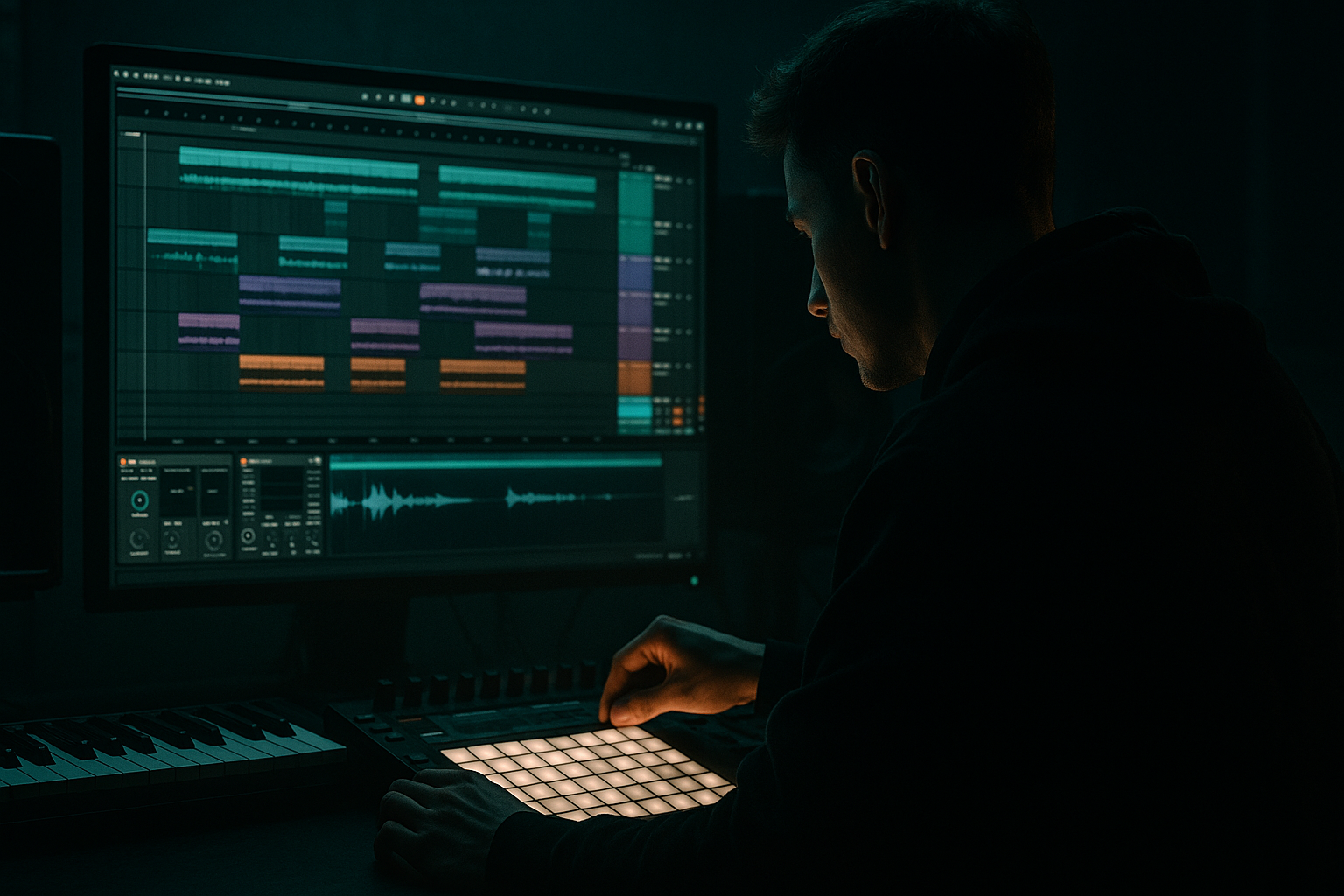
This lesson is about building a chop stack in Ableton Live 12 for oldskool jungle / early DnB vibes, then using automation to make it feel alive across a drop. The core idea is simple: take one break, slice it into playable pieces, stack a few related layers, and automate movement so the loop doesn’t feel static.
In DnB, especially jungle-inspired material, a chopped break is rarely just “the drums.” It’s the identity of the track. The groove carries the attitude, the tension, and the history. A good chop stack can do all of this:
- create that rushed, rolling breakbeat feel
- give you ghost-note detail without cluttering the mix
- let you switch the energy between sections without rewriting the whole drum pattern
- make your drop feel more human, unstable, and dangerous 😈
- a main chopped break with tight transient control
- a secondary top chop layer that adds extra shuffle and ghost hits
- a parallel dirty layer for grit and attitude
- automated filter movement and send effects for energy changes
- a simple bass call-and-response space underneath the drums
- a version that can work as a drop loop, then expand into a fuller arrangement
- Bars 1–2: main groove established
- Bars 3–4: extra chop activity and filter lift
- Bars 5–6: small variation and bass response
- Bars 7–8: fill or switch-up to push into the next phrase
- Over-chopping the break
- Making every chop equally loud
- Leaving too much low end in every layer
- Automating everything at once
- Destroying the break with heavy processing
- Ignoring mono compatibility
- No arrangement contrast
- Use parallel saturation on the dirty layer instead of crushing the main break. That keeps the transients alive while adding menace.
- Try a low-pass automation dip right before the snare fill, then open it hard on the next bar. It creates a “door opening” effect that hits hard in dark rollers.
- Use Echo with very short delays on selected chopped snares only. Keep feedback low, around 10–25%, so it feels like a throw rather than a wash.
- On the bass, automate a band-pass or low-pass filter sweep that leaves room for the break’s busiest hits.
- Add slight randomness in velocities on repeated ghost chops. Human inconsistency is part of the oldskool feel.
- For neuro-leaning darker sections, resample your chop stack and reprocess it through Saturator + EQ Eight + Drum Buss to create a more aggressive, unified drum print.
- Use Utility gain automation for abrupt drops into half-bar gaps. That silence-before-impact effect is huge in underground DnB.
- keep the main break readable and alive
- use a top layer for detail and motion
- use a dirty layer for tension and weight
- automate filters, saturation, and send effects to create phrase movement
- leave space for the bass to answer the drums
- arrange the section like a real DnB drop, with contrast and release
We’ll build this inside Ableton Live using stock tools only, mainly Drum Rack, Simpler, Slice to New MIDI Track, Auto Filter, Glue Compressor, Saturator, Drum Buss, Echo, and automation lanes. The focus is not just chopping a break, but making a stack: a main break, a complementary top layer, and a controlled bass/drum interaction that feels like classic jungle but still works in a modern DnB arrangement.
Why this matters: in DnB, especially at 170–174 BPM, small rhythmic changes have a huge impact. Automation is what turns a loop into a record. You’ll use it to evolve break tone, bring in grit, open and close space, and push fills into transitions without losing the swing.
What You Will Build
You will build a 4- to 8-bar chop stack built from a classic breakbeat, designed for a jungle / oldskool DnB drop.
Specifically, you’ll end up with:
Musically, think of it like this:
This is very much in the lane of classic jungle tension with modern arrangement discipline.
Step-by-Step Walkthrough
1. Choose the right break and warp it cleanly
Start with a break that has character: something like a Think / Amen-style source, a dusty funk break, or any break with strong ghost-note content and a recognisable snare shape. Drag the audio into Ableton Live and set the project tempo around 170–174 BPM.
In the Clip View:
- Turn Warp on
- Try Beats mode for a tight, punchy break
- Use a start transient that preserves the kick attack
- If the break is too loose, reduce transient preservation slightly and tighten the warp markers only where needed
Keep this first pass simple. You want the break to retain human motion. Don’t over-quantise the life out of it. In jungle, a bit of drift is part of the vibe.
Useful range:
- Warp transient amount: keep around 20–60 depending on the break
- Clip gain: set so the break peaks around -12 to -8 dB before processing
Why this works in DnB: the break is the groove engine. If the source feels good, every later chop and automation move will sound more natural.
2. Slice the break to a Drum Rack for playable chops
Right-click the audio clip and choose Slice to New MIDI Track. Use:
- Transient slicing for a clean, useful chop map
- Or 1/8 note if you want a more structured grid-based chop set
In the generated Drum Rack, focus on the most useful slices:
- kick hits
- snare hits
- hats / ghost hats
- tiny fill fragments
- any interesting “in-between” transients
Rename your pads straight away:
- KICK
- SNARE
- TOP HAT
- GHOST
- FILL
- NOISE
Keep only the chops that serve the groove. For an intermediate workflow, this is where decisions matter. Don’t keep 30 slices if you’ll only use 8.
Tip: if a slice has too much tail, reduce the Release in Simpler or shorten the slice manually. You want control over overlap when stacking hits.
3. Build the main chop pattern with swing and restraint
Program a 2-bar MIDI loop using the sliced pads. The goal is not randomness; it’s designed instability.
Start with a basic oldskool DnB pulse:
- strong snare placements
- syncopated kick fragments
- ghost hits that lean into the next beat
- occasional repeat chops before the snare
In Ableton’s MIDI editor:
- Use Groove Pool with a light swing, around 54–58% feel depending on the break
- Keep some hits quantised, but offset a few ghost notes manually
- Use velocity variation so repeated chops don’t sound copied
A practical pattern idea:
- Bar 1: establish the main break statement
- Bar 2: repeat but replace one kick and one top chop with a small fill
Don’t overfill the grid. Oldskool jungle tension comes from contrast: dense enough to feel frantic, sparse enough to breathe.
4. Stack a second chop layer for top-end movement
Duplicate the Drum Rack track and build a top chop layer. This layer should not fight the main break. Its job is to add:
- extra hats
- tiny snare ghosts
- reversed fragments
- occasional syncopated chatter
On the duplicated track, use Simpler for a few specific slices or an alternate slice set. Then process it lightly:
- Auto Filter: high-pass around 200–400 Hz
- EQ Eight: cut any muddy low-mids, especially around 250–500 Hz
- Saturator: Drive around 1–4 dB for grit
- Optional Utility: reduce width slightly or keep it mono if needed
This layer should feel like airborne movement over the main break. If the main break is the engine, this is the rattling machinery on top.
In DnB, this works because the ear locks onto the main snare and kick impact while the top layer creates urgency and forward motion. It’s a classic way to make a loop feel faster without actually adding more notes everywhere.
5. Create a parallel dirty layer for attitude and automation depth
Make a third version of the chop stack using the same break, but process it aggressively and keep it low in the mix. This is your character layer.
Suggested stock chain:
- Auto Filter with band-pass or high-pass
- Saturator with Soft Clip on
- Drum Buss with a modest Drive amount
- Redux very lightly if you want crunchy texture
- Utility to reduce volume significantly
Good starting points:
- Saturator Drive: 3–8 dB
- Drum Buss Drive: 5–20%
- Crunch: just enough to roughen the break, not destroy it
- Utility gain: often -10 to -18 dB relative to the main break
Keep this layer tucked in. Then automate it in and out around fills, transitions, and phrase endings. This gives the track that “the room is opening up” feeling when the dirt suddenly arrives.
6. Automate filter movement and break energy across 4–8 bars
Now the real lesson: automation. A good chop stack becomes a real DnB section when the drums evolve over time.
On the main break or group bus, automate Auto Filter:
- Start with a low-pass around 8–12 kHz for a darker intro to the section
- Open gradually to 16–20 kHz over 2–4 bars
- Dip the cutoff slightly just before a snare fill or transition
Automate resonance carefully:
- Keep it subtle, around 0.20–0.45
- Use slightly more resonance for a build into a drop switch, but avoid whistling peaks
Also automate:
- Dry/Wet on Echo for small throw fills
- Saturator Drive up by 1–3 dB in the last bar of a phrase
- Drum Buss Transients slightly up for a pre-drop push
- Utility gain for quick mute-style stabs or half-bar drops
A very effective arrangement move:
- Bars 1–2: filter slightly closed
- Bars 3–4: open the top layer and add dirt layer
- Bar 5: cut the dirt layer for contrast
- Bar 6: automate a small echo throw on a snare chop
- Bars 7–8: reintroduce full stack with a tiny fill
This is why automation matters in DnB: repetition is essential, but repetition without motion feels dead. Automation keeps a loop feeling like it’s breathing under pressure.
7. Shape the low end so the break and bass don’t fight
If you’re pairing this with a bassline, keep the low end disciplined. Jungle breaks can already own a lot of the low-mid space, so the bass needs a role, not a takeover.
For the bassline, use a simple rolled pattern or reese-style pulse:
- keep sub focused and mono
- let bass notes answer the snare or fill the gaps between break hits
- avoid constant note spam under the densest break moments
Stock tools for the bass:
- Operator for a clean sub
- Wavetable or Analog for reese movement
- Saturator or Overdrive for harmonic presence
- Utility to keep low end mono
Practical ranges:
- Sub level: keep it controlled, often peaking around -12 to -8 dB relative to the mix
- Mono below: everything under 120 Hz should stay firmly mono
- Reese stereo width: keep modest; don’t widen the true low end
Use automation on the bass filter or wavetable position so it answers the chop stack:
- more open bass on phrase openings
- darker, filtered bass during busy drum fills
- slight resonance lift before a switch-up
This call-and-response approach is classic DnB. The drums speak, the bass answers.
8. Turn the loop into a section with arrangement-aware automation
Duplicate your 2-bar idea into an 8-bar section and automate it like a real record.
Suggested section design:
- Bars 1–2: core groove
- Bars 3–4: top layer increases, bass becomes more active
- Bars 5–6: add dirty layer and a short snare fill
- Bar 7: strip back briefly for tension
- Bar 8: full stack + transition hit
Add arrangement movement with stock devices:
- Reverb send on selected snare chops for space
- Echo on one or two fill hits for a quick trail
- Return track with filtered noise or atmospheric wash
- Crash or impact sampled from your own library if needed
Keep these effects automated in small doses. In oldskool DnB, too much wash removes the snap. Use effects like punctuation, not wallpaper.
Good section logic:
- intro to drop: filter closed, no dirty layer
- main drop: full chop stack
- second phrase: extra chop variations and bass answer
- transition: strip to kick/snare and let a fill carry into the next part
Common Mistakes
- Fix: keep the core groove readable. Use fewer slices, not more.
- Fix: use velocity and clip gain. Ghost notes should whisper, not shout.
- Fix: high-pass the top and dirty layers. Let only one element own the sub zone.
- Fix: choose one or two main automation moves per phrase. Too many motions make the section blurry.
- Fix: saturate in layers. Preserve transients on the main break, and push the grit into parallel or secondary layers.
- Fix: check Utility and collapse the low end. A jungle drop that collapses in mono loses authority fast.
- Fix: remove elements for a bar or half-bar. In DnB, space creates impact.
Pro Tips for Darker / Heavier DnB
Mini Practice Exercise
Spend 10–20 minutes making a mini 8-bar jungle drop using this method:
1. Pick one break and slice it into a Drum Rack.
2. Program a 2-bar groove with a clear snare anchor and at least 3 ghost chops.
3. Duplicate the track and make a top layer with high-pass filtering.
4. Add a dirty parallel layer with Saturator and Drum Buss.
5. Automate Auto Filter on the main break from darker to brighter across 4 bars.
6. Add one Echo throw on a snare chop in bar 4 or bar 8.
7. Bring in a simple sub or reese bass that leaves room for the break.
8. Export or bounce the loop and listen for whether the drums still feel alive when repeated twice.
Goal: by the end, your loop should feel like a real section, not just a repeating sample.
Recap
The key to a strong break lab chop stack in Ableton Live 12 is not just slicing the break — it’s stacking layers with purpose and automating their movement.
Remember:
If the chop stack feels tight, gritty, and evolving, you’re in the zone: oldskool jungle energy with modern Ableton control.

