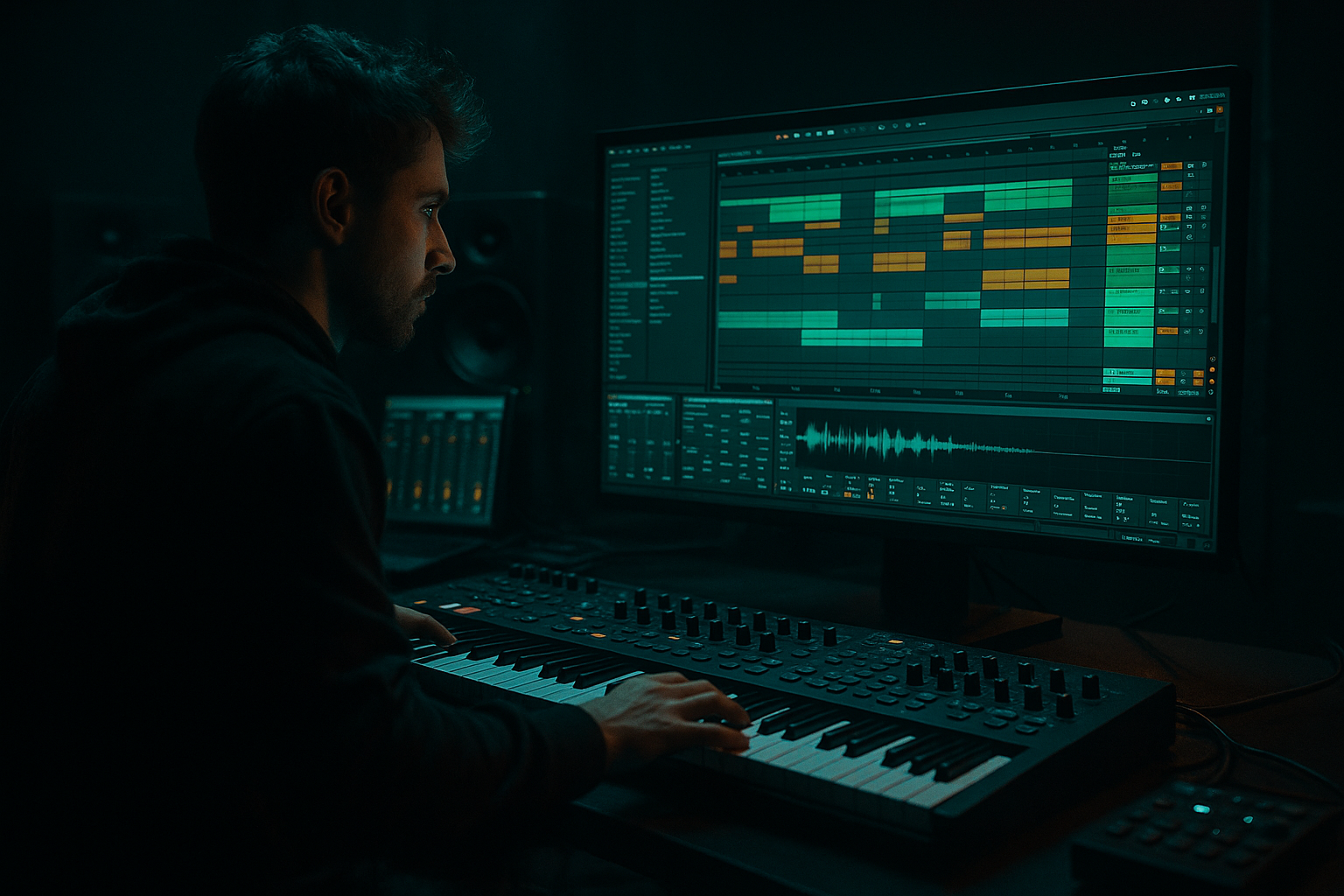
Main tutorial
Lesson Overview
This lesson is about building a jungle pad drift blueprint inside Ableton Live 12: a dark, moving bass-layer concept that sits between a pad, a sub support, and a hazy Reese-style bed, designed for 90s-inspired jungle and oldskool DnB. The goal is not to make a huge modern neuro bass. It’s to create that uneasy, drifting low-mid pressure that feels like it’s floating behind the drums, giving the track atmosphere, momentum, and menace without swallowing the break.
Where this lives in a DnB track: typically under the main break, in the drop support layer, or as a sectional bed that evolves between phrases. It can also work in intros and second drops when you want that foggy, cassette-dark character that instantly says jungle.
Why it matters musically and technically: this kind of layer gives you movement in the space between kick/snare hits. In jungle and oldskool DnB, the break often carries the groove, but the bass has to answer it with attitude. If the bass is too clean, the track feels modern in the wrong way. If it’s too wide, too static, or too sub-heavy, the low end collapses and the break loses authority. The lesson is about finding the sweet spot where the bass drifts, pulses, and grinds while staying usable in a club mix.
Best suited for: 90s jungle, atmospheric oldskool DnB, dark rollers with break edits, and lo-fi-leaning Amen or Think break arrangements. By the end, you should be able to hear a bass layer that feels haunted, slightly unstable, rhythmically alive, and mix-aware—something that supports the drums and adds identity without muddying the floor.
What You Will Build
You will build a sub-supported drifting jungle pad bass that has:
- a deep mono foundation
- a murky midrange body
- a moving stereo haze above the low end
- a rhythm that breathes around the break
- enough edge to feel dark and oldskool, but not so much distortion that it loses weight
- Use octave discipline. If the bass needs more presence, don’t jump straight to a bigger sub. Try adding the octave only in the drift layer, while the sub stays rooted. That keeps the track dark without turning boomy.
- Let the break own the high-end chaos. The bass should usually be more controlled than the drums. If both are full of fizz and crackle, the mix feels exhausted. Keep the bass texture focused in the low mids and let the break carry the top-end aggression.
- Print variations, not just sound designs. Resample one version with a slightly more open filter, another with a touch more drive, and another with a shortened tail. Then choose by arrangement function: intro, main drop, second drop.
- Use tiny timing contrasts for menace. A bass note that lands a few milliseconds behind the snare can feel heavier than a louder note. This is a classic jungle trick: the groove feels dangerous because it is not perfectly squared.
- Control the decay, not just the level. A dark bassline often gets heavier when it is shorter. Long decay can sound “big” in solo but messy in context. If the break is complex, tighten the tail before boosting anything.
- Make the second drop mean something. For older jungle-inspired material, the second drop can be nastier by becoming drier, more filtered-open, or slightly more saturated—not necessarily louder. The contrast sells the tune.
- Protect the mono core at all costs. If you want the track to hit hard in clubs, the sub and fundamental low-mid anchor need to remain stable. Do your drama above that.
- Use only Wavetable, EQ Eight, Saturator, Auto Filter, and Utility
- Keep the sub in mono
- Use no more than 4 MIDI notes
- Create one A version and one B version
- 2-bar loop with a clean sub layer and a drifting upper layer
- one darker, slower-bloom version
- one tighter, more aggressive version
- Does the bass still feel clear when the track is in mono?
- Does the snare stay audible?
- Can you tell which version is better for intro tension and which is better for the main drop?
Finished result in concrete terms: think of a slowly evolving bass pad that opens on long notes, slightly detunes or phases in the midrange, and subtly swells between snare hits. It should feel like it’s gliding under the break rather than “playing bassline notes” in a modern way. The low end should stay focused in mono, the movement should be audible in the mids and highs, and the sound should be polished enough to drop into a track without sounding like a rough sketch.
Success sounds like this: when the drums hit, the bass adds dark propulsion without masking the snare or turning the sub into a blur. When you mute the drums, the bass sounds moody; when you unmute them, it locks into the groove and feels like part of a proper jungle arrangement, not a separate synth part.
Step-by-Step Walkthrough
1. Start with a short MIDI phrase that leaves air for the break
Create a new MIDI track and program a 1-bar or 2-bar loop first. Don’t start with a huge eight-bar ambient line. For this style, the bass should feel like it is reacting to the break, not overwriting it.
Use a simple note palette: one root note, one fifth, and one octave movement is enough at the start. Try a phrase like:
- bar 1: root note held for most of the bar
- bar 2: root note followed by a shorter upper note or octave dip
- leave a gap before the next phrase so the snare can breathe
In Ableton, aim for MIDI notes around 1/8 to 1/2 bar lengths with a few intentional longer sustains. A good starting range for the note lengths is 1/4 note to a full bar, with one or two shorter pickup notes at the end.
Why this works in DnB: jungle and oldskool DnB usually feel best when the bassline has negative space. The break already has fast rhythmic information. The bass should create tension by not filling every hole.
What to listen for: the bass should feel like it’s leaning into the snare hits, not fighting them. If the line sounds busy before you even add sound design, simplify the MIDI now.
2. Build the core tone with a simple Ableton stock chain
Use Wavetable or Operator as the source. For this blueprint, Wavetable gives you an easy way to blend a sub-like layer with a drifting mid texture.
Start with a basic waveform:
- one oscillator on a sine or triangle for low-end support
- a second oscillator with a saw or pulse-ish character for movement
- keep unison low or off at first
Then shape it with a stock device chain:
- EQ Eight: high-pass the airy layer later, not the sub
- Saturator: add a small amount of drive, around 2 to 6 dB
- Auto Filter: low-pass for movement, cutoff somewhere in the 200 Hz to 1.5 kHz zone depending on how foggy you want it
- Compressor or Glue Compressor only if needed for control, not as a crutch
A good starting split is:
- sub content below about 100–120 Hz kept simple and mono
- mid movement above that, where detune, saturation, and filtering can live safely
What to listen for: the sound should already feel darker and a little unstable before effects. If the character only appears after huge distortion, the source is too plain.
3. Separate sub weight from drift texture
This is the key move. The “jungle pad drift” works best when the sub is handled like a bass anchor and the drift is handled like a controlled atmosphere layer.
In Ableton, make two layers:
- Layer A: Sub layer
- simple waveform
- no stereo widening
- no heavy chorus
- keep it centered
- Layer B: Drift layer
- slightly richer waveform
- more saturation and filtering movement
- can be subtly stereo above the low end
If you want to keep it clean, use an Audio Effect Rack and split the chain by frequency feel rather than letting everything blur together. The practical goal is not “perfect multiband science,” it’s making sure the low end stays readable while the upper bass does the expressive work.
Concrete settings to try:
- high-pass the drift layer around 90–150 Hz
- keep the sub layer mostly untouched below 100 Hz
- if the drift layer gets boxy, cut a small amount around 250–400 Hz
Why this works in DnB: club systems punish sloppy stereo and over-processed low mids. Separating duties lets you add character without sacrificing punch.
4. Program the movement with envelope and filter shape
Now give the bass its drift. Use Auto Filter or Wavetable’s filter envelope to create motion on each note.
A practical approach:
- attack: 5–30 ms
- decay: 300–900 ms
- resonance: modest, around 10–25% or just enough to hear the sweep without whistling
- cutoff: set so the note opens and then settles, not the other way around
For a darker jungle feel, you usually want the note to start a little closed and then bloom slightly, especially if the break is busy. That creates the feeling of the bass “rising out of the fog.”
Decision point — A versus B:
- A: Slow bloom
- longer decay, gentler motion
- best for atmospheric jungle, haunted intros, rolling oldskool tension
- B: Faster bite
- quicker attack and shorter decay
- better for more aggressive rollers or tighter call-and-response with the drums
Choose A if the track needs dread and depth. Choose B if the drums are already very active and need a sharper bass response.
What to listen for: the bass should open enough to feel alive, but not so much that the filter sweep becomes the main event. If the sweep is louder than the note, dial it back.
5. Add controlled grit with stock saturation, not random destruction
Use Saturator or Roar if you want a heavier, more unstable edge. For this blueprint, start moderate.
Useful ranges:
- Saturator drive: 2–8 dB
- soft clip on if the sound needs density
- if using Roar, keep the tonal shaping subtle and control low-end fallout with EQ afterwards
The point is to create harmonic information so the bass reads on smaller systems and in the low mids, where jungle weight often lives. Too clean and the bass disappears under noisy breaks. Too much drive and the low end turns grainy and loses pitch definition.
Commit this to audio if the tone feels right. Once the movement and grit are in the pocket, resample or freeze/flatten so you can edit the performance like a break element. This is a smart workflow move because jungle-style bass often benefits from audio editing and micro-chops later.
Stop here if the tone already works with the drums. If the bass is speaking correctly with the break, do not keep over-designing it just because the session is still open.
6. Make it breathe with note timing and slight humanized placement
Jungle bass rarely feels best when it is hard-quantized like a modern EDM stab. Nudge select notes so the line sits slightly behind or around the break’s strongest hits.
Practical timing ideas:
- delay a note by 5–15 ms for drag and menace
- push a pickup note slightly ahead by a tiny amount for urgency
- leave one bar with a hole before the turnaround, then answer it with a shorter note
This becomes especially effective if your break has chopped ghost notes or a swing feel. The bass should not flatten the groove; it should lean into the pocket.
Check the idea in context with drums here. Loop the bass with the break only, no pads, no FX bus. If the snare loses authority, the bass is likely too long or too loud in the low mids. Shorten the note lengths or reduce the 150–300 Hz area.
What to listen for: you want the bass to feel like it is moving with the drums, not on top of them.
7. Add a second texture layer only after the core groove is working
Here is where you can add a subtle upper texture, but only if the core bass already works. Use a second instance of Wavetable, or duplicate the track and process the top layer differently.
Options for the second texture:
- a faint detuned saw
- a narrow pulse-like edge
- a filtered noise or wavetable shimmer used very quietly
Put this layer through:
- Auto Filter high-pass around 180–300 Hz
- Chorus-Ensemble at a subtle amount if you want a smeared 90s haze
- EQ Eight to tame harsh bands around 2–5 kHz if needed
Important: keep this layer out of the sub. Its job is to add atmosphere and motion, not weight.
A useful trade-off:
- if you want more oldskool grime, keep the movement coarse and a little unstable
- if you want more modern polish, make the drift smoother and cleaner, with less obvious modulation
This layer should make the bass feel more “alive” when soloed, but in the full mix it should mostly be felt as pressure and texture.
8. Shape the bass against the break, not just against a metronome
Now put the break back in and judge the bass as a support element. In jungle and oldskool DnB, the bass often lives in the spaces the break creates. That means a bassline can be technically correct and still feel wrong if it ignores the break’s accents.
Try this arrangement phrasing:
- bars 1–2: bass establishes the dark root
- bar 3: small variation, maybe a fifth or octave move
- bar 4: a short lift or gap to let a snare fill land
- repeat with a slightly altered second cycle
This gives you call-and-response without over-writing the drums. If your break is highly chopped, use the bass to emphasize the downbeat of each phrase rather than every subdivision.
One very effective oldskool move: keep the bassline restrained for three bars, then let bar 4 answer with a slightly higher note or a filter opening. That makes the loop feel like it is going somewhere, even before full arrangement changes.
9. Tighten the mix for mono compatibility and DJ usability
The low end must survive club playback. Keep the sub in mono and avoid making the core weight depend on stereo widening.
Practical Ableton checks:
- put Utility on the bass bus and keep Width at 0% for the sub-focused layer
- if the drift layer is stereo, high-pass it first so only the upper content spreads
- use EQ Eight to clear any mud around 180–350 Hz if the break and bass are competing there
Mix-clarity note: if the bass sounds huge in headphones but disappears on mono check, the stereo content is probably carrying too much of the perceived weight. Reduce width, push the saturation into the mids, and restore the sub’s central role.
Also check headroom. DnB hits hard, and this type of bass can eat margin quickly. Leave room for the break transients and snare crack. You want the bass to feel large because of density and movement, not because it’s simply louder than everything else.
What to listen for: the kick/snare should still speak clearly when the bass is active. If the snare feels tucked under the bass haze, carve a little 200–500 Hz on the bass layer or reduce sustain.
10. Turn the loop into a proper phrase with one arrangement pivot
A bass idea like this needs a clear role in the arrangement. Don’t let it sit unchanged for eight bars and call it a drop.
Use a simple phrase design:
- intro or pickup: filtered version of the bass texture
- drop 1: full core bass with restrained drift
- bar 8 or 16: brief variation, maybe an octave pop or filter opening
- second drop: either darker, drier, or more aggressive than drop 1
For example:
- Drop 1 = more atmosphere, more fog, less attack
- Drop 2 = same motif but with a stronger saturation bite, slightly tighter rhythm, and a more obvious answer to the snare
This is where the bass becomes track material instead of loop material. A successful result should feel like the bassline is helping the tune move between sections, not just repeating a sound design trick.
Workflow efficiency tip: once the phrase works, flatten or resample it into audio and make a duplicate version for variation. In jungle writing, having one clean core version and one dirtier alternate version saves time and helps you finish faster.
Common Mistakes
1. Making the bass too wide too early
- Why it hurts: the sub loses focus, mono compatibility weakens, and the club low end starts to smear.
- Fix: keep the sub layer mono with Utility, and only widen the high-passed drift layer.
2. Using too much midrange distortion
- Why it hurts: the bass turns into foggy noise and masks the snare, especially around 200–500 Hz.
- Fix: reduce drive in Saturator or Roar, then use EQ Eight to trim the muddy band.
3. Writing bass notes that are too busy for the break
- Why it hurts: the groove loses the classic jungle push-pull, and the drums stop feeling like the lead rhythmic engine.
- Fix: shorten the MIDI phrase, remove filler notes, and leave space before snare hits.
4. Letting the filter sweep become the hook
- Why it hurts: the track starts sounding like a sound-design demo instead of a tune with weight.
- Fix: lower resonance, slow the modulation, and make sure the note itself still carries identity without the sweep.
5. Ignoring the low end below 100 Hz
- Why it hurts: the bass feels cool in the mids but lacks actual dancefloor pressure.
- Fix: dedicate a clean sub layer and check it in mono with a simple sine or triangle source.
6. Overusing reverb or stereo ambience on the whole bass
- Why it hurts: the bass loses punch and the break gets blurred.
- Fix: keep ambience on the upper layer only, and high-pass it aggressively before widening or delaying.
7. Not checking the bass with the drums before arranging further
- Why it hurts: you build around a bassline that does not actually support the break.
- Fix: loop bass + drums early and decide whether the bass is too long, too loud, or too busy before adding more sections.
Pro Tips for Darker / Heavier DnB
Mini Practice Exercise
Goal: Build a 2-bar jungle pad drift bass that works with a chopped break and feels dark, controlled, and dancefloor-ready.
Time box: 15 minutes.
Constraints:
Deliverable:
Quick self-check:
Recap
The core idea is simple: build a mono, weight-bearing bass foundation, then add a separate drifting texture above it that interacts with the break instead of fighting it. Keep the MIDI sparse enough for the drums to breathe, shape movement with filtering and modest saturation, and judge the result in context, not in solo. If it feels dark, alive, and rhythmically glued to the break while staying clean in mono, you’ve got the blueprint.

