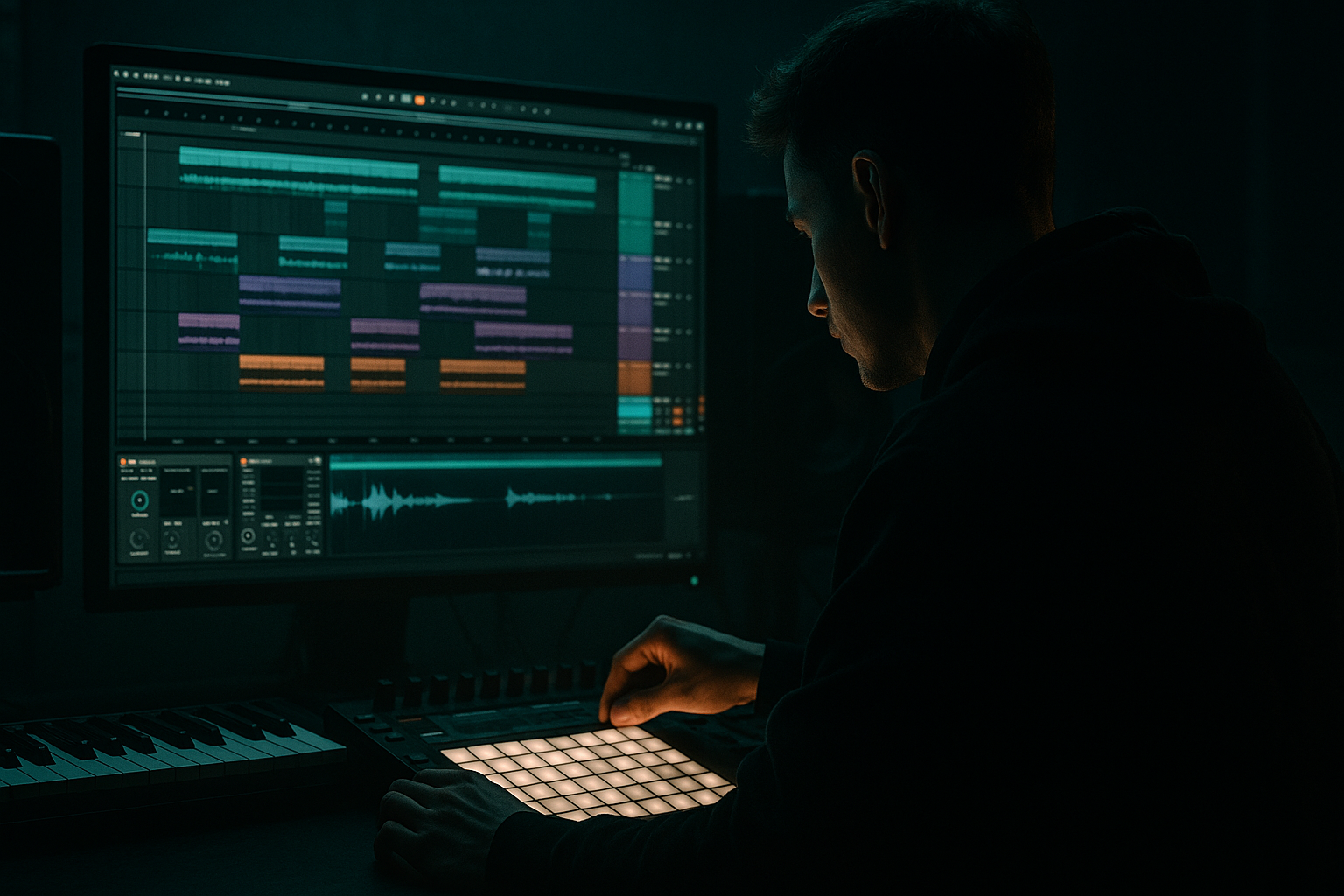
Main tutorial
Lesson Overview
This lesson is about turning a vocal chop into a controllable DnB performance instrument using macro controls in Ableton Live 12. The goal is not just to “slice a vocal” — it’s to build a Blueprint for chop that you can play, automate, resample, and reuse across an oldskool jungle or modern darker DnB arrangement.
In a proper DnB track, chopped vocals do a few jobs at once:
- they add hook and identity
- they create rhythmic syncopation against the break
- they act as call-and-response with the bassline
- they fill gaps in the arrangement without cluttering the low end
- a sliced vocal phrase mapped across a Drum Rack or Simpler-based chain
- macros for filter sweep, pitch, chop length, repeat/stutter, reverb send, delay send, drive, stereo width, and formant-like tone shifting
- a controllable sound that can move from:
- a 2-bar “yeah / hey / come on” loop driving the intro
- a 1-bar response phrase under the first drop
- little 1/16 stutters that land with snare fills
- a filtered vocal tail that rides the tension before the switch
- short spoken hooks
- soul/ragga phrases
- old radio lines
- a phrase with a natural pickup into the downbeat
- a tail or breath that can be used for transitions
- Oldskool jungle vibe: choose a phrase with a strong opening consonant and a vowel tail, like “move it” / “make it” / “one time”
- Darker rollers vibe: choose a more deadpan phrase with less melody, so it can sit over a heavy bassline without clashing
- Beats if you want crisp transient chopping
- Complex Pro if you want smoother tonal manipulation
- Put the vocal into Simpler
- Switch to Slice
- Slice by Transient or Beat
- Set the sensitivity so you catch the important consonants without over-slicing
- Trigger slices via MIDI notes
- Slice sensitivity: moderate, so you get around 6–12 usable slices
- Fade: low to moderate to avoid clicks
- Trigger mode: Gate for rhythmic performance, Trigger for machine-like repeats
- Drag the vocal into Drum Rack
- Create separate pads for key phrases or slices
- Route each pad to its own Simpler, if needed
- This is best if you want one pad for the main phrase, one for a response, and one for textures
- one pad for the lead chop
- one pad for a ghost syllable
- one pad for a reverse tail
- one pad for a one-shot “call” answer
- EQ Eight
- Compressor or Glue Compressor
- Saturator
- Auto Filter
- Delay or Echo
- Reverb
- optional Utility
- EQ Eight: high-pass around 120–180 Hz to keep vocal chops out of sub territory
- Cut harshness around 2.5–5 kHz if the slice is sharp or nasal
- Slight boost around 200–400 Hz only if the sample feels too thin
- Saturator: Drive around 2–6 dB for grit; use Soft Clip if you want it to sit harder
- Auto Filter: low-pass starting around 8–12 kHz for a darker intro state
- Echo: 1/8 or dotted 1/8 for a classic DnB bounce; keep feedback modest, around 15–35%
- Reverb: short decay for tightness; longer decay for breakdowns, but keep it controlled
- TONE: cutoff from 250 Hz up to 14 kHz
- GRIT: Saturator Drive from 0 to 8 dB
- SPACE: Reverb wet from 0 to 25%
- ECHO: Delay wet from 0 to 22%, feedback from 10% to 40%
- WIDTH: Utility width from 0% to 120% max, but keep drop values conservative
- moderate tone
- low space
- controlled grit
- near-mono width
- 2-bar intro: open the filter slowly
- bar 4: add reverb throw on the final syllable
- pre-drop: narrow the vocal and push echo feedback briefly
- drop 1: dry, punchy, and short
- drop 2 or switch-up: add stutter and wider space for contrast
- automate CHOP to tighten on off-beats during the last half of a 16-bar section
- automate SPACE only on the phrase ends, not the full loop
- use ECHO as a throw on the last word before a snare fill
- automate TONE down in the intro for a dusty jungle feel, then open it as the drop enters
- Bars 1–8: filtered vocal whisper loop with sparse breaks
- Bars 9–16: fuller lead-in with one reverb throw every 4 bars
- Drop bars 17–32: dry vocal chops punctuating the bassline
- Switch-up bars 33–40: stuttered, wider, slightly more distorted vocal responses
- kick-snare phrases
- bass movement
- fill bars
- turnaround hits
- if your bassline hits a long note on beat 1, let the vocal answer on the “&” of 2
- if the snare lands on 2 and 4, place a short vocal syllable just before 4 to create anticipation
- use ghost vocal slices on the last 1/16 before a snare fill
- duplicate the MIDI clip and create a second variation with less vocal density
- keep one version for the main drop and another for fills or breakdowns
- use follow actions only if you are building a performance-style variation system; otherwise keep it manually arranged for precision
- chop the resampled audio into reusable clips
- reverse one tail for transitions
- bounce a version with more grit for the second drop
- create a washed-out atmosphere version with more reverb/delay
- intro texture
- drop hook
- fill stab
- transition tail
- background atmosphere
- Mono check: keep the core vocal centered or near-centered
- Low cut: anything below 120–180 Hz should usually be gone
- Harsh control: if the chop bites too hard, tame 3–5 kHz with EQ Eight
- Stereo discipline: keep width in the effects, not the dry core
- Sidechain: if needed, use Compressor sidechained from the kick or a ghost kick to create space on the chop during the drop
- on the vocal bus, use Glue Compressor with gentle reduction, around 1–2 dB
- use Utility to automate width open in breakdowns and narrower in drops
- if the vocal fights the snare, reduce its transient or shorten its envelope rather than just lowering volume
- Use distortion as texture, not just volume. A small amount of Saturator drive can make the vocal feel like it came from a grimy sampler. Try 2–4 dB for subtle bite, 6–8 dB for a more aggressive switch-up.
- Automate filter movement against the bassline. If your bass is opening up, darken the vocal. If the bass is sustained and heavy, let the vocal brighten briefly to stay audible.
- Layer a second chopped whisper or breath. Keep it very low in the mix and high-passed aggressively. This adds tension without stealing focus.
- Resample a “damaged” version. Print the vocal through more saturation, then use that version for fills only. In dark rollers, this gives the track a rough edge that feels authentic.
- Use short delay throws on the last word of a 4- or 8-bar phrase. This is classic DnB language: the repeat helps the listener feel the arrangement cycle.
- Keep the main hook mono-ish, then widen the end of the phrase. That contrast gives the chorus/drop more impact.
- Try pitch movement in small ranges. Even a subtle downward shift of 1–3 semitones on a phrase end can create that ominous oldskool tension without sounding cartoonish.
- Build contrast between intro and drop. In the intro, use more space and filter movement. In the drop, strip the vocal back and let the drums hit harder.
- Use the vocal as a phrase marker. In heavy DnB, a chopped vocal should tell the listener when the 8-bar cycle is turning. That helps the track feel DJ-friendly and intentional.
- keep the chop rhythmically locked to the drums
- control tone, grit, space, and width with macros
- keep the low end clean and the core vocal focused
- resample your best passes for speed and character
- use the vocal to support the arrangement, not fight it
For jungle and oldskool-inspired DnB, vocals often work best when they feel sampled, imperfect, and alive — like they came off a dusty record, dubplate, or late-night radio capture. Macro controls are what make this practical in Ableton: instead of manually tweaking 12 clips and 8 effects, you map a few musical controls to the key changes — chop tightness, tone, space, pitch, repeat rate, filtering, and grit. That means you can perform the vocal like an instrument and automate it like a synth.
Why this matters: in DnB, the arrangement moves fast. If your vocal chop cannot switch from dry and upfront in the breakdown to filtered, stuttered, and wide in the drop, you’ll end up with static vocals or messy edits. A macro-based blueprint gives you speed, recall, and a more professional workflow.
What You Will Build
You will build a vocal chop rack in Ableton Live 12 that behaves like a playable jungle/DnB hook:
- dry rave chant / intro teaser
- to syncopated drop hook
- to glitchy switch-up / fill
- to atmospheric texture under the break
Musically, think of a chopped vocal like:
The result should feel like a classic sample-chopped jungle vocal vibe, but with enough control to survive a modern mix and arrangement.
Step-by-Step Walkthrough
1) Choose a vocal phrase that already has rhythm and character
Start with a vocal that has clear consonants, attitude, and one or two strong syllables. For DnB, the best source material is usually:
In Ableton Live, drag the vocal into a new audio track and listen for points where the phrase naturally accents the grid. You want a phrase that can be cut into 4–8 useful pieces without sounding forced.
Practical choice:
Set warp mode to keep the vocal stable. For percussive or spoken material, Beats or Complex Pro are both useful:
If the vocal is slightly off-tempo, warp it tightly to your session tempo before you build the rack.
2) Build the chop instrument using Simpler or Drum Rack
There are two clean stock workflows here. For an intermediate DnB producer, the fastest is often:
Option A: Simpler in Slice mode
Good starting point:
Option B: Drum Rack with multiple Simpler pads
For jungle oldskool DnB, Drum Rack is powerful because it lets you treat the vocal like a breakkit:
This is where the “Blueprint for chop” idea starts: not random slicing, but purposeful phrase design.
3) Shape the chop with stock devices before you map macros
Before mapping anything, build a solid signal chain. A good starter chain inside the vocal rack:
Suggested starting settings:
Why this works in DnB: the vocal chop must survive dense drums and a bassline that often occupies the same midrange energy. EQ and saturation let it cut through without needing to be loud. Filter and delay give you arrangement movement without cluttering the drop.
4) Map your first macro set: make the chop performable
Group the devices into an Instrument Rack or Audio Effect Rack and map key parameters to macros. Keep the rack musical and performance-oriented, not overcomplicated.
A strong 8-macro blueprint:
1. TONE
- maps to Auto Filter cutoff
- optional small EQ Eight high shelf
2. GRIT
- maps to Saturator Drive and maybe a tiny EQ mid push
3. SPACE
- maps to Reverb Dry/Wet
4. ECHO
- maps to Delay/Echo Dry/Wet and Feedback
5. CHOP
- maps to Simpler Start or Slice-related behavior, or to a gate-style volume control
6. TIGHT
- maps to Utility Gain or a Compressor threshold/ratio behavior for tighter control
7. WIDTH
- maps to Utility Width or chorus-like spread if used subtly
8. PUSH
- maps to a second filter or parallel distortion amount for drop emphasis
Concrete macro ranges:
Keep the default macro state as your “safe mix”:
This gives you a stable base for the drop.
5) Create rhythmic variation with automation and clip envelopes
Now the vocal becomes DnB material, not just an effect. Draw clip automation or envelope changes directly in the vocal MIDI/audio clip.
Use automation in a way that matches drum phrasing:
Try these musical moves:
Arrangement example:
This is how you make the vocal work with a DnB arrangement instead of floating on top of it.
6) Add a call-and-response relationship with the bassline and drums
A great DnB vocal chop does not occupy every gap. It answers the track.
Program your chop so it responds to:
For example:
In oldskool jungle, this can feel like a rave MC cut. In darker rollers, it can be more subtle — just a two-syllable repeat that locks with the drum groove.
Ableton workflow tip:
7) Resample your best pass for character and faster arrangement
Once your macro performance is working, resample it.
Create a new audio track and set the input to Resampling or route the vocal rack output to the new track. Record 8–16 bars of your best automation and performance. Then:
This is a classic DnB workflow because it turns a controllable instrument into audio assets:
It also reduces CPU and makes arrangement faster.
8) Final mix decisions: keep the vocal punchy without masking drums or bass
In DnB, vocals can get crushed by the midrange of reese basses, reverb tails, and break cymbals. Check these details:
Useful stock approach:
The best result is a vocal that feels energetic and present, but still lets the drums and bass lead.
Common Mistakes
1. Over-slicing the vocal
- Too many slices make the chop sound nervous and unfocused.
- Fix: keep only the slices with strong rhythmic value. Aim for 6–12 useful hits, not 30 tiny pieces.
2. Leaving too much low end in the vocal
- This muddies the kick/sub relationship.
- Fix: high-pass around 120–180 Hz and check the vocal in mono.
3. Too much reverb in the drop
- The vocal smears the groove and loses impact.
- Fix: keep the drop vocal mostly dry; save bigger space for transitions and breakdowns.
4. Macros that do everything at once
- If one macro changes filter, distortion, and reverb all together, it becomes hard to control.
- Fix: separate macros by musical job: tone, grit, space, width, chop.
5. Ignoring the drum phrasing
- A vocal that ignores snares and fills feels pasted on.
- Fix: align the chop to bar endings, pickup notes, and turnaround hits.
6. Making the vocal too wide too early
- Wide mids can clash with reese bass and stereo FX.
- Fix: keep the main chop narrow in the drop and widen only the tail or breakdown version.
Pro Tips for Darker / Heavier DnB
Mini Practice Exercise
Spend 10–20 minutes building a mini vocal chop system in Ableton Live:
1. Pick a 1–2 second vocal phrase with strong rhythm.
2. Slice it in Simpler or place it in a Drum Rack with 6–8 useful hits.
3. Add EQ Eight, Saturator, Auto Filter, Echo, and Reverb.
4. Map 4 macros only:
- TONE
- GRIT
- SPACE
- ECHO
5. Program a 2-bar MIDI pattern that answers your snare hits.
6. Automate:
- TONE opening over 8 bars
- SPACE rising only on the last phrase of the loop
7. Resample 8 bars of your performance.
8. Make one second version:
- more filtered
- more distorted
- drier in the drop
Goal: end with two usable clips — one for the intro and one for the drop.
Recap
The core idea is simple: build your vocal chop as a macro-controlled DnB instrument, not a static sample. Use Ableton Live 12 stock tools to slice, shape, and automate the vocal so it can move between intro tension, drop punch, and switch-up energy.
Remember the essentials:
If your vocal chop can perform like a riff, respond like a drum, and sit like a mix element, you’ve got a proper jungle/DnB blueprint.

