DNB COLLEGE

Drum & Bass Ableton Live 12 Tutorials

LESSON DETAIL

Blend an Amen-style subsine for rewind-worthy drops in Ableton Live 12 (Beginner)

An AI-generated beginner Ableton lesson focused on Blend an Amen-style subsine for rewind-worthy drops in Ableton Live 12 in the Sampling area of drum and bass production.

Back to lessons
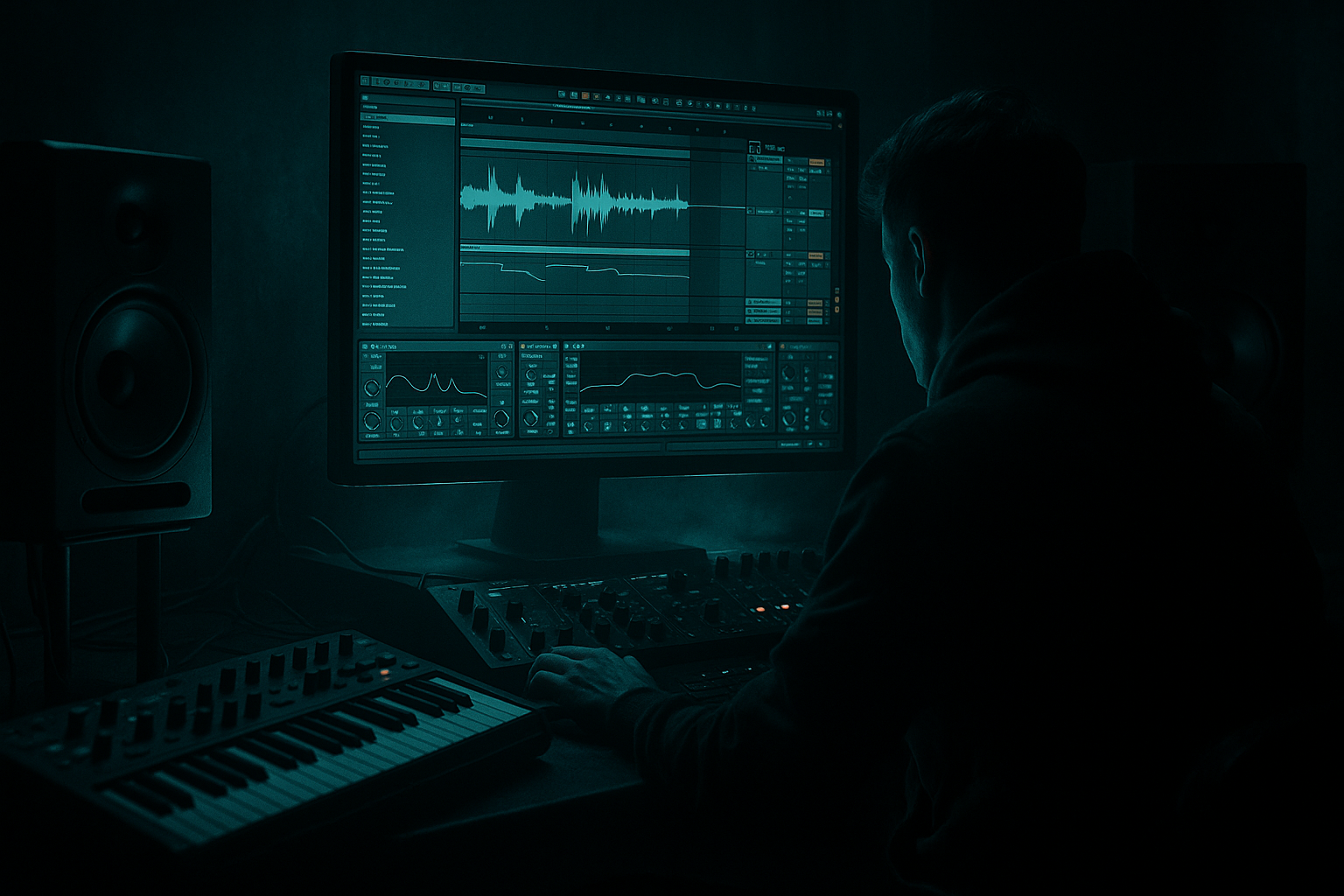
Blend an Amen-style subsine for rewind-worthy drops in Ableton Live 12 (Beginner) cover image

Narrated lesson audio

The voice track includes the tutorial plus extra teacher commentary.

Open audio file

Main tutorial

Blend an Amen‑style subsine for rewind‑worthy drops in Ableton Live 12 (Beginner / Sampling)

1. Lesson overview

In rolling DnB and jungle, the Amen break brings chaotic high‑mid energy, but the drop only feels “rewind‑worthy” when there’s a clean, controlled sub underneath. In this lesson you’ll build a sample-driven subsine (from the Amen itself) and blend it with your drums so the drop hits hard without turning into mud. 🔥

You’ll do this using Warping, slicing, layering, sidechain, and a few key stock devices in Ableton Live 12.

---

2. What you will build

You’ll end up with:

  • An Amen break track (tightly warped, punchy, rolling)
  • A subsine layer derived from the Amen’s low content (or a resampled “sub hit”), tuned and controlled
  • A clean drum/bass relationship using sidechain and frequency management
  • A simple arrangement for a DnB drop (intro → build → impact → 16/32-bar roll)
  • Target vibe: jungle/DnB with that classic Amen bite + modern sub weight 🥁🔊

    ---

    3. Step-by-step walkthrough

    Step 0 — Session setup (DnB-friendly)

    1. Set tempo to 172–176 BPM (try 174 BPM).

    2. In Preferences → Record/Warp/Launch:

    - Enable Auto-Warp Long Samples: Off (optional but helpful to stay in control)

    ---

    Step 1 — Load and warp your Amen (clean foundation)

    1. Drag an Amen break sample into an audio track named: `AMEN`.

    2. In Clip View:

    - Turn Warp: On

    - Warp mode: Beats

    - Preserve: Transients

    - Set Transient Loop Mode: Forward

    - Start with Envelope: 20–40 (higher = tighter/cleaner, lower = more natural)

    3. Right-click the clip → Warp From Here (Straight) if needed.

    4. Make it loop cleanly:

    - Ensure the loop is 1 bar or 2 bars (classic Amen often works as 1 bar)

    - Use Warp Markers so kick/snare land exactly on the grid (especially beat 1 kick and beat 2 snare)

    ✅ Goal: Amen sounds tight and “on rails,” not flamming against the grid.

    ---

    Step 2 — Make the Amen hit hard (quick drum chain)

    On the `AMEN` track, add this stock device chain (top to bottom):

    1. EQ Eight

    - HP filter at 30 Hz (24 dB/oct) to remove rumble

    - Optional: small dip 200–350 Hz if it’s boxy (−2 to −4 dB, Q ~1.2)

    2. Drum Buss

    - Drive: 5–15%

    - Crunch: 0–10% (just a touch)

    - Boom: Off for now (we’re making sub separately)

    - Damp: adjust to keep cymbals from getting brittle

    3. Saturator

    - Mode: Soft Sine or Analog Clip

    - Drive: 1–4 dB

    - Turn on Soft Clip (great for jungle breaks)

    4. Glue Compressor (optional but nice)

    - Attack: 3 ms

    - Release: Auto

    - Ratio: 2:1

    - Aim for 1–3 dB gain reduction on peaks

    ---

    Step 3 — Create a subsine from the Amen (Amen-style subsine)

    This is the key: we’ll generate a sub layer that follows the rhythm/energy of the Amen, but stays clean.

    #### Option A (recommended): Resample the Amen’s low end into a sub “trigger” 🎯

    1. Duplicate the Amen track (`Cmd/Ctrl + D`) and name it: `AMEN SUB SOURCE`.

    2. On `AMEN SUB SOURCE`, make it only low frequencies:

    - Add EQ Eight

    - Enable a Lowpass around 120–180 Hz

    - Add a Highpass around 30–40 Hz (keep it tight)

    - Add Saturator (Soft Sine)

    - Drive 3–8 dB

    - Soft Clip On

    - Add Compressor

    - Ratio 4:1

    - Attack 10–30 ms

    - Release 60–120 ms

    - Make it pretty even (you want a consistent “sub envelope”)

    3. Resample it:

    - Create a new audio track named `SUB PRINT`

    - Set `SUB PRINT` input to Resampling (or set input from `AMEN SUB SOURCE`)

    - Arm `SUB PRINT`, record 1–2 bars of the filtered/saturated low end

    Now you’ve got a “sub-shaped” audio clip derived from the Amen.

    ---

    Step 4 — Turn that audio into a playable subsine (Sampler or Simpler)

    1. Drag your newly recorded `SUB PRINT` clip into Simpler on a MIDI track named `SUBSINE`.

    2. In Simpler:

    - Mode: Classic

    - Warp: Off (we want stable pitch)

    - Set Root Key correctly:

    - Use Tuner (stock device) before Simpler if you need to detect pitch, or just transpose by ear to match your track key.

    - Filter: On

    - Type: LP24

    - Freq: 90–140 Hz (start ~120)

    - Resonance: low (0.2–0.5)

    - Amp Envelope

    - Attack: 0–5 ms

    - Decay: 150–300 ms

    - Sustain: -inf (or very low)

    - Release: 60–120 ms

    - Optional: enable Glide/Portamento for slinky slides (keep it subtle)

    3. Add a Sine reinforcement (optional but powerful):

    - After Simpler, add Auto Filter

    - LP24 at 80–120 Hz, tiny resonance

    - Add Saturator

    - Drive 1–3 dB, Soft Clip On

    This helps the sub read on smaller systems.

    ✅ Goal: Sub is simple, solid, and consistent. The Amen provides the vibe; the sub provides the weight.

    ---

    Step 5 — Program the sub rhythm to “answer” the Amen (DnB feel)

    For rolling DnB, you usually want the sub to lock to:

  • The kick on beat 1 (and sometimes beat 3)
  • Or a half-time pattern that feels heavy under the busy break
  • Try this beginner-friendly 1-bar pattern (in 4/4 at 174):

  • Place a MIDI note (your root note) on:
  • - 1.1.1 (strong hit)

    - 1.2.3 (little push)

    - 1.3.1 (support)

    - 1.4.3 (pickup into loop)

    Keep notes short at first (1/8 to 1/4) and let the envelope do the shaping.

    ---

    Step 6 — Sidechain the sub to the Amen (clean separation) 🧼

    You want the Amen transients to cut through while the sub stays solid.

    On `SUBSINE`, add Compressor:

    1. Enable Sidechain

    2. Audio From: `AMEN` (or a dedicated “kick trigger” if you have one)

    3. Settings:

    - Ratio: 4:1

    - Attack: 0.2–2 ms

    - Release: 60–120 ms (match groove; faster for more pumping)

    - Threshold: lower until you get 2–6 dB gain reduction on hits

    If the pumping feels off, adjust release until it “breathes” with the break.

    ---

    Step 7 — Blend: gain staging + frequency slots

    1. Pull faders down and rebuild balance:

    - Bring `AMEN` up to a healthy level first (peaks maybe around -10 to -6 dB on the track meter)

    - Bring `SUBSINE` up until you feel weight but the break still leads

    2. On the Master, keep it clean while learning:

    - Avoid heavy limiting early

    - Use Limiter only for safety:

    - Ceiling: -0.8 dB

    - Don’t smash it; aim for just catching peaks

    3. Quick frequency check (stock tools):

    - Put Spectrum on Master

    - Sub should dominate roughly 40–80 Hz

    - Break energy should live mostly 150 Hz+ (with snare snap higher)

    ---

    Step 8 — Arrangement idea for a rewindable drop 🎬

    A simple, effective DnB structure:

    Intro (16 bars):

  • Filtered Amen (Auto Filter LP slowly opening)
  • Sparse FX (noise sweeps, vinyl crackle, distant hits)
  • Build (8 bars):

  • Add a snare build / riser
  • Remove sub entirely for the last 1 bar (silence the weight)
  • Drop (32 bars):

  • Full Amen + subsine
  • Every 8 bars: small variation (Amen slice change, extra ghost notes, fill)
  • Impact tricks:

  • Add a 1/4-bar stop before the drop (classic rewind bait) 😈
  • Or reverse a snare into the downbeat
  • ---

    4. Common mistakes

  • Sub is too long: if notes overlap, low end smears. Shorten MIDI notes or reduce Release.
  • No sidechain: Amen transients fight the sub → muddy, weak drop.
  • Too much low end in the Amen track: highpass the break; let the sub own the low band.
  • Warp artifacts: Beats mode with extreme settings can make the Amen crunchy in a bad way. Back off Envelope or try Texture if it’s falling apart.
  • Over-saturating the sub: distortion below 100 Hz can turn into flab fast.
  • ---

    5. Pro tips for darker/heavier DnB

  • Dedicated “sub kick” trigger: Create a MIDI kick (silent) that only feeds the sidechain. This makes pumping consistent even when the Amen varies.
  • Multiband control with Multiband Dynamics:
  • - Use it lightly on the drum bus to tame harsh highs without dulling the snare.

  • Create a “shadow” midbass layer:
  • - Duplicate `SUBSINE`, highpass at 120 Hz, add Saturator + Auto Filter movement.

    - Keep it quiet—this adds menace without wrecking the sub.

  • Dark room tone glue:
  • - Add Hybrid Reverb on a return for short, dark ambience (0.3–0.8s), highpass the return at 200 Hz.

  • DnB drop contrast:
  • - Make the 4 bars before the drop noticeably thinner (filter + remove sub), so the drop feels massive.

    ---

    6. Mini practice exercise (15–25 minutes)

    1. Choose an Amen and warp it to 174 BPM.

    2. Build the `AMEN` processing chain (EQ Eight → Drum Buss → Saturator).

    3. Make `AMEN SUB SOURCE` (lowpass + saturate) and resample 1 bar.

    4. Load it into Simpler on `SUBSINE`, set a tight amp envelope.

    5. Program a 1-bar sub pattern and loop it.

    6. Sidechain `SUBSINE` to `AMEN` and adjust release until it grooves.

    7. Do one arrangement move:

    - Add a 1/4-bar stop before the drop and listen to the impact.

    Deliverable: bounce a 16-bar drop loop with tight break + clean sub.

    ---

    7. Recap

  • You warped and processed an Amen for tight, rolling jungle energy 🥁
  • You created a subsine derived from the Amen’s low end, keeping the vibe connected while staying clean 🔊
  • You used sidechain compression and EQ slotting so the break punches and the sub stays powerful
  • You arranged a simple drop with contrast techniques that scream “rewind” 🔥

If you want, tell me the key of your track (or drop a screenshot of your sub MIDI + device chain) and I’ll suggest exact note choices and tighter sidechain/release settings for that rolling pocket.


Ask GPT about this lesson

Chat with the lesson tutor, get follow-up help, or use quick actions.

Bigup 👽 Ask me anything about this lesson and I’ll answer in context.

Narration script

Show spoken script
Welcome in. Today we’re doing one of the most satisfying beginner jungle and drum and bass moves in Ableton Live 12: taking an Amen break, and then building a clean subsine layer that’s actually derived from that Amen, so your drop has that classic chaotic bite up top, but a modern, controlled weight down low.

The goal is simple: the Amen brings the excitement, but the sub brings the “ohhh okay… run that back” moment. And we’re going to keep it clean, not muddy.

Before we touch any devices, set your tempo to something DnB-friendly. Go 174 BPM as a starting point. Then in Preferences, Record, Warp, Launch, you can turn Auto-Warp Long Samples off. It’s optional, but it keeps you in control, especially when you’re learning.

Step one: load and warp your Amen so it’s a solid foundation.

Drag an Amen break sample onto an audio track and name it AMEN. Click the clip so you’re in Clip View, and turn Warp on. Set Warp Mode to Beats. For Preserve, choose Transients. Transient Loop Mode set to Forward. Then set the Envelope somewhere around 20 to 40. If you go higher, it tightens up and gets more “on rails.” If you go lower, it’s a bit more natural, but can get sloppy if your markers aren’t right.

Now the important part: make the loop land properly. You want either a 1-bar or 2-bar loop that repeats perfectly. Classic Amen vibes are often one bar, so start there. Zoom in and make sure the big anchors are correct: beat 1 kick, and beat 2 snare. If those two are sitting perfectly on the grid, everything else gets way easier.

If your break came in weird, right-click and try “Warp From Here (Straight)” on the first strong downbeat. Then nudge warp markers until it stops flamming against the grid.

The goal here is not to make it robotic. The goal is that it grooves with the grid instead of fighting it.

Step two: make the Amen hit hard with a quick stock chain.

On the AMEN track, add EQ Eight first. High-pass it at 30 Hz with a 24 dB slope to clear rumble. Then listen around 200 to 350 Hz. If it’s boxy, do a small dip, like minus 2 to minus 4 dB, medium-wide Q. This is one of those “trust your ears” moves: you’re making room so the sub can be loud without the mix turning into soup.

Next, add Drum Buss. Give it a little Drive, say 5 to 15 percent. Crunch, keep it low, maybe 0 to 10 percent. And keep Boom off for now, because we’re going to build our sub separately, on purpose. Adjust Damp if your cymbals start sounding like they’re made of glass.

Then add Saturator. Use Soft Sine or Analog Clip. Drive maybe 1 to 4 dB, and turn Soft Clip on. Soft Clip is basically jungle glue. It tames peaks and makes the break feel like it’s leaning forward.

Optionally, add Glue Compressor at the end. Attack around 3 milliseconds, Release on Auto, Ratio 2 to 1. You’re not trying to crush it. Aim for maybe 1 to 3 dB of gain reduction on peaks, just to make it sit.

At this point your Amen should feel tight, punchy, and rolling.

Now step three is the whole point of the lesson: creating an Amen-style subsine from the Amen itself.

We’re not just slapping a random sine wave under it. We’re going to extract the low-end energy and turn it into a playable sub instrument.

Here’s the recommended beginner method: resample a low-passed version of the Amen into a clean “sub trigger” clip.

Duplicate the AMEN track and name the duplicate AMEN SUB SOURCE.

On AMEN SUB SOURCE, we’re going to isolate low frequencies. Put EQ Eight on it. Add a low-pass somewhere around 120 to 180 Hz. Then add a high-pass around 30 to 40 Hz, because super low stuff you can’t control will just eat headroom and make you think your mix is loud when it’s actually just bloated.

After that, add Saturator, again Soft Sine is great here. Drive it harder than before, something like 3 to 8 dB, and Soft Clip on. We’re trying to smooth and thicken the low end so it becomes more “sine-like.”

Then add a Compressor. Ratio 4 to 1. Attack 10 to 30 milliseconds. Release 60 to 120 milliseconds. The purpose is to even it out so the low-end envelope is consistent. You want a controlled “thump shape,” not random spikes.

Now we print it.

Create a new audio track called SUB PRINT. Set its input to Resampling, or directly from AMEN SUB SOURCE if you prefer to be precise. Arm SUB PRINT and record 1 to 2 bars.

Coach note here: don’t feel like you have to print the entire break. If you can, pick the cleanest low-end moments, usually the kick-ish hits. Trim the clip and add tiny fades so you’re not building your sub instrument out of noisy tails. A sub that starts clean is most of the battle.

Cool. Now you have a new audio clip that’s basically the Amen’s low-end energy, simplified.

Step four: turn that printed audio into a playable subsine.

Create a MIDI track called SUBSINE. Drag the SUB PRINT clip into Simpler on that MIDI track.

In Simpler, set it to Classic mode. Turn Warp off inside Simpler. We want stable pitch, not time-warped wobble.

Now you’ll want the root key right, or at least get it in the neighborhood. If you’re not sure what pitch your sample is, you can put a Tuner device in the chain and play a note, or just transpose by ear until it locks into your track. Beginner tip: if it feels like it’s fighting the key, it probably is. If it suddenly sounds like it “disappears into the track” in a good way, you’ve found a better pitch.

Turn on Simpler’s filter. Choose LP24. Start the cutoff around 120 Hz, and keep resonance low. We’re not making a laser. We’re making a foundation.

Now shape the amplitude envelope. Set Attack to 0 to 5 milliseconds. Decay around 150 to 300 milliseconds. Sustain all the way down, basically minus infinity. Release 60 to 120 milliseconds.

This is a really important concept: we’re not trying to make a long bass note yet. We’re making a clean, controlled sub hit that you can program rhythmically.

If you want just a bit more stability and audibility, you can add an Auto Filter after Simpler, also low-pass, maybe around 80 to 120 Hz, very subtle. Then a Saturator after that, 1 to 3 dB drive, Soft Clip on. You’re not trying to distort the sub. You’re trying to add a little harmonic information so it reads on smaller speakers.

And one more pro beginner move: put Utility as the first device on SUBSINE and set Width to 0 percent. Mono the sub early, not late. This saves you from weird stereo low-end problems later when you start adding movement.

Step five: program a sub rhythm that answers the Amen.

Make a 1-bar MIDI clip on SUBSINE and loop it. Use your root note.

Try this pattern to start:
Put a note right on 1.1.1 for the big hit.
Then another at 1.2.3 as a little push.
Then 1.3.1 for support.
And 1.4.3 as a pickup back into the loop.

Keep the MIDI notes fairly short, like an eighth note to a quarter note, and let the envelope shape the tail. If your sub starts smearing, shorten the notes or shorten the release. Low end hates overlapping notes. It turns into fog instantly.

Step six: sidechain the sub to the Amen so everything stays clean.

On SUBSINE, add a Compressor. Turn on Sidechain, and set Audio From to the AMEN track.

Now settings:
Ratio 4 to 1.
Attack very fast, 0.2 to 2 milliseconds.
Release 60 to 120 milliseconds.

Lower the threshold until you see about 2 to 6 dB of gain reduction when the drums hit.

Here’s the timing tip that matters more than the numbers: set the release so the sub recovers just before the next big transient. If your sub swells into the snare, your snare stops feeling like a punch. Adjust until it breathes with the groove.

Optional advanced-but-easy variation: if the Amen pattern changes a lot and your pumping gets inconsistent, make a ghost-trigger sidechain. Create a MIDI track called SC TRIG. Put a tight kick or click in Simpler. Program it to hit where you want the sub to duck, often on 1 and 3. Turn its volume down all the way or route it so you don’t hear it, and then sidechain the SUBSINE compressor from SC TRIG instead of AMEN. This gives you predictable breathing while keeping the Amen chaotic.

Step seven: blend and gain stage like you mean it.

Pull your faders down, then bring AMEN up first. Get it peaking roughly around minus 10 to minus 6 dB on its track meter. Then bring SUBSINE up until you feel the weight, but the break still leads the vibe.

Check your frequencies with Spectrum on the master. You generally want the sub owning about 40 to 80 Hz, and the break living mostly above about 150 Hz, with snare snap higher than that.

Also: keep the master clean while you’re learning. If you use a Limiter, use it as safety. Ceiling around minus 0.8 dB, and don’t smash it. You want impact from arrangement and balance, not just from flattening the waveform.

Quick coach check: if the drop feels smaller when the sub comes in, you might have phase cancellation. Put Utility on SUBSINE and try flipping Invert L, then Invert R, one at a time. Keep whichever setting makes the low end feel most solid around 40 to 90 Hz. Not the loudest mids. The most solid low end.

Step eight: arrange it for that rewind bait.

Here’s an easy structure:
Intro, 16 bars. Filtered Amen, like an Auto Filter low-pass gradually opening. A little atmosphere, but keep it light.
Build, 8 bars. Bring in a snare build or riser. And here’s a classic trick: remove the sub entirely for the last bar. Make the track feel thin on purpose.
Then the drop, 32 bars. Full Amen plus subsine. Every 8 bars, add a tiny variation. Change a slice, add a ghost note, do a small fill. Just enough to keep attention.

For pure impact, add a quarter-bar stop right before the drop. That tiny moment of silence makes the downbeat feel twice as heavy. Another classic is reversing a snare into the downbeat.

Before we wrap, a few common mistakes to avoid:
If your sub notes are too long, the low end smears. Shorten the notes or the release.
If you don’t sidechain, the break transients fight the sub and everything gets weak.
If you leave too much low end in the Amen track, you’ll never get a clean mix. High-pass the break and let the sub own the low band.
If the Amen warping gets crunchy in a bad way, back off the Beats Envelope or experiment with another warp mode like Texture, but don’t overdo it.

Mini practice challenge for the next 15 to 25 minutes:
Pick an Amen, warp it to 174.
Build the AMEN chain: EQ Eight, Drum Buss, Saturator.
Make AMEN SUB SOURCE, low-pass it, saturate, compress, and resample one bar.
Load it into Simpler on SUBSINE, and shape a tight envelope.
Program the one-bar sub pattern and loop it.
Sidechain SUBSINE to AMEN and adjust release until it grooves.
Then do one arrangement move: that quarter-bar stop before the drop, and listen to how much bigger the downbeat feels.

Your deliverable is a 16-bar drop loop: tight break, clean sub, and a drop that actually hits without mud.

If you tell me the key you’re writing in, and whether you want the sub to live more around 50 to 60 Hz for heavier weight, or 70 to 90 Hz for more audibility on small speakers, I can suggest exact notes and a sidechain release that locks into your specific pocket.

mickeybeam

Go to drumbasscd.com for +100 drum and bass YouTube channels all in one place - tune in!

Generating PDF preview…