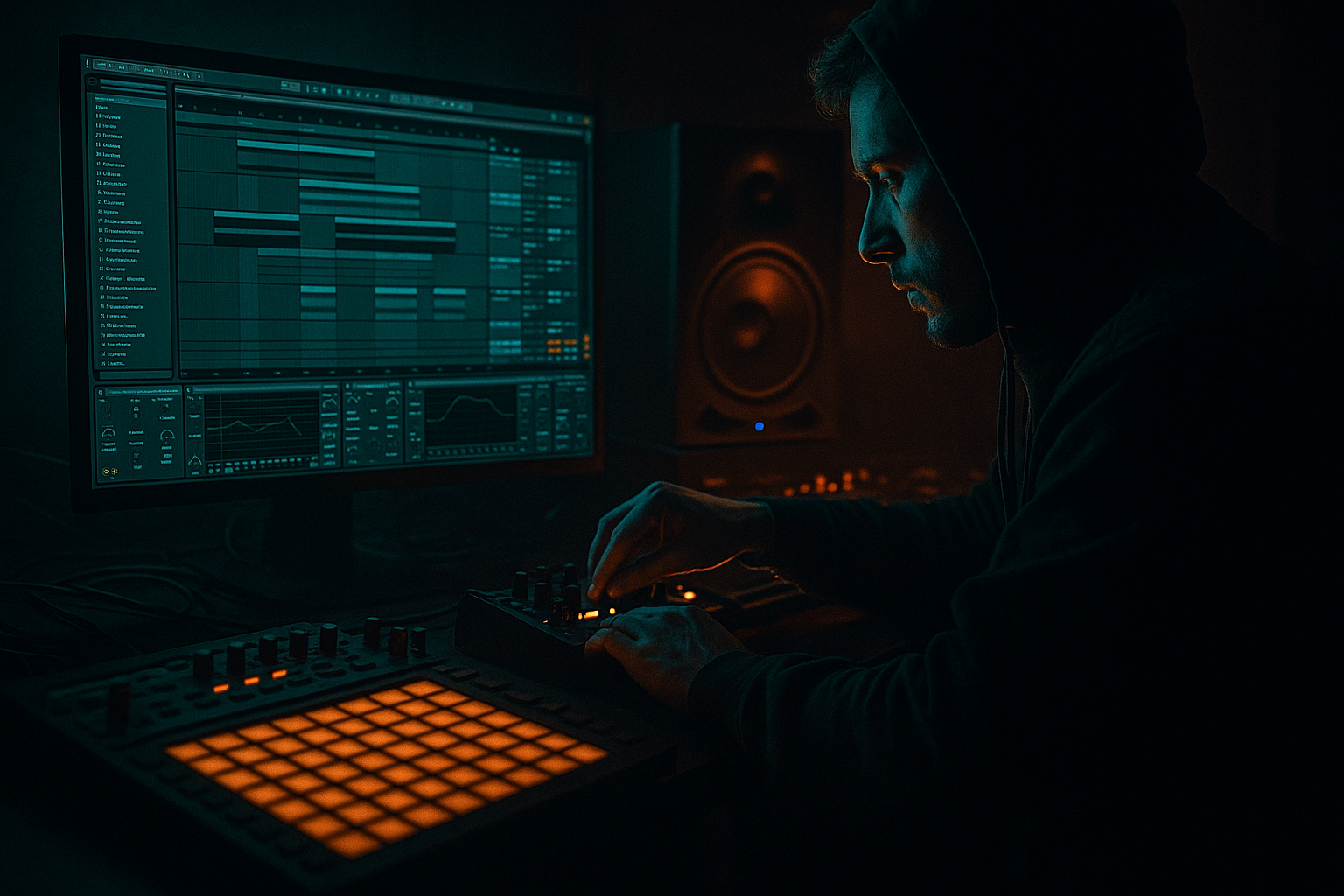
Main tutorial
Blend an Amen-style drum bus for pirate-radio energy in Ableton Live 12
> Goal: build a hard-hitting, gritty, forward-moving Amen-style drum bus that feels like it’s coming straight out of a late-night pirate set 🔥
> This is about blending layers, not just slapping on distortion. We want weight, crack, movement, and chaos control — classic jungle energy with modern DnB punch.
---
1. Lesson overview
In drum and bass, especially jungle-leaning or pirate-radio-inspired tracks, the drum bus often has to do more than “glue” the kit together. It needs to:
- keep the Amen break energetic and readable
- preserve the human swing and frantic top-end detail
- add weight without killing the transient snap
- create a dirty, compressed, slightly unstable vibe
- sit in front of a heavy sub and bassline without fighting it
- EQ Eight
- Drum Buss
- Saturator
- Glue Compressor
- Multiband Dynamics or Compressor
- Roar if you want modern drive and controlled aggression
- Utility for gain and mono management
- optional Hybrid Reverb or Echo for tiny spatial grit
- tight low-end kick/body
- snappy snare crack
- crispy hats and break texture
- parallel grit and smash
- controlled stereo width
- energy that works in a rolling DnB arrangement
- classic jungle break energy
- modern UK DnB pressure
- a little overload and radio hiss attitude
- strong enough to carry an intro, drop, or switch-up section
- Amen Break Track — primary loop
- Layer Track — kick/snare reinforcement
- Texture Track — optional noise, vinyl, or resampled grit
- all routed to a Drum Group
- inside the group, a drum bus chain with parallel processing
- good transient definition
- some room tone / ambience
- enough dynamic range to shape
- no overcooked master-limiting unless that’s the vibe you want
- right-click the sample > Slice to New MIDI Track
- use Transient slicing
- then reprogram the rhythm with tiny offsets and ghost notes
- short
- punchy
- centered
- not too long in the low end
- a tight punch kick around 50–70 Hz
- or a sampled acoustic kick with a short decay
- EQ Eight
- Saturator
- Utility
- a strong transient
- body around 180–250 Hz
- crack around 2–5 kHz
- short tail
- EQ Eight
- Drum Buss
- Utility
- vinyl noise
- sampled room tone
- resampled break with heavy saturation
- white noise with a bandpass
- a chopped reverb tail from the snare
- EQ Eight
- Saturator
- Auto Filter
- Utility
- Amen Break
- Kick Layer
- Snare Layer
- Texture Layer
- the individual elements
- the bus as a whole
- leave individual tracks peaking around -12 to -6 dBFS
- keep the drum group output with headroom
- do not slam into the master
- keep it short and mono
- add saturation rather than boosting too much EQ
- if it feels too pokey, reduce transient and add body around 200 Hz
- if it feels weak, use Drum Buss or Saturator to thicken it
- high-pass aggressively if needed
- if it is cluttering the mix, narrow it with EQ or reduce stereo width with Utility
- HP at 20–30 Hz to clear sub-rumble
- small dip around 250–350 Hz if the break feels boxy
- gentle lift around 8–12 kHz if you want air and hat presence
- don’t over-EQ — let the bus breathe
- Attack: 10 ms or 30 ms
- Release: Auto or 0.1–0.3 s
- Ratio: 2:1 or 4:1
- Threshold: aim for 1–3 dB gain reduction, occasionally 4 dB if aggressive
- Soft Clip: On if needed
- Are the layers locking together?
- Does the snare still jump?
- Is the kick still punching through?
- Drive: 2–6 dB
- Curve: default or slight adjustments
- Soft Clip: On
- Output: trim back level to match bypass
- more harmonic thickness
- slightly more apparent loudness
- a bit of edge without full destruction
- start with a moderate drive mode
- use it subtly on the bus
- keep the low end controlled
- automate intensity for breakdowns or drop accents
- darker saturation
- harsher top-end bite
- technoid / neuro-adjacent drum energy
- controlled “system abuse” vibes
- Drive: 5–15
- Crunch: low to medium
- Boom: only if your break needs low-end enhancement
- Boom Freq: usually 50–80 Hz
- Transients: +5 to +20 depending on source
- Damp: adjust if hats get too splashy
- Dry/Wet: 30–70% depending on how hard you want it
- trim output
- set width if needed
- check mono compatibility
- keep Width near 100% or slightly less if the top end feels too wide
- avoid stereo widening on the low-mid body
- enough to add density
- enough to make ghost notes and hats pop
- not enough to flatten the main transient contour
- short room or ambiences
- decay: 0.2–0.6 s
- pre-delay: 0–10 ms
- low-cut aggressively
- send very lightly
- time: very short
- feedback low
- filter heavily
- send subtly to create depth
- Intro: filtered Amen with high-passed bus and lighter compression
- Build: gradually introduce parallel smash
- Drop: full bus chain with added drive and transient emphasis
- Switch-up: momentary breaks in the bus processing or filter automation
- Breakdown: strip down to the raw break, then slam the return on re-entry
- Drum Buss Drive
- Saturator Drive
- Glue Compressor Threshold
- EQ Eight filter cutoff
- Return send level to Drum Smash
- Utility width for intro/outro transitions
- slowly increase Saturator Drive by 1–2 dB
- bring up parallel smash send by a few dB
- slightly open the top-end EQ shelf
- reset everything hard on the drop
- sub
- reese
- neuro bass
- rolling basslines
- does the kick step on the sub?
- does the snare get buried by bass harmonics?
- do the hats become harsh when bass enters?
- does the drum bus still punch in mono?
- carve a little 200–500 Hz from the drum bus
- let the snare crack live above the bass’s midrange
- keep the low drum body focused, not bloated
- the drum bus can carry more midrange grit
- you can lean harder into saturation and texture
- the dry Amen
- the support layers
- the parallel return
- the full bus chain
- does the break still feel alive?
- do the layers enhance rather than blur?
- does the snare hit with authority?
- can you hear detail in the hats even when the mix gets loud?
- jungle rollers
- pirate-radio style edits
- darker dancefloor DnB with break layers
- perceived punch
- drum brightness
- distortion character
- density, not just volume
- one version for body/punch
- one version for high-frequency grit
- body version: cleaner, tighter, compressed
- dirt version: heavy saturation, filtered, quieter
- Drum Buss Transients slightly up
- short, controlled compression
- a subtle 2–4 kHz EQ lift on the snare layer
- compression
- saturation
- Redux
- bandpass filtering
- maybe even a touch of Frequency Shifter for weirdness
- you can commit to the vibe
- chop fills and reverses more easily
- create pre-drop risers from drum residue
- automate or reverse the printed bus for transitions
- removing the kick for a beat
- leaving only the snare tail or texture layer
- bringing the full Amen back with a resampled smash layer
- 1 Amen break track
- 1 kick reinforcement layer
- 1 snare reinforcement layer
- 1 texture layer
- 1 parallel smash return
- The main drum group must stay under control and punchy
- The parallel return must add grit without destroying the groove
- Automate at least 2 parameters across the 16 bars
- Create one 1-bar switch-up in bars 9–12
- does the second 8 bars feel bigger?
- does the bus stay coherent when the return comes in?
- can you feel the snare jump out of the mix?
- does the break still shuffle, or is it just flattened?
- start with a strong Amen source
- layer kick, snare, and texture support
- clean and shape each element before bus processing
- use EQ Eight, Glue Compressor, Saturator, Drum Buss, and Utility as your core chain
- add a parallel smash return for grit and urgency
- automate distortion and send levels for arrangement energy
- keep the groove alive while pushing attitude and density
- a downloadable Ableton-style device chain preset guide
- a signal-flow diagram
- or a second lesson on processing the bass around the drum bus.
In Ableton Live 12, you can do this with a smart chain using stock devices:
We’ll focus on a practical workflow for blending:
1. the dry Amen break
2. a heavier duplicate/layer for punch
3. a dirt layer for pirate-radio grime
4. bus processing that makes it feel like one instrument
---
2. What you will build
You’ll build an Amen drum bus chain in Ableton Live 12 that gives you:
Target sound
Think:
Bus structure
You’ll have:
---
3. Step-by-step walkthrough
Step 1: Choose and prep the Amen source
Start with a clean Amen break sample or a chopped Amen phrase.
Good source traits
Look for:
In Ableton
1. Drop the Amen sample into an Audio Track
2. Set Warp carefully:
- for a looped break, use Beats mode
- keep transient preservation strong
- avoid excessive time-stretch artifacts unless you want them as texture
3. Set the clip so it grooves naturally at your project BPM, usually:
- 170–175 BPM for modern DnB
- 160–170 BPM for jungle-leaning halftime or darker rollers
Practical tip
If the break feels too “flat,” slice it:
That gives you more control over the blend later.
---
Step 2: Build the supporting layers
The Amen alone often lacks the modern density needed for a heavy DnB mix. Layer it.
A. Kick reinforcement layer
Add a separate kick one-shot:
Common choice:
#### Suggested processing on the kick layer:
- HP around 25–30 Hz
- small boost around 60–80 Hz if needed
- cut boxiness around 200–400 Hz
- Drive: 2–5 dB
- Soft Clip: On
- Width: 0% if you want it dead center
B. Snare reinforcement layer
Add a snare one-shot that matches the Amen’s crack.
Use a snare with:
#### Suggested processing:
- HP at 80–120 Hz
- tame harshness around 6–9 kHz if needed
- Drive: 5–15
- Boom: subtle or off
- Transients: push up slightly for snap
- keep centered
C. Texture layer
This is where pirate-radio energy starts to show.
Possible sources:
#### Keep it subtle
You want to feel it more than hear it.
Suggested chain:
- bandpass between 2–10 kHz or narrow high shelf
- Drive: 3–8 dB
- slow modulation or manual movement
- lower gain until it barely sits on top
---
Step 3: Group the drums
Route all drum parts into a Drum Group.
Inside the group:
This lets you process both:
Recommended gain staging
Before bus processing:
Pirate-radio energy is not just loudness — it’s density with space to breathe.
---
Step 4: Shape individual tracks before the bus
Before you bus-compress, clean the sources.
Amen Break track
Insert:
1. EQ Eight
- HP at 25–35 Hz
- small cut if muddy around 250–450 Hz
- gentle boost if needed around 3–6 kHz for snap
2. Drum Buss
- Drive: 5–20
- Crunch: low to moderate
- Boom: use carefully, or disable if it muddies the low end
- Transients: slightly up for bite
3. Utility
- use gain trim to match levels when bypassing
Kick layer
Snare layer
Texture layer
---
Step 5: Create the drum bus chain
Now for the main event: the group bus processing.
A strong starting chain in the Drum Group:
1. EQ Eight
2. Glue Compressor
3. Saturator or Roar
4. Drum Buss
5. Utility
6. optional Limiter only for safety, not as a crutch
---
5.1 EQ Eight on the bus
Use this first to shape the combined spectrum.
#### Suggested moves:
Use high-pass gently. You still want some low body from the kick/snare relationship.
---
5.2 Glue Compressor for cohesion
This is where the drum layers start to feel like one unit.
#### Suggested starting settings:
- faster attack = more control
- slower attack = more transient punch
#### What to listen for
If the break loses life, back off the threshold or lengthen the attack.
---
5.3 Saturator or Roar for aggression
For pirate-radio grit, this is often the secret sauce.
#### Option A: Saturator
Great for simple, reliable harmonic push.
Suggested settings:
Use this when you want:
#### Option B: Roar
If you want modern, more chaotic distortion with control, use Roar.
Suggested workflow:
Roar is excellent if you want:
---
5.4 Drum Buss for smack and movement
This is one of the best stock devices for DnB drum bus work.
#### Suggested settings:
#### Important
If your drums already have plenty of low-end from the kick layer, keep Boom conservative. Too much Boom turns a fast roller into mush.
---
5.5 Utility for final bus control
Use Utility at the end of the chain to:
For a tight DnB drum bus:
---
Step 6: Add parallel drum smash
This is the quickest way to get that “pirate radio taped-to-the-mic” urgency without destroying the main bus.
Create a parallel return track
Send the drum group or key elements to a Return track labeled Drum Smash.
#### Suggested chain on the return:
1. EQ Eight
- HP at 120 Hz
- optionally LP at 12–16 kHz
2. Compressor or Glue Compressor
- heavy compression
- fast attack, medium release
- 6–10 dB gain reduction is okay here
3. Saturator or Roar
- drive harder than the main bus
4. optional Redux for crunchy digital dirt
5. blend under the dry drums
Return chain vibe
This is the “abused cassette deck in a pirate studio” layer.
Keep it lower than you think, then raise until the drums feel more urgent, not just louder.
Parallel level goal
---
Step 7: Add micro-space if needed
Pirate-radio energy is often dry, but a tiny amount of space can make the break feel like it exists in a room, not just in a sample editor.
Use Hybrid Reverb very subtly
On a return:
This can help the snare and break glue without sounding obviously reverby.
Alternative: Echo as slap texture
Very short echo or slapback on a send:
Keep it dirty and minimal.
---
Step 8: Automate energy in the arrangement
A big part of pirate-radio feel comes from movement over time.
Arrangement ideas for the drum bus
Automation targets
Automate:
#### Example automation move
During the 8 bars before the drop:
That contrast makes the drop feel bigger than just “loud.”
---
Step 9: Check against bass and sub
This is crucial in DnB.
Your Amen bus might sound huge solo, but the real test is how it behaves with:
Checklist
Mixing strategy
If the bass is very dense:
If the bass is sparse:
---
Step 10: Final blend and reference
How to judge the blend
Mute and unmute:
You’re listening for:
Use references
Reference tracks in the same tonal zone:
Match:
---
4. Common mistakes
1. Over-compressing the main bus
If the Amen loses all swing, it becomes a lifeless loop.
Fix:
Reduce Glue Compressor threshold, lengthen attack, or move some compression to a parallel return.
---
2. Too much Boom in Drum Buss
Boom can sound amazing solo and terrible in a full DnB mix.
Fix:
Use Boom sparingly, or skip it if your kick/sub relationship is already strong.
---
3. Saturating the low end too hard
This makes the kick muddy and the sub unstable.
Fix:
High-pass before heavy distortion on parallel layers, or split your low and high drum energy.
---
4. Not checking mono
A wide, crunchy break can collapse badly in mono.
Fix:
Use Utility to check mono, and avoid wide stereo enhancement on the core drum body.
---
5. Layering samples that fight each other
If the kick layer and break kick transient clash, the result is weaker, not stronger.
Fix:
Choose complementary layers or transient-shape them so one leads and the other supports.
---
6. Too much top-end harshness
DnB hats can become painful fast, especially with saturation.
Fix:
Use EQ gently, tame 7–10 kHz if needed, and compare at lower monitor volume.
---
5. Pro tips for darker/heavier DnB
Tip 1: Split the break into body and dirt
Duplicate the Amen:
Process them differently:
This gives you more control than trying to force one chain to do everything.
---
Tip 2: Use transient emphasis strategically
In darker DnB, the snare often needs to cut through thick bass.
Try:
Don’t overdo it — you want presence, not clickiness.
---
Tip 3: Make the parallel return ugly on purpose
Your main drum bus can stay relatively controlled while the return gets nasty:
Blend it low. The ear perceives attitude even when it’s subtle.
---
Tip 4: Resample the full drum bus
Once the blend is working, resample 4 or 8 bars.
Why:
This is very jungle-friendly and helps the track feel alive.
---
Tip 5: Use short arrangement breaks
For heavier DnB, a one-beat or half-bar drum drop can make the next hit feel enormous.
Try:
That contrast is pure energy ⚡
---
6. Mini practice exercise
Exercise: build a 16-bar pirate-radio Amen bus
#### Task
Create a 16-bar loop at 174 BPM with:
#### Requirements
Suggested process
1. Loop an Amen break
2. Add kick and snare support
3. Process individual layers
4. Group and bus-process
5. Create a parallel return called SMASH
6. Automate:
- Drum Buss Drive
- return send amount
7. In bars 9–12:
- filter the Amen
- thin out the kick layer
- then reintroduce full energy on bar 13
What to listen for
---
7. Recap
To blend an Amen-style drum bus for pirate-radio energy in Ableton Live 12:
The key idea is this:
> Don’t just make the break louder — make it more characterful, more unified, and more dangerous.
That’s the sound of jungle pressure, pirate-radio grit, and modern DnB punch working together 🎛️🔥
If you want, I can also turn this into:

