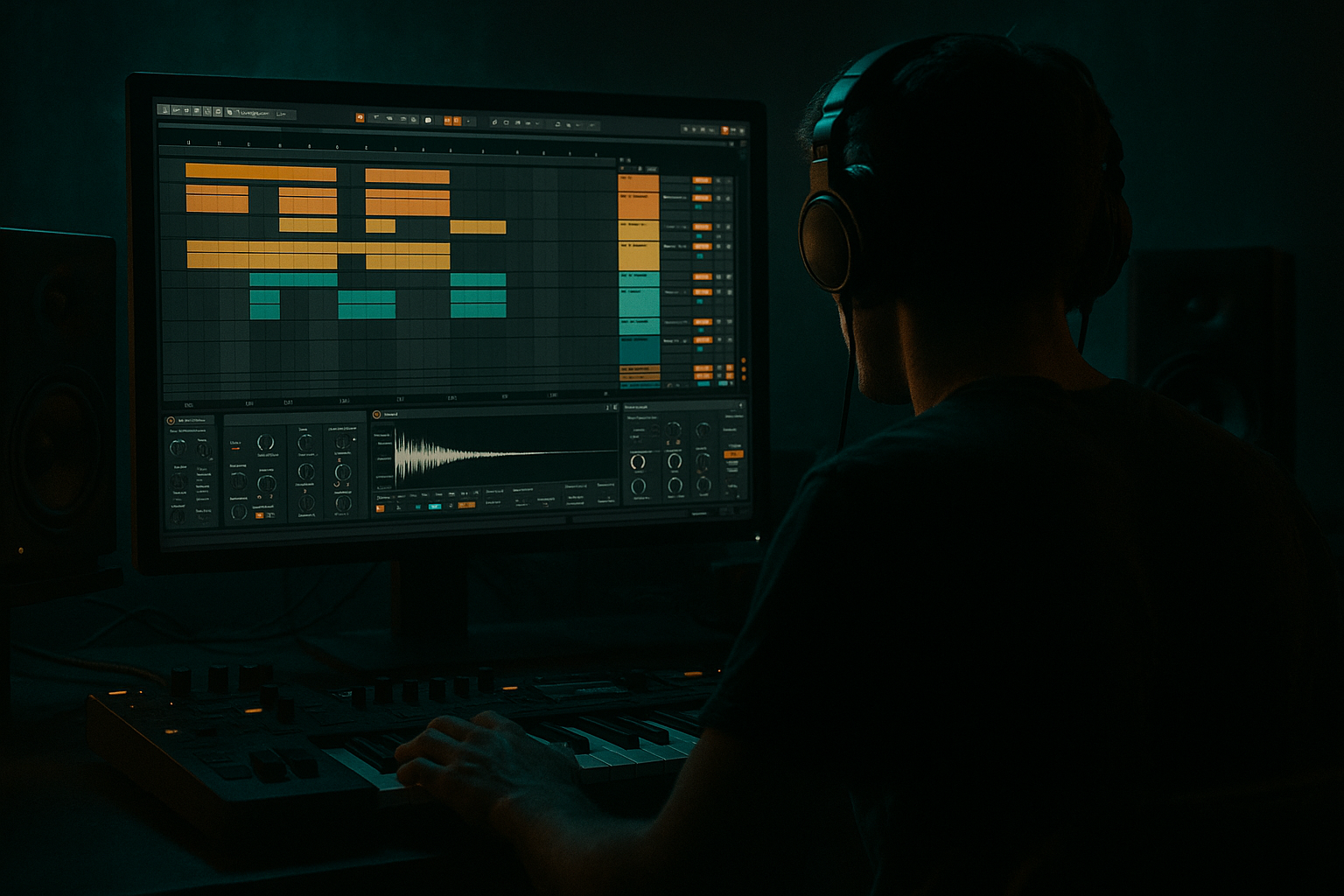
Main tutorial
Lesson Overview
This lesson is about building a dub siren-inspired bassline framework in Ableton Live 12 for oldskool jungle / DnB: deep sub weight, a reese-style mid layer, crisp transient accents, and dusty, lo-fi mids that feel like they came off a battered sampler and a smoky sound system. The goal is not just “making a bass patch” — it’s creating a call-and-response bassline system that can sit under breakbeats, leave space for vocals or MC-style chops, and drive a track from the intro into the drop with that unmistakable rootsy, warehouse, tape-worn energy.
Why this matters in DnB: jungle and darker DnB rely on contrast. A clean sub foundation gives impact, the midrange gives identity, and the transient detail tells the ear where the groove lives. If the bassline is too smooth, it loses bite. If it’s too distorted, it swallows the drums. This lesson shows how to shape a bassline that can coexist with chopped breaks, vocal snippets, and tension FX without cluttering the mix.
We’ll lean heavily on Ableton stock devices: Operator, Wavetable, Drum Rack, Saturator, Roar, Auto Filter, Shaper, Utility, EQ Eight, Glue Compressor, Gate, Simpler, Redux, Spectrum, and Envelope Follower style modulation through racks and automation. The workflow is built for advanced producers who want fast decisions, strong arrangement logic, and mix-safe aggression.
What You Will Build
By the end of this lesson, you’ll have a three-part bass instrument in Ableton Live 12:
1. A mono sub layer that locks tightly with the kick and supports the groove without flamming.
2. A dusty mid bass / reese layer with a dub siren flavor — unstable, gritty, and animated, but controlled.
3. A crisp transient attack layer for note articulation, giving the bassline a percussive “ping” that can answer the drums and vocal chops.
Musically, the result should feel like:
- A root-note bassline with occasional octave or fifth movement
- Siren-style pitch movement and formant-like motion in the mids
- Stabbed or syncopated phrases that leave space for breaks and vocals
- A mix that holds up in mono, hits hard on the drop, and still has atmosphere in the intro
- Set project tempo around 168–174 BPM
- Loop 2 or 4 bars
- Leave at least one empty rhythmic lane for vocal chops or a siren call later
- Keep the bass MIDI short at first: 1-bar loop, 2–4 notes maximum until the groove is locked
- Oscillator A: sine
- Amp envelope: short attack, medium release
- Voices: 1
- Glide/portamento: subtle, around 20–50 ms if you want oldschool pitch slides
- Filter: off or very gentle low-pass if needed
- Keep the sub centered with Utility set to mono
- Tune the sub to the key of the track
- Keep notes mostly in the root and fifth
- Use octave jumps sparingly as phrase punctuation, not constant motion
- Shorten note lengths so the sub resets cleanly on syncopated patterns
- High-pass very gently around 20–30 Hz
- Cut unnecessary low-mid buildup if the sub feels cloudy
- Do not boost the sub aggressively; the arrangement should carry the energy, not a hype EQ curve
- Oscillator 1: saw
- Oscillator 2: saw or square, detuned slightly
- Unison: 2–4 voices, not too wide
- Detune: moderate, around 8–18%
- Filter: low-pass with resonance around 10–25%
- LFO or envelope on filter cutoff for movement
- Keep the layer in mono or near-mono below about 180 Hz
- Filter cutoff sweeping slowly over 1–2 bars
- Fine pitch wobble using a very small LFO amount
- Formant-like movement with wavetable position or filter resonance
- Slight pitch bend into held notes for that “calling” effect
- Saturator: Drive around 2–6 dB, Soft Clip on if needed
- Roar: use subtle drive and tone shaping to add harmonics without flattening the sound
- Redux: very light bit reduction if you want more dusty jungle grit
- Auto Filter: automate filter opens on phrase endings
- A short Simpler sample hit
- A resampled click from the bass itself
- A muted square/saw pluck from Operator
- Create a one-shot click or short blip in Simpler
- Set the sample to Trigger
- Short decay, no sustain
- High-pass aggressively with EQ Eight so it only lives in the upper mids
- Optional: use Corpus very subtly if you want a resonant metallic edge, but keep it minimal
- Attack layer fundamental should be mostly absent below 250–400 Hz
- Boost only enough to hear the start of each note
- Use Gate or a very short amp envelope to keep it tight
- Bar 1: establish the root
- Bar 2: answer with a movement note, octave, or siren bend
- Bar 3: repeat with a variation
- Bar 4: leave space, or hit a stronger resolution
- Root note on the downbeat, then syncopated answer on the “and”
- Occasional fifths for lift
- Octave drops at the end of a phrase
- One held note with automated filter movement for tension
- Silence before the drop to let the break and vocal cut through
- EQ Eight: clean out mud
- Saturator or Roar: unify harmonics
- Glue Compressor: light control, not smash
- Utility: mono check, bass width discipline
- Optional Shaper: carve a little transient emphasis if the attack layer needs help
- Glue Compressor: ratio 2:1, attack 10–30 ms, release Auto or 0.3–0.6 s, gain reduction only 1–2 dB
- Utility: keep low end mono; if needed, use width reduction on the group and let only the upper mids spread
- EQ Eight: small cut around 200–400 Hz if the mid layer masks the snare or vocal chop presence
- Filter cutoff on the mid layer for phrase openings
- Saturator drive slightly upward into drop transitions
- Reverb send on the siren-like accents for atmospheric tails
- Pitch bend on select notes for a classic dub wobble
- Dry/wet on delay throws for the last hit of a 4-bar phrase
- Use a 2-bar intro fill with bass filtered low
- Open the filter at the drop
- Bring the transient layer in first
- Add the sub one sixteenth late for a subtle push
- Reintroduce the mid layer on bar 2 to create a second wave of energy
- Reverse bass swells
- Micro-stutters
- Filtered tail grabs
- One-shot accent hits for fills
- Freeze/flatten or resample the Bass Group
- Drag the audio into a new Simpler
- Slice by transient or manually
- Rearrange the slices into fills before the drop or at the end of 8-bar sections
- Too much low end in every layer
- Wide bass below the low end
- Over-complex note patterns
- Transient layer too loud
- Distortion turning the bass fizzy
- Bass and break occupying the same rhythmic punctuation
- Use slight pitch automation into longer notes to mimic dub siren instability without becoming cheesy.
- Layer a very quiet noise burst on the attack layer for extra pick-up, then high-pass it aggressively.
- Put Roar before EQ for harmonic character, then clean after. This often feels heavier than EQ-first processing.
- Try a call-and-response bassline where the first bar is sub-heavy and the second bar opens the mids for more aggression.
- If the break is busy, reduce bass note density and let automation carry the energy instead.
- On the bass bus, use Glue Compressor only for cohesion. If you need actual punch, shape the attack layer instead of crushing the whole chain.
- For extra underground character, resample a phrase, slice it, and reintroduce only the best transients as fill material.
- Use Spectrum while soloing the bass group to make sure the mid layer isn’t swallowing the vocal range around 1–3 kHz.
- Keep the sub and kick relationship intentional: if the kick has more 50–60 Hz, let the bass root sit slightly lower or shorter.
- Build the bass in three layers: sub, dusty mid, crisp transient.
- Keep the sub mono and clean, the mids gritty but controlled, and the attack tight.
- Phrase the bass like call-and-response, leaving space for breaks and vocals.
- Use Ableton stock devices to shape movement, saturation, and arrangement tension.
- Resample and automate for oldskool jungle character, but keep the mix disciplined.
- In DnB, the best basslines feel heavy because they are precise, not overloaded.
Think of it as a bassline that can work in a rolling 170 BPM jungle/darker DnB track with vocal fragments in the gap between break hits, or in a half-time intro that later opens into a full amen-driven drop.
Step-by-Step Walkthrough
1. Set up a bassline bus and reference the break-first relationship
Create a dedicated group or return structure for your bass elements. In Ableton Live 12, place your sub, mid, and attack layers inside an Instrument Rack on one MIDI track, or split them to separate tracks if you want maximum control. For an advanced workflow, I recommend separate tracks for sound design, then route all three to a Bass Group for bus processing.
Start by loading a drum break first. Even if the bass is the focus, the break dictates the phrasing. Put a classic jungle-style loop on the grid, then write the bassline against the snare and ghost-note pockets, not over them. If the break has strong transient energy on beat 2 and 4, let the bass answer in the spaces between. This is especially important in oldskool DnB: the bass should feel like it is interlocking with the break, not competing with it.
Practical move:
Why this works in DnB: the break provides the shuffle, and the bass provides the weight. If both occupy the same rhythmic frequency space, the track turns muddy fast. Let the drums breathe and the bass phrase in answer.
2. Build the sub foundation with Operator or Wavetable
For the sub, use Operator because it’s fast, clean, and reliable. Start with a sine wave, mono, and no unnecessary modulation.
Suggested starting point:
If you want a slightly more animated sub, use Wavetable with a simple sine or triangle-based starting shape and minimal warp. But for jungle, Operator usually wins because it stays direct.
Important:
Add EQ Eight after the sub:
3. Design the dusty mid layer with a reese/siren hybrid
Now create the character layer. Use Wavetable or Operator + Roar to build a moving mid bass that hints at a dub siren but still behaves like DnB bass. A good starting recipe is a detuned saw/triangle stack with slow pitch or wavetable motion.
Try this:
To get the dub siren flavor, automate or modulate:
Then dirty it up with stock devices:
The key is to make it feel worn, not broken. If the mid layer turns into a pure synth lead, it loses DnB function. It should feel like a bass instrument with attitude, not a melody patch pretending to be bass.
4. Add a crisp transient attack layer for note definition
This is where the bass starts speaking in the mix. In jungle and darker rollers, transient clarity helps the bass cut through dense breaks. Build a short attack layer using either:
A practical technique:
Suggested range:
This layer is especially useful if you’re writing call-and-response with vocal chops. The transient can “echo” the consonants in a vocal sample or match the attack of an amen snare. That makes the whole groove feel intentional and arranged, not just looped.
5. Program the phrase like a conversation, not a loop
Now write the actual bassline MIDI. For advanced DnB, phrase length matters more than note count. Create a 2-bar or 4-bar conversation:
Use these ideas:
If you’re working with vocals in this category context, place the bass so it leaves syllable-shaped gaps. For example, if a vocal chop hits on beat 1 and the “and” of 2, keep the bass out of that pocket and answer on the “and” of 3. This creates a proper MC-and-rhythm energy that’s very authentic to jungle and early DnB sound systems.
6. Shape the bass bus with controlled grit and stereo discipline
Route all bass layers to a Bass Group and process there. This is where you glue the parts together without killing the movement.
Suggested chain:
Practical settings:
The bus should make the bass feel like one instrument. If you can hear the layers fighting each other, simplify the arrangement or reduce the upper-mid complexity. In DnB, controlled aggression beats oversized sound design.
7. Automate tension and release across the drop
This style lives and dies on movement. Use automation to turn the bass from a static patch into an arrangement tool.
Automate:
A strong arrangement move:
This works beautifully in oldskool DnB because the listener perceives a progressive reveal. The drums hit, the bass answers, then the mids bloom. That sequence is more exciting than dropping everything at once.
8. Resample the bass for grit, edits, and variation
Advanced DnB production gets faster when you resample your own work. Bounce 4 bars of the bassline to audio, then chop it inside Simpler or Audio Clips. This lets you create:
Workflow:
For dusty jungle character, use Redux very lightly on a resampled fill and then filter it back down. The point is not lo-fi for its own sake — it’s to create texture that feels sourced from hardware, tape, or a crusty sampler.
Common Mistakes
Fix: keep only one true sub source. High-pass the mid and transient layers properly.
Fix: mono the bass group, and only allow width in the upper mids if it survives a mono check.
Fix: simplify. Jungle bass often works because it says less, but with stronger placement.
Fix: it should define attack, not become a click track. Reduce its level until you miss it when muted, but don’t hear it as a separate instrument.
Fix: use saturation in stages. A little on the sound, a little on the bus, and EQ the harshness after.
Fix: move bass notes away from snare fills and ghost-note clusters. Let the break “speak.”
Pro Tips for Darker / Heavier DnB
Mini Practice Exercise
Spend 15 minutes building a 2-bar bass phrase for a 170 BPM jungle drop:
1. Write a simple breakbeat loop first.
2. Create a mono sub in Operator with only two notes: root and fifth.
3. Build a dusty mid layer in Wavetable with slow filter movement and light saturation.
4. Add a short transient pluck layer from Simpler.
5. Program a 2-bar bassline with one held note, one pitch slide, and one rest for vocal space.
6. Automate the mid filter to open slightly on bar 2.
7. Resample the full phrase and chop one fill for the turnaround.
8. Check mono compatibility and compare the bass with and without the transient layer.
Goal: make the bassline feel like it is answering the drums and a vocal chop, not just looping underneath them.

