DNB COLLEGE

Drum & Bass Ableton Live 12 Tutorials

LESSON DETAIL

Bass wobble in Ableton Live 12: flip it for deep jungle atmosphere (Advanced)

An AI-generated advanced Ableton lesson focused on Bass wobble in Ableton Live 12: flip it for deep jungle atmosphere in the Arrangement area of drum and bass production.

Back to lessons
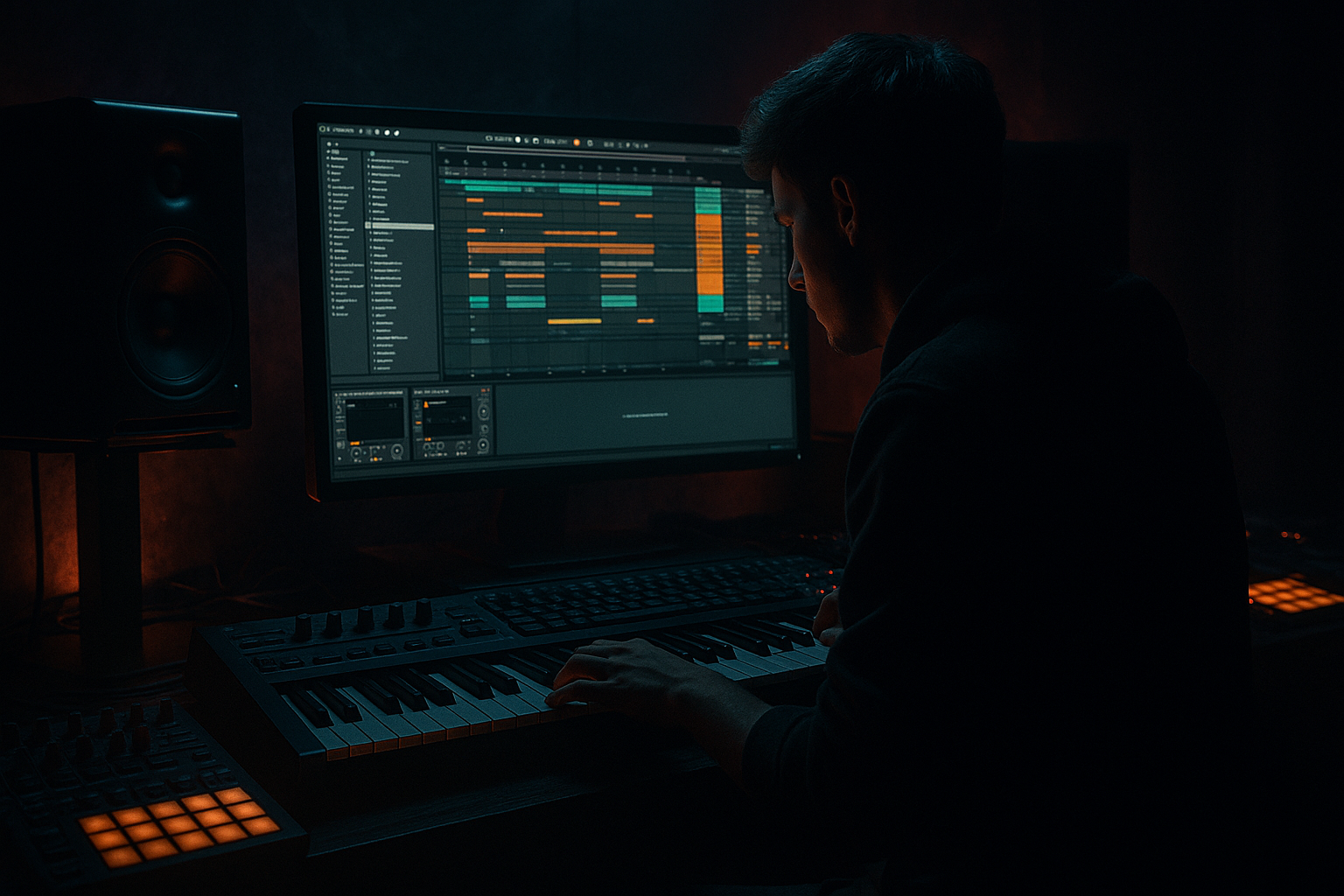
Bass wobble in Ableton Live 12: flip it for deep jungle atmosphere (Advanced) cover image

Narrated lesson audio

The voice track includes the tutorial plus extra teacher commentary.

Open audio file

Main tutorial

Bass wobble in Ableton Live 12: flip it for deep jungle atmosphere 🌀🌿

Skill level: Advanced

Category: Arrangement (DnB / jungle)

---

1) Lesson overview

In classic wobble bass, the movement is the headline. In deep jungle, the movement becomes atmosphere—a ghost in the mix that implies weight without stealing focus from the break.

This lesson shows you how to flip a wobble: instead of “LFO = obvious wob,” you’ll build sub + reese + modulated mid, then arrange wobble motion as an evolving texture—tucked behind breaks, opening in transitions, and creating that humid, late-night jungle depth. 🌫️

You’ll do it using Ableton Live 12 stock devices + workflow tricks for fast arranging.

---

2) What you will build

A bass system and arrangement that sounds like:

  • Solid sub that stays consistent and mono
  • Reese layer that provides width + haze
  • Wobble layer whose modulation is flipped: used for space, tension, and transitions (not constant “wub wub”)
  • An arrangement approach where wobble motion is automated by section (intro / drop / switch / breakdown), synced to jungle breaks and fills
  • You’ll end with a 16–32 bar DnB loop that can expand into a full track.

    ---

    3) Step-by-step walkthrough

    Step A — Session prep (tempo, groove, routing)

    1. Set tempo to 165–172 BPM (try 168 for jungle swing).

    2. Create a Bass Group with 3 MIDI tracks:

    - `BASS_SUB`

    - `BASS_REESE`

    - `BASS_WOB_TEX`

    3. Create return tracks:

    - `A - JungleVerb` (Hybrid Reverb)

    - `B - DubDelay` (Echo)

    - `C - TrashRoom` (short room / grit)

    Workflow tip: Color-code bass layers and group them. Keep your modulation automation on the Group track where possible for arrangement-level control.

    ---

    Step B — Build the sub (stable foundation) 🧱

    Track: `BASS_SUB`

    Device chain (stock):

    1. Operator (or Wavetable)

    - Algorithm: A only

    - Osc A: Sine

    - Voices: 1

    2. Saturator

    - Drive: 2–6 dB (just enough to translate on smaller systems)

    - Soft Clip: On

    3. EQ Eight

    - HPF: Off (don’t high-pass sub)

    - Low shelf: tiny lift if needed, but keep it subtle

    - Cut around 200–400 Hz if any mud shows up (from saturation harmonics)

    Important: Keep sub mono. If you add any width later in the group, use Utility on the sub track:

  • Utility: Width 0%, Bass Mono On (if you use that setting in Live 12 Utility options)
  • MIDI: Write a 2-bar bassline that follows classic jungle root movement:

  • Use long notes for sub (whole/half notes), and let breaks provide rhythm.
  • ---

    Step C — Build the reese (width + fog) 🌫️

    Track: `BASS_REESE`

    Device chain (stock):

    1. Wavetable

    - Osc 1: Basic ShapesSaw-ish

    - Osc 2: Basic ShapesSaw-ish

    - Detune: 10–25 cents (keep it musical, not supersaw)

    - Unison: 2–4 voices, Amount low to medium

    2. Auto Filter (this is where your “wobble energy” will live, but we’ll flip how you use it)

    - Filter type: LP24

    - Drive: 3–8%

    - Base cutoff: 120–300 Hz (depends on how mid-forward you want it)

    - Resonance: 0.20–0.45

    3. Chorus-Ensemble

    - Mode: Chorus

    - Rate: 0.15–0.40 Hz

    - Amount: 20–40%

    - Width: 120–160%

    4. EQ Eight

    - High-pass at ~90–120 Hz (leave room for the sub)

    - Gentle dip 250–500 Hz if it crowds the break

    Phase discipline: If your reese fights the sub, tighten it:

  • Add Utility and reduce Width to 80–110% (not too wide down low).
  • Or high-pass slightly higher (110–140 Hz) and let the sub do the low lifting.
  • ---

    Step D — Build the “flipped wobble” texture layer (movement as atmosphere) 🌀

    This is the key: you’ll make a wobble that’s not always rhythmic. It’s a shifting mid texture that appears in pockets and transitions.

    Track: `BASS_WOB_TEX`

    Device chain (stock):

    1. Operator (great for metallic growl without third-party plugins)

    - Osc A: Saw

    - Osc B: Sine (as FM source)

    - Turn on FM (B → A)

    - FM Amount: 5–20 (small moves matter)

    2. Amp (adds mid bite)

    - Type: Rock or Clean

    - Gain: low to moderate

    3. Auto Filter (main wobble shaper)

    - LP12 or BP (Bandpass is amazing for “jungle haze”)

    - Resonance: 0.35–0.65

    - Drive: 5–12%

    4. Saturator

    - Drive: 3–8 dB

    - Soft Clip: On

    5. EQ Eight

    - HPF at 150–250 Hz (this layer should never muddy your sub)

    - Optional: boost 700 Hz–1.5 kHz for presence only when needed

    #### Create “flip modulation” with Max for Live LFO (or Shaper)

    Add LFO (M4L) after Auto Filter and map it to:

  • Auto Filter Cutoff
  • Optionally Auto Filter Resonance (tiny amount)
  • Optionally Operator FM Amount (tiny amount)
  • Suggested LFO settings (starting point):

  • Shape: Sine (smooth) or Random (S&H) for murk
  • Rate: 1/2 or 1 bar (not 1/8 “wub” unless you want a fill)
  • Offset: set so the filter mostly stays closed
  • Depth: just enough to breathe, not scream
  • Jitter / Smooth: use a bit of smoothing if random is too clicky
  • The flip:

    Instead of making the LFO constant, you’ll automate LFO Amount (or device on/off) by section.

  • In verses/drops: minimal movement, tucked
  • In transitions: push it forward and open the filter
  • In breakdowns: let it become a “windy” focal texture
  • ---

    Step E — Glue the bass as a system (group processing + crossover thinking) 🔧

    On the Bass Group, add:

    1. EQ Eight (cleanup + safety)

    - Optional gentle cut around 200–300 Hz if breaks feel boxed

    2. Glue Compressor (only if needed)

    - Attack: 10–30 ms (let transients through)

    - Release: Auto

    - Ratio: 2:1

    - GR: 1–2 dB max (don’t flatten the bass life)

    3. Utility

    - If the group gets too wide: Width 80–110%

    4. Limiter (optional safety, not for loudness)

    - Just catch peaks from the texture layer

    Sidechain approach (advanced but practical):

  • Put Compressor on `BASS_REESE` and `BASS_WOB_TEX` sidechained to kick OR break bus (depending on your track style).
  • Keep sub either not sidechained or only lightly (jungle often keeps sub more constant unless the kick is huge).
  • ---

    Step F — Arrangement: “wobble as atmosphere” in a jungle/DnB structure 🧭

    Here’s a reliable 32-bar template where wobble creates depth, not distraction:

    #### Bars 1–8 (Intro: establish world 🌌)

  • Sub: minimal or off until bar 5
  • Reese: lowpassed, quiet, wide
  • Wob texture: present but filtered very closed, mostly reverb send
  • Automation ideas:

  • Slowly raise Auto Filter cutoff on `BASS_WOB_TEX` from dark to slightly less dark
  • Increase Return A (Hybrid Reverb) send over 8 bars
  • #### Bars 9–16 (Drop A: rolling focus 🥁)

  • Break dominates. Bass supports.
  • Sub: steady notes
  • Reese: moderate presence, controlled width
  • Wob texture: reduced LFO amount (movement becomes subtle)
  • Automation ideas:

  • LFO Amount on wob: low (10–25%)
  • Filter cutoff: keep mostly closed so it “breathes” behind the break
  • #### Bars 17–24 (Switch / tension section ⚠️)

    Bring the wobble forward strategically:

  • Automate LFO Rate to speed up briefly (e.g., 1 bar → 1/2 → 1/4 for 2 bars)
  • Open bandpass slightly and add a touch more drive
  • Reduce reese width slightly so the wob texture feels more centered and threatening
  • #### Bars 25–32 (Drop B / payoff 💥)

    This is where you can “invert expectations”:

  • Keep the sub the same (consistency = power)
  • Let the wob texture take rhythmic moments (1/8 or triplet bursts) only in fills
  • Use break edits to punctuate the modulation changes (stutters, mutes, 1-bar drum gaps)
  • Arrangement trick:

    Automate the wob layer to appear in the holes of the break. Use mutes on drums for 1/4–1/2 beat, then let wob bloom with reverb—instant jungle drama.

    ---

    Step G — Add space like jungle: sends + filtering returns 🌧️

    Return A - JungleVerb (Hybrid Reverb):

  • Algorithmic or Convolution: try a dark room or warehouse style
  • Predelay: 15–30 ms
  • Decay: 1.5–3.5 s
  • EQ in the return:
  • - High-pass 200–400 Hz

    - Low-pass 6–10 kHz (darken it)

    Return B - DubDelay (Echo):

  • Time: 1/8D or 1/4
  • Feedback: 20–45%
  • Filter: keep it dark
  • Modulation: low, for drift
  • Key idea: In deep jungle, wobble often reads as space movement, not just filter movement. Send automation is part of the wob.

    ---

    4) Common mistakes 🚫

  • Wobbling the sub. If your sub is getting filter/LFO movement, your low-end will feel unstable and weak on systems.
  • Too much resonance + drive on the same filter. That can create whistle peaks that mask snare snap.
  • Constant LFO at 1/8 for the whole drop. That’s classic wob, but not “flipped” jungle atmosphere—your break will lose authority.
  • Stereo bass below ~120 Hz. Wide lows smear the groove and vanish in mono.
  • No arrangement automation. If the bass sounds the same every 8 bars, your track won’t breathe.
  • ---

    5) Pro tips for darker/heavier DnB 🖤

  • Bandpass the wob texture (not lowpass) and keep it behind the drums. Bandpass movement feels like fog rolling through.
  • Automate “density,” not just cutoff:
  • - LFO Amount up/down

    - Saturator Drive up/down

    - Reverb send up/down

    - Chorus amount up slightly in breakdowns

  • Use tiny FM movement (Operator FM Amount mapped to a slow LFO). It adds organic menace without obvious “wub.”
  • Create call/response with the break: mute the wob on snare hits, let it swell between hits. (Simple volume automation does wonders.)
  • Freeze/Flatten a 16-bar pass of the wob layer, then chop audio for arrangement. Jungle thrives on resampling. ✂️
  • Keep the reese controlled: if your break is busy, high-pass the reese higher (120–160 Hz) and let sub carry weight.
  • ---

    6) Mini practice exercise 🎯

    Goal: Make a 16-bar loop where wobble motion feels like atmosphere, not a lead.

    1. Write a 2-bar sub pattern (long notes) and loop it for 16 bars.

    2. Add the reese sustaining the same MIDI notes as the sub, but high-passed.

    3. Build the wob texture with Auto Filter + LFO mapped to cutoff.

    4. In Arrangement View, automate:

    - Bars 1–4: LFO Amount 0–10%, Reverb send high

    - Bars 5–12: LFO Amount 10–25%, Reverb send medium, Filter mostly closed

    - Bars 13–16: LFO Rate increases briefly (e.g. 1/2 → 1/4), LFO Amount 30–50%, then hard mute for the final 1 beat before looping

    5. Bounce/resample the wob layer and do 2–4 chops (reverse one chop, fade in/out). Place them as fills.

    Deliverable: a loop that feels rolling, deep, and humid, with wobble acting like “moving air” behind the break.

    ---

    7) Recap ✅

  • You built a three-layer bass system: stable sub, wide reese, and a modulated wob texture.
  • You flipped the wobble by using modulation as an arrangement tool—bringing it forward in transitions and hiding it behind breaks in the drop.
  • You used stock Ableton tools—Auto Filter, LFO (M4L), Saturator, EQ Eight, Hybrid Reverb, Echo—to create deep jungle movement without gimmicks.

If you want, tell me your target vibe (’94 jungle, techstep, modern deep rollers, halftime jungle) and I’ll suggest a specific 32–64 bar arrangement map + exact automation lanes to match it.


Ask GPT about this lesson

Chat with the lesson tutor, get follow-up help, or use quick actions.

Bigup 👽 Ask me anything about this lesson and I’ll answer in context.

Narration script

Show spoken script
Title: Bass wobble in Ableton Live 12: flip it for deep jungle atmosphere (Advanced)

Alright, let’s build a bass system for deep jungle where the wobble isn’t the main character. The breaks are the headline. The bass is the weather.

Because classic wobble bass is all about obvious movement, right? “Listen to the filter go wub-wub.” But deep jungle is a different flex. The movement becomes atmosphere. It’s that humid, late-night fog behind the drums that makes everything feel heavy without stepping on the break.

So in this lesson, we’re going to flip the wobble concept. We’ll build three layers: a stable mono sub, a wide hazy reese, and a mid texture layer that technically wobbles… but you only let it come alive in pockets and transitions. You’ll arrange the modulation by section, like a storyteller, not like a preset.

Open Ableton Live 12, and let’s set this up properly.

First, session prep.

Set your tempo to somewhere between 165 and 172 BPM. If you want a solid jungle swing, try 168. That tempo tends to feel like it rolls naturally without getting frantic.

Now create a group called Bass Group, and inside it make three MIDI tracks. Name them BASS_SUB, BASS_REESE, and BASS_WOB_TEX.

Then set up three return tracks. Return A is JungleVerb using Hybrid Reverb. Return B is DubDelay using Echo. Return C is TrashRoom, like a short gritty room, also doable with Hybrid Reverb or a short room setup plus a little dirt.

Quick workflow note: color-code these layers. And when you get to automation, try to keep the big “section” automation either on the group track or very clearly on the wob texture track. The whole point is to control vibe per section, not to drown in lanes.

Now Step B: the sub. This is the foundation. No wobbling the sub. Ever. If your sub is wobbling, your low end won’t feel confident on big systems, and it’ll disappear on small ones. So we keep it calm and stable.

On BASS_SUB, drop in Operator. Use Algorithm A only. Oscillator A is a sine wave. One voice.

Add Saturator after it. Drive it somewhere around 2 to 6 dB. We’re not trying to fuzz it out, we’re trying to make it translate. Turn Soft Clip on.

Then add EQ Eight. Do not high-pass the sub. If saturation adds some junk, you can do a gentle cleanup cut around 200 to 400 Hz. The goal is: weight down low, no mud above.

And make it mono. Put Utility on the sub track and set Width to 0%. If you’re using any group widening later, this protects the core.

Now write your MIDI. Make a two-bar bassline, but keep it long notes. Whole notes, half notes, maybe the occasional change… but let the break provide the rhythm. Jungle bass often feels powerful because it’s not trying to do the drummer’s job.

On to Step C: the reese. This is width and fog, not sub weight.

On BASS_REESE, load Wavetable. Use Basic Shapes for both oscillators, in a saw-ish region. Detune them about 10 to 25 cents. Keep it musical. Add unison, two to four voices, and don’t go insane on the amount. We want haze, not a stadium supersaw.

Now put Auto Filter next. Use LP24. Add a little drive, like 3 to 8 percent. Set the base cutoff somewhere like 120 to 300 Hz depending on how forward you want it. Resonance around 0.20 to 0.45.

Then Chorus-Ensemble. Set it to Chorus mode. Rate around 0.15 to 0.40 Hz. Amount 20 to 40 percent. Width 120 to 160 percent.

Then EQ Eight. High-pass around 90 to 120 Hz to leave space for the sub. If the reese crowds the break, do a gentle dip around 250 to 500.

Teacher note: if your reese fights the sub, don’t just turn things down randomly. Tighten the reese. Either reduce width slightly with Utility, like 80 to 110 percent, or high-pass a bit higher, like 110 to 140, and let the sub do the lifting. That’s “range discipline.” It keeps your groove intact.

Now the main event: Step D, the flipped wobble texture layer.

This layer is not here to go “wub wub” all the time. It’s here to sound like moving air. And the arrangement is where it becomes magical.

On BASS_WOB_TEX, load Operator. Oscillator A is Saw. Oscillator B is Sine, and it’s going to FM oscillator A. Turn on FM from B to A. Start with FM Amount around 5 to 20. Small moves matter here, especially once you distort it.

Add Amp after Operator. Pick Rock or Clean. Keep gain low to moderate. You’re adding mid bite, not making a guitar solo.

Then Auto Filter. This is your shaper. You can use LP12 if you want smoother, but for jungle haze, bandpass is incredible. Try bandpass with resonance around 0.35 to 0.65. Drive around 5 to 12 percent. Don’t get greedy: resonance plus drive can create whistle peaks that steal your snare’s crack.

After that, add Saturator. Drive 3 to 8 dB, Soft Clip on.

Then EQ Eight. High-pass this layer at 150 to 250 Hz. This is non-negotiable: the texture layer should never muddy the sub. If you need presence, you can boost somewhere like 700 Hz to 1.5 kHz, but only when needed.

Now we create the flip modulation.

Drop Max for Live LFO after the Auto Filter, and map it mainly to the Auto Filter cutoff. Optionally map tiny amounts to resonance, and tiny amounts to Operator FM Amount. The word is tiny. If you modulate everything hard, it stops being vibe and becomes a demo patch.

Start LFO settings like this: shape sine for smooth breathing, or Random sample-and-hold for murk. Set rate to 1/2 note or 1 bar. Not 1/8 across the whole drop. That’s the mistake. Offset the mapping so the filter mostly stays closed, and the depth only opens it enough to breathe.

If Random is clicky, add smoothing.

Now here’s the key: don’t let the LFO be constant. Automate the LFO Amount by section. That’s the flip. The wob is an arrangement tool.

Before we arrange, let’s glue the bass system.

On the Bass Group, add EQ Eight first for safety. If the mix feels boxed when the break comes in, a gentle cut around 200 to 300 on the group can open the whole track. But don’t carve just because you can. Listen.

Add Glue Compressor only if needed. Attack 10 to 30 milliseconds, release on auto, ratio 2 to 1. Aim for one to two dB of gain reduction max. We’re not flattening life, we’re keeping the system coherent.

Add Utility. If the group is too wide, set width around 80 to 110 percent. Remember: wide lows smear.

Limiter on the group is optional as a safety catch, not for loudness.

And one important coach note here: clip hygiene for jungle pace. If your wob texture uses random modulation, it will occasionally spike. Put a Limiter on the wob texture track only, catching one to two dB. That keeps the fog consistent without flattening your sub and reese.

Sidechain approach: put Compressor on the reese and wob texture, sidechained to either the kick or your break bus. Jungle often keeps sub pretty constant, so either don’t sidechain the sub or do it very lightly if your kick is massive.

Now arrangement. This is where the deep jungle vibe actually happens.

We’ll do a 32-bar template.

Bars 1 to 8: intro. Establish the world.

Keep the sub minimal or even off until bar 5. Reese is low-passed, quiet, and wide. Wob texture is present, but the filter is very closed. Most of what you hear is reverb.

Automate the wob texture Auto Filter cutoff slowly upward over the eight bars, just a little. And automate the JungleVerb send up over those eight bars too.

Important concept: treat the wob layer like a moving send, not a moving synth. Movement in deep jungle often reads as “space moving.” So your send automation is part of the wob.

Bars 9 to 16: Drop A. Rolling focus.

The break dominates. The bass supports.

Sub is steady long notes. Reese is present but controlled. Wob texture gets reduced LFO Amount. Keep it subtle, like 10 to 25 percent. And keep the filter mostly closed so it breathes behind the break.

Here’s a mixing trick: if your snare loses crack when the wob comes in, it’s probably because the wob is living in the 700 Hz to 2.5 kHz zone. Don’t just turn the wob down globally. Instead, notch it.

Stock-only dynamic notch method: on the wob texture track, use EQ Eight to create a narrow dip where the snare speaks, often around 1.8 to 3.5 kHz. Then put a Compressor after EQ, sidechained from the snare, and set it so it only ducks one to three dB when the snare hits. Now you can keep the atmosphere louder without stealing the snare’s moment.

Bars 17 to 24: switch or tension section.

This is where you bring the wob forward strategically. Automate LFO rate so it speeds up briefly. For example, go from 1 bar to 1/2 to 1/4 for just a couple bars. Open the bandpass a bit, add a touch more drive.

And here’s a cool psychoacoustic move: reduce reese width slightly during this section so the wob texture feels more centered and threatening. It’s like the fog steps into the room.

Advanced variation: triplet pressure bursts. For one or two bars before a switch, set the LFO rate to 1/8 triplet. Then immediately drop it back to slow. It creates tension that feels jungle, not wobstep, because it’s brief and purposeful.

Bars 25 to 32: Drop B, payoff.

Keep the sub the same. Consistency equals power.

Now you can let the wob texture do rhythmic moments, but only in fills. Short bursts at 1/8, or triplets, in the gaps. And use break edits to punctuate the modulation changes. Drum stutters, mutes, or even a one-bar gap.

A strong arrangement trick: automate the wob to appear in the holes of the break. Mute drums for a quarter beat, let the wob bloom with reverb, then snap back. Instant jungle drama.

And another upgrade: negative space drops. For the first one or two beats of a drop, hard mute the wob texture completely. Then bring it in with a quick send swell. That contrast makes the groove hit harder than simply adding layers.

Now let’s set up the space returns like jungle.

On Return A, JungleVerb using Hybrid Reverb, pick a dark room or warehouse vibe. Predelay 15 to 30 milliseconds. Decay 1.5 to 3.5 seconds. On the return, EQ it: high-pass 200 to 400, low-pass 6 to 10k to keep it dark.

If you want that “airless” old warehouse darkness, add a tiny bit of Saturator on the reverb return, like one to three dB. Optionally add a tiny bit of Redux, just enough downsample to make it feel boxed, not obviously lo-fi.

Return B, DubDelay using Echo. Time 1/8 dotted or 1/4. Feedback 20 to 45. Keep the filter dark. Modulation low for drift.

And remember the key idea: the wob doesn’t just move in tone. It moves in space. So automate sends per section. Sometimes the “wob” is literally the reverb and delay level moving, while the synth stays fairly steady.

Let’s cover common mistakes so you can avoid hours of confusion.

Don’t wobble the sub. Don’t do constant 1/8 LFO for the whole drop if you’re going for flipped jungle atmosphere. Don’t stack too much resonance and drive or you’ll whistle right over the snare. Don’t let anything wide below about 120 Hz. And don’t skip arrangement automation. If your bass is the same every eight bars, your track won’t breathe.

Now a quick pro workflow that jungle producers live on: resampling.

Solo BASS_WOB_TEX and resample 16 bars to audio. Warp it. Try Complex Pro, or Texture mode for grainy swamp motion. You can automate clip transposition for pitch dives on single hits, or mess with grain size in Texture mode.

Then slice to a Drum Rack and trigger fragments as fills behind the break. That’s when the wob turns into jungle fabric: it stops sounding like “a synth with an LFO” and starts sounding like “a record that’s haunted.”

Two more advanced coach moves before we wrap.

One: choose one movement leader per eight bars. In one section, let filter cutoff be the star. In the next, let send movement be the star. In another, let distortion or tone be the star. If everything moves at once, the bass stops feeling like a system and starts feeling like you’re showing off automation lanes.

Two: check mono early. Don’t wait until the end. Put Utility on the bass group temporarily and set width to zero. If the vibe collapses, you’ve relied too much on stereo haze instead of actual tone and pocket. Fix it now, not after you’ve arranged 64 bars.

Mini practice exercise to lock this in.

Make a 16-bar loop. Write a two-bar sub pattern of long notes and loop it. Layer the reese on the same MIDI notes but high-passed. Build the wob texture with Auto Filter plus LFO mapped to cutoff.

Then in Arrangement View, automate like this:
Bars 1 to 4: LFO Amount basically off, like 0 to 10 percent, but reverb send high.
Bars 5 to 12: LFO Amount 10 to 25 percent, reverb send medium, filter mostly closed.
Bars 13 to 16: LFO rate increases briefly, like 1/2 to 1/4, LFO Amount up to 30 to 50, then hard mute for the final beat before looping.

Then bounce the wob layer to audio and do two to four chops. Reverse one, add fades, and place them as fills.

Your deliverable is a loop that feels rolling, deep, and humid, with wobble acting like moving air behind the break.

Recap.

You built a three-layer bass system: stable mono sub, wide foggy reese, and a wob texture layer that lives in the mids. You flipped the wobble by making modulation and sends an arrangement tool, not a constant rhythm. And you did it with stock Ableton tools: Auto Filter, LFO or Shaper, Saturator, EQ Eight, Hybrid Reverb, and Echo.

If you tell me what vibe you’re aiming for—’94 jungle, techstep, modern deep rollers, halftime jungle—and what kind of break style you’re using, I can map a specific 32 to 64 bar automation plan that matches the drum phrasing exactly.

mickeybeam

Go to drumbasscd.com for +100 drum and bass YouTube channels all in one place - tune in!

Generating PDF preview…