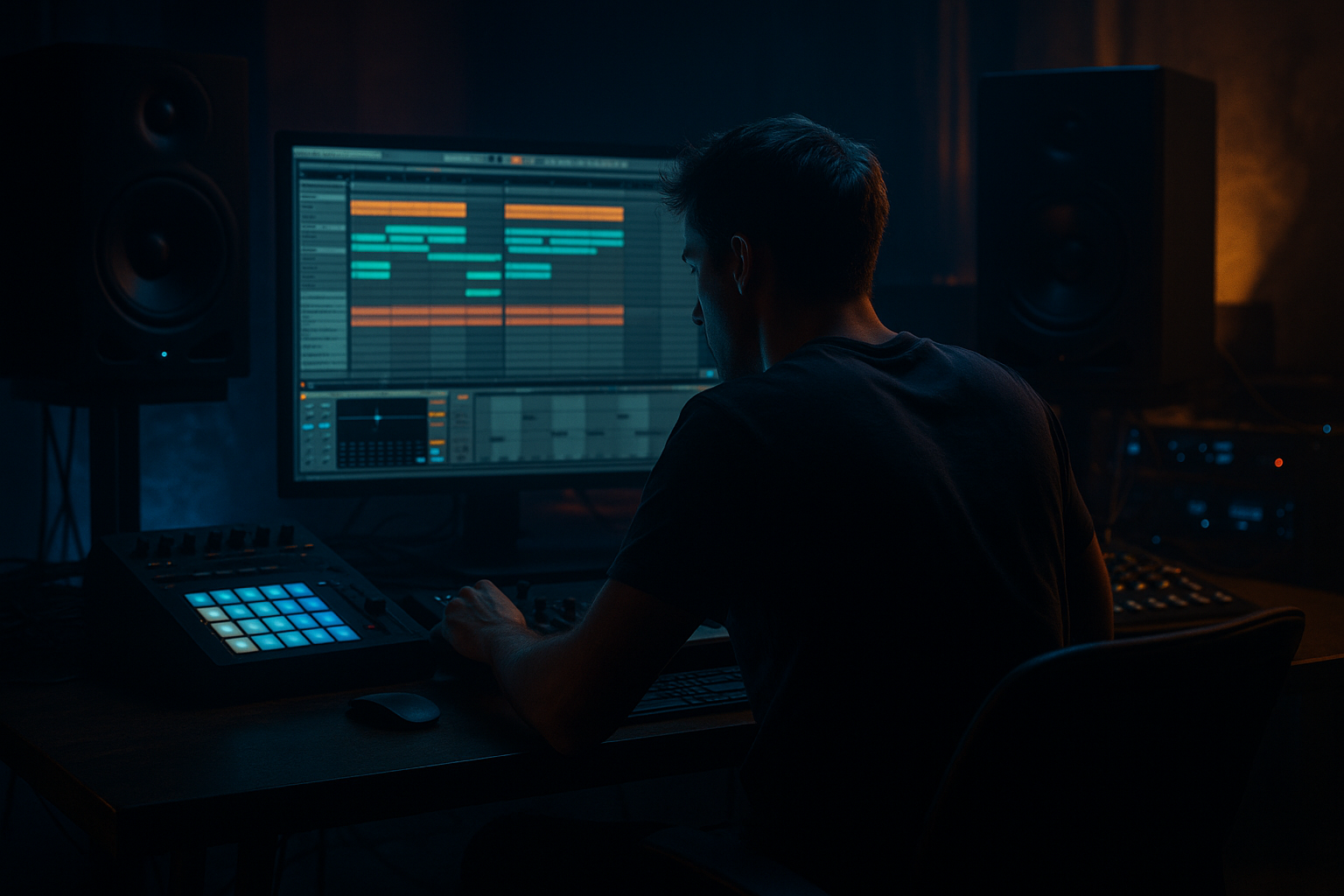
Main tutorial
Balance an Oldskool DnB Call-and-Response Riff for a Deep Jungle Atmosphere in Ableton Live 12
1. Lesson overview
Oldskool jungle and early drum & bass often feel powerful because the riff is simple, rhythmic, and conversational. Instead of one busy lead line, you get a call-and-response idea: one phrase asks a question, the next answers it. That space between phrases is what gives the groove its bounce, tension, and deep atmosphere 🌫️🥁
In this lesson, you’ll learn how to build a balanced call-and-response riff in Ableton Live 12 that sits properly over a breakbeat-driven DnB groove. The goal is not just to write notes, but to shape the rhythmic pocket, register, sound design, and arrangement so the riff feels like it belongs in a dark jungle tune.
You’ll work with:
- MIDI programming
- call-and-response phrasing
- stock Ableton devices
- filtering, modulation, and space
- arrangement techniques for oldskool jungle energy
- Call: a short, punchy phrase in a mid register
- Response: a lower, thicker or slightly more atmospheric answering phrase
- Support: drums, bass, and reverb/delay space that make the riff feel rooted in jungle
- Balance: the riff won’t fight the break or the sub; it will sit around them
- gritty but musical
- hypnotic, not overbusy
- dark, rolling, and slightly haunted
- enough movement to drive the tune, but with space for the drums to breathe
- Call: “Here comes the tension.”
- Response: “Yes, and here’s the answer.”
- 174 BPM for classic oldskool energy
- 170 BPM for a slightly deeper, roomier feel
- D minor
- F minor
- G minor
- A minor
- Root + minor 3rd
- Root + 5th
- Root + octave
- Root + b2 for darker tension
- Call: D5 → F5 → D5
- Response: C5 → D5 → A4
- Place a short phrase on beat 1 or just after it
- Add a syncopated follow-up on the “&” of 2 or 3
- Leave a gap
- Answer with a lower or more sustained note
- Slightly different rhythm so it feels like a reply, not a repeat
- Set grid to 1/16
- Start with note lengths around 1/8 or 1/16
- Use small gaps between notes for groove
- Offset notes slightly off the grid if needed, but keep the pulse strong
- Oscillator: saw or square blend
- Filter: low-pass with medium resonance
- Envelope: fast attack, short decay, low sustain
- Slight unison or detune for width
- Keep the riff out of the sub region
- Avoid too much reverb on the low mids
- If the riff is meant to feel oldskool, a slightly grainy midrange is good
- brighter
- shorter
- more rhythmic
- slightly higher in pitch
- darker
- thicker or lower
- more sustained or legato
- more spaced out
- Wavetable saw patch
- short amp envelope
- subtle filter movement
- slightly higher octave
- same patch, but:
- Vary note velocities so accents feel human
- Make the first hit of the call a bit stronger
- Slightly soften the response
- Nudge some notes off the grid by a few milliseconds if the pattern feels too mechanical
- Groove amount around 10–30%
- Don’t overdo it or the riff will drag behind the break
- Kick/snare space
- Low-mid clash
- Stereo width
- Transient competition
- EQ Eight for cleanup
- Compressor or Glue Compressor to tame peaks
- Utility for mono checking
- Drum Buss if you want extra grit and punch
- A: Short Room Reverb
- B: Dark Echo
- Decay: 0.8–1.8 s
- Pre-delay: 10–25 ms
- Low cut: around 200–400 Hz
- High cut: around 5–8 kHz
- Wet 100% on the return
- Time: 1/8 or 1/8 dotted
- Feedback: 15–35%
- Filter the repeats dark
- Add modulation lightly for movement
- Filter cutoff
- Reverb send
- Delay send
- Oscillator wavetable position or detune
- Saturation drive
- The call opens up slightly with a filter lift
- The response closes down and gets darker
- Every 4 or 8 bars, increase delay feedback briefly for tension
- Drop the filter for a breakdown and then reopen it on the return
- Intro: drums + atmosphere + fragments of the riff
- Main groove: full call-and-response riff
- Variation A: drop the call every other bar
- Breakdown: filter down, strip bass, let response echo out
- Drop return: full riff back with extra drive or a harmony layer
- one octave lower
- filtered darker
- quieter
- slightly delayed by a few ms
- Drive lightly
- Transients modestly up
- Boom off or very low
- Damp to control harshness
- just enough to clear room
- not so much that the riff pumps awkwardly
- chopped echo tails
- texture between phrases
- a more authentic jungle feel
- Version 1: cleaner and more spacious
- Version 2: darker and more filtered
- Version 3: more aggressive with Drum Buss
- balance between call and response
- balance between rhythm and space
- balance between tone and atmosphere
- balance between riff and breakbeat
- Wavetable / Analog for the core sound
- EQ Eight for cleanup
- Saturator or Drum Buss for grit
- Auto Filter for motion
- Echo and Reverb for jungle atmosphere
- Utility and Compressor for control
This is aimed at intermediate producers, so we’ll move fast and stay practical.
---
2. What you will build
By the end, you’ll have a 2-bar or 4-bar riff loop that works like this:
Sound goal
Think:
Example vibe
A simple minor-key stab or reese-ish motif says something like:
---
3. Step-by-step walkthrough
Step 1: Set up a jungle-friendly project
Start with a clean Ableton Live 12 project and set the tempo to something in the 165–174 BPM range.
Good starting point:
Create these tracks:
1. Drums
2. Bass
3. Riff Lead
4. Atmosphere / FX
5. Reference (optional, for a reference tune)
If you already have a breakbeat loop, drop it in now and loop 4 or 8 bars.
#### Important
Before you write the riff, listen to the drums alone. Identify where the snare lands and where the kick/break accents sit. In jungle, the riff should often leave room for the break to speak.
---
Step 2: Choose the harmonic center
Oldskool DnB usually works well with minor tonal centers and simple harmony.
Good keys:
Start with a 2-note or 3-note motif rather than a full chord progression.
Examples:
In piano roll, keep the idea short and repeatable.
#### Example concept in D minor
This is simple, but the rhythm makes it work.
---
Step 3: Program the call-and-response rhythm
The rhythmic shape is more important than the note count.
Try this structure over 2 bars:
#### Bar 1: Call
#### Bar 2: Response
Practical MIDI approach
In Ableton’s MIDI clip:
#### Good rule
If the riff is fighting the break, shorten the notes before you add more notes.
---
Step 4: Build the first sound with stock Ableton devices
You can create a great jungle riff with stock devices only.
#### Option A: Clean but dark stab
Use Wavetable or Analog:
#### Suggested device chain
1. Instrument
- Wavetable or Analog
2. EQ Eight
- Cut low end below 120–180 Hz
- Add a gentle dip if the sound is boxy around 250–500 Hz
3. Saturator
- Drive lightly: 1–4 dB
- Use Soft Clip if needed
4. Auto Filter
- Low-pass movement for tension
5. Echo
- Very short delay, darkened repeats
6. Reverb
- Small to medium size, low wet amount
7. Utility
- Width control / mono check
#### Key settings
---
Step 5: Shape the call and response differently
This is where the balance becomes musical.
The call should usually be:
The response should usually be:
#### Example contrast
Call sound
Response sound
- low-pass filtered more heavily
- lower octave
- longer decay
- a touch more reverb
This contrast creates the “question and answer” effect without needing a completely different sound.
---
Step 6: Use MIDI velocity and timing for groove
In jungle, tiny timing and velocity differences matter a lot.
#### In Ableton:
If you’re using a drum loop with swing, make the riff respect the swing feel rather than ignoring it.
#### Practical tip
Use Groove Pool with a subtle MPC-style or swing groove if the riff feels too straight. Keep it light:
---
Step 7: Make the riff sit with the breakbeat
This is the real test. A jungle riff should feel like it is interlocking with the break, not sitting on top of it.
#### Check these areas:
- If the riff masks the snare, shorten or move the notes
- If the riff feels muddy, cut 200–400 Hz
- Keep the core riff centered enough to stay solid
- If the riff attacks are too sharp, soften the amp envelope or use a compressor
#### Useful stock devices
---
Step 8: Add atmosphere without losing clarity
A deep jungle vibe needs atmosphere, but the riff still has to be readable.
#### Use send effects
Create two return tracks:
##### Return A: Short Room Reverb
Use Reverb:
##### Return B: Dark Echo
Use Echo:
Send the riff only as much as needed. The aim is space, not wash.
---
Step 9: Create movement with automation
Oldskool jungle thrives on small changes over time.
Automate:
#### Good automation ideas
This helps your riff feel like part of an evolving arrangement, not just a loop.
---
Step 10: Arrange it like a jungle tune
A call-and-response riff works best when the arrangement gives it room.
#### Simple arrangement idea
#### Arrangement trick
In oldskool DnB, you can make the riff feel bigger by removing elements, not adding more.
Try muting the call for one bar before the drop so the response hits harder.
---
4. Common mistakes
1. Too many notes
A jungle riff does not need to be busy to be effective. If the phrase is overcrowded, the groove disappears.
Fix: Reduce the riff to the minimum notes that still feel musical.
2. Fighting the breakbeat
If the riff lands on every drum hit, everything gets cluttered.
Fix: Leave holes around the snare and key break accents.
3. Too much low end
Even a midrange riff can become muddy if it has too much body below 200 Hz.
Fix: High-pass or cut lows with EQ Eight.
4. Flat call-and-response
If both phrases use the same rhythm and tone, there’s no conversation.
Fix: Make the response lower, darker, longer, or rhythmically different.
5. Over-wet reverb
Too much reverb can blur the break and kill the drive.
Fix: Use sends, darken the reverb, and keep low mids under control.
6. No contrast in energy
The call should create anticipation; the response should release it.
Fix: Change note length, filter position, and octave between the two parts.
---
5. Pro tips for darker/heavier DnB
Tip 1: Layer a subtle detuned underlayer
Duplicate the riff and put the second layer:
This adds weight without making the lead too obvious.
Tip 2: Use Ableton’s Drum Buss on the riff
For aggressive oldskool edge:
Great for turning a clean riff into something more battered and ravey 😈
Tip 3: Sidechain the riff subtly to the drums
Use Compressor with sidechain from the kick/snare bus if needed.
Keep it gentle:
Tip 4: Add resampled texture
Resample the riff with effects printed in, then chop it.
That can give you:
Tip 5: Use mono for the core, width for the edges
Keep the main melodic identity centered, and use stereo only on effects or doubled layers.
Tip 6: Let the bass own the sub
If the bass is deep, the riff should live mostly above it.
Oldskool atmosphere comes from contrast between a solid low end and a moody midrange riff.
---
6. Mini practice exercise
Exercise: Build a 2-bar jungle call-and-response riff
Do this in Ableton Live 12:
1. Set tempo to 172 BPM
2. Create a MIDI track with Wavetable
3. Write a 2-bar phrase in A minor using only 3 notes:
- A
- C
- E
4. Make bar 1 the call
- short notes
- higher register
- rhythmically active
5. Make bar 2 the response
- lower register
- slightly longer notes
- darker filter
6. Add EQ Eight
- cut below 150 Hz
7. Add Saturator
- drive by 2–3 dB
8. Add Echo on a send
- dark, short repeats
9. Loop it with a breakbeat and adjust until the riff and drums lock in
Challenge variation
After that, make three versions:
Compare which version best supports the groove.
---
7. Recap
A strong oldskool DnB call-and-response riff is all about balance:
In Ableton Live 12, you can build this effectively with stock tools:
If you keep the riff concise, contrast the two phrases clearly, and leave room for the drums, you’ll get that deep jungle tension that feels instantly authentic 🥁🌑
If you want, I can also turn this into:
1. a bar-by-bar MIDI example,
2. an Ableton rack preset recipe, or
3. a full 8-bar arrangement template for oldskool jungle.

