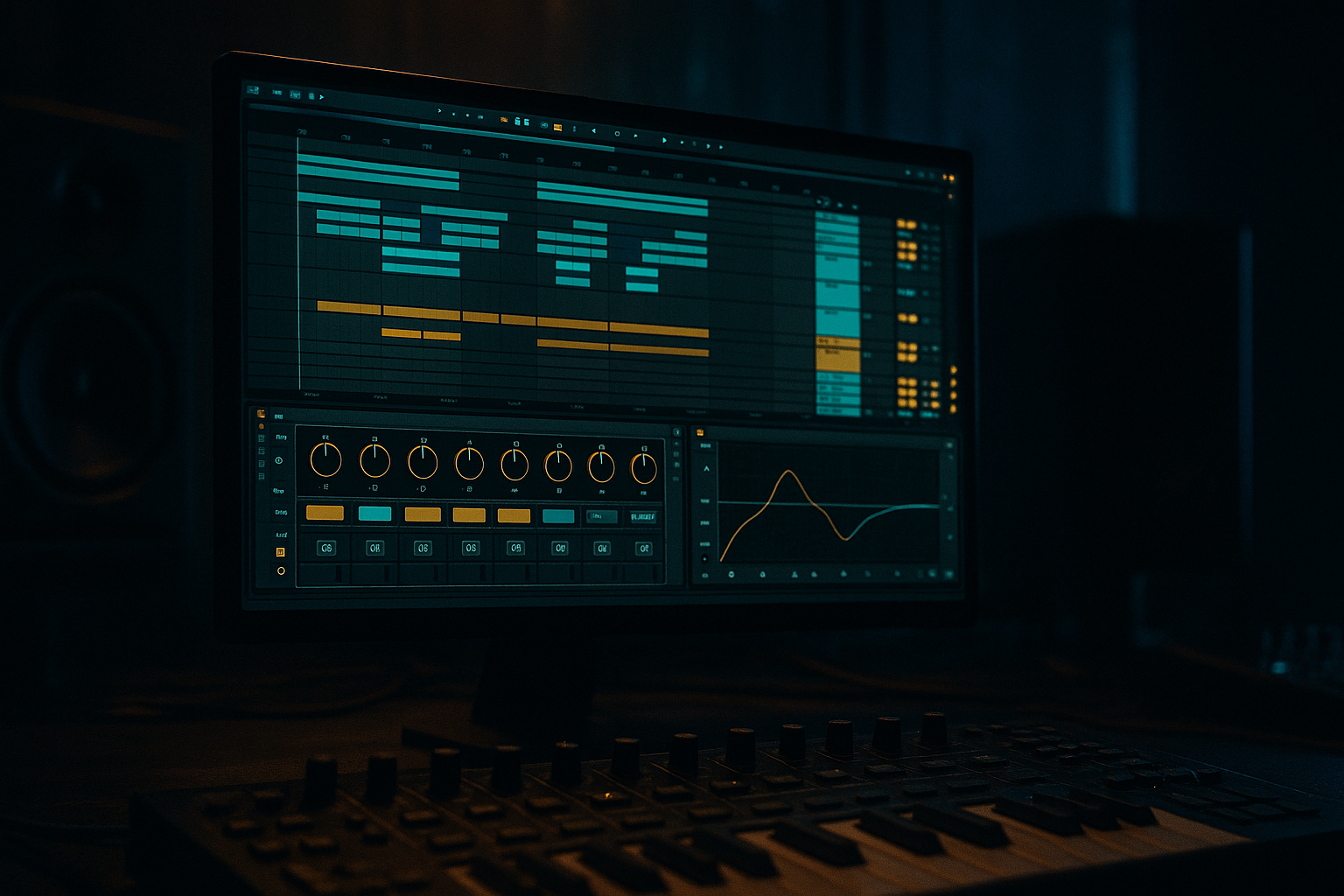
Main tutorial
Lesson Overview
This lesson is about making atmosphere behave like part of the rhythm in an oldskool jungle / DnB arrangement, using Session View to sketch, then Arrangement View to “swing” the energy into a finished track. In darker DnB, atmospheres are not just background texture — they’re the glue between drums, bass, and transitions. They can create pressure before the drop, make a roller feel deep and immersive, or give a jungle tune that dusty late-night ambience that feels authentic and alive.
The core idea here is simple: build atmosphere clips in Session View as loopable, performance-friendly layers, then record and shape them into Arrangement View so they breathe around the breaks, bass switches, and drop phrasing. This matters because DnB arrangement lives and dies on momentum. If your atmosphere is static, the track can feel flat. If it’s too busy, it fights the breakbeat and low end. The sweet spot is a controlled, evolving atmosphere that moves with the groove.
You’ll use Ableton Live 12 stock tools to create a swinging, weathered, jungle-flavoured atmosphere bed: tape-like noise, resonant tonal layers, filtered vinyl-style motion, reverse swells, and delayed tails that lock to the pocket. You’ll then perform those clips into Arrangement View, automate movement, and carve space so the atmosphere supports the break edits rather than smearing them.
Why this works in DnB: the genre thrives on contrast and tension. A strong atmosphere can make a 1-bar drum fill feel huge, turn a simple bass switch into a moment, and give your intro/outro DJ utility without sounding empty. In oldskool jungle especially, atmosphere is part of the identity — humid, degraded, haunted, and rhythmic. 🌫️
What You Will Build
By the end of this lesson, you’ll have a fully arranged atmospheric layer for a jungle / oldskool DnB track that includes:
- A dark evolving pad/noise texture with filter movement and stereo motion
- A resampled atmospheric loop that has swing and subtle imperfections
- Automated tension rises into the drop and into switch-ups
- Arrangement-ready intro and breakdown atmospheres that leave room for breakbeats and sub
- A workflow for using Session View as a live compositional sketchpad, then turning that performance into a polished Arrangement View section
- chopped Amen-style break programming
- a Reese or sub-led drop
- jungle-style vocal fragments or distant stab hits
- a 16- or 32-bar intro with DJ-friendly space
- a breakdown where atmosphere takes the front seat before the drums return
- Too much low end in the atmosphere
- Atmosphere is always on and never changes
- Too wide during the drop
- Reverb washing over the breakbeat
- Overly bright textures that fight the snare and hats
- Session View clips not translating into arrangement
- Use degraded source material: vinyl noise, room tone, rain, radio static, metal hits, or resampled break tails can make atmospheres feel authentic and underground.
- Layer tonal and textural atmospheres separately so you can duck one and keep the other. That gives you more control during drops.
- Add subtle saturation with Saturator or Drum Buss on the atmosphere bus for grime. Keep drive modest — around 1–6 dB depending on source.
- Use Echo with filtered repeats to create movement without overcrowding. Roll off lows in the delay path so the repeats feel like mist, not mud.
- Automate contrast, not constant intensity. The heaviest atmospheres often feel bigger because they leave space in the drop.
- Try transient-shaped atmosphere hits by resampling swells and trimming them tight before fills. This creates a haunted stab feel that sits well with jungle edits.
- Keep the sub and atmosphere in different emotional jobs: sub provides physical weight, atmosphere provides psychological weight. Don’t let them compete in the same band.
- Use Arrangement View edits to “swing” the vibe by cutting atmosphere for a beat, then returning it late. That little void can hit harder than any effect.
- Use Session View to sketch atmosphere as performance, not just as a loop.
- Build at least two layers: tonal bed + texture bed.
- Keep atmosphere moving slowly with filter, reverb, delay, and clip variation.
- Resample the best performance and place it in Arrangement View for real structure.
- Shape the atmosphere so it supports breaks, bass, and phrase tension, not just space.
- In DnB, atmosphere works best when it creates contrast, motion, and controlled darkness.
Musically, the result should feel like a track that could sit under:
Think: foggy warehouse energy, vinyl dust, low-end pressure, and movement that feels like it’s breathing with the breaks.
Step-by-Step Walkthrough
1. Set up a dedicated atmosphere return-style mindset in Session View
Start in Session View and create a new MIDI or audio track specifically for atmospheres. Keep it separate from drums and bass so you can judge how the layer interacts with the groove. If you’re building from synthesis, load Wavetable, Operator, or Analog; if you’re building from source material, start with a sampled field recording, vinyl noise, rain, room tone, or a broken texture loop.
A strong advanced workflow is to create two atmosphere tracks:
- Track A: Tonal bed — a pad, drone, or low chord
- Track B: Texture bed — noise, vinyl crackle, field recording, or resampled ambience
On the tonal bed, use a simple chord or single note in the key of the track. In D minor or F minor, for example, hold the root and a minor 7th or 9th for depth. If you’re going for oldskool jungle, keep the harmony sparse. Too much chord movement can modernize it in the wrong way.
Stock device chain suggestion:
- Wavetable with a smooth wavetable or saw-based source
- Auto Filter after it
- Hybrid Reverb or Reverb
- Echo for rhythmic tails
Parameter ideas:
- Auto Filter cutoff: start around 180–450 Hz for a dark bed, then automate upward to 1.5–4 kHz in transitions
- Reverb size: 35–70%, decay around 2.5–8 seconds depending on density
2. Design the atmosphere so it has movement, not just sustain
The biggest mistake in ambient layers is leaving them static. In DnB, motion is everything. Use modulation inside the instrument and outside it.
If using Wavetable:
- Choose a warm wavetable or a basic saw
- Set unison modestly, around 2–4 voices
- Detune lightly, roughly 5–15%
- Use an LFO to move wavetable position slowly
- Keep the amp envelope soft: attack 50–200 ms, release 1.5–6 s
If using Operator:
- Use a sine or triangle-based patch with subtle FM for unstable harmonic content
- Add slight pitch drift or filter modulation using LFO
- Layer a noise oscillator quietly for grain
For texture beds, use Corpus creatively on a noise sample or a long metallic hit to give the atmosphere a physical resonance. You can also use Grain Delay very subtly for degraded motion, but keep it restrained.
Good starting ranges:
- LFO rate on filter or wavetable: 0.03–0.15 Hz for slow motion
- Resonance on Auto Filter: 10–25% for character without whistling
- Delay feedback in Echo: 15–35% if you want tails to smear into a jungle mist
The goal is to create a layer that changes over 8–16 bars, not every beat.
3. Program the atmosphere in Session View as clips with different energy states
Don’t just make one loop. Make 3–5 clips that represent different emotional states of the atmosphere:
- Clip 1: Intro fog — low-pass filtered, wide, sparse
- Clip 2: Pre-drop tension — brighter, more resonant, more delay
- Clip 3: Drop support — darker, narrower, less reverb
- Clip 4: Breakdown wash — full width, long tail
- Clip 5: Transition hit / reverse swell — short and dramatic
In Session View, use clip envelopes to automate within each clip:
- Filter cutoff rising across the clip
- Reverb wet increasing at the end of a phrase
- Delay feedback momentarily lifting before a drum fill
- Volume dips to leave space when the bass re-enters
This is where Session View becomes powerful: you can perform the atmosphere like an instrument. Launch clip variations on the 8th or 16th bar to simulate arrangement tension before you commit to a linear timeline.
Musical context example: if your track has a 16-bar intro with chopped breaks entering at bar 9, make the atmosphere clip start ultra-dark for bars 1–8, then gradually open the filter and add delay throws across bars 9–16. That gives the DJ intro both motion and clarity.
4. Make the atmosphere swing against the drums, not against the mix
Swing in jungle isn’t only about drum timing — it’s about where energy appears and disappears. Use Groove Pool to apply a light swing feel to atmosphere clip launch timing or MIDI notes if your atmosphere is rhythmic.
Try these approaches:
- Add a subtle groove from a break template to rhythmic atmosphere hits
- Shift a few swells slightly late, not perfectly on-grid
- Use short muted chord stabs or noise puffs between kick/snare accents
If your atmosphere is audio, you can use Warp and nudge transient markers or clip start points slightly late for laid-back feel. Keep this subtle. The point is to let the atmosphere “lean back” around the breakbeat.
For a more authentic oldskool feel, let the atmosphere answer the break rather than cover it. For example:
- On snare hits, automate a tiny reverb bloom
- After ghost notes, allow a short tail to swell
- During kick-heavy moments, duck the atmosphere slightly with Compressor sidechained from the drum bus
Good sidechain setting starting point:
- Compression ratio: 2:1 to 4:1
- Attack: 5–20 ms
- Release: 80–180 ms
- Gain reduction: 1–4 dB max for atmospheres
5. Resample the atmosphere to commit to texture and arrangement
Once the Session View performance feels good, resample it. Create a new audio track and set its input to Resampling or route the atmosphere track/group there. Record a pass where you perform filter moves, clip launches, and effect changes.
Why resample? Because DnB atmospheres sound more convincing when they carry the little imperfections of performance: filter shifts, reverb bloom timing, delay trails, and slight gain drift. That “printed” quality often feels more like finished music than endlessly editable parts.
After recording:
- Consolidate the best 4, 8, or 16 bars
- Slice the resampled audio into phrase chunks
- Reverse the tail of a few chunks for transitions
- Use Fade handles to create smooth swells
Add Simpler only if you want to turn the resampled atmosphere into a playable instrument. For example, map a swelled hit to one note and trigger it before fills or drop changes.
Advanced move: use Envelope Follower on an atmosphere track to drive a filter or reverb send on another layer, but keep it subtle. You’re after cohesion, not obvious pumping.
6. Move into Arrangement View and “swing” the atmosphere across the structure
Now switch to Arrangement View and place the resampled atmosphere or clip performance across the full track. This is where the lesson becomes arrangement, not just sound design.
Build the structure like this:
- Bars 1–16: dark intro atmosphere, filtered, wide, minimal low end
- Bars 17–32: break edits and bass hinted in, atmosphere opens slightly
- Drop 1: atmosphere narrows or gets ducked so drums and bass hit harder
- Midsection: atmosphere returns in switch-up gaps, fills, and transitions
- Breakdown: full-width atmospheric wash with longer tails
- Final drop: more damaged, more distorted, less pristine
Use automation lanes for:
- Filter cutoff
- Reverb wet/dry
- Echo feedback and filter
- Utility gain for section-level level control
- Auto Pan for slow stereo movement
A practical arrangement move: automate atmosphere volume down by 1–3 dB when the bass enters, then let it creep back up during 2-bar spaces or fill bars. This keeps energy alive without masking the sub.
For a jungle oldskool vibe, let the atmosphere lead into break drops with a rising wash, then cut it sharply at the bar where the drums and bass slam back in. That contrast is part of the drama.
7. Carve the atmosphere so it supports the low end and the break edits
Atmosphere can ruin a DnB mix if it occupies too much low-mid or stereo width. Use EQ Eight aggressively but musically.
Suggested EQ moves:
- High-pass around 120–250 Hz for most atmospheres
- Cut muddy low-mids around 250–500 Hz if the break sounds cloudy
- Tame harshness around 2.5–6 kHz if the texture fights snare snap
- Use a gentle shelf or bell boost only if the track needs more air
If the atmosphere is too wide and the mix loses focus, place Utility after it and reduce width to 70–90% during dense sections. For sub-heavy drops, mono-check the atmosphere or narrow it further.
A more advanced trick: split the atmosphere into two lanes:
- Low-mids and body: filtered, mono-ish, tucked
- Top air and texture: wider, delayed, automated independently
You can do this with an Audio Effect Rack and two chains, or with separate tracks. This helps keep the groove clear while still sounding deep.
8. Add call-and-response atmosphere moves around drum fills and bass switches
In advanced DnB arrangement, the atmosphere should answer the drums and bass. That could be a reverse swell into a snare fill, a filtered noise burst after a bass stab, or a short ghostly chord after a break edit.
Use clip automation or arrangement automation for:
- Echo throw on the last hit of a 4-bar phrase
- Reverb bloom after a snare roll
- Auto Filter resonance push before a switch-up
- Reversed resample hit leading into the drop
Great phrasing ideas:
- Every 8 bars, do a small atmospheric change
- Every 16 bars, do a noticeable textural shift
- Before a drop, remove all unnecessary atmosphere for 1 bar, then bring it back with impact
This makes the atmosphere act like a second arrangement layer, not a wallpaper. In jungle especially, that push-pull between break energy and atmosphere is what keeps the tune cinematic but still club-ready.
Common Mistakes
Fix: high-pass more aggressively, often higher than you think. In dense DnB, 150–250 Hz is often the safe zone.
Fix: automate filter, width, reverb, and volume by section. Atmospheres need phrasing.
Fix: reduce width with Utility, or narrow the low layer and keep width only in the top layer.
Fix: sidechain the atmosphere slightly from the drum bus, shorten decay, or automate wet down during busy sections.
Fix: use EQ Eight to cut harsh bands around 3–6 kHz, and let the drums own the transient space.
Fix: resample your best performance. Printed movement often sounds more intentional than live-looped repetition.
Pro Tips for Darker / Heavier DnB
Mini Practice Exercise
Spend 10–20 minutes making a dark atmosphere system for an 8-bar DnB loop:
1. Build one tonal atmosphere in Wavetable or Operator.
2. Build one texture atmosphere from noise, vinyl, or a resampled ambience.
3. Make three Session View clips:
- dark intro version
- tension version
- drop-support version
4. Use filter cutoff, reverb, and echo automation inside the clips.
5. Resample one 8-bar performance.
6. Move it into Arrangement View and place it across an 8-bar loop with drums and bass.
7. Add one transition move:
- reverse swell into bar 5, or
- delay throw into bar 8, or
- filter open across bars 7–8
8. High-pass the atmosphere and mono-check the low layer.
9. Compare the loop with atmosphere on/off and decide whether it helps the break and bass feel deeper.
Goal: finish with an atmosphere that changes the emotional weight of the loop without masking the drums.

