DNB COLLEGE

AI Drum & Bass Ableton Tutorials

LESSON DETAIL

Atmosphere in Ableton Live 12: slice it for 90s-inspired darkness for jungle oldskool DnB vibes (Advanced)

An AI-generated advanced Ableton lesson focused on Atmosphere in Ableton Live 12: slice it for 90s-inspired darkness for jungle oldskool DnB vibes in the Vocals area of drum and bass production.

Free plan: 0 of 1 lesson views left today. Premium unlocks unlimited access.

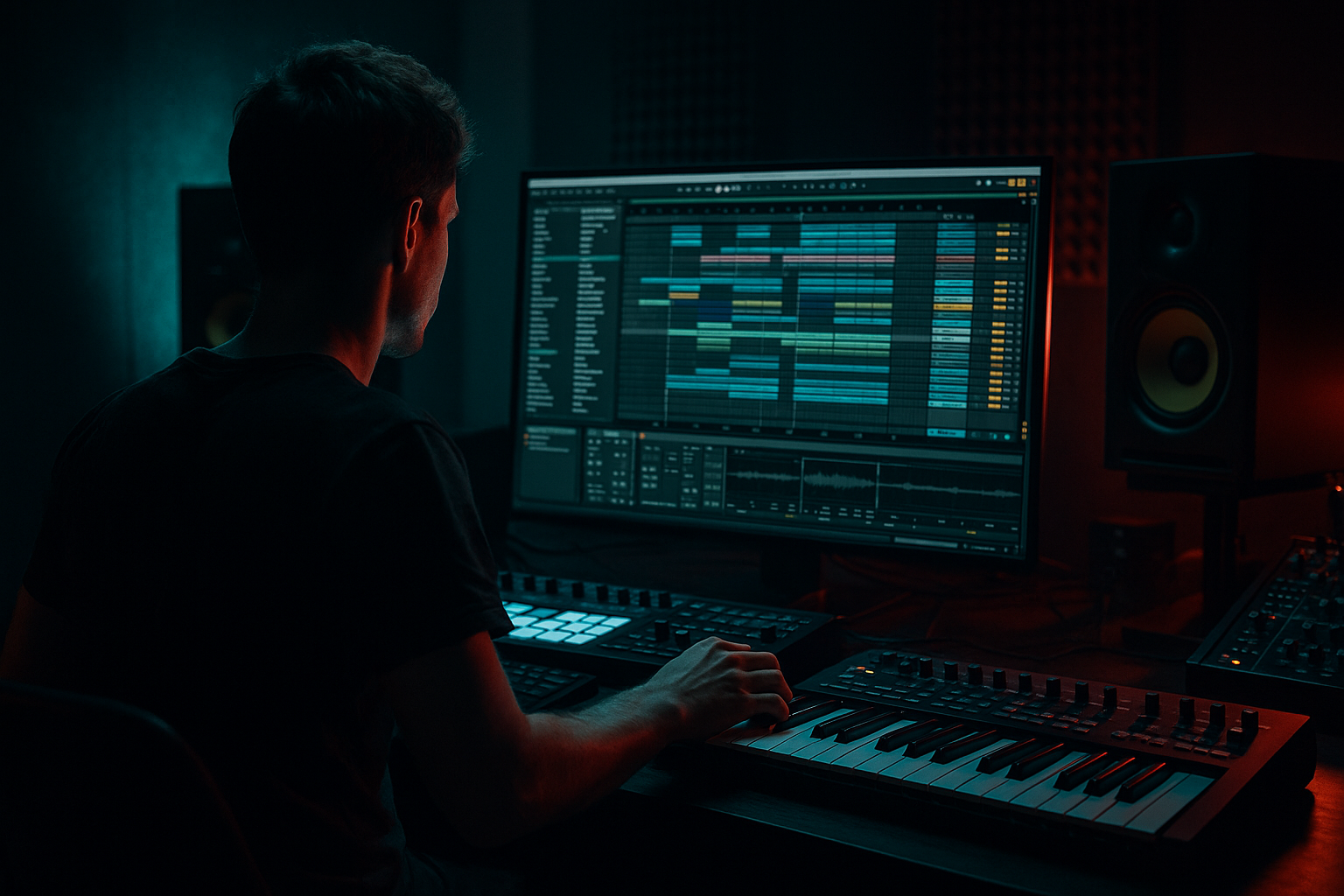
Atmosphere in Ableton Live 12: slice it for 90s-inspired darkness for jungle oldskool DnB vibes (Advanced) cover image

Narrated lesson audio

The voice track includes the tutorial plus extra teacher commentary.

Open audio file

Main tutorial

Atmosphere in Ableton Live 12: Slice It for 90s-Inspired Darkness in Jungle / Oldskool DnB

1. Lesson overview

This lesson is all about turning a vocal atmosphere, spoken phrase, or eerie vocal texture into a dark, chopped, rhythmic layer that sits inside a 90s jungle / oldskool drum & bass track. We’re not making a polished pop vocal. We’re building grainy tension, haunted space, and percussive vocal movement that feels right at home over:

  • breakbeat drums
  • rewound bass hits
  • dubby delay tails
  • grimy pads
  • low-end pressure 🔥
  • In Ableton Live 12, the key tools are:

  • Slice to New MIDI Track
  • Simpler
  • Warp modes
  • Auto Filter
  • Echo
  • Hybrid Reverb
  • Drum Rack / MIDI programming
  • Resonators and Spectral Time for eerie texture
  • You’ll learn how to take a vocal atmosphere, slice it, re-sequence it, and process it into something that feels dark, old, and dangerous without losing clarity in the mix.

    ---

    2. What you will build

    By the end of this tutorial, you’ll have a reusable vocal atmosphere instrument rack for DnB that can do all of this:

  • play short chopped vocal stabs
  • create call-and-response phrases
  • add ghostly phrases between snare hits
  • build intro tension
  • layer into drops as a background rhythmic texture
  • automate for filter sweeps, reverse throws, and FX transitions
  • The sound we’re aiming for:

  • moody
  • grainy
  • distant
  • slightly degraded
  • rhythmically tight
  • dark enough for jungle / oldskool but usable in modern rolling DnB
  • ---

    3. Step-by-step walkthrough

    Step 1: Choose the right source vocal 🎙️

    For this style, don’t start with a clean lead vocal unless you plan to destroy it. Better source material:

  • spoken word samples
  • old interview phrases
  • film dialogue
  • radio voice snippets
  • whispered phrases
  • breathy ad-libs
  • old acapella fragments
  • Best qualities:

  • short words or syllables
  • strong consonants
  • emotional or eerie tone
  • minimal musical melody unless you want pitched hooks
  • Good examples of usable phrases:

  • “listen…”
  • “can you feel it?”
  • “darkness…”
  • “warning…”
  • “hold tight…”
  • “into the night…”
  • If your sample is too clean, you can still darken it later, but the source should already have some character.

    ---

    Step 2: Warp and tune the vocal correctly

    Drop the vocal into an audio track.

    #### Set the warp mode:

  • Complex Pro: for longer vocal phrases and preserving formants
  • Texture: for grainy, broken atmospheres
  • Re-Pitch: if you want that old-school tape-like pitch movement
  • Be careful with Beats mode unless the sample is rhythmic already
  • #### Useful starting settings:

  • Transpose: -3 to -7 semitones for darker tone
  • Formants: slightly down if using Complex Pro
  • Detune: subtle, if you want instability
  • Gain: keep enough headroom before slicing
  • If the vocal is too clean and modern, try:

  • Transpose down
  • Add tiny amount of drift via automation or pitch modulation later
  • Resample through saturator/distortion for grit
  • ---

    Step 3: Slice it to a MIDI track

    This is the core move.

    Right-click the audio clip and choose:

    Slice to New MIDI Track

    Use these slice settings:

  • Transient: good for chopped vocal syllables
  • Beat: if the phrase has obvious rhythmic hits
  • Region: if you want more controlled phrase chunks
  • Manual: best if you want full control over where slices happen
  • For jungle / oldskool DnB, I recommend:

  • Slice by transients
  • then manually clean up the important slices afterwards
  • Ableton will create:

  • a MIDI track
  • a Simpler for each slice in a Drum Rack
  • That’s perfect for building a playable chopped vocal kit.

    ---

    Step 4: Clean up the slice map

    Now open the Drum Rack and inspect the slices.

    You want to keep:

  • strong consonants
  • breath hits
  • word starts
  • especially eerie vowel endings
  • You can discard or ignore:

  • silence
  • weak noise-only slices
  • awkward mid-word fragments that don’t groove
  • #### Practical workflow:

    1. Play the slices one by one

    2. Rename important pads if needed

    3. Group similar sounds:

    - low, ominous words

    - hissy breaths

    - reversed tails

    - short punctuation sounds

    4. Delete slices you’ll never use

    For DnB, think like a drummer:

  • some slices become ghost notes
  • some become snare-side callouts
  • some become fill material
  • some become one-shot FX
  • ---

    Step 5: Build a playable dark vocal chain

    Inside each slice’s Simpler, or on the Drum Rack pad chain, process the vocal so it feels unified.

    #### Basic dark chain for each slice:

    1. EQ Eight

    - High-pass around 120–250 Hz

    - Dip harsh areas around 2.5–5 kHz if needed

    - Low-pass if you want a more distant texture, around 8–12 kHz

    2. Saturator

    - Drive: 2–6 dB

    - Soft Clip: On

    - Use this to make the vocal feel thicker and more aggressive

    3. Auto Filter

    - Low-pass or band-pass depending on use

    - Drive up a little for character

    - Use envelope or automation for motion

    4. Echo

    - Time: 1/8, 1/8D, or 1/4 depending on groove

    - Feedback: 20–45%

    - Filter the echoes so they sit behind the drums

    - Add subtle modulation for haunted movement

    5. Hybrid Reverb

    - Short to medium decay

    - Darker tone

    - Pre-delay: 10–25 ms

    - Keep wet level low unless it’s an intro texture

    If the vocal is too bright, place Utility or EQ Eight after the reverb to control the tail.

    ---

    Step 6: Make the slices groove like a jungle tool

    Now program a MIDI pattern that works with DnB phrasing.

    #### Strong rhythmic concepts:

  • place vocal stabs on off-beats
  • answer the snare with short vocal chops
  • use pickup notes before the one
  • leave gaps so the breaks breathe
  • sync phrases to 2-bar or 4-bar loops
  • A good oldskool pattern often feels like:

  • vocal hit on the and before the snare
  • another chopped word after the snare
  • a breath or reverse slice into the next bar
  • #### Example 2-bar structure:

  • Bar 1
  • - beat 1: low vocal chop

    - beat 2 and: breath/noise hit

    - beat 3: main word fragment

    - beat 4 and: reverse tail

  • Bar 2
  • - beat 1: silence or tiny ghost slice

    - beat 2: strong phrase cut

    - beat 3 and: filtered repeat

    - beat 4: delay throw into the next loop

    This creates the classic call-and-response tension that works well with breakbeats.

    ---

    Step 7: Resample for grit and cohesion

    Once you have a cool loop, resample it.

    Why?

    Because resampling lets you:

  • freeze the vibe
  • commit to a darker texture
  • layer new processing
  • create old-school “dubplate” energy
  • #### How:

    1. Route the vocal chop track to a new audio track

    2. Record the output

    3. Warp the new audio only if needed

    4. Chop it again if you want further variation

    This is especially good for:

  • intro atmospheres
  • breakdown vocal washes
  • reverse fills
  • eerie background beds
  • ---

    Step 8: Add jungle-style FX and movement

    To make the vocal atmosphere sit in DnB, it needs motion and depth.

    #### Useful stock Ableton devices:

  • Auto Filter
  • - automate cutoff for tension builds

  • Echo
  • - use filtered delay throws on selected hits

  • Redux
  • - for crunchy, 90s sampler-style degradation

  • Vinyl Distortion
  • - for dusty edge and noise

  • Saturator
  • - adds density and aggression

  • Frequency Shifter
  • - subtle detuning can make voices uncanny

  • Resonators
  • - great for haunted tonal ringing

  • Spectral Time
  • - excellent for smeared, ghostly vocal atmospheres

  • Hybrid Reverb
  • - for dubby space, especially in intros

    #### Dark movement idea:

  • duplicate the vocal slice track
  • put one copy dry and rhythmic
  • put another copy heavily filtered, delayed, and reverbed
  • pan the atmospheric copy slightly wider
  • keep the main chop centered for focus
  • That gives you width without losing impact.

    ---

    Step 9: Make it sit with the breakbeat and bass

    This is where DnB realism matters.

    Your vocal atmosphere should support the drum break, not fight it.

    #### Mix priorities:

  • keep vocal chops out of the kick’s low end
  • avoid clashing with snare crack around 180–250 Hz and 2–4 kHz
  • sidechain lightly to the kick or drum bus if necessary
  • use automation to reduce vocal density during drum fills
  • #### Good placement ideas:

  • intro: vocal atmosphere alone with filtered break
  • pre-drop: vocal slices get tighter and more repetitive
  • drop: use only selected chops as punctuation
  • breakdown: open up the reverb and delay for drama
  • If the bass is very aggressive, reduce vocal midrange a bit so the bass can dominate.

    ---

    Step 10: Arrange it like a proper DnB tune

    Oldskool and jungle arrangements usually work best when the vocal atmosphere is used in roles, not constantly.

    #### Arrangement ideas:

  • Intro (0:00–0:32)
  • filtered vocal wash, reverb tail, one spoken phrase

  • Build (0:32–0:48)
  • chopped vocal rhythm, increasing density

  • Drop 1 (0:48–1:16)
  • sparse vocal hits, mostly percussive punctuation

  • Breakdown (1:16–1:32)
  • reverse vocal, echo throws, haunted space

  • Drop 2
  • alternate chop pattern, more aggressive processing

  • Outro
  • strip back to single phrase with dub delay

    A strong rule:

    if the break is busy, simplify the vocal; if the drums thin out, let the vocal breathe.

    ---

    4. Common mistakes

    1. Using too much reverb

    If the vocal gets washed out, it stops being rhythmic. In DnB, reverb should usually be controlled and intentional.

    2. Slicing without cleaning the map

    Random slices can create awkward timing. Manually inspect your most important chops.

    3. Leaving low-end in the vocal

    Even atmospheric vocals can contain muddy low frequencies. High-pass them aggressively if needed.

    4. Too many words

    Short phrases work better than full lines. DnB atmospheres often rely on fragmentation, not storytelling.

    5. Over-processing before the groove works

    Get the chop pattern feeling good first. Then destroy it.

    6. Ignoring the snare

    If your vocal lands on the same rhythmic space as the snare, make sure it complements the snare, not masks it.

    ---

    5. Pro tips for darker/heavier DnB

    Use “negative space” as a weapon

    The darkest vocal atmospheres often come from what you don’t play. Leave gaps before and after the phrase so the listener feels the emptiness.

    Layer a reverse version

    Duplicate the vocal chop line, reverse selected slices, and tuck them before key hits. This creates a classic jungle pull-in effect.

    Use formant shifting carefully

    Lower formants slightly for a more monstrous vibe, but don’t overdo it unless you want an obvious artifact.

    Try mid/side treatment

    Use EQ Eight or Utility:

  • keep the main chop more centered
  • spread the reverb and echo wider
  • cut low-mid buildup in the sides
  • Distort the reverb return, not just the dry vocal

    A saturated delay or reverb tail sounds very dubby and old-school. Try:

  • Echo → Saturator → EQ Eight
  • on a return track for grime and depth.

    Automate filter movement on 4- or 8-bar phrases

    That keeps the atmosphere alive without constantly changing the source material.

    Resample into a new audio clip

    This is a huge oldskool trick. Commit to one gritty version, then rearrange it like an instrument.

    ---

    6. Mini practice exercise

    Exercise: build a 4-bar haunted vocal chop loop

    #### Goal

    Create a 4-bar atmospheric vocal loop that feels like it could sit over a jungle break and a rewound bassline.

    #### Steps

    1. Find a 1–2 second vocal phrase

    2. Slice to MIDI track by transients

    3. Keep only 4–6 useful slices

    4. Program this structure:

    - Bar 1: one strong phrase fragment

    - Bar 2: two short ghost chops

    - Bar 3: one reversed slice into the snare

    - Bar 4: filtered repeat with delay throw

    5. Process with:

    - EQ Eight

    - Saturator

    - Auto Filter

    - Echo

    - Hybrid Reverb

    6. Resample the result

    7. Re-chop the resample and create a variation for bar 4

    #### Challenge

    Make two versions:

  • Version A: cleaner, more rhythmic
  • Version B: darker, more degraded, more haunted
  • Then compare which one works better in the drop.

    ---

    7. Recap

    To create 90s-inspired dark vocal atmosphere in Ableton Live 12 for jungle / oldskool DnB:

  • start with a short, characterful vocal source
  • warp it with care
  • Slice to New MIDI Track
  • clean up the slices like a drummer
  • build rhythmic patterns that leave space for breaks
  • process with stock devices like EQ Eight, Saturator, Auto Filter, Echo, Hybrid Reverb, Redux
  • resample and re-chop for grit
  • arrange the vocal as a tension tool, not constant decoration
  • The result should feel:

  • grimy
  • eerie
  • rhythmic
  • underground
  • properly DnB 😈

If you want, I can also give you:

1. a custom Ableton device chain preset for dark vocal chops, or

2. a 16-bar arrangement blueprint for a full jungle intro/drop using this technique.

Ask GPT about this lesson

Chat with the lesson tutor, get follow-up help, or use quick actions.

Bigup 👽 Ask me anything about this lesson and I’ll answer in context.

Narration script

Show spoken script
Welcome to this advanced Ableton Live 12 lesson on slicing atmosphere for 90s-inspired darkness in jungle and oldskool drum and bass.

Today we’re taking a vocal atmosphere, a spoken phrase, or some eerie little vocal texture, and turning it into a dark, chopped, rhythmic layer that feels like it belongs under breakbeats, rewind bass hits, dubby delay tails, and grimy pads. So this is not about making a polished pop vocal. We’re going for grainy tension, haunted space, and that percussive vocal movement that gives classic DnB so much character.

The big idea here is simple: think like a drummer, but use the voice as your source. In Ableton Live 12, we’ll lean on Slice to New MIDI Track, Simpler, warp modes, Auto Filter, Echo, Hybrid Reverb, Drum Rack programming, and then some extra spooky tools like Resonators and Spectral Time if you want to push it further.

By the end, you’ll have a reusable vocal atmosphere instrument that can play chopped stabs, answer the snare, create ghostly call and response phrases, build intro tension, and drop into the mix as a dark background rhythm layer.

So let’s get into it.

First, choose the right source vocal.

For this style, don’t start with a super clean lead vocal unless you actually want to tear it apart. Better source material is stuff like spoken word, old interview fragments, film dialogue, radio voice snippets, whispered phrases, breathy ad-libs, or old acapella bits. Short words and syllables are gold here. You want strong consonants, a bit of emotion, and ideally an eerie or uneasy tone.

Great kinds of phrases are things like “listen,” “darkness,” “warning,” “hold tight,” or “into the night.” Anything with a strong attack or a memorable vowel can become a killer slice. If the sample is already a bit rough or lo-fi, even better. But if it’s too clean, that’s okay, because we can darken and degrade it later.

Once you’ve got the vocal in Ableton, drop it on an audio track and warp it properly.

This matters a lot. For longer vocal phrases, Complex Pro is a solid starting point because it keeps the vocal natural enough to work with. If you want something grainier and more broken, Texture can give you that smeared, atmospheric feel. Re-Pitch is also useful if you want that old sampler, tape-like character. I’d be careful with Beats mode unless the sample is already rhythmic, because it can get weird fast on speech.

As a starting point, try transposing the vocal down by about 3 to 7 semitones. That alone can make it feel darker and more threatening. If you’re using Complex Pro, a slight formant shift down can help too, but don’t overcook it unless you want the voice to sound obviously mangled. The main goal is to keep enough headroom and character before you start slicing.

Now for the core move: Slice to New MIDI Track.

Right-click the audio clip and choose Slice to New MIDI Track. This is the heart of the whole workflow. For slicing, Transient is usually the best option for chopped vocal syllables, because it catches the little attack points that feel percussive. Beat is useful if the phrase already has obvious rhythmic hits, and Region or Manual can be better if you want more control. For jungle and oldskool DnB, I usually recommend slicing by transients first, then cleaning the important slices afterward.

Ableton will create a MIDI track with a Drum Rack and Simpler on each pad, which is perfect because now the vocal is playable like an instrument. That’s where the fun starts.

Next, clean up the slice map.

Open the Drum Rack and go through the slices one by one. Keep the useful stuff: strong consonants, breath hits, word starts, and especially those eerie vowel tails. Those are often the slices that sound the most alive. You can ignore silence, weak noise-only chunks, and awkward mid-word fragments that don’t groove.

A good workflow is to play each slice, rename the important pads if needed, and group similar sounds in your mind. Maybe one set is low, ominous words. Another is hissy breaths. Another is reversed tails. Another is short punctuation-style hits. Think like a drummer here. Some slices become ghost notes. Some become snare-side callouts. Some become fill material. Some become one-shot FX.

A really important advanced note: prioritize transient personality. In jungle, the attack of the word is often more useful than the whole word. The consonant can function almost like a drum hit. So don’t get too attached to the full phrase if the front edge of it is what really grooves.

Now let’s build a dark vocal chain so the slices feel unified instead of like random bits.

A good starting chain on each slice, or on the rack pad chains, looks like this.

First, EQ Eight. High-pass somewhere around 120 to 250 hertz, depending on the material. You want to strip out low-end mud so it doesn’t fight your kick and bass. If there’s harshness, dip somewhere around 2.5 to 5 kHz. And if you want the vocal to feel distant or more atmospheric, low-pass it somewhere around 8 to 12 kHz.

Next, Saturator. Add a few dB of drive, maybe 2 to 6, with Soft Clip on. This gives you thickness and a bit of aggression, which is exactly what you want for that older DnB edge.

Then Auto Filter. Use low-pass or band-pass depending on whether the slice is supposed to be more rhythmic or more misty. A little drive in the filter can add attitude, and automation later will make the vocal feel alive.

Then Echo. Use it like a dub machine. Try timing options like 1/8, 1/8 dotted, or 1/4 depending on the groove. Keep feedback moderate, somewhere around 20 to 45 percent, and filter the delay so the echoes sit behind the drums instead of competing with them. A tiny bit of modulation can make the repeats feel haunted.

After that, Hybrid Reverb. Keep it dark, short to medium decay, and use a pre-delay around 10 to 25 milliseconds. Usually you want the wet level pretty low unless you’re specifically designing an intro texture or breakdown wash. If the vocal gets too bright or smeary after reverb, tame the tail with EQ or Utility after the effect.

If the vocal still feels too modern, you can add more grime with Redux, Vinyl Distortion, or a bit more Saturator. But don’t just pile on effects for the sake of it. Get the groove working first, then destroy it.

Now the fun part: make the slices groove like a jungle tool.

Program a MIDI pattern that feels like it belongs with the drums. A lot of oldskool phrasing works because it respects space. So place vocal stabs on off-beats, answer the snare with short chops, use pickup notes before the one, and leave gaps so the break can breathe.

A simple two-bar idea might look like this in musical terms: a low vocal chop on beat one, a breath or noise hit on the and of two, a main word fragment on beat three, then a reverse tail on the and of four. In the second bar, maybe leave beat one open, hit a strong phrase on beat two, add a filtered repeat on the and of three, and send a delay throw into the next loop on beat four. That kind of call and response is classic. It feels alive, but not too busy.

And here’s a really useful coaching note: watch the groove against the snare grid. If a chop sounds amazing in solo but weak in context, nudge it so it either reinforces the snare or deliberately avoids it. The vocal should dance with the break, not trip over it.

Another pro move is using velocity as an arrangement tool. In MIDI, set some chops to hit hard and others to almost whisper. High velocity can feel dry, present, and percussive. Low velocity can feel filtered, distant, and eerie. That gives you movement without even changing the notes.

At this point, if you’ve got a good loop, resample it.

This is a very old-school move and it works beautifully. Route the vocal chop track to a new audio track, record the output, and then treat that recorded audio like its own source. Resampling lets you commit to a vibe, freeze the character, and create that gritty, dubplate-style energy. Then you can warp it again if needed, or chop the resample into new pieces and build variations.

This is especially good for intro atmospheres, breakdown washes, reverse fills, and those eerie background beds that sit under the track without dominating it.

Once you’ve got the core loop, add some jungle-style movement and texture.

Auto Filter automation can help a lot here. Open and close the cutoff over 4-bar or 8-bar phrases to create tension. Echo can be used for specific throws on selected words. Redux gives you that crunchy sampler degradation. Vinyl Distortion can add dusty noise and edge. Frequency Shifter can make tiny detuned movements feel uncanny. Resonators are great when you want a ringing, haunted tonal quality. Spectral Time can smear things into ghostly motion. And Hybrid Reverb is perfect for dubby space, especially in intros and breakdowns.

A great layering trick is to duplicate the vocal slice track. Keep one version dry, rhythmic, and centered. Then make a second copy that’s more filtered, delayed, and reverbed, and pan it wider. That way you get width and atmosphere without losing the punch of the main chops. Think in layers, not just one clip trying to do everything.

If the ambient layer starts clashing with the low end, use sidechain compression lightly, or sidechain the effect return itself so the ambience ducks when the kick and bass hit. That’s a really clean way to keep the atmosphere big without turning the mix into fog.

When you’re mixing it, remember the vocal atmosphere should support the breakbeat, not fight it. Keep it out of the kick’s low end, avoid the snare’s main energy zone if needed, and reduce vocal density when the drums get busy. If the bassline is very aggressive, pull a little midrange out of the vocal so the bass can own the center.

For arrangement, use the vocal in roles, not constantly.

A strong oldskool-style arrangement might start with a filtered vocal wash and a bit of reverb in the intro. Then the build section can tighten into chopped rhythm. In the drop, keep the vocal more sparse and percussive, almost like punctuation. In the breakdown, let the reverbs and reverse slices open up. Then in the second drop, mutate the pattern a little so it feels developed rather than looped. And by the outro, strip it back to one phrase and let it dissolve into delay and noise.

A good rule to remember: if the break is busy, simplify the vocal. If the drums thin out, let the vocal breathe.

Now, a few common mistakes to avoid.

Don’t drown everything in reverb. If the vocal becomes a wash with no rhythm, it stops doing the job we need it to do. Don’t slice randomly and then trust the map blindly. Clean it up. Don’t leave low-end in the vocal. High-pass aggressively if you need to. Don’t use too many words. Short phrases almost always work better than full lines for this style. And don’t over-process before the groove works. Get the chop pattern feeling good first, then start destroying it.

A few advanced tricks can take this even further.

Try layering two slice instruments. Make one rack tight, mid-focused, and fairly dry. Make the other more filtered, wide, and drenched in delay. Play the same MIDI pattern on both, but mute different slices in each so they don’t feel identical. That creates depth and a lot of movement.

You can also build a response rack, where a second clip only answers the main chop pattern on the last eighth or sixteenth of each bar. That works beautifully in oldskool phrasing, because it creates that constant forward pull.

Another nice move is using opposite warp behavior on a duplicate. Keep one version in Complex Pro and another in Re-Pitch or Texture. Blend them together for a cracked-tape, unstable vocal feel.

And don’t underestimate phrase-length stutters. Sometimes a slice long enough to hold part of a syllable can be retriggered rapidly for tension builds or pre-drop agitation. That kind of roughness is very at home in old jungle and early DnB.

Here’s a great mini practice exercise.

Find a one to two second vocal phrase. Slice it to MIDI by transients. Keep only four to six useful slices. Build a four-bar loop where bar one has one strong phrase fragment, bar two has two short ghost chops, bar three has one reversed slice into the snare, and bar four has a filtered repeat with a delay throw. Process it with EQ Eight, Saturator, Auto Filter, Echo, and Hybrid Reverb. Then resample it and re-chop the resample for a variation in bar four.

If you want a challenge, make two versions: one cleaner and more rhythmic, and another darker, more degraded, and more haunted. Compare which one sits better in the drop. Often the ugly one wins.

So to recap, the recipe is: start with a characterful vocal source, warp it carefully, slice it to a new MIDI track, clean the slices like a drummer, build a groove that leaves space for the break, process with Ableton’s stock devices, resample and re-chop for grit, and arrange the vocal as a tension tool rather than constant decoration.

If you do it right, the result should feel grimy, eerie, rhythmic, underground, and properly DnB.

If you want, I can also turn this into a shorter voiceover version, or write a matching 16-bar arrangement blueprint for the full intro and drop.

Mickeybeam

Go to drumbasscd.com for +100 drum and bass YouTube channels all in one place - tune in!

Any 1 Tutorial FREE Everyday
Tutorial Explain
Generating PDF preview…
