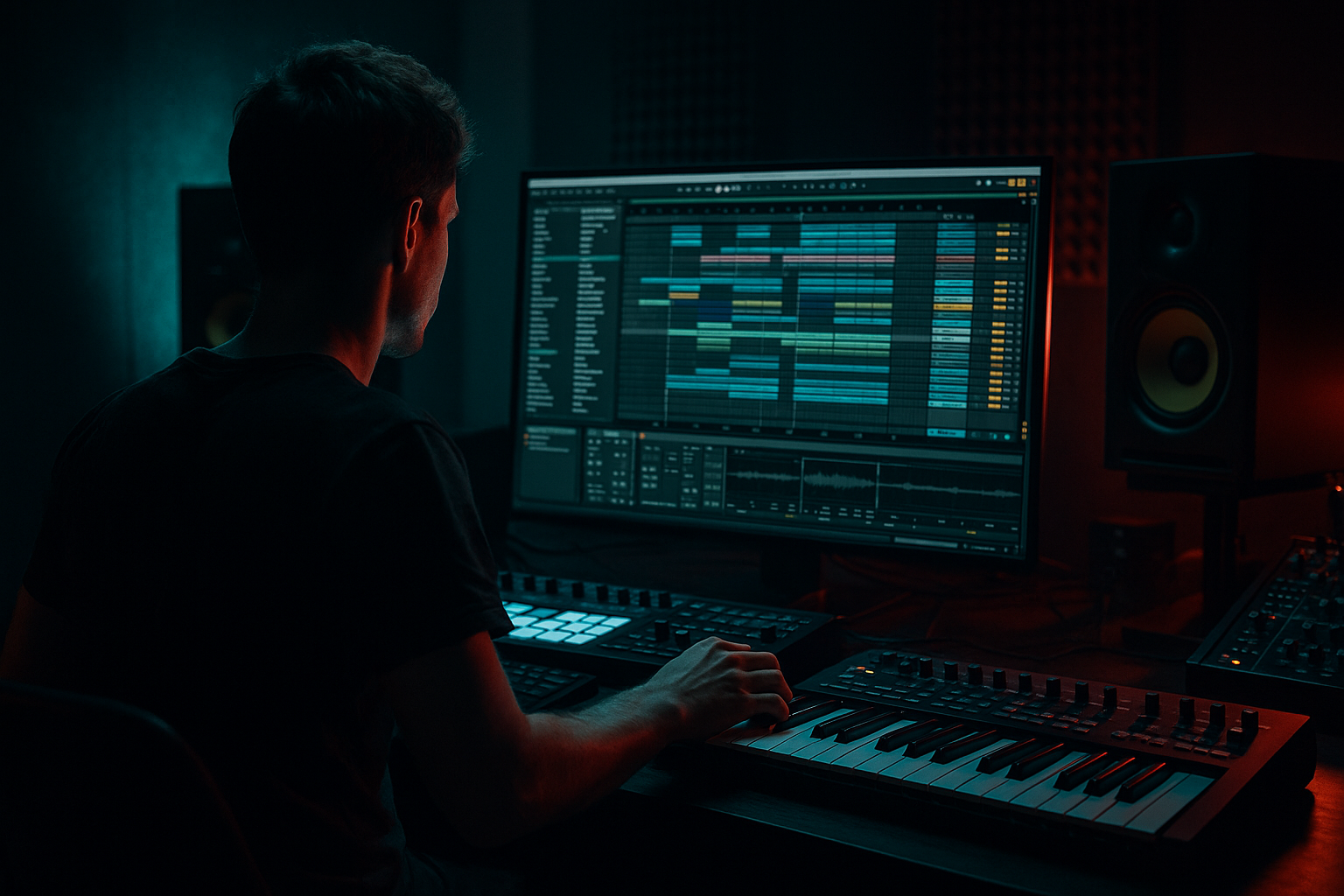
Main tutorial
Lesson Overview
Oldskool swing and chopped-vinyl character are two of the fastest ways to make a Drum & Bass arrangement feel alive instead of grid-locked. In this lesson, you’ll learn how to shape a loop so it feels like a dusty jungle record being played back in an Ableton Live 12 session, but with clean enough mixing to still hit hard in a modern roller, jungle, or darker DnB track.
This matters because DnB lives and dies on movement. A straight, perfectly quantized drum loop can sound sterile, especially when the bassline is also rigid. The oldskool feel comes from micro-timing, ghost hits, swung edits, and the impression that the groove was chopped from vinyl, not drawn with a mouse. The mixing side is just as important: if the groove is messy in the low end, the whole track loses punch. So the goal here is not “lo-fi for the sake of lo-fi” — it’s controlled character.
You’ll build a drum-and-bass section that works like a proper DnB drop idea: a tight intro, a swung break-led groove, a chopped-vinyl style drum edit, and a bassline that leaves space for the drums to breathe. We’ll use Ableton stock devices and simple arrangement moves so the result feels authentic, repeatable, and easy to finish. 🔥
What You Will Build
By the end, you’ll have a 16-bar DnB arrangement section with:
- A drum break that has oldskool swing and slightly unpredictable chop edits
- A layered kick/snare backbone that still feels punchy in modern playback
- Ghost notes and tiny fills that create the “sampled from vinyl” feeling
- A bassline that sits cleanly under the drums without fighting the sub
- Light vinyl-style texture, filtered ambience, and transition FX
- A mix that stays controlled in mono, with clear low-end separation and enough headroom for later mastering
- Making the break too quantized
- Overloading the low end with kick, sub, and bass all hitting at once
- Using too much stereo width on bass
- Over-processing the break until it loses feel
- Adding too many fills every bar
- Ignoring arrangement phrasing
- Letting hats and top loops get harsh
- Use a restrained reese layer under the bass, not instead of the sub
- Automate filter cutoff on the drums before a drop
- Resample your chopped break and reverse tiny pieces
- Add saturation before compression on the bass
- Keep one section almost too sparse
- Use Ghost Note logic
- Think like a selector
- Oldskool swing in DnB comes from timing feel, ghost notes, and controlled chopping.
- Chop the break, then layer clean kick/snare support for punch.
- Keep the sub mono and leave space in the bassline for the drums to breathe.
- Use Ableton stock tools like Drum Rack, Simpler, Drum Buss, EQ Eight, Auto Filter, Saturator, Utility, and Echo.
- Arrange in clear 4-bar and 8-bar phrases so the track feels DJ-ready and powerful.
- Mix for clarity first, then add grit and texture in small, intentional amounts.
Musically, this could sit in an intro-to-drop transition for a jungle-leaning roller, or as the main groove of a darker half-time-inspired DnB section. Think: 165 BPM, dusty break energy, tight sub, and a bass loop that answers the drums in short phrases.
Step-by-Step Walkthrough
1. Set up a clean DnB session and reference the groove
- Start at 170 BPM or 174 BPM, which is a strong range for classic and modern DnB.
- Create three main groups:
- DRUMS
- BASS
- FX / ATMOS
- Drop in a reference track if you have one from jungle, rollers, or oldskool DnB. Keep it low in the mix and use it only for groove and arrangement comparison.
- On the master, leave headroom. Aim for your rough mix to peak around -6 dB to -8 dB before any mastering.
- Why this works in DnB: fast music needs clarity. If your session starts clean, it’s much easier to shape the low end and preserve transient impact later.
2. Build the core breakbeat and give it swing
- Drag in a classic break or a break-style loop into an Audio Track.
- In Ableton Live 12, warp it so it sits correctly, but don’t over-tighten the life out of it. For oldskool character, small timing imperfections are good.
- Try Warp Mode: Beats for drum breaks.
- In the clip, experiment with Groove from the Groove Pool. A good starting point is a 55% to 62% swing feel, depending on the break and the vibe.
- If the loop feels too stiff, use Quantize lightly instead of full snapping. Try 1/16 with a groove amount around 20% to 40%.
- Add a Drum Buss on the break:
- Crunch: 5% to 15%
- Boom: very subtle, around 0% to 10% unless you want a heavier, more modern punch
- Transients: +5 to +15 for snap
- The aim is not to flatten the break, but to make the hit pattern feel like a sampled record that’s been played through a clean modern setup.
3. Chop the break into playable pieces
- Right-click the break clip and use Slice to New MIDI Track.
- Slice by transient so Ableton makes a Drum Rack from the important hits.
- Now rearrange the slices into a simple DnB pattern:
- Keep the main kick and snare placements strong
- Add extra ghost ghosting between backbeats
- Use 1/32 or off-grid chops for tiny fill moments
- For beginner-friendly control, don’t overcomplicate the pattern. Start with:
- Snare on 2 and 4
- Kick support around the downbeats and lead-ins
- Ghost hits just before the snare or just after the kick
- In Drum Rack, use a Simpler on key slices if you want more control over start/end points.
- Tip: shorten a few slices to create that chopped-vinyl effect. Tiny cutoffs can make a loop feel more human and less looped.
4. Layer the drums for punch without killing the break feel
- Add a clean kick sample on a separate track or inside the Drum Rack.
- Add a snare or rimshot layer with a slightly different character than the break’s own snare.
- Process the kick:
- EQ Eight: cut unnecessary mud around 200 Hz to 400 Hz if needed
- Saturator: Drive 1 to 4 dB for extra density
- Process the snare:
- Add a transient-friendly shaping approach with Drum Buss or a short Compressor
- A little presence boost around 2 kHz to 5 kHz can help it cut
- Keep the break layer audible enough to sell the vinyl feel, but let the clean layers do the heavy lifting.
- This is classic DnB mixing logic: one layer provides character, another provides punch. You do not want to ask one sample to do everything.
5. Create the chopped-vinyl character with filtering and resampling
- Put an Auto Filter on the break or on a return track.
- Try these settings:
- Filter type: Low-Pass for dusty sections, Band-Pass for tension, or High-Pass when clearing space before a drop
- Resonance: low to moderate, around 10% to 25%
- LFO amount: subtle, if you want movement
- Automate the filter cutoff over 8 or 16 bars to create classic DJ-style tension.
- For more vinyl chop character, resample the drum loop:
- Route the drums to a new audio track set to Resampling
- Record 4 or 8 bars
- Then cut the recorded audio into smaller pieces
- Once recorded, use tiny gain fades on the chopped regions so clicks don’t ruin the groove.
- Add Vinyl Distortion very lightly if you want extra grain, but keep it subtle. A small amount goes a long way.
6. Write a bassline that leaves room for the break
- Create a bass track with Wavetable, Operator, or an audio bass sample if you’re keeping it simple.
- For a beginner-friendly DnB bass:
- Use Operator for a sine sub and a simple midrange layer
- Keep the sub mostly mono and simple
- Start with a bass phrase that answers the drums instead of playing continuously.
- Good DnB call-and-response idea:
- Bass hits right after the snare
- Bass leaves a hole for a ghost note fill
- Bass returns in the next 1/2 bar or bar
- On the bass channel:
- EQ Eight: high-pass the mid layer if needed, but do not cut the real sub
- Saturator: Drive 2 to 6 dB for audible harmonics on small speakers
- Utility: keep bass mono below the crossover region, or simply use Utility to check the width and mono compatibility
- Practical setting idea:
- Sub layer: low-pass around 80 Hz to 120 Hz if you’re combining it with a mid bass
- Mid bass layer: high-pass around 90 Hz to 150 Hz to leave room for the sub
- Why this works in DnB: the drums need sharp transients, and the sub needs a clean lane. A roomy bass phrase makes the swing feel bigger because the groove can breathe.
7. Mix the drums and bass as one groove, not two separate sounds
- Group the drums and bass if it helps your workflow, but keep the actual tracks separate for control.
- Start by balancing the kick, snare, and sub at low volume.
- In DnB, the snare usually needs to feel like the anchor in the middle of the pattern, while the sub should support the movement without smearing the drums.
- Use EQ Eight to carve space:
- If the kick and sub clash, choose who owns the deepest fundamental
- Make a small cut in the competing element rather than boosting everything
- Use Sidechain Compression on the bass from the kick if the kick needs a bit more punch:
- Attack: 1 to 10 ms
- Release: 50 to 120 ms
- Keep it subtle; you want groove, not pumping unless that’s the style
- Check the mix in mono with Utility on the master or on your monitoring chain.
- If the groove falls apart in mono, reduce stereo widening on the bass and simplify the low end.
8. Add oldskool arrangement movement and DJ-friendly structure
- Build a simple 16-bar section:
- Bars 1–4: filtered drums, atmosphere, and tease the groove
- Bars 5–8: bring in the full break and basic bassline
- Bars 9–12: add an extra chop or fill every 2 bars
- Bars 13–16: remove a layer or automate a filter down before the next section
- Oldskool DnB often uses clear phrasing. Small changes every 4 or 8 bars keep energy moving without overloading the listener.
- Add a vinyl-style intro:
- High-pass the drums
- Delay the full bass entry
- Let atmosphere and texture lead the ear into the drop
- If you want a DJ-friendly feel, make sure the intro and outro have enough clean space for mixing. That’s still very useful in modern DnB sets.
9. Add tasteful FX and texture, then automate them for motion
- Use stock devices like Echo, Reverb, Auto Filter, and Delay creatively but lightly.
- Good FX moves for this style:
- A short reverse reverb into a snare fill
- A filtered noise riser into a drop
- Tiny delay throws on the last hit of an 8-bar phrase
- On a return track, keep a short Reverb:
- Decay: 0.8 to 1.6 seconds
- High Cut: fairly low to keep it dark
- Use Echo on a send for a dirty, dubby tail, but automate the send amount only on selected hits.
- Texture can also come from a very low-level vinyl crackle or room noise layer. High-pass it so it doesn’t add low-end clutter.
10. Final mix checks for weight, clarity, and replay value
- Check your balance at low volume first. If the groove still reads quietly, your arrangement is strong.
- Solo the sub and drums together. Listen for:
- Kick and sub overlap
- Snare impact
- Any harsh frequency buildup from break hats or distorted mids
- If the hats get sharp, use EQ Eight to cut a narrow area around 7 kHz to 10 kHz, or reduce the brightness of the break layer.
- Use automation to create movement rather than stacking more sounds.
- Save the session once the groove feels like it could survive repeated listening — that’s the real test for DnB.
Common Mistakes
- Fix: reduce groove strength, leave tiny timing offsets, or resample the loop and chop it manually.
- Fix: decide which sound owns the deepest moment. Use sidechain, note spacing, or EQ carving.
- Fix: keep sub mono and be cautious with widening on the low end. Check with Utility.
- Fix: use Drum Buss, saturation, and compression subtly. Let the sample still breathe.
- Fix: keep most of the groove stable and save edits for 2, 4, or 8-bar moments.
- Fix: think in 4-bar and 8-bar blocks. DnB listeners feel structure even when the track is hectic.
- Fix: tame the top with EQ Eight, lower the break layer level, or soften the transient with small gain adjustments.
Pro Tips for Darker / Heavier DnB
- A simple detuned midrange layer can add menace without muddying the mix.
- A slow high-pass sweep or low-pass opening creates tension without needing a huge riser.
- Short reverse hits before snares can sound very underground and gritty.
- This can bring out harmonics that help the bass translate on smaller speakers, especially in darker rollers.
- A half-bar of space before the main impact can make the next hit feel heavier.
- Tiny snare taps, kick pickups, and break fragments are often what make an oldskool groove feel expensive.
- If a part wouldn’t work in a club mix, remove it. DnB benefits from decisions, not constant motion.
Mini Practice Exercise
Set a timer for 15 minutes and do this:
1. Pick one drum break in Ableton and warp it cleanly.
2. Slice it to MIDI and build a basic 2-bar DnB groove.
3. Add one kick and one snare layer for support.
4. Create a simple bass pattern that leaves space after the snare.
5. Add one Auto Filter automation move across 8 bars.
6. Duplicate the 8 bars once and change only one thing in the second half:
- remove a drum layer, or
- add one chop fill, or
- open the bass filter slightly
7. Listen in mono and fix any bass or kick masking.
Goal: make the groove feel like a real oldskool DnB loop with controlled modern mixing, not just a loop with effects.

