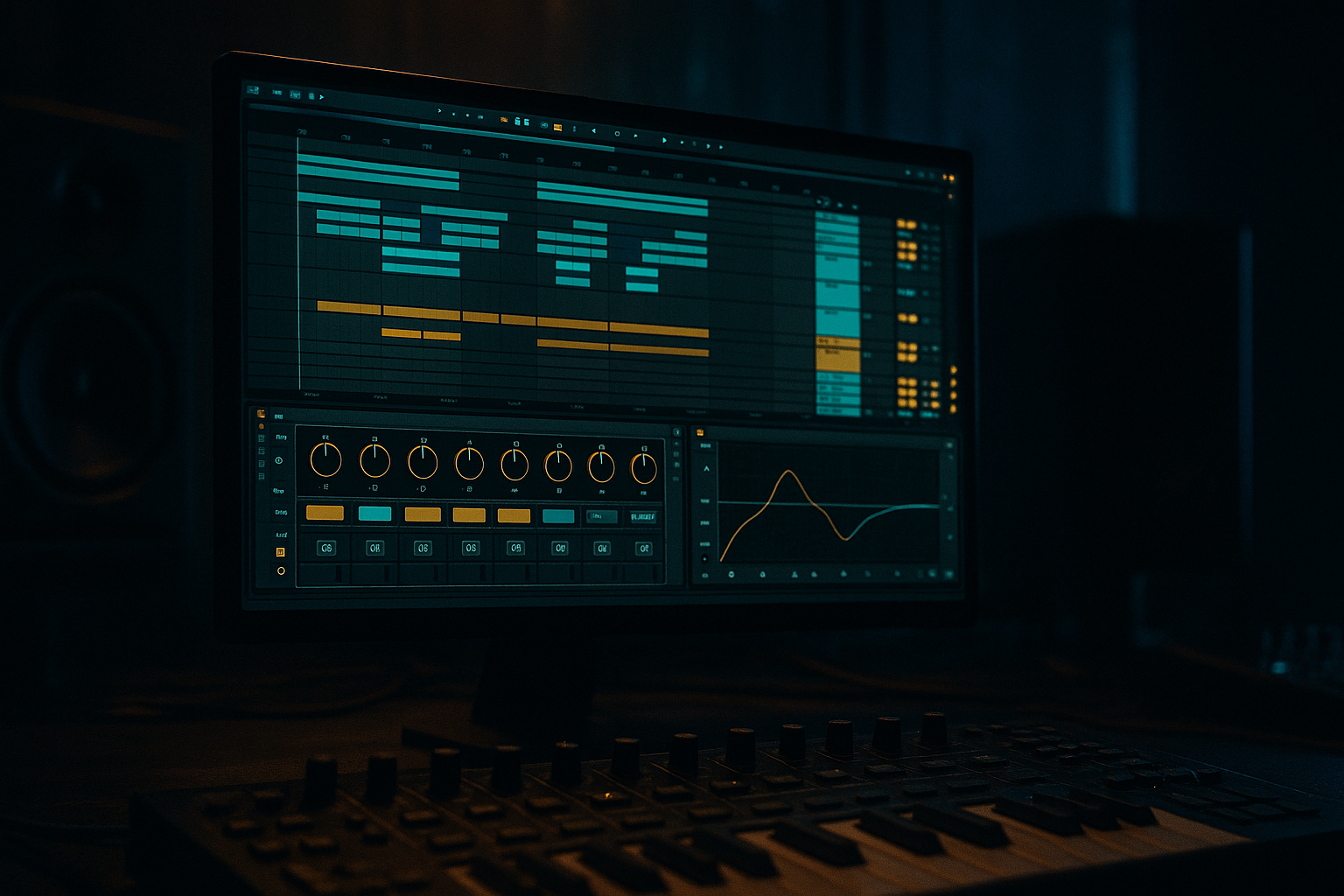
Main tutorial
Lesson Overview
Apache-style breakbeat distortion is one of those DnB techniques that can instantly make a track feel more alive, more dangerous, and more “played” instead of purely programmed. In a Drum & Bass context, this is about taking a breakbeat — often a classic Amen, Apache, Think, or a chopped modern drum loop — and pushing it into controlled distortion so it sits with authority in a roller, jungle, darkstep, or neuro-influenced arrangement.
In Ableton Live 12, the goal is not just to “fuzz up” the break. The real move is to build a breakbeat that has:
- punch in the transient
- grit in the midrange
- controlled low-end
- enough chaos to feel human
- enough structure to still drive the drop
- a chopped breakbeat with swing and ghost note movement
- a parallel distortion layer for midrange bite
- a drum bus that keeps the break punchy, not crushed
- automation for intensity changes across intro, build, and drop
- a version that works under a sub-heavy bassline without losing definition
- the main groove in a jungle or break-led roller
- a top layer over punchy kick/snare drums in a dark minimal drop
- a transition texture before a bass switch-up
- a breakdown-to-drop lift where the drums “open up” and then slam back in
- Over-distorting the whole break
- Losing the transient punch
- Turning the break into noisy mush
- Letting the break fight the bassline
- Static loop syndrome
- Ignoring mono compatibility
- Use parallel distortion instead of full insert distortion for cleaner punch and better mix control.
- Try band-limiting the dirty layer with EQ Eight before saturation. Focus the grit around 300 Hz to 5 kHz for maximum bite without wrecking the lows.
- Add subtle frequency movement with Auto Filter automation on a 2- or 4-bar cycle to avoid loop fatigue.
- Layer a short, clipped ghost snare under the distorted break for extra crack in neuro or dark rollers.
- Use Drum Buss on the break group, not the master, so you can push character without flattening the whole track.
- Resample the break after processing and then re-chop it. The chopped version usually sounds more custom and more “record-like.”
- For heavier tension, automate distortion amount up in the last 2 beats before a drop, then pull it back suddenly on the downbeat.
- Keep sub and break separated conceptually: the break supplies swing and aggression; the bass supplies depth and movement.
- Reference classic jungle and modern dark rollers to judge whether your break is too clean or too overcooked. If it sounds impressive solo but weak in the drop, it needs more arrangement context, not more gain.
- choosing a strong break with real groove
- cleaning it before you distort it
- using parallel distortion for character
- shaping transients with compression and Drum Buss
- automating filter and drive for arrangement movement
- resampling to create custom DnB phrases
- keeping the low end disciplined so the bass and drums work together
This technique matters because DnB drums live or die on character. A clean loop alone often feels too polite once bass enters. A distorted Apache-style break can glue the groove together, create urgency in the drop, and give you a signature percussive identity that cuts through heavy sub and reese layers. It’s especially useful in darker rollers, halftime breakdowns, and neuro-leaning switch-ups where the drums need to sound aggressive without becoming a muddy wall of noise.
What You Will Build
By the end of this lesson, you’ll have a tight DnB breakbeat processing chain inside Ableton Live 12 that turns a standard break into a hard, driven “Apache masterclass” style loop.
Specifically, you’ll build:
Musically, this will suit a 174 BPM arrangement where the break can act as:
Step-by-Step Walkthrough
1. Choose the right break and set up the groove
Start with a classic breakbeat or a modern break loop in an Audio Track. If you’re working with an Amen, Apache, or similar funk break, keep the original vibe intact — don’t over-edit the personality out of it.
In Ableton Live 12:
- warp the break in Complex Pro if needed, but avoid over-stretching
- set the project to 174 BPM
- slice the break into a Drum Rack or keep it as an Audio Clip for more organic distortion behavior
- apply a small amount of swing using the clip’s Groove Pool if the break feels too rigid
Good starting move:
- clip gain the break so peaks sit around -12 to -8 dB
- leave some headroom before distortion stages
Why this matters in DnB: the break needs room to breathe before being pushed. A well-chosen groove and timing feel more powerful than raw distortion alone.
2. Clean the break before you distort it
Put EQ Eight first in the chain to shape what gets driven. This is a huge part of the sound design because distortion reacts differently to low mids, highs, and transients.
Suggested starting moves:
- high-pass around 25–35 Hz to remove useless sub rumble
- cut muddy low-mids around 180–350 Hz if the break feels boxy
- if the hats are already sharp, gently reduce 7–10 kHz by 1–3 dB
Then add Drum Buss:
- Drive: 5–20%
- Crunch: 10–30%
- Boom: keep subtle or off for break processing unless you specifically want extra low thump
- Transients: push slightly positive if the break is too soft
Use this as a “pre-distortion conditioner.” You’re not polishing the break yet — you’re making sure the distortion grabs the right frequency content.
3. Build the Apache distortion layer with Saturator or Pedal
Duplicate the break track or create an Audio Effect Rack with a parallel chain. One chain stays cleaner; the other gets brutal.
On the distorted chain, try:
- Saturator
- Drive: +6 to +12 dB
- Soft Clip: On
- Color: around 1.5–4.0 kHz emphasis if needed
- or Pedal
- Distortion: 20–50%
- Tone: keep mid-focused rather than overly bright
- Dynamics: use carefully so the loop doesn’t vanish
For a heavier Apache-style edge, the key is midrange crunch, not full-band destruction. You want the snare crack and break texture to get angry, while the kick and cymbals remain usable.
Blend the distorted chain underneath the clean one at roughly:
- clean chain: 60–80%
- distorted chain: 20–40%
That balance gives you aggression without losing the break’s identity.
4. Shape the attack and release with Compressor or Glue Compressor
After distortion, control the envelope. Distortion tends to lengthen transients and can make a break feel smeared if you don’t rein it in.
Use Glue Compressor on the drum bus or break bus:
- Attack: 3–10 ms
- Release: Auto or 0.1–0.3 s
- Ratio: 2:1 to 4:1
- Aim for 1–3 dB of gain reduction
If the break needs more snap, use Compressor instead:
- Attack: 10–30 ms
- Release: 50–120 ms
- Slightly higher threshold so the transient punches through
This is especially effective for jungle and darker rollers because the groove stays moving, but the snare hits with controlled violence. The compressor is not there to flatten the break — it’s there to make the distortion behave musically.
5. Add movement with Auto Filter and frequency automation
A big part of the Apache masterclass feel is motion. Instead of leaving the distortion static, automate the tonal focus across the arrangement.
Add Auto Filter after the distortion chain or on the parallel bus:
- Filter type: High-Pass for build tension or Band-Pass for telephone-style grind
- Resonance: 10–25%
- Envelope amount: subtle, if using
- Map cutoff to automation for build-ups and drop variation
Example automation:
- Intro: high-pass the break at 150–300 Hz so it sounds distant
- Pre-drop: open it gradually back down toward full range
- Drop variation: briefly narrow the filter for a bar to create tension before reopening
This works in DnB because tension/release is often more important than constant loudness. A filtered, distorted break can signal section changes without needing a huge riser.
6. Integrate the break with kick, snare, and bass using bus logic
In DnB, the break should not fight the main drum foundation. If you have a separate kick and snare, use the break as a rhythmic top layer or ghost groove enhancer.
Route:
- break track to a Drum Bus
- kick/snare may live on their own group or the same drum group, depending on arrangement
- bass to a separate Bass Group
On the drum bus:
- use EQ Eight to carve low bass overlap if the break is clashing with the sub
- keep the break mostly out of the deepest sub region
- apply gentle Glue Compressor if the kick and break need to lock
If the bassline is a reese or distorted neuro bass, try sidechain compression on the bass group:
- attack: 1–10 ms
- release: 50–120 ms
- just enough to create space on the snare and kick hits
Musical example: in a 16-bar drop, let the distorted Apache break dominate bars 1–4, then pull it down for bars 5–8 while a reese stabs harder. Bring the break back in bars 9–12 for a call-and-response feel. That variation keeps the arrangement from turning into a static loop.
7. Use resampling to create your own signature drum textures
Once the break is hitting correctly, resample it. This is where the lesson becomes more composition-focused and less “just processing.”
In Ableton Live:
- create a new Audio Track
- set input to Resampling
- record 4 or 8 bars of your processed break
- then chop the resampled audio into new phrases
Once resampled, you can:
- reverse single hits
- warp one-shot snare tails
- slice tiny ghost-note fragments into fills
- create a custom “Apache hit” by layering a chopped transient over the loop
This is a huge DnB workflow win because the resampled audio becomes a unique identity element, not just a processed loop. It also helps you commit to the sound, which usually leads to better arrangements.
8. Arrange the breakbeat like a proper DnB section
Don’t leave the distorted break running identically for 64 bars. DnB arrangement lives on variation.
A strong arrangement idea:
- Bars 1–8: stripped intro with filtered break and atmosphere
- Bars 9–16: full break enters, but with light distortion
- Bars 17–32: drop with full Apache crunch and bass response
- Bars 33–40: switch-up with half-bar edits or fill-outs
- Bars 41–48: return to main groove with added top-loop variation
Useful move:
- automate the distorted chain’s Dry/Wet or rack macro up for key moments
- remove the kick for one bar before the drop so the break slams back in harder
- use a one-beat fill or snare flam before section changes
This keeps the track DJ-friendly while still giving it enough energy to feel alive in the mix.
9. Finish with high-end control and mono discipline
Distortion often creates harshness, especially in the 4–10 kHz range. Don’t let the break become brittle.
Use:
- EQ Eight for small surgical cuts
- Utility to check mono compatibility
- Spectrum for visual confirmation if needed
Practical checks:
- mono the break/bus occasionally to ensure the groove still works
- if hats get spitty, notch 7–9 kHz by 1–2 dB
- if the snare distorts into white noise, reduce drive or compress after the saturator
- if the low end blooms too much, high-pass the break a little more aggressively
The aim is clarity under pressure. In darker DnB, aggression is useless if the mix collapses when the sub comes in.
Common Mistakes
- Fix: split clean and dirty layers. Keep the clean break supporting the groove and let the distorted layer carry attitude.
- Fix: use compressor attack times that let the initial hit through, or add Drum Buss transient control before heavy saturation.
- Fix: EQ before and after distortion. Cut muddy low-mids and harsh highs instead of pushing one device harder.
- Fix: high-pass the break, sidechain the bass, and keep the deepest energy reserved for the sub.
- Fix: automate filter cutoff, distortion amount, or mute elements for 1-bar fills. DnB needs forward motion.
- Fix: keep distorted low-mid layers mostly mono. Wider is fine for hats and texture, but not for the core groove.
Pro Tips for Darker / Heavier DnB
Mini Practice Exercise
Spend 10–20 minutes building a mini 8-bar loop:
1. Find one breakbeat loop at 174 BPM.
2. Split it into a clean chain and a dirty chain.
3. On the dirty chain, use Saturator with +8 dB Drive and Soft Clip on.
4. Add EQ Eight before the Saturator and high-pass at 30 Hz, then cut a little around 250 Hz.
5. Put Glue Compressor on the break bus and aim for 2 dB of gain reduction.
6. Automate Auto Filter cutoff over 8 bars:
- bars 1–4: closed and tense
- bars 5–8: open and aggressive
7. Add a simple sub bass note on the downbeats and check whether the break still cuts through.
8. Resample 2 bars, then chop one hit into a fill for the last bar.
Goal: make the break feel tougher and more arranged, not just louder.
Recap
Apache-style breakbeat distortion in Ableton Live 12 is about controlled aggression. The best results come from:
If you treat the break as a compositional element rather than just a loop, it becomes a real identity feature in your track. That’s the difference between a decent DnB beat and a break that carries the whole record.

