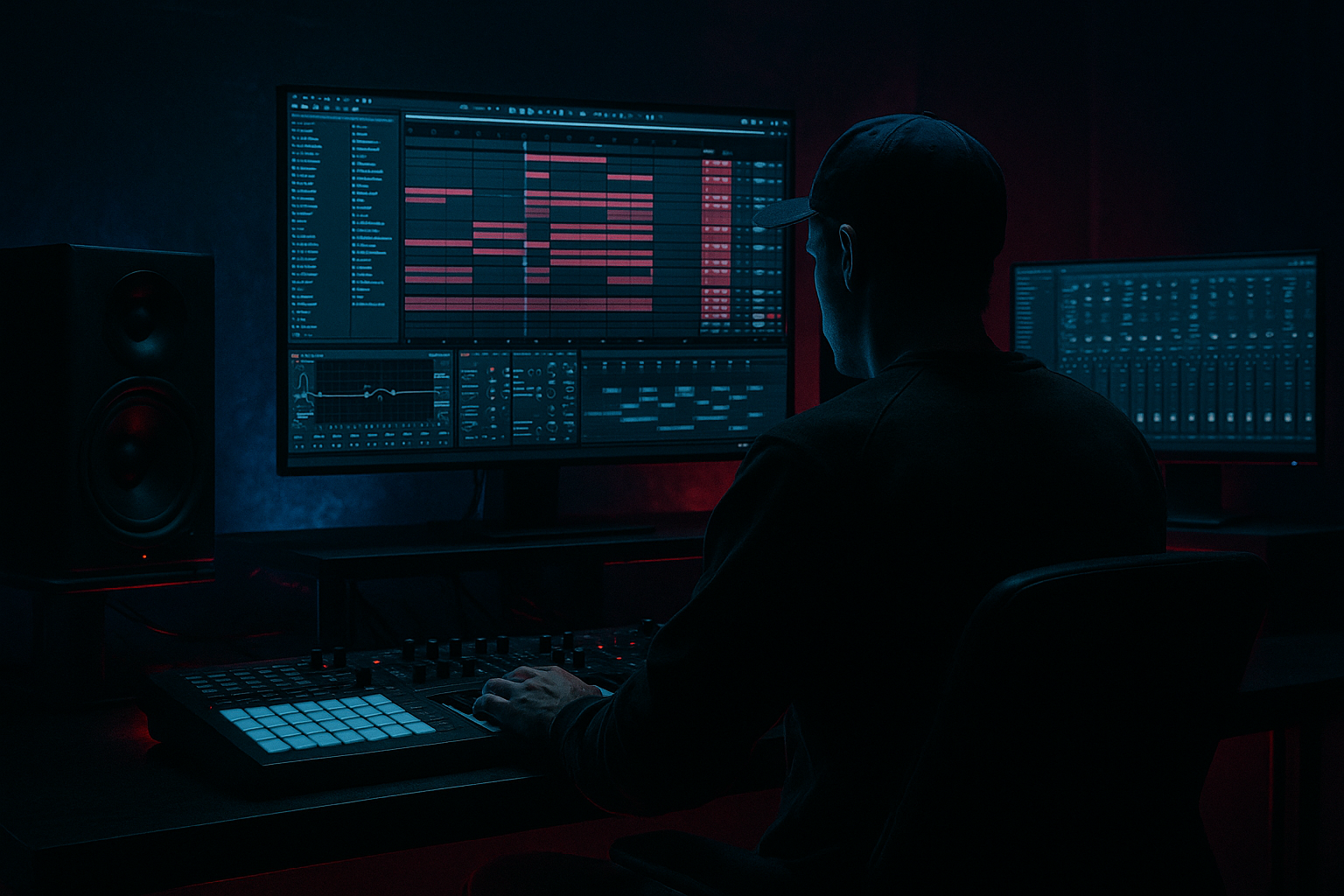
Main tutorial
Lesson Overview
This lesson is about building an Amen Science fill sequence in Ableton Live 12: a short, high-impact drum edit built from the classic Amen break, designed to land between phrases with crisp transients, dusty mids, and controlled low-end pressure. In DnB, this kind of fill is not just decoration — it’s a transition tool. It can sharpen a drop, energize the last bar of an 8- or 16-bar phrase, or create a fast switch-up before the next section hits.
For mastering-minded DnB producers, this matters because fills often reveal weak points in a track: messy transient balance, midrange clutter, over-wide drum layers, or low-end that suddenly balloons when the arrangement gets busy. A strong Amen fill should feel exciting, but it must still sit inside the track’s dynamic and spectral space. The goal here is to make the fill sound aggressive and alive without stealing focus from the kick, sub, or main bassline.
We’ll build a sequence that works in darker rollers, jungle-influenced tracks, neuro-adjacent drum programming, and heavyweight half-time switch-ups. The workflow stays mostly inside Ableton stock devices, with a mastering-style mindset: control peaks, preserve punch, keep transients readable, and shape the mids so they feel dusty rather than harsh.
What You Will Build
You’ll build a 1-bar to 2-bar Amen fill sequence that starts with a tight break chop, layers in transient-focused drum hits, and uses subtle saturation, filtering, and bus processing to create a dusty midrange texture. The result will be:
- Crisp top-end snap from the Amen’s hats, snares, and chopped ghost notes
- Dirty, musical midrange grit that feels like vinyl, tape, or worn break texture
- Controlled low end that supports the track without muddying the sub
- Automation-driven movement that creates tension into a drop or phrase change
- Mastering-friendly level behavior so the fill feels loud and punchy without clipping the mix bus
- Over-processing the Amen until it loses identity
- Too much low end in the fill
- Busy chops without phrase logic
- Harsh top end from aggressive EQ boosts
- Stereo widening on the whole break
- Master bus pumping from the fill
- Resample the fill through mild clipping to get that gritty, broken-machine edge. A little analog-style saturation goes a long way in darker rollers.
- Use ghost-note contrast: keep main hits sharp and let the tiny in-between slices carry the dust. That contrast makes the fill feel more alive.
- Layer one muted reese or bass drone under the last hit very quietly, then high-pass it so it reads as tension rather than bass overload.
- Automate a narrow band cut in the 300–500 Hz range during the fill if it’s getting congested with bass and snare resonance.
- Try parallel drum bus shaping: duplicate the fill, crush one copy with Drum Buss and Saturator, then blend it low under the clean version.
- Use short reverse tails or downsampled snippets before the final hit for a grimey switch-up effect. Keep them subtle so the fill stays drum-first.
- Keep the fill’s loudest snare peak slightly earlier or later than the exact grid if the groove needs more urgency. Tiny timing shifts can make a huge difference in jungle and rollers.
- Keep the transient hits clear and centered
- Let the mids carry the grit, not the mud
- Use density and automation to build phrase tension
- Treat the fill as part of the track’s level balance
- Make every hit serve the arrangement
Musically, this could sit at the end of an 8-bar drum loop before a drop returns, or as a 2-bar fill before a bassline answer phrase. Think: a jungle-inspired edit that goes from sparse kick/snare backbone into a flurry of chopped Amen ghosts, then resolves into the main roller groove.
Step-by-Step Walkthrough
1. Choose the right source Amen and cut it into usable hits
Start by dragging an Amen break into an Audio Track. If you already have a favorite break recording, use that; otherwise, pick a clean but characterful version with some room tone and air. In Live 12, warp it only if needed. For this kind of fill, avoid over-stretching the whole break — the goal is to preserve natural transient character.
Right-click the clip and use Slice to New MIDI Track if you want fast chop control. Set slicing by Transients so each snare, ghost note, and hat hit becomes playable on a Drum Rack. For an intermediate workflow, this is the fastest route to a fill sequence you can re-arrange quickly.
Practical tip: keep a second copy of the break audio untouched on another track as your reference layer. This helps you compare transient behavior while processing.
2. Build a 1-bar fill pattern with strong phrase logic
In your MIDI clip, program a simple fill structure first. Don’t start with too many chops. Use the last beat of bar 1 to signal the change, then increase density in bar 2.
A good starting framework:
- Beat 1: leave space or use a single kick/snare anchor
- Beat 2: add an Amen snare or ghost-snare pickup
- Beat 3: add a hat/flam or two chopped ghost notes
- Beat 4: increase density with 2–4 rapid slices leading into the drop
For DnB, this works because the listener reads the density ramp as a cue that something is about to happen. The fill doesn’t need to be constant chaos; it needs clear phrasing. If the main groove is a roller, let the fill become more active right before the new section lands. If the tune is darker/neuro-leaning, make the last 1/2 bar especially sharp and mechanical.
3. Shape the transients with Drum Buss and transient-friendly EQ
Put the break rack or audio track into a dedicated Fill Bus group so you can process the sequence as one musical unit. On the bus, start with Drum Buss.
Suggested starting points:
- Drive: 5–15%
- Crunch: 10–25% for dusty mid harmonics
- Boom: usually off or very low here, around 0–10%, unless the fill needs extra thump
- Transient: +5 to +20 for snappier hits
Follow with EQ Eight. Use it like a mastering engineer would:
- High-pass around 25–35 Hz if the break has rumble you don’t need
- Slight dip around 250–450 Hz if the fill feels boxy
- Gentle lift around 4–8 kHz if the transient edge needs clarity
- If the top gets brittle, use a small bell cut around 7–10 kHz instead of flattening the whole high end
Why this works in DnB: the Amen’s magic lives in its midrange movement and transient profile. In a dense mix, the fill must punch through without relying on sub weight. Drum Buss gives you instant density; EQ Eight lets you keep the important parts and remove the clutter.
4. Create dusty mids with saturation, filtering, and controlled degradation
Add Saturator after Drum Buss or before it, depending on what you want to emphasize. For dusty mids, try:
- Analog Clip on
- Drive: +2 to +6 dB
- Soft Clip: on if peaks get sharp
- Output: trim back to match gain
Then use Auto Filter to automate a subtle spectral shift across the fill:
- Start with a low-pass around 12–14 kHz for the opening slice
- Open gradually to 16–18 kHz by the end of the fill
- Use a small resonance amount, but avoid squealing peaks
If the break is too clean, resample the fill into a new audio track once the processing is working. That gives you a more committed, textured source to edit further. This is a classic DnB workflow: process → print → re-edit. It’s especially useful when you want the fill to sound like it has been lived in, rather than pristine and overly digital.
5. Add micro-layers for transient clarity and weight
To make the fill read on smaller speakers, layer a few targeted hits rather than stacking a full extra drum loop. Use stock samples from the Drum Rack or your library:
- A tight snare rim or short clap under the main Amen snare
- A tiny hat tick or closed hat to reinforce the high transient
- A low kick thud only on the first hit of the fill if the arrangement needs grounding
Keep the layers minimal. You’re not building a full drum section — you’re reinforcing the fill’s message.
Suggested layer routing:
- Main Amen slice track
- Snare transient layer
- Hat sparkle layer
- Optional short kick anchor
On each layer, use Simpler in One-Shot mode or drag samples directly to the grid. Shorten tails aggressively. If the layer is just for transient bite, use an EQ Eight high-pass around 150–250 Hz to keep it out of the low-mid clutter.
6. Use groove and swing to keep the fill human, not robotic
The Amen family of rhythms lives or dies by groove. In Ableton, open the Groove Pool and test a light swing groove, or extract groove from the source break if it already has the feel you want.
Good starting point:
- Timing: 55–62%
- Random: 0–5%
- Velocity: 5–15%
Apply groove selectively. Often the best move is to groove the ghost notes and leave the main transients tighter. That contrast makes the fill breathe. In a roller or jungle context, the slightly late or pushed micro-timing of internal slices creates the classic “dust in motion” feeling. For neuro-influenced drums, keep the core hits tighter and let only the tiny details swing.
7. Automate filter, send, and gain movement across the last bar
This is where the fill becomes performance-like. Use automation to create a feeling of lift into the next section:
- Automate Auto Filter cutoff opening on the final 1/2 bar
- Increase Drum Buss Drive slightly on the last 1–2 hits
- Automate a short Reverb Send on the final snare or ghost hit only
- Add a tiny utility gain rise of 1–2 dB before the drop, then pull it back on the first downbeat if needed
Keep the reverb short and dirty:
- Reverb Decay: around 0.3–0.8 s
- Pre-delay: 0–20 ms
- High-pass the reverb return so it doesn’t blur the sub region
In DnB, automation like this is crucial because fills are often heard at the exact point where the listener is expecting structural change. A small opening filter or a controlled reverb tail can make the fill feel much bigger than it actually is.
8. Treat the fill like a mastered mini-event, not a separate song
This is the mastering mindset. Your fill should be loud enough to excite, but it must not destabilize your overall headroom. Put Limiter on the Fill Bus only if needed, and use it conservatively:
- Catch only the highest spikes
- Aim for 1–3 dB of gain reduction at most
- If it needs more, reduce the source peaks instead of crushing the bus
Check the fill against the rest of the track:
- Does it jump too far forward in level?
- Does it crowd the bassline entrance?
- Does it make the master bus clip?
Use Utility to mono-check the fill. Because the Amen can contain stereo noise or widened layers, make sure the crucial snare and transient center stays solid. For darker DnB, mono compatibility matters more than sparkle. If the fill collapses badly in mono, reduce stereo widening or simplify the layers.
9. Place the fill in the arrangement with a clear job
A fill should serve a specific structural role. For example:
- End of 8 bars: a 1-bar fill before a bass variation
- End of 16 bars: a 2-bar fill before a full drop return
- Before a breakdown: a fill that strips the drums down and leaves a dusty mid texture trail
In a typical roller arrangement, you might use the Amen fill at bar 8 to transition from a steady drum/bass loop into a bass drop with a new answer phrase. In jungle, the fill could introduce a more chopped, frantic feel before the bassline comes back. In darker neuro-leaning DnB, the fill can act like a pressure release valve: rhythmic, sharp, and modular, but still controlled.
A strong arrangement choice is to have the fill answer the bassline. If the bassline is doing a descending phrase, let the fill climb in density. If the bass is sparse, let the fill be busier. That call-and-response approach keeps the track sounding intentional.
10. Print, audition, and refine with reference listening
Once the fill feels good, resample or consolidate it into a single audio clip. Then audition it in context with the full drum and bass arrangement. Listen for:
- transient clarity at low monitoring volume
- whether the dusty mids fill too much space near vocals or synth stabs
- whether the fill’s final hit masks the drop kick or bass re-entry
Reference against a well-mixed DnB track in a similar lane. You’re not copying the fill itself — you’re checking impact scale, brightness, and density. If your fill sounds more exciting solo than in context, it probably needs less processing and more arrangement precision.
Common Mistakes
Fix: keep the original transient shape audible. If the break sounds like white noise, back off the saturation or transient shaping.
Fix: high-pass nonessential layers around 150–250 Hz, and keep the fill’s sub content minimal unless it’s a deliberate impact.
Fix: make the final half-bar denser than the first half. The ear needs a clear ramp.
Fix: prefer small cuts in the mud range and moderate lift in the presence range. If needed, tame high frequencies with a gentle shelf or narrower cut.
Fix: keep the transient core centered. Use width only on textures or sends, not on the main snare hit.
Fix: reduce peak gain on the fill bus or trim before the limiter. Don’t let one transition rewrite your mix balance.
Pro Tips for Darker / Heavier DnB
Mini Practice Exercise
Set a 15-minute timer and build one Amen fill sequence from scratch:
1. Pick one Amen break and slice it into a Drum Rack.
2. Program a 1-bar fill with at least four distinct events: one anchor hit, two ghost or support hits, and one final pickup.
3. Add Drum Buss and Saturator to the fill bus.
4. Use EQ Eight to clean up mud and improve transient presence.
5. Automate one filter move across the last half-bar.
6. Resample the result and compare the printed version to the live version.
7. Test it in context with a kick, sub, and bass loop at 170–174 BPM.
Goal: make the fill feel like it belongs in a proper DnB arrangement, not like a random break jam.
Recap
The core idea is simple: build an Amen fill that combines crisp transient control with dusty midrange character, then shape it like a mastering-ready transition event. In Ableton Live 12, use slicing, Drum Buss, Saturator, EQ Eight, Auto Filter, and careful automation to create a fill that sounds energetic, gritty, and structurally useful.
Remember the essentials:
If the fill sounds exciting in context, preserves headroom, and pushes the drop forward, you’ve nailed the Amen Science 🔥

