Main tutorial
Lesson Overview
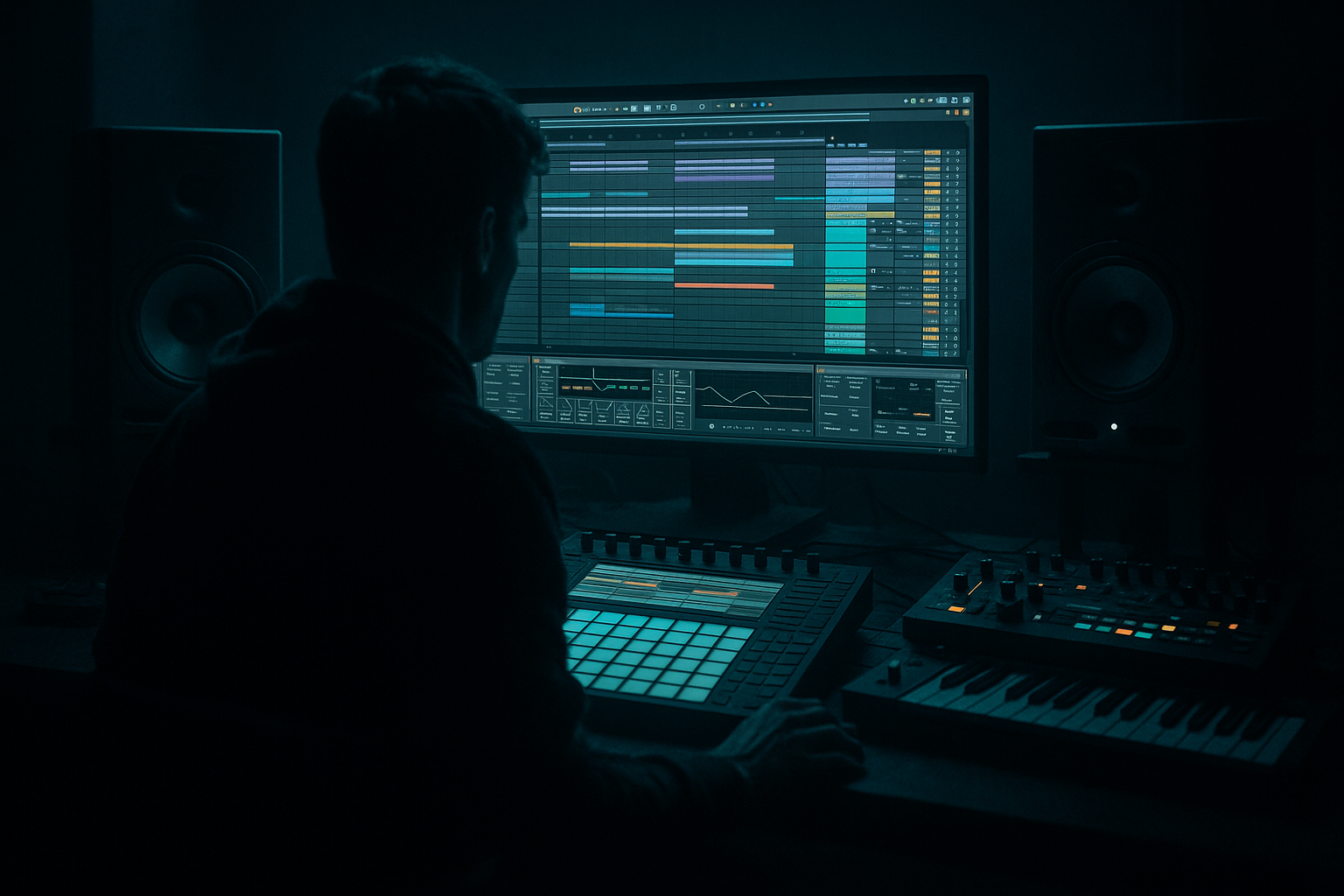
In this lesson, you’re building a dub siren framework around an Amen break and arranging it in Ableton Live 12 like a proper DnB / jungle sketch: raw, energetic, and ready to grow into a full tune.
The goal is not just to “add a siren on top.” The point is to learn how to flip a simple Amen + siren idea into a structured arrangement with tension, release, drops, and transitions that feel authentic to drum & bass. This matters because in DnB, especially jungle-leaning, rollers, and darker bass music, the arrangement often carries as much energy as the sound design. A strong 8-bar or 16-bar loop is useful, but a tune becomes memorable when you know when to mute, filter, re-enter, and answer the drums with the siren.
We’ll use Ableton stock tools to keep it practical and replayable:
- Drum Rack or a simple audio track for the Amen break
- Warp and slice/editing for break shaping
- Operator or Wavetable for the dub siren tone
- Auto Filter, Echo, Reverb, Saturator, Utility, and EQ Eight
- Arrangement automation to build a proper intro, drop, switch-up, and outro
- A chopped Amen break carrying the main rhythmic energy
- A dub siren lead that appears in phrases, not constantly
- A sub-bass foundation that supports the low end without muddying the break
- Simple intro, drop, breakdown, and outro sections
- Automation on filter cutoff, reverb send, delay feedback, and volume
- A clear call-and-response structure between break and siren
- A mix that keeps the kick/snare punch, bass weight, and siren presence balanced
- Leaving the siren on all the time
- Letting the low end get muddy
- Over-processing the break
- Ignoring arrangement contrast
- Using too much reverb on the siren
- Putting bass and siren in the same range constantly
- Use shorter siren phrases
- Add subtle saturation to the siren
- Keep the bass simple but moving
- Use break edits as tension tools
- Make the drop breathe
- Use mono discipline
- Darken the intro
- Try micro call-and-response
- Does the siren feel like a response, not a constant layer?
- Does the Amen still punch?
- Does the drop feel bigger than the intro?
- Keep the tempo around 172–174 BPM
- Shape the Amen with light editing and clear phrasing
- Build the siren in Operator or Wavetable with controlled saturation, filter, delay, and reverb
- Use call-and-response instead of nonstop layering
- Automate filters, sends, and volume to create intro, drop, switch-up, and outro contrast
- Keep the sub mono and the arrangement spacious enough for the groove to hit
Why this matters in DnB
A dub siren works because it creates a call-and-response with the break and bass. The Amen provides movement and swing; the siren cuts through with a sharp, human-made, dubwise character. In DnB, that contrast gives your track identity. It also helps you practice arrangement thinking early: instead of looping forever, you’re learning how to make the listener feel lift, pressure, and release.
---
What You Will Build
By the end of this lesson, you’ll have a 16- to 32-bar arrangement sketch with:
Musically, think of it like a rinsing jungle/dubwise DnB idea: the break is urgent and chopped, the siren enters like a warning signal, then the drop opens into a bass-led section with quick switch-ups and a DJ-friendly phrasing.
---
Step-by-Step Walkthrough
1. Set up a simple DnB arrangement template
Open a fresh Ableton Live 12 project and set the tempo to somewhere between 172 and 174 BPM. That range keeps the track in classic DnB territory without feeling too fast or too sluggish.
Create three main tracks:
- Drums: for the Amen break
- Siren: for the dub siren sound
- Bass: for a simple sub or reese layer
Also create two return tracks if you want a cleaner workflow:
- A - Delay
- B - Reverb
Put Utility on the Master and keep it simple for now. Your goal is to organize the idea fast so you can focus on arrangement.
Why this works in DnB: when the tempo and track layout are set early, you make decisions faster. DnB arrangements rely on quick iteration, so a tidy template helps you move from loop to structure without losing momentum.
2. Load and shape the Amen break
Drag an Amen break into an audio track, or place it into a Drum Rack if you want to slice it further. For beginners, the easiest route is to use a single audio clip first.
Turn on Warp and make sure the break is locked to the grid. If the timing feels loose, use:
- Complex Pro if the break needs smoother time-stretching
- Beats if you want more of the original transient feel
Start by trimming the loop to 1 bar or 2 bars. Then make a few edits:
- Duplicate the snare hit at the end of bar 2 for momentum
- Cut one kick or ghost hit to create breathing space
- Leave one tiny gap before a snare to make the break “talk”
Add EQ Eight on the break:
- High-pass around 25–35 Hz to clean sub rumble
- If the break is harsh, reduce a narrow area around 3–6 kHz by 1–3 dB
- If it feels dull, add a gentle shelf around 8–10 kHz
Don’t over-edit yet. You want the break to feel alive, not sterilized.
3. Build a dub siren from a stock Ableton instrument
On the Siren track, load Operator or Wavetable. For beginners, Operator is great because it’s straightforward.
Try this simple starting point in Operator:
- Use a sine or saw-based tone
- Set the oscillator to a mid register, around C3–C5 depending on how piercing you want it
- Add a very short attack and a medium release
- Use pitch bend automation or a macro-style manual movement for the siren sweep
If you use Wavetable:
- Start with a bright wavetable or a simple saw
- Add a moderate amount of filter resonance
- Use an LFO to modulate pitch or filter lightly for movement
Add these devices after the synth:
- Auto Filter: band-pass or low-pass movement
- Saturator: drive around 2–6 dB for edge
- Echo: low feedback, synced to tempo
- Reverb: small to medium size, not too washed
Suggested starting settings:
- Auto Filter cutoff: automate between 300 Hz and 3 kHz
- Echo feedback: 15–30%
- Reverb decay: around 1.2–2.5 seconds
- Saturator drive: 2–5 dB
The siren should sound like a warning signal or dub callout, not a lead melody that dominates every bar.
4. Write a call-and-response phrase
Now place the siren in a way that responds to the break. In DnB, especially jungle and dubwise rollers, the phrase often feels strongest when the siren answers the drums instead of playing through them constantly.
Try this simple pattern:
- Bars 1–2: Amen break alone, with a tiny atmospheric intro
- Bar 3: siren enters briefly on the off-beat
- Bar 4: siren rises into the last beat, then cuts out
- Bars 5–6: break variation with no siren
- Bar 7: siren returns with a longer note or pitch sweep
- Bar 8: small fill or reverse effect
Keep the siren phrases short at first. Use 1/2-bar or 1-bar gestures rather than long sustained notes. This creates space and makes the arrangement feel intentional.
If the siren is clashing with the snare, shift it slightly so it lands in the spaces between the strongest snare accents. DnB thrives on tension between elements, not everything hitting at once.
5. Add a simple sub-bass foundation
Create a Bass track and load Operator with a sine wave, or use any very simple stock synth with a clean low tone. Keep this basic.
Suggested bass starting point:
- Waveform: sine
- Octave: low, around C1–C2
- Amp envelope: fast attack, short release for tight hits
- Optional glide/portamento: very subtle, if you want movement between notes
Write a bass pattern that supports the Amen rather than competing with it. For a beginner arrangement:
- Hold notes on the downbeats
- Add one or two syncopated notes after the snare
- Leave silence where the break is busy
Add Utility on the bass and click Mono behavior by keeping the source simple and centered. Also keep the bass in mono using Utility’s width control if needed. This is important because low-end stereo width can blur the kick and sub relationship.
Add EQ Eight:
- Low-pass if the bass has unnecessary top end
- Cut a small area around 200–400 Hz if the bass feels boxy
- Keep the sub strong, but not over-loud
If the bass and kick are fighting, reduce the bass by 1–3 dB or use volume automation to duck it slightly around the snare/kick accents. That small move can make the drop feel much cleaner.
6. Create the first arrangement: intro, drop, switch, outro
Now move from loop mode into arrangement thinking. In Ableton’s Arrangement View, sketch a simple structure:
- Bars 1–8: Intro
- Filtered Amen
- Light atmosphere or siren tail
- Bass either absent or very minimal
- Bars 9–16: Drop 1
- Full Amen groove
- Bass enters clearly
- Siren phrases land at the end of 4-bar groups
- Bars 17–24: Switch-up
- Remove one or two break layers
- Add a fill, reverse hit, or gap
- Bring the siren back differently
- Bars 25–32: Outro
- Thin the arrangement
- Filter down the bass
- Let the break and atmosphere carry out
This is a very useful beginner DnB layout because it teaches you section contrast without making the tune too complex.
Add arrangement markers if you like:
- Intro
- Build
- Drop
- Switch
- Outro
That makes the tune easier to revisit later.
7. Automate tension like a proper dubwise DnB track
Automation is where this lesson becomes “arrangement” rather than just sound design. Automate the following:
- Auto Filter cutoff on the siren during the intro and build
- Reverb send on the siren at phrase endings
- Echo feedback for the last hit before a section change
- Track volume for quick pullbacks before the drop
- Filter cutoff on the Amen if you want a filtered break intro
Good beginner automation ranges:
- Siren filter cutoff: from around 400 Hz up to 4–6 kHz
- Delay feedback: rise from 15% to 40% for a bar, then pull back
- Reverb send: short bursts rather than constant wash
A classic move is to automate the siren’s reverb up on the final note of a phrase, then cut it suddenly when the drop lands. That contrast gives you a strong sense of impact.
If you want a more underground feel, automate the Amen break through a low-pass filter for the intro, then open it on the drop. This makes the first full beat feel bigger without needing extra sounds.
8. Add transition details and tiny edit moves
Small edits make beginner arrangements feel finished. Add a few of these:
- A single snare fill before bar 9 or 17
- A reverse cymbal or reversed siren tail into the drop
- A one-beat break where the drums drop out before a bass re-entry
- A mute on the siren for half a bar so the next entry hits harder
In Ableton, you can do this quickly by duplicating clips and muting regions, or by using automation to reduce volume to zero for a beat.
If you’re using a return track for delay, send the last siren hit into Echo and let it trail into the next section. That helps the arrangement “connect” without sounding busy.
Think like a DJ and a selector: the tune needs places where something is happening, and places where something is missing.
---
Common Mistakes
- Fix: use it as a phrase tool, not a constant layer. Let it answer the drums.
- Fix: keep the sub mono, trim sub rumble from the Amen, and avoid wide effects on the bass.
- Fix: preserve the Amen’s punch and swing. Use light EQ and editing, not heavy damage.
- Fix: remove elements for the intro or switch-up. DnB needs space so the drop feels heavy.
- Fix: keep reverb controlled. Short bursts work better than a cloudy wash.
- Fix: let the bass own the low end, and let the siren live in the upper mids. Use filter movement to separate them.
---
Pro Tips for Darker / Heavier DnB
- A short, aggressive call can feel darker than a long melodic line.
- Try Saturator or mild Drum Buss drive to make it cut through denser drums.
- Even a sine sub becomes heavier when you automate note length, mute patterns, and tiny volume dips.
- Remove a kick before a big snare or bass hit. That small gap makes the next hit feel bigger.
- A heavy DnB drop is not “everything at once.” It’s controlled pressure, then release, then pressure again.
- Keep sub and kick centered. If the siren has width, let it live above the low end.
- Filter the break, reduce the siren brightness, and let only hints of the tune appear before the drop.
- One short siren stab, then two bars of break movement. That pattern works extremely well in rollers and jungle-influenced cuts.
---
Mini Practice Exercise
Spend 15 minutes building a 16-bar sketch:
1. Load an Amen break and make a 2-bar loop.
2. Create a simple Operator siren tone.
3. Write a bass line with only 2–4 notes.
4. Arrange:
- Bars 1–4: filtered intro
- Bars 5–8: first drop
- Bars 9–12: break variation
- Bars 13–16: outro or second push
5. Automate siren filter cutoff and reverb send.
6. Remove the siren from at least two bars so the phrase can breathe.
7. Do one quick mono check on the bass and lower the low end if needed.
When you’re done, listen back once and ask:
If yes, you’ve got the right structure.
---
Recap
The key idea is simple: use the Amen break and dub siren as a conversation, then arrange that conversation in sections.
Remember these essentials:
If you master this framework, you’ll have a strong foundation for jungle, rollers, and darker DnB arrangements that feel intentional, heavy, and replay-worthy 🔥

