DNB COLLEGE

Drum & Bass Ableton Live 12 Tutorials

LESSON DETAIL

Amen ride groove carve approach for oldskool rave pressure in Ableton Live 12 (Advanced)

An AI-generated advanced Ableton lesson focused on Amen ride groove carve approach for oldskool rave pressure in Ableton Live 12 in the Mixing area of drum and bass production.

Back to lessons
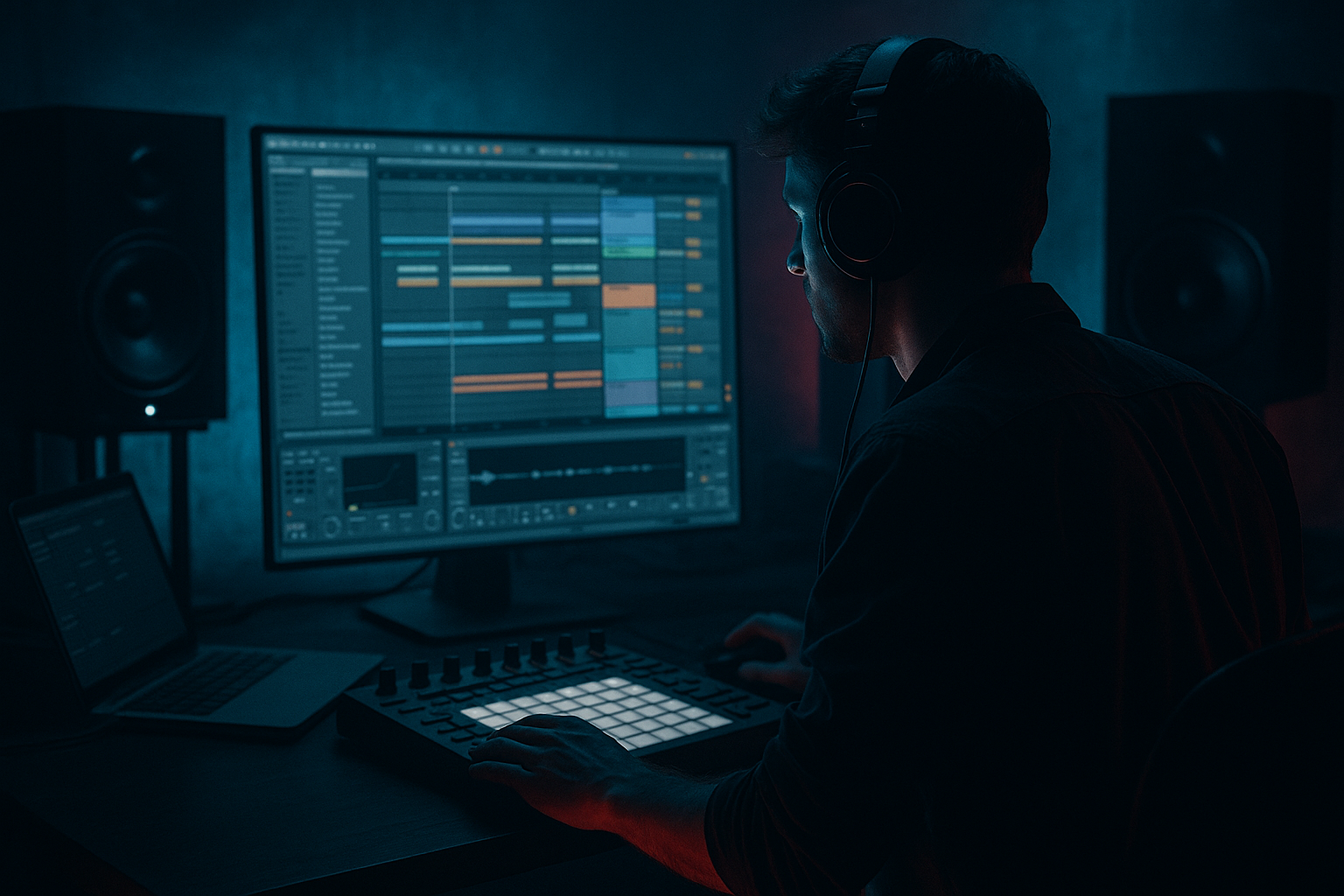
Amen ride groove carve approach for oldskool rave pressure in Ableton Live 12 (Advanced) cover image

Narrated lesson audio

The voice track includes the tutorial plus extra teacher commentary.

Open audio file

Main tutorial

Amen Ride Groove Carve: Oldskool Rave Pressure (Ableton Live 12) 🥁⚡

Category: Mixing (with groove/arrangement decisions that behave like mixing)

Skill level: Advanced (you already chop, resample, and mix breaks—this is about surgical groove control and ride dominance.)

---

1. Lesson overview

Oldskool jungle pressure often comes from the Amen’s “ride-ish” high-mid energy (the noisy, metallic, constant forward motion) being carved, steered, and automated so it drives the groove without turning into harsh fizz.

In Ableton Live 12, we’ll build a mix-centric workflow where you:

  • Extract and shape the Amen’s ride presence
  • Lock it into your modern DnB drum stack
  • Control harshness dynamically
  • Create rave-era tension/release using automation and arrangement moves
  • ---

    2. What you will build

    A two-layer Amen system:

    1) Amen Body (low/mid punch)

  • Provides snare crack + ghost momentum
  • Kept controlled and clean-ish so it doesn’t smear your sub/bass
  • 2) Amen Ride Layer (high-mid “pressure”)

  • A dedicated high band designed to feel like constant, urgent ride/noise
  • Shaped with dynamic EQ, saturation, transient shaping, and sidechain
  • Automated to create oldskool rave lift in drops and switches
  • You’ll end with a drum buss that feels like 94–97 urgency, but still translates like modern rolling DnB.

    ---

    3. Step-by-step walkthrough

    Step 0 — Session setup (fast but important)

  • Tempo: 160–174 BPM (try 172 for modern jungle roll)
  • Project bit depth/sample rate: whatever you run—just be consistent.
  • Drum group: Put all drums in a Group: `DRUMS`
  • Inside, create tracks:
  • - `AMEN_FULL`

    - `AMEN_RIDE`

    - `KICK` (your modern kick)

    - `SNARE` (your modern snare)

    - `HATS/FX` (optional)

    > Goal: Amen gives vibe; your kick/snare provide modern impact.

    ---

    Step 1 — Get the Amen groove “right” before mixing 🎯

    On `AMEN_FULL`:

    1. Drop your Amen loop (or chopped phrase) into Arrangement.

    2. Warp mode: Complex Pro is okay for quick; Beats can be punchier.

    - For classic break handling, try Beats → Preserve: Transients, then adjust.

    3. Groove Pool:

    - Extract groove from the Amen (right-click clip → Extract Groove).

    - Apply that groove to your kick/snare MIDI (or audio) at 30–60%.

    - Set Random: 0–5 (tiny humanization only).

    Advanced note: You’re “mixing the feel.” If the groove relationship is wrong, no EQ will save it.

    ---

    Step 2 — Split the Amen into Body vs Ride (the carve approach) 🪚

    Duplicate `AMEN_FULL` → rename duplicate to `AMEN_RIDE`.

    #### On `AMEN_FULL` (Body layer)

    Insert this chain (in order):

    1) EQ Eight

    - HP filter: 24 dB/oct @ 120–180 Hz (depends how much low junk is in the break)

    - Gentle dip: -2 to -4 dB around 300–500 Hz if boxy

    - Optional: tiny shelf down -1 to -2 dB @ 8–12 kHz to leave room for the Ride layer

    2) Drum Buss

    - Drive: 3–8

    - Crunch: 0–10 (keep subtle; we’re not frying the whole loop yet)

    - Damp: adjust until harshness tucks back (5–12 kHz region typically)

    - Boom: usually OFF here (let your sub and kick own the lows)

    3) Glue Compressor

    - Attack: 10 ms

    - Release: Auto or 0.3 s

    - Ratio: 2:1

    - Aim for 1–3 dB GR on peaks

    This keeps the Amen punchy, but not dominating the top end.

    #### On `AMEN_RIDE` (Ride pressure layer)

    This is the star. Build it like a band-limited weapon:

    1) EQ Eight (band-limit hard)

    - HP: 24 dB/oct @ 1.2–2.5 kHz (move until it feels like “ride/noise only”)

    - LP: 12–24 dB/oct @ 10–14 kHz (don’t let it become pure air hiss)

    - Add a bell boost: +2 to +6 dB @ 4–7 kHz, Q ~ 0.7–1.4

    (find the metallic “rave blade”)

    2) Saturator

    - Mode: Analog Clip (or Soft Sine for smoother)

    - Drive: 3–10 dB

    - Output: trim to unity

    - Turn on Soft Clip if it gets spitty

    3) Drum Buss (for transient “stick”)

    - Drive: 2–6

    - Crunch: 10–25 (this is where the “cheap sampler” vibe can live)

    - Damp: pull down until it’s aggressive but not sandpaper

    - Transients: +5 to +20 (depends on how sharp you want the tick)

    4) Multiband Dynamics (tame harsh spikes dynamically)

    - Use it like a de-harsher:

    - High band (e.g., 4 kHz–20 kHz): set to compress on peaks

    - Threshold: so it grabs 2–5 dB on loud ride hits

    - Ratio: 2:1–4:1

    - Attack: 1–5 ms

    - Release: 40–120 ms

    5) Auto Filter (movement + arrangement control)

    - Filter type: Band-Pass or High-Pass

    - Add subtle envelope or automation later for builds

    > This layer should feel like: forward motion + urgency + oldskool spray, not like a modern closed hat.

    ---

    Step 3 — Phase/Timing alignment (don’t skip) 🧠

    Because you duplicated audio, things might align—but warping, fades, or edits can cause tiny offsets.

  • Zoom in on transients (snare hit is easiest).
  • If needed, use Track Delay (bottom of mixer) on `AMEN_RIDE`:
  • - Try -5 ms to +5 ms micro nudges.

  • Pick the setting where the ride energy adds instead of “tearing” the transient.
  • ---

    Step 4 — Sidechain the Amen ride to your snare (classic rave pump) 🔥

    On `AMEN_RIDE`, add Compressor:

  • Sidechain: SNARE (or a dedicated snare trigger)
  • Ratio: 4:1
  • Attack: 0.1–1 ms
  • Release: 60–140 ms (time it to the groove)
  • Threshold: aim for 2–6 dB GR only when snare hits
  • This makes the snare feel louder without raising snare level—very “rave system” behavior.

    Optional: also sidechain lightly to the KICK (1–3 dB GR).

    ---

    Step 5 — Create “pressure lanes” with automation (the real oldskool trick) 🎛️

    Oldskool intensity is often arrangement automation, not just static EQ.

    Automate these on `AMEN_RIDE`:

    1. EQ Eight bell gain @ 4–7 kHz

    - Verses/rollers: +1 to +3 dB

    - Drops/peaks: +4 to +6 dB

    2. Auto Filter cutoff

    - Build-ups: gradually open from ~2 kHz → 7 kHz

    - Drop: snap open, then subtly ride it

    3. Saturator drive

    - Add 1–3 dB more in the last 8 bars before a switch

    Arrangement idea (very jungle):

  • 16 bars intro: filtered ride layer, low level
  • 32 bar main: ride layer fully on
  • 8 bar pre-switch: automate extra bite + more sidechain
  • Switch/drop: momentary ride mute for 1 bar → slam back in (huge perceived impact)
  • That 1-bar removal is shockingly effective.

    ---

    Step 6 — Drum buss glue without killing the ride 🧩

    On the `DRUMS` group, do gentle buss processing:

    1) EQ Eight

    - Tiny low shelf cut if needed: -1 to -2 dB @ 60–100 Hz (only if kick/sub is messy)

    - Tiny harsh dip: -1 to -3 dB @ 5–8 kHz if the ride is too hot overall

    2) Glue Compressor

    - Attack 30 ms (let transients through)

    - Release Auto

    - Ratio 2:1

    - GR 1–2 dB max

    3) Limiter (optional, safety)

    - Ceiling: -0.3 dB

    - Only catching occasional peaks (1–2 dB)

    If you clamp the drum buss too hard, you’ll flatten the “spray” and it stops feeling like a break.

    ---

    Step 7 — Make it sit with bass (masking control) 🧱

    Ride pressure fights bass harmonics around 2–6 kHz (especially reese/top bass).

    Two practical solutions:

    Option A: Sidechain ride to bass (very subtle)

  • On `AMEN_RIDE` compressor sidechain from BASS BUS
  • Ratio 2:1, fast attack, release 80–150 ms
  • Only 1–3 dB GR
  • This keeps bass “speaking” without turning ride down.

    Option B: Mid/Side carve on the ride

  • On `AMEN_RIDE`, use EQ Eight in M/S mode:
  • - Cut Mid slightly at 4–6 kHz (so vocals/lead/bass presence lives)

    - Leave Sides brighter for width and rave wash

    ---

    4. Common mistakes 🚫

  • Making the ride layer full-range: If it still has lows/low mids, it’ll cloud the whole drum+bass relationship. Band-limit aggressively.
  • Static harshness: If it’s bright, don’t only EQ—use dynamic control (Multiband Dynamics / compressor) so peaks don’t rip heads off.
  • Over-gluing the drum buss: Too much Glue Compressor = dead break vibe.
  • No snare priority: If the ride layer isn’t ducking around the snare, you lose that classic “snare owns the room” feeling.
  • Ignoring automation: Oldskool pressure is movement. If it’s the same for 64 bars, it’ll feel like a loop, not a rave record.
  • ---

    5. Pro tips for darker/heavier DnB 🕷️

  • Push distortion lower, tame brightness after:
  • Saturate the ride layer for density, then filter/EQ to keep it dark but urgent. Dark doesn’t mean dull—think “black metal sheen,” not “blanket.”

  • Add “airless aggression” with a tighter LPF:
  • Try LPF at 9–11 kHz with a steeper slope; boost around 4.5–6.5 kHz for bite.

  • Resample the ride layer and re-chop:
  • Freeze/Flatten `AMEN_RIDE`, then slice tiny sections (1/16–1/32) and re-order for controlled chaos. This gives that techstep/jungle edge.

  • Use Redux lightly for era vibe (but in parallel):
  • Put Redux on a Return track:

    - Downsample: small amount (e.g., 2–8)

    - Bit reduction: subtle

    Blend return 5–15% into drums for crunchy lineage.

  • Gate the ride for “machine pressure”:
  • Use Gate keyed by a fast 1/16 hat trigger (ghost MIDI) so ride becomes rhythmic texture rather than constant hiss.

    ---

    6. Mini practice exercise 🎓

    Goal: Make a 32-bar loop that “levels up” every 8 bars without adding new drum samples.

    1) Build the two-layer Amen setup above.

    2) Create automation across 32 bars on `AMEN_RIDE`:

    - Bars 1–8: Filtered (Auto Filter cutoff low), ride -6 dB

    - Bars 9–16: Open cutoff, ride -3 dB

    - Bars 17–24: Add +2 dB at 5–6 kHz + slightly more saturation

    - Bars 25–32: Strongest sidechain to snare + 1-bar mute at bar 31 beat 4 → slam back at 32

    3) Print (resample) the `DRUMS` group to audio and check:

    - Is the snare still the loudest “event”?

    - Does the ride feel like it’s pushing forward rather than hissing?

    ---

    7. Recap ✅

  • Split the Amen into Body and Ride pressure layers.
  • Band-limit the ride layer hard, then saturate + transient shape it.
  • Control harshness with dynamic processing, not only static EQ.
  • Use sidechain to snare to keep rave-era impact and clarity.
  • Automate EQ/filter/drive so the groove evolves like a proper jungle arrangement.

If you want, tell me what tempo and what style you’re aiming for (94 jungle, techstep, modern rollers, or crossbreed), and I’ll suggest exact cutoff points and automation shapes that fit that substyle.


Ask GPT about this lesson

Chat with the lesson tutor, get follow-up help, or use quick actions.

Bigup 👽 Ask me anything about this lesson and I’ll answer in context.

Narration script

Show spoken script
Welcome back. This is an advanced Ableton Live 12 mixing lesson, and we’re going straight into that oldskool jungle thing where the Amen break feels like it’s pulling the whole record forward.

The focus today is what I call the Amen ride groove carve approach. We’re going to take the “ride-ish” high-mid energy inside the Amen — that constant metallic urgency — and we’ll carve it out, steer it, and automate it so it delivers rave pressure without turning into harsh fizzy pain.

And here’s the key mindset: this is mixing, but it’s also arrangement and groove design that behaves like mixing. If the feel is wrong, no EQ curve is going to rescue it.

By the end, you’ll have a two-layer Amen system.

Layer one is the Amen Body. That’s your low-mid punch, snare crack, ghosts, momentum. Clean and controlled so it doesn’t smear the relationship between your kick, your sub, and your bass.

Layer two is the Amen Ride layer. That’s the dedicated pressure band. A band-limited weapon. It’s designed to feel like relentless forward motion, and we’re going to process it like cymbals plus attitude: dynamic EQ behavior, saturation, transient shaping, sidechain, and then automation so the intensity evolves like a real 94 to 97 style record.

Let’s set it up.

Set tempo somewhere between 160 and 174. If you want a modern jungle roll that still feels classic, park it at 172 for now.

Make a drum group called DRUMS, and inside it create tracks: AMEN_FULL, AMEN_RIDE, KICK, SNARE, and optionally HATS or FX. The philosophy is simple: the Amen gives vibe. Your kick and snare provide modern impact and consistency.

Now Step one: get the Amen groove right before you start “mixing.”

Drop your Amen loop, or chopped phrase, into Arrangement. For warp mode, Complex Pro is fine for a quick start, but if you want more punch, try Beats mode and set Preserve to Transients. Then adjust until the hits feel right, not just “in time.”

Now go to Groove Pool. Right-click the Amen clip and extract groove. Then apply that groove to your kick and snare pattern, whether that’s MIDI or audio, at about 30 to 60 percent. Keep random low, like zero to five. That tiny movement is what makes the whole stack feel like one drummer, not like layers fighting each other.

Quick coach note here: this is the part people skip. But this is you mixing the feel. If your kick and snare don’t breathe with the Amen, you’ll chase clarity forever and still not get that pressure.

Now Step two: split the Amen into Body versus Ride. This is the carve.

Duplicate AMEN_FULL and rename the duplicate AMEN_RIDE.

On AMEN_FULL, the Body layer, we want controlled punch.

Put an EQ Eight first. High-pass it fairly hard, 24 dB per octave, somewhere around 120 to 180 hertz depending on the loop. We’re not trying to keep low junk in the break, because your kick and sub own that world.

If it’s boxy, do a gentle dip around 300 to 500, maybe two to four dB. And optionally, do a tiny high shelf down, like one to two dB around 8 to 12k, just to make room for the Ride layer that’s about to do the high-mid work.

Next add Drum Buss. Drive around three to eight. Crunch very subtle, zero to ten. And use Damp to tuck harshness back. Boom is usually off here. Again, we’re not turning the full Amen into a distorted monster. We’re keeping it supportive.

Then add Glue Compressor. Attack around 10 milliseconds, release on auto or about 0.3 seconds, ratio two to one. Aim for one to three dB of gain reduction on peaks. You want it held together, not flattened.

Now the fun part: AMEN_RIDE.

Think of this as extracting the urgent blade from the Amen, then making it controllable. First device: EQ Eight, and we band-limit hard.

High-pass 24 dB per octave somewhere between 1.2 and 2.5 k. Don’t choose with your eyes. Sweep until it feels like you removed the body and left the metallic forward motion.

Then low-pass, 12 to 24 dB per octave, around 10 to 14k. This is important: we don’t want pure air hiss. We want dense upper-mid pressure that reads on systems.

Now add a bell boost somewhere around 4 to 7k. Two to six dB, with a Q around 0.7 to 1.4. You’re hunting the “rave blade.” It’ll sound almost wrong soloed, but in context it’s what makes the groove feel like it’s accelerating.

Coach note: use the EQ analyzer to find where the repeated peaks are, but confirm in context. The bite often sits around 4.2 to 6.8k, while the annoying part might be a narrower spike around 5.5 to 7.5k. If it’s offensive, don’t immediately do a giant static cut. Instead, plan to clamp it dynamically in a minute. The magic is when it feels louder and more aggressive, but somehow less painful.

Next add Saturator. Analog Clip or Soft Sine depending on how sharp you want it. Drive three to ten dB, and trim the output so it’s unity. Turn on Soft Clip if it gets spitty.

And I want to stress this: level match before you judge pressure. Every time you add drive and it sounds “better,” make sure it’s not just louder. Toggle devices on and off while matching output. If you need a quick compensation tool, put a Utility at the end and pull it down three to eight dB while you dial tone.

After Saturator, add Drum Buss. Drive two to six. Crunch higher now, maybe ten to twenty-five. This is where that cheap sampler lineage can live. Use Damp to keep it aggressive but not sandpaper. And push Transients plus five to plus twenty depending on how much “tick” you want.

Now we tame the spikes. Add Multiband Dynamics and treat it like a de-harsher. Focus on the high band, roughly 4k up to 20k, and set it to compress on peaks. Threshold so it grabs about two to five dB on loud ride hits. Ratio two to one up to four to one. Fast attack, like one to five milliseconds, release around 40 to 120 milliseconds. This is the difference between “pressure” and “piercing.”

Then add Auto Filter for movement. Band-pass or high-pass are your go-to choices. Don’t overdo it yet. We’ll automate it later for tension and release.

Now Step three: phase and timing alignment. Do not skip this.

Because you duplicated audio, it might already line up. But warping and fades can create microscopic offsets. Zoom in on the snare transient. If something feels like it’s tearing the transient or adding a weird smear, use Track Delay on AMEN_RIDE. Try micro nudges, minus five to plus five milliseconds.

And here’s a high-level choice: don’t aim for “perfect.” Choose a direction.

If you pull AMEN_RIDE slightly early, like minus one to minus three milliseconds, it feels urgent, like it’s dragging the record forward.

If you push it slightly late, plus one to plus four milliseconds, it feels heavier and more rolling, less nervy.

You can even automate Track Delay per section in Live 12, so your drop feels more urgent than your verse, for example.

Step four: sidechain the Amen ride to the snare. This is one of the classic rave system moves.

On AMEN_RIDE, add a Compressor. Turn on sidechain and select your SNARE track, or a dedicated snare trigger if you have one. Ratio four to one. Attack very fast, 0.1 to 1 millisecond. Release around 60 to 140 milliseconds, and time it so it breathes with the groove rather than wobbling randomly. Set threshold so you get about two to six dB of gain reduction only when the snare hits.

Now notice what just happened. The snare feels louder without you turning it up. That’s oldskool dominance: the snare owns the room, and the ride energy politely steps back for that instant.

Advanced variation: enable the compressor’s sidechain EQ and make the detector listen more to snare crack frequencies, often around 1.5 to 4k, so the ride ducks when the snare speaks, not when low thump happens. This keeps the ride consistent and avoids weird pumping from kick or sub.

Optional: a touch of sidechain from the kick too, but lighter, like one to three dB. Keep it tasteful.

Step five: pressure lanes. This is where it stops sounding like a loop and starts sounding like a record.

Automate three main things on AMEN_RIDE.

First, automate that EQ Eight bell gain around 4 to 7k. In your rolling sections, maybe plus one to plus three dB. In your peaks and drops, plus four to plus six.

Second, automate Auto Filter cutoff. For build-ups, slowly open it from about 2k up to 7k, then snap it open at the drop and ride it subtly so it breathes.

Third, automate Saturator drive. Add one to three dB more in the last eight bars before a switch. That’s the “it’s getting louder” illusion without adding new sounds.

Here’s an arrangement trick that is ridiculously effective: mute the ride layer for one bar, or even one beat, right before the impact, then slam it back in. The perceived hit is huge, because your ear adapts to the constant pressure. Remove it briefly, and the return feels like the system just got bigger.

Even subtler versions work: do a beat four choke where the ride disappears for the last quarter note before the snare, or do a half-bar low-pass where it goes suddenly darker for two beats, then snaps back.

Now Step six: drum buss glue without killing the spray.

On the DRUMS group, keep processing gentle.

Start with EQ Eight. If the low end is messy, do a tiny low shelf cut, one to two dB around 60 to 100 hertz, but only if you actually need it. If the overall top is biting, do a small dip one to three dB around 5 to 8k.

Then Glue Compressor. Attack 30 milliseconds so transients get through, release auto, ratio two to one, and keep gain reduction around one to two dB max. If you clamp harder than that, the break loses that alive, airborne quality and becomes flat.

Limiter is optional as a safety net, ceiling at minus 0.3, catching only occasional peaks.

Step seven: make it sit with bass. Because the ride pressure lives where bass harmonics also want to speak, especially with reeses and top bass.

Option A: sidechain the ride to the bass bus, very subtle. Ratio two to one, fast attack, release around 80 to 150 milliseconds, and only one to three dB of reduction. This keeps bass intelligible when the ride is hottest.

Option B: Mid/Side carve on the ride. Put EQ Eight in M/S mode on AMEN_RIDE. Cut the Mid slightly around 4 to 6k so your center elements like snare crack, vocal presence, or lead presence have a slot. Leave the Sides brighter so the wash feels wide. That way you keep the rave atmosphere without stealing center punch.

Also, treat AMEN_RIDE like cymbals: be deliberate with stereo width. If it’s too wide, it blurs the snare. Try a Utility on AMEN_RIDE, width around 60 to 90 percent during dense drops, then open it back up in transitions for lift.

And check translation at low monitoring volume. If the energy disappears when you turn down, you’re relying too much on extreme top air rather than upper-mid density. Add density with saturation and compression, and keep the very top controlled with that low-pass.

Now let’s do a quick practice structure, 32 bars, and we’re not allowed to add any new drum samples. Only automation.

Bars one to eight: filter the ride layer down, keep it about minus six dB.

Bars nine to sixteen: open the cutoff, ride up to about minus three dB.

Bars seventeen to twenty-four: add about plus two dB around 5 to 6k and add a touch more saturation.

Bars twenty-five to thirty-two: stronger snare ducking, and do a one-bar mute right before the final impact, then slam back in.

Then resample. Print the DRUMS group to audio. And ask two questions: does the snare still read as the loudest event? And does the ride feel like it’s pushing forward rather than just hissing on top?

If you want to go even deeper, add a parallel return called RIDE_CRUSH. On that return: Saturator with harder drive, Drum Buss with more crunch, then EQ Eight with a tight band-pass. Send only AMEN_RIDE to it, and blend it super low, like you only miss it when it’s gone. That becomes an intensity fader that doesn’t destroy your main tone.

And if you want truly designed pumping, don’t sidechain only from the snare. Make a ghost trigger track. A little click or tight hat pattern that hits exactly where you want the ride to step back: snare hits, occasional kicks, maybe fills. Sidechain the ride compressor to that trigger and suddenly the groove feels intentional, like it was programmed that way from the start.

Let’s wrap it up.

You split the Amen into Body and Ride pressure layers.

You band-limit the ride hard, then saturate and transient-shape it for density and tick.

You control harshness dynamically, so it stays aggressive without ripping ears off.

You sidechain it to the snare so the snare owns the room, classic rave behavior.

And you automate EQ, filter, drive, width, and even micro-timing so the pressure evolves across phrases like a real jungle arrangement, not a static loop.

If you tell me your BPM, and whether you’re using a clean modern snare or a crunchy one, I can suggest exact cutoff points for the ride band and a tight sidechain detector EQ range so it ducks in exactly the right place.

mickeybeam

Go to drumbasscd.com for +100 drum and bass YouTube channels all in one place - tune in!

Generating PDF preview…