DNB COLLEGE

Drum & Bass Ableton Live 12 Tutorials

LESSON DETAIL

Amen: ragga cut warp for smoky warehouse vibes in Ableton Live 12 (Beginner)

An AI-generated beginner Ableton lesson focused on Amen: ragga cut warp for smoky warehouse vibes in Ableton Live 12 in the Basslines area of drum and bass production.

Back to lessons
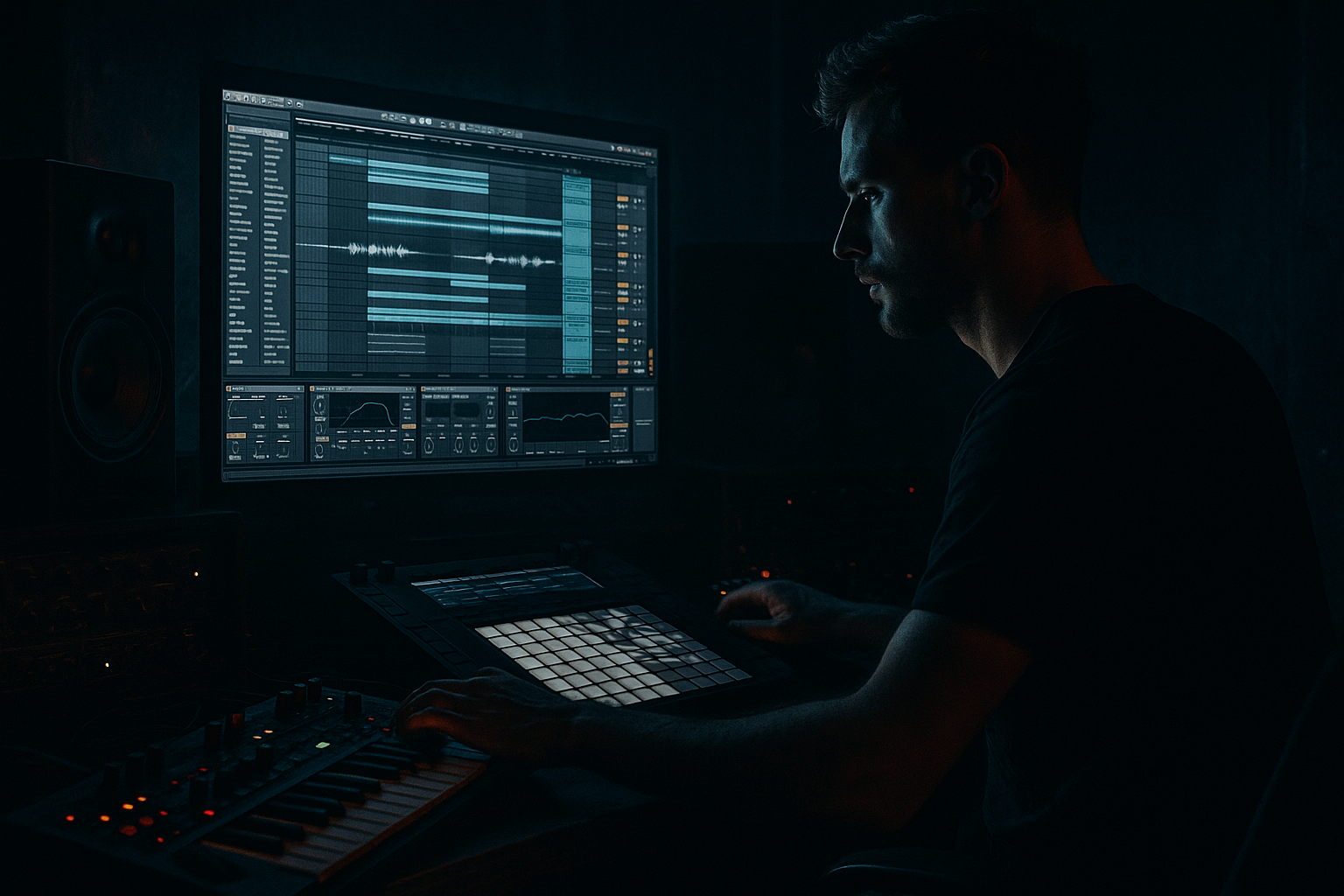
Amen: ragga cut warp for smoky warehouse vibes in Ableton Live 12 (Beginner) cover image

Narrated lesson audio

The voice track includes the tutorial plus extra teacher commentary.

Open audio file

Main tutorial

Amen: Ragga Cut Warp for Smoky Warehouse Vibes (Ableton Live 12)

Skill level: Beginner

Category: Basslines (with a tight link between Amen edits + bass groove)

Vibe goal: dusty, rolling, smoky warehouse jungle/DnB energy 😮‍💨

---

1) Lesson overview

In this lesson you’ll take an Amen break, warp it in a very specific “ragga cut” way (tight chops + deliberate timing push/pull), and then build a rolling DnB bassline that locks to the edits. You’ll learn:

  • How to warp the Amen so it stays nasty, not sterile
  • How to do ragga-style cuts (quick repeats, stops, reverses) that feel human
  • How to shape a sub + mid bass that fits that warehouse haze
  • How to arrange a clean 16–32 bar loop like real DnB/jungle
  • Ableton Live 12 stock devices only ✅

    ---

    2) What you will build

    By the end you’ll have:

  • A 170–174 BPM drum loop driven by a warped Amen with ragga-style cut moments
  • A two-layer rolling bass:
  • - Sub (clean, mono, consistent)

    - Mid bass (gritty, filtered, movement)

  • A mini arrangement:
  • - 8-bar intro (filtered drums + tease)

    - 16-bar drop (full Amen + bass)

    - 8-bar variation (extra cuts + bass switch)

    ---

    3) Step-by-step walkthrough

    Step 0 — Project setup (fast + correct)

    1. Set tempo to 172 BPM.

    2. Set meter 4/4.

    3. Create tracks:

    - Audio Track: `AMEN`

    - MIDI Track: `SUB`

    - MIDI Track: `MID BASS`

    - (Optional) Return A: `REVERB`

    - (Optional) Return B: `DUB DELAY`

    ---

    Step 1 — Get your Amen and prep it (so it warps well)

    1. Drop an Amen break audio file onto the `AMEN` track.

    2. Right-click the clip → Warp: ON.

    3. In Clip View, set:

    - Seg. BPM: (Ableton will guess—fine)

    - Warp Mode: start with Beats

    - Preserve: 1/16 (good for Amen transients)

    - Transient Loop Mode: Off (cleaner for chopping)

    Why Beats mode first? It keeps punch while letting you chop without smearing. If it gets too clicky later, we’ll soften.

    ---

    Step 2 — Warp the Amen like a junglist (tight but not robotic)

    You want the Amen to feel driven at 172, but not grid-perfect. Here’s a beginner-safe method:

    1. Find the first downbeat (kick at the start).

    2. Right-click → Set 1.1.1 Here.

    3. Right-click → Warp From Here (Straight).

    Now check timing:

  • Turn on the metronome and loop 1–2 bars.
  • If the snare drifts, add warp markers only where needed.
  • Warp marker approach (important):

  • Place markers at the main snare hits (typically beat 2 and 4 vibes, depending on the Amen slice).
  • Nudge the markers so snares land cleanly on the grid.
  • Do not add a warp marker on every tiny hit—keep it loose.
  • If it sounds too “clean”:

  • Switch Warp Mode to Complex with Formants OFF for a slightly smeared, smoky vibe.
  • Or keep Beats but move into the next step for texture.
  • ---

    Step 3 — Convert to slices (your ragga cut playground)

    1. Right-click the Amen clip → Slice to New MIDI Track.

    2. In the dialog:

    - Slicing preset: Built-in → Slicing

    - Slice by: Transient

    - ✅ Create one-slice-per-hit style mapping.

    This creates:

  • A new MIDI track with a Drum Rack full of slices.
  • Your original Amen audio stays intact (nice for layering).
  • Rename the sliced track: `AMEN SLICES`.

    ---

    Step 4 — Program “ragga cuts” (the signature)

    Set a loop of 2 bars and make a pattern that feels like a sound system selector moment 🎚️

    A beginner-friendly ragga cut recipe:

  • Use 1/8 and 1/16 repeats, quick stops, and one reverse hit.
  • #### 4A) Basic DnB skeleton (if your slices are chaotic)

    In `AMEN SLICES`, create a MIDI clip 2 bars long:

  • Put a strong kick-ish slice on 1.1
  • Put a snare slice on 1.2 and 1.4 (bar 1)
  • Repeat for bar 2
  • Don’t stress if your slices aren’t “kick/snare perfect”—pick the ones that feel like those roles.

    #### 4B) Ragga cut moves (do these 3 things)

    1. Stutter a vocal-ish/hat-ish slice

    - Pick a slice with a bright edge (hat or ghost snare).

    - Add 3–6 hits at 1/16 right before a snare (e.g., at 1.1.4 to 1.2).

    2. Drop-out stop (1/8 of silence)

    - Delete one hit right before a snare so it “sucks in” then slams.

    - Example: remove a slice on 1.3.4.

    3. Reverse one slice for tension

    - In the Drum Rack, find the slice’s Simpler.

    - Turn on Reverse (in Simpler).

    - Use it once at the end of bar 2 (e.g., 2.4.3).

    That’s already “ragga cut” energy without needing crazy technique.

    ---

    Step 5 — Make it smoky: tone shaping the Amen (stock chain)

    On `AMEN SLICES`, add this device chain:

    1. EQ Eight

    - HP filter at 30 Hz (24 dB/oct)

    - Gentle dip 250–400 Hz (−2 to −4 dB) to reduce cardboard

    - Small boost around 6–9 kHz (+1 to +3 dB) if dull

    2. Saturator

    - Drive: 2–6 dB (taste)

    - Soft Clip: ON

    - (Optional) Analog Clip mode for grit

    3. Drum Buss 🥁

    - Drive: 5–15%

    - Crunch: 5–25%

    - Boom: OFF or very low (you’ll handle sub separately)

    - Damp: 10–30% to darken

    4. Redux (optional for warehouse dust)

    - Downsample: 2–8 (subtle)

    - Dry/Wet: 5–15%

    Pro move: Put Auto Filter after saturation and slightly low-pass to taste:

  • LP12, cutoff 10–14 kHz, resonance low.
  • ---

    Step 6 — Build the rolling sub bass (simple, powerful, correct)

    Create a MIDI clip on `SUB` that supports the Amen groove.

    #### 6A) Instrument choice

    Use Wavetable (stock) for clean sub:

  • Osc 1: Sine
  • Osc 2: OFF
  • Filter: OFF
  • Voices: 1 (Mono)
  • Glide: OFF (for tight rolling)
  • #### 6B) Sub pattern (classic rolling feel)

    Make a 2-bar bassline using short notes with space.

    Use root notes like F, G, A# (pick a key, e.g., F minor).

    Example rhythm idea (not exact notes):

  • Hit on 1.1, 1.1.3, 1.2.3, 1.3, 1.3.3, 1.4.3
  • Repeat bar 2 with one variation (remove one hit or move it earlier)
  • Settings:

  • Note length: 1/8 to 1/16, keep it bouncy
  • Velocity: consistent for sub (you want stability)
  • #### 6C) Sub processing chain

    On `SUB` add:

    1. EQ Eight

    - Low-pass around 120–180 Hz (keep it pure)

    2. Compressor (optional)

    - Ratio 2:1

    - Attack 15–30 ms

    - Release 80–150 ms

    - Just 1–3 dB GR to even hits

    3. Utility

    - Width: 0% (mono sub)

    - Gain to taste

    ---

    Step 7 — Add a mid bass layer that talks to the cuts (warehouse growl)

    On `MID BASS`, use Operator or Wavetable. Here’s a beginner-safe Operator patch:

    #### 7A) Operator (quick dirty mid)

  • Algorithm: A only (simple)
  • Osc A: Saw (or Sine into saturation)
  • Filter: ON
  • - Type: LP24

    - Freq: 200–800 Hz (we’ll modulate)

    - Res: low-medium

    Add movement:

  • Assign LFO to filter frequency:
  • - Rate: 1/8 or 1/4

    - Amount: small (subtle wobble)

    #### 7B) Mid bass processing chain

    1. Saturator

    - Drive 4–10 dB

    - Soft Clip ON

    2. Auto Filter

    - LP12 or BP12

    - Map cutoff to a Macro (if using an Instrument Rack)

    3. EQ Eight

    - High-pass at 120 Hz (get out of the sub’s way)

    - Dip harshness 2–4 kHz if needed

    4. Glue Compressor (optional)

    - Ratio 2:1

    - Attack 3–10 ms

    - Release Auto

    - 1–4 dB GR

    #### 7C) Make it “answer” the Amen

    Copy the `SUB` MIDI to `MID BASS`, then:

  • Delete some notes so the mid plays in the gaps of the busiest drum hits.
  • Or shift a note slightly later (a few ms) for a lazy, smoky push-pull.
  • ---

    Step 8 — Sidechain the bass to the Amen (clean + rolling)

    You want the Amen to punch through without killing bass weight.

    On `SUB`:

    1. Add Compressor

    2. Turn Sidechain ON

    3. Audio From: `AMEN SLICES`

    4. Start settings:

    - Ratio: 4:1

    - Attack: 2–10 ms

    - Release: 80–140 ms

    - Threshold: adjust for 2–5 dB gain reduction on snare/kick moments

    On `MID BASS`:

  • Same idea, but a bit more GR is okay (3–7 dB) because mids can breathe more.
  • ---

    Step 9 — Arrangement idea (simple but authentic)

    Make a 32-bar sketch:

    Bars 1–8 (Intro):

  • `AMEN SLICES`: low-pass with Auto Filter slowly opening (automate cutoff)
  • No sub for first 4 bars; bring sub in quietly bars 5–8
  • Add a dub delay send on occasional hits (see below)
  • Bars 9–24 (Drop):

  • Full Amen + sub + mid
  • Add your best ragga cut at the end of bar 16 (mini fill)
  • Bars 25–32 (Variation):

  • Add one extra reverse slice
  • Change bass rhythm slightly (remove one note, add one note)
  • Darken with filter automation for a “lights out” moment
  • ---

    Step 10 — Warehouse space (returns that don’t wash the drums)

    Create Return tracks:

    Return A: Reverb (smoke)

  • Hybrid Reverb
  • - Algorithmic or Convolution “Warehouse/Hall” style

    - Predelay: 15–30 ms

    - Decay: 1.2–2.5 s

  • EQ Eight after
  • - HP at 250–400 Hz

    - LP at 6–10 kHz

    Send only small bits of Amen stutters/reverse hits. Keep main snare relatively dry.

    Return B: Dub Delay

  • Echo
  • - Time: 1/8 dotted or 1/4

    - Feedback: 20–40%

    - Filter: band-limit (HP ~300 Hz, LP ~6–8 kHz)

  • Optional Saturator after Echo for grime
  • ---

    4) Common mistakes

  • Warping every transient: makes the Amen stiff and weird. Warp the anchors (main snares), not every ghost hit.
  • Over-bright Amen: warehouse vibes are usually darker—too much 10–16 kHz makes it modern/shiny instead of smoky.
  • Sub not mono: if your sub has stereo width, it’ll collapse badly in clubs. Utility to 0% width.
  • Bass fighting the snare: if the snare doesn’t crack, increase sidechain or shorten bass notes around snare hits.
  • Too much reverb on the whole break: send only selected hits—stutters, reverses, small fills.
  • ---

    5) Pro tips for darker/heavier DnB

  • Parallel grime on Amen: duplicate `AMEN SLICES` → on the copy, heavy Saturator + Redux + low-pass, then blend quietly for grit.
  • Use Roar (if available in your Live version): subtle drive modes can add serious warehouse character fast. Keep mix low.
  • Ghost-note bass: add very quiet 1/16 sub taps before big notes (like little pickups). It increases roll without adding more drums.
  • Shorter mid-bass notes = heavier groove: long notes can smear with Amen edits; keep mids punchy.
  • Micro-timing: nudge a few ragga cut stutters slightly late for swagger (a couple ms). Don’t overdo it.
  • ---

    6) Mini practice exercise (15–20 minutes)

    1. Make a 2-bar Amen slice loop at 172 BPM.

    2. Add exactly three ragga cut moments:

    - One 1/16 stutter (3–6 hits)

    - One 1/8 stop (silence)

    - One reverse hit

    3. Build a sub bass with only two notes (e.g., F and G), but make it roll using rhythm.

    4. Export a 16-bar audio bounce of your drop and listen on:

    - headphones

    - laptop speakers (check snare presence)

    - mono (Utility on master temporarily)

    ---

    7) Recap

  • Warp the Amen with restraint: lock the main hits, keep the human chaos.
  • Use Slice to New MIDI Track to create playable Amen chops.
  • Ragga cuts = stutters + stops + a reverse placed musically, not randomly.
  • Build bass in two layers: mono sub + gritty mid, then sidechain to the Amen.
  • Keep it smoky with controlled highs, selective reverb, and a bit of dirt 😮‍💨

If you tell me your chosen key (e.g., F minor) and whether you want more jungle (busy edits) or more minimal roller (steady groove), I can give you a ready-to-program 16-bar MIDI pattern for both bass layers.


Ask GPT about this lesson

Chat with the lesson tutor, get follow-up help, or use quick actions.

Bigup 👽 Ask me anything about this lesson and I’ll answer in context.

Narration script

Show spoken script
Welcome in. Today we’re going to take the Amen break, warp it in a ragga cut style, and then build a rolling drum and bass bassline that actually locks to the edits. The goal is smoky warehouse energy: dusty, driven, a little imperfect on purpose, and still hitting hard at 172 BPM.

We’ll do this with Ableton Live 12 stock devices only, and I’ll keep it beginner-friendly, but I’m also going to point out the little decisions that make it sound like music instead of a grid exercise.

Alright, first, project setup.

Set your tempo to 172 BPM. Keep it in 4/4. Now make three tracks: an audio track called AMEN, and two MIDI tracks called SUB and MID BASS. If you want to go the full warehouse vibe, also make two return tracks: one for reverb, one for dub delay. But don’t worry, we’ll keep those subtle. The whole point is space without washing out the drums.

Now grab an Amen break file and drop it onto the AMEN audio track.

Click the clip, go down to Clip View, and make sure Warp is on.

For Warp Mode, start with Beats. Preserve at 1/16. That setting is usually a sweet spot for Amen transients: it keeps the punch, and it lets you chop later without it turning into mush. Also set Transient Loop Mode to Off. That keeps it cleaner and makes slicing behave more predictably.

Here’s the mindset for warping an Amen: we want it tight enough to drive at 172, but not so perfect that it loses the ghost notes and the messy life in between. Jungle lives in that chaos.

So, zoom in and find the first real downbeat. Usually that first kick-ish hit right at the start of the break. Right-click and choose Set 1.1.1 Here. Then right-click again and choose Warp From Here, Straight.

Now loop one or two bars and turn on the metronome. Listen specifically to where the main snare lands. On most Amen variations, you’ll feel the big snare energy around beats 2 and 4, even if the exact sample has its own internal swing.

If the snare drifts, add warp markers only where needed. This is important. Don’t put a warp marker on every tiny transient. If you do that, you basically taxidermy the groove. It’ll line up, but it’ll feel dead.

Beginner-safe method: place warp markers on the main snare hits, and maybe one anchor at the end of the bar if it’s drifting. Nudge those into place. Then stop. Let the rest breathe.

Now do a quick A/B check on warp modes, because this is one of those “trust your ears” moments. Duplicate the clip. On one clip, keep Beats at 1/16. On the other, switch to Complex with Formants off. Level match them and solo back and forth. Beats tends to keep punch. Complex can smear a little in a way that actually feels smoky and dusty. Pick the one that keeps your ghost hits alive at 172.

Cool. Now we’re going to turn this break into something playable, because ragga cuts are way easier when you can tap or program slices like an instrument.

Right-click the Amen clip and choose Slice to New MIDI Track. Slice by Transient. Use the built-in slicing preset. Confirm it.

Now you’ve got a new MIDI track with a Drum Rack full of slices. Rename that track AMEN SLICES. And notice: your original audio is still there. That’s great because later you can layer, or you can keep the original as a safety net.

Now let’s build a simple two-bar loop on AMEN SLICES.

Create a MIDI clip that’s two bars long. If the slices feel chaotic, don’t panic. You’re just looking for a few roles: something that feels kick-ish, something that feels like the main snare, and then some little hat or ghost-snares for motion.

Start with a basic DnB skeleton. Put a kick-ish slice on 1.1. Then put your chosen main snare slice on 1.2 and 1.4 in bar one. Repeat that idea for bar two. Again, it doesn’t have to be perfect. It has to feel like it’s pushing forward.

Now we add the signature: ragga cuts. Think “sound system selector” moments. Not random chaos. Little moves that pull tension and then slam back in.

We’re going to do three classic moves: a stutter pickup, a stop, and one reverse hit.

First, the stutter. Choose a slice with a bright edge, like a hat, a ghost snare, or a noisy chunk. Place three to six hits at 1/16 right before a snare. Teacher tip here: the safest musical placement is the last two or three sixteenths before the snare, like a pickup. If you stutter across the whole beat, it can feel like you tripped. If you stutter into the snare, it sounds intentional.

Also, turn the stutter velocities down a bit compared to the snare it leads into. That makes the snare feel bigger without you needing to crank the snare volume.

Second, the stop. Delete one hit right before a snare so you get that little inhale moment. An easy spot is late in the bar, like around 1.3.4, depending on your pattern. You want the listener to feel a pocket of silence and then the snare lands like a door slam in a hallway.

Third, the reverse. Go into the Drum Rack, find the slice you want, open its Simpler, and enable Reverse. Use that reverse slice once, ideally at the end of bar two, like 2.4.3 or somewhere in that last beat leading into the loop point. That reverse is tension. It tells the brain, “something’s coming.”

Now, quick quality control: if you hear clicks or pops from slices, don’t fight it with a bunch of processing first. Do the simple fix. Shorten the offending MIDI notes slightly so the slice ends earlier. And inside the Simpler for that slice, turn up Fade In just a hair. Even one to five milliseconds can be the difference between “amateur chop” and “clean, record-ready chop.”

Alright, now we’re going to make the Amen smoky with a simple stock chain.

On AMEN SLICES, add EQ Eight first. High-pass around 30 Hz to get rid of sub rumble that’ll fight your bass. Then do a gentle dip around 250 to 400 Hz, two to four dB, because that’s where a lot of “cardboard box” lives in breaks. If it’s dull, give a small boost around 6 to 9 kHz. Small. We’re not doing shiny modern top end today.

Next add Saturator. Drive somewhere between 2 and 6 dB. Turn on Soft Clip. This is about thickening transients and adding density, not making it sound destroyed.

Then add Drum Buss. A little drive, a little crunch. Keep Boom off or very low because we’re going to control low end with the bass, not by inflating the break. Use Damp to darken it a bit. That’s part of the warehouse vibe: less sparkle, more smoke.

Optionally add Redux, very subtle. Downsample just a bit, and keep Dry/Wet low, like five to fifteen percent. If it gets spitty in the highs, here’s the classic trick: distort first, then tame. Put an EQ Eight after your distortion and gently dip around 7 to 10 kHz until the harsh fizz calms down.

And a pro-feeling move: after saturation, put an Auto Filter and low-pass lightly. LP12, cutoff around 10 to 14 kHz, low resonance. That instantly pushes it back into a hazier room without killing the punch.

Now the bass. We’re doing two layers: a clean mono sub that’s consistent, and a mid layer that has grit and movement. This is how you get weight and character without ruining the mix.

On the SUB track, load Wavetable. Set Oscillator 1 to Sine. Turn Oscillator 2 off. Filter off. Set voices to one, mono. No glide for now. Keep it tight.

Now write a two-bar pattern. The key detail: short notes with space. Rolling DnB bass isn’t always about playing more notes; it’s about placing notes so they bounce around the drum hits.

Pick a key. F minor is a solid starting point. Use a small set of notes like F, G, and A-sharp. Or even just two notes for practice.

Rhythm idea: hit on 1.1, then again on 1.1.3, then 1.2.3, then 1.3, then 1.3.3, then 1.4.3. Repeat bar two, but change one thing. Remove one note, or move one earlier, so it feels like it’s evolving without turning into a new bassline.

Keep note lengths around an eighth to a sixteenth. And keep velocities pretty consistent on the sub. Sub is not where you want wild dynamics. Consistency equals power.

Now process the sub: EQ Eight, low-pass around 120 to 180 Hz. Keep it pure. Optionally a compressor, gentle, just one to three dB of gain reduction to even it out. Then Utility, width to zero percent. Mono sub. Non-negotiable if you want it to behave on a club system.

Now the MID BASS track. This is where we get warehouse growl, but controlled.

Load Operator for a quick beginner-safe patch. Use a simple setup: one oscillator. Set Osc A to Saw, or even start with Sine if you want it smoother and let saturation do the work. Turn on the filter, LP24. Set it somewhere between 200 and 800 Hz to start.

Now add a little movement: assign an LFO to the filter frequency. Rate at one-eighth or one-quarter, and keep the amount subtle. We’re not doing cartoon wobble. We’re doing motion, like air moving through a room.

For processing: a good order is Auto Filter before Saturator on the mid. Why? Because if you distort first, then modulate, the distortion can jump around unpredictably. Filter into distortion tends to stay steadier in the mix.

So add Auto Filter, then Saturator with a bit more drive than the sub, like 4 to 10 dB, Soft Clip on. Then EQ Eight high-pass at 120 Hz so it stays out of the sub’s lane. If it’s harsh, dip 2 to 4 kHz a little. Optionally add Glue Compressor, gentle, just to glue.

Now make the mid bass talk to the Amen cuts. Easiest method: copy the SUB MIDI clip to MID BASS. Then delete some notes so the mid plays in the gaps of the busiest drum moments. Or shift a note slightly later, just a few milliseconds, for that lazy smoky push-pull. That micro-timing is swagger. Don’t overdo it. A little goes a long way.

Extra musical trick: add two or three short, quieter “answer notes” on the mid bass only when you do a ragga cut. Like, right on the stutter, or right after the stop. Keep them higher, maybe up an octave, and low in volume. That makes your edits sound intentional, like the bass is reacting.

Now we sidechain, because we want the Amen to punch through without losing bass weight.

On the SUB track, add Compressor. Enable Sidechain. Audio From: AMEN SLICES. Start with ratio 4 to 1. Attack 2 to 10 milliseconds. Release 80 to 140 milliseconds. Then pull the threshold down until you see about two to five dB of gain reduction on kick and snare moments. You’re looking for breathing, not pumping.

On MID BASS, do the same, but it can take a bit more gain reduction, like three to seven dB, because mids can move out of the way more obviously without the track feeling thin.

Now, quick coaching note that changes everything: pick a reference snare slice. The one that feels like your main snare. Solo AMEN SLICES, find that slice, open its Simpler, and nudge transpose slightly. You’re not hunting perfect pitch. You’re hunting “it sits.” Tiny tuning changes can make the break feel glued to the bassline rather than sitting on top like two separate songs.

Okay. Arrangement. Let’s build a simple 32-bar sketch so it feels like a real piece of DnB, not just a loop.

Bars 1 to 8: intro. Put an Auto Filter on AMEN SLICES and automate a low-pass slowly opening. Keep it darker at first. No sub for the first four bars. Bring the sub in quietly around bar five. Tease the vibe.

Bars 9 to 24: drop. Full Amen, full sub, full mid. At the end of bar 16, do your best ragga cut moment. That’s your signature fill. One reverse, a short stutter, and a silence pocket. It’s like your calling card.

Bars 25 to 32: variation. Add one extra reverse slice, and tweak the bass rhythm slightly. Remove one note, add one note, or cut the sub for half a bar right before the variation hits. That “stop the bass, not the drums” trick is extremely effective in DnB: the groove continues, but the floor drops out for a second.

Now for the warehouse space. Returns, not inserts. We want control.

Return A: Reverb. Add Hybrid Reverb. Choose an algorithmic or convolution space that feels like a warehouse or hall. Predelay 15 to 30 milliseconds, decay 1.2 to 2.5 seconds. After it, EQ Eight. High-pass around 250 to 400 Hz, low-pass around 6 to 10 kHz. This keeps it smoky and out of the way.

Send only select hits to the reverb: stutters, reverses, maybe a little ghost moment. Keep the main snare relatively dry so it still cracks.

Return B: Dub delay. Add Echo. Set time to one-eighth dotted or one-quarter. Feedback 20 to 40 percent. Filter it: high-pass around 300 Hz, low-pass around 6 to 8 kHz. Optionally add Saturator after Echo for grime. Again, throw it on moments, don’t drown the whole break.

Before we wrap, common mistakes to avoid.

Don’t warp every transient. Warp anchors, not everything. Don’t over-brighten the break; too much 10 to 16 kHz makes it shiny and modern, not smoky. Keep sub mono. If the snare doesn’t lead, fix the conflict: increase sidechain, shorten bass notes around snare hits, or reduce mid bass in the snare’s presence range.

And don’t put big reverb on the whole break. That’s how you lose impact. Selective sends are how you get atmosphere and still hit hard.

Here’s your quick practice, fifteen to twenty minutes.

Make a two-bar Amen slice loop at 172. Add exactly three ragga cut moments: one short 1/16 stutter pickup, one 1/8 stop, and one reverse hit. Build a sub bass using only two notes, like F and G, but make it roll with rhythm. Then export a 16-bar bounce of your drop. Listen on headphones, laptop speakers, and then check mono by putting Utility on the master temporarily.

If you want to level up after that, create two patterns of your slices: Pattern A and Pattern B. Change just one reverse placement, add one extra stop, and swap one snare slice for a slightly different snare texture. Arrange it A A B A across eight bars. That’s an easy way to sound like you “arranged,” without doing tons of extra work.

Recap: warp with restraint so the Amen stays alive. Slice to MIDI so you can play the break. Ragga cuts are stutters, stops, and a reverse placed musically. Bass is two layers: mono sub plus gritty mid. Sidechain both to the Amen so the break stays the leader. And keep the warehouse vibe with controlled highs, selective reverb and delay, and a bit of dirt.

If you tell me your key, and whether you want more jungle chaos or more minimal roller, I can give you a ready-to-program 16-bar MIDI plan for both bass layers and a clean A/B pattern roadmap for the Amen slices.

mickeybeam

Go to drumbasscd.com for +100 drum and bass YouTube channels all in one place - tune in!

Generating PDF preview…