DNB COLLEGE

Drum & Bass Ableton Live 12 Tutorials

LESSON DETAIL

Amen chop pitch breakdown for warm tape-style grit in Ableton Live 12 (Advanced)

An AI-generated advanced Ableton lesson focused on Amen chop pitch breakdown for warm tape-style grit in Ableton Live 12 in the Workflow area of drum and bass production.

Back to lessons
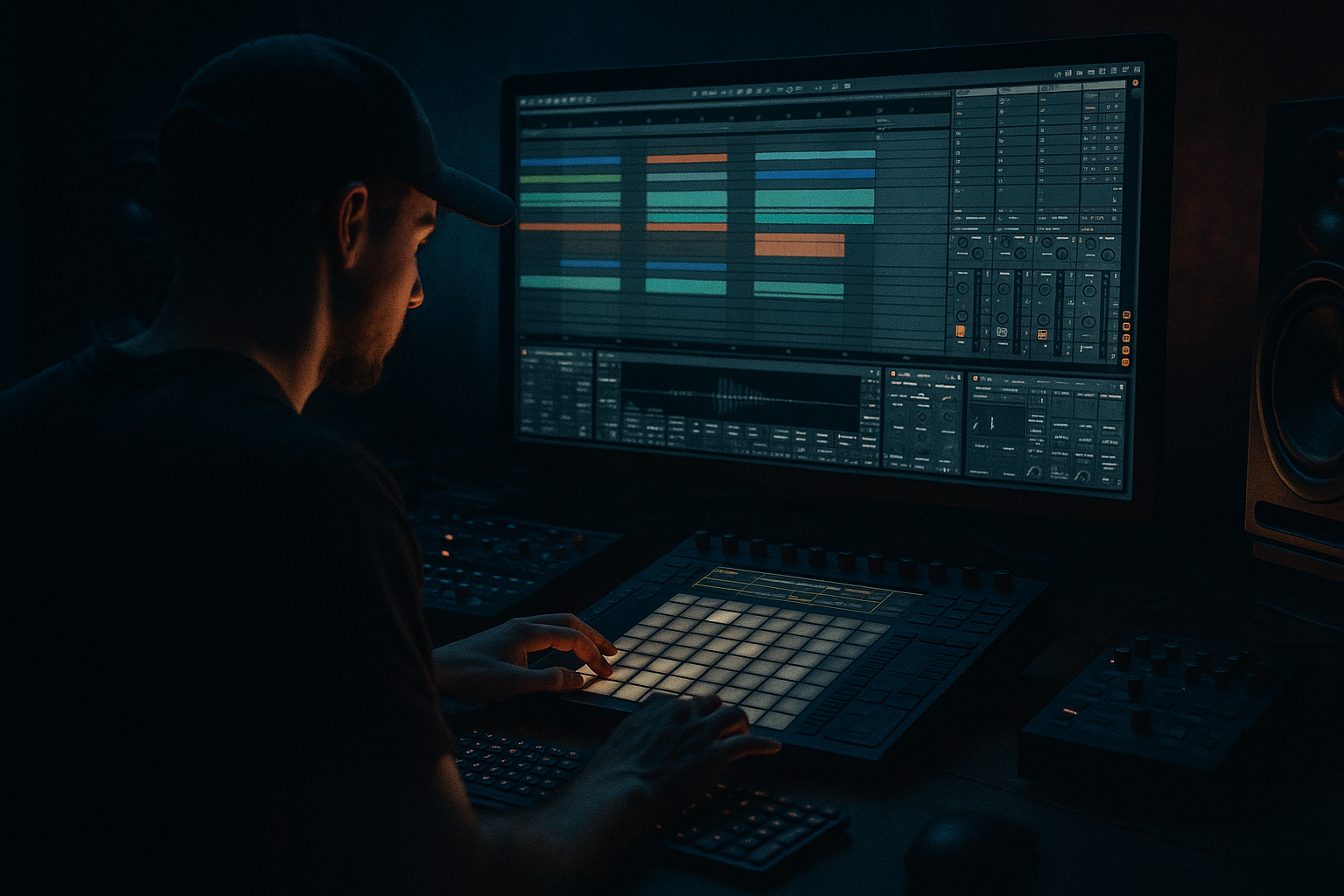
Amen chop pitch breakdown for warm tape-style grit in Ableton Live 12 (Advanced) cover image

Narrated lesson audio

The voice track includes the tutorial plus extra teacher commentary.

Open audio file

Main tutorial

Amen Chop Pitch Breakdown for Warm Tape-Style Grit in Ableton Live 12 (Advanced Workflow) 🎛️🔥

1. Lesson overview

This lesson is about getting that warm, tape-y, slightly grimy “worked” Amen sound—without turning it into brittle distortion or losing the transient punch that makes jungle/DnB roll.

We’ll focus on a high-control workflow in Ableton Live 12:

  • Chop the Amen cleanly and musically
  • Create a pitch breakdown (classic jungle energy drop) using Clip Envelopes
  • Add tape-style grit and weight using stock devices (no plugins needed)
  • Keep it tight to the grid and arrangement-ready for rolling drum & bass
  • ---

    2. What you will build

    By the end you’ll have:

  • A Drum Rack containing Amen chops mapped across pads
  • A loop with pitch automation that “falls apart” in a controlled way (breakdown moment)
  • A parallel “Tape Dirt” bus for warm saturation, compression glue, and gentle HF roll-off
  • A breakdown section that transitions back into a tight, heavyweight drop
  • ---

    3. Step-by-step walkthrough

    Step A — Prep the Amen for clean chopping (and later abuse)

    1. Drag your Amen break (classic Amen, Amen Brother, or a clean variation) onto an Audio Track.

    2. Set your project tempo to something DnB-friendly: 170–176 BPM.

    3. In the clip view:

    - Warp: ON

    - Warp mode: Beats

    - Preserve: Transients

    - Envelope: start around 20–40 (lower = sharper, higher = smoother)

    - ✅ Turn on “Loop” and set the loop to exactly 1 or 2 bars.

    Why Beats mode first?

    It keeps transients tight while you establish timing. We’ll switch warp modes later when we want the pitch to smear in a tape-like way.

    4. Right-click the clip → Slice to New MIDI Track

    - Slicing preset: Built-in → Slicing: Transients

    - This creates a Drum Rack with slices and a MIDI clip.

    ---

    Step B — Build a playable Amen rack (so the pitch breakdown is musical)

    1. Open the new Drum Rack chain.

    2. Find your core slices: usually kick, snare, ghosts, and the classic “Amen turnaround” bits.

    3. Group or color-code pads you’ll use most (workflow speed matters at this level).

    Advanced routing tip (clean control):

  • Create two return chains inside the Drum Rack (not mixer returns):
  • - Return A: `Tape Dirt` (we’ll build it later)

    - Return B: `Air/Room` (optional short ambience)

    Inside Drum Rack, click Chain List → Returns and build returns there. This keeps the Amen processing self-contained per rack.

    ---

    Step C — Make the pitch breakdown using Clip Envelopes (fast + repeatable)

    You’ve got two main pitch-breakdown approaches. Here’s the cleanest for Ableton workflow:

    #### Option 1 (recommended): Pitch the whole break bus via resampling chain

    This gives a cohesive “everything falls” sound.

    1. Route your Amen Drum Rack to an Audio Track named `AMEN BUS`.

    - In Drum Rack track: Audio To → AMEN BUS

    2. On `AMEN BUS`, add:

    - Audio Effect Rack (we’ll add chains later)

    3. Resample the Amen for the breakdown:

    - Create a new audio track `AMEN PRINT`

    - Set input to AMEN BUS

    - Record 8 bars of your groove (including the section you’ll pitch down)

    Now you have a single audio clip you can pitch like a record.

    4. On the `AMEN PRINT` clip:

    - Warp mode: Complex Pro (for smoother tape-ish behavior)

    or Texture (for grainy time-stretch vibe—very jungle)

    - If using Complex Pro:

    - Formants: start at 0

    - Envelope: 80–120 (depends on material)

    5. Create the pitch breakdown:

    - In Clip View → Envelopes

    - Choose: Clip → Transposition

    - Draw a ramp: e.g. over 2 bars, go from 0 st down to -7 st or -12 st

    - Add a slight “wobble” at the end: tiny steps like `-10 → -12 → -11 → -12` for that unstable tape feel.

    DnB arrangement tip:

    Do this in the last 2 bars before the drop, then cut to a tight, unpitched Amen on the downbeat of the drop. The contrast is the magic.

    #### Option 2: Pitch individual slices (more chaotic, more “chop science”)

    If you want the breakdown to “fracture” rather than fall as one:

  • In Drum Rack, open each Simpler and automate Transp per slice (tedious but surgical)
  • Or duplicate the Drum Rack into a `BREAKDOWN` version and pitch key slices down manually (fast + intentional)
  • ---

    Step D — Add warm tape-style grit (stock chain that actually works) 📼

    We’ll build a parallel tape chain so you keep punch while adding grime.

    On `AMEN BUS`, drop an Audio Effect Rack with 2 chains:

    #### Chain 1: `Clean Punch`

    1. EQ Eight

    - High-pass: 24 dB/oct @ 25–35 Hz

    - Small dip if boxy: -2 to -4 dB @ 250–400 Hz (Q ~1.2)

    - Optional gentle shelf: +1–2 dB @ 6–10 kHz if needed after saturation

    2. Glue Compressor

    - Attack: 0.3 ms (keep it snappy)

    - Release: Auto

    - Ratio: 2:1

    - Threshold: aim for 1–3 dB GR

    - Soft Clip: ON (subtle, but helpful)

    #### Chain 2: `Tape Dirt` (parallel)

    1. Saturator

    - Type: Soft Sine or Analog Clip

    - Drive: +4 to +10 dB (go higher than you think, since it’s parallel)

    - Soft Clip: ON

    - Color: ON

    - Output: pull down to match level

    2. Redux (use gently for “crunch dust”)

    - Bit Reduction: 0 (leave it)

    - Sample Reduction: down to 10–18 kHz (tiny moves!)

    - This gives that subtle “degraded” edge without turning it into video-game drums.

    3. EQ Eight (tape-style roll-off + cleanup)

    - Low-pass: 12 dB/oct @ 10–14 kHz

    - Optional notch if harsh: -2 dB @ ~3.5–5 kHz

    4. Drum Buss

    - Drive: 5–15%

    - Crunch: 5–20%

    - Boom: 0–10% (careful—Amen low-end gets messy fast)

    - Transients: often slightly negative (-5 to -15) to smooth like tape

    5. Glue Compressor (to “print” the dirt)

    - Attack: 3 ms

    - Release: 0.1–0.3 s

    - Ratio: 4:1

    - Aim for 3–6 dB GR

    Now blend the chains:

  • Keep `Clean Punch` at 0 dB
  • Bring `Tape Dirt` up until you miss it when it’s off
  • (Often it ends up -12 to -6 dB relative to clean)

    Key concept: Tape vibe comes from HF softening + compression glue + harmonic density, not just distortion.

    ---

    Step E — Make the pitch breakdown feel like a record melting (without killing timing)

    Now combine pitch motion with “tape instability”:

    On your `AMEN PRINT` (the pitched clip), add a small rack:

    1. Shifter (as subtle “wow”)

    - Mode: Pitch

    - Coarse: 0

    - Fine: automate between -5 to +5 cents

    - Mix: 10–30%

    - Add a slow LFO feel by drawing automation (or use Auto Filter LFO on volume—see below)

    2. Auto Filter (gentle movement + darkening)

    - Filter: LP24

    - Cutoff: automate from ~14 kHz down to 4–8 kHz through the breakdown

    - Resonance: 0.2–0.8 (keep it classy)

    - Drive: small amount if needed

    3. Optional: Utility for mono focus during the fall

    - Width: automate from 100% → 60–80%

    When it drops back into the main drums, slam width back to 100% for impact.

    ---

    Step F — Arrangement move: breakdown → reload into the drop 💥

    A tried-and-tested 16-bar idea:

    Bars 1–8: Main rolling groove (clean/tight Amen + bass)

    Bars 9–12: Strip bass, keep Amen + hats, start introducing tape dirt

    Bars 13–14: Pitch ramp down (Transposition automation), filter closes, add a tiny room tail

    Bar 15: Hard cut/stutter (1/8 or 1/16) + stop the pitch automation

    Bar 16: Drop: restore clean Amen groove full bandwidth, reintroduce sub + reese

    Use Ableton’s Beat Repeat (very jungle) right before the drop:

  • Interval: 1 Bar
  • Grid: 1/16
  • Chance: 10–20% (or automate to 100% for a single bar)
  • Variation: 0–15
  • Filter: On, keep it dark
  • ---

    4. Common mistakes

  • Pitching with the wrong warp mode: Beats mode can sound too “choppy” when pitching; switch to Complex Pro or Texture for the breakdown print.
  • Over-saturating the main chain: Put the nastiness in parallel or you’ll flatten the groove.
  • Not gain-staging the dirt chain: Saturator + Drum Buss will explode level fast. Match output so you’re judging tone, not loudness.
  • Too much low-end in the break: The Amen isn’t your sub. High-pass responsibly (often 25–45 Hz).
  • Pitch automation without filtering: A pitch drop alone can sound cheesy—pair it with HF roll-off for tape realism.
  • ---

    5. Pro tips for darker/heavier DnB 🖤

  • Texture warp + low-pass = instant dystopia: Print the break, set Warp to Texture, tweak Grain Size slightly, then low-pass to 6–10 kHz during the breakdown.
  • Transient management for weight: Use Drum Buss Transients slightly negative on the dirt chain, but keep transients alive in the clean chain.
  • Midrange control with Multiband Dynamics (careful):
  • Use it lightly on the dirt chain to keep the 200–600 Hz range from ballooning when pitched down.

  • Mono the breakdown a bit: Narrowing stereo width during the fall makes the drop feel wider and more violent.
  • Layer a “sub hit” only on the drop: Don’t let the pitched Amen imply sub. Instead, add a dedicated sub impact (sine/808) right at the drop for modern weight.
  • ---

    6. Mini practice exercise (15–25 minutes) ✅

    1. Take an Amen and Slice to Drum Rack.

    2. Program a 2-bar rolling jungle loop using mostly original slice order + 2–3 edits.

    3. Route to `AMEN BUS`, print to audio (`AMEN PRINT`).

    4. Create a 2-bar pitch breakdown:

    - Transposition: 0 → -12 st

    - Filter cutoff: 14 kHz → 6 kHz

    5. Build the parallel Tape Dirt chain and blend it until it’s obvious but not crushed.

    6. Bounce a quick 16-bar arrangement: groove → breakdown → drop.

    Deliverable: a 16-bar clip where the breakdown feels like it’s melting, and the drop feels tight and clean again.

    ---

    7. Recap

  • Chop cleanly → Drum Rack for control
  • Print the groove to audio → pitch automation is smoother and more “record-like”
  • Build tape grit using parallel Saturator + Drum Buss + HF roll-off
  • Pair pitch drops with filtering and subtle instability for realism
  • Arrange so the breakdown gets darker/narrower, then the drop hits wide, bright, and tight 🎚️

If you tell me your target vibe (90s jungle raw / modern neuro-roll / halftime grime), I can suggest exact warp mode choices and a tighter device chain tuned to that sound.


Ask GPT about this lesson

Chat with the lesson tutor, get follow-up help, or use quick actions.

Bigup 👽 Ask me anything about this lesson and I’ll answer in context.

Narration script

Show spoken script
Amen chop pitch breakdown for warm tape-style grit in Ableton Live 12. Advanced workflow. Let’s go.

Today you’re building that classic jungle and drum and bass moment where the Amen feels like it’s getting chewed up by the machine, pitching down like a record melting… but when the drop hits, everything snaps back tight, heavyweight, and clean. The key is control. We’re not just slapping distortion on the break. We’re chopping clean, printing smart, pitching in a way that stays musical, and adding grit in parallel so we keep punch.

Before you touch anything, set your project tempo somewhere DnB-friendly. One-seventy to one-seventy-six is home base. I’ll imagine one-seventy-four. Now drag your Amen break onto an audio track.

In the clip view, turn Warp on. Start with Warp Mode set to Beats. Preserve should be Transients. And set the Envelope somewhere around twenty to forty. Lower values are sharper, higher values smear more. For now, we want tight. Turn on Loop, and make sure your loop is exactly one or two bars. Not “close enough,” exactly. This is one of those boring steps that saves you an hour later.

Quick teacher note: we’re using Beats mode first because it’s like putting the break on rails while you prepare. Beats mode can sound choppy when you start doing pitch drops, but it’s great for getting the timing and transients locked before we start the abuse.

Now right-click that audio clip and choose Slice to New MIDI Track. Use the built-in slicing preset for transients. Ableton creates a Drum Rack full of slices plus a MIDI clip that plays the break.

Open that Drum Rack and take a second to find the pads you’ll actually use. Usually you’ve got your kick slice, your snare slice, ghost notes, and then those classic turnaround bits that make the Amen feel like it’s chasing itself. Color-code or group the pads you rely on. This isn’t cosmetic. On advanced sessions, workflow speed is sound design. If you can’t find your slices instantly, you won’t experiment.

Here’s an advanced routing move that keeps everything clean. Inside the Drum Rack, create return chains. Not the mixer returns, the Drum Rack’s own returns. Build one return called Tape Dirt, and optionally another called Air or Room. This keeps your Amen processing self-contained, so you can drag the whole rack to another project and it behaves the same.

Now we get into the main event: the pitch breakdown.

There are two ways to do it. You can pitch each slice individually, which is chaotic and very chop-science, but it’s a lot of work. The cleaner, more repeatable method is to pitch the whole break as one printed audio clip. That’s what we’re doing today because it gives you that cohesive “everything falls together” sound, like a DJ trick or a tape machine dying.

Route your Drum Rack track to an audio track named AMEN BUS. In the Drum Rack track, set Audio To to that bus. On AMEN BUS, drop an Audio Effect Rack. We’ll fill it in later.

Now create a new audio track called AMEN PRINT. Set its input to AMEN BUS. Record eight bars of your groove, including the part that will become the breakdown. This is important: don’t print only the breakdown. Print enough that you can place it musically in the arrangement.

As soon as you print it, duplicate that track or that clip. Make one version called AMEN PRINT SAFE. No devices, no extra processing, warp correct. This is your insurance policy. Then make your working version called AMEN PRINT MELT. That’s where you get aggressive.

On AMEN PRINT MELT, choose your warp mode for the breakdown. This is where the vibe changes dramatically.
If you want smoother, more “record-like” behavior, try Complex Pro. Set formants around zero, and start the envelope around eighty to one-twenty depending on the material.
If you want gritty, grainy, dystopian jungle energy, use Texture. Texture plus filtering is instant “old sampler being tortured.”

Now draw the pitch fall. Go to clip envelopes. Choose Clip, then Transposition. Over two bars, draw a ramp from zero semitones down to negative seven or negative twelve. Negative twelve is the full octave plunge and it’s a classic. But here’s the trick: don’t leave it as a perfect straight line. At the end, add a little wobble. Tiny steps like negative ten, negative twelve, negative eleven, negative twelve. You’re telling the ear “this is unstable,” not “this is automation.”

Even better, do a two-stage collapse. First, a quick dip to negative three or negative five, like the platter got nudged. Hold it for a moment. Then slide down to negative twelve with a slightly uneven curve. This reads like mechanical failure, not a clean effect.

Now, coach note: clip envelopes are great because you can copy-paste the clip and it carries the motion. But if you can, do your big “pitch fall” in Arrangement automation, especially when you want to stage multiple things together: the filter closing, the stereo narrowing, the dirt rising, maybe the room tail creeping in. Arrangement view is where you make the breakdown feel like one continuous performance gesture, not a bunch of separate tricks.

Next: tape-style grit. Stock devices only, but it has to feel expensive. The biggest mistake people make is saturating the main chain until the break goes flat and brittle. We’re going parallel.

Back on AMEN BUS, in that Audio Effect Rack, create two chains. One is Clean Punch. The other is Tape Dirt.

On Clean Punch, start with EQ Eight. High-pass at about twenty-five to thirty-five hertz, twenty-four dB per octave. This is just safety and headroom. If it’s boxy, make a small dip two to four dB around two-fifty to four-hundred hertz, Q around one-point-two. And if after everything you feel like the break lost a bit of sparkle, you can do a very gentle shelf up one or two dB around six to ten kHz. Don’t pre-hype it yet. Just clean.

Then put Glue Compressor. Attack at point-three milliseconds to keep it snappy. Release on Auto. Ratio two to one. Adjust threshold to get one to three dB of gain reduction. Soft Clip on, but subtle. This chain is your spine. It keeps the groove readable.

Now the fun chain: Tape Dirt.

First device: Saturator. Set the type to Soft Sine or Analog Clip. Drive somewhere around plus four to plus ten dB. You can go higher than you think because it’s parallel. Soft Clip on. Turn Color on. Then match the output so you’re not being tricked by loudness. That’s a huge one. Always level-match your dirt path.

After Saturator, add Redux, but gently. Keep bit reduction at zero. Use sample rate reduction just a little, maybe down to ten to eighteen kHz. Tiny moves. The goal is “crunch dust,” not arcade drums.

Then EQ Eight to do the tape roll-off. Low-pass at about ten to fourteen kHz, twelve dB per octave. If there’s a harsh bite, notch a couple dB around three-point-five to five kHz.

Now Drum Buss. Drive five to fifteen percent. Crunch five to twenty percent. Boom zero to ten, but careful: the Amen low end can turn to soup fast. A big trick here is transients slightly negative, like minus five to minus fifteen, so it smooths like tape, but remember: only on the dirt chain. We’re keeping the clean chain punchy.

Then one more Glue Compressor to “print” the dirt. Attack around three milliseconds, release around point-one to point-three seconds, ratio four to one. Aim for three to six dB of gain reduction. This makes the dirt feel like one glued texture rather than random spikes.

Now blend the chains. Keep Clean Punch at zero dB. Bring up Tape Dirt until you miss it when it’s off. That’s the test. If it’s obvious as an effect, you’re probably too hot. Often the dirt chain ends up six to twelve dB lower than the clean chain.

Here’s the concept to lock in: tape vibe is high-frequency softening plus compression glue plus harmonic density. It’s not just “more distortion.”

Now we combine pitch motion with “tape instability,” and this is where the breakdown becomes cinematic.

On AMEN PRINT MELT, add a small effects rack. Start with Shifter. Set mode to Pitch. Coarse at zero. Then automate Fine between about minus five and plus five cents. Keep the mix low, maybe ten to thirty percent. You can draw slow, uneven automation so it feels like wow and flutter rather than a perfect LFO.

Add Auto Filter next. Use an LP24 filter. Automate cutoff from around fourteen kHz down to somewhere between four and eight kHz through the breakdown. Resonance low, point-two to point-eight. Keep it classy. Add a touch of drive only if it needs attitude.

Optional but powerful: Utility for stereo focus. Automate width from one hundred percent down to sixty to eighty during the fall. Then on the drop, slam it back to one hundred. That contrast makes the drop feel wider and more violent without even adding volume.

Now a really useful pro move: build a single Macro that performs the breakdown. Put these devices in an Audio Effect Rack and map one Macro to multiple parameters at once. Map the filter cutoff down. Map Shifter mix up slightly. Map Utility width down. Map saturation drive up a touch. Map a tiny reverb send up just a bit. Now you can perform the entire melt with one automation lane. That’s not just convenient; it makes the breakdown feel cohesive, because everything moves together like one machine failing.

Speaking of reverb: if you use it, think “room print,” not “big reverb.” Hybrid Reverb in Convolution mode, tiny room or ambience impulse response, decay under half a second, low-pass the return, and keep it barely there. The listener should feel air, not hear a tail.

Now let’s make sure the pitch drop doesn’t fight your bass. When you transpose the break down seven or twelve semitones, the perceived weight shifts into the low-mids. Use Live 12’s Spectrum to check what’s building up. A common fix is cutting one-twenty to two-fifty hertz on the break during the fall so your bass note stays clear. You’re basically preventing the break from pretending it’s the sub. The Amen is not your sub.

If you want a seriously advanced variation: split-band pitching. Duplicate AMEN PRINT MELT into two tracks. On the low band track, low-pass around two-hundred to three-hundred hertz and do little or no pitch fall, maybe negative two semitones at most. On the high band track, high-pass around the same point and do the full pitch fall plus wobble. Blend them. This keeps impact while the top end melts dramatically. It’s one of the most reliable ways to make the breakdown huge without turning to mud.

Now arrangement. Here’s a proven sixteen-bar story.

Bars one through eight: main rolling groove. Tight Amen, bass doing its thing. Keep it controlled.
Bars nine through twelve: start removing energy. Strip the bass or thin it out. Narrow the width slightly. Bring in more dirt subtly, like the system is heating up.
Bars thirteen and fourteen: this is your mechanism failure moment. Pitch starts falling. Filter closes. Wobble increases. Room air comes up a touch.
Bar fifteen: give us a stutter or a needle-stuck moment. You can use Beat Repeat for that classic jungle energy. Interval one bar, grid one-sixteenth, chance ten to twenty percent, or just automate chance to one hundred for a single bar. Keep the Beat Repeat filter on and dark.
Or, if you want it deterministic, do it manually: split the audio region and loop a tiny slice, one-thirty-second to one-sixteenth, for the last half-beat before the drop. Add short fades so it doesn’t click.
Then bar sixteen: hard reset. Clean Amen, full bandwidth, transients back, stereo back wide. Reintroduce sub or reese. If you want extra modern impact, add a dedicated sub hit only on the drop. Don’t let the pitched Amen imply sub; it’ll just smear your low end.

One last arrangement upgrade: negative space. In the last quarter beat before the drop, cut the Amen completely, or leave only the tiny room tail. Silence makes the downbeat sound twice as big. Especially after you’ve filled the breakdown with harmonics and compression.

Common mistakes to avoid as you do this:
If you pitch using Beats mode, it can sound too chopped and glitchy in a bad way. Print the break and use Complex Pro or Texture for the fall.
If you saturate the main chain, you’ll flatten the groove. Put nastiness in parallel.
If you don’t gain-stage the dirt chain, you’ll think it sounds better because it’s louder. Match levels.
If your break has too much low end, your whole drop will feel confused. High-pass responsibly, often twenty-five to forty-five hertz.
And if you do pitch automation without filtering, it can sound cheesy. Pair the pitch fall with high-frequency roll-off and a little instability.

Now your mini practice: take one Amen, slice to Drum Rack, program a two-bar rolling loop with mostly original order plus two or three edits. Route it to AMEN BUS, print it to AMEN PRINT. Make a two-bar breakdown: transposition zero to negative twelve, filter fourteen kHz down to six kHz. Build the parallel tape dirt chain, blend it until it’s obvious but not crushed. Then bounce a quick sixteen-bar arrangement: groove, breakdown, drop.

Your deliverable is simple: the breakdown should feel like it’s melting, and the drop should feel tight and clean again.

And if you want a proper homework challenge, build that performance Macro that controls at least five parameters, automate it from zero to one hundred over bars thirteen and fourteen, do a stutter in bar fifteen, and snap it back to zero exactly on the downbeat of bar sixteen. Then print two versions: one using Texture warp, one using Complex Pro, and compare which one stays readable while still sounding destroyed.

When you’ve got a version you like, tell me your tempo, whether your Amen source is clean or noisy, and whether your drop is sub-heavy or reese-heavy, and I can suggest a Macro mapping and EQ points that avoid frequency collisions during the fall.

mickeybeam

Go to drumbasscd.com for +100 drum and bass YouTube channels all in one place - tune in!

Generating PDF preview…